7 Decent 3D Printers Under $1000 in 2027
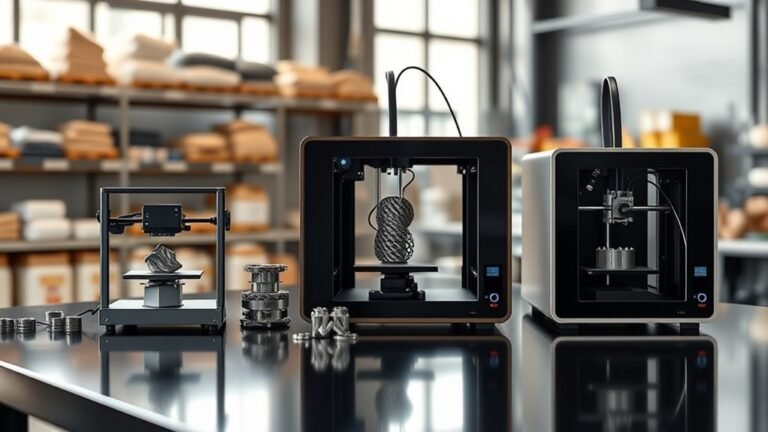
If you’re looking for a reliable 3D printer under $1000 in 2027, there are some key features you’ll want to keep an eye on. Enclosure is important, especially if you plan to print with materials like ABS or PETG that need stable temperatures.
Speed and plug-and-play calibration also make a big difference in your printing experience.
Some top picks include the Bambu Lab P1S, which offers fast, enclosed printing and even multi-color options. The P2S is another great choice if you want stability, while the A1 Mini is perfect for easy PLA and PETG use.
If you’re on a tighter budget, the Creality Ender 3 V3 SE provides solid basics, though it doesn’t include an enclosure. Keep exploring different models to find the best fit for your specific needs and materials. Happy printing!
Key Takeaways
- The Bambu Lab P1S offers fast, enclosed CoreXY printing ideal for PLA, PETG, and warp-prone ABS under $1000. It’s great if you want quality prints without breaking the bank.
- Bambu Lab A1 mini is a plug-and-play, smaller-bed printer suited for beginners using PLA and PETG with reliable auto-calibration. Perfect if you’re just starting out and want something hassle-free.
- Creality Ender 3 V3 SE is a budget-friendly open-frame option with automatic leveling but lacks an enclosure for ABS or ASA. So, it’s best for PLA and PETG users who don’t need an enclosed build space.
- Multi-color printing under $1000 often requires optional modular feeders, as seen with Bambu Lab P1S AMS and Creality K2 Pro upgrades. You’ll want to add these if you’re interested in more colorful prints.
- Enclosed CoreXY printers provide better warp resistance, while open-frame models prioritize speed and affordability for PLA and PETG materials. It really depends on what kind of printing experience you’re after.
How to Choose a 3D Printer Under $1000 in 2027
When choosing a 3D printer under $1000 in 2027, start by deciding what matters most to you—speed, enclosure, or multi-color capability. If you need an enclosed printer, look for enclosed CoreXY models like the Bambu P1S class. These provide stability for warp-prone materials like ABS, ASA, and PETG.
Open-frame printers offer faster speeds and lower costs but work best with PLA or PETG. Consider build volume realistically; most budget printers offer around 180–220×220 mm. So, make sure your parts will fit.
If you’re new, prioritize plug-and-play calibration systems like Bambu’s automatic setup to reduce frustration. For multi-color printing, remember that multi-material hardware adds complexity and requires filament purging. Focus on your first six months’ material choices to guide your decision effectively.
What to Expect From 3D Printers Under $1000: Features and Performance
When shopping for 3D printers under $1,000 in 2027, you can expect mostly FDM models with standard 0.2 mm layer settings and nozzle sizes around 0.4 mm. Performance-wise, print speeds might look impressive on paper but usually settle into a moderate range during real-world use.
Key features like automatic calibration and reliable slicing profiles will make a big difference in your printing experience. These little conveniences can save you a lot of time and frustration down the road. So, keep an eye out for them when making your choice.
Key Features Overview
A solid 3D printer under $1,000 in 2027 delivers plug-and-play convenience with features like automatic calibration, auto-leveling, and slicer presets such as OrcaSlicer’s 0.20 mm Standard profile.
Models like the Bambu Lab A1 mini really show this trend, offering reliable printing with common materials like PLA and PETG. You’ll usually find standard 0.4 mm nozzles and typical layer heights around 0.2 mm, which balance detail and speed nicely.
Open-frame designs handle PLA and PETG well, but if you’re working with materials prone to warping, like ABS, enclosed printers are better. Multi-color printing often comes as an optional upgrade through modular feeders, so be sure to check if it’s included or costs extra.
Performance Expectations
You’ll often see budget 3D printers advertising high speeds—up to 500 or even 600 mm/s—but real-world printing usually runs slower due to factors like acceleration limits, cooling times, and slicer settings.
Take the Bambu Lab P1S Combo, for example; it impresses with auto-calibration but still needs 5–6 minutes before printing.
Here’s what you should expect under $1000:
- Standard prints use 0.4 mm nozzles and 0.2 mm layers, taking about 21–32 minutes.
- Manual leveling may be needed on less advanced models but can yield solid results.
- Enclosures matter if you want to print ABS and ASA—those materials warp without controlled chambers.
- Multi-color setups add complexity and slowdowns due to purge cycles.
Knowing these will help you get the best performance from your budget printer.
Top 3D Printers for Versatile and Reliable Printing
You want a 3D printer that handles various materials without fuss and delivers consistent results every time. Look for machines offering fast, reliable print times alongside multi-material compatibility to expand your project options.
Let’s explore which models strike the best balance between versatility and dependable performance under $1000.
Versatile Printing Features
Versatility in 3D printing means managing a variety of materials and delivering consistent results without constant tweaking. The Bambu Lab P1S, featuring the AMS lite for automated multi-color printing, excels here with fast PLA prints and ABS/ASA capability thanks to its enclosure.
If you want reliability with a similar ecosystem, the P2S swaps speed for simplicity. For beginners, the Bambu Lab A1 mini provides plug-and-play ease on a smaller bed, ideal for PLA and PETG but less suited for warp-prone filaments.
Consider these versatile features:
- Multi-material printing with AMS lite on the Bambu P1S
- Enclosed design for ABS/ASA support
- Fast print speeds on PLA for quick prototyping
- Beginner-friendly calibration on the A1 mini
These options ensure you can tackle varied projects confidently.
Reliable Performance Metrics
When choosing a 3D printer under $1000, reliable performance metrics give you a clear picture of what to expect in real-world printing. The Bambu Lab P1S leads Printer Picks with a 21-minute bracket print using 11 g of PLA, showcasing top speed and consistency.
The Bambu Lab P2S follows closely at 27 minutes, offering a safer upgrade with enclosed CoreXY mechanics. Even the compact Bambu Lab A1 mini proves reliable, finishing in under 30 minutes despite its smaller build volume.
Compared to slower models like Flashforge Adventurer 5M and AD5X, Bambu Lab printers stand out for dependable, versatile output. Using a standardized test with OrcaSlicer ensures you get fair comparisons, helping you pick a printer that’s both quick and consistent for your projects.
Multi-Material Compatibility
Although multi-material compatibility often demands extra setup and calibration, choosing a 3D printer that supports dependable, automated workflows can save you significant time and frustration.
If you’re hunting for your first printer with multi-material capabilities, an enclosed design is essential for handling warp-prone materials like ABS and PETG. Here are top picks to consider:
- Bambu Lab P1S offers a fully enclosed CoreXY frame, supporting multi-color printing with the optional AMS feeder.
- Bambu Lab P2S is a safer upgrade, maintaining enclosure and seamless AMS integration.
- Creality K2 Pro models can print multi-color but check included feeders to avoid unnecessary costs.
- Flashforge AD5X/ Adventurer 5M excel in workflow maturity for reliable material swaps.
Pick one that fits your workflow for consistent, versatile printing.
Best Budget-Friendly 3D Printers for Beginners
If you’re new to 3D printing and working within a budget, selecting a reliable, easy-to-use machine is essential for a smooth start. Among the Best 3D Printers under $1,000, the Bambu Lab P1S stands out as the top budget-friendly printer with fast, enclosed CoreXY printing.
The Bambu Lab A1 mini offers plug-and-play simplicity at a lower price, making it ideal for smaller parts. For the lowest cost, the Creality Ender 3 V3 SE provides automatic leveling but lacks an enclosure.
| Printer | Print Speed (0.20mm PLA) | Enclosure |
|---|---|---|
| Bambu Lab P1S | 21 min 20 s | Yes (CoreXY) |
| Bambu Lab A1 mini | 29 min 46 s | Yes (Mini) |
| Ender 3 V3 SE | Moderate | No (Open-frame) |
Which Printers Offer Multi-Color and Enclosed Printing Options?
Since multi-color printing often demands additional hardware, you’ll want to focus on enclosed printers that integrate or support reliable multi-color solutions. The Bambu Lab P1S, with its optional AMS feeder priced around $650–$750, offers a solid multi-color plus enclosure combo.
The P2S provides a safer buy with the same dependable AMS ecosystem. Creality K2 Pro and K2 Pro Combo also target multi-color workflows but often require you to add feeder or multi-color hardware.
Remember, materials like ABS or ASA benefit from an actively heated, enclosed setup, unlike PLA or PETG.
ABS and ASA thrive in heated, enclosed printers, unlike PLA or PETG which are less demanding.
- Bambu Lab P1S: multi-color ease with enclosure
- Bambu Lab P2S: safer buy, same tech
- Creality K2 Pro: flexible multi-color add-ons
- Enclosure matters for ABS/ASA beyond PLA/PETG
Comparing Print Speed and Material Compatibility
When you compare print speeds across popular models like the Bambu Lab P1S and Flashforge AD5X using the same slicer settings, you’ll see real-world differences that go beyond marketing claims. CoreXY systems such as the P1S excel, finishing PLA prints in 21m 20s, while bed-slingers like the AD5X take over 32 minutes.
You’ll want to decide whether speed or material versatility matters more, especially since enclosure impacts compatibility with warp-prone materials like ABS or ASA.
| Printer Model | Print Time (PLA) | Material Compatibility | Enclosure Needed? |
|---|---|---|---|
| Bambu Lab P1S | 21m 20s | PLA, PETG, ABS | Yes |
| Bambu Lab P2S | 27m 16s | PLA, PETG | Yes |
| Flashforge AD5X | 32m 03s | PLA, PETG | Optional |
| General Guidance | – | Every material varies | Decide whether |
How We Tested and Ranked the Best 3D Printers
We ranked the best filament 3D printers by analyzing their positions across major retailers like Amazon US, UK, Germany, and MatterHackers as of October 15, 2026. The highest position earned the most points, with 1st place difficult to beat at 15 points.
We tested eight printers printing the same bracket using OrcaSlicer 2.4.2 on their supplied PLA, measuring print time and quality. We also compared design types and multi-color capabilities to give you a clear buying guide.
Here’s how we approached it:
- Scored retailer rankings for popularity and trust
- Timed identical print tests for speed and precision
- Evaluated design layout differences to suit your setup
- Considered multi-color options for creative flexibility
This approach guarantees you a hard-to-beat, well-rounded recommendation.
Frequently Asked Questions
How Do I Maintain My 3D Printer for Optimal Performance?
You should routinely clean the nozzle, lubricate moving parts, and ensure the bed is level. These small steps make a big difference in how your prints turn out.
Also, don’t forget to update the firmware and check the belts for proper tension. Storing filament the right way is important too.
Doing these keeps your 3D printer running smoothly and ensures high-quality prints. It’s all about regular care to avoid bigger issues later on.
What Software Is Best for Designing 3D Models on a Budget?
You’ll want to try Blender or Tinkercad—they’re free and user-friendly. Fusion 360 offers a free hobbyist version too.
These tools let you design detailed 3D models without breaking your budget or needing steep learning curves. Give them a shot!
Can I Upgrade Parts on Budget 3D Printers Later?
Yes, you can upgrade parts on budget 3D printers later. Many models let you swap out components like nozzles, extruders, or build plates.
This means you can boost performance and print quality without having to buy a whole new machine. It’s a great way to get more value from your printer over time.
How Noisy Are 3D Printers Under $1000 During Operation?
You’ll find most budget 3D printers make moderate noise—usually around 50-60 decibels. It’s noticeable but not overwhelming.
If you want, you can reduce the noise by adding dampers, enclosures, or upgrading the fans later on. It’s pretty easy to make your setup quieter.
Are There Any Safety Concerns With Home 3D Printing?
Yes, you should watch for fumes, hot surfaces, and moving parts. Make sure to ventilate your space well.
Never leave the printer unattended, and keep kids or pets away to stay safe while 3D printing at home. It’s better to be cautious!
Conclusion
Choosing a 3D printer under $1000 in 2027 feels like opening a treasure chest of creativity. With options that balance speed, color, and versatility, you’re ready to bring your ideas to life without breaking the bank.
Whether you’re a beginner or a hobbyist, these printers are your trusted companions on an exciting journey. So, jump in, and let your imagination soar—
your next masterpiece is just a print away. Affordable, reliable, and packed with features, these 3D printers under $1000 make it easier than ever to explore the world of 3D printing. Ready to create, innovate, and have fun? Your perfect 3D printer is waiting!