10 Key Things to Know Before Buying a 3D Printer
Before buying a 3D printer, it’s super important to know what you’ll be printing. If you want fine details, resin printers are your best bet. For strong, durable parts, FDM or SLS printers work better.
Think about the build volume too. Bigger projects need larger print beds, and it’s smart to leave some extra margin. Resolution matters as well—it affects how smooth your prints look and how fast you can print. Resin printers generally offer finer layers.
Dual extruders can seem tricky, but they’re great if you want to print with multiple materials at once. Don’t forget to consider the materials you’ll use, ongoing costs, and any post-processing that might be needed.
Ease of use, maintenance, and brand support are key factors that can save you from future headaches. Keep exploring and learning to make a smart, confident choice when picking your 3D printer.
Key Takeaways
– Choose print technology (FDM, resin, SLS) based on required detail, strength, material compatibility, and application needs.
Think about what you really need your prints to do before deciding.
– Match printer build volume to your largest part size, adding 10–20% margin for reliable prints and future projects.
It’s always smart to have a little extra room just in case.
– Consider resolution and layer height trade-offs: finer layers improve detail but increase print times and post-processing.
So, if you want super detailed prints, be ready to wait a bit longer.
– Factor in material handling, safety, and post-processing complexity, especially for resins and powder-based printers.
Some materials can be tricky or messy, so keep that in mind.
– Assess multi-material/color needs and printer footprint, balancing print complexity, workspace size, and intended print volume.
Make sure your printer fits your workspace and matches what you want to create.
What You Want to Print Means for Your 3D Printer Choice
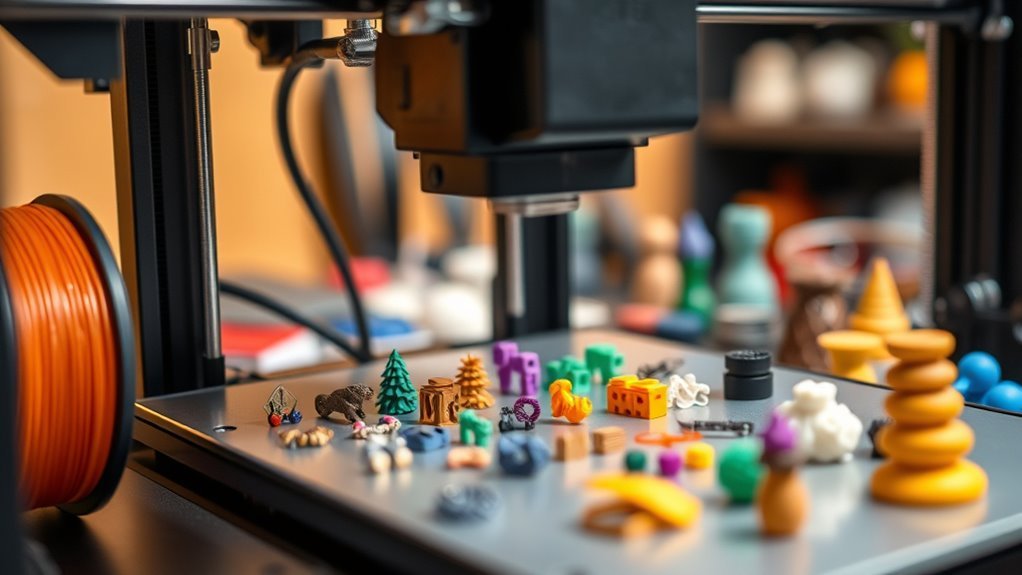
When choosing a 3D printer, what you plan to print directly shapes your decision. If you need ultra-fine detail—like for dental models, jewelry, or miniatures—resin printing with SLA or DLP technology is your best bet. These printers achieve sub-50 micron layer heights and smooth surfaces that FDM can’t match.
On the other hand, if you want strong, heat-resistant, or outdoor-ready parts, FDM printers handling engineering filaments like ABS or Nylon work better. Large prototypes need printers with bigger build volumes, so match your typical part size to the printer’s capacity.
Multicolor or multimaterial prints require dual or multi-extruder FDM systems, though they add complexity. Keep your printing goals in mind to pick the right technology for your projects.
How 3D Printing Technologies Impact Your Results
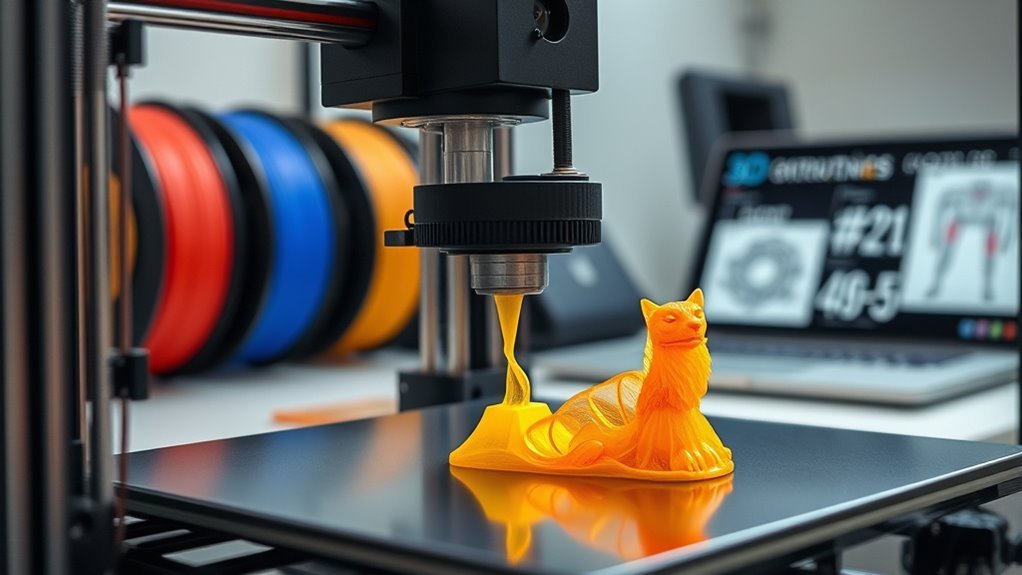
Your choice of 3D printing technology directly affects the detail, strength, and materials you can work with. Resin printers deliver fine detail but require careful handling.
On the other hand, FDM offers durability and lower costs, though it comes with less precision.
SLS strikes a balance by producing strong, complex parts. However, it involves more post-processing steps.
Technology Differences Explained
Although choosing a 3D printer might seem straightforward, understanding how different printing technologies affect your final results is essential. FDM printers melt thermoplastic filament, offering cost-effective, sturdy parts but with visible layer lines and lower resolution.
If you need fine detail and smooth surfaces, SLA and DLP printers cure liquid resin using UV light, producing high-resolution models ideal for miniatures and jewelry. However, they require post-processing and careful resin handling.
SLS printers sinter nylon powder with lasers, enabling complex, support-free designs perfect for functional, durable parts. But keep in mind, they come at a higher cost.
For metal components, SLM/EBM printers fully melt metal powders, creating strong, dense parts used in aerospace and medical fields. These usually require specialized facilities and extensive post-processing.
Your printer choice will greatly influence print quality, detail, and application suitability. So, it really pays to pick the right tech for what you want to create.
Material Compatibility Effects
Selecting the right materials for your 3D printer directly shapes the quality, durability, and function of your prints. Different technologies require specific materials, which impacts your results and costs.
For example, FDM printers use thermoplastics like PLA, ABS, and TPU. Each of these needs certain hardware, like heated beds or special nozzles.
Resin printers offer finer detail, but they demand post-processing and handling toxic liquids. Powder-based SLS printers create strong parts without supports, but they require industrial setups and higher material costs.
Here are some key points to consider:
- FDM materials are cost-effective but vary in strength and flexibility.
- Resins provide great detail but increase the overall cost of materials and make your workflow more complex.
- SLS powders yield robust parts but come with significant material and handling expenses.
Detail Versus Strength
Balancing detail and strength plays a critical role in choosing the right 3D printing technology for your projects. If you need high surface detail and smooth finishes, resin-based printing like SLA or DLP is your best bet. These can achieve layer heights as low as 25–50 µm, which is perfect for jewelry or miniatures.
For stronger, functional parts, FDM printing with materials like PLA or ABS offers durability. However, it comes with lower resolution and visible layer lines.
SLS printing strikes a balance by producing near-isotropic, strong parts without the need for supports. It also handles complex geometries better than FDM.
Which Filament or Resin Fits Your Project Needs
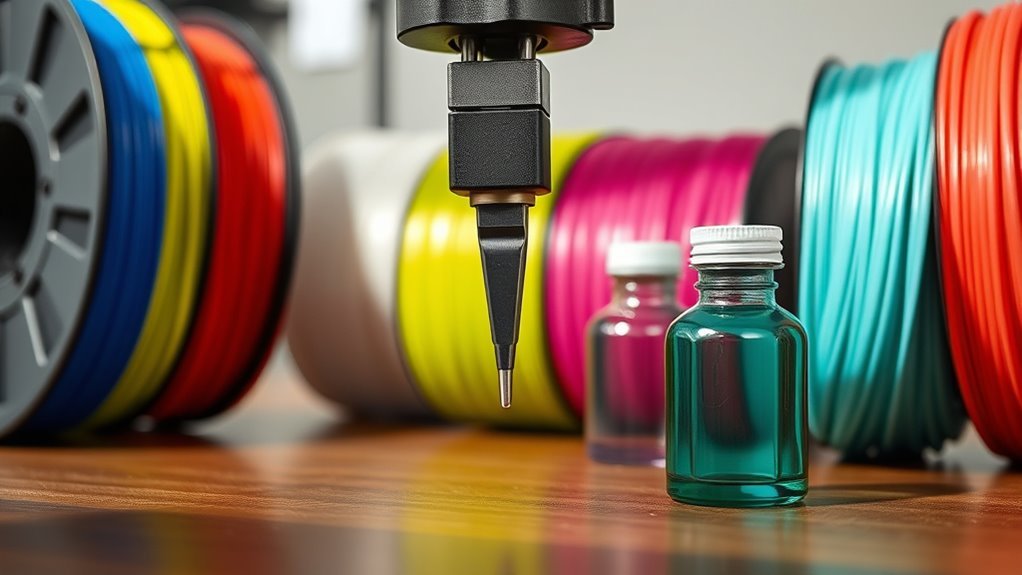
Choosing the right filament or resin depends on what you want to create and how your printer handles materials. Filaments like PLA, ABS, and PETG each offer different strengths in ease, durability, and heat resistance.
Resin options give you high detail and smooth finishes but require extra care and post-processing. So, think about your project’s needs and how much work you’re willing to put in.
Filament Types Overview
When you start 3D printing, you’ll often find that the type of filament or resin you use can make a big difference in your project’s success. To help you know before buying, here’s a quick overview of common filament types:
- PLA: Easiest and cheapest, perfect for beginners and visual prototypes, but softens at low heat.
- ABS: Stronger and heat-resistant, great for functional parts but needs ventilation and a heated bed.
- PETG: A middle ground with good durability, moisture resistance, and easier printing than ABS.
Specialty filaments offer unique traits but require advanced setups. Choosing the right filament depends on your project’s strength, flexibility, and heat needs.
Understanding these basics makes certain you pick the best material for your 3D printing journey. It’s all about matching the filament to what you want to create!
Resin Characteristics Explained
Although resin printing demands more careful handling and post-processing than filament, it delivers unmatched surface detail and smoothness. This makes it ideal for projects needing fine features, like jewelry or miniatures.
Liquid resin, a UV-curable polymer, excels at capturing details under 0.1 mm, perfect for intricate designs. You’ll find various resin types—standard for high detail, tough for impact resistance, flexible for elastomeric parts, and castable for investment casting.
So, pick one that fits your mechanical and finishing needs. Keep in mind, resin prints require washing and UV curing, plus safety gear since uncured resin is toxic.
Resin materials cost more and can be more brittle with lower heat resistance than common filaments. That makes them less suited for functional, high-stress parts but unbeatable for precision and smoothness.
What 3D Printer Build Volume and Size You Need
Since the size of your prints directly influences the printer you need, start by measuring the largest object you plan to create and add a 10–20% margin. Common desktop printers offer build volumes like 220×220×250 mm or larger 300×300×400 mm for more ambitious projects.
Remember, the build volume limits the maximum single-part size you can print.
Consider these factors when choosing:
- Larger build volumes often mean a bigger footprint of the printer, sometimes 50–100% larger than the build area itself.
- For oversized prints like full-scale prototypes or cosplay armor, either choose a printer >400×400×400 mm or plan to assemble parts.
- Match the build volume to your production needs; smaller beds fit multiple parts well, while large beds reduce setup but increase material risk.
Keep these in mind to pick the right size for your 3D printer. It’ll save you time and frustration down the line!
How Print Resolution and Layer Height Affect Quality
When you choose a smaller layer height, you get smoother surfaces but longer print times. Your printer’s XY resolution also limits the finest details you can achieve horizontally.
Finding the right balance between print speed and detail will help you get the quality you want without unnecessary delays. It’s all about tweaking settings to match your project needs.
Resolution Versus Layer Height
Understanding how resolution and layer height influence print quality helps you make smarter choices when buying a 3D printer. Layer height sets the vertical resolution; smaller heights (0.05–0.1 mm) give you finer Z-detail but increase print time.
However, resolution isn’t just about layer height—it’s also about the XY precision determined by nozzle size and mechanical accuracy.
Consider these points:
- Smaller nozzles (0.2–0.25 mm) improve lateral detail but slow extrusion.
- Printer mechanics and slicer settings can limit effective resolution beyond layer height.
- Resin printers offer much finer layer heights (0.01–0.05 mm) and XY precision for intricate details.
Impact On Surface Smoothness
Surface smoothness hinges largely on print resolution and layer height, which directly affect how detailed and polished your 3D models look. Smaller layer heights, typically between 0.05 and 0.1 mm, create visibly smoother surfaces but increase print time.
In contrast, coarser layers (0.2–0.3 mm) print faster but often need more post-processing like sanding or chemical smoothing to reduce visible lines. For FDM printers, nozzle diameter limits horizontal detail, so even with fine layer height, features smaller than the nozzle size won’t be crisp.
Achieving better layer adhesion and consistent extrusion by tuning temperature and flow settings also improves surface finish by minimizing gaps and layer lines. If ultra-smooth surfaces matter, resin printers offer finer layers (0.025–0.05 mm) for near-photographic quality.
They do require extra post-processing like washing and UV curing, though.
Balancing Detail And Speed
Although finer print resolution delivers more detail, it also substantially increases print time—halving the layer height roughly doubles how long your printer runs. Choosing between detail and speed means understanding this trade-off. Especially since prints can take much longer at finer settings.
Consider these points:
- Thicker layers (0.2–0.3 mm) speed up printing and improve strength. They’re ideal for prototypes or functional parts.
- Fine layers (around 0.1 mm or less) bring out sharp details but can double your print duration or more.
- Resin printers offer smoother surfaces with 0.01–0.05 mm layers. But they add curing time, making prints much longer compared to FDM.
Why Speed and Noise Matter in Your 3D Printing Space
When you set up your 3D printing space, speed and noise quickly become critical factors. Faster prints save you hours, especially on large parts. But they can introduce issues like ringing, poor layer adhesion, and dimensional inaccuracies if your printer lacks rigid mechanics and proper tuning.
Noise levels range from 40–60 dB for typical desktop printers—similar to a quiet office—to over 70 dB for older or high-speed models. That can be pretty disruptive at home or in shared spaces.
If you plan frequent or overnight printing, opting for quieter machines with silent stepper drivers and isolated fans helps keep noise under 45 dB. Balancing faster prints with noise control guarantees productivity without disturbing your environment or sacrificing part quality.
When to Upgrade From Single to Dual Extruders
Balancing speed and noise is important, but the choice of extruder setup can have an even bigger impact on your print capabilities. You should consider upgrading to a dual extruder if your projects demand complex prints with soluble supports, or if you want to combine materials with different properties in a single part.
However, dual extruder setups come with trade-offs. Keep in mind: dual extruders require extra calibration and maintenance, which can affect print speed and dimensional accuracy.
Multi-material prints also increase filament use because of purging and may need additional structures like wipe towers. Upgrading makes sense when you benefit from reduced post-processing or functional multi-material parts.
Otherwise, sticking with single extruders and assembling parts might be simpler and cheaper. Choose wisely to match your workflow and print goals.
What You Really Pay Beyond the 3D Printer
Don’t be fooled into thinking the cost of a 3D printer ends with the machine itself—you’ll quickly find yourself spending on more than just the hardware. The ongoing cost includes filament or resin, which can range from $20 to $150 per spool or liter, depending on the material.
You’ll also need to replace consumables like nozzles, build plates, and belts, costing anywhere from a few dollars to $80 annually. And don’t forget post-processing essentials such as IPA, curing units, and safety gear, which can add $50 to $300 upfront.
Maintenance and occasional upgrades will set you back about $50 to $200 yearly. Plus, factor in material waste from failed prints, which can increase your material consumption by 10–30%, raising your ongoing cost even further.
Why Ease of Use and Maintenance Matter for Beginners
Because beginners often face steep learning curves, choosing a 3D printer with ease of use and straightforward maintenance can save you time and frustration. Features like automatic bed leveling and pre-calibrated profiles simplify setup, letting you focus on printing instead of fiddling with manual adjustments.
Choosing a 3D printer with easy setup and maintenance helps beginners avoid frustration and print confidently.
Maintaining your printer is essential, but knowing what to expect upfront helps you plan.
Keep these points in mind:
- Automatic bed leveling reduces setup errors and speeds up your printing process.
- Routine maintenance like nozzle replacement and belt tensioning guarantees consistent print quality.
- User-friendly software with presets minimizes trial-and-error, helping you get better results faster.
How Community Support and Brand Help You Succeed
When you choose a 3D printer backed by a strong community and reliable brand, you get more than just hardware—you gain access to proven settings, timely firmware updates, and readily available spare parts that make your printing journey smoother.
Reputable brands like Prusa and Creality offer extensive preset profiles and spare parts, which really cut down setup time and troubleshooting. Plus, active user communities provide model-specific print profiles, fixes, and downloadable mods that can seriously shorten your learning curve.
On top of that, these brands usually include warranties and clear support channels, unlike budget options that mostly rely on community help. Verified material profiles from both the brand and community improve print reliability, saving you from costly trial and error.
Frequently Asked Questions
How Do I Safely Dispose of Failed 3D Prints and Waste Materials?
You should separate failed prints by material type, then recycle or dispose of them following local regulations. Avoid burning plastics, as it can release harmful fumes.
Also, consider using a filament recycling service or reprocessing scraps into new filament to reduce waste. It’s a great way to be eco-friendly and get more use out of your materials.
What Basic Safety Precautions Should I Follow While Operating a 3D Printer?
You should always work in a well-ventilated area and avoid touching hot parts. Wearing safety glasses is also a smart move to protect your eyes.
Keep the workspace clean to prevent any accidents. Never leave the printer unattended while it’s running.
And of course, always follow the manufacturer’s instructions. This helps you stay safe and avoid exposure to any harmful fumes.
Can 3D Printers Be Used Effectively in Small or Shared Living Spaces?
Yes, you can use 3D printers effectively in small or shared spaces. But you’ll need good ventilation, noise management, and a dedicated area.
This helps keep fumes and odors contained while minimizing disruption to others around you. It’s all about setting up your space thoughtfully to make it work.
How Do Environmental Factors Like Humidity Affect Filament Storage and Print Quality?
Humidity can wreck your filament like a tsunami! You’ll want to store it airtight to avoid moisture, which causes bubbles and weak prints.
Keeping your filament dry guarantees your prints come out crisp and strong every time. Trust me, it makes a huge difference!
What Are the Common Troubleshooting Steps for Print Adhesion Problems?
You should clean the build plate, level it properly, and adjust the nozzle height. Use adhesion aids like glue sticks or painter’s tape to help your prints stick better.
Also, try lowering the print speed and increasing the bed temperature. These tweaks can make a big difference in improving your print adhesion effectively.
Conclusion
Before buying a 3D printer, consider what you want to print. Choose the right technology that fits your projects, and select the proper filament or resin for your needs.
Evaluate important features like build volume, print resolution, and extruder options. These factors can make a big difference in the quality and size of your prints.
Also, factor in costs beyond just the printer itself. Prioritize ease of use and think about how much maintenance the machine will require.
Don’t forget to seek strong community support and reliable brands that can help you along the way. By knowing your needs, understanding the technology, and planning for long-term use, you’ll make smarter choices.
This approach will lead to a smoother and more satisfying 3D printing journey, helping you get the most out of your investment and creativity.