5 Best Cheap Chinese 3D Printers for 2027
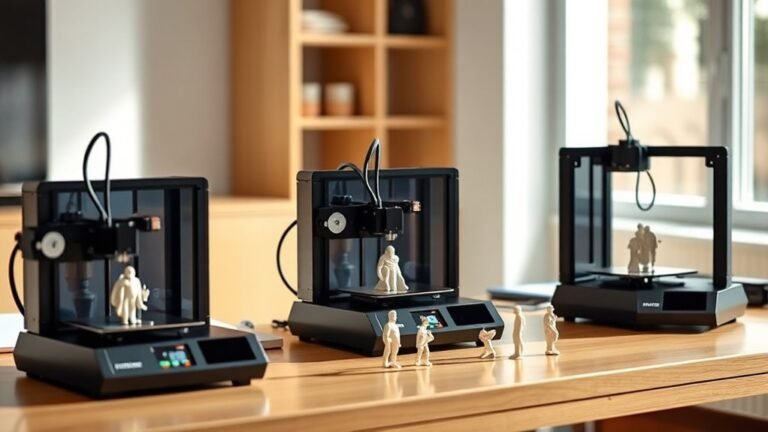
If you’re on the lookout for affordable and reliable Chinese 3D printers in 2027, you’re in the right place. These printers offer great value without sacrificing quality, making them perfect for hobbyists and professionals alike. Whether you want fast, precise printing or easy setup, there’s something here to match your needs.
Check out the ENTINA MINI TIAN2PLUS—it’s known for speedy, accurate prints with handy auto-leveling and remote control features. The Creality Ender 3 V3 SE is another solid choice, offering quiet operation and convenient filament auto-loading.
For resin printing, the ANYCUBIC Photon Mono 4 stands out with its high-detail output. Beginners might love the Portable Compact FDM printer, which is super user-friendly. Plus, the Anycubic Kobra X supports multicolor printing, adding more creative options. Keep exploring these options to find the perfect fit for your setup and budget!
| Image | Name | Editor's Rating | Price |
|---|---|---|---|
|
|
||

|
|
||

|
|
||

|
|
||

|
|
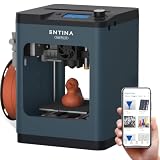
ENTINA MINI 3D Printer,TIAN2PLUS 250mm/s Fast 3D Printer for Beginners
- Open the Box & Start Printing in Minutes:The TINA2 PLUS arrives fully pre-assembled, pre-calibrated, and ready to go. No tedious setup, no complicated tuning. Just plug...
- Blazing Fast Prints with ±0.1 mm Precision :Achieve print speeds up to 250 mm/s without sacrificing quality. The 0.4 mm nozzle and high‑efficiency cooling fan...
- One‑Touch Auto Leveling & Dual Z‑Axis Stability :The 9‑point intelligent leveling system ensures perfect first layers every time, while the dual Z‑axis...
- Super‑Quiet Operation & Flexible Connectivity :Upgraded silent motherboard and adjustable fan keep noise below a whisper – perfect for bedrooms, libraries, or...
- Compact Footprint, Wide Material Compatibility & Slicer Freedom :Measuring just 200×200×290 mm with a 100×105×100 mm build volume, this space‑saving 3D printer...
The ENTINA MINI TIAN2PLUS 3D printer is ideal for beginners, students, and hobbyists who want a hassle-free printing experience. Its fully pre-assembled and pre-calibrated setup means you can start creating right away without complex installation. This ease of use helps reduce frustration and saves time.
With a maximum speed of 250 mm/s and ±0.1 mm precision, the printer delivers fast and accurate results. The one-touch 9-point auto-leveling system ensures your prints stick perfectly every time. The filament runout sensor prevents failed prints by alerting you when the material is low.
Designed for convenience, the printer supports multiple materials like PLA, TPU, WOOD, PETG, and PLA+. Connectivity options include USB, Wi-Fi, and TF card, plus app-based remote control, making it easy to manage prints from anywhere. Its compact and quiet design fits well in small spaces.
Maintenance is straightforward thanks to its smart features, helping you focus on your projects rather than troubleshooting. Although the build volume is limited to 100 × 105 × 100 mm and the hotend temperature maxes out at 245°C, it covers most beginner and intermediate needs effectively.
Best for: Beginners and hobbyists seeking a compact, easy-to-use 3D printer with fast printing speeds and reliable performance.
What We Like:
- Quick setup with pre-assembly and pre-calibration
- Fast printing at 250 mm/s with high precision
- Smart auto-leveling and filament runout detection
- Multiple connectivity options including Wi-Fi and app control
- Supports a variety of common printing materials
Specification:
| Feature | Details |
|---|---|
| Manufacturer | ENTINA |
| Model | MINI TIAN2PLUS |
| Print Speed | Up to 250 mm/s |
| Precision | ±0.1 mm |
| Build Volume | 100 × 105 × 100 mm |
| Max Hotend Temperature | 245°C |
| Supported Materials | PLA, TPU, WOOD, PETG, PLA+ |
| Connectivity | USB, Wi-Fi, TF card |
| Dimensions | Compact design (not specified) |
| Noise Level | Quiet operation |
Creality Ender 3 V3 SE Beginner-Friendly 3D Printer with Auto Leveling
- 250mm/s High-Speed Printing: Print at speeds of up to 250mm/s with 2500mm/s² acceleration, helping you complete prototypes, functional parts, and everyday projects...
- Easy Setup with Auto Leveling: Designed for a fast and straightforward setup, the Ender 3 V3 SE can be assembled in just a few simple steps. CR Touch Auto Leveling and...
- Proven Sprite Direct Drive Extruder: The upgraded Sprite Direct Drive Extruder provides smooth and consistent filament feeding for PLA, PETG, and TPU. Its proven design...
- Stable Motion System for Consistent Results: Dual synchronized Z-axis lead screws and precision Y-axis linear shafts work together to help reduce vibration and Z...
- Quiet Operation with Easy Print Removal: A 32-bit silent mainboard helps reduce operating noise for a more comfortable printing experience, while the flexible PC spring...
The Creality Ender 3 V3 SE transforms 3D printing into a hassle-free experience, especially for beginners. Its CR Touch auto leveling system with automatic Z-offset calibration eliminates tedious manual adjustments. This ensures consistent, reliable first layers, reducing print failures and saving time.
Designed for smooth operation, the upgraded Sprite Direct Drive Extruder handles PLA, PETG, and TPU filaments with ease. The printer also features auto filament loading, simplifying setup and letting users focus on creativity rather than technical steps.
Stable and precise motion is achieved through dual synchronized Z-axis lead screws and precision Y-axis shafts. This design reduces vibration and Z wobble, resulting in higher quality prints. The quiet 32-bit silent mainboard enhances user comfort during long printing sessions.
Maintenance is straightforward with a flexible build plate that makes model removal quick and damage-free. The printer’s compact yet sturdy design fits well in dedicated workspaces, balancing functionality with ease of upkeep.
Best for: Beginners and hobbyists seeking a user-friendly 3D printer with reliable auto leveling and versatile filament support.
What We Like:
- CR Touch auto leveling with automatic Z-offset calibration for consistent first layers
- Sprite Direct Drive Extruder ensures smooth printing of PLA, PETG, and TPU
- Dual synchronized Z-axis lead screws and precision Y-axis shafts reduce vibration and wobble
- Auto filament loading simplifies setup and material changes
- Quiet operation with 32-bit silent mainboard
Specification:
| Feature | Details |
|---|---|
| Manufacturer | Creality |
| Dimensions | Approx. 22 x 22 x 24 inches |
| Weight | Approx. 10 kg (22 lbs) |
| Material | Metal frame with plastic parts |
| Color Options | Black |
ANYCUBIC Photon Mono 4, Resin 3D Printer with 7” 10K Mono LCD Screen
- 【7'' 10K High Resolution】Photon Mono 4 boasts an impressive 105% increase in print precision compared to Mono 2. With a resolution of 9024x5120, each pixel measures a...
- 【Powerful Light Source】The time-tested Anycubic LighTurbo matrix light source technology delivers stable, balanced, and uniform lighting to reduce layer lines and...
- 【Sufficient Print Size】With a generous maximum build volume of 6.04'' x 3.42'' x 6.49''/153.4mm x 87mm x 165mm, you have ample print space to easily tackle your daily...
- 【Laser-engraved Print Platform 2.0】With a new design, the laser engraving platform of the photon mono 4 improves adhesion to mitigate lifting and warping of the model...
- 【User-friendly Function】The 4-point leveling method is ideal for beginners, after the first leveling and tightening the 4 screws, no need to repeat leveling. Photon...
Experience precision like never before with the ANYCUBIC Photon Mono 4 resin 3D printer. Its 7-inch 10K mono LCD screen offers exceptionally sharp details, improving print accuracy by 105% compared to previous models. This means your prints come out smoother and more detailed, solving common issues of uneven surfaces and blurring.
The printer’s LighTurbo matrix lighting ensures every layer receives uniform exposure for consistent results. With a build volume of 153.4 x 87 x 165 mm, you can create medium-sized models up to 6.5 inches tall, perfect for detailed prototypes or artistic projects. The laser-engraved platform enhances adhesion and helps prevent warping during printing.
Maintaining the printer is straightforward with its 4-point leveling system, requiring only a one-time setup for optimal print bed alignment. If the power goes out, the power recovery feature automatically resumes your print, saving both time and materials.
Best for: hobbyists and professionals seeking ultra-high-resolution resin 3D printing with fine detail and smooth surface finishes in medium-sized models.
What We Like:
- Sharp 7″ 10K mono LCD screen for highly detailed prints
- Laser-engraved Print Platform 2.0 reduces warping
- Power recovery feature minimizes print interruptions
Specification:
| Feature | Details |
|---|---|
| Manufacturer | ANYCUBIC |
| Build Volume | 153.4 x 87 x 165 mm (6.0 x 3.4 x 6.5 in) |
| LCD Screen Size | 7 inches |
| LCD Resolution | 10K mono |
| Leveling Method | 4-point manual leveling |
| Special Features | LighTurbo matrix lighting, laser-engraved platform, power recovery |
Portable Compact FDM 3D Printer for Beginners
- Foolproof Setup with Video Guides – Never get stuck! We provide a crystal-clear Quick Start Guide and step-by-step video tutorials. Watch them online to get started.
- Simple Assembly with Video Guide – Requires quick modular setup (watch our step-by-step video). Comes with 10m PLA filament, TF card, tools, and 12V Type-C power...
- Versatile Filament Compatibility – Unleash your creativity with both PLA and flexible TPU (1.75mm). The reliable 0.4mm nozzle and precise 0.05-0.3mm layer thickness...
- Reliable Performance & Compact Design – Features stable FDM technology and a removable build plate for easy model removal. The perfect 100x100x100mm build volume is...
- Complete Package – No Hidden Costs – Includes printer, 10m PLA filament, 8GB TF card + reader, tools, illustrated manual, and 12V Type-C power adapter. Plus free...
This portable compact FDM 3D printer offers an ideal solution for beginners and hobbyists looking for simplicity and reliability. Its user-friendly design reduces setup time, allowing you to focus on creating detailed models quickly. The 0.4 mm nozzle and stable FDM technology ensure smooth prints, making it easier to achieve quality results.
Maintenance is straightforward with a removable build plate that simplifies model removal and cleaning. Supported filaments like PLA and TPU provide versatility for various projects, while the printer’s small footprint fits comfortably in tight spaces, classrooms, or personal workstations. Its lightweight build adds to the convenience of moving and storing the device.
This 3D printer is designed to help students and hobbyists learn and experiment without overwhelming technical complexity. Its limited build volume encourages manageable, small-scale projects, making it perfect for educational environments. Although it supports only PLA and TPU and has a moderate layer thickness range, it balances ease of use with functional performance.
Best for: beginners, students, and hobbyists seeking a compact, easy-to-use 3D printer for learning and small-scale creations.
What We Like:
- Compact and portable design ideal for small spaces
- Easy setup with video tutorials and Quick Start Guide
- Removable build plate for hassle-free maintenance
- Supports PLA and TPU filaments for versatile printing
Specification:
| Feature | Details |
|---|---|
| Manufacturer | CAIDAQC |
| Dimensions | 6.8 x 6.1 x 8.3 inches |
| Weight | Lightweight |
| Build Volume | 100 x 100 x 100 mm |
| Nozzle Size | 0.4 mm |
| Compatible Filaments | PLA, TPU |
Anycubic Kobra X Multicolor 3D Printer, Easy One-Click Printing
- 【Vivid 19-Color and Versatile Materials】Unleash creativity beyond limits. The Kobra X supports 4-color standard and expands up to 19 colors with 4 ACE 2 Pro for...
- 【600mm/s High Speed Performance】Don't let slow speeds limit your creativity. This high-speed FDM 3D printer reaches up to 600mm/s, completing tasks significantly...
- 【True Plug & Play Experience】Start your first project in as little as 15 minutes. The Kobra X arrives with a user-friendly setup and LeviQ 3.0 automatic bed leveling...
- 【LeviQ 3.0 Perfect First Layer】Forget the frustration of manual bed leveling that plagues beginner machines. The LeviQ 3.0 system utilizes 49-point full-auto leveling...
- 【Quiet & Reliable for Home】The ultra-quiet ≤48 dB operation ensures the living or learning space remains peaceful. Combined with power loss recovery and filament...
Experience the ease of multicolor 3D printing with the Anycubic Kobra X Multicolor. Its one-click setup simplifies the printing process, saving time and reducing setup errors. This printer excels at delivering consistent results, thanks to its precise auto bed leveling system.
The Kobra X supports up to four colors by default, making it ideal for vibrant, detailed models. You can expand this capability to 19 colors with add-ons, perfect for complex projects that require intricate color variation. Its hardened steel nozzle heats up to 300°C, allowing for precise layers even on larger prints.
Maintenance is straightforward with the LeviQ 3.0 leveling technology, which ensures a smooth first layer every time, reducing failed prints and filament waste. The integrated 720p camera and AI monitoring catch printing errors early, helping you avoid material loss and save time.
Designed for home, classroom, or small business use, this 3D printer operates quietly at under 48 dB, creating a comfortable environment. While the build volume is moderate at 260 × 260 × 260 mm, it fits most hobby and educational projects without hassle.
Best for: hobbyists, educators, and small businesses needing efficient, high-quality multicolor 3D printing with easy operation and smart monitoring.
What We Like:
- Supports up to 4 colors standard, expandable to 19 with add-ons
- LeviQ 3.0 automatic bed leveling ensures consistent prints
- AI-powered camera monitoring detects errors early
- Hardened steel nozzle heats up to 300°C for detailed parts
- Quiet operation under 48 dB suitable for shared spaces
Specification:
| Feature | Details |
|---|---|
| Manufacturer | Anycubic |
| Build Volume | 260 × 260 × 260 mm |
| Nozzle Temperature | Up to 300°C |
| Color Support | 4 colors standard, up to 19 with add-ons |
| Bed Leveling | LeviQ 3.0 Auto Leveling |
| Camera | 720p with AI monitoring |
| Noise Level | < 48 dB |
Factors to Consider When Choosing a Cheap Chinese 3D Printer
When choosing a cheap Chinese 3D printer, you’ll want to focus on print quality and precision to get the best results. It’s super important to make sure your prints come out looking sharp and accurate.
Also, consider the build volume and supported filament types to match your project needs. You don’t want to get stuck with a printer that can’t handle the size or material you want to work with.
And don’t forget to check how easy it is to set up. A printer that’s quick and simple to get running will save you a lot of headaches.
Finally, look at how well the printer performs in terms of speed and reliability. After all, you want a machine that works consistently without too many hiccups.
Print Quality And Precision
Achieving high print quality and precision starts with understanding key hardware features and specifications. You’ll want to check the nozzle diameter—smaller nozzles (around 0.2 mm) capture finer details, while larger ones (up to 0.4 mm) print faster but with less detail.
Look for printers offering layer heights between 0.05 mm and 0.3 mm and a positional accuracy near ±0.1 mm. Stable motion hardware like dual Z leadscrews and a rigid frame help reduce Z-wobble, improving surface smoothness.
Also, effective part cooling and a reliable hotend with consistent temperature control minimize stringing and enhance layer adhesion. Finally, auto or repeatable bed leveling combined with a flat, well-heated build surface guarantees consistent first layers, reducing warping that can compromise print precision.
Build Volume And Size
Considering build volume and printer size plays a crucial role in choosing a cheap Chinese 3D printer that fits your needs. Check the maximum build volume (X×Y×Z) to make certain your models fit without splitting—budget printers typically range from 100×100×100 mm to around 250×250×250 mm.
Keep in mind usable build volume is smaller than external dimensions, as gantry and bed offsets reduce space. Larger volumes mean longer print times and higher failure risk, so balance size with reliability.
Also, consider the printer’s footprint, height, and clearance for enclosures or filament paths since bigger printers need more bench space. If you plan multi-part assemblies, verify the bed surface and leveling system maintain consistent adhesion across the build area to avoid warping on large prints.
Supported Filament Types
Beyond build volume and size, the types of filament your printer can handle greatly affect what you can create. First, check the hotend’s maximum temperature—most range from 200 to 300°C. This matters because PLA and TPU print around 190–230°C, PETG needs about 230–250°C, and tougher materials like ABS or nylon require over 250°C.
Also, confirm the filament diameter—1.75 mm is most common, but some use 2.85 or 3 mm. The extruder type is vital too: direct-drive extruders handle flexible filaments like TPU better than Bowden setups, which can struggle.
Don’t forget the heated bed temperature—up to 110°C helps with adhesion and reduces warping for materials like ABS or ASA. Filament sensors and slicer compatibility also improve print reliability.
Ease Of Setup
When choosing a cheap Chinese 3D printer, you’ll want one that lets you jump right into printing without hours of setup. Look for models that come fully pre-assembled or offer modular, step-by-step guides and video tutorials. That way, you can start quickly without any hassle.
A pre-calibrated or one-touch auto-leveling system saves you from tedious manual bed adjustments. This really helps improve your first-layer success and gets you printing faster.
Check if the printer includes a starter kit with pre-sliced models, sample filament, and clear quick-start guides. These little extras simplify your initial prints and make things less intimidating.
User-friendly features like auto filament loading and filament-runout sensors are a big plus. They help prevent failed prints, which is especially useful if you’re new to 3D printing.
Finally, make sure the software supports preconfigured slicer profiles. Also, look for multiple connectivity options like USB, SD, Wi-Fi, or app control. You won’t want to waste time on complex setup or confusing configurations.
Speed And Performance
Although a high maximum print speed might catch your eye, you should focus more on the rated print speed and real-world performance when choosing a cheap Chinese 3D printer. Check acceleration and motion control specs since higher acceleration cuts print time but may cause ringing if the frame or drivers aren’t stable.
Don’t overlook nozzle diameter and claimed layer precision; finer nozzles and tighter accuracy improve detail but slow down printing. Also, assess the hotend’s max temperature and cooling capability—higher temps mean more filament options, while effective cooling enhances surface finish at speed.
Finally, consider the extrusion system and filament handling features like runout sensors and auto-loading, as reliable feeding is essential for consistent high-speed extrusion and long, uninterrupted prints.
Connectivity And Software
How do you plan to send your print files and control your 3D printer? Check if the printer supports USB, SD/TF cards, Wi‑Fi, or Bluetooth, matching your preferred method.
Also, confirm it’s compatible with popular slicers like Cura or PrusaSlicer, and whether it uses standard G‑code or a proprietary format.
Remote monitoring and control features, such as cloud apps or webcam support, add convenience. But see if they require vendor accounts or if they work locally.
Consider the firmware too: open-source firmware allows flexibility. Updates might happen via USB, SD, or network.
Finally, look for a robust software ecosystem offering pre-sliced models, slicing profiles, and a helpful community for troubleshooting and sharing. These connectivity and software features guarantee smoother printing and better user experience.
Reliability And Support
Beyond connectivity and software, you’ll want to focus on the reliability and support that come with your cheap Chinese 3D printer. Check the warranty length—6 to 12 months is typical—and see if paid extended support or replacement parts are offered.
Also, verify spare parts availability like nozzles, belts, and motherboards, along with their lead times to avoid downtime. You don’t want to be stuck waiting forever for something simple, right?
Make sure you have access to professional help or active community forums, plus updated online guides and troubleshooting videos. It really helps to have someone to turn to when things get tricky.
Look for regular firmware and software updates that fix bugs and add features easily. Keeping your printer’s software fresh can save you a lot of headaches.
Finally, prioritize printers with built-in reliability features such as filament runout detection, power-loss resume, and auto-leveling sensors. These can reduce failed prints and keep your projects running smoothly without constant supervision.
Frequently Asked Questions
How Long Do Replacement Parts Typically Last for These Printers?
Replacement parts usually last between 6 months to 2 years, depending on usage and maintenance.
You’ll want to replace worn-out nozzles, belts, and bearings regularly to keep your printer running smoothly. This helps avoid unexpected breakdowns and keeps everything working as it should.
Are There Any Recommended Safety Precautions When Using These Printers?
Of course, you’ll want to wear a hazmat suit—just kidding. But seriously, always ventilate the area, avoid touching hot parts,
keep your workspace tidy, and never leave the printer unattended while it’s running. Safety first!
What Types of Filaments Are Compatible With These 3D Printers?
You can use PLA, ABS, TPU, and PETG filaments with these printers. They handle most standard materials, but double-check your model’s specs to avoid issues.
Stick to recommended temperatures for best results and safety. It’s always better to be cautious than to risk a print failing or damaging your machine.
Can These Printers Be Used for Commercial or Industrial Purposes?
You can use these printers for small-scale commercial projects, but they might struggle with heavy industrial demands. They’re great for prototypes or low-volume production.
However, for consistent industrial use, you’ll want more robust machines. Those can handle the workload without breaking down.
How Easy Is It to Find Customer Support for These Chinese 3D Printers?
You’ll find customer support varies widely; some brands offer responsive help and active online communities, while others can be slow or limited.
It’s smart to research user reviews and support forums before buying to avoid frustration. That way, you’ll know what to expect and can make a better choice.
Conclusion
Choosing the right cheap Chinese 3D printer is like planting a seed in a vast garden—you need the right soil, water, and sunlight to watch your creativity bloom. With options like ENTINA MINI or Creality Ender 3 V3 SE, you’ve got the tools to nurture your ideas into reality.
So, pick your printer wisely and tend to your projects. Soon, you’ll harvest amazing creations that bring your imagination to life. When searching for the best cheap Chinese 3D printers in 2027, focus on reliability, ease of use, and print quality.
These affordable machines open up a world of possibilities without breaking the bank. Whether you’re a hobbyist or just starting out, the right printer can turn your concepts into tangible masterpieces. Embrace the journey, and watch your creative projects flourish with the right budget-friendly 3D printer.