12 Best Basic 3D Printers for 2027 That Beginners Love
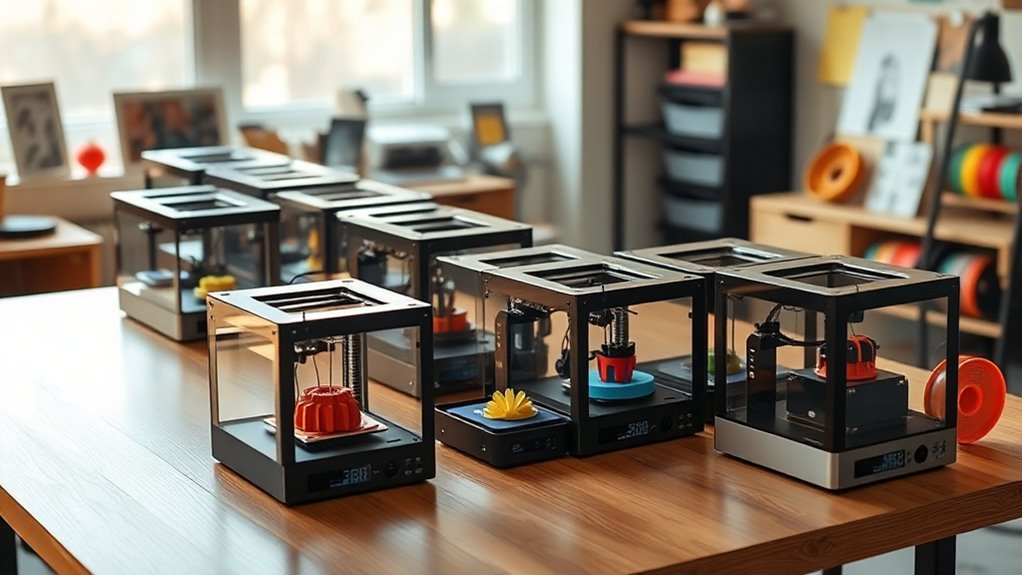
You’ll find top beginner-friendly 3D printers like the Entina Tina2 Plus with fast WiFi and instant setup, Creality Ender 3 V3 SE featuring auto bed leveling and smooth extrusion, and the Bambu Lab A1 offering full auto-calibration and quiet operation.
Compact options like the Geeetech M1S and Mini 3D Printer Kit include easy controls and vibrant filament kits.
These beginner favorites balance ease, quality, and connectivity—perfect for quick starts and creative growth.
Explore these and more to find your ideal fit.
| Image | Name | Editor's Rating | Price |
|---|---|---|---|

|
|
||

|
|
||

|
|
||
|
|
||

|
|
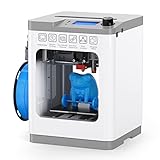
Entina Tina2 Plus Fast WiFi 3D Printer
- 【Start Printing in Minutes – Beginner Friendly】No setup required. Tina2 Plus 3d printer comes fully assembled and ready to use out of the box. With included TF card...
- 【Fast 250mm/s Printing Performance】This Tina2 Plus high speed 3D printer print speeds up to 250 mm/s help reduce waiting time and support fast project turnaround...
- 【WiFi App Control & STEM Model Library】Powered by the Poloprint Cloud app, this WiFi-enabled 3D printer gives access to 3,500+ printable models and 25+ creative DIY...
- 【40-Second Fast Heat Ceramic Hotend】High-efficiency ceramic hotend heats up in just 40 seconds for faster start-up and less downtime. The quick-swap nozzle design...
- 【Compact 3D Printer for Home & Classroom】Designed with a space-saving footprint while maintaining practical print capacity, this compact 3D printer fits easily on...
The Entina Tina2 Plus Fast WiFi 3D Printer brings ease and efficiency to 3D printing, especially for newcomers. Its fully assembled design removes the hassle of setup, allowing you to start printing within minutes. Preloaded models on a TF card help you quickly experiment and learn without needing extra software.
Designed for convenience, this printer heats up in just 40 seconds, reducing wait times significantly. The stable dual Z-axis system combined with auto-leveling ensures your prints come out precise and consistent every time. Its compact size fits comfortably on any desk, ideal for home, school, or hobby spaces.
Controlling the printer is simple with WiFi connectivity via the Poloprint Cloud app. This feature lets you manage prints remotely and access thousands of ready-to-print models, expanding your creative possibilities. Maintenance is straightforward, thanks to the user-friendly design and reliable components.
While the partly enclosed frame offers some protection, it doesn’t fully shield users from hot parts, so caution is needed during operation. The compact build volume suits smaller projects but might limit larger prints. Advanced users may find fewer customization options compared to professional-grade printers.
Best for: Beginners, educators, and hobbyists looking for a compact, ready-to-use 3D printer with fast setup and dependable results.
What We Like:
- Fully assembled with preloaded models for instant printing
- Rapid 40-second heating reduces wait times
- Stable dual Z-axis with auto-leveling for quality prints
- WiFi control through Poloprint Cloud app for remote access
Specification:
| Feature | Details |
|---|---|
| Manufacturer | Entina |
| Dimensions | Compact desktop size |
| Weight | Not specified |
| Material | Not specified |
| Connectivity | WiFi via Poloprint Cloud |
| Heating Time | 40 seconds |
| Frame | Partially enclosed |
Creality Ender 3 V3 SE Beginner-Friendly 3D Printer with Auto Leveling
- 250mm/s High-Speed Printing: Print at speeds of up to 250mm/s with 2500mm/s² acceleration, helping you complete prototypes, functional parts, and everyday projects...
- Easy Setup with Auto Leveling: Designed for a fast and straightforward setup, the Ender 3 V3 SE can be assembled in just a few simple steps. CR Touch Auto Leveling and...
- Proven Sprite Direct Drive Extruder: The upgraded Sprite Direct Drive Extruder provides smooth and consistent filament feeding for PLA, PETG, and TPU. Its proven design...
- Stable Motion System for Consistent Results: Dual synchronized Z-axis lead screws and precision Y-axis linear shafts work together to help reduce vibration and Z...
- Quiet Operation with Easy Print Removal: A 32-bit silent mainboard helps reduce operating noise for a more comfortable printing experience, while the flexible PC spring...
The Creality Ender 3 V3 SE transforms the 3D printing experience by simplifying setup and improving print reliability. Its CR Touch auto leveling system automates bed leveling, eliminating tedious manual adjustments and ensuring consistent first layers every time.
This 3D printer features a Sprite Direct Drive Extruder, which smooths filament feeding and supports automatic filament loading. It works well with a variety of materials including PLA, PETG, and TPU, offering versatility for different projects and creative needs.
Designed for stability, the printer uses dual Z-axis screws and precision shafts to minimize vibration. This results in more accurate prints and quieter operation, enhancing both print quality and user comfort. The flexible spring steel build plate also makes maintenance easier by allowing quick, hassle-free print removal.
With a maximum speed of 250 mm/s, it balances efficiency and precision, making it suitable for hobbyists and beginners focused on quality rather than extreme speed. Weighing nearly 20 pounds, it is sturdy but less portable than smaller models.
Best for: Beginners and hobbyists seeking a user-friendly 3D printer with automatic leveling and versatile filament compatibility.
What We Like:
- CR Touch auto leveling with automatic Z-offset calibration
- Smooth filament feeding and auto loading via Sprite Direct Drive Extruder
- Stable printing with dual Z-axis screws and low vibration design
- Flexible spring steel build plate for easy print removal
Specification:
| Feature | Details |
|---|---|
| Manufacturer | Creality |
| Dimensions | Not specified |
| Weight | Approximately 20 lb |
| Material Compatibility | PLA, PETG, TPU, and more |
| Build Plate | Flexible spring steel |
Bambu Lab A1 3D Printer, Ready-to-Use FDM 3D Printer for Beginners and Kids
- High-Speed Precision: Experience unparalleled speed and precision with the Bambu Lab A1 3D Printer. With an impressive acceleration of 10,000 mm/s², the A1 delivers...
- Multi-Color Printing with AMS lite: Unlock your creativity with vibrant and multi-colored 3D prints. The Bambu Lab A1 3D printers make multi-color printing accessible and...
- Full-Auto Calibration: Say goodbye to manual calibration hassles. The A1 3D printer takes care of all the calibration processes automatically, ensuring optimal...
- Active Flow Rate Compensation: Achieve consistently smooth prints with active flow rate compensation. The algorithm actively compensates the flow rate according to the...
- Easy and Quiet 3D Printing: Experience effortless printing with the Bambu Lab A1 FDM 3D printer. Its user-friendly interface and simplified touchscreen make it easy to...
The Bambu Lab A1 3D Printer is crafted to make 3D printing accessible and stress-free for beginners and kids. Its ready-to-use design and full-auto calibration eliminate common setup frustrations, so you can start printing right away. Automatic Z-offset and bed leveling ensure every print begins with precision, reducing trial and error.
Maintenance is simple with the 1-Clip quick swap nozzle, making nozzle changes fast and hassle-free. Active flow rate compensation keeps your prints smooth and consistent, even during longer projects. The quiet operation, enhanced by active motor noise canceling, lets you focus or learn without distractions.
Designed primarily for newcomers, this printer supports creative exploration with optional features like the AMS lite for multi-color printing. While it may not cater to high-level technical users, its friendly interface and dependable performance help users build confidence in 3D printing.
At 22 pounds, it strikes a balance between stability and portability, suitable for home or classroom use. The Bambu Lab A1 combines ease of use, precise functionality, and low maintenance to improve the 3D printing experience for new users.
Best for: Beginners and kids seeking an intuitive, ready-to-use 3D printer with automatic calibration and quiet operation.
What We Like:
- Full-auto calibration for hassle-free setup
- Quiet printing with active motor noise canceling
- Easy maintenance with 1-Clip quick swap nozzle
- Smooth, consistent prints via active flow rate compensation
- Optional multi-color printing with AMS lite
Specification:
| Feature | Details |
|---|---|
| Manufacturer | Bambu Lab |
| Dimensions | Not specified |
| Weight | 22 lb (10 kg) |
| Material | Not specified |
| Color Options | Not specified |
Entina Tina2 Mini 3D Printer for Beginners
- 3D Printer for Beginners and Kids: Out of the box, fully assembled, Speedy Printing –TINA2 BASIC 3d printer is super easy to use and does not require a complex setup...
- Ready to Print: Equipped with 2.4" LCD screen and Wiibulider slicer software makes it easy to conduct offline printing using the MicroSD Card. The 3-d printer supports...
- Fully Open-Source: Entina TINA2 BASIC Mini 3D printer adopts a safety-first design philosophy, featuring complete open-source compatibility for enhanced flexibility and a...
- Auto Leveling & Magnetic Platform: The small 3d printer does not need manual leveling, the intelligent leveling system can automatically adjust the uneven bed, thus...
- Compact Design:This is light weight and minimalist desktop 3D printers, the mini 3D printer size is 8.3''x8.3''x11.4'', weight is 3kg. Light weight and portable design...
The Entina Tina2 Mini 3D Printer is designed to make 3D printing accessible and hassle-free for beginners. It arrives fully assembled, allowing you to start printing within minutes. Its compact and lightweight design fits perfectly in small spaces like dorm rooms or classrooms, saving you valuable room.
This mini printer features smart auto-leveling and dual Z-axis rails, ensuring your prints are stable and precise without needing manual adjustments. The 2.4″ LCD screen with simple knob controls makes operation straightforward, even for first-time users. If a power outage occurs, you can resume printing without losing progress, preventing wasted time and materials.
Maintenance is easy thanks to the magnetic flexible build plate, which simplifies removing finished prints. The open-source compatibility also offers flexibility to experiment with different software and materials. While the build volume is limited to 100 x 105 x 100 mm, it suits small projects and learning purposes well.
Best for: Beginners, students, and hobbyists looking for an easy-to-use, compact 3D printer ideal for home, school, or dorm environments.
What We Like:
- Fully assembled and ready to print quickly
- Smart auto-leveling with dual Z-axis rails for accuracy
- Resume printing function after power interruptions
- Magnetic flexible build plate for easy print removal
- Compact size fits small spaces conveniently
Specification:
| Feature | Details |
|---|---|
| Manufacturer | Entina |
| Dimensions | Compact, fits small spaces |
| Weight | Lightweight |
| Build Volume | 100 x 105 x 100 mm |
| Display | 2.4″ LCD with knob control |
| Special Features | Auto-leveling, resume print, magnetic build plate |
Portable Compact FDM 3D Printer for Beginners
- Foolproof Setup with Video Guides – Never get stuck! We provide a crystal-clear Quick Start Guide and step-by-step video tutorials. Watch them online to get started.
- Simple Assembly with Video Guide – Requires quick modular setup (watch our step-by-step video). Comes with 10m PLA filament, TF card, tools, and 12V Type-C power...
- Versatile Filament Compatibility – Unleash your creativity with both PLA and flexible TPU (1.75mm). The reliable 0.4mm nozzle and precise 0.05-0.3mm layer thickness...
- Reliable Performance & Compact Design – Features stable FDM technology and a removable build plate for easy model removal. The perfect 100x100x100mm build volume is...
- Complete Package – No Hidden Costs – Includes printer, 10m PLA filament, 8GB TF card + reader, tools, illustrated manual, and 12V Type-C power adapter. Plus free...
Discover a portable compact FDM 3D printer designed to fit seamlessly into tight spaces like classrooms or small workstations. This printer tackles the challenge of limited space without compromising on print quality, making it a practical tool for beginners and hobbyists alike.
Setting up is straightforward with a foolproof quick-start guide and step-by-step video tutorials, ensuring you can start printing with minimal hassle. Its design includes a removable build plate, simplifying maintenance and helping you keep your workspace clean and efficient.
The printer uses a 0.4 mm nozzle and supports PLA and flexible TPU filaments, allowing you to create detailed and smooth models. Although its build volume is limited to 100 x 100 x 100 mm, it is ideal for small, precise projects and educational purposes.
Layer thickness can be adjusted between 0.05 and 0.3 mm, giving you control over print resolution to suit your project needs. Keep in mind the included filament length is minimal, so plan for additional supplies to continue your work uninterrupted.
Best for: Beginners, students, and hobbyists seeking a compact, user-friendly 3D printer for small-scale projects and educational use.
What We Like:
- Easy setup with clear guides and video tutorials
- Compact design with removable build plate for easy maintenance
- Compatible with PLA and flexible TPU filaments for versatile printing
- Adjustable layer thickness for detailed prints
Specification:
| Feature | Details |
|---|---|
| Manufacturer | Not specified |
| Build Volume | 100 x 100 x 100 mm |
| Nozzle Size | 0.4 mm |
| Filament Types | PLA, TPU |
| Layer Thickness | 0.05–0.3 mm |
| Included Filament | 10 meters |
| Weight | Not specified |
| Color Options | Not specified |
Geeetech Mini 3D Printer for Kids and Beginners
No products found.
The Geeetech Mini 3D Printer offers a simple and effective solution for kids and beginners looking to start 3D printing without hassle. Its fully assembled design means you can start printing right away by just plugging in and loading files via a TF card. This ease of use helps newcomers focus on creativity rather than complex setup.
Setting up prints is straightforward thanks to the 16-point full-auto leveling system and the heated magnetic PEI build plate. These features ensure your prints stick well during printing and come off easily once finished, reducing frustration and saving time. The direct-drive extruder supports flexible filaments, allowing users to experiment with different materials smoothly.
Maintenance is minimal, as the compact build and user-friendly interface simplify routine tasks like filament loading and print bed cleaning. The 2.4″ LCD screen offers intuitive controls with a single button for filament loading, making operation accessible for young users and beginners alike.
Though the print volume is modest (3.94 × 4.33 × 3.94 inches), it suits educational projects, hobbies, and DIY tasks perfectly. Its lightweight design makes it portable, but users should note this can impact stability during very fast prints.
Best for: Kids and beginners seeking an easy-to-use, fully assembled 3D printer for learning and creative projects.
What We Like:
- Plug-and-play design with no complex setup required
- Auto-leveling and magnetic heated bed for smooth printing and easy part removal
- Direct-drive extruder handles flexible filaments reliably
- Intuitive 2.4″ LCD screen simplifies operation
- Compact and portable for versatile use
Specification:
| Feature | Details |
|---|---|
| Manufacturer | Geeetech |
| Print Area | 3.94 × 4.33 × 3.94 in |
| Weight | 9.8 lbs |
| Build Plate | Heated magnetic PEI |
| Display | 2.4″ LCD screen |
| Leveling | 16-point full-auto leveling |
Creality Ender 3 V3 SE 3D Printer Upgrade

- 【250mm/s High-speed Printing】Creality Ender 3 V3 SE 3d printer supports a maximum printing speed of 250mm/s, 2500mm/s² acceleration.The speed has been greatly...
- 【Powerful ""Sprite"" Direct Extruder】Ender 3 V3 SE is the upgrade of ender 3, ender 3 v2, ender 3 pro, ender 3 neo, ender 3 v2 neo, ender 3 s1, ender 3 s1 pro etc 3d...
- 【Worry-free CR Touch Auto Leveling & Strain Sensor】Creality Ender 3 upgraded 3d printer features a CR Touch sensor for auto leveling and a strain sensor for auto...
- 【Stable Dual Z-axis & Y-axis Linear Shafts】High-precision dual Z-axis lead screws reduce Z wobbling effectively, avoid printing deviation in single-axis printing...
- 【Quick Assembly & Easy to Use】Preassembly has solved those hassles and worries of parts assembly, It only takes 3 steps to complete the assemble the ender-3 v3 se 3d...

Experience effortless 3D printing with the Creality Ender 3 V3 SE upgrade, designed to get you creating in about 20 minutes. Its user-friendly assembly and intuitive controls help reduce setup frustration, allowing you to focus on producing quality prints right away.
This printer handles PLA, TPU, and PETG filaments smoothly, addressing common issues like filament feeding and print stability. The Sprite full-metal dual-gear extruder ensures consistent extrusion, while the dual Z-axis screws and steel Y-axis shafts enhance precision and minimize wobble during printing.
Maintenance is simplified with features like CR Touch auto bed leveling and one-touch filament loading and unloading, making routine tasks quicker and less error-prone. These conveniences improve your workflow and reduce downtime, especially beneficial for beginners learning 3D printing basics.
While the build volume is moderate and supports specific filament types, the Ender 3 V3 SE balances size and functionality well for most hobbyist projects. Its compact design and reliable performance make it a practical choice for home or small workshop use.
Best for: Beginners and hobbyists seeking a reliable, quick-to-assemble 3D printer with practical features for everyday creative projects.
What We Like:
- Fast assembly with minimal setup time.
- Durable full-metal dual-gear extruder for steady filament feeding.
- Enhanced print accuracy via dual Z-axis screws and steel Y-axis shafts.
- Automated bed leveling and filament handling simplify maintenance.
Specification:
| Feature | Details |
|---|---|
| Manufacturer | Creality |
| Build Volume | 8.66 x 8.66 x 9.84 inches |
| Maximum Print Speed | 250 mm/s |
| Supported Filaments | PLA, TPU, PETG |
| Extruder Type | Sprite full-metal dual-gear |
| Frame Components | Dual Z-axis screws, steel Y-axis shafts |
TINA2C 3D Printer Beginner Friendly, Easy-Ready to Print in 5 Mins

- 【BEGINNER FRIENDLY-READY TO PRINT】Hephi3d Tina2C 3d printer friendly for home, fully assembled, factory preset, auto leveling, ready to print right out of the box, no...
- 【EASY TO USE-ONE TAP PRINTING】Tina2C mini 3d printer provides 3500+ online massive ready to print model library, new designs update every day. You can print in one...
- 【UNLIMITED CREATIVITY-EASY DIY】Tina2C beginner friendly 3d printer with APP provides STEM Learning Module and 25+ design modules for simply customizing. AIGC & Photo...
- 【FULLY OPEN SOURCE-NO LIMITS】Tina2C beginner 3d printer is no software lock-In. Print you way freely with Wiibuilder or Cura on PC and laptops, one-click wifi upload...
- 【FAMILY & BEGINNER FRIENDLY】 Tina2c compact 3d printer for home can print anytime anywhere, space save. Silent Printing and Auto Detect Bed function give more safe...
Getting started with 3D printing has never been easier. The TINA2C 3D Printer arrives fully assembled and factory preset, allowing you to begin printing in just five minutes. This setup removes the frustration and complexity, making it perfect for beginners eager to see quick results.
Its compact design fits comfortably in any home or workspace without taking up too much room. The printer operates quietly and features power outage recovery, ensuring your prints are reliable and consistent, even if interruptions occur.
Maintenance is simple thanks to the included starter kit with PLA filament and essential tools. The one-tap app control and WiFi upload let you manage prints directly from your phone or tablet, streamlining the printing process and reducing the need for complex technical knowledge.
Unique benefits include STEM learning modules and AI-driven model creation, which encourage creativity and educational growth. However, the smaller build volume limits larger projects, and the app’s full capabilities require an internet connection.
Best for: Beginners and hobbyists seeking a user-friendly, ready-to-print 3D printer with educational features for home use.
What We Like:
- Fully assembled and ready to print within five minutes
- One-tap app control with WiFi upload for easy management
- Includes STEM learning content and AI-powered design tools
- Quiet operation with power outage recovery for print reliability
Specification:
| Feature | Details |
|---|---|
| Manufacturer | TINA |
| Dimensions | Compact footprint |
| Weight | Lightweight |
| Material | PLA filament included |
| Color Options | Not specified |
Geeetech 3D Printer for Kids & Beginners, High-Speed Mini 3D Printer
No products found.
Step into the world of 3D printing with the Geeetech High-Speed Mini 3D Printer, specially designed for kids and beginners. Its compact size and simple operation make it an excellent tool for learning STEM concepts at home or school. The printer’s fast 250 mm/s printing speed ensures projects are completed quickly, keeping young users engaged.
This mini 3D printer features a user-friendly interface, including a 2.4″ color LCD and one-button filament loading, which simplifies setup and operation. Maintenance is straightforward thanks to the 16-point auto-leveling system and a heated, flexible magnetic bed that minimizes print errors and warping.
Geeetech supports flexible materials like TPU and PLA, offering versatility for creative projects. While the print volume is limited to 3.94 × 4.33 × 3.94 inches, it suits small-scale models perfectly. Users should note that 1 kg filament spools require an additional holder, as the printer supports 0.5 kg spools by default.
This printer balances ease of use, speed, and precision, making it ideal for young learners and beginners exploring 3D printing technology.
Best for: Kids and beginners seeking an easy, compact 3D printer to enhance STEM learning and creativity.
What We Like:
- Fully assembled and plug-and-play with intuitive controls
- Fast printing speed with high accuracy and minimal warping
- Supports TPU and PLA filaments for versatile projects
- Simple maintenance with auto-leveling and heated magnetic bed
Specification:
| Feature | Details |
|---|---|
| Manufacturer | Geeetech |
| Print Volume | 3.94 × 4.33 × 3.94 inches |
| Max Print Speed | 250 mm/s |
| Filament Supported | TPU, PLA |
| Display | 2.4″ Color LCD |
| Auto-Leveling | 16-point |
| Bed Type | Heated flexible magnetic bed |
| Filament Spool Size | Up to 0.5 kg (1 kg with holder) |
Geeetech M1S 3D Printer for Kids and Beginners

- Smart 3D Printer: Compact body with sleek design. Access massive 3D models, enjoy WiFi printing, and experience seamless smart operation-connect the "Geeetech" APP and...
- Designed for Kids and Beginners: The Geeetech M1 comes fully assembled and is incredibly user-friendly with knob operation and one-button filament loading. Its 2.4" LCD...
- High-Speed Printing & Superior Quality: Experience the future of printing with Geeetech M1's advanced nozzle and 50W heating rod, ensuring efficient heat dissipation for...
- Innovative Direct Drive Extruder: Equipped with a high-performance dual-drive metal gear system offering a 1:5 gear ratio for unmatched torque and extrusion force...
- Auto-Leveling & Heated Build Plate: Simplify your printing process with our 16-point full-auto leveling technology and a heated, flexible magnetic build plate. These...
The Geeetech M1S 3D Printer offers a straightforward entry point for beginners and young creators to explore 3D printing. Its fully assembled, plug-and-play design means you can start printing with minimal setup, reducing common frustrations for novices. The compact frame fits easily on any desk, making it ideal for small spaces.
With one-button filament loading and intuitive knob controls, maintenance becomes simple and less time-consuming. The direct drive extruder paired with a magnetic heated bed ensures consistent, warp-free prints, solving typical issues like filament jams and adhesion problems.
Connectivity options such as WiFi printing and Geeetech’s APP support allow easy control directly from your device. The 2.4″ color LCD screen and fast 250 mm/s print speed enhance usability while maintaining quality. However, the modest build volume limits larger projects, and it primarily supports PLA and TPU filaments.
This printer is designed to make 3D printing accessible and reliable for learners, providing a smooth transition from curiosity to creation without unnecessary complexity.
Best for: Beginners and kids eager to learn 3D printing with a user-friendly, compact, and reliable machine.
What We Like:
- Fully assembled and easy to use with plug-and-play and WiFi printing.
- Direct drive extruder with dual-drive metal gears for precise filament control.
- Magnetic heated bed with 16-point auto leveling reduces warping.
- Compact design fits well in small workspaces.
- Simple maintenance and filament loading process.
Specification:
| Feature | Details |
|---|---|
| Manufacturer | Geeetech |
| Build Volume | 3.94 × 4.33 × 3.94 inches |
| Print Speed | Up to 250 mm/s |
| Display | 2.4-inch color LCD |
| Connectivity | WiFi, TF card |
| Extruder Type | Direct drive with metal gears |
| Heated Bed | Magnetic, auto leveling (16-point) |
| Supported Filaments | Mainly PLA and TPU |
| Dimensions | Compact design (specifics not provided) |
MALYAN M320 Mini 3D Printer for Kids and Beginners

- Compact Build Volume 3D Printer for Everyday Projects:With a 150×150×150 mm compact build volume, the M320 is perfect for daily creative projects. Featuring a heated...
- Fully Assembled 3D Printer with Touchscreen for Easy Use:The M320 comes fully assembled and factory-calibrated, ready to print out of the box. Thanks to the intuitive...
- Magnetic Removable Build Plate :The detachable magnetic platform ensures strong adhesion during printing, while allowing you to remove models effortlessly by bending...
- Compact, Sturdy, and Stable Metal Frame 3D Printer:Featuring a full-metal frame in a lightweight, space-saving design, the M320 stays stable during printing while...
- Ideal for Learning, Creating, and Prototyping:Whether for educational projects, family DIY fun, cosplay miniatures, or professional prototyping, the M320 brings your...
The MALYAN M320 Mini 3D Printer offers a straightforward entry into 3D printing for kids and beginners. Its fully assembled and factory-calibrated design means you can start printing immediately without any setup hassle. This makes it ideal for those new to 3D printing.
Its compact, full-metal frame provides stable support and fits neatly on any desk. The user-friendly touchscreen simplifies operation, allowing users to navigate menus with ease. This intuitive interface helps reduce the learning curve for young users and hobbyists.
Maintenance is simple thanks to the removable flexible magnetic build plate. Prints stick firmly during creation but can be removed easily by bending the plate—no special tools required. The heated bed supports PLA and PETG filaments, expanding material options for various projects.
The printer’s build volume of 150 × 150 × 150 mm suits smaller models and prototypes but may limit larger creations. Despite this, it remains a reliable choice for educational purposes, DIY projects, and light prototyping tasks.
Best for: beginners, kids, and hobbyists seeking a compact, easy-to-use 3D printer that requires minimal setup and maintenance.
What We Like:
- Ready to print right out of the box with factory calibration
- Simple touchscreen interface ideal for beginners and children
- Flexible magnetic build plate for effortless print removal
- Stable metal frame ensures consistent print quality
Specification:
| Feature | Details |
|---|---|
| Manufacturer | MALYAN |
| Build Volume | 150 × 150 × 150 mm |
| Frame Material | Full metal |
| Filament Compatibility | PLA, PETG |
| Bed Type | Heated bed |
| Interface | Touchscreen |
| Dimensions | Compact, desk-friendly |
Mini 3D Printer Kit with 8 Colors PLA Filament
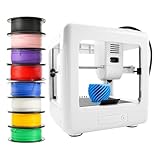
- 🎨 All-in-One Starter 3D Printer Kit – Comes with 8 vibrant PLA filament colors (200g each), a fully equipped printing kit, and user-friendly instructions—perfect...
- 🖨️ Compact & Portable FDM Design – This mini desktop 3D printer uses FDM technology and is compact enough for any desk or workspace. Great for school, home, or...
- 🧠 Effortless Setup, Plug & Print – No complex calibration needed. Supports TF Card and USB connections, compatible with Windows and macOS using CURA, Easyware, or...
- 💡 Precise & Smooth Printing – Achieve detailed prints with 0.05-0.2mm accuracy. Features a 0.4mm nozzle, supports 1.75mm PLA, and even WOOD filament.
- 📦 Full Accessories Included – Package includes the printer components, 8-color filaments, TF card and reader, US power adapter, filament holder, screwdriver, and a...
Experience the ease of 3D printing with this Mini 3D Printer Kit designed for beginners. Its compact size and lightweight build make it ideal for small workspaces and portable use. The printer arrives ready to use, eliminating the frustration of complex setups.
You’ll receive eight vibrant PLA filament colors, each weighing 200 grams, allowing for creative versatility right away. The 0.4 mm nozzle supports precise prints with a layer resolution between 0.05 and 0.2 mm. It also works with wood filament, expanding your material options.
This kit supports popular slicing software like Cura, making file preparation straightforward. Connection options include USB and TF card, ensuring compatibility with various devices. Maintenance is simple, with minimal calibration required, keeping the printer beginner-friendly.
While this printer suits casual projects well, note that its print accuracy may not meet high-precision demands. Also, power adapter choices are limited, which could affect setup in some locations.
Best for: Beginners of all ages seeking a compact, easy-to-use 3D printer for educational and hobby projects at home or school.
What We Like:
- Includes 8 vibrant PLA filament colors and essential printing accessories.
- Compact and lightweight design fits easily on desktops and is portable.
- Compatible with popular slicing software like Cura for easy file preparation.
- Simple plug-and-play setup with minimal calibration required.
- Supports both PLA and wood filament materials.
Specification:
| Feature | Details |
|---|---|
| Manufacturer | Mini 3D Printer Kit |
| Dimensions | Compact, desktop-sized |
| Weight | 3.3 lb (1.5 kg) |
| Filament Colors | 8 colors (200 g each) |
| Nozzle Diameter | 0.4 mm |
| Print Accuracy | 0.05–0.2 mm |
| Supported Filaments | PLA, wood filament |
| Connectivity | USB, TF card |
Factors to Consider When Choosing a Basic 3d Printer
When choosing your first 3D printer, focus on print quality, ease of setup, and the build volume you’ll need.
Make sure the printer supports the filament types you want to use and matches your speed and performance expectations.
Considering these factors will help you find a machine that fits your projects and skill level.
It’s all about finding a balance that works for you. Don’t rush—take your time to pick the right one!
Print Quality Essentials
Although selecting a basic 3D printer might seem straightforward, understanding the factors that influence print quality will help you get the best results. Pay close attention to layer height; choosing a printer that supports a minimum of 0.05 mm lets you capture fine details, while 0.3 mm speeds up printing.
Nozzle diameter matters too—a 0.4 mm nozzle balances speed and detail perfectly, but smaller nozzles give finer features. Look for a rigid frame and quality motion components to reduce vibrations and Z-wobble, ensuring accuracy.
Reliable extrusion control with well-tuned settings prevents common issues like stringing and gaps. Finally, consistent first-layer adhesion through proper bed leveling and suitable build surfaces like PEI or glass is essential to avoid warping and secure a strong foundation for your print.
Ease of Setup
Because ease of setup can make or break your 3D printing experience, choosing a printer that minimizes initial hassle is essential. Opt for fully assembled models or kits with modular, step-by-step video guides to cut setup time to under 20 minutes.
Look for printers that include preloaded test models and bundled slicer profiles, so you can start printing within 5–30 minutes without manual tuning. Features like automatic bed leveling, one-touch leveling systems, and automatic Z-offset calibration eliminate tedious manual adjustments.
Simple filament loading mechanisms with one-button or auto loading prevent jams and feeding issues. Finally, clear documentation combined with app control or touchscreen wizards guides you through your first prints, making it easy to get started—even if you have no technical background.
Build Volume Needs
Build volume plays a critical role in choosing a 3D printer that fits your needs. Start by measuring the largest objects you plan to print, noting their maximum X, Y, and Z dimensions. Be sure to add extra millimeters for supports or brims.
Small desktop printers around 100–150 mm per axis work well for miniatures and classroom projects. But if you want to create hobbyist prototypes or functional parts, aim for at least 200 mm on one axis.
Keep in mind, bigger build volumes mean longer print times, more filament use, and higher chances of print failures on lengthy jobs. If your workspace is limited or you need a compact printer, consider printing larger designs in modular parts that you can assemble later.
Also, check if removable plates or enclosures reduce usable build space. It’s always good to factor those into your decision so you don’t get caught off guard.
Filament Compatibility
When choosing a 3D printer, you’ll want to make sure it supports the filament types and diameters you plan to use. Most printers work with 1.75 mm filament, so double-check the diameter compatibility to avoid feed or extrusion issues.
Also, confirm the extruder and hotend temperature ranges to guarantee the printer can handle materials like PLA, PETG, TPU, or ABS. Consider whether the extruder is direct‑drive or Bowden; direct‑drive extruders perform better with flexible filaments like TPU.
Check if the printer has a heated bed and whether it’s enclosed—these features help with adhesion and reduce warping for higher-temperature filaments. Finally, look for recommended filament types and cooling features like part cooling fans, since proper cooling influences print quality and bridging performance.
Speed and Performance
Understanding filament compatibility sets the stage for evaluating how fast and efficiently a 3D printer can operate. When choosing a basic 3D printer, consider its maximum print speed—typically measured in mm/s.
Higher speeds, like 200–250 mm/s, reduce print time but may sacrifice surface quality and need fine-tuning. Acceleration and jerk settings affect how quickly the printer reaches these speeds, but pushing them too high can cause vibrations and print defects.
The rigidity of the printer’s motion system also matters; a stiff frame and quality components let you maintain speed without losing accuracy. Don’t overlook the extrusion system’s capacity—if it can’t melt and push filament fast enough, your prints will suffer under-extrusion.
Finally, effective cooling is vital; good fans and bed temperature control help layers solidify quickly, preventing sagging and ensuring quality at faster speeds. So, balancing all these factors will help you get the best performance out of your 3D printer.
Safety Features Included
Although 3D printing offers exciting possibilities, you need to prioritize safety features that protect you and your printer. Look for models with enclosed or partially enclosed frames to keep hot components and moving parts away from accidental contact. This helps reduce burn and pinch risks.
Thermal protection like rapid-heating cutoff and reliable temperature sensors prevents overheating. That means lower fire hazards and less chance of filament damage.
Features such as auto-shutdown or power-loss recovery pause prints safely during outages. This avoids uncontrolled heating or failed prints.
Filament runout detection automatically pauses printing to prevent dry extrusion. That way, you avoid overheating or clogging the hotend.
Mechanical safeguards like endstop switches, motor stall detection, and guarded fan intakes help avoid jams and mechanical overtravel. Plus, they protect you from injuries caused by exposed parts, making operation safer—especially if you’re just starting out.
Software and Connectivity
Since 3D printing relies heavily on software to turn your designs into physical objects, you’ll want to choose a printer that offers smooth and flexible connectivity options. Check that it supports convenient file transfer methods like USB, SD/TF card, or Wi‑Fi so you can send sliced G‑code hassle-free.
Make sure the printer works with popular slicers such as Cura or PrusaSlicer, or includes a reliable cloud/mobile app for STL and OBJ files. Look for open-source or regularly updated firmware to benefit from bug fixes and new features.
Prioritize models with remote monitoring and control via apps or web interfaces, plus resume-print after power loss. Finally, consider connectivity security—encrypted Wi‑Fi or offline printing helps protect your files and prevents interruptions during prints.
Frequently Asked Questions
What Safety Precautions Should Beginners Follow When Using a 3D Printer?
You should always wear safety glasses and keep the area well-ventilated. It’s important to never touch the hot nozzle or bed because they can cause burns.
Also, always supervise the printer while it’s running. Keeping flammable materials away is a must to prevent accidents and guarantee safe printing.
How Do I Maintain and Clean My 3D Printer Regularly?
You should regularly clean the nozzle, remove filament residue, and wipe down the print bed. This helps prevent clogs and ensures your prints stick properly.
Also, don’t forget to lubricate moving parts and tighten any loose screws. Keeping everything snug and smooth makes a big difference.
Oh, and make sure to update your firmware when you can. It keeps your printer running with the latest features and fixes.
Doing all this keeps your 3D printer running smoothly and prolongs its life. It’s really worth the little effort!
What Are the Best Beginner Projects to Start With?
To hit the ground running, start with simple projects like keychains, phone stands, or small toys. These build your skills without overwhelming you, letting you learn the ropes while creating practical, fun items.
It’s a great way to get comfortable with the basics. Plus, finishing these projects gives you a sense of accomplishment right away. You’ll be ready to take on bigger challenges in no time!
Can I Use Third-Party Filaments With These Basic 3D Printers?
Yes, you can use third-party filaments with most basic 3D printers. Just make sure the filament type matches your printer’s specifications.
Also, adjust your printer settings to avoid issues like clogging or poor print quality. It’s pretty straightforward once you get the hang of it!
How Do Software Updates Affect 3D Printer Performance?
Like a superhero upgrading gear, software updates boost your 3D printer’s performance by fixing bugs, improving speed, and adding features.
You’ll notice smoother prints and fewer errors once you keep your firmware up to date. It’s like giving your printer a little tune-up without opening the hood. Just hit update, and watch the improvements roll in!
Conclusion
Choosing the right basic 3D printer can boost your creativity and learning. Did you know that over 60% of beginners say having an easy-to-use printer keeps them motivated?
Whether you want something portable, kid-friendly, or packed with features like auto-leveling, there’s a perfect option for you.
Plunge into 3D printing with confidence and watch your ideas come to life effortlessly. Your perfect starter printer is just a choice away!
Finding the best basic 3D printer doesn’t have to be overwhelming. With so many beginner-friendly models available, you can easily find one that fits your needs and budget. From simple setups to advanced features, these printers make 3D printing accessible and fun. So, get ready to explore your creativity and bring your projects to life with a reliable, easy-to-use 3D printer designed especially for beginners.