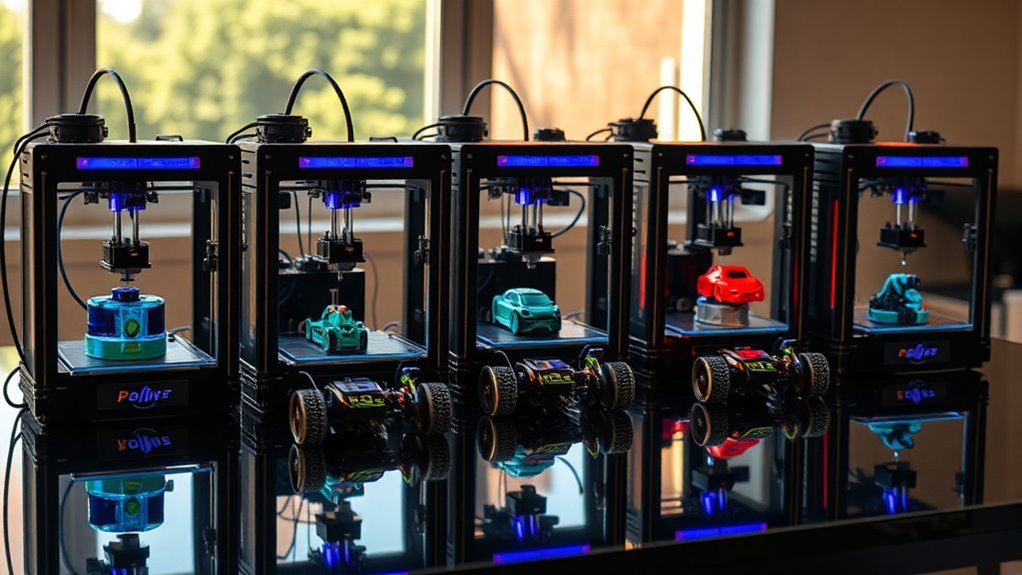
8 Best 3D Printers for RC Cars in 2027
If you’re on the hunt for the best 3D printers for RC cars in 2027, you’ve come to the right place. The market is packed with options that deliver speed, precision, and vibrant color printing—perfect for customizing your RC builds.
Whether you want something beginner-friendly or packed with advanced features, there’s a model out there for you.
Take the Bambu Lab P2S Combo and FLASHFORGE Adventurer 5M, for example. They’re known for high-speed, precise multi-color printing that really makes your RC car parts pop.
Then there’s the Anycubic Kobra X and ELEGOO Centauri 2 Combo, which offer seamless prints and easy setup, making your printing experience smooth and hassle-free.
If you’re focused on reliability and beginner-friendly features, don’t overlook the Creality K2 SE and Bambu Lab A1.
Keep exploring to find the perfect 3D printer that matches your exact needs and projects.
| Image | Name | Editor's Rating | Price |
|---|---|---|---|

|
|
||

|
|
||

|
|
||

|
|
||

|
|
Bambu Lab P2S Combo, P2S 3D Printer & AMS 2 Pro, Multi-Color 3D Printing
- High-Speed Precision: The Bambu Lab P2S 3D printer prints up to 600 mm/s while maintaining exceptional accuracy. With the PMSM Servo Extruder and Active Flowrate...
- Ready to Print in 15 Minutes: Set up your P2S FDM 3D printer and start printing in just 15 minutes. With AI failure detection, quick-swap nozzles, and automatic...
- Effortless Multi-Color Printing: The AMS 2 Pro enables seamless multi-color/multi-material 3D printing. It features built-in filament drying at up to 65 °C, keeping...
- Smart Airflow for Any Filament: The Adaptive Airflow System automatically balances cooling and heat retention—keeping overhangs crisp with cool air, or maintaining a...
- Limitless Creativity, Seamless Workflow: Explore over one million 3D models on MakerWorld and bring them to life with a smooth, unified workflow using Bambu Studio, Bambu...
The Bambu Lab P2S Combo transforms the way you create detailed, multi-color RC car parts. Combining the P2S 3D Printer with the AMS 2 Pro system, it effortlessly handles multi-material printing with precision and speed. This setup solves common printing challenges by ensuring consistent output and vibrant color transitions.
Its high-speed printing capability reaches up to 600 mm/s without sacrificing detail. The PMSM Servo Extruder and Active Flowrate Compensation work together to maintain sharp accuracy throughout each print. Cooling is optimized by the Adaptive Airflow System, which helps prevent warping and improves print quality.
Maintenance is simple with the AMS 2 Pro’s integrated filament drying, protecting materials from moisture and preserving print integrity. Setup is quick, taking only about 15 minutes, while smart features like AI failure detection and quick-swap nozzles reduce downtime and troubleshooting.
Designed for users who demand fast, reliable, and colorful multi-material printing, this combo supports complex RC car designs and other intricate projects with ease. Its modular design also allows flexibility for various printing needs.
Best for: hobbyists and professionals seeking fast, precise, and vibrant multi-color 3D printing for detailed projects like RC car parts.
What We Like:
- Fast printing speeds up to 600 mm/s with precise detail
- Seamless multi-material/color printing with built-in filament drying
- Easy setup and maintenance with AI failure detection and quick-swap nozzles
- Effective cooling system for improved print quality
- Modular combo designed for complex, colorful prints
Specification:
| Feature | Detail |
|---|---|
| Manufacturer | Bambu Lab |
| Dimensions (Printer) | Not specified |
| Weight (Printer) | Not specified |
| Material | Multi-material (filaments) |
| Color Options | Multi-color printing enabled |
FLASHFORGE Adventurer 5M 3D Printer, All-Metal CoreXY, 600mm/s Max Travel
- One-Click Automatic Printing: Experience hassle-free 3D printing with the Adventurer 5M Series. Enjoy automatic bed leveling for flawless first layers, ensuring...
- 12X Ultra Fast Printing: Featuring a CoreXY structure with 600mm/s travel speed and 20000mm/s² acceleration, the AD5M maximizes efficiency, reduces production cycles...
- Smart and Efficient Design: Quick 3-second nozzle changes, a high-flow 32mm³/s nozzle, and fast 35-second warm-up to 200°C deliver stable high-speed printing. Its...
- Superior Print Quality & Adaptability: Combines a 280°C direct drive extruder with dual-fan cooling and vibration compensation. Includes a standard 0.4mm nozzle and...
- Real-Time App Monitoring: Monitor print progress, adjust settings, and receive instant status alerts remotely with the Flash Studio. Smart mobile control ensures a...
The FLASHFORGE Adventurer 5M transforms rapid prototyping with its impressive 600mm/s max travel speed. This speed helps reduce printing time, allowing you to bring your ideas to life faster than before. Its all-metal CoreXY design ensures stable and precise movements, enhancing the quality of every print.
Maintenance is simplified with features like one-click automatic printing and automatic bed leveling, which cut down setup time and minimize errors. The printer also supports quick 3-second nozzle changes, allowing smooth workflow without long interruptions. A fast 200°C warm-up further boosts efficiency.
Designed for detailed projects, the Adventurer 5M offers a 220x220x220mm build volume that suits small to medium-sized parts, such as RC car components. The versatile high-flow nozzle supports multiple sizes, accommodating various printing needs with ease.
Remote monitoring and mobile control add flexibility, letting you oversee prints from anywhere. This connectivity keeps you informed and in control, reducing downtime and enhancing productivity.
Best for: hobbyists and professionals needing fast, precise 3D printing for detailed prototypes and small to medium parts with minimal setup effort.
What We Like:
- High-speed printing with 600mm/s max travel for rapid prototyping
- Simplified maintenance through automatic bed leveling and quick nozzle changes
- Remote and mobile control for convenient print management
Specification:
| Feature | Details |
|---|---|
| Manufacturer | FLASHFORGE |
| Build Volume | 220 x 220 x 220 mm |
| Max Travel Speed | 600 mm/s |
| Nozzle Size Range | Up to 0.8 mm |
| Warm-up Temperature | 200°C |
| Design | All-metal CoreXY |
Anycubic Kobra X Multicolor 3D Printer, Easy Setup, Native 4-Color
- 【 Newest Level - 19-Color with 4 ACE 2 Pro】Why settle for one color when you can have multicolor? The Kobra X comes born with 4 colors built-in. It is innovative 3D...
- 【 Savings 2X Time】Stop wasting hours and filament on purging! Kobra X impresora 3D reduces the filament and machine travel path by 81.25%, so 2X the Speed, and...
- 【Hardened Precision & High Speed 】 Equipped with a high-durability hardened steel nozzle and vibration compensation, the Kobra X ensures every layer remains smooth...
- 【Flawless First Layer with LeviQ 3.0】The LeviQ 3.0 and auto bed leveling system uses a 49-point calibration and advanced leveling algorithm to ensure 100% bed...
- 【Smart AI Monitoring & Large Model Library】APP remote control, features Spaghetti detection and foreign object detection. The innovative top-mount spool holder...
Experience vibrant creativity with the Anycubic Kobra X Multicolor 3D Printer, designed to bring your multicolor models to life effortlessly. Its native 4-color printing capability allows you to produce detailed and colorful prints without complex setups. This printer tackles intricate RC car designs and more with precision and speed.
Printing at speeds up to 600mm/s, the Kobra X reduces wait times, completing models like the Benchy in just 14 minutes. The LeviQ 3.0 auto bed leveling ensures your first layers are flawless, minimizing print failures and maintenance needs. Its hardened steel nozzle and vibration compensation technology enhance print quality by delivering consistent, smooth results.
Setup is straightforward, taking only about 15 minutes, so you can focus on creating rather than troubleshooting. Smart features such as remote app control and spaghetti detection keep you informed and in control, even when you’re away from the printer. The top-mount spool holder saves valuable desk space, making it ideal for smaller work areas.
This printer supports a variety of filament types, expanding your creative possibilities. While it excels with up to four colors natively, larger multicolor projects may require additional units. Its build volume of 260mm³ suits many hobbyist and educational projects but could limit very large prints.
Best for: hobbyists, educators, and makerspaces seeking a fast, precise, and easy-to-use multicolor 3D printer with smart connectivity and versatile filament compatibility.
What We Like:
- Native 4-color printing enables complex, vibrant designs
- Fast printing speeds with efficient filament use
- LeviQ 3.0 auto bed leveling for reliable first layers
- Vibration compensation and hardened steel nozzle improve print quality
- Remote app control and spaghetti detection enhance user convenience
Specification:
| Feature | Details |
|---|---|
| Manufacturer | Anycubic |
| Print Speed | Up to 600 mm/s |
| Color Capability | Native 4-color |
| Build Volume | 260 mm³ |
| Bed Leveling | LeviQ 3.0 Auto Leveling |
| Nozzle Material | Hardened Steel |
| Connectivity | Remote App Control |
| Setup Time | Approximately 15 min |
| Spool Holder Position | Top-mount |
ELEGOO Centauri 2 Combo 3D Printer, Beginner-Friendly Multicolor Printing
- 4-Color Printing with CANVAS: Create vibrant multi-color models effortlessly with CANVAS 4-color printing. Independent motors, instant color switching, RFID filament...
- Start Printing with Confidence: Full auto calibration and smart pre-print checks simplify setup, while 22 intelligent sensors monitor every print in real time. From first...
- Designed for Speed: Experience faster creation with a high-speed CoreXY system reaching up to 500mm/s and 20,000mm/s² acceleration. The rigid aluminum frame and...
- Smoother, Sharper, Smarter: From the first layer to the final detail, intelligent calibration, vibration compensation, and precise extrusion control help produce clean...
- A Seamless Workflow from Idea to Print: Simplify your entire workflow with the ELEGOO ecosystem. Discover ready-to-print models on Nexprint, prepare projects with...

The ELEGOO Centauri 2 Combo brings vibrant multicolor 3D printing within easy reach. It solves the challenge of complex multicolor prints by combining advanced 4-color CANVAS technology with a high-speed CoreXY system. This means you get sharp, colorful parts quickly without the usual hassle.
Setup is straightforward thanks to full auto calibration and smart pre-print checks. The 5-inch touchscreen makes operation smooth and intuitive. Real-time monitoring with 22 sensors ensures your prints stay reliable from start to finish.
Designed for hobbyists and beginners, this printer excels at creating detailed parts, especially for RC car enthusiasts. Its seamless workflow integrates with ELEGOO’s Nexprint and ELEGOOSlicer software, while remote control via the Matrix app adds flexibility.
Maintenance is simple with a magnetic printhead cover and a semi-automatic belt tensioner. These features reduce downtime and keep your printer running smoothly. However, its weight and size require dedicated space, and multicolor printing may still need some learning.
Best for: Beginners and hobbyists wanting a reliable, user-friendly 4-color 3D printer that delivers detailed multicolor prints with minimal setup.
What We Like:
- Precise multicolor printing using advanced 4-color CANVAS and fast CoreXY system
- Easy setup with full auto calibration and smart pre-print checks
- Real-time print monitoring via 22 sensors for consistent results
- Convenient remote control through the Matrix app
- Simple maintenance with magnetic printhead cover and belt tensioner
Specification:
| Feature | Details |
|---|---|
| Manufacturer | ELEGOO |
| Dimensions (L×W×H) | Not specified |
| Weight | 33 lb (approx. 15 kg) |
| Printing Technology | 4-color CANVAS with CoreXY |
| Touchscreen | 5-inch |
| Max Nozzle Temp | Up to 350°C |
Creality K2 SE High-Speed 3D Printer
No products found.
The Creality K2 SE High-Speed 3D Printer is designed to meet the demands of RC car enthusiasts and makers who need fast, precise printing. Its impressive speed of up to 500mm/s drastically reduces print times without sacrificing detail. This printer tackles ringing and vibration issues with a built-in vibration sensor and input shaping, delivering smooth, clean walls even on complex models.
Its lightweight CoreXY motion system is paired with a sturdy die-cast aluminum frame reinforced by crossbeams. This design ensures rigid stability and reduces frame flex during high-speed moves, which keeps large prints accurate. Setup is straightforward with a quick 5-minute assembly and an intuitive touchscreen guide, complemented by automatic bed leveling for hassle-free calibration.
The Creality K2 SE supports multicolor printing through the optional Creality CFS system. This add-on offers automatic filament detection and smooth slicing, expanding creative possibilities. Running on Creality OS and Cloud, it provides expert tuning tools and remote printing options, optimizing workflow for users.
Maintenance is simplified thanks to robust construction and reliable components, making it a practical choice for users focused on efficiency and precision in their projects.
Best for: RC car enthusiasts and makers seeking rapid, high-precision 3D printing with advanced multicolor options and easy setup.
What We Like:
- Extremely fast print speeds up to 500mm/s with smooth, detailed output.
- Rigid die-cast aluminum frame reduces flex for accurate, large prints.
- Simple 5-minute assembly and automatic bed leveling streamline setup.
- Compatible with Creality CFS system for seamless multicolor printing.
- Powered by Creality OS and Cloud for expert tuning and remote control.
Specification:
| Feature | Details |
|---|---|
| Manufacturer | Creality |
| Printing Speed | Up to 500 mm/s |
| Frame Material | Die-cast aluminum alloy |
| Motion System | Lightweight CoreXY |
| Assembly Time | Approximately 5 minutes |
| Bed Leveling | Automatic |
| Multicolor Support | Optional via Creality CFS |
| User Interface | Touchscreen guide |
Bambu Lab P1S 3D Printer, Ready-to-Use FDM 3D Printer
- Up to 16 Colors: Bring your designs to life with vibrant multi-color/multi-material printing capabilities, perfect for showcasing your creativity. Note: Connecting Bambu...
- 500mm/s and 20000 mm/s² Acceleration True High Speed: Don't wait around for your masterpieces. Lightning-fast printing speed lets you focus on creating, not waiting.
- Enclosed Design: Fully enclosed body improves print performance for advanced filaments. Automatic Bed Leveling: Say hello to high-quality, successful prints. Auto bed...
- Set Up in 15 Minutes: Spend more time printing and less time setting up. User-friendly design ensures a hassle-free assembly experience for all skill levels.
- Supported Filament: Ideal: PLA, PETG, TPU, PVA, PET ABS, ASA; Capable : PA, PC; Not Recommended: Carbon/Glass Fiber Reinforced Polymer.
Experience vibrant multi-color 3D printing with the Bambu Lab P1S, designed to bring efficiency and precision to your projects. This ready-to-use FDM printer handles up to 16 colors seamlessly when paired with the Bambu Lab AMS, allowing for detailed, multi-material creations without complicated setups.
The P1S offers impressive printing speeds up to 500mm/s and rapid acceleration, reducing wait times and boosting productivity. Its fully enclosed design maintains a stable environment, which is essential for printing advanced filaments like ABS and TPU with consistent results.
Maintenance is straightforward with automatic bed leveling, ensuring each print starts perfectly aligned and minimizing failed prints. The simple setup process takes around 15 minutes, making it accessible for users of all skill levels.
While the printer supports a variety of materials including PLA, PETG, and TPU, it is not recommended for carbon or glass fiber reinforced polymers. This limitation should be considered when planning advanced material use.
Best for: hobbyists and professionals seeking fast, vibrant multi-color 3D prints with ease of use and advanced filament compatibility.
What We Like:
- Supports up to 16 colors with Bambu Lab AMS for detailed multi-material prints
- High-speed printing up to 500mm/s with rapid acceleration
- Fully enclosed design stabilizes temperature for advanced filament use
- Automatic bed leveling improves print consistency
- Quick 15-minute setup suitable for all skill levels
Specification:
| Feature | Details |
|---|---|
| Manufacturer | Bambu Lab |
| Dimensions | Not specified |
| Weight | Not specified |
| Material Compatibility | PLA, PETG, TPU, ABS |
| Color Options | Supports up to 16 colors* |
*Requires Bambu Lab AMS for multi-color capability.
TINA2C 3D Printer Beginner Friendly, Easy-Ready to Print in 5 Mins

- 【BEGINNER FRIENDLY-READY TO PRINT】Hephi3d Tina2C 3d printer friendly for home, fully assembled, factory preset, auto leveling, ready to print right out of the box, no...
- 【EASY TO USE-ONE TAP PRINTING】Tina2C mini 3d printer provides 3500+ online massive ready to print model library, new designs update every day. You can print in one...
- 【UNLIMITED CREATIVITY-EASY DIY】Tina2C beginner friendly 3d printer with APP provides STEM Learning Module and 25+ design modules for simply customizing. AIGC & Photo...
- 【FULLY OPEN SOURCE-NO LIMITS】Tina2C beginner 3d printer is no software lock-In. Print you way freely with Wiibuilder or Cura on PC and laptops, one-click wifi upload...
- 【FAMILY & BEGINNER FRIENDLY】 Tina2c compact 3d printer for home can print anytime anywhere, space save. Silent Printing and Auto Detect Bed function give more safe...
The TINA2C 3D Printer is designed to make 3D printing accessible for beginners. Its fully assembled setup means you can start printing in just 5 minutes without hassle. The built-in auto leveling feature removes the guesswork, ensuring smooth first prints every time.
This compact printer weighs only 5.46 pounds, making it easy to place in small spaces like homes or classrooms. You can control the device easily through a smartphone or tablet app, which offers access to over 3,500 ready-to-print models. This streamlines the printing process with just one tap.
Maintenance is straightforward thanks to its reliable safety features. Silent printing keeps noise levels low while auto bed detection and the ability to resume printing after power interruptions add convenience. These elements help minimize downtime and reduce user frustration.
While its small build size limits large projects, the TINA2C is ideal for educational purposes and hobbyists who value simplicity. Some users might need to learn additional software like Wiibuilder or Cura for advanced customization, but basic functions are user-friendly.
Best for: Beginners and educators seeking a compact, easy-to-use 3D printer with fast setup and STEM learning capabilities.
What We Like:
- Ready to print in 5 minutes with auto leveling
- Simple app control with access to thousands of models
- Silent operation with safety features for uninterrupted printing
- Lightweight and compact design suitable for small spaces
Specification:
| Feature | Details |
|---|---|
| Manufacturer | TINA |
| Dimensions | Compact (exact size N/A) |
| Weight | 5.46 lb (2.48 kg) |
| Color Options | Not specified |
Bambu Lab A1 3D Printer, Ready-to-Use FDM 3D Printer for Beginners and Kids

- High-Speed Precision: Experience unparalleled speed and precision with the Bambu Lab A1 3D Printer. With an impressive acceleration of 10,000 mm/s², the A1 delivers...
- Multi-Color Printing with AMS lite: Unlock your creativity with vibrant and multi-colored 3D prints. The Bambu Lab A1 3D printers make multi-color printing accessible and...
- Full-Auto Calibration: Say goodbye to manual calibration hassles. The A1 3D printer takes care of all the calibration processes automatically, ensuring optimal...
- Active Flow Rate Compensation: Achieve consistently smooth prints with active flow rate compensation. The algorithm actively compensates the flow rate according to the...
- Easy and Quiet 3D Printing: Experience effortless printing with the Bambu Lab A1 FDM 3D printer. Its user-friendly interface and simplified touchscreen make it easy to...
The Bambu Lab A1 3D Printer is designed to make 3D printing accessible and enjoyable for beginners and kids. It tackles common setup frustrations by offering full-auto calibration, which handles bed-leveling and Z-offset automatically. This means you can start printing faster without complicated adjustments.
Its high-speed precision, with acceleration up to 10,000 mm/s², ensures your prints are both quick and accurate. Whether you’re creating parts for RC cars or other simple projects, the printer’s quiet operation, running under 48 dB, keeps your workspace peaceful and distraction-free.
Maintenance is straightforward thanks to the 1-Clip nozzle system, which allows fast and easy nozzle swaps without hassle. The option to add the AMS lite accessory enables multi-color printing, adding versatility and creative freedom for customizing your projects.
Compact and ready to use out of the box, the Bambu Lab A1 is a practical choice for new hobbyists who want reliable performance without complex features. It focuses on simplicity and efficiency, though advanced users might find its FDM-only technology limiting.
Best for: Beginners and kids seeking an easy-to-use, high-speed 3D printer ideal for small projects like RC car parts with minimal setup.
What We Like:
- Fast, precise printing with acceleration up to 10,000 mm/s²
- Hassle-free setup with full-auto calibration
- Easy maintenance via the 1-Clip nozzle system
- Quiet printing operation at ≤48 dB
- Optional AMS lite for multi-color prints
Specification:
| Feature | Details |
|---|---|
| Manufacturer | Bambu Lab |
| Technology | FDM |
| Acceleration | Up to 10,000 mm/s² |
| Noise Level | ≤48 dB |
| Calibration | Full-auto (bed-leveling, Z-offset) |
| Nozzle System | 1-Clip for easy swapping |
| Multi-color Option | AMS lite accessory |
| Dimensions | Compact design (exact size not specified) |
Factors to Consider When Choosing a 3D Printer for RC Cars
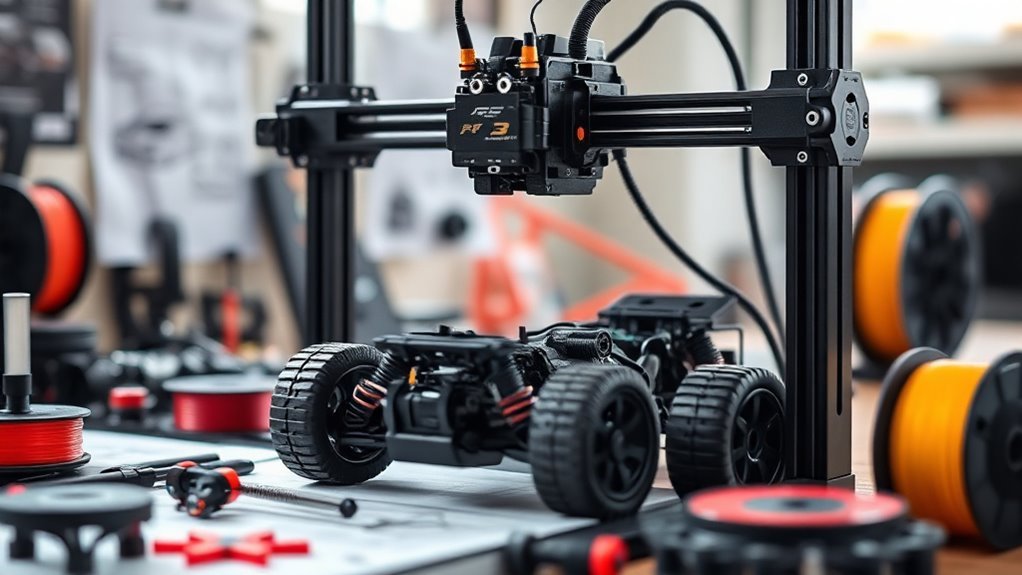
When choosing a 3D printer for RC cars, you’ll want to take into account print speed to keep projects moving quickly and material compatibility to match your design needs. Precision and detail are essential for creating realistic parts, while build volume determines the size of the models you can produce.
Don’t forget about multi-color printing if you want to add vibrant, complex designs without extra assembly. It’s a great way to make your RC cars stand out without spending extra time on painting or gluing parts together.
Print Speed Importance
Choosing a 3D printer that can reach speeds up to 600 mm/s can transform how quickly you prototype and refine your RC car designs. Faster printing lets you iterate more often, testing and tweaking parts without long waits.
When paired with high acceleration rates, like 20,000 mm/s², these speeds guarantee smoother finishes and better print quality. That’s super important for performance components.
Advanced cooling systems help prevent warping or layer adhesion issues, maintaining detail even at high speeds. Plus, rapid print times mean you can produce multiple parts in one session, maximizing your productivity and minimizing downtime.
If you want to stay ahead in RC car building, prioritizing print speed is fundamental. It lets you bring ideas to life faster and improve your models efficiently.
Material Compatibility Options
Speed alone won’t guarantee the best results if your 3D printer can’t handle the right materials for your RC car parts. You’ll want a printer compatible with a variety of filaments like PLA, ABS, PETG, and TPU, each offering different strength and flexibility.
Make sure it can reach nozzle temperatures of 250°C or higher to print high-performance materials like ASA or nylon, which are essential for durable components. Multi-material printing is a bonus because it lets you combine rigid and flexible parts in one print.
Also, check that the printer supports strong layer adhesion to handle the stresses RC cars face. And don’t forget to verify the build volume—it needs to fit larger parts like chassis and body shells so you won’t have to print in multiple pieces unnecessarily.
Precision And Detail
Because RC car parts demand exact fits and performance, you’ll need a 3D printer capable of precision down to 0.1 mm. Even slight deviations can cause poor fit or affect your car’s handling, so look for printers with fine resolution settings.
Detail is just as important—sharp edges and smooth surfaces improve both realism and function. Choosing a printer with a high-quality extrusion system and advanced cooling helps avoid warping, preserving intricate designs.
Nozzle size matters too: smaller nozzles around 0.25 mm provide finer detail, while larger ones speed up prints but sacrifice precision. Don’t overlook automatic bed leveling; it guarantees the first layer sticks perfectly, which is vital for consistent accuracy throughout your print.
Prioritize these precision and detail features to get the best results for your RC car parts. It’s worth taking the time to choose the right printer so your parts come out just right every time.
Build Volume Needs
Precision and detail matter, but you also need to think about build volume when picking a 3D printer for your RC car parts. Ideally, your printer should offer at least 200mm x 200mm x 200mm to handle most components in one print, reducing assembly work.
If your RC car design is complex or larger, look for printers with build volumes exceeding 300mm in height or length to accommodate bigger parts. While you can print smaller parts separately in a smaller build area, this often increases print time and complexity, so consider how modular your design is.
Also, make sure the printer’s nozzle size and layer height support the detail level you need within the available build volume for crisp, accurate parts. It’s all about balancing size and detail to get the best results without extra hassle.
Multi-Color Printing
When you want your RC car parts to stand out with vibrant colors and intricate designs, multi-color printing becomes essential. This feature lets you create detailed, eye-catching components with seamless color shifts and complex patterns.
Look for printers offering native multi-color printing to combine multiple filament colors in one run without manual changes. Printing with different materials like flexible TPU alongside rigid PLA in various colors adds both functionality and durability to your parts.
Plus, filament drying systems in multi-color printers maintain filament quality, ensuring consistent color accuracy and reducing print failures during elaborate designs. Choosing a printer with these capabilities gives you the creative freedom to customize your RC cars uniquely and reliably, enhancing both the look and performance of your builds.
Ease Of Setup
Creating vibrant, multi-colored RC car parts is exciting, but you’ll want a 3D printer that’s just as easy to set up as it is versatile. Look for models that get you printing in under 15 minutes to save time.
Automatic bed leveling is a game-changer. It ensures your first layer sticks perfectly without any manual tweaking.
Quick-swap nozzles let you switch settings fast, cutting downtime during maintenance. Consider compact, lightweight printers—they’re simpler to position and handle in tight workspaces.
And don’t overlook printers backed by strong online support and large model libraries. They help you get started smoothly, even if you’re new to 3D printing.
Prioritizing these features means less hassle and more focus on creating the custom RC car parts you want.
Software And Connectivity
Although choosing the right 3D printer hardware is important, you’ll also want to focus on software and connectivity features that streamline your workflow. Make sure the printer’s software is compatible with popular design applications, so you can easily move from modeling to printing.
Look for slicing software that supports multiple filament types and offers advanced path planning to boost print quality and speed. Connectivity options like Wi-Fi and LAN are essential for flexibility, letting you manage print jobs effortlessly.
Mobile control and remote monitoring let you adjust settings and check progress from anywhere. Cloud integration adds convenience by giving you access to extensive 3D model libraries and enabling remote printing.
Prioritizing these features will save you time and enhance your RC car printing experience. It really makes the whole process smoother and more enjoyable!
Durability And Stability
Durability and stability play a crucial role in choosing a 3D printer for RC cars, as they directly impact print quality and precision. You want a robust frame made from die-cast aluminum or metal to minimize vibrations during high-speed printing, which is necessary for detailed parts.
Look for designs with dual-side crossbeams and corner gussets to guarantee structural integrity and consistent performance under rapid movements. A lightweight CoreXY motion system lets you achieve fast accelerations without sacrificing accuracy.
Stability improves further with built-in vibration sensors and input shaping algorithms, helping you print smoother wall surfaces and intricate details. Don’t overlook effective cooling systems—they prevent warping and maintain dimensional accuracy, especially when printing larger RC car components exposed to heat fluctuations.
Frequently Asked Questions
What Materials Are Best for Printing Durable RC Car Parts?
You’ll want materials like nylon, PETG, or carbon fiber-filled filaments for durable RC car parts. These offer strength, flexibility, and impact resistance.
That way, your parts can handle crashes and rough terrain without breaking easily. Pretty important if you want your RC car to last!
How Do I Maintain and Clean My 3D Printer?
You should regularly clean the nozzle and bed, lubricate moving parts, and check belts for tension. Don’t forget to remove filament residues and dust.
Doing this keeps your printer running smoothly and extends its lifespan. It’s a simple routine that really pays off in the long run.
Can I Print Custom RC Car Tires With These Printers?
Yes, you can print custom RC car tires with these printers. Just choose flexible filaments like TPU, adjust your settings for durability, and design your tires carefully to get the perfect grip and performance for your RC car.
Printing with TPU is a great choice because it offers the flexibility and toughness you need. Make sure to tweak your printer settings to handle the material well.
Also, take your time designing the tire tread and shape. This way, you’ll get the best traction and handling for your RC car out on the track.
What Software Is Recommended for Designing RC Car Models?
You should use Fusion 360 or Blender for designing RC car models. They’re user-friendly, powerful, and compatible with most 3D printers.
You’ll find plenty of tutorials to help you create precise, detailed designs easily. Plus, both programs have strong communities, so getting help or inspiration is pretty straightforward.
How Long Does It Typically Take to Print an RC Car Chassis?
You might think printing an RC car chassis takes forever, but it usually takes 4 to 8 hours depending on size and print settings.
You can speed it up by adjusting layer height and infill density wisely. It’s all about finding the right balance between quality and speed.
Conclusion
Choosing the perfect 3D printer for your RC car is like revealing a secret superpower—suddenly, you’re crafting mind-blowing parts at lightning speed! Whether you want blazing-fast prints, crazy color combos, or beginner-friendly setups, these top picks have you covered.
Don’t settle for ordinary when you can create extraordinary. Your RC car deserves nothing less than the best, so grab one of these beasts and watch your builds transform into unstoppable, jaw-dropping machines!
With the right 3D printer, customizing your RC car becomes a breeze. From durable chassis parts to intricate detailing, the best 3D printers for RC cars in 2027 combine speed, precision, and versatility. So, gear up and choose a printer that matches your style and skill level—because your next RC car masterpiece is just a print away!