4 Best Budget Colour Laser Printers for 2027
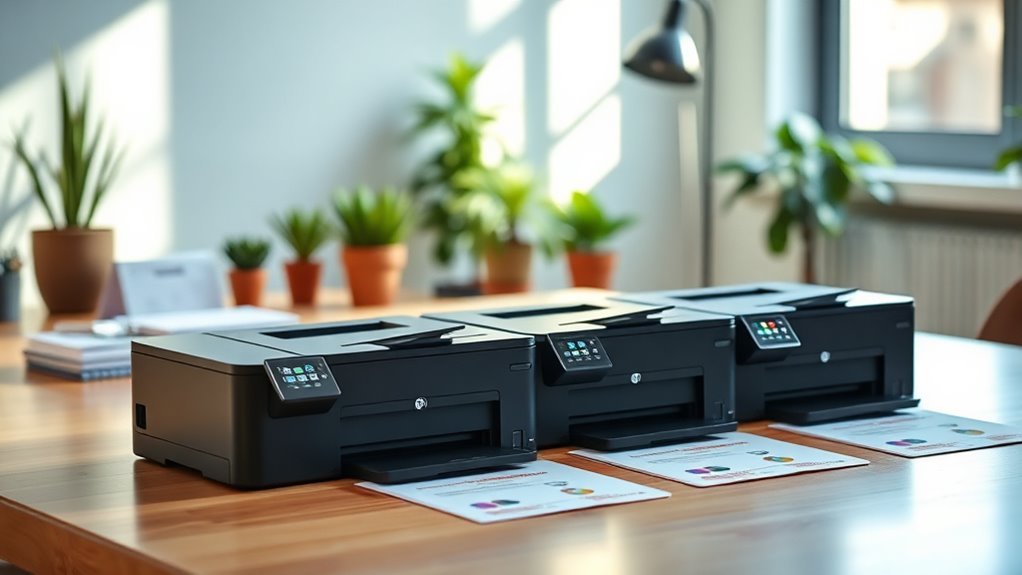
If you need a budget color laser printer for home or small office use, check out the Brother HL-L3220CDW. It delivers fast, sharp prints and comes with duplexing to save paper.
The HP Color LaserJet Pro 3201dw offers speedy output and versatile connectivity options, though it does limit toner choices.
The Canon imageCLASS MF652Cw adds multifunction features like scanning and copying to the mix. Meanwhile, the renewed Ricoh C125 P combines quality prints with a compact design that fits easily on your desk.
Each model balances print speed, quality, and cost differently, so you’ll find the best fit as you explore the key factors that matter most for your needs.
| Image | Name | Editor's Rating | Price |
|---|---|---|---|

|
|
||

|
|
||

|
|
||

|
|
Brother HL-L3220CDW Wireless Color Laser Printer
- Professional Quality: Brother Genuine color laser printer delivers stunning business documents with crisp text and vibrant graphics at impressive 19 PPM speed...
- Wireless Connectivity: Brother Genuine advanced wireless capabilities enable seamless printing from laptops, smartphones, and tablets, with built-in security protocols...
- High-Volume Capacity: Brother Genuine laser printer includes a generous 250-sheet paper tray minimizing refills, while the manual feed slot offers versatility for...
- Efficient Performance: Brother Genuine automatic duplex printing saves time and paper, while delivering professional-quality double-sided documents at speeds up to...
- Mobile Integration: Brother Genuine technology ensures seamless compatibility with major mobile printing platforms and cloud services, enabling effortless document...

The Brother HL-L3220CDW brings reliable color laser printing into a compact design ideal for home offices. Its small footprint fits easily on a desk, saving valuable workspace without sacrificing performance. This printer produces crisp, vibrant prints quickly, helping you stay productive with minimal wait times.
Designed for efficiency, it handles up to 250 sheets and offers automatic duplex printing, cutting down on paper waste and manual effort. Wireless and USB connectivity allow seamless printing from your devices, including mobile and cloud apps. This flexibility supports modern workflows and remote work needs.
Maintenance is straightforward, keeping downtime low and workflow smooth. While it focuses solely on printing, its sharp output and fast speed make it a practical choice for users prioritizing high-quality color documents. The built-in security features also help protect sensitive information.
Though it consumes more power than some alternatives and offers a limited warranty, the Brother HL-L3220CDW stands out as a functional, space-saving printer for users needing dependable color output.
Best for: professionals and home office users who need a compact, efficient color laser printer with wireless connectivity and high-quality output.
What We Like:
- Fast printing at 19 pages per minute with sharp 2400 x 600 dpi resolution
- Automatic duplex printing reduces paper use and effort
- 250-sheet tray supports extended printing without frequent refills
- Wireless and USB connectivity with mobile and cloud printing options
- Built-in security features to safeguard your documents
Specification:
| Feature | Details |
|---|---|
| Manufacturer | Brother |
| Dimensions | 15.7″ x 16.3″ x 9.9″ |
| Weight | 24.7 lb (11.2 kg) |
| Print Speed | 19 pages per minute |
| Resolution | 2400 x 600 dpi |
| Paper Capacity | 250 sheets |
| Connectivity | Wireless, USB |
HP Color LaserJet Pro 3201dw | Color Laser Printer | Wireless | Duplex
- FROM AMERICA'S MOST TRUSTED PRINTER BRAND – Perfect for small teams printing professional-quality color documents and reports. Print speeds up to 26 ppm black/color.
- PROFESSIONAL PRODUCTIVITY – Proficiency with every print—next-generation TerraJet toner brings your business to life with more vivid colors
- UPGRADED FEATURES – Fast color printing, auto 2-sided printing, and a 250-sheet input tray
- AWARD-WINNING RELIABILITY – Performance you can count on page after page, and always ready for the high demands of business
- WIRELESS PRINTING – Stay connected with dual-band Wi-Fi with self-reset, which automatically detects and resolves connection issues
The HP Color LaserJet Pro 3201dw delivers vibrant, fast color prints ideal for small offices or home use. Its sharp 600 x 600 dpi resolution and next-gen TerraJet toner ensure clear, accurate colors that help your documents stand out. Printing at 26 pages per minute keeps your workflow smooth and efficient.
Designed for convenience, this printer offers automatic duplex printing to save paper without extra effort. The 250-sheet input tray minimizes interruptions, letting you focus on your tasks. Connectivity is simple with dual-band Wi-Fi, Ethernet, and USB options, plus smartphone app control for printing on the go.
Maintenance is straightforward but requires original HP cartridges with embedded chips, which limits third-party toner use. While it lacks scanning or copying functions despite having a flatbed scanner, its compact design fits well in tight spaces. Weighing 33 pounds, it is best suited for stationary setups rather than frequent moves.
Best for: small offices and home users needing reliable, high-quality color printing with wireless and duplex features.
What We Like:
- Fast, sharp color and black prints at 26 ppm
- Automatic duplex printing reduces paper waste
- Multiple connectivity options including smartphone control
- Compact design fits limited workspace
Specification:
| Feature | Details |
|---|---|
| Manufacturer | HP |
| Dimensions | Not specified |
| Weight | 33 lb (15 kg) |
| Printing Technology | Color LaserJet |
| Resolution | 600 x 600 dpi |
| Input Tray Capacity | 250 sheets |
| Connectivity | Dual-band Wi-Fi, Ethernet, USB |
Canon imageCLASS MF652Cw Wireless Color Laser Printer
- Wireless 3-in-1 (print, scan, copy)
- Print up to 22 pages per minute (CL/BW), with first print out in approximately 10.3 seconds
- Uses Canon Genuine Toner 067 / 067 high capacity
- Print on-the-go using a variety of mobile apps, including the Canon PRINT app using your compatible mobile device
- 250-sheet standard cassette, 1-sheet multipurpose tray
The Canon imageCLASS MF652Cw is designed to enhance productivity in busy office settings. Its wireless color laser printing ensures sharp, professional-quality documents with a resolution of 1200 x 1200 dpi. This printer handles multiple tasks—printing, scanning, and copying—streamlining your workflow with speeds up to 22 pages per minute.
Maintenance is straightforward thanks to its 250-sheet capacity and multipurpose tray that accommodate different media types, reducing frequent paper refills. The intuitive 5-inch color touchscreen simplifies navigation, allowing users to manage settings and functions quickly. Connectivity options such as Wi-Fi, Ethernet, and USB make it easy to integrate into existing office networks.
Ideal for small to medium-sized businesses, the MF652Cw supports mobile printing through Canon’s apps, enabling convenient access from smartphones and tablets. While duplex printing requires manual handling, this multifunction printer reliably supports everyday office demands. Its ENERGY STAR certification reflects a commitment to efficiency despite a moderate power draw.
Best for: Small to medium-sized businesses seeking a dependable wireless multifunction color laser printer with versatile media support.
What We Like:
- Fast print speed with sharp 1200 x 1200 dpi output
- Easy-to-use 5-inch color touchscreen for efficient control
- Multiple connectivity options including Wi-Fi and Ethernet
- Supports mobile printing through Canon apps
- ENERGY STAR certified for energy efficiency
Specification:
| Feature | Details |
|---|---|
| Manufacturer | Canon |
| Dimensions | 16.8 x 18.8 x 15.5 inches |
| Weight | 33.5 lbs (15.2 kg) |
| Print Resolution | 1200 x 1200 dpi |
| Print Speed | Up to 22 pages per minute |
| Paper Capacity | 250 sheets |
| Connectivity | Wi-Fi, Ethernet, USB |
| Touchscreen Size | 5 inches |
Ricoh C125 P Color Laser Printer (Renewed)
- Fast double-sided printing up to 26ppm in color
- Large 250-sheet capacity paper tray and single-sheet capacity multi-purpose tray
- Small footprint, fits in limited spaces with front loading tray and bottom tray options
- Equipped with USB, Wi-Fi and Ethernet connectivity
- User friendly 4-line LCD panel display for print and toner status
The Ricoh C125 P Color Laser Printer (Renewed) offers a practical solution for users needing reliable and fast color printing. Its sharp 1200 x 1200 dpi resolution ensures vibrant, professional-quality prints that make documents and images stand out. With a print speed of 26 pages per minute, it helps you complete tasks efficiently without long waits.
This printer supports auto-duplex and envelope printing, streamlining your workflow and saving paper. The 250-sheet tray accommodates different paper sizes, reducing the need for frequent refills during everyday use. Connectivity options like Wi-Fi, Ethernet, and USB provide flexible ways to print from various devices.
Maintenance is straightforward with a 4-line LCD panel that clearly displays print and toner status. The compact and sturdy design fits well in both home and small office environments, making it a versatile choice. Keep in mind, it comes with only a starter cartridge, so replacement toner will be needed sooner in high-volume settings.
Best for: Users seeking a compact and affordable color laser printer with fast print speeds and versatile connectivity for home or small office use.
What We Like:
- High-quality prints at a sharp 1200 x 1200 dpi resolution
- Efficient auto-duplex and envelope printing capabilities
- Multiple connectivity options including Wi-Fi, Ethernet, and USB
- Clear 4-line LCD for easy maintenance monitoring
- Compact design suitable for limited spaces
Specification:
| Feature | Details |
|---|---|
| Manufacturer | Ricoh |
| Dimensions | Compact (specific size not provided) |
| Weight | Not specified |
| Color Options | Not specified |
| Connectivity | Wi-Fi, Ethernet, USB |
| Print Speed | 26 pages per minute |
| Print Resolution | 1200 x 1200 dpi |
| Paper Capacity | 250 sheets |
Factors to Consider When Choosing a Budget Colour Laser Printer
When choosing a budget colour laser printer, you’ll want to focus on print speed and quality to match your needs. Don’t forget to check the connectivity options and paper handling capacity for smoother workflow.
Also, consider how much consumables will cost to keep your printer running efficiently. It’s all about finding the right balance between features and affordability. Take your time to compare before making a decision.
Print Speed Importance
Since print speed directly impacts how quickly you get your documents, it’s essential to take into account pages per minute (ppm) when selecting a budget colour laser printer. If you print occasionally at home, 15–20 ppm usually suffices.
But for small offices with shared workloads, aim for 20–30+ ppm to keep productivity high. Don’t overlook first-page-out time; a faster initial print makes single-page jobs feel snappy.
Also, consider duplex printing speed separately—automatic two-sided printing is handy but can slow things down. So, find a model that maintains good ppm for double-sided jobs.
Keep in mind, faster printers often use more power and generate more noise. It’s all about balancing speed with energy efficiency and workplace comfort to find the best fit for your needs.
Print Quality Standards
How sharp and vibrant do you want your prints to be? For clear text and basic graphics, look for at least 600 x 600 dpi resolution. But if you want sharper color images and fine detail, aim for 1200 x 1200 dpi or higher.
Color depth matters too—choose printers offering 24-bit color or more to get smooth gradations and lifelike photos. Also, check if the printer supports standard color profiles (ICC/CMYK). This helps reduce discrepancies between your screen and the final print.
Don’t forget to take into account first-page-out time and pages per minute. Faster speeds keep your workflow smooth without sacrificing quality.
Finally, if you plan to print on glossy photo paper or card stock, choose a model with multipurpose or manual feed. This way, you can maintain premium print quality on specialty media.
Connectivity Options Available
What connectivity options does your budget colour laser printer need to keep up with your workflow? Make certain it supports the methods you use most, like Wi‑Fi (single or dual‑band), Ethernet for stable network connections, or USB for direct printing.
If you often print from smartphones or tablets, check for mobile printing features like AirPrint, Mopria, or proprietary apps. For shared use, prioritize Ethernet or strong Wi‑Fi with network management and cloud printing support.
Reliable wireless connections matter too—look for automatic network recovery and built-in security protocols such as WPA2 or WPA3. Also, confirm the printer can receive firmware updates over the network and whether it enforces cartridge compatibility, depending on your preference for vendor controls.
This makes certain smooth, secure, and flexible connectivity tailored to your needs.
Paper Handling Capacity
Once your printer connects seamlessly to your devices, you’ll want to make sure it handles the paper workload efficiently. Check the input tray capacity—typically 150 to 250 sheets—to match your monthly print volume and cut down on frequent refills.
Look for a multipurpose or manual feed slot so you can print envelopes, labels, or cardstock without using the main tray. Automatic duplex printing is a great feature to halve paper use on double-sided documents.
Don’t forget to verify the maximum output capacity and duty cycle to make certain the printer can handle peak jobs without constant clearing or wear. Finally, confirm that the printer supports all the paper sizes and media types you need, from small cards to legal or tabloid formats.
Consumable Cost Efficiency
Although upfront printer costs matter, you’ll save more by focusing on consumable cost efficiency when choosing a budget colour laser printer. Start by calculating the cost per page—divide the price of replacement toner or toner sets by the manufacturer-rated page yield.
Opt for printers supporting high-yield or XL cartridges, which can cut costs per page by 20–60% thanks to larger yields. Don’t forget to factor in additional consumables like drums, imaging units, or maintenance kits, as these add to your ongoing expenses.
Be wary of firmware or chip restrictions that block third-party or remanufactured toner, as these can hike costs. Finally, consider your color usage mix; full-color pages use multiple cartridges, so estimate your monthly color-to-black-and-white ratio to predict realistic toner spending.
Device Size Considerations
When choosing a budget colour laser printer, you’ll want to measure your available desk or shelf space carefully to make certain of a good fit. Colour laser printers vary widely in size—from compact models around 15″–18″ wide and under 10″ high, to larger ones exceeding 18″ deep and 14″ tall.
Don’t forget to weigh weight; these devices can weigh 25 to 55+ pounds, so plan for sturdy support and help moving them. Also, guarantee there’s enough clearance for paper trays—front-loading trays need space in front, while top output trays require clearance above.
If you plan to add expansion trays or multifunction features later, factor in extra space. Finally, allow room for ventilation and cable management to avoid cramped setups and guarantee proper cooling.
Warranty And Support
After making sure your printer fits well into your workspace, it’s important to take into account the warranty and support options that come with it. Check the warranty length and type—whether it’s a 1-year limited or multi-year coverage—and understand what parts and services it includes or excludes, like labor, on-site service, or consumables such as toner and fusers.
Also, confirm the available support channels—phone, email, live chat—and typical response times for repairs. It’s good to know how quickly you can get help when something goes wrong.
Don’t forget to verify if the manufacturer provides ongoing firmware updates to keep your device secure and compatible. These updates can make a big difference in keeping your printer running smoothly.
Finally, ask about return policies, replacements, and extended-care plans, including costs and coverage. This way, you can avoid surprises and make certain your printer stays reliable throughout its lifespan.
Frequently Asked Questions
How Do Color Laser Printers Compare to Inkjet Printers in Print Speed?
You’ll find color laser printers generally print faster than inkjets, especially for large volumes. They handle high-speed, bulk printing more efficiently.
On the other hand, inkjets excel in photo quality but tend to be slower and less cost-effective for heavy use. So, it really depends on what you need most—speed or image quality.
What Is the Typical Lifespan of a Budget Color Laser Printer?
Your budget color laser printer typically lasts around 3 to 5 years, like a reliable workhorse.
With proper care and moderate use, it’ll keep churning out vibrant prints without fading or faltering on you.
Are Budget Color Laser Printers Suitable for Photo Printing?
Budget color laser printers aren’t ideal for photo printing because they can’t capture fine details or vibrant colors like inkjets.
You’ll get decent prints for documents, but for photos, you’ll want a specialized photo printer instead. It just makes a big difference in quality!
How Do Toner Cartridge Costs Vary Among Budget Color Laser Printers?
Toner cartridge costs vary widely among budget color laser printers. You’ll find some models with affordable, high-yield cartridges, while others charge more for replacements.
Always check cartridge prices to avoid unexpected expenses later on. It’s a good idea to compare before you buy, so you don’t get caught off guard.
Can Budget Color Laser Printers Be Used for Double-Sided Printing?
About 70% of budget color laser printers offer automatic double-sided printing. You’ll save paper and time by choosing one with duplex capability.
It makes your printing more efficient without needing to flip pages manually every time. So, if you want to keep things simple and eco-friendly, go for a printer with this feature.
Conclusion
Choosing the perfect budget colour laser printer isn’t just a smart move—it’s practically a life upgrade! With options like the Brother HL-L3220CDW or the Canon imageCLASS MF652Cw, you’ll wonder how you ever survived without crisp, vibrant prints at lightning speed.
Don’t settle for blurry, slow messes when you can have professional-quality prints that’ll make your documents pop and your wallet smile. Grab one now and watch your printing game skyrocket!
Finding the best budget colour laser printer for 2027 means balancing quality, speed, and affordability. Whether you need it for home use, small business, or school projects, these printers deliver sharp colours and reliable performance without breaking the bank. Investing in a budget colour laser printer is all about getting value and efficiency in one package, so you can enjoy hassle-free printing every day.