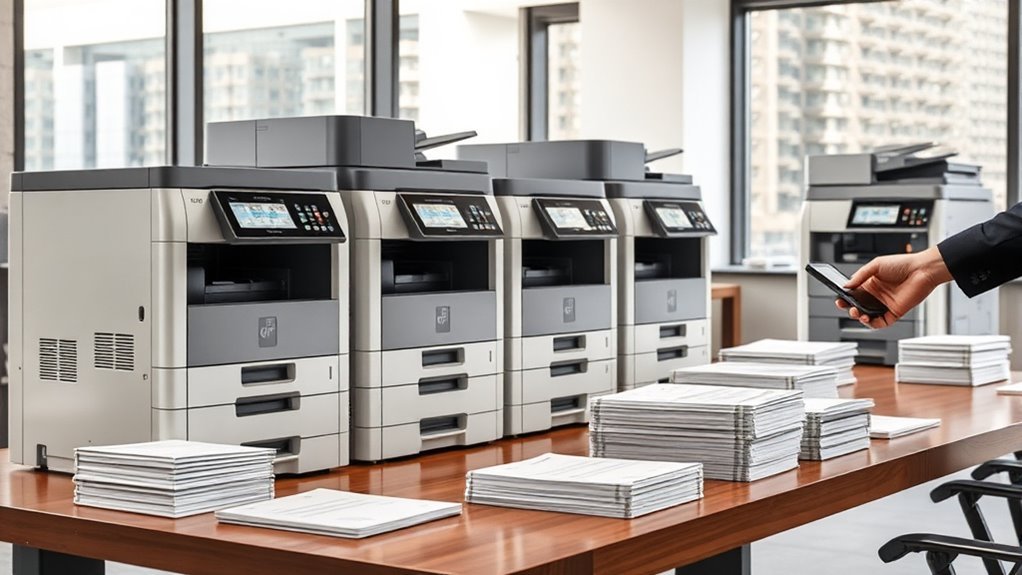
4 Best Bulk Printers for 2027 That Handle Heavy Workloads
If you need reliable bulk printers that handle heavy workloads, consider the Epson EcoTank ET-4800 and ET-4950. These models stand out for their low ink costs and fast print speeds, making them ideal for high-volume printing.
Canon’s MegaTank MAXIFY GX2020 and Megatank G3290 also deserve a look. They offer vivid color output with easy refilling and wireless convenience, which is great for busy office environments.
These printers excel in large paper capacity, automatic duplexing, and smooth multitasking—perfect features for any demanding workplace. Curious about key features and how to pick the best fit? Keep exploring what sets them apart.
| Image | Name | Editor's Rating | Price |
|---|---|---|---|

|
|
||

|
|
||

|
|
||

|
|
Epson EcoTank ET-4800 Wireless Color All-in-One Supertank Printer
- INNOVATIVE CARTRIDGE-FREE PRINTING — High-capacity ink tanks mean no more dealing with lots of tiny ink cartridges; Epson’s exclusive EcoFit ink bottles make filling...
- CLEAR AND VIBRANT PRINT QUALITY ― Create memorable prints and projects; Unique Micro Piezo Heat-Free Technology allows wireless color printer to produce sharp text and...
- ZERO CARTRIDGE WASTE — By using an Epson EcoTank printer you can help reduce the amount of cartridge waste ending up in landfills
- BUILT IN SCANNER AND COPIER ― All-In-One Epson EcoTank is more than a printer; High-resolution flatbed scanner and color display come together for easy document copying...
- LESS FREQUENT INK REPLACEMENT — Replacement ink bottles don't have to be changed nearly as often as ink cartridges¹; Printer, scanner and copier lets you print up to...

The Epson EcoTank ET-4800 transforms the way you handle printing tasks in your home office or small workspace. It tackles the common hassle of frequent ink replacements by offering refillable high-capacity EcoTank ink tanks. This means you can print thousands of pages without interruption, saving you significant time and money.
Designed with versatility in mind, this wireless all-in-one printer covers all your needs—printing, copying, scanning, and faxing. The 100-sheet auto document feeder streamlines multi-page jobs, while sharp print quality at up to 5760 x 1440 dpi ensures your documents and photos look professional. Its compact footprint fits neatly in tight spaces, making it a practical choice for busy environments.
Maintenance is straightforward, though the initial ink setup requires careful handling to avoid spills. While it supports manual duplex printing, this may slow you down if you frequently print double-sided documents. The device connects easily via Wi-Fi or Ethernet, offering flexible placement without messy cables.
The ET-4800 is ideal for users seeking a cost-effective, high-volume wireless printer that balances functionality with low running costs. It’s a smart solution for reducing ink expenses while maintaining quality and productivity.
Best for: Small offices and home users needing an efficient, versatile all-in-one printer with high ink capacity and wireless convenience.
What We Like:
- Refillable EcoTank ink tanks reduce ink costs and replacement frequency
- Multi-functionality with printing, scanning, copying, and faxing
- Sharp print resolution (up to 5760 x 1440 dpi) for clear text and vibrant photos
- Wireless and Ethernet connectivity for flexible setup
- Compact design fits well in limited spaces
Specification:
| Feature | Details |
|---|---|
| Manufacturer | Epson |
| Dimensions | Approx. 14.8 x 13.2 x 9.4 in (37.6 x 33.5 x 23.9 cm) |
| Weight | Approx. 10.6 lb (4.8 kg) |
| Color Options | White |
| Connectivity | Wi-Fi, Ethernet, USB |
| Print Resolution | Up to 5760 x 1440 dpi |
| Paper Capacity | 100-sheet auto document feeder |
Canon MegaTank MAXIFY GX2020 Wireless All-in-One Printer
- Wireless Print/Copy/Scan/Fax (2)
- Print up to 3,000 black & white / 3,000 color pages using a single set of inks! (1)
- 2.7” LCD Color Touchscreen
- Auto 2-sided printing
- ADF – 35 sheet Auto Document Feeder
The Canon MegaTank MAXIFY GX2020 Wireless All-in-One Printer offers a smart solution for those needing high-volume printing without constant ink replacement. It delivers sharp text and vibrant colors, making it ideal for professional documents and photo prints alike.
This printer tackles productivity challenges with fast print speeds and automatic duplexing, reducing wait times and saving paper. Its compact design fits neatly in home or office spaces, while the intuitive 2.7” touchscreen simplifies control and maintenance.
Maintenance is hassle-free thanks to the MegaTank system, which holds up to 3,000 black and 3,000 color pages per refill. This lowers running costs and minimizes interruptions caused by frequent ink changes. Connectivity options like dual-band Wi-Fi and USB ensure easy integration with various devices.
While it supports media sizes up to 8 x 10 inches, larger format printing isn’t available. Its moderate power consumption may also be a consideration for energy-conscious users, but overall, it balances efficiency and quality well.
Best for: Small businesses or individuals needing a reliable, cost-effective printer with vivid color output and flexible connectivity options.
What We Like:
- High ink yield reduces the need for frequent replacements.
- Fast printing and automatic duplexing boost efficiency.
- Compact design with an easy-to-use touchscreen.
- Versatile connectivity with dual-band Wi-Fi and USB ports.
Specification:
| Feature | Details |
|---|---|
| Manufacturer | Canon |
| Dimensions (W×D×H) | Approx. 18.5 × 13.3 × 7.5 inches |
| Weight | Around 11.3 lbs (5.13 kg) |
| Ink System | MegaTank refillable tanks |
| Max Media Size | 8 × 10 inches |
| Connectivity | Dual-band Wi-Fi, USB |
| Display | 2.7-inch touchscreen |
Canon Megatank G3290 All-in-One Wireless Printer
- Wireless Print/Copy/Scan (2)
- Up to 2 years of ink included
- Print up to 6,000 black & white / 7,700 color pages using a single set of inks! (1)
- Save up to $1,000 on ink (1)
- 2.7” LCD Color Touchscreen
The Canon Megatank G3290 All-in-One Wireless Printer offers a smart solution for those looking to reduce ink expenses without sacrificing quality. Its high ink efficiency means fewer refills, ideal for busy home offices or small businesses. You can print thousands of pages, cutting your ink costs significantly.
This multifunction device combines printing, scanning, and copying in one compact design. The printer uses pigment black ink for crisp text and vibrant dye-based colors, ensuring your documents and photos look sharp and professional every time. Its wireless capabilities allow easy setup and operation across multiple devices.
Maintenance is simple with the Megatank system, which lets you refill ink bottles quickly and cleanly, avoiding costly cartridge replacements. The 2.7″ touchscreen and automatic duplex printing add convenience, while the single paper tray supports various media sizes, though it requires manual reloading for different paper types.
While print speeds are moderate, the G3290 excels at delivering reliable, high-volume printing with low running costs. Its design balances functionality and ease of use, making it a practical choice for everyday office needs.
Best for: small businesses and home office users seeking cost-effective, multifunction printing with wireless convenience.
What We Like:
- High ink yield reduces refill frequency and saves on ink costs.
- Multifunction capabilities support printing, scanning, and copying.
- Wireless connectivity and intuitive touchscreen enhance usability.
- Automatic duplex printing helps save paper.
- Easy-to-maintain refillable ink tanks minimize downtime.
Specification:
| Feature | Details |
|---|---|
| Manufacturer | Canon |
| Dimensions (W×D×H) | Approx. 17.7 × 13.7 × 7.6 inches |
| Weight | Approx. 12.5 lb (5.7 kg) |
| Ink System | Refillable Megatank |
| Connectivity | Wireless, USB 2.0 |
| Display | 2.7-inch color touchscreen |
Epson EcoTank ET-4950 Wireless Color All-in-One Supertank Printer – Black
- Epson EcoTank Wireless All-in-One Ink Tank Printer – Cartridge-Free System, High-Capacity Ink Bottles, Mobile Printing, Auto Duplex
- WORRY-FREE PRINTING — Epson EcoTank comes with enough ink to print up to 6,600 pages black/5,500 color⁹ for fewer out-of-ink frustrations. Each replacement ink bottle...
- SIMPLE INK REFILLING — Supersized ink tanks and uniquely keyed EcoFit bottles make refilling ink simple—no mess, no stress and no ink bottle mix-ups
- THE WORLD’S #1 SELLING SUPERTANK PRINTER² — Epson invented EcoTank to revolutionize the way people print; we’ve sold 100 million EcoTanks worldwide⁷ and this is...
- ADVANCED PRODUCTIVITY FEATURES — Fast 18 black/9 color ISO ppm print speeds with zero warmup time, an Auto Document Feeder, fax, a high-capacity 250-sheet paper tray...
Experience hassle-free, high-volume printing with the Epson EcoTank ET-4950 Wireless Color All-in-One Supertank Printer. It is designed to eliminate frequent cartridge changes, saving you time and money. Its refillable supersized ink tanks provide an impressive yield, which significantly lowers ink costs and reduces interruptions.
This printer handles busy workloads effortlessly. With fast black print speeds up to 18 pages per minute and convenient auto duplexing, you can produce professional-quality documents quickly. The large 250-sheet tray and wireless connectivity make it easy to manage printing tasks from anywhere in your home or small office.
Maintenance is straightforward thanks to the EcoFit refill bottles, which offer a mess-free way to replenish ink. The robust PrecisionCore printhead ensures consistent output and durability over time. While the printer has a larger footprint, its efficient design supports long-term use without frequent refills or cartridge replacements.
Best for: home and small office users who need affordable, high-volume printing combined with wireless convenience and low maintenance.
What We Like:
- High ink capacity delivers up to 6,600 black and 5,500 color pages
- Fast black print speed with automatic duplex printing
- Easy, mess-free refilling with EcoFit bottles
- Large 250-sheet paper capacity for heavy use
- Durable PrecisionCore printhead for consistent quality
Specification:
| Feature | Details |
|---|---|
| Manufacturer | Epson |
| Dimensions | Approx. 15.1 x 14.8 x 9.8 inches |
| Weight | Approx. 11.3 lbs |
| Color Options | Black |
Factors to Consider When Choosing a Bulk Printer
When choosing a bulk printer, you’ll want to focus on print volume capacity and how efficiently it handles ink refills.
Speed, connectivity options, and compatibility with your devices are also essential for smooth operation.
Don’t forget to keep in mind paper handling features to match your specific printing needs.
Print Volume Capacity
Although selecting a bulk printer can feel overwhelming, focusing on print volume capacity helps narrow your options effectively. Start by estimating your monthly and peak print needs—whether it’s 1,000 or 20,000 pages—and choose a model with a monthly duty cycle rating that exceeds your highest expected volume. This prevents premature wear and downtime.
Check print speeds to guarantee the printer can handle continuous or burst printing without slowing you down. Also, consider paper tray sizes and automatic document feeder capacities to reduce frequent reloads during heavy jobs.
Finally, evaluate consumable yields and whether the printer supports high-capacity cartridges or continuous feed systems. A device built with robust cooling and engine parts will better withstand heavy workloads and keep your operations running smoothly.
Ink Refill Efficiency
To get the most out of your bulk printer, you’ll want to zero in on ink refill efficiency. Start by checking the ink yield per refill and calculate the cost per page—divide the refill bottle cost by its claimed page yield to compare long-term savings.
Opt for printers with large-capacity refill bottles, as higher milliliter volumes mean fewer refills and lower costs. Look for spill-resistant or keyed nozzle systems to minimize ink waste during refills.
Keep in mind ink chemistry: pigment inks often require different coverage than dyes, affecting consumption. Finally, choose printers with easy-to-monitor ink levels, like transparent tanks or sensors, so you can plan refills efficiently and avoid wasting leftover ink in hard-to-empty bottles.
This approach guarantees you stay productive without overspending on supplies.
Speed and Performance
Since bulk printing demands speed and reliability, you’ll want to focus on a printer’s pages per minute (ppm) for both black and color outputs to cut down job times. Aim for models offering 10–18 ppm or more to handle large volumes efficiently.
Check the duty cycle and recommended monthly page volume to make certain the printer withstands your workload without frequent maintenance. Don’t overlook first-page-out and warm-up times—faster starts add up over multiple jobs.
Automatic duplexing and high-capacity input trays reduce manual tasks, letting you print longer runs uninterrupted. Also, consider processor speed and RAM to keep spooling smooth.
Wired Ethernet connections usually outperform Wi-Fi for handling heavy print queues, preventing bottlenecks. Together, these factors maximize your bulk printer’s speed and overall performance.
Connectivity and Compatibility
Speed and performance won’t mean much if your bulk printer can’t connect seamlessly with your network and devices. Make sure it supports the network types you need, like wired Ethernet 10/100 Mbps for stable high-volume jobs and dual-band Wi-Fi (2.4/5 GHz) for flexible placement and faster wireless throughput.
Check for essential physical ports, such as USB 2.0/3.0 and a dedicated Ethernet port, plus extra interfaces like USB host or SD if your workflow requires them. Guarantee mobile and cloud printing compatibility—Apple AirPrint, Mopria/Android, and direct cloud or app support let you print from smartphones and tablets easily.
Also, verify driver and OS support for Windows, macOS, and server environments. Don’t forget about management and security features to control access and track usage efficiently.
Paper Handling Features
When choosing a bulk printer, you’ll want to zero in on its paper handling capabilities to keep your workflow smooth and efficient. Check the input and output tray capacities to guarantee they can handle your print volume without constant refills—look for trays holding 100–250 sheets or more.
Also, confirm it supports automatic duplex printing to save paper and speed up double-sided jobs. If you scan or copy multi-page documents often, verify the automatic document feeder’s capacity, sheet size limits, and duty rating.
Make sure the printer handles the media types and sizes you need, from standard letter and legal to envelopes, labels, and glossy paper. Finally, consider the recommended monthly duty cycle and maximum continuous run limits to match the printer’s endurance with your workload.
Cost of Ownership
Although the upfront price of a bulk printer might catch your eye, you’ll want to dig deeper to understand the total cost of ownership. Combine the purchase price with recurring costs like ink or toner over the printer’s expected service life to find the true per-page cost.
Estimate consumable yield by dividing pages per cartridge by replacement cost, and include maintenance items such as drum units. Factor in energy use by calculating average watts during both idle and active times, multiplied by your local electricity rates and annual hours.
Don’t forget labor for tasks like refilling and jam clearing, plus any service contracts. Finally, consider indirect costs like network management, replacement paper, and depreciation for a realistic long-term budget.
Frequently Asked Questions
How Do Bulk Printers Impact Overall Office Energy Consumption?
Bulk printers can increase your office’s energy consumption due to their continuous, heavy-duty operation.
However, choosing energy-efficient models with sleep modes helps you cut power use. It’s a great way to balance performance with lower utility costs effectively.
Are There Subscription Services for Bulk Ink Refills?
You’d think ink could fill an ocean! Yes, you can subscribe to bulk ink refill services that deliver automatically.
They save you time and hassle, ensuring your printer never runs dry during heavy workloads. It’s pretty convenient, especially if you print a lot regularly.
Can Bulk Printers Integrate With Mobile Printing Apps?
Yes, many bulk printers integrate seamlessly with mobile printing apps, letting you print directly from your smartphone or tablet.
You’ll find it convenient and efficient, especially when handling large print jobs on the go. It really makes managing your printing tasks much simpler.
What Is the Average Lifespan of Bulk Printer Components?
Imagine your bulk printer’s drum lasting around 50,000 pages. Typically, bulk printer components last between 1 to 3 years, depending on usage and maintenance.
You’ll want to replace parts proactively to keep printing smooth and efficient. Staying on top of maintenance really helps extend the life of your printer.
How Do Bulk Printers Handle Different Paper Types and Sizes?
Bulk printers adjust automatically, letting you load various paper types and sizes without fuss. They use versatile trays and settings, so you can switch between cardstock, labels, or standard sheets easily.
This keeps your workflow smooth and efficient. It’s pretty handy when you need to handle different print jobs back-to-back without any hassle.
Conclusion
When you’re ready to tackle heavy printing workloads, choosing the right bulk printer is like finding a reliable workhorse—it keeps your tasks running smoothly without breaking a sweat.
Whether you lean toward Epson’s EcoTank models or Canon’s MegaTank series, you’ll get powerful performance and cost-effective printing.
Keep your needs and budget in mind, and you’ll be printing in bulk with ease, turning your busy days into a well-oiled machine.
Finding the best bulk printer for 2027 means focusing on durability, speed, and ink efficiency. These printers are designed to handle heavy workloads without frequent interruptions.
So, whether you’re running a busy office or managing a large project, picking the right bulk printer ensures high-quality prints at a lower cost per page.
In the end, investing in a bulk printer that matches your workload and budget will save you time and money, making your printing tasks seamless and stress-free.