5 Best Budget 3D Printers for Beginners in 2027
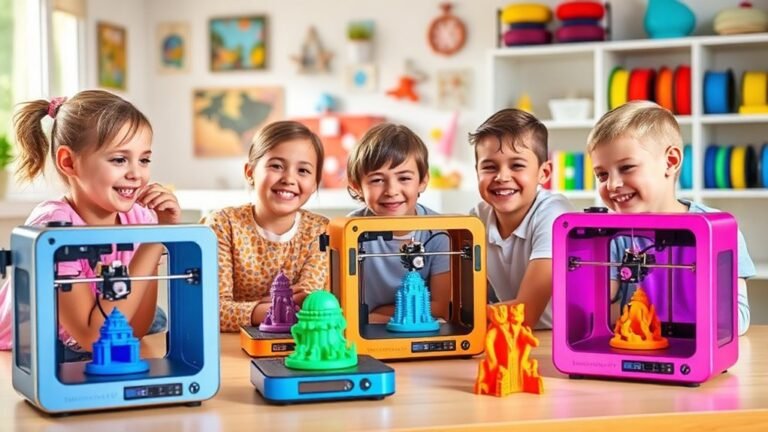
If you’re new to 3D printing and looking for the best budget 3D printers for beginners in 2027, you’ve got some great options to consider. These affordable printers are perfect for anyone starting out, offering a mix of ease-of-use, reliable features, and quality prints without breaking the bank.
Top picks include the Entina Tina2 Plus, which stands out with its fast WiFi setup for hassle-free connectivity. Then there’s the Creality Ender 3 V3 SE, known for its reliable auto leveling that takes the guesswork out of printing. If you want to experiment with multicolor prints, the Anycubic Kobra X is a fantastic choice.
For those who need portability, a compact FDM printer with a removable plate makes moving and maintaining your printer super easy. And if you’re shopping for kids or educators, the Geeetech Mini offers simple controls that make learning 3D printing fun and accessible. Explore these options to find the perfect fit for your creative projects!
| Image | Name | Editor's Rating | Price |
|---|---|---|---|

|
|
||

|
|
||

|
|
||

|
|
Entina Tina2 Plus Fast WiFi 3D Printer
- 【Start Printing in Minutes – Beginner Friendly】No setup required. Tina2 Plus 3d printer comes fully assembled and ready to use out of the box. With included TF card...
- 【Fast 250mm/s Printing Performance】This Tina2 Plus high speed 3D printer print speeds up to 250 mm/s help reduce waiting time and support fast project turnaround...
- 【WiFi App Control & STEM Model Library】Powered by the Poloprint Cloud app, this WiFi-enabled 3D printer gives access to 3,500+ printable models and 25+ creative DIY...
- 【40-Second Fast Heat Ceramic Hotend】High-efficiency ceramic hotend heats up in just 40 seconds for faster start-up and less downtime. The quick-swap nozzle design...
- 【Compact 3D Printer for Home & Classroom】Designed with a space-saving footprint while maintaining practical print capacity, this compact 3D printer fits easily on...
The Entina Tina2 Plus Fast WiFi 3D Printer is designed to make 3D printing simple and accessible. It arrives fully assembled, so you can start creating right away without the hassle of setup. This printer’s quick 40-second heat-up time means less waiting and more productivity.
Ideal for beginners, kids, and educators, it comes with a TF card loaded with models to jumpstart your projects. Its user-friendly interface and stable motion system ensure smooth and reliable prints every time. The compact design fits neatly on desks or classroom tables, saving valuable space.
Maintenance is straightforward with easy access to components, helping keep the printer running smoothly. WiFi connectivity and app control add convenience by allowing you to manage prints remotely and explore thousands of cloud models.
While the partially enclosed frame offers protection, it may limit visibility during printing. Also, the build volume is best suited for small to medium-sized projects, making it ideal for learning and basic applications.
Best for: Beginners, kids, and educators seeking an easy-to-use, compact 3D printer for educational and home use.
What We Like:
- Fully assembled and ready to print out of the box
- Fast 40-second heat-up for quick start
- WiFi and app control with cloud model access
- Compact footprint ideal for small workspaces
- Stable motion system for consistent print quality
Specification:
| Feature | Details |
|---|---|
| Manufacturer | Entina |
| Dimensions | Compact (exact size not provided) |
| Weight | Not specified |
| Material | Partially enclosed frame |
| Color Options | Not specified |
Creality Ender 3 V3 SE Beginner-Friendly 3D Printer with Auto Leveling
- 250mm/s High-Speed Printing: Print at speeds of up to 250mm/s with 2500mm/s² acceleration, helping you complete prototypes, functional parts, and everyday projects...
- Easy Setup with Auto Leveling: Designed for a fast and straightforward setup, the Ender 3 V3 SE can be assembled in just a few simple steps. CR Touch Auto Leveling and...
- Proven Sprite Direct Drive Extruder: The upgraded Sprite Direct Drive Extruder provides smooth and consistent filament feeding for PLA, PETG, and TPU. Its proven design...
- Stable Motion System for Consistent Results: Dual synchronized Z-axis lead screws and precision Y-axis linear shafts work together to help reduce vibration and Z...
- Quiet Operation with Easy Print Removal: A 32-bit silent mainboard helps reduce operating noise for a more comfortable printing experience, while the flexible PC spring...
The Creality Ender 3 V3 SE makes 3D printing easier and more accessible for beginners. Its CR Touch auto leveling and automatic Z-offset calibration eliminate the guesswork of bed leveling. This means you spend less time setting up and more time printing with consistent, smooth first layers.
The printer’s upgraded Sprite Direct Drive Extruder handles PLA, PETG, and TPU filaments reliably. It delivers smooth extrusion, reducing common issues like clogging or stringing. The robust dual Z-axis screws and precision Y-axis shafts ensure stable, vibration-free movement for better print quality.
Designed with user convenience in mind, the Ender 3 V3 SE features a quiet 32-bit mainboard and a flexible spring steel build plate. These elements make printing quieter and model removal easier, lowering maintenance effort. Its quick setup process lets you start prototyping or creating projects without delay.
Though it supports a limited range of filaments and weighs nearly 20 pounds, its balance of features and ease of use make it a solid choice for entry-level users seeking dependable performance.
Best for: Beginners and hobbyists wanting a user-friendly 3D printer that simplifies setup and produces reliable prints with smooth extrusion.
What We Like:
- CR Touch auto leveling with automatic Z-offset calibration
- Stable motion system with dual Z-axis screws and precision Y-axis shafts
- Quiet 32-bit mainboard for reduced noise
- Flexible spring steel build plate for easy model removal
Specification:
| Feature | Details |
|---|---|
| Manufacturer | Creality |
| Dimensions | Not specified |
| Weight | 19.8 lb (9 kg) |
| Material | Mixed (metal/plastic) |
| Color Options | Not specified |
Anycubic Kobra X Multicolor 3D Printer, Easy One-Click Printing
- 【Vivid 19-Color and Versatile Materials】Unleash creativity beyond limits. The Kobra X supports 4-color standard and expands up to 19 colors with 4 ACE 2 Pro for...
- 【600mm/s High Speed Performance】Don't let slow speeds limit your creativity. This high-speed FDM 3D printer reaches up to 600mm/s, completing tasks significantly...
- 【True Plug & Play Experience】Start your first project in as little as 15 minutes. The Kobra X arrives with a user-friendly setup and LeviQ 3.0 automatic bed leveling...
- 【LeviQ 3.0 Perfect First Layer】Forget the frustration of manual bed leveling that plagues beginner machines. The LeviQ 3.0 system utilizes 49-point full-auto leveling...
- 【Quiet & Reliable for Home】The ultra-quiet ≤48 dB operation ensures the living or learning space remains peaceful. Combined with power loss recovery and filament...
The Anycubic Kobra X Multicolor 3D Printer brings simplicity and versatility to your creative projects. Designed for easy one-click printing, it eliminates complex setups, so you can start producing multicolor prints quickly. This printer handles up to 4 colors out of the box, with the option to expand to 19 colors for more intricate designs.
Maintenance is straightforward thanks to the LeviQ 3.0 automatic bed leveling system. This feature ensures that your print bed is perfectly calibrated each time, reducing errors and wasted material. The plug-and-play design means less time troubleshooting and more time creating.
With a build volume of 260 × 260 × 260 mm, the Kobra X suits most hobbyist and beginner projects. It runs quietly and includes a 720p camera for remote monitoring, paired with AI error detection to catch issues early. The 300°C nozzle temperature supports a wide range of filaments, although some specialty materials may be limited.
This printer offers a balanced mix of convenience, reliability, and smart features. It is ideal for users who want a hassle-free multicolor printing experience without sacrificing quality or control.
Best for: Hobbyists and beginners seeking a reliable, easy-to-use multicolor 3D printer with smart monitoring and quick setup.
What We Like:
- Supports up to 4 colors standard, expandable for complex prints
- Automatic LeviQ 3.0 bed leveling for consistent first layers
- 720p camera and AI error detection enhance print reliability
- Quiet operation suitable for home or office use
- Plug-and-play setup reduces time to first print
Specification:
| Feature | Details |
|---|---|
| Manufacturer | Anycubic |
| Build Volume | 26 × 26 × 26 cm |
| Standard Color Support | Up to 4 colors |
| Expandable Colors | Up to 19 with modules |
| Nozzle Max Temperature | 300°C |
| Monitoring | 720p camera with AI detection |
| Bed Leveling | LeviQ 3.0 automatic |
Portable Compact FDM 3D Printer with Removable Plate
- Foolproof Setup with Video Guides – Never get stuck! We provide a crystal-clear Quick Start Guide and step-by-step video tutorials. Watch them online to get started.
- Simple Assembly with Video Guide – Requires quick modular setup (watch our step-by-step video). Comes with 10m PLA filament, TF card, tools, and 12V Type-C power...
- Versatile Filament Compatibility – Unleash your creativity with both PLA and flexible TPU (1.75mm). The reliable 0.4mm nozzle and precise 0.05-0.3mm layer thickness...
- Reliable Performance & Compact Design – Features stable FDM technology and a removable build plate for easy model removal. The perfect 100x100x100mm build volume is...
- Complete Package – No Hidden Costs – Includes printer, 10m PLA filament, 8GB TF card + reader, tools, illustrated manual, and 12V Type-C power adapter. Plus free...
Discover a compact and portable FDM 3D printer designed to simplify your creative projects. This printer’s removable build plate makes it easy to lift prints without damage, saving you time and effort during post-printing. Its precise 0.4 mm nozzle delivers smooth layers from 0.05 to 0.3 mm, giving you detailed results on every small model.
Setup is quick and stress-free thanks to clear Quick Start Guides and helpful video tutorials. The printer’s straightforward design makes maintenance simple, so you can focus on printing rather than troubleshooting. Its 100 x 100 x 100 mm build volume is ideal for small-scale projects, perfect for classrooms, hobby desks, or on-the-go use.
Compatible with PLA and TPU filaments, this printer supports a range of beginner-friendly materials. Weighing just 2.2 pounds, it fits comfortably on any workspace and is easy to transport for flexible use.
While it supports only smaller prints and a limited filament selection, its ease of use and portability make it an excellent choice for those starting out in 3D printing.
Best for: beginners, students, and hobbyists looking for a compact, easy-to-use 3D printer with quick setup and removable plates.
What We Like:
- Portable, space-saving design ideal for small work areas
- Removable build plate for effortless print removal
- Clear assembly videos and Quick Start Guide for hassle-free setup
Specification:
| Feature | Details |
|---|---|
| Manufacturer | Not specified |
| Build Volume | 100 x 100 x 100 mm |
| Nozzle Size | 0.4 mm |
| Layer Thickness | 0.05–0.3 mm |
| Compatible Filaments | PLA, TPU |
| Weight | 2.2 lb (1 kg) |
Geeetech Mini 3D Printer for Kids and Beginners
No products found.
Geeetech Mini 3D Printer is designed to make 3D printing easy and accessible for kids and beginners. Its simple setup and intuitive controls help users start printing quickly without hassle. The 16-point full auto-leveling feature ensures your prints come out smooth every time, reducing the need for manual adjustments.
This compact printer includes a heated, magnetic PEI build plate that not only improves adhesion but also allows models to be removed effortlessly. Its direct drive extruder with dual-drive metal gears is built to handle flexible TPU and standard PLA filaments, giving you versatility in your projects.
Maintenance is straightforward with the one-button filament loading system and a clear 2.4″ LCD screen that simplifies operation. The printer’s small footprint and quiet performance make it ideal for home or classroom use, especially for small-scale models and educational projects.
While the print area is limited to 3.94 × 4.33 × 3.94 inches, and it supports filament spools up to 0.5 kg easily, it strikes a good balance between size and functionality. The maximum speed of 250 mm/s accommodates casual printing needs but may not suit rapid prototyping demands.
Best for: Kids, beginners, and educators seeking a reliable, easy-to-use 3D printer for learning and small creative projects.
What We Like:
- Fully assembled with easy setup and user-friendly interface
- Precise 16-point full auto-leveling for consistent print quality
- Heated magnetic PEI build plate for smooth prints and easy removal
- Direct drive extruder supports TPU and PLA filaments
- Clear 2.4″ LCD screen with one-button filament loading
Specification:
| Feature | Details |
|---|---|
| Manufacturer | Geeetech |
| Print Area | 3.94 × 4.33 × 3.94 inches |
| Print Speed | Up to 250 mm/s |
| Filament Compatibility | TPU, PLA |
| Build Plate | Heated, magnetic PEI |
| Interface | 2.4″ LCD screen |
| Filament Spool Size | Up to 0.5 kg easily |
Factors to Consider When Choosing a Budget 3D Printer for Beginners
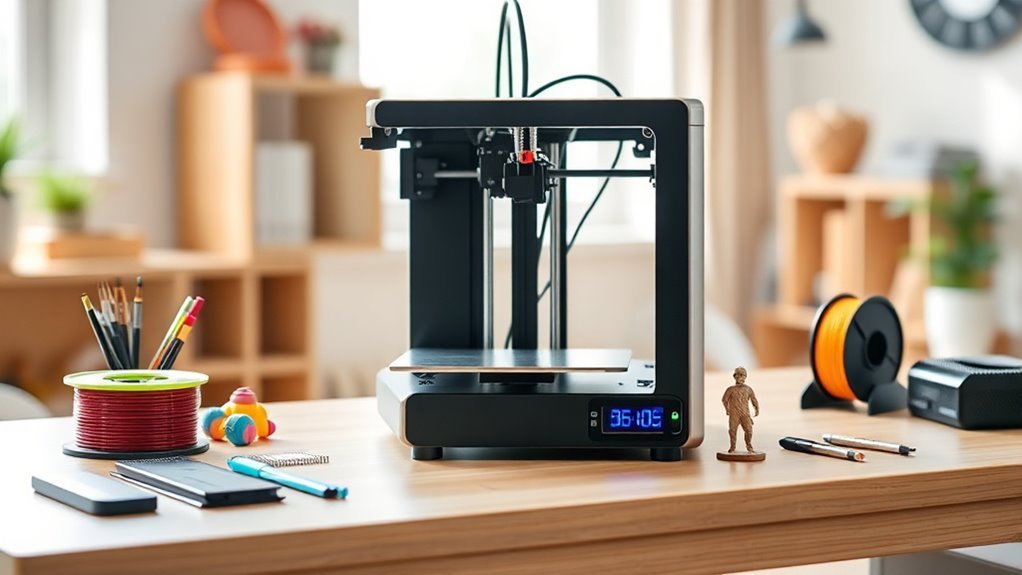
When picking a budget 3D printer, you’ll want one that’s easy to set up and delivers good print quality without taking forever.
Also, consider the build volume size to make sure it fits your projects. Check what filament types it supports too.
Don’t forget to look at connectivity options so you can print conveniently from your preferred device. It makes a big difference in how smooth your printing experience will be.
Ease Of Setup
Since you want to start printing quickly without frustration, choose a budget 3D printer that comes fully assembled or with easy snap-together parts. This way, you can print within minutes instead of spending hours on assembly.
Look for printers with preloaded sample files on removable cards or built-in storage to test your setup and calibration right away. Features like auto bed-leveling, multi-point probing, and automatic Z-offset adjustment minimize manual tweaks, ensuring a reliable first layer.
Clear Quick Start guides, step-by-step video tutorials, and labeled hardware make setup straightforward. Plus, built-in conveniences such as auto filament loading, one-button print start, and intuitive mobile or desktop app controls simplify your first prints and ongoing use.
All of this helps you focus on creating rather than troubleshooting.
Print Quality And Speed
Once you’ve set up your printer with ease, the next step is to focus on print quality and speed. Layer height plays a pivotal role—lower values like 0.05 mm deliver finer detail but slow down prints, while higher values speed things up but reduce resolution.
Check your printer’s maximum nozzle temperature; higher temps (up to ~300°C) let you print faster with more materials. A stiffer motion system and features like dual Z or synchronized lead screws help minimize vibration and Z-wobble, improving surface finish even when printing quickly.
Rated speeds can be high, but practical printing often stays between 40–150 mm/s to balance quality. Finally, reliable first-layer features like auto-leveling and good cooling guarantee consistent prints before you push speed limits.
Build Volume Size
Consider the build volume size carefully to match the typical projects you plan to print. Most beginner 3D printers offer build volumes from small desktop sizes (around 100×100×100 mm) to medium hobbyist beds measuring 220–260 mm per side.
Larger volumes let you print bigger single-piece parts, but they also increase print time, filament usage, and the risk of failed long prints. If you want to print tall objects, prioritize the Z height since many printers have wide XY dimensions but limited vertical travel.
For classroom or multitool setups, balance build volume with machine footprint and weight. Larger build volumes usually mean bulkier, heavier printers that need more space.
If you occasionally need large prints, check if the printer supports reliable multi-part printing and modular assembly as a practical alternative. It’s often easier and more efficient than going for the biggest printer out there.
Filament Compatibility
Filament compatibility plays a critical role in choosing the right budget 3D printer for beginners. First, check supported filament diameters—most budget printers use 1.75 mm, so make sure your filament spools and nozzles match.
Next, verify which materials the printer handles; PLA is easiest, while PETG and TPU need stiffer extruders or direct-drive setups and sometimes heated beds. Also, review max hotend and bed temperatures to guarantee the printer can accommodate your desired filaments, like specialty ones requiring 240–300°C or beds heating to 60–100°C.
Consider the extruder type: direct drive works better with flexible filaments like TPU. Finally, confirm nozzle and hotend materials—hardened steel nozzles resist wear from abrasive filaments, unlike brass.
This guarantees smooth, durable printing as you start. It’s all about matching your printer’s specs with the filament you want to use.
Connectivity Options
How do you want to connect your 3D printer to start printing? If you prefer simplicity, using an SD or USB drive lets you print offline without relying on networks—perfect for beginners or classroom settings.
USB tethering offers real-time control and tuning from your PC but requires staying connected during prints. It’s great if you want to be hands-on while printing.
Wi-Fi adds convenience with remote print management and cloud slicing via phone or computer. However, it can increase cost and setup complexity a bit.
For multi-user labs, Ethernet provides stable, secure, low-latency access. It’s ideal when many people need reliable connections.
Some printers also offer mobile app control, cloud slicing, and camera streaming for remote monitoring. Just keep in mind, these features might raise privacy and maintenance concerns.
Choose connectivity that fits your workflow without overcomplicating your printing experience. Keep it simple if that’s what you need!
Safety Features
When choosing a budget 3D printer, prioritizing safety features helps protect you and your workspace from common hazards. Look for a partially or fully enclosed build area and guarded hotend zones to avoid accidental contact with hot 200–300°C parts and moving components.
Make certain the printer includes thermal runaway protection and reliable temperature sensors so the firmware can cut power if temperatures spike unexpectedly. Choose models with powered-bed and nozzle covers, filament run-out detection, and power-loss recovery to prevent jams and unsafe print failures.
Auto-leveling or assisted bed-leveling features reduce manual adjustments that might cause burns or crashes during setup. Finally, confirm the printer has a certified power supply, short-circuit protection, and uses flame-retardant materials to minimize electrical and fire risks.
Software And App Support
Though hardware matters, software and app support play a crucial role in your 3D printing experience, especially if you’re just starting out. Make sure your printer supports popular slicing software like Cura or PrusaSlicer, or offers an open-format slicer.
This access lets you tap into community profiles and troubleshooting tips easily. You’ll also want Wi-Fi or cloud app support for remote monitoring, file transfers, and access to model libraries via mobile.
Check that the printer works smoothly with your operating system and that its drivers or apps get regular updates. Look for printers accepting standard file formats like STL or OBJ and offering multiple connection options—USB, SD card, or Wi-Fi—to avoid workflow hiccups.
Features like print recovery, filament run-out detection, and easy firmware updates boost reliability and cut downtime. All these little things add up to a much smoother printing experience.
Frequently Asked Questions
What Types of Filaments Are Compatible With These Budget 3D Printers?
You’ll find budget 3D printers mostly support PLA, ABS, and PETG filaments. These materials are affordable, easy to print, and versatile.
They’re perfect for beginners who want reliable results without complex settings or expensive supplies. Plus, you don’t have to worry too much about tweaking every little detail.
How Do I Maintain and Clean My 3D Printer Properly?
Think of your 3D printer as a garden—regularly clean the nozzle, lubricate moving parts, and remove leftover filament.
You’ll keep it running smoothly and avoid clogs, ensuring every print blooms perfectly.
Can These Printers Be Used for Educational Purposes?
Yes, you can definitely use these printers for educational purposes. They’re great for hands-on learning, helping you explore design, engineering, and creativity.
Plus, they’re affordable and easy to operate in classrooms or at home. So, whether you’re a teacher or a student, these printers make learning fun and interactive.
What Software Is Recommended for Beginners to Design 3D Models?
You’ll want Tinkercad or Fusion 360, as 70% of beginners find them user-friendly. They’re intuitive, free, and perfect for learning 3D design quickly.
Don’t worry; you’ll be creating models in no time! Just give them a try, and you’ll see how easy it is to get started.
Are There Any Safety Precautions I Should Follow When Using These Printers?
Yes, you should always work in a well-ventilated area and avoid touching hot parts. Keeping your workspace clean is also important.
Never leave the printer unattended during operation. Wearing gloves and safety glasses can help protect you from harm.
Conclusion
Choosing the right budget 3D printer might seem tricky, but it’s a coincidence that so many beginner-friendly models come packed with great features like auto-leveling and easy setup.
Whether you pick the Entina Tina2 Plus or the Geeetech Mini, you’ll find that quality and affordability often go hand in hand. So, jump in confidently—your perfect starter printer is just waiting to turn your creative ideas into reality.
When starting out, having a reliable and budget-friendly 3D printer makes all the difference. These beginner 3D printers combine user-friendly design with essential features, making it easier than ever to bring your projects to life. So don’t hesitate—explore the best budget 3D printers for beginners and find the ideal model that fits your needs and budget perfectly.