6 Best Cheap FDM Printers for 2027
For affordable, reliable FDM printers in 2027, check out the Anycubic Kobra X Multicolor for easy multi-color use. It’s perfect if you want to add some flair to your prints without breaking the bank.
Then there’s the Portable Compact FDM, ideal for tight spaces where every inch counts.
ELEGOO Centauri 2 stands out with full auto calibration, making setup a breeze even for beginners.
If you need fast WiFi printing, the Entina Tina2 Plus has got you covered.
Creality Ender 3 V3 SE is known for its smooth, beginner-friendly setup, making it a solid choice for anyone just starting out.
And don’t forget the FLASHFORGE AD5X, which delivers vibrant multi-material prints with ease.
Each of these models balances ease, performance, and features. Keep reading to find out which one fits your needs best!
| Image | Name | Editor's Rating | Price |
|---|---|---|---|

|
|
||

|
|
||

|
|
||

|
|
||

|
|
Anycubic Kobra X Multicolor 3D Printer, Easy One-Click Printing
- 【Vivid 19-Color and Versatile Materials】Unleash creativity beyond limits. The Kobra X supports 4-color standard and expands up to 19 colors with 4 ACE 2 Pro for...
- 【600mm/s High Speed Performance】Don't let slow speeds limit your creativity. This high-speed FDM 3D printer reaches up to 600mm/s, completing tasks significantly...
- 【True Plug & Play Experience】Start your first project in as little as 15 minutes. The Kobra X arrives with a user-friendly setup and LeviQ 3.0 automatic bed leveling...
- 【LeviQ 3.0 Perfect First Layer】Forget the frustration of manual bed leveling that plagues beginner machines. The LeviQ 3.0 system utilizes 49-point full-auto leveling...
- 【Quiet & Reliable for Home】The ultra-quiet ≤48 dB operation ensures the living or learning space remains peaceful. Combined with power loss recovery and filament...
The Anycubic Kobra X Multicolor 3D Printer offers a straightforward solution for multicolor printing without the hassle of complex setups. It supports up to four colors right out of the box, with the option to expand to nineteen colors using additional modules. This flexibility lets you create detailed, vibrant models with ease.
Its adaptive extrusion force compensator ensures smooth transitions between materials like TPU, PLA, and PETG, reducing print defects. The LeviQ 3.0 automatic leveling system simplifies setup, delivering consistent first layers every time. This means less time fiddling and more time printing.
Maintenance is minimal thanks to the plug-and-play design and smart AI features that monitor print progress. These features help prevent failures and save filament, making the printing process more reliable and efficient. The compact build volume of 260 × 260 × 260 mm suits most hobbyist and educational projects.
While expanding to 19 colors adds complexity and cost, the printer remains user-friendly for standard multicolor tasks. It is designed for those who want advanced multicolor capabilities without steep learning curves.
Best for: hobbyists and educators seeking a user-friendly multicolor 3D printer with quick setup and reliable print monitoring.
What We Like:
- Supports up to 4 colors standard, expandable to 19 with modules
- LeviQ 3.0 automatic bed leveling for consistent print quality
- Adaptive extrusion force compensator for smooth material changes
- Smart AI monitoring reduces print failures and filament waste
Specification:
| Feature | Details |
|---|---|
| Manufacturer | Anycubic |
| Build Volume | 260 × 260 × 260 mm |
| Color Support | Up to 4 colors standard; expandable to 19 |
| Supported Materials | TPU (68D recommended), PLA, PETG, PVA, ASA |
| Bed Leveling | LeviQ 3.0 automatic leveling |
| Special Features | Adaptive extrusion force compensator, AI print monitoring |
Portable Compact FDM 3D Printer for Beginners
- Foolproof Setup with Video Guides – Never get stuck! We provide a crystal-clear Quick Start Guide and step-by-step video tutorials. Watch them online to get started.
- Simple Assembly with Video Guide – Requires quick modular setup (watch our step-by-step video). Comes with 10m PLA filament, TF card, tools, and 12V Type-C power...
- Versatile Filament Compatibility – Unleash your creativity with both PLA and flexible TPU (1.75mm). The reliable 0.4mm nozzle and precise 0.05-0.3mm layer thickness...
- Reliable Performance & Compact Design – Features stable FDM technology and a removable build plate for easy model removal. The perfect 100x100x100mm build volume is...
- Complete Package – No Hidden Costs – Includes printer, 10m PLA filament, 8GB TF card + reader, tools, illustrated manual, and 12V Type-C power adapter. Plus free...
Discover the Portable Compact FDM 3D Printer, designed to bring ease and reliability to beginner 3D printing. Its small footprint fits neatly in tight spaces, making it ideal for desks or classrooms. The removable build plate simplifies model removal, reducing the risk of damage to prints.
This printer’s precise 0.4 mm nozzle and adjustable layer thickness from 0.05 to 0.3 mm deliver smooth, detailed results. Setup is straightforward, guided by clear manuals and video tutorials, allowing users to start printing quickly without confusion.
Maintenance is simple, with easy access to components and compatibility with common filaments like PLA and TPU. These materials are versatile and safe, perfect for educational environments and hobby projects. The lightweight design enhances portability but may be less suited for heavy or industrial use.
Overall, this compact 3D printer supports creativity and learning by offering a user-friendly experience with reliable print quality. Its design balances functionality with convenience, making it a practical tool for STEM education and personal use.
Best for: beginners, students, and hobbyists seeking a compact, easy-to-use 3D printer for learning and small-scale projects.
What We Like:
- Compact and portable for limited spaces
- Clear setup guides with video tutorials
- Removable build plate for easy print removal
- Precise nozzle for detailed prints
- Supports beginner-friendly PLA and TPU filaments
Specification:
| Feature | Details |
|---|---|
| Manufacturer | Not specified |
| Build Volume | 100 x 100 x 100 mm |
| Nozzle Diameter | 0.4 mm |
| Layer Thickness | 0.05–0.3 mm |
| Supported Filaments | PLA, TPU |
| Weight | Lightweight (exact weight not specified) |
| Color Options | Not specified |
ELEGOO Centauri 2 3D Printer, Full Auto Calibration, Beginner-Friendly
- Easy from Start to Finish: Whether you’re a beginner or an experienced maker, automatic calibration and smart pre-print checks take care of setup before every job...
- Designed for Speed: Turn hours of waiting into finished creations with speeds up to 500 mm/s and 20,000 mm/s² acceleration. The high-speed CoreXY system and rigid...
- Smoother, Sharper, Smarter: From the first layer to the final detail, intelligent calibration, vibration compensation, and precise extrusion control help produce clean...
- A Seamless Workflow from Idea to Print: Find inspiration from thousands of ready-to-print models on Nexprint, prepare files easily with ElegooSlicer, and monitor your...
- Made for Easier Everyday Printing: A user-friendly 5-inch touchscreen simplifies operation, while the magnetic printhead cover, semi-automatic belt tensioner, and nozzle...

The ELEGOO Centauri 2 transforms 3D printing by removing common setup frustrations with its full auto calibration. This feature ensures your printer is always ready to deliver sharp, accurate prints without tedious manual adjustments. Its CoreXY motion system and rigid aluminum frame provide stable, smooth movements, resulting in consistent print quality.
Large projects are no problem thanks to its 256 × 256 × 256 mm build volume, giving you ample space to bring your ideas to life. The nozzle heats up to 350°C, allowing you to work with a wide range of filaments for diverse applications. This flexibility makes it ideal for both beginners and hobbyists exploring different materials.
Maintenance is simple with easy filament loading and semi-automatic belt tensioning, reducing downtime and hassle. The 5-inch touchscreen interface and smart pre-print checks guide you through the process, making operation straightforward and efficient.
You can monitor prints remotely using the ELEGOO Matrix app, which adds convenience and peace of mind. Although it weighs 30.1 pounds, making it less portable, its design prioritizes reliability and user-friendly automation for everyday use.
Best for: beginners and hobbyists seeking an easy-to-use, reliable 3D printer with advanced automation and a large build volume.
What We Like:
- Full auto calibration for hassle-free setup
- High-temperature nozzle supports versatile filaments
- CoreXY system ensures fast, stable printing
- Remote monitoring via ELEGOO Matrix app
- Simple maintenance with semi-automatic belt tensioning
Specification:
| Feature | Details |
|---|---|
| Manufacturer | ELEGOO |
| Build Volume | 256 × 256 × 256 mm |
| Max Nozzle Temperature | 350°C |
| Motion System | CoreXY |
| Frame Material | Aluminum |
| Touchscreen | 5-inch |
| Weight | 30.1 lb (13.65 kg) |
Entina Tina2 Plus Fast WiFi 3D Printer
- 【Start Printing in Minutes – Beginner Friendly】No setup required. Tina2 Plus 3d printer comes fully assembled and ready to use out of the box. With included TF card...
- 【Fast 250mm/s Printing Performance】This Tina2 Plus high speed 3D printer print speeds up to 250 mm/s help reduce waiting time and support fast project turnaround...
- 【WiFi App Control & STEM Model Library】Powered by the Poloprint Cloud app, this WiFi-enabled 3D printer gives access to 3,500+ printable models and 25+ creative DIY...
- 【40-Second Fast Heat Ceramic Hotend】High-efficiency ceramic hotend heats up in just 40 seconds for faster start-up and less downtime. The quick-swap nozzle design...
- 【Compact 3D Printer for Home & Classroom】Designed with a space-saving footprint while maintaining practical print capacity, this compact 3D printer fits easily on...
Entina Tina2 Plus Fast WiFi 3D Printer makes 3D printing accessible and straightforward for beginners. Its fully assembled design eliminates setup hassle, letting users start printing quickly with preloaded models on the included TF card. This simplicity helps new users focus on creativity rather than technical challenges.
The printer’s fast speeds, reaching up to 250 mm/s, and quick 40-second heat-up time reduce waiting and boost productivity. Its ceramic hotend ensures consistent performance during long print sessions. WiFi connectivity combined with the Poloprint Cloud app allows for remote monitoring and easy access to a vast library of printable models.
Designed with a compact, partially enclosed frame, it fits well on desks and in classrooms, ideal for STEM education and small DIY projects. Maintenance is straightforward, but the frame requires supervised use due to limited enclosure for safety. Its build plate suits smaller projects, which fits most beginner and educational needs.
Best for: Beginners, educators, and DIY makers who want a fast, easy-to-use 3D printer for home or classroom STEM projects.
What We Like:
- Fully assembled for quick start with preloaded models
- Fast printing speeds and rapid heat-up
- WiFi-enabled with remote app control
- Compact design ideal for desktops and classrooms
Specification:
| Feature | Details |
|---|---|
| Manufacturer | Entina |
| Dimensions | Compact, fits on desks |
| Weight | Lightweight |
| Material | Durable frame with ceramic hotend |
| Connectivity | WiFi with Poloprint Cloud app |
Creality Ender 3 V3 SE Beginner-Friendly 3D Printer with Auto Leveling
- 250mm/s High-Speed Printing: Print at speeds of up to 250mm/s with 2500mm/s² acceleration, helping you complete prototypes, functional parts, and everyday projects...
- Easy Setup with Auto Leveling: Designed for a fast and straightforward setup, the Ender 3 V3 SE can be assembled in just a few simple steps. CR Touch Auto Leveling and...
- Proven Sprite Direct Drive Extruder: The upgraded Sprite Direct Drive Extruder provides smooth and consistent filament feeding for PLA, PETG, and TPU. Its proven design...
- Stable Motion System for Consistent Results: Dual synchronized Z-axis lead screws and precision Y-axis linear shafts work together to help reduce vibration and Z...
- Quiet Operation with Easy Print Removal: A 32-bit silent mainboard helps reduce operating noise for a more comfortable printing experience, while the flexible PC spring...
The Creality Ender 3 V3 SE is designed to make 3D printing accessible and stress-free for beginners. Its fast assembly process and CR Touch auto leveling simplify setup by automatically handling Z-offset calibration. This feature eliminates guesswork, allowing you to start printing with confidence right away.
Maintenance is straightforward thanks to the Sprite Direct Drive Extruder, which ensures smooth filament feeding for PLA, PETG, and TPU. The printer’s design includes dual synchronized Z-axis lead screws and precision Y-axis shafts that reduce vibration and wobble, resulting in consistent, high-quality prints.
With printing speeds of up to 250 mm/s, this model balances speed and quiet operation using a 32-bit silent mainboard. The flexible spring steel build plate makes removing finished prints easy and helps maintain the surface over time.
While it weighs nearly 20 pounds, which may affect portability, its robust build supports stable and reliable printing. This printer is ideal for users who want dependable performance without complex setup or frequent adjustments.
Best for: Beginners and hobbyists seeking a reliable, easy-to-use 3D printer with automatic leveling and versatile filament compatibility.
What We Like:
- Quick setup with automatic CR Touch leveling and Z-offset calibration
- Smooth extrusion from upgraded Sprite Direct Drive Extruder
- Reduced vibration from dual Z-axis lead screws and precision Y-axis shafts
- Quiet operation with 32-bit silent mainboard
- Flexible spring steel build plate for easy print removal
Specification:
| Specification | Details |
|---|---|
| Manufacturer | Creality |
| Dimensions | Not specified |
| Weight | Nearly 20 lb (approx. 9 kg) |
| Material | Metal frame with steel build plate |
| Color Options | Not specified |
FLASHFORGE AD5X Multi-Color Auto-Leveling 3D Printer

- Multi-Color 3D Printing with IFS Technology: The FLASHFORGE AD5X features Intelligent Filament Switching (IFS), enabling seamless multi-color printing for vibrant and...
- Fully Automatic Leveling System: The printer comes with a fully automatic leveling system, ensuring a perfectly leveled print bed for consistent and high-quality prints...
- High-Speed Printing up to 600mm/s: With a maximum printing speed of 600mm/s, the AD5X delivers fast and efficient printing, saving time without compromising on precision.
- High-Temperature Nozzle (Up to 300°C): The printer’s nozzle can reach temperatures of up to 300°C, making it compatible with a wide range of filaments, including PLA...
- FDM Technology for Reliable Performance: Utilizing Fused Deposition Modeling (FDM) technology, the printer ensures precise and reliable layer-by-layer printing, making it...
Experience the freedom of seamless multi-color 3D printing with the FLASHFORGE AD5X. This printer tackles the challenge of switching filaments smoothly, so your projects come out vibrant and detailed without manual intervention. Its intuitive design helps you focus on creativity rather than technical hurdles.
The fully automatic bed leveling system eliminates guesswork by ensuring your print bed is perfectly aligned every time. This improves first-layer adhesion and overall print quality, reducing failed prints and saving time. Maintenance is straightforward, keeping your workflow efficient.
With a hotend that reaches 300 °C, the AD5X supports a wide range of filaments like PLA, ABS, and PETG. Its 220 × 220 × 220 mm build volume is ideal for many colorful, high-quality projects, balancing size and versatility. The printer offers speeds up to 600 mm/s, combining precision with efficiency.
While the FDM technology may not match the detail of resin printers, it provides reliable and durable prints. Beginners might face a learning curve due to its multi-material capabilities, but the functionality it offers makes it a valuable tool for creative makers.
Best for: Creators and hobbyists who want vibrant, multi-material 3D prints with reliable and easy-to-maintain equipment.
What We Like:
- Intelligent Filament Switching for smooth multi-color printing
- Fully automatic bed leveling for consistent print quality
- High-temperature hotend supporting diverse filament types
- Fast printing speeds balancing efficiency and precision
Specification:
| Feature | Details |
|---|---|
| Manufacturer | FlashForge |
| Build Volume | 220 × 220 × 220 mm |
| Printing Technology | FDM |
| Max Hotend Temperature | 300 °C |
| Max Print Speed | 600 mm/s |
Factors to Consider When Choosing a Cheap FDM Printer
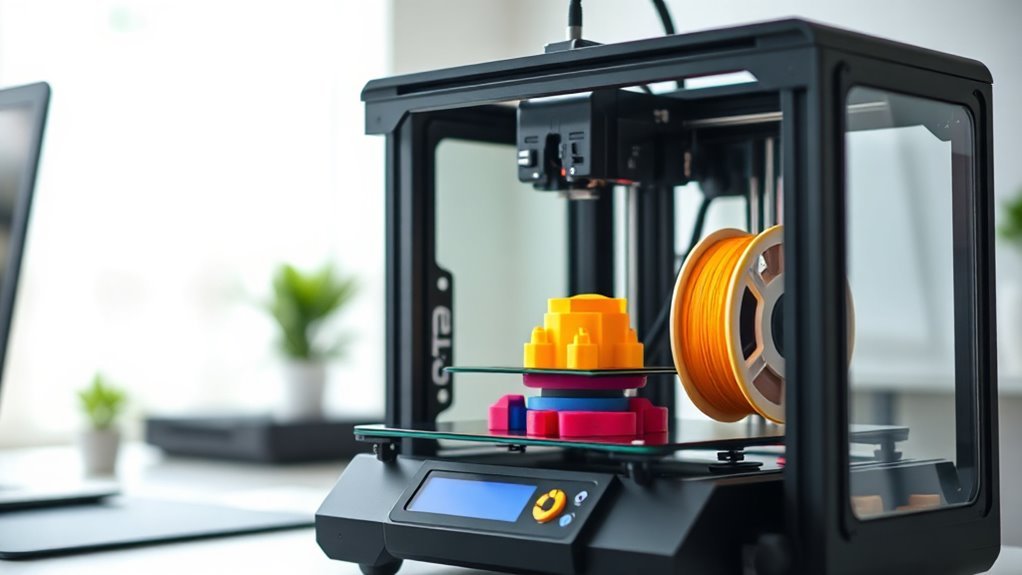
When choosing a cheap FDM printer, you’ll want to balance print quality with your build volume needs. It’s important to think about the types of materials you plan to use.
Also, consider how easy the setup process is. You don’t want to spend hours just getting started.
And don’t forget to check the printer’s speed and efficiency. Make sure it matches your workflow so you’re not left waiting around.
Print Quality Expectations
Achieving good print quality with a cheap FDM printer means paying close attention to key features that affect precision and consistency. You’ll want a rigid frame and stable motion system, like dual Z axes or a reinforced gantry, to minimize vibrations and improve layer alignment.
Check the nozzle diameter and layer height range; a 0.4 mm nozzle paired with 0.05–0.3 mm layers strikes a good balance between detail and speed. Reliable extrusion control and stable hotend temperatures are essential for avoiding stringing and blobs.
Automatic or repeatable bed leveling, along with a flat, removable build surface, guarantees strong first-layer adhesion and dimensional accuracy. And don’t forget to consider the printer’s true travel speed and acceleration limits. Excessive acceleration without vibration control can blur fine details, even if the printer boasts high speeds.
Build Volume Needs
Selecting the right build volume is essential to guarantee your printer can handle the projects you have in mind. Start by measuring the largest parts you realistically plan to print—consider length, height, and width—and add a 10–20% margin to avoid fit issues.
Keep in mind that the quoted build volume is the internal usable space; bed clamps, hotend mounts, and enclosures can reduce usable height and corner clearance. Larger volumes let you print bigger objects in one piece but increase print time, filament use, and failure risk.
If you mostly print small parts or multi-color assemblies, a smaller build volume with faster speeds might be more efficient. Also, factor in your workspace—choose a size that fits comfortably while meeting your current and future needs.
Material Compatibility Range
Since different filaments have unique printing requirements, you’ll want to verify your printer’s material compatibility before buying. Check which filament types the printer supports—PLA, PETG, TPU, ABS, PVA, and more. Each needs specific temperature, adhesion, and ventilation settings.
Confirm the maximum hotend and heated-bed temperatures; for example, ABS and PETG usually require nozzle temps up to 250–300°C and bed temps around 100–110°C. If you plan to print abrasive materials like carbon-fiber-filled filaments, make certain the printer has a hardened steel nozzle to prevent wear.
Look for features that support multi-material printing, such as multi-extrusion and filament run-out detection. Also, make certain the printer’s cooling system, enclosure options, and bed surface align with your material choices—especially if you want to print temperature-sensitive filaments like ABS.
Ease Of Setup
When you’re shopping for a cheap FDM printer, ease of setup can save you hours of frustration. Look for plug-and-play or pre-assembled models with clear quick-start guides or video tutorials so you can start printing within minutes.
Automatic bed leveling or guided manual leveling cuts down on first-layer fiddling, making setup smoother. Features like assisted filament loading, auto filament detection, and removable build plates simplify filament priming and model removal.
Intuitive interfaces—touchscreens or well-organized menus—plus bundled starter files or TF cards reduce your trial-and-error time. Compact, modular designs with clear toolkits and step-by-step assembly instructions minimize assembly time and troubleshooting.
Choosing a printer with these features means less hassle and more time bringing your ideas to life. It’s all about getting you printing quickly and easily!
Speed And Efficiency
Getting your printer set up quickly is just the start—speed and efficiency determine how fast you bring your projects to life. Check the maximum print and travel speeds; higher values (200–600 mm/s) speed up prints but need a sturdy frame and fine-tuning to keep quality.
Also, pay attention to acceleration and jerk settings—they help shorten print times but can cause ringing without vibration control. Features like automatic bed leveling, filament run-out detection, and power-loss recovery reduce failed prints and save time.
Think about the extrusion system and nozzle temperature limits too. Direct-drive or high-flow hotends with temps up to 300–350°C handle faster extrusion and more materials.
Finally, efficient thermal management and slicer optimizations guarantee you maintain accuracy and surface finish even at higher feedrates. It’s all about balancing speed with quality so your prints come out just right.
Noise Level Considerations
Although cheap FDM printers can vary widely in noise output, choosing a model with low decibel ratings (ideally 50 dB or less) makes a big difference for home or classroom settings. Look for printers specifying noise levels and stepper drivers labeled “silent” or using TMC-series chips paired with a 32-bit mainboard. These reduce mechanical whine compared to older drivers.
Mechanical design also plays a role. Dual Z-axis synchronization, rigid frames, and proper belt tensioning minimize vibration and resonance that amplify noise. You can further cut noise with enclosures, dampers like silicone feet, and well-mounted fans.
Keep in mind that higher print speeds and rapid accelerations increase motor and fan noise. So, balancing these settings helps maintain quieter operation without sacrificing print quality.
Reliability And Maintenance
Since you’ll want your cheap FDM printer to run smoothly with minimal downtime, prioritizing reliability and ease of maintenance is key. Look for printers with automatic bed-leveling or simple manual adjustment knobs to avoid frequent recalibration and first-layer issues.
Features like filament run-out detection and power-loss recovery help prevent failed prints and wasted material during interruptions. Choose models with widely available, replaceable parts such as standard 0.4 mm nozzles and common stepper motors, which keep repairs affordable.
Evaluate maintenance ease by checking for tool-less, quick-release components like removable build plates and modular hotends to simplify cleaning and part swaps. Also, consider stable designs with vibration compensation to reduce print defects and realignment needs.
This way, you keep your printer reliable and hassle-free over time.
Budget And Warranty
When choosing a cheap FDM printer, setting a clear budget helps you balance features like build volume and print speed against cost. For entry-level options, expect to spend between $100 and $500, while feature-rich beginner models typically fall between $500 and $1,000.
Beyond price, carefully check the warranty coverage and length. Avoid printers with short warranties—30 to 90 days often signal higher long-term risk. Aim for at least a one-year manufacturer warranty or extended options covering key parts like stepper motors, control boards, and heated beds.
Also, confirm if warranty service includes return shipping, replacement parts, or onsite repairs. Don’t forget to consider local service centers and spare-part availability to reduce downtime.
Frequently Asked Questions
What Materials Are Compatible With Cheap FDM Printers?
You can print with PLA, ABS, and PETG on most cheap FDM printers. These materials are affordable, easy to find, and offer decent strength.
Just avoid exotic filaments, as budget models may struggle with them. It’s better to stick with the basics for smoother printing.
How Do I Maintain and Clean an FDM 3D Printer?
Don’t treat your FDM printer like a rotary phone—clean the nozzle regularly, lubricate the rods, and remove filament debris.
You’ll keep it running smoothly and avoid clogs, ensuring crisp prints every time. Just a little maintenance goes a long way!
Can Cheap FDM Printers Print High-Resolution Models?
Yes, cheap FDM printers can print high-resolution models, but you’ll often need to tweak settings and accept longer print times.
Don’t expect flawless details like expensive models, but with patience, you’ll get impressive results.
It’s all about finding the right balance and being willing to experiment a bit.
With some practice, you’ll be surprised at what these budget machines can achieve!
What Safety Precautions Should I Take When Using FDM Printers?
You’ll want to embrace cautious enthusiasm: make certain proper ventilation, keep your fingers away from hot parts, and never leave the printer unattended.
Also, use fire-resistant surfaces and handle materials carefully to avoid unwanted surprises or “creative sparks.”
It’s all about staying safe while having fun with your prints!
Are Replacement Parts Readily Available for Budget FDM Printers?
Yes, replacement parts for budget FDM printers are usually easy to find. You’ll often get access to common components like nozzles, belts, and extruders from online stores or manufacturer websites.
That means you can usually handle quick repairs without much hassle. It’s pretty convenient when you need to keep your printer running smoothly.
Conclusion
Choosing the right cheap FDM printer isn’t just about price—it’s about finding one that fits your style and needs perfectly. Whether you want simplicity, speed, or multi-color magic, each option here has something unique to offer.
But which one will truly unleash your creativity and make every print a success? The answer might surprise you.
Ready to jump in and discover your perfect match? Your next great project awaits! When picking the best cheap FDM printer for 2027, consider what matters most—quality, ease of use, and reliability. With the right choice, you’ll enjoy smooth prints and endless creative possibilities without breaking the bank. So go ahead, explore these top budget-friendly FDM printers, and get ready to bring your ideas to life!