5 Best All-in-One Printers with Low Ink Cost for 2027
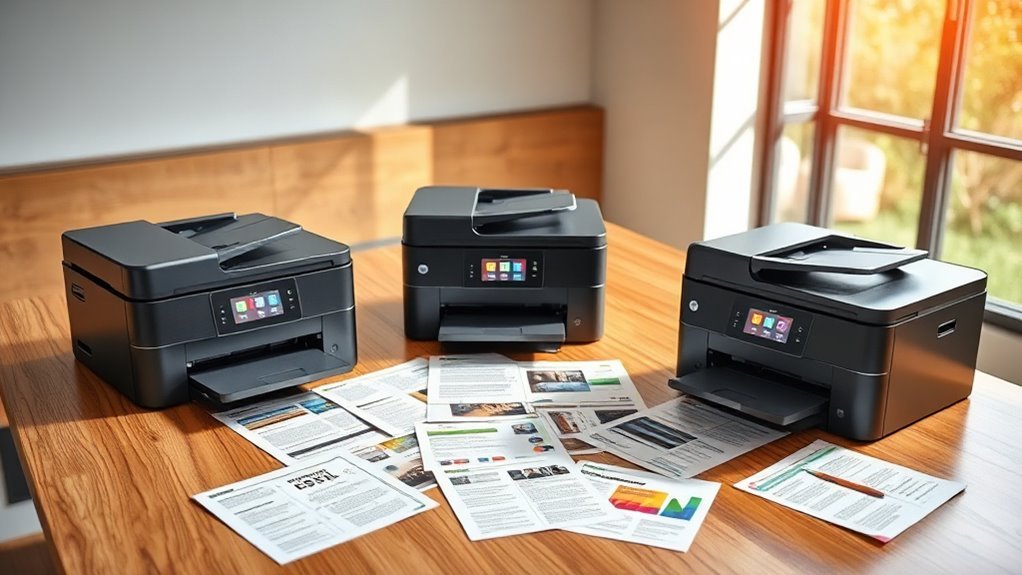
If you’re looking for all-in-one printers with low ink cost for 2027, you’re in the right place. Finding a printer that saves you money on ink without sacrificing quality is key.
Luckily, there are several great options that combine affordability and performance. The Canon MegaTank G3270 delivers sharp prints and comes with a huge ink supply, so you won’t need to refill often.
The HP Smart Tank 7603 and 5003 are also fantastic choices, including up to three years of ink for hassle-free refills.
On the other hand, the HP OfficeJet Pro 8125 offers fast printing speeds along with duplex capabilities, making it efficient for everyday use.
Epson’s EcoTank ET-2900 balances quality and affordability perfectly, with easy refilling to keep things simple.
Take a look at these options to find the best fit for your printing needs in 2027.
| Image | Name | Editor's Rating | Price |
|---|---|---|---|

|
|
||

|
|
||

|
|
||

|
|
||

|
|
Canon MegaTank G3270 All-in-One Wireless Color Printer
- Wireless Print/Copy/Scan
- Up to 2 years of ink included (2)
- Print up to 6,000 black & white / 7,700 color pages using a single set of inks! (1)
- Save up to $1,000 on ink (1)
- 1.35” Square LCD display

The Canon MegaTank G3270 offers a practical solution for those tired of frequent ink replacements. Its MegaTank ink system lets you print thousands of pages before refilling, significantly reducing ongoing ink costs. This feature makes it ideal for users who want to save money while maintaining high-quality output.
This all-in-one printer handles printing, copying, and scanning with ease. It produces sharp images at 4800 x 1200 dpi resolution, ensuring your documents and photos look clear and professional. Wireless connectivity allows you to print directly from smartphones or tablets, adding flexibility and convenience to your workflow.
Designed with a compact footprint, the G3270 fits comfortably in small spaces. Its 100-sheet paper capacity suits light to moderate printing needs but may require frequent refills for larger tasks. The simple 1.35” LCD screen provides basic controls without overwhelming complexity.
While print speeds are moderate at 11 ppm for black and white and 6 ppm for color, this printer is best suited for individual users or small offices that prioritize cost efficiency and ease of use over high-volume output.
Best for: Individuals and small office users seeking an affordable, low-cost ink solution with wireless convenience for printing, copying, and scanning.
What We Like:
- High page yield with MegaTank ink system lowers running costs
- Wireless printing from smartphones and tablets adds convenience
- Sharp print quality at 4800 x 1200 dpi
- Compact design fits small spaces efficiently
Specification:
| Feature | Details |
|---|---|
| Manufacturer | Canon |
| Dimensions | Compact design (exact not provided) |
| Weight | Not specified |
| Color Options | Not specified |
| Print Resolution | 4800 x 1200 dpi |
| Print Speed | 11 ppm (B&W), 6 ppm (color) |
| Paper Capacity | 100 sheets |
| Display | 1.35” LCD |
HP Smart Tank 7603 Ink Tank Printer | 3 Years of Ink Included | All-in-One
- THE LAST PRINTER YOU'LL EVER NEED – Set it up once and print with confidence; no complicated maintenance, just easy, reliable printing you can count on
- FULLY LOADED WITH SAVINGS – Best for low-cost, high-volume printing—up to 3 years of HP Ink included; get up to 8,000 color or 6,000 black pages right out of the box
- KEY FEATURES – Print, copy and scan and fax, auto document feeder, magic touch control panel, plus borderless prints, mobile and wireless printing
- MESS-FREE REFILL – Replenish ink with HP's easy-access, mess-free refill system; simply plug the ink bottles into this cartridge-free ink tank and let them drain—no...
- BEST PRINT QUALITY, PERIOD – Sharper text, richer colors, only with HP Smart Tank
Experience hassle-free printing with the HP Smart Tank 7603, designed to keep your ink costs low for up to three years. This all-in-one printer combines print, copy, scan, and fax functions, making it a versatile solution for home and small office use. Its refillable ink tanks eliminate the need for cartridges, reducing maintenance and ongoing expenses.
The printer produces sharp, high-quality prints at 4800 x 1200 dpi, delivering clear text and vibrant colors. With a printing speed of up to 15 black-and-white pages per minute, it handles daily tasks efficiently. Automatic duplex printing saves paper, while the 35-sheet automatic document feeder streamlines multi-page scanning and copying.
Connectivity options include wireless, Ethernet, and USB, allowing flexible placement and easy integration into different work environments. The intuitive HP app enhances control and convenience, enabling you to manage printing tasks directly from your mobile device.
While the HP Smart Tank 7603 offers impressive ink capacity and functionality, its size may require ample space. Color printing is slower compared to black-and-white, which could affect time-sensitive tasks.
Best for: Small offices or individuals seeking a cost-effective, high-capacity all-in-one printer with versatile connectivity.
What We Like:
- Up to 3 years of ink included, minimizing refill frequency
- Automatic duplex printing and 35-sheet ADF improve productivity
- High-resolution printing ensures sharp, professional results
- Multiple connectivity options for flexible use
- Refillable ink tanks reduce waste and ongoing costs
Specification:
| Feature | Details |
|---|---|
| Manufacturer | HP |
| Dimensions (W x D x H) | Approx. 17 x 14 x 6 inches |
| Weight | 17 lb (7.7 kg) |
| Connectivity | Wireless, Ethernet, USB |
| Print Resolution | Up to 4800 x 1200 dpi |
HP Smart Tank 5003 Ink Tank Printer | 3 Years of Ink Included | All-in-One
- THE LAST PRINTER YOU'LL EVER NEED – Set it up once and print with confidence; no complicated maintenance, just easy, reliable printing you can count on
- FULLY LOADED WITH SAVINGS – Best for low-cost, high-volume printing—up to 3 years of HP Ink included; get up to 6,000 color or black pages right out of the box
- KEY FEATURES – Print, copy and scan, plus borderless prints, mobile and wireless printing
- MESS-FREE REFILL – Replenish ink with HP's easy-access, mess-free refill system; simply plug the ink bottles into this cartridge-free ink tank and let them drain—no...
- BEST PRINT QUALITY, PERIOD – Sharper text, richer colors, only with HP Smart Tank
The HP Smart Tank 5003 is designed to make high-volume printing easier and more affordable. It eliminates the hassle of frequent ink changes by including up to three years of ink, allowing you to print up to 6,000 pages in color or black without interruption. This means less downtime and more productivity for your home or small office.
This all-in-one printer combines printing, copying, and scanning in one compact device. Its cartridge-free ink tank system is simple to refill, reducing mess and maintenance time. The high-quality output at up to 4800 x 1200 optimized dpi ensures your documents and photos look sharp and vibrant.
Wireless connectivity options like Apple AirPrint, HP ePrint, Mopria, USB, and Wi-Fi let you print directly from your laptop, PC, or smartphone with ease. While it offers convenience, the slower print speed and limited paper capacity may require some patience during heavy use.
Best for: users who need reliable, cost-effective printing with versatile functions for home or light office use.
What We Like:
- Up to 3 years of ink included for extended printing without refills
- Cartridge-free refillable tanks for easy and clean maintenance
- Multiple wireless printing options for flexible device compatibility
Specification:
| Feature | Details |
|---|---|
| Manufacturer | HP |
| Dimensions (W x D x H) | 15.3 x 14.8 x 7.7 inches |
| Weight | 6.1 lbs (2.77 kg) |
| Material | Plastic |
| Color Options | White with Black accents |
HP OfficeJet Pro 8125 Wireless All-in-One Printer
- FROM AMERICA'S MOST TRUSTED PRINTER BRAND – The OfficeJet Pro 8125 is perfect for home offices printing professional-quality color documents like business documents...
- 3 MONTH TRIAL OF INSTANT INK INCLUDED – Subscribe to the Instant Ink delivery service to get ink delivered directly to your door before you run out, and you save up to...
- KEY FEATURES – Fast color printing, scan, copy, auto 2-sided printing, auto document feeder, and a 225-sheet input tray
- 2.7-INCH TOUCHSCREEN – Quickly navigate your printer with a large color touchscreen and a phone-like user interface
- WIRELESS PRINTING – Stay connected with our most reliable dual-band Wi-Fi, which automatically detects and resolves connection issues
The HP OfficeJet Pro 8125 is designed to bring professional-quality printing to your home office with ease. Its wireless capabilities eliminate the hassle of cords, allowing you to print quickly and reliably from multiple devices. This printer handles everyday tasks efficiently, helping you save time and stay productive.
With print speeds of up to 20 ppm in black and 10 ppm in color, it keeps your workflow smooth. The built-in duplex printing lets you save paper automatically, while the 225-sheet tray reduces the need for frequent refills. Navigation is simple thanks to a sharp 2.7-inch color touchscreen and dual-band Wi-Fi that ensures stable connectivity.
Maintenance is straightforward with support for original HP cartridges, which work seamlessly to deliver consistent results. Plus, the included 3-month Instant Ink trial can help reduce ink expenses by automatically managing your supply. The printer’s sustainable design and HP Wolf Essential Security add extra value by protecting both your data and the environment.
Best for: Home office users seeking a fast, reliable, and professional-quality wireless all-in-one printer with advanced features and sustainable design.
What We Like:
- Fast and efficient print speeds with automatic duplexing
- Intuitive 2.7-inch color touchscreen for easy operation
- Dual-band Wi-Fi ensures strong, stable wireless connections
- AI optimization improves print quality by removing unwanted content
- Includes 3-month Instant Ink trial to help manage ink costs
Specification:
| Feature | Details |
|---|---|
| Manufacturer | HP |
| Dimensions (W x D x H) | 17.3 x 15.7 x 9.9 inches |
| Weight | 17.2 lb (7.8 kg) |
| Color Options | White with black accents |
| Media Size | Up to 8.5 x 11.7 inches |
Epson EcoTank ET-2900 Wireless All-in-One Printer
- Epson EcoTank includes enough ink to last up to 3 years⁴
- WORRY-FREE PRINTING — Epson EcoTank comes with enough ink to print up to 3,600 pages black/6,500 color⁹ for fewer out-of-ink frustrations. Each replacement ink bottle...
- SIMPLE INK REFILLING — Supersized ink tanks and uniquely keyed EcoFit bottles make refilling ink simple—no mess, no stress and no ink bottle mix-ups; fits in...
- THE WORLD’S #1 SELLING SUPERTANK PRINTER² — Epson invented EcoTank to revolutionize the way people print; we’ve sold 100 million EcoTanks worldwide⁷ and this is...
- KEY PRODUCTIVITY FEATURES — 11 black/6 color ISO ppm print speeds with zero warmup time, 100-sheet paper tray, high-resolution flatbed scanner and a 1.44" color display...
The Epson EcoTank ET-2900 offers a practical solution for cutting ink costs and reducing maintenance hassles. Its large ink tanks come with enough ink for up to three years, allowing you to print thousands of pages without worrying about frequent refills. This feature makes it ideal for users who want to avoid the constant expense and inconvenience of replacing cartridges.
Refilling is simple and mess-free thanks to the spill-free EcoFit bottles. The printer supports wireless printing via Wi-Fi and USB connections, giving you flexibility in your workspace. The 1.44″ color screen is easy to navigate, helping streamline everyday tasks without complexity.
Designed for both home and small office use, the ET-2900 prints sharp color and black-and-white documents efficiently. It delivers up to 11 pages per minute in black and 6 pages per minute in color, balancing quality with speed. Mobile printing is supported through Epson’s Smart Panel app, enhancing convenience for users on the go.
Compact and energy-efficient, this all-in-one printer combines printing, scanning, and copying in a user-friendly package. Its design focuses on reliability and cost savings, making it a practical choice for budget-conscious environments.
Best for: budget-conscious home and small office users who need reliable, high-volume color and black-and-white printing with low ink costs.
What We Like:
- Supersized ink tanks provide up to three years of ink, reducing refill frequency.
- Wireless connectivity and mobile printing enhance ease of use.
- Spill-free EcoFit ink bottles simplify maintenance.
- Compact design fits well in small workspaces.
- User-friendly color screen streamlines operations.
Specification:
| Feature | Details |
|---|---|
| Manufacturer | Epson |
| Dimensions | 14.8 x 12.2 x 7.5 inches |
| Weight | 9.7 lbs (4.4 kg) |
| Color Options | White |
| Connectivity | Wi-Fi, USB |
| Display | 1.44-inch color screen |
Factors to Consider When Choosing an All in One Printer With Low Ink Cost
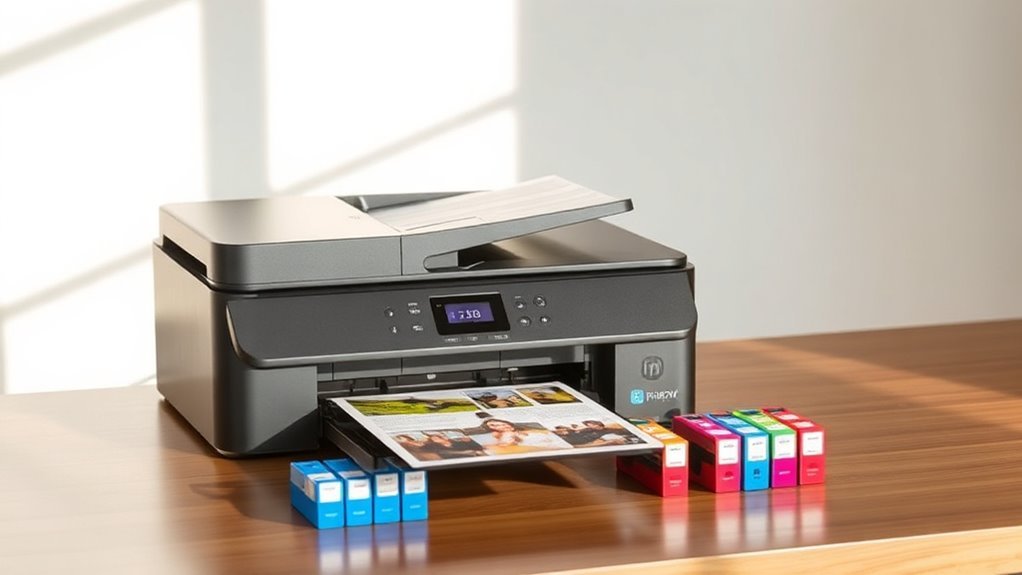
When picking an all-in-one printer with low ink cost, focus on ink efficiency and how easy it is to refill. Consider your typical print volume and make sure the printer connects smoothly with your devices.
Don’t forget to check the warranty and support options for peace of mind. It’s always good to know help is available if you need it.
Ink Efficiency Metrics
Although choosing an all-in-one printer may seem straightforward, understanding ink efficiency metrics can save you significant money over time. Focus on page yield, which tells you how many pages a single ink set produces—some models offer up to 7,700 color or 6,000 black pages, cutting costs dramatically.
Look for adjustable print resolution; higher dpi uses more ink, so settings that let you balance quality and efficiency matter. Printing speed, measured in pages per minute, also affects ink use—faster printers handle large jobs more efficiently, reducing ink changes.
Features like automatic duplex printing help too, by printing on both sides and lowering overall ink consumption. With these metrics in mind, you’ll pick a printer that keeps ink costs low without sacrificing performance.
Refill System Convenience
Understanding ink efficiency gives you a solid foundation, but the convenience of the refill system plays a big role in keeping costs low and hassle minimal. Refillable ink tank systems often offer a mess-free refill process, so you won’t deal with the spills common in cartridge replacements.
Many modern printers let you print thousands of pages per refill—up to 6,000 black or 7,700 color pages—greatly lowering your cost per page. The tanks are usually easy to access, allowing quick top-ups without squeezing or spilling.
Some systems even use uniquely keyed bottles to guarantee you insert the right ink, preventing mistakes. By reducing how often you need to buy ink, these refill systems make managing your printer far more convenient and cost-effective.
Print Volume Capacity
Since print volume capacity directly impacts how often you’ll need to refill ink, it’s a key factor to take into account when choosing an all-in-one printer with low ink costs. You’ll want a printer that can produce thousands of pages—some models offer up to 6,000 black-and-white or 7,700 color pages per ink set.
If you print a lot, consider printers with high-capacity ink tanks or cartridge-free systems. These can greatly lower your cost per page and save you frequent refills.
Also, check the maximum monthly page yield—some printers handle up to 30,000 pages monthly, perfect for heavy use. By matching print volume capacity to your needs, you guarantee efficient, cost-effective printing without interruptions.
Connectivity and Compatibility
Choosing an all-in-one printer with low ink costs means you’ll want to prioritize connectivity and compatibility features that fit your devices and workflow. Look for printers offering USB, Wi-Fi, and Ethernet options to easily connect with your smartphone, tablet, or computer.
Support for mobile printing solutions like Apple AirPrint and Google Cloud Print adds convenience when printing remotely. Make sure the printer works seamlessly across multiple operating systems, including Windows, macOS, iOS, and Android. That way, you don’t face compatibility issues.
An Automatic Document Feeder (ADF) can save you time on multi-page scans or copies. Finally, choose a model with simple wireless setup and stable connections to avoid interruptions during your printing tasks. This ensures smooth, hassle-free operation every time.
Warranty and Support
While low ink cost is essential, don’t overlook the importance of warranty and support when selecting an all-in-one printer. Most printers come with a one-year limited warranty covering hardware issues, which protects your investment early on.
Check if the warranty includes page limits, as some only apply up to a certain number of printed pages. Extended support options, like access to online resources and customer service, can be a big help for troubleshooting.
Also, look for a return policy, such as a 30-day guarantee, so you can return the printer if it doesn’t meet your needs. Finally, consider the availability of spare parts for up to five years, ensuring you can maintain your printer without needing a full replacement.
Frequently Asked Questions
How Do I Recycle Ink Cartridges From These Printers?
You can recycle ink cartridges by dropping them off at local office supply stores or mailing them to manufacturer recycling programs. Many printers include prepaid labels, making it easy for you to send cartridges back responsibly.
It’s pretty straightforward once you know where to go. Just pack up your used cartridges and either swing by a store or pop them in the mail. Easy, right?
Can These Printers Connect to Multiple Devices Simultaneously?
Yes, these printers can connect to multiple devices simultaneously via Wi-Fi or Bluetooth.
You’ll find that sharing printing tasks across smartphones, tablets, and computers is easy without needing to switch connections or cables each time.
It’s super convenient and saves you a lot of hassle. Just connect and print away!
What Warranty Options Are Available for These Printers?
You’ll find most offer a standard one-year warranty, with options to extend coverage up to three years.
Some brands include accidental damage protection or on-site service, so check each printer’s specific warranty details before you buy.
It’s always a good idea to know exactly what’s covered and for how long. That way, you can choose the best option for your needs without any surprises.
Are These Printers Compatible With macOS and Linux?
Yes, these printers are compatible with macOS, and most offer Linux support too. You’ll want to check each model’s specifications to verify full driver availability and smooth installation on your preferred operating system.
It’s always a good idea to look into the details before you buy. That way, you can be sure everything will work just right with your setup.
How Noisy Are These Printers During Operation?
You’ll find these printers operate around 50 decibels, about the noise level of a quiet conversation. So, they’re relatively quiet, letting you print without distraction.
Perfect for home or office environments where silence matters.
Conclusion
When you choose an all-in-one printer with low ink costs, you’re not just saving money—you’re investing in hassle-free printing. Imagine the relief of watching ink levels stay steady, your wallet staying full, and your projects flowing smoothly without constant interruptions.
These printers are designed to keep up with your busy life, so you can focus on what matters. Pick one from our list, and you’ll see how smart choices lead to effortless, affordable printing every day.
Choosing the right all-in-one printer with low ink costs means fewer refills and less worry about expensive cartridges. It’s about making your printing experience efficient and budget-friendly. So, go ahead and invest in a printer that combines quality, convenience, and cost savings—making your everyday printing simple and stress-free.