9 Best 3D Printer Layer Resolutions for 2027
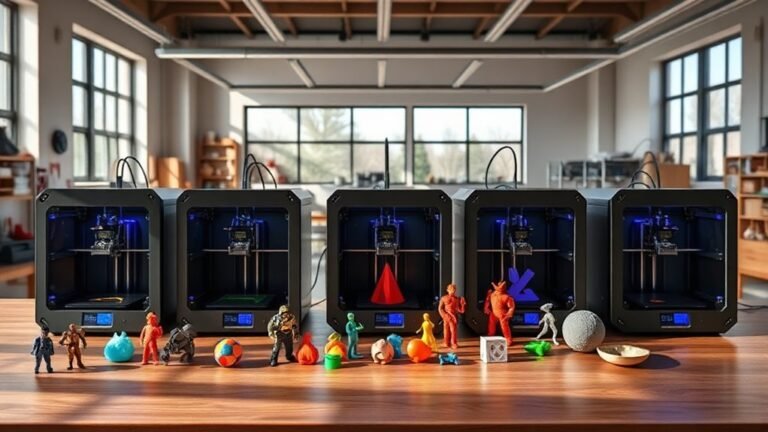
You’ll want to look for 3D printers with fine layer resolutions like 10 to 19 microns for detailed prints, especially resin models like the Creality HALOT-X1 Neo 9K or ELEGOO Mars 5.
These ultra-fine layers help capture intricate details perfectly, making your prints really stand out.
For faster FDM printing, layer heights around 0.1 to 0.2 mm balance speed and quality nicely.
Printers like the Bambu Lab P1S Combo or Ender 3 V3 SE are great examples where you get decent detail without sacrificing too much time.
Also, don’t forget about multi-color options and automatic leveling—they really enhance your final results.
Keep exploring different settings and printers to find the perfect balance for your projects.
It’s all about matching your needs with the right layer resolution!
| Image | Name | Editor's Rating | Price |
|---|---|---|---|

|
|
||

|
|
||
|
|
||

|
|
||

|
|
Bambu Lab P1S Combo, P1S 3D Printer and AMS, Multi-Color 3D Printing
- Up to 16 Colors: Bring your designs to life with vibrant multi-color/multi-material printing capabilities, perfect for showcasing your creativity. Note: Connecting Bambu...
- 500mm/s and 20000 mm/s² Acceleration True High Speed: Don't wait around for your masterpieces. Lightning-fast printing speed lets you focus on creating, not waiting.
- Enclosed Design: Fully enclosed body improves print performance for advanced filaments. Automatic Bed Leveling: Say hello to high-quality, successful prints. Auto bed...
- Set Up in 15 Minutes: Spend more time printing and less time setting up. User-friendly design ensures a hassle-free assembly experience for all skill levels.
- Supported Filament: Ideal: PLA, PETG, TPU, PVA, PET ABS, ASA; Capable : PA, PC; Not Recommended: Carbon/Glass Fiber Reinforced Polymer.
The Bambu Lab P1S Combo redefines multi-color 3D printing with its innovative Automatic Material System (AMS). This system lets you work with up to 16 colors and various filaments, making complex designs more accessible and vibrant. Its enclosed design helps maintain stable printing conditions, enhancing overall reliability.
Setup is straightforward and can be completed in about 15 minutes. Automatic bed leveling ensures your prints start perfectly every time, reducing manual adjustments and print failures. The printer’s capability to reach speeds of up to 500mm/s with rapid acceleration means faster production without sacrificing precision.
Maintenance is simplified by the enclosed build environment, which also protects prints from external factors. While the P1S Combo handles common filaments like PLA, PETG, TPU, and ABS well, it’s less suitable for carbon or glass fiber reinforced polymers. The printer supports advanced materials such as PA and PC, though these may not perform optimally.
This combo is designed for users who want to explore multi-material projects with ease and speed. Its balance of functionality and user-friendly design makes it a strong choice for both beginners and experienced makers aiming for detailed, colorful results.
Best for: Creators looking for a versatile and fast 3D printer that excels in multi-color and multi-material projects.
What We Like:
- Supports up to 16 colors with an Automatic Material System for detailed, vibrant prints
- High-speed printing up to 500mm/s with smooth acceleration
- Quick 15-minute setup and automatic bed leveling for consistent quality
- Enclosed design stabilizes printing conditions and simplifies maintenance
Specification:
| Feature | Details |
|---|---|
| Manufacturer | Bambu Lab |
| Dimensions | Not specified |
| Weight | 47.5 lb (21.5 kg) |
| Supported Filaments | PLA, PETG, TPU, ABS, PA, PC |
| Color Options | Multi-color via AMS (up to 16) |
ANYCUBIC Photon Mono 4, Resin 3D Printer with 7” 10K Mono LCD Screen
- 【7'' 10K High Resolution】Photon Mono 4 boasts an impressive 105% increase in print precision compared to Mono 2. With a resolution of 9024x5120, each pixel measures a...
- 【Powerful Light Source】The time-tested Anycubic LighTurbo matrix light source technology delivers stable, balanced, and uniform lighting to reduce layer lines and...
- 【Sufficient Print Size】With a generous maximum build volume of 6.04'' x 3.42'' x 6.49''/153.4mm x 87mm x 165mm, you have ample print space to easily tackle your daily...
- 【Laser-engraved Print Platform 2.0】With a new design, the laser engraving platform of the photon mono 4 improves adhesion to mitigate lifting and warping of the model...
- 【User-friendly Function】The 4-point leveling method is ideal for beginners, after the first leveling and tightening the 4 screws, no need to repeat leveling. Photon...
The ANYCUBIC Photon Mono 4 offers creators ultra-high detail and smooth resin prints with remarkable precision. Its 7-inch 10K Mono LCD screen delivers an impressive 9024×5120 resolution, ensuring every fine detail comes to life. This level of clarity helps solve common issues with print accuracy and surface quality.
The advanced LightTurbo matrix provides uniform lighting, which improves print consistency by 105% compared to previous models. This means fewer failed prints and less waste, making your workflow more efficient. The printer’s compact size and 6.04 x 3.42 x 6.49-inch build volume suit small to medium projects without taking up much workspace.
Maintenance is straightforward thanks to beginner-friendly 4-point leveling and a power recovery feature that protects your print jobs during outages. Handling resin requires care, but the Mono 4’s design simplifies post-processing and keeps operation hassle-free. Its lightweight build also makes it easy to move and set up.
Overall, this resin 3D printer balances high precision with ease of use, making it a practical choice for those who want professional results without complicated setup.
Best for: Creators and hobbyists seeking precise, high-resolution resin prints with user-friendly features.
What We Like:
- High-resolution 10K Mono LCD for ultra-fine details
- LightTurbo matrix for consistent, accurate lighting
- Simple 4-point leveling and power recovery for reliable operation
- Compact design with a practical build volume
- Efficient print speed for faster project completion
Specification:
| Feature | Details |
|---|---|
| Manufacturer | ANYCUBIC |
| Screen Size | 7 inches |
| Screen Resolution | 9024 x 5120 pixels |
| Pixel Size | 17 microns |
| Build Volume | 6.04 x 3.42 x 6.49 inches |
| Print Speed | Up to 70 mm/h |
| Weight | Lightweight (exact weight not specified) |
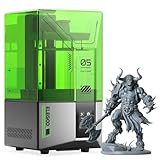
ELEGOO Mars 5 Resin 3D Printer
- 【Effortless Magic with One-Click Automatic Leveling】Effortless precision is just a click away. ELEGOO Mars 5 resin 3D printer offers advanced automatic leveling...
- 【Print Smarter, Print Worry-Free】With a smart mechanical sensor, ELEGOO Mars 5 resin printer supports residue detection to prevent damage to the LCD screen. Plus...
- 【One-Click Self-Check, Ensuring Reliable Prints】Tired of setup hassles and unexpected errors ruining your printing projects? With just a simple click, ELEGOO Mars...
- 【4K Mono LCD for Stunning Details】Featuring a 4K mono LCD with advanced COB light source, ELEGOO Mars 5 impresora 3D de resina faithfully reproduces intricate details...
- 【Advanced Overheat Protection, Cool and Safe】No more overheating worries. The advanced overheat protection automatically halts printing and triggers an alarm if the...

The ELEGOO Mars 5 Resin 3D Printer offers a seamless printing experience with its one-click automatic leveling, making setup fast and straightforward for users at any skill level. This feature eliminates the common hassle of manual leveling, ensuring your prints start perfectly every time.
Maintenance is simplified thanks to a smart mechanical sensor that detects resin residue and protects the LCD screen. It also alerts you to resin shortages or leveling problems, helping you avoid failed prints and costly material waste. The printer runs a self-check before each job to maintain consistent, high-quality output.
Designed for precision, the Mars 5 features a 4K Mono LCD with an advanced COB light source, delivering detailed and accurate prints. Safety is prioritized with built-in overheat protection that pauses printing if temperatures exceed 80℃, while an efficient cooling system promotes durability and reliability.
Though the build volume suits most users, it may be limiting for those needing larger prints. Resin handling requires care and post-processing, and the overheat protection might interrupt long print sessions in high-temperature environments. Overall, the Mars 5 balances ease of use with high performance for precise resin 3D printing.
Best for: hobbyists and professionals seeking a reliable, easy-to-maintain resin 3D printer with advanced safety features and fine print detail.
What We Like:
- One-click automatic leveling for quick setup
- Smart sensor protects LCD and monitors resin status
- High-resolution 4K Mono LCD with COB light source
- Overheat protection enhances safety and print reliability
Specification:
| Feature | Details |
|---|---|
| Manufacturer | ELEGOO |
| Dimensions | [Not Provided] |
| Weight | [Not Provided] |
| Material | Resin |
| Color Options | [Not Provided] |
Anycubic Kobra X Multicolor 3D Printer, Easy Setup, Native 4-Color
- 【 Newest Level - 19-Color with 4 ACE 2 Pro】Why settle for one color when you can have multicolor? The Kobra X comes born with 4 colors built-in. It is innovative 3D...
- 【 Savings 2X Time】Stop wasting hours and filament on purging! Kobra X impresora 3D reduces the filament and machine travel path by 81.25%, so 2X the Speed, and...
- 【Hardened Precision & High Speed 】 Equipped with a high-durability hardened steel nozzle and vibration compensation, the Kobra X ensures every layer remains smooth...
- 【Flawless First Layer with LeviQ 3.0】The LeviQ 3.0 and auto bed leveling system uses a 49-point calibration and advanced leveling algorithm to ensure 100% bed...
- 【Smart AI Monitoring & Large Model Library】APP remote control, features Spaghetti detection and foreign object detection. The innovative top-mount spool holder...
The Anycubic Kobra X Multicolor 3D Printer brings vibrant, multicolor printing to your workspace with its native 4-color printing capability. This feature lets you create detailed, colorful models without the hassle of manual filament changes. For even more color variety, you can expand the setup to handle up to 19 colors by adding extra units.
Speed is a key advantage of this printer, reaching up to 600mm/s. This reduces print times significantly, allowing you to complete complex projects faster, such as finishing a Benchy model in just 14 minutes. The LeviQ 3.0 system simplifies setup and maintenance with 49-point auto bed leveling, ensuring your prints start perfectly aligned every time.
Smart AI technology enhances reliability by detecting common printing errors like spaghetti or foreign objects early on. Dual-band Wi-Fi connectivity allows you to monitor and control your prints remotely through the Anycubic App. The spacious 260mm³ build volume supports a wide range of projects and materials, making it versatile for creative tasks.
Best for: Creative makers and educators seeking fast, reliable multicolor 3D printing with easy setup and smart monitoring features.
What We Like:
- Native 4-color printing expandable to 19 colors for detailed multicolor projects
- High-speed printing up to 600mm/s for significant time savings
- LeviQ 3.0 auto bed leveling and AI error detection for consistent print quality
- Dual-band Wi-Fi for remote print monitoring via the Anycubic App
- Large 260mm³ build volume supports diverse materials and project sizes
Specification:
| Feature | Details |
|---|---|
| Manufacturer | Anycubic |
| Build Volume | 260 x 260 x 260 mm |
| Print Colors | Native 4-color (expandable to 19) |
| Max Print Speed | 600 mm/s |
| Nozzle Max Temperature | 300℃ |
| Connectivity | Dual-band Wi-Fi |
| Bed Leveling | LeviQ 3.0 49-point auto |
Creality HALOT-X1 Neo 9K Resin 3D Printer
- 𝟗𝐊 𝐔𝐋𝐓𝐑𝐀-𝐇𝐈𝐆𝐇 𝐑𝐄𝐒𝐎𝐋𝐔𝐓𝐈𝐎𝐍: Bring fine details to life with a 6.8-inch 9K LCD, 8520 × 4320 resolution, and...
- 𝐏𝐋𝐔𝐆 & 𝐏𝐋𝐀𝐘 𝐅𝐎𝐑 𝐁𝐄𝐆𝐈𝐍𝐍𝐄𝐑𝐒: Start printing right out of the box with a factory pre-leveled build platform. Scan...
- 𝐀𝐈-𝐏𝐎𝐖𝐄𝐑𝐄𝐃 𝟐𝐃-𝐓𝐎-𝟑𝐃 𝐂𝐑𝐄𝐀𝐓𝐈𝐎𝐍: Powered by FanForge, AI model generation transforms 2D images into 3D...
- 𝐅𝐋𝐄𝐗𝐈𝐁𝐋𝐄 𝐂𝐎𝐍𝐍𝐄𝐂𝐓𝐈𝐕𝐈𝐓𝐘 & 𝐒𝐋𝐈𝐂𝐈𝐍𝐆: Transfer files via USB, 2.4GHz WiFi, or Creality Cloud...
- 𝐂𝐎𝐌𝐏𝐀𝐂𝐓 & 𝐇𝐈𝐆𝐇-𝐏𝐑𝐄𝐂𝐈𝐒𝐈𝐎𝐍 𝐏𝐑𝐈𝐍𝐓𝐈𝐍𝐆: With a 153.36 × 77.76 × 160 mm build volume and...
Experience ultra-precise resin 3D printing with the Creality HALOT-X1 Neo 9K. This printer delivers an impressive 18μm XY resolution, allowing you to create highly detailed miniatures and figurines with exceptional clarity. Its 9K 6.8-inch LCD screen ensures every intricate feature comes out crisp and well-defined.
The HALOT-X1 Neo 9K is designed for ease of use. The build platform arrives factory pre-leveled, so you can start printing immediately without hassle. Maintenance is straightforward, helping you keep the printer in optimal condition for consistent results.
Unique to this model is the AI-powered FanForge tool, which converts 2D images into 3D models quickly. This feature streamlines your workflow, saving time and effort during the design process. Connectivity options including USB, WiFi, and Creality Cloud offer versatile ways to transfer files.
While the build volume is moderate at 153.36 × 77.76 × 160 mm, it suits detailed projects perfectly. Resin printing requires careful handling and post-processing, which may pose a learning curve for beginners. Overall, this compact and reliable printer fits well on any workspace.
Best for: Professionals and enthusiasts seeking high-resolution resin printing with easy setup and AI-assisted model creation.
What We Like:
- Outstanding 18μm XY resolution for fine detail
- AI-driven 2D-to-3D model generation
- Multiple connectivity options for flexible file transfer
- Factory pre-leveled build platform for quick start
- Compact design ideal for desktop use
Specification:
| Feature | Details |
|---|---|
| Manufacturer | Creality |
| Build Volume | 153.36 × 77.76 × 160 mm |
| LCD Screen Size | 6.8 inches |
| XY Resolution | 18μm (9K) |
| Connectivity | USB, WiFi, Creality Cloud |
| Weight | Not specified |
| Color Options | Not specified |
Bambu Lab A1 3D Printer, Ready-to-Use FDM 3D Printer for Beginners and Kids

- High-Speed Precision: Experience unparalleled speed and precision with the Bambu Lab A1 3D Printer. With an impressive acceleration of 10,000 mm/s², the A1 delivers...
- Multi-Color Printing with AMS lite: Unlock your creativity with vibrant and multi-colored 3D prints. The Bambu Lab A1 3D printers make multi-color printing accessible and...
- Full-Auto Calibration: Say goodbye to manual calibration hassles. The A1 3D printer takes care of all the calibration processes automatically, ensuring optimal...
- Active Flow Rate Compensation: Achieve consistently smooth prints with active flow rate compensation. The algorithm actively compensates the flow rate according to the...
- Easy and Quiet 3D Printing: Experience effortless printing with the Bambu Lab A1 FDM 3D printer. Its user-friendly interface and simplified touchscreen make it easy to...
The Bambu Lab A1 3D Printer offers a hassle-free introduction to 3D printing. Its full-auto calibration takes care of Z-offset and bed leveling, removing common setup frustrations. This makes it ideal for beginners and kids eager to start printing right away.
The touchscreen interface is intuitive, helping users navigate settings with ease. Changing nozzles is simple too, thanks to the 1-clip quick swap system. These features reduce maintenance time and keep the focus on creativity.
With an acceleration of 10,000 mm/s² and active flow rate compensation, the printer delivers fast and accurate results. The compatibility with AMS Lite expands possibilities for multi-color printing, making projects more vibrant and engaging.
Operating at a quiet ≤48 dB and weighing 22 pounds, it fits comfortably in any workspace. Its compact design balances portability and stability, ensuring consistent performance without overwhelming your desk.
Best for: Beginners and kids seeking an easy-to-use, ready-to-print FDM 3D printer with multi-color options and minimal setup.
What We Like:
- Full-auto calibration simplifies setup and maintenance
- Intuitive touchscreen for straightforward operation
- Fast, precise printing with active flow control
- AMS Lite compatibility enables multi-color projects
- Quiet operation and compact, portable design
Specification:
| Feature | Details |
|---|---|
| Manufacturer | Bambu Lab |
| Dimensions | Compact (exact size not specified) |
| Weight | 22 lb (10 kg) |
| Printing Technology | FDM |
| Color Options | Not specified |
FLASHFORGE Adventurer 5M Pro 3D Printer with 1 Click Auto Printing System

- 600mm/s Speed & CoreXY Structure — Powered by an all-metal CoreXY frame and 20,000mm/s² acceleration, Adventurer 5M Pro reaches speeds up to 600mm/s. Integrated...
- 3-Second Quick-Swap Nozzle & Auto Leveling — Features a tool-free, quick-release nozzle mechanism for effortless 3-second replacements across multiple sizes...
- Dual Filtration System & Quiet Enclosure — Built with an integrated dual filtration system and a fully enclosed chamber to ensure a clean printing environment and...
- 280°C High-Temp Extruder & Broad Material Compatibility — With a 280°C max nozzle temperature and a 110°C heated bed, it reliably prints engineering materials like...
- Smart Camera & Mobile Control — Features a built-in camera for real-time monitoring and time-lapse video creation. Monitor progress, adjust settings, and receive...
Experience precise and hassle-free 3D printing with the FLASHFORGE Adventurer 5M Pro, designed to simplify your workflow. Its innovative 1-click auto-leveling feature ensures flawless bed calibration every time, eliminating the frustration of manual adjustments.
The printer’s quick-swap nozzle system lets you switch nozzle sizes in just 3 seconds, making it easy to adapt to different project requirements. Its sturdy all-metal CoreXY frame supports fast printing speeds up to 600mm/s, while vibration compensation delivers smooth, high-quality surfaces.
This model handles engineering-grade materials such as ABS and PETG-CF at temperatures reaching 280°C. You can monitor your prints remotely through the built-in camera and mobile app, ensuring peace of mind throughout the process. Quiet operation under 50dB and practical features like filament detection and power recovery add convenience and reliability.
Maintenance is straightforward thanks to tool-free nozzle changes and automated leveling. Although the build volume is compact and the maximum nozzle temperature may limit some high-temp materials, the Adventurer 5M Pro balances functionality and ease of use for professional and educational settings.
Best for: Professionals and educators needing a precise, versatile 3D printer with smart automation and easy material handling.
What We Like:
- Fast, tool-free nozzle swaps in 3 seconds
- Reliable one-click auto-leveling for consistent results
- Real-time remote monitoring via built-in camera and mobile app
- Quiet operation below 50dB for a comfortable workspace
- Supports engineering materials like ABS and PETG-CF
Specification:
| Feature | Details |
|---|---|
| Manufacturer | FLASHFORGE |
| Dimensions | Compact (exact size not provided) |
| Weight | 22 lb (10 kg) |
| Frame Material | All-metal CoreXY |
| Max Nozzle Temperature | 280°C |
| Noise Level | Under 50 dB |
Creality Ender 3 V3 SE 3D Printer Upgrade

- 【250mm/s High-speed Printing】Creality Ender 3 V3 SE 3d printer supports a maximum printing speed of 250mm/s, 2500mm/s² acceleration.The speed has been greatly...
- 【Powerful ""Sprite"" Direct Extruder】Ender 3 V3 SE is the upgrade of ender 3, ender 3 v2, ender 3 pro, ender 3 neo, ender 3 v2 neo, ender 3 s1, ender 3 s1 pro etc 3d...
- 【Worry-free CR Touch Auto Leveling & Strain Sensor】Creality Ender 3 upgraded 3d printer features a CR Touch sensor for auto leveling and a strain sensor for auto...
- 【Stable Dual Z-axis & Y-axis Linear Shafts】High-precision dual Z-axis lead screws reduce Z wobbling effectively, avoid printing deviation in single-axis printing...
- 【Quick Assembly & Easy to Use】Preassembly has solved those hassles and worries of parts assembly, It only takes 3 steps to complete the assemble the ender-3 v3 se 3d...
Experience faster, more precise 3D printing with the Creality Ender 3 V3 SE. This upgrade addresses common printing challenges by delivering speeds up to 250mm/s, reducing print times by 73%. Its compact build volume of 8.66×8.66×9.84 inches fits most project needs without sacrificing accuracy.
The printer’s upgraded Sprite full metal dual-gear extruder ensures smooth and reliable filament feeding. It works seamlessly with PLA, TPU, and PETG, minimizing jams and improving print quality. Automatic leveling and Z-offset adjustments via the CR Touch and strain sensors simplify setup and reduce manual errors.
Designed for stability, the Ender 3 V3 SE features dual Z-axis screws and dual 8mm Y-axis shafts. These enhancements improve precision and durability during long print runs. Although maintenance of the metal extruder may require some attention, its robust design supports consistent performance.
Assembly is straightforward, taking about 20 minutes, and includes automatic filament loading for convenience. This combination of speed, stability, and ease of use makes it ideal for users comfortable with 3D printing who want reliable, high-quality results.
Best for: Enthusiasts and professionals seeking a fast, stable, and versatile 3D printer with straightforward setup.
What We Like:
- High-speed printing reduces project turnaround time.
- Smooth filament feeding with versatile material compatibility.
- Automated leveling and Z-offset for consistent accuracy.
- Enhanced frame stability improves print quality.
- Quick assembly with user-friendly features.
Specification:
| Feature | Details |
|---|---|
| Manufacturer | Creality |
| Max Print Speed | 250 mm/s |
| Print Volume | 8.66 x 8.66 x 9.84 inches |
| Extruder | Sprite full metal dual-gear |
| Supported Filaments | PLA, TPU, PETG |
| Leveling Sensors | CR Touch, strain sensor |
| Frame Enhancements | Dual Z-axis screws, dual 8mm Y-axis shafts |
| Assembly Time | Approx. 20 minutes |
ELEGOO Saturn 3 MSLA 12K 3D Printer

- 【10-Inch 12K Mono LCD】With a 10-inch 12K mono LCD boasting a stunning resolution of 11520 × 5120 and an XY resolution of 19 × 24 μm, ELEGOO Saturn 3 Resin 3D...
- 【Generous Build Volume】With a generous build volume of 218.88 × 122.88 × 250 mm³/8.62 × 4.84 × 9.84 inches, you can try to print larger models and more ambitious...
- 【Fresnel Collimating Light Source】The COB light source and Fresnel collimating lens work together to emit a uniform light beam of 405 nm wavelength, and ensure that...
- 【Laser-carved Build Plate】The build plate with a laser-carved surface provides excellent adhesion, ensuring that your prints stick to the build plate for a higher...
- 【Voxeldance Tango Software】ELEGOO Saturn 3 Resin Printer offers 3 printing modes: static mode and dynamic mode (including smooth mode and high-speed mode) to improve...
ELEGOO Saturn 3 MSLA 12K redefines precision in resin 3D printing. Its 12K mono LCD screen ensures ultra-fine details with a resolution of 19 × 24 μm, making it perfect for intricate models. This level of clarity addresses common issues like blurry edges and loss of detail in prints.
The printer features a large 10-inch screen and a COB light source with a Fresnel lens, delivering consistent 405 nm UV exposure for uniform curing. This design helps reduce print failures and guarantees strong adhesion thanks to the laser-carved build plate. Maintenance is simplified with a 9H tempered glass screen that protects the display from resin damage.
With a generous build volume of 218.88 × 122.88 × 250 mm³, the Saturn 3 accommodates larger projects or multiple parts in one go. Printing speeds up to 70 mm/h boost productivity without compromising quality. Its sturdy construction may require a dedicated workspace due to its size and weight.
Best for: professionals and hobbyists who demand ultra-high-resolution resin printing with a spacious build area and efficient print speeds.
What We Like:
- Ultra-high 12K resolution for exceptional detail
- Large build volume supports bigger or batch printing
- Laser-carved build plate enhances print adhesion
- Durable 9H tempered glass screen protection
- Fast printing speeds improve workflow
Specification:
| Feature | Details |
|---|---|
| Manufacturer | ELEGOO |
| Dimensions | 12.05 × 10.75 × 22.13 in |
| Weight | 33 lb |
| Screen Size | 10 inches |
| Resolution | 11520 × 5120 pixels (12K) |
| Build Volume | 218.88 × 122.88 × 250 mm³ |
| Light Source | COB with Fresnel lens (405 nm UV) |
Factors to Consider When Choosing 3d Printer Layer Resolution
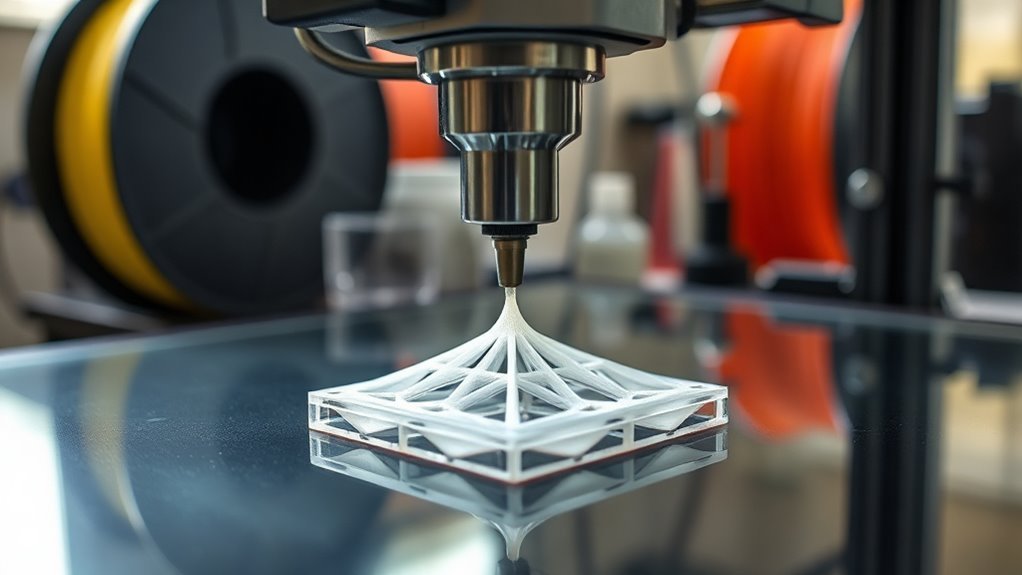
When choosing your 3D printer layer resolution, you’ll need to balance print quality with speed. It’s also important to consider how different materials respond.
Your printer’s technology and build volume play a big role in what resolutions work best. Knowing these factors helps you get the most from your prints without wasting time or resources.
Print Quality Impact
Layer resolution plays an essential role in determining the quality of your 3D prints. Lower layer heights, like 0.01 mm, deliver smoother surfaces and finer details, while higher layers such as 0.2 mm often produce visible lines.
If you want intricate models or miniatures, high-resolution printers with 9K or 12K capabilities offer exceptional precision. Also, pay attention to the XY pixel size—smaller pixels, around 17 μm, capture complex geometries and textures more accurately, boosting overall quality.
Keep in mind, print speed affects effective resolution; faster speeds might reduce detail unless your printer maintains accuracy. Balancing these elements guarantees your prints achieve the detail and smoothness you need without sacrificing efficiency or clarity.
Material Compatibility Effects
Although achieving fine detail is important, you’ll need to match your layer resolution to the material you’re using for the best results. Different materials perform best at specific layer heights; for example, resin excels with fine resolutions around 17μm, capturing intricate details.
In contrast, standard filaments like PLA often benefit from slightly thicker layers to maintain stability and prevent issues like warping or poor adhesion. Keep in mind that materials’ viscosity and adhesion properties influence which layer resolution will work smoothly.
Using a resolution too fine for a material might slow your print and increase failure risks, while too thick layers can sacrifice detail. So, understanding how your chosen material interacts with layer resolution will guarantee cleaner prints and fewer complications.
Printer Technology Differences
Choosing the right 3D printer technology plays an essential role in determining the best layer resolution for your prints. FDM printers usually offer layer resolutions between 100 and 300 microns, balancing speed with detail.
Thicker layers speed up prints but reduce detail and strength, while thinner layers improve detail at the cost of longer print times. It’s all about finding that sweet spot for your project.
Resin printers, such as SLA and MSLA, can achieve resolutions as fine as 10 microns. This means you get exceptional surface smoothness and intricate detail.
However, higher resolution settings require longer curing times and precise calibration. So, you’ll need to weigh the trade-offs.
Your choice depends on whether you prioritize fine detail and smooth finishes—favoring resin technology—or faster production and larger objects, where FDM excels. Understanding these differences helps you select the ideal layer resolution for your specific printing needs.
Build Volume Considerations
Beyond printer technology, the size of your build volume directly impacts the layer resolution choices you’ll make.
A larger build volume lets you create bigger models or multiple smaller ones in one go, boosting efficiency for bigger projects. However, bigger printers need more workspace and might be less portable, so consider your available space carefully.
On the other hand, smaller build volumes may limit the size of your projects but often yield more precise prints by minimizing warping and other issues.
Align your build volume choice with your goals—whether you’re prototyping, crafting detailed miniatures, or producing larger functional parts. This alignment helps guarantee your prints succeed and your layer resolution matches the scale and complexity of your intended work.
Speed Versus Resolution
When you prioritize finer details, you’ll need to accept slower print speeds since higher layer resolutions like 17μm deliver smoother surfaces but take more time. If you’re printing miniatures or intricate models, lower layer thicknesses around 0.01mm help capture every subtle feature, though the process slows down considerably.
On the other hand, faster printers reaching speeds up to 600mm/s often compromise resolution, resulting in visible layer lines and less detail. For larger models where detail isn’t as critical, increasing layer height can drastically cut print time.
Ultimately, you should balance speed and resolution based on your project’s needs—fine finishes demand patience, while speed favors bigger, less detailed prints. This trade-off will guide your choice of layer resolution effectively.
Cost Implications
Although higher layer resolutions deliver finer details, they also drive up printing times, which directly affects your operational costs. Longer print jobs consume more electricity and materials, increasing expenses.
Plus, printers capable of advanced resolutions usually come with a higher price tag, impacting your initial investment. Finer layers can lead to more material waste from failed prints, pushing up your filament or resin costs.
Don’t forget maintenance—higher resolution machines often need more frequent servicing or parts replacement to stay precise. Additionally, you might face extra costs for specialized software and slicing tools tailored to these resolutions.
When choosing your printer’s layer resolution, weigh these cost factors carefully to balance quality with affordability and avoid unexpected financial strain.
User Skill Requirements
Since layer resolution directly impacts print quality and duration, you’ll want to evaluate your skill level before choosing settings. Higher resolutions like 19μm or 10μm produce finer details but demand advanced skills to avoid print failures, especially with complex models.
If you’re a beginner, selecting a printer with adjustable layer thickness (0.01 mm to 0.2 mm) helps you experiment and find the right balance between speed and quality. Keep in mind, lower layer heights mean longer print times, which can be tricky to manage if you’re new to 3D printing.
Advanced users often prefer high-resolution options for professional results, while beginners benefit from user-friendly presets that simplify settings and minimize errors. So, match your layer resolution choice to your experience to guarantee successful prints.
Frequently Asked Questions
How Does Layer Resolution Impact Print Speed and Material Usage?
You’ll notice that higher layer resolution slows your print speed because it adds more layers, while lower resolution speeds things up.
Also, finer layers can use slightly more material due to increased print time and support needs.
Can Layer Resolution Affect the Durability of 3D Printed Objects?
Yes, layer resolution can affect your 3D print’s durability. Finer layers create stronger bonds between layers, reducing weak points. But keep in mind, it might increase print time.
Coarser layers print faster, which is great if you’re in a hurry. However, this may weaken the overall strength of your print. So, it’s a bit of a trade-off!
What Is the Typical Range of Layer Resolutions for Industrial 3D Printers?
Imagine printing a car part with 20 to 100 microns layer resolution—typical for industrial 3D printers. You’ll get precise, durable results perfect for engineering.
This range balances speed and detail without sacrificing quality. It’s a sweet spot for many industrial applications.
How Do Different Materials Influence Achievable Layer Resolution?
Different materials affect your achievable layer resolution because some flow and cure more smoothly, like resins offering finer detail.
On the other hand, tougher plastics may limit precision due to melting points and extrusion consistency. It really depends on the material’s properties and how they interact with your printing process.
Are Higher Layer Resolutions Always Better for Detailed Prints?
You won’t always need higher layer resolutions for detailed prints because it slows printing and may cause issues with some materials.
Balancing resolution with speed and material compatibility helps you get the best results efficiently.
It’s all about finding the right mix that works for your specific project and printer. Don’t just assume higher resolution is always the way to go!
Conclusion
So, you want perfect layers, huh? Well, with these top 3D printers offering resolutions from ultra-fine resin detail to speedy multi-color builds, you’re basically spoiled for choice.
Just remember, chasing that flawless layer can turn your printer time into a never-ending wait party. But hey, if you love watching your machine work slowly and obsessing over every micron, go ahead—your masterpiece layer resolution awaits!
Finding the best 3D printer layer resolutions for 2027 means balancing quality and speed. Whether you’re aiming for ultra-smooth surfaces or quick prototypes, there’s a resolution that fits your project. So get ready to dial in your settings and enjoy the perfect blend of precision and efficiency with your 3D printer.