5 Best Budget EcoTank Printers for 2027
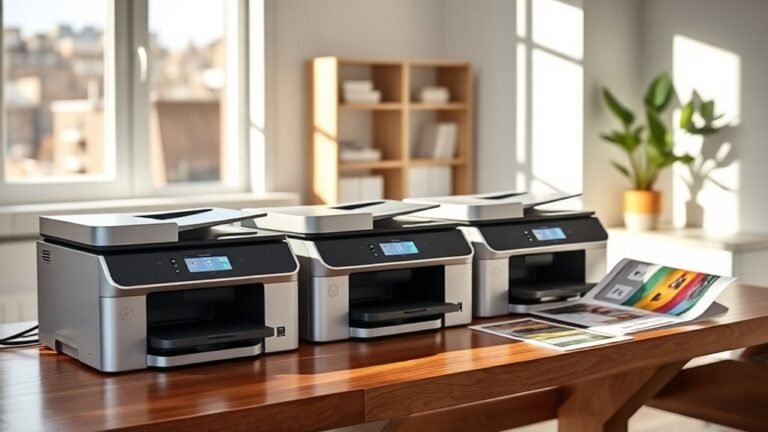
You can save big on ink with Epson’s top budget EcoTank printers for 2027. These printers are perfect if you want to cut down on printing costs without sacrificing quality. The EcoTank series is known for its refillable ink tanks, which means less spending on cartridges and more on what matters.
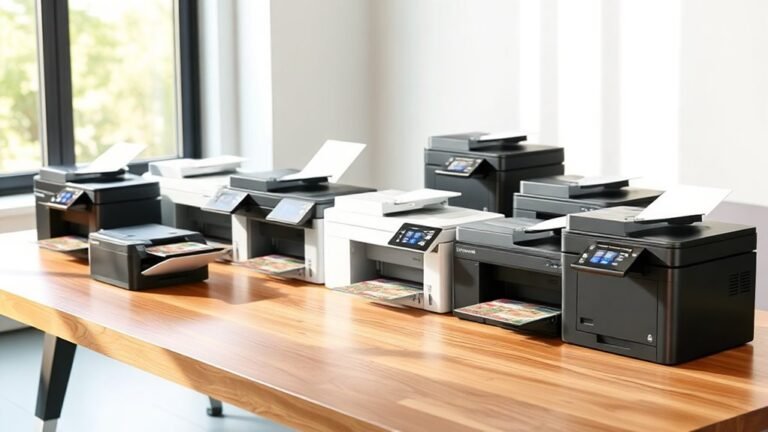
The EcoTank ET-8550 and ET-15000 are great choices for wide-format photo printing. Meanwhile, the ET-2900 and ET-4800 are designed for compact, everyday use and come with wireless convenience. All models offer versatile functions like scanning and copying, making them ideal for home or office setups.
Each printer balances print quality, speed, and size differently to fit your needs. So, keep exploring to find the perfect match for your setup and budget!
| Image | Name | Editor's Rating | Price |
|---|---|---|---|

|
|
||

|
|
||

|
|
||

|
|
||

|
|
Epson EcoTank Photo ET-8550 Wireless Wide-Format All-in-One Tank Printer
- CARTRIDGE-FREE PRINTING — Print lab-quality photos, graphics and creative projects; Get vibrant colors and sharp text with Epson's high-accuracy printhead and Claria ET...
- INK BOTTLES — Save on photos1 and creative projects with affordable in-house printing; All-in-one printer allows you to print 4" x 6" photos for about 4 cents each vs...
- LESS FREQUENT INK REPLACEMENT — Replacement ink bottles don't have to be changed nearly as often as ink cartridges¹; Printer, scanner and copier lets you print up to...
- PRINT FOR LONGER — Up to 2 years of ink in the box² (and with every replacement ink set) for fewer out-of-ink frustrations with this wireless printer
- ZERO CARTRIDGE WASTE — Epson EcoTank printer helps reduce the amount of cartridge waste ending up in landfills; Cartridge-free printer uses high-yield ink bottles; Each...

The Epson EcoTank Photo ET-8550 redefines photo and graphic printing with its cartridge-free system and vibrant 6-color Claria ET Premium inks. It solves the hassle and expense of frequent cartridge replacements by using large ink tanks that deliver up to 6,200 color pages per refill. This means fewer interruptions and significantly lower printing costs.
Designed for versatility, this wireless wide-format all-in-one printer supports not only printing but also scanning and copying. It handles creative media sizes like 4 x 6 photos, making it ideal for photographers and creatives who need detailed, lab-quality prints from their home or office.
Maintenance is straightforward with refillable ink bottles, though care is needed to avoid spills during refills. The wide-format design provides more space for larger projects but requires a dedicated area in your workspace.
Overall, the Epson EcoTank Photo ET-8550 offers a smart balance of quality, cost savings, and eco-friendliness, making it a practical solution for high-volume photo and document printing.
Best for: photographers, creatives, and home or office users seeking high-quality, cost-effective, and eco-friendly wide-format photo and document printing.
What We Like:
- Cartridge-free printing with vibrant 6-color ink system
- High ink yield reduces cost and waste
- Wireless all-in-one functionality for printing, scanning, and copying
- Supports wide-format and creative media sizes
- Easy-to-maintain refillable ink tanks
Specification:
| Feature | Details |
|---|---|
| Manufacturer | Epson |
| Dimensions | Approx. 26.8 x 14.8 x 9.8 inches (68 x 37.6 x 24.9 cm) |
| Weight | Approx. 17.2 lbs (7.8 kg) |
| Color Options | Black |
| Ink System | Claria ET Premium 6-color ink tanks |
Epson EcoTank ET-2900 Wireless Color All-in-One Supertank Printer – Black
- Epson EcoTank includes enough ink to last up to 3 years⁴
- WORRY-FREE PRINTING — Epson EcoTank comes with enough ink to print up to 3,600 pages black/6,500 color⁹ for fewer out-of-ink frustrations. Each replacement ink bottle...
- SIMPLE INK REFILLING — Supersized ink tanks and uniquely keyed EcoFit bottles make refilling ink simple—no mess, no stress and no ink bottle mix-ups; fits in...
- THE WORLD’S #1 SELLING SUPERTANK PRINTER² — Epson invented EcoTank to revolutionize the way people print; we’ve sold 100 million EcoTanks worldwide⁷ and this is...
- KEY PRODUCTIVITY FEATURES — 11 black/6 color ISO ppm print speeds with zero warmup time, 100-sheet paper tray, high-resolution flatbed scanner and a 1.44" color display...
Experience hassle-free printing with the Epson EcoTank ET-2900, designed to eliminate frequent ink replacements. Its cartridge-free, supersized refillable ink tanks deliver up to three years of ink, reducing interruptions and saving you money. Refilling is simple and clean with EcoFit bottles that prevent spills.
This all-in-one printer combines printing, scanning, and copying in a compact, Energy Star–certified design. It supports wireless and USB connectivity, making it easy to integrate into your home or office setup. Borderless printing and high-resolution output up to 5760 x 1440 dpi ensure professional-quality results.
Maintenance is straightforward thanks to heat-free technology, which protects the permanent printhead and extends the printer’s lifespan. While print speeds are moderate at 11 ppm black and 6 ppm color, this model suits everyday tasks well. The maximum media size is 8.5 x 14 inches, and it lacks an automatic document feeder, so multi-page tasks may take more time.
Best for: Home and office users seeking a cost-effective, versatile all-in-one printer with wireless connectivity and easy ink refilling.
What We Like:
- Cartridge-free ink tanks provide up to three years of ink.
- Heat-free technology preserves the permanent printhead.
- Wireless and USB connectivity for flexible use.
- High-resolution color printing and borderless capability.
- Compact, energy-efficient design fits small spaces.
Specification:
| Feature | Details |
|---|---|
| Manufacturer | Epson |
| Dimensions (W×D×H) | 14.8 × 12.2 × 6.0 inches |
| Weight | 7.5 lb |
| Color Options | Black |
| Print Speed | 11 ppm (black), 6 ppm (color) |
| Maximum Print Resolution | 5760 x 1440 dpi |
| Connectivity | Wireless, USB |
| Maximum Media Size | 8.5 × 14 inches |
Epson EcoTank ET-4800 Wireless Color All-in-One Supertank Printer
- INNOVATIVE CARTRIDGE-FREE PRINTING — High-capacity ink tanks mean no more dealing with lots of tiny ink cartridges; Epson’s exclusive EcoFit ink bottles make filling...
- CLEAR AND VIBRANT PRINT QUALITY ― Create memorable prints and projects; Unique Micro Piezo Heat-Free Technology allows wireless color printer to produce sharp text and...
- ZERO CARTRIDGE WASTE — By using an Epson EcoTank printer you can help reduce the amount of cartridge waste ending up in landfills
- BUILT IN SCANNER AND COPIER ― All-In-One Epson EcoTank is more than a printer; High-resolution flatbed scanner and color display come together for easy document copying...
- LESS FREQUENT INK REPLACEMENT — Replacement ink bottles don't have to be changed nearly as often as ink cartridges¹; Printer, scanner and copier lets you print up to...
The Epson EcoTank ET-4800 is designed to make printing more efficient and affordable. Its cartridge-free ink system with high-capacity tanks lets you print thousands of pages without constant refills. This reduces interruptions and cuts down on waste, making it a practical choice for busy home offices.
With sharp text and vivid color output, this all-in-one printer handles documents and photos with ease. The built-in flatbed scanner, copier, and fax add versatile functionality, streamlining your workflow. The color display makes navigation simple and user-friendly.
Maintenance is straightforward but requires genuine Epson ink to ensure consistent quality and avoid issues. Although initial setup may take some time, the long-term savings on ink and reduced cartridge waste make it worthwhile. Its compact design fits well in smaller spaces without sacrificing capability.
By combining high page yields with eco-conscious features, the Epson ET-4800 supports cost-effective printing while minimizing environmental impact. It is an ideal solution for users who need reliable, multi-function performance.
Best for: Home office users and small businesses needing a versatile, cost-efficient all-in-one printer with high ink capacity.
What We Like:
- Cartridge-free ink system with large tanks reduces refill frequency and waste
- High print yields lower overall printing costs
- Includes scanner, copier, fax, and color display for full office functionality
- Sharp text and vibrant color output suitable for varied documents
- Compact design fits well in limited spaces
Specification:
| Feature | Details |
|---|---|
| Manufacturer | Epson |
| Dimensions | Approx. 14.8 x 13.1 x 9.8 inches (37.5 x 33.3 x 24.9 cm) |
| Weight | Around 12.5 lbs (5.67 kg) |
| Ink System | Cartridge-free with refillable tanks |
| Connectivity | Wireless |
| Functions | Print, Scan, Copy, Fax |
Epson EcoTank ET-15000 Wireless All-in-One Wide-Format Supertank Printer
- PHOTO PRINTING — Ultra HD photo printer delivers borderless prints up to 13 in x 19 in with 6-color Claria Photo HD ink system including red and gray for enhanced color...
- COMPACT DESKTOP PRINTER — Wide format A3 plus printer is 30% smaller than predecessor and fits on desktop, easily fits on desktop while accommodating specialty media...
- WIRELESS CONNECTIVITY — Wi-Fi printer enables convenient printing from computers, smartphones and tablets with auto 2-sided document printing capability and 200-sheet...
- INDIVIDUAL INK SYSTEM — 6-color cartridge system with Claria Photo HD technology provides color accuracy and longevity; Designed for use with genuine Epson printer ink...
- SMART CONVENIENCE — Amazon Dash Replenishment Ready feature automatically tracks ink usage and orders replacement cartridges when running low; Supports uninterrupted...
Experience seamless wide-format printing with the Epson EcoTank ET-15000, designed to meet the needs of home users, small offices, and creative professionals. This versatile all-in-one printer lets you print, scan, copy, and fax with ease, handling borderless prints up to 13 x 19 inches. Its cartridge-free design helps reduce waste and lowers printing costs.
Maintenance is simple thanks to supersized refillable ink tanks that deliver up to 6,000 pages per set. The six-color Claria Photo HD ink ensures vibrant, accurate photos and documents, making it ideal for high-quality output without frequent interruptions. Wireless connectivity and voice-activated printing add convenience while saving space with a compact design 30% smaller than previous models.
While the maximum scan size is limited to 8.5 x 14 inches, this printer balances functionality and size well. Print speeds are moderate, suitable for typical home or small office workloads. The requirement for genuine Epson ink bottles and account setup ensures optimal performance but may add initial steps to setup.
The Epson EcoTank ET-15000 offers an eco-friendly, cost-effective solution for wide-format printing with user-friendly features designed to improve workflow and reduce environmental impact.
Best for: home users, small offices, and creative professionals needing versatile, cartridge-free wide-format printing with high-quality photo results.
What We Like:
- Cartridge-free printing with supersized refillable tanks reduces waste and cost
- Vibrant borderless prints up to 13 x 19 inches with six-color Claria Photo HD ink
- Compact design with wireless and voice-activated printing for convenience
- Auto-duplex printing and a 250-sheet tray support efficient workflow
Specification:
| Feature | Details |
|---|---|
| Manufacturer | Epson |
| Dimensions (W×D×H) | Approx. 23.6 × 16.1 × 9.3 inches |
| Weight | Approx. 14.3 lb |
| Ink System | Six-color Claria Photo HD, refillable tanks |
| Max Print Size | 13 × 19 inches |
| Max Scan Size | 8.5 × 14 inches |
| Connectivity | Wireless, voice-activated printing |
Epson EcoTank ET-2900 Wireless All-in-One Printer
- Epson EcoTank includes enough ink to last up to 3 years⁴
- WORRY-FREE PRINTING — Epson EcoTank comes with enough ink to print up to 3,600 pages black/6,500 color⁹ for fewer out-of-ink frustrations. Each replacement ink bottle...
- SIMPLE INK REFILLING — Supersized ink tanks and uniquely keyed EcoFit bottles make refilling ink simple—no mess, no stress and no ink bottle mix-ups; fits in...
- THE WORLD’S #1 SELLING SUPERTANK PRINTER² — Epson invented EcoTank to revolutionize the way people print; we’ve sold 100 million EcoTanks worldwide⁷ and this is...
- KEY PRODUCTIVITY FEATURES — 11 black/6 color ISO ppm print speeds with zero warmup time, 100-sheet paper tray, high-resolution flatbed scanner and a 1.44" color display...
The Epson EcoTank ET-2900 transforms home printing by eliminating frequent ink changes and messy cartridges. Its large refillable tanks come with EcoFit bottles, which make refilling simple and clean. This design reduces interruptions, so you can focus on your tasks without worrying about running out of ink.
With enough ink included to print for up to three years, the ET-2900 is built for low-maintenance use. It prints up to 3,600 black and 6,500 color pages initially, helping you save time and money. Fast printing speeds of 11 ppm in black and 6 ppm in color ensure your documents are ready quickly, with no warmup delay.
The wireless all-in-one setup includes a high-resolution scanner and a user-friendly 1.44″ color display. Its compact white design fits seamlessly into any home environment. The 100-sheet tray manages daily printing needs efficiently but may be limited for heavy workloads.
This printer is ideal for anyone seeking a cost-effective, reliable, and easy-to-maintain wireless all-in-one for home use. It balances functionality with convenience, though some users might find print speeds and tray capacity modest compared to office models.
Best for: home users wanting a hassle-free, economical wireless all-in-one printer with minimal ink maintenance.
What We Like:
- Long-lasting ink supply reduces frequent refills.
- Mess-free, cartridge-free ink refilling with EcoFit bottles.
- Quick printing with zero warmup time.
- Compact wireless design with integrated scanner.
- Simple, easy-to-navigate color display.
Specification:
| Feature | Details |
|---|---|
| Manufacturer | Epson |
| Dimensions | 14.8 x 12.2 x 5.9 inches |
| Weight | 9.7 lbs (4.4 kg) |
| Color Options | White |
| Ink System | Cartridge-free refillable tanks |
| Paper Tray Capacity | 100 sheets |
Factors to Consider When Choosing a Budget Ecotank Printer
When choosing a budget EcoTank printer, you’ll want to focus on print quality and ink yield to get the best value. Check the connectivity options and print speed to match your workflow needs.
Don’t forget to take into account how easy it is to refill the ink, since that impacts your long-term convenience. It’s these little things that can make a big difference over time.
Print Quality Performance
Although budget EcoTank printers aim to save you money, you shouldn’t compromise on print quality. Look for models with high maximum print resolutions—several thousand dpi guarantee sharp text and detailed photos.
Don’t overlook printers that use multi-color ink sets beyond CMYK; extra inks enhance color range and grayscale accuracy. Pay attention to printhead technology and droplet size, as smaller droplets produce smoother gradients and finer detail.
Also, check if the stated print speeds apply to draft or high-quality modes, since better quality slows printing markedly. If you plan to scan or copy, consider the scanner’s optical resolution and color depth, which impact the accuracy of reproductions.
Balancing these factors helps you get crisp, vibrant prints without overspending. It’s all about finding the right mix that works for your needs and budget.
Ink Yield Efficiency
Since ink costs can quickly add up, you’ll want to focus on ink yield efficiency when choosing a budget EcoTank printer. Start by checking the stated page yield for both color and black inks to estimate how often you’ll need refills based on your monthly print volume.
Compare the volume of included and replacement ink bottles, converting to pages-per-mL to gauge efficiency. Opt for printers with individual color tanks or multi-color sets, so you only replace the colors you use most, cutting waste and costs.
Consider manufacturer claims about “years of ink included” against your printing habits—say, 200 pages/month—to make certain ink longevity matches your needs.
Finally, remember that higher-resolution or photo printing uses more ink, so factor in your typical print types when evaluating efficiency.
Connectivity Options Available
Ink efficiency helps control ongoing costs, but connectivity determines how easily you can access your EcoTank printer. You’ll want models with Wi-Fi and Wi-Fi Direct to print wirelessly from multiple devices or directly from your phone without a router.
USB connections, whether Type-A or Type-B, offer a solid wired option when wireless isn’t available. If you’re in a small office, an Ethernet port guarantees a stable network connection and simplifies shared printing.
Cloud printing and dedicated apps let you print or scan remotely, though they require internet and account setup. Finally, look for automatic support of protocols like AirPrint and Mopria, so you can print seamlessly from iOS, Android, or laptops without installing extra drivers.
Print Speed Metrics
When choosing a budget EcoTank printer, understanding print speed metrics can help you pick a model that matches your workflow. Print speed is measured in pages per minute (ppm), with higher numbers indicating faster output for text-heavy documents.
Keep in mind, manufacturers often list ISO or “ISO-like” speeds based on standardized tests, so actual speeds might be slower depending on print quality, paper type, and image complexity. If you print photos or high-resolution images, expect longer print times compared to draft text pages.
Also, consider first-page-out time—printers with fast ppm but slow startup can feel sluggish for quick jobs. Finally, if you use duplex or eco modes, check how these affect speed, as they typically reduce effective ppm and impact overall printing time.
Ink Refill Convenience
Refilling your EcoTank printer can make or break your overall experience, so you’ll want to look for features that simplify the process and cut down on mess. Check if the printer uses keyed, spill-resistant refill bottles and clearly labeled tank ports to prevent color cross-contamination.
Opt for models with large-capacity, integrated tanks to reduce how often you need to refill. Easy-access tank placement and transparent level windows help you monitor ink levels and refill before running dry.
Also, compare the included ink volume and initial page yield to estimate your typical refill frequency. Finally, consider if replacement ink comes in multi-bottle sets and the expected yield per set, so you can manage long-term costs and convenience without surprises.
Printer Size Dimensions
Although EcoTank printers offer great savings on ink, you’ll want to make sure the printer fits comfortably in your workspace. Start by measuring your desk or shelf space and compare it to the printer’s footprint—depth, width, and height—to avoid blocking vents or access panels.
Remember, the printer’s weight and fully loaded size matter if you plan to move it or place it on a less sturdy surface. Also, account for extra clearance for paper trays and output areas, which often extend several inches beyond the main body.
If your model includes a scanner lid or automatic document feeder, make sure there’s enough vertical space for it to open fully. For tight spaces, prioritize compact designs with foldable trays to save surface area.
Frequently Asked Questions
How Long Do Ecotank Printer Ink Bottles Typically Last?
EcoTank printer ink bottles typically last about 6 to 12 months, depending on your printing volume.
If you print regularly, you’ll need to refill less often. It’s a great way to save money and avoid hassle over time.
Can Ecotank Printers Be Used With Third-Party Ink?
You can use third-party ink in EcoTank printers, but it’s risky. It might void your warranty, cause clogs, or reduce print quality.
It’s usually best to stick to original ink for the best results and longer printer life. That way, you avoid potential headaches down the line.
What Is the Warranty Period for Epson Ecotank Printers?
You might think Epson EcoTank printers have a short warranty, but they actually offer a standard one-year warranty.
Plus, if you register your printer, you can often extend coverage for peace of mind. It’s a nice way to keep your investment protected beyond the basics.
Are Ecotank Printers Compatible With Mac and Windows?
Yes, you’ll find EcoTank printers compatible with both Mac and Windows. Epson provides drivers and software for both platforms, so you won’t have trouble setting up or using your printer regardless of your computer’s operating system.
It’s pretty straightforward. Whether you’re on a Mac or a Windows PC, you should be good to go without any hiccups.
Do Ecotank Printers Support Mobile Printing Apps?
You’ll think EcoTank printers invented magic—they totally support mobile printing apps! You can print documents or photos straight from your phone or tablet without any hassle.
Just connect, tap, and watch your prints appear instantly. It’s really that simple!
Conclusion
Choosing the right budget EcoTank printer can save you up to 70% on ink costs compared to traditional cartridges. Whether you need vibrant photo prints or reliable everyday use, these EcoTank models offer impressive quality without breaking the bank.
Keep your long-term savings and printing needs in mind, and you’ll find a printer that fits perfectly. With so many options, you’re sure to snag a great deal that keeps your wallet and the environment happy.
When picking a budget EcoTank printer, think about how often you print and what types of documents you usually need. These printers are designed to be eco-friendly and cost-effective, making them a smart choice for anyone looking to reduce waste and save money.
In the end, choosing from the best budget EcoTank printers not only cuts down your ink expenses but also supports sustainable printing practices. So go ahead, find the perfect EcoTank printer for 2027 that balances quality, affordability, and eco-consciousness effortlessly!