4 Best Budget 3D Printers for Beginners in 2026
If you’re new to 3D printing, finding the best budget 3D printer for beginners can feel overwhelming. But don’t worry, there are great options that combine ease of use with reliable performance. The Entina Tina2 Plus is a fantastic choice for those who want a fully assembled, auto-leveled setup. It’s perfect for classrooms and small spaces, making your first printing experience smooth and hassle-free.
For multicolor projects, the Anycubic Kobra X stands out. It offers native 4-color printing and a quick, 15-minute assembly, so you can get started without delay.
On the other hand, the Creality Ender 3 V3 SE is known for its quiet operation and dependable auto-leveling. This model is excellent if you want high-quality prints without a lot of noise.
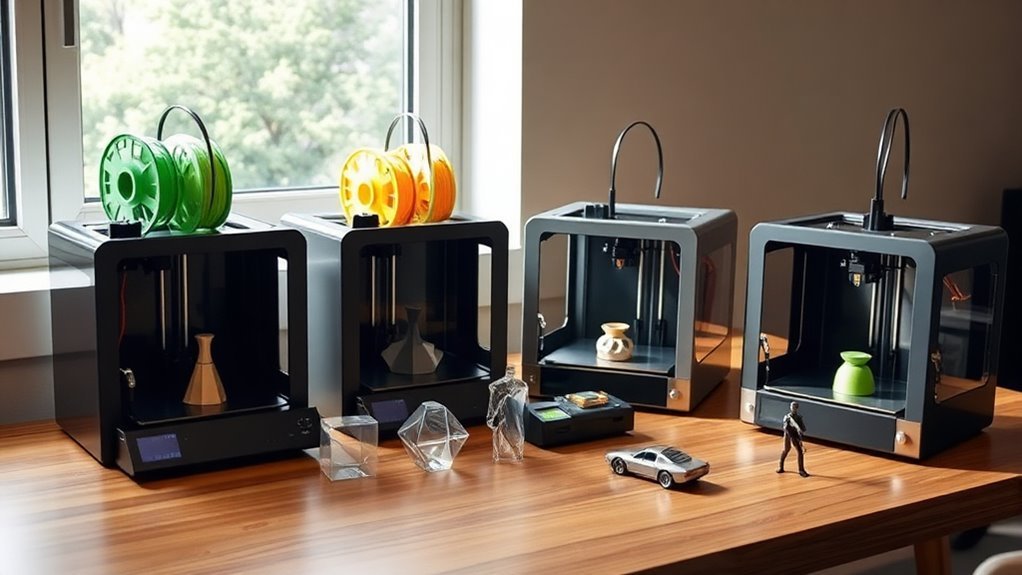
Each of these budget 3D printers balances ease, speed, and precision—let’s explore which one fits your needs best.
| Image | Name | Editor's Rating | Price |
|---|---|---|---|

|
|
||

|
|
||

|
|
||

|
|
Entina Tina2 Plus 3D Printer for Beginners
- 【Start Printing in Minutes – Beginner Friendly】No setup required. Tina2 Plus 3d printer comes fully assembled and ready to use out of the box. With included TF card...
- 【Fast 250mm/s Printing Performance】This Tina2 Plus high speed 3D printer print speeds up to 250 mm/s help reduce waiting time and support fast project turnaround...
- 【WiFi App Control & STEM Model Library】Powered by the Poloprint Cloud app, this WiFi-enabled 3D printer gives access to 3,500+ printable models and 25+ creative DIY...
- 【40-Second Fast Heat Ceramic Hotend】High-efficiency ceramic hotend heats up in just 40 seconds for faster start-up and less downtime. The quick-swap nozzle design...
- 【Compact 3D Printer for Home & Classroom】Designed with a space-saving footprint while maintaining practical print capacity, this compact 3D printer fits easily on...
The Entina Tina2 Plus is an ideal 3D printer for beginners eager to start creating quickly. It arrives fully assembled, eliminating setup stress. With the included TF card loaded with sample models, you can begin printing in minutes, making it perfect for classrooms or home use.
This compact printer features auto-leveling and a quick-heating ceramic hotend, ensuring smoother first layers and reducing print errors. Its stable dual Z-axis system enhances print precision, minimizing failures and improving overall reliability. These thoughtful design elements make operation straightforward, even for young users.
Maintenance is simple due to the printer’s accessible design and durable components. It supports multiple operating systems and connects through the Poloprint Cloud app, offering easy control and access to a wide range of models. This versatility supports learning and creativity in educational settings.
While the partially enclosed frame limits printing larger objects, the Entina Tina2 Plus focuses on delivering a seamless entry-level experience. Its print speed maxes out at 250 mm/s, suitable for beginners but modest compared to advanced machines.
Best for: Beginners and kids seeking a user-friendly, ready-to-use 3D printer for home, classroom, or STEM education.
What We Like:
- Fully assembled with preloaded models for immediate use
- Auto-leveling and dual Z-axis system improve print quality
- Compatible with various operating systems via a versatile cloud app
- Compact and lightweight design ideal for small spaces
Specification:
| Feature | Details |
|---|---|
| Manufacturer | Entina |
| Dimensions | Compact, desk-friendly |
| Weight | Lightweight |
| Material | Metal and plastic |
| Color Options | Standard (single color) |
Anycubic Kobra X Multicolor 3D Printer, Easy One-Click Printing
- 【Vivid 19-Color and Versatile Materials】Unleash creativity beyond limits. The Kobra X supports 4-color standard and expands up to 19 colors with 4 ACE 2 Pro for...
- 【600mm/s High Speed Performance】Don't let slow speeds limit your creativity. This high-speed FDM 3D printer reaches up to 600mm/s, completing tasks significantly...
- 【True Plug & Play Experience】Start your first project in as little as 15 minutes. The Kobra X arrives with a user-friendly setup and LeviQ 3.0 automatic bed leveling...
- 【LeviQ 3.0 Perfect First Layer】Forget the frustration of manual bed leveling that plagues beginner machines. The LeviQ 3.0 system utilizes 49-point full-auto leveling...
- 【Quiet & Reliable for Home】The ultra-quiet ≤48 dB operation ensures the living or learning space remains peaceful. Combined with power loss recovery and filament...
Step into the world of vibrant 3D creations with the Anycubic Kobra X Multicolor 3D Printer. This printer simplifies multi-color printing through its easy one-click setup, making complex projects accessible without the usual technical barriers. Its intuitive design reduces setup time, helping you start printing quickly and confidently.
The Kobra X supports up to four colors natively and can expand to 19 with an add-on, enabling intricate, multi-material models. Its 260mm³ build volume suits most hobbyist and educational projects, while fast speeds up to 600 mm/s accelerate production without compromising quality.
Maintenance is straightforward thanks to the hardened steel nozzle, which handles various filaments like PLA and TPU, paired with LeviQ 3.0 auto-leveling to ensure smooth, precise first layers every time. AI-powered monitoring and power-loss recovery add reliability by minimizing print failures and interruptions.
This printer balances advanced capabilities with user-friendly features, making it ideal for educators, hobbyists, and professionals who need dependable, multi-material printing without complexity.
Best for: Beginners, educators, and hobbyists seeking a reliable, easy-to-use multi-color 3D printer with fast, precise output.
What We Like:
- Quick 15-minute setup with automatic LeviQ 3.0 leveling for flawless first layers
- Native 4-color printing expandable to 19 colors for versatile multi-material projects
- AI-powered monitoring with real-time alerts and power-loss recovery for uninterrupted printing
Specification:
| Feature | Details |
|---|---|
| Manufacturer | Anycubic |
| Build Volume | 26 x 26 x 26 cm (260mm³) |
| Max Print Speed | 600 mm/s |
| Nozzle Material | Hardened Steel |
| Max Nozzle Temperature | 300 °C |
| Color Capability | 4 colors native, expandable to 19 |
| Auto-Leveling | LeviQ 3.0 |
Anycubic Kobra X Multicolor 3D Printer, Easy Setup, Native 4-Color
- 【 Newest Level - 19-Color with 4 ACE 2 Pro】Why settle for one color when you can have multicolor? The Kobra X comes born with 4 colors built-in. It is innovative 3D...
- 【 Savings 2X Time】Stop wasting hours and filament on purging! Kobra X impresora 3D reduces the filament and machine travel path by 81.25%, so 2X the Speed, and...
- 【Hardened Precision & High Speed 】 Equipped with a high-durability hardened steel nozzle and vibration compensation, the Kobra X ensures every layer remains smooth...
- 【Flawless First Layer with LeviQ 3.0】The LeviQ 3.0 and auto bed leveling system uses a 49-point calibration and advanced leveling algorithm to ensure 100% bed...
- 【Smart AI Monitoring & Large Model Library】APP remote control, features Spaghetti detection and foreign object detection. The innovative top-mount spool holder...

The Anycubic Kobra X Multicolor 3D Printer makes multicolor printing accessible and straightforward. Its native 4-color capability allows users to create vibrant, detailed models without complicated setups. This printer is designed for quick assembly, so you can start printing in about 15 minutes.
With the LeviQ 3.0 auto bed leveling, it ensures a perfectly flat print surface every time. Maintenance is simplified by the smart AI monitoring system, which detects print issues remotely through the app. This reduces downtime and helps deliver consistent print quality.
The compact design includes top-mount spool holders that save workspace and allow for easy filament swaps. While the build volume is moderate, it suits most home, school, and makerspace projects. Expanding color options is possible but may require additional hardware and setup.
Operating quietly and efficiently, this printer fits well in environments where noise and space are concerns. Filament is sold separately, so users should plan for that when starting. Overall, it balances ease of use with advanced features tailored for creative multicolor printing.
Best for: Beginners and hobbyists seeking an easy multicolor 3D printer with fast setup and reliable performance for home, school, or makerspaces.
What We Like:
- Native 4-color printing with expandable color options.
- Quick setup and precise auto bed leveling.
- Smart AI monitoring for remote print issue detection.
- Quiet operation with space-saving spool holders.
Specification:
| Feature | Details |
|---|---|
| Manufacturer | Anycubic |
| Build Volume | 260 mm³ |
| Color Options | Native 4-color, expandable |
| Auto Bed Leveling | LeviQ 3.0 |
| Setup Time | Approximately 15 minutes |
| Filament | Not included |
Creality Ender 3 V3 SE Beginner-Friendly 3D Printer with Auto Leveling
- 250mm/s High-Speed Printing: Print at speeds of up to 250mm/s with 2500mm/s² acceleration, helping you complete prototypes, functional parts, and everyday projects...
- Easy Setup with Auto Leveling: Designed for a fast and straightforward setup, the Ender 3 V3 SE can be assembled in just a few simple steps. CR Touch Auto Leveling and...
- Proven Sprite Direct Drive Extruder: The upgraded Sprite Direct Drive Extruder provides smooth and consistent filament feeding for PLA, PETG, and TPU. Its proven design...
- Stable Motion System for Consistent Results: Dual synchronized Z-axis lead screws and precision Y-axis linear shafts work together to help reduce vibration and Z...
- Quiet Operation with Easy Print Removal: A 32-bit silent mainboard helps reduce operating noise for a more comfortable printing experience, while the flexible PC spring...
The Creality Ender 3 V3 SE offers a straightforward 3D printing experience designed to reduce setup frustrations. Its CR Touch auto leveling and automatic Z-offset calibration take the guesswork out of bed leveling, ensuring a smooth first layer every time. This means less time tweaking and more time creating.
Maintenance is simple with its flexible PC spring steel build plate, which makes removing prints hassle-free and keeps the surface clean for consistent adhesion. The printer’s Sprite Direct Drive Extruder supports a variety of filaments like PLA, PETG, and TPU, broadening your material choices for different projects.
With a maximum speed of 250 mm/s, the Ender 3 V3 SE balances fast printing and reliable quality. Its dual Z-axis screws and stable motion system minimize vibrations, resulting in precise and detailed prints. The quiet 32-bit mainboard also ensures low noise levels, making it suitable for home or office environments.
This 3D printer is ideal for beginners and hobbyists seeking an easy-to-use machine that covers essential functions without overwhelming complexity.
Best for: Beginners and hobbyists looking for a reliable, beginner-friendly 3D printer with automatic leveling and versatile filament support.
What We Like:
- Reliable CR Touch auto leveling and Z-offset calibration.
- Flexible PC spring steel build plate for easy print removal.
- Supports multiple filament types with Sprite Direct Drive Extruder.
- Quiet operation with a 32-bit silent mainboard.
- Stable motion system with dual Z-axis screws for precision.
Specification:
| Feature | Details |
|---|---|
| Manufacturer | Creality |
| Printing Speed | Up to 250 mm/s |
| Build Plate | Flexible PC spring steel |
| Extruder | Sprite Direct Drive |
| Mainboard | 32-bit silent mainboard |
| Supported Filaments | PLA, PETG, TPU |
Factors to Consider When Choosing a Budget 3D Printer 2026 Beginner
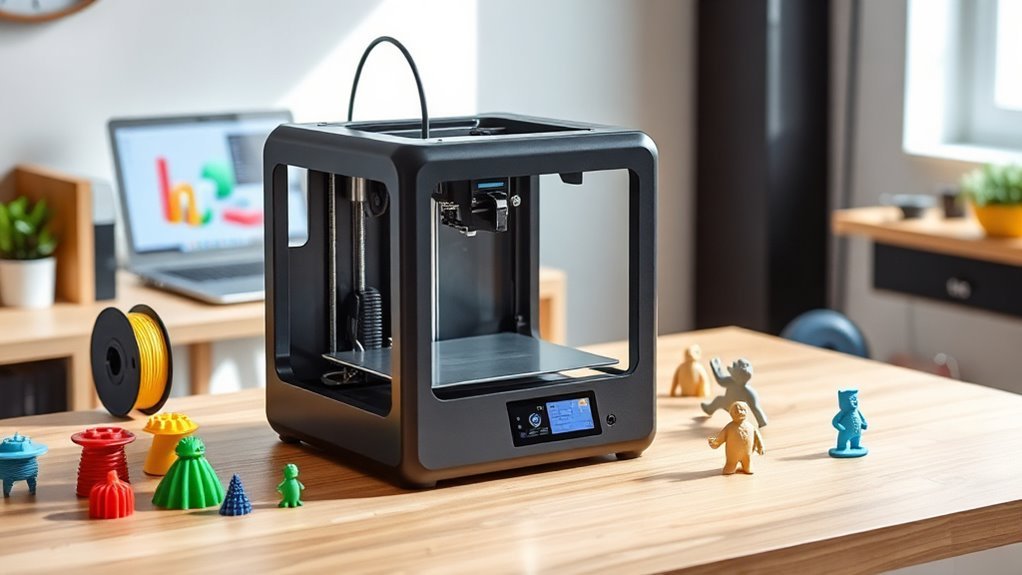
When choosing a budget 3D printer, you’ll want to focus on print quality, ease of setup, and material compatibility to get the best results.
Speed and efficiency matter too, especially if you plan to print often. Don’t forget to check safety features to keep your workspace secure while printing.
Print Quality Essentials
Because print quality hinges on several technical factors, you’ll want to focus on key elements like layer height, nozzle size, and machine stability when choosing a budget 3D printer. Aim for printers that can reliably print at 0.1–0.2 mm layer height for fine details, while 0.2–0.3 mm offers faster, still acceptable quality.
A 0.4 mm nozzle is a versatile choice, balancing detail and speed; smaller nozzles enhance detail, while larger ones boost printing speed. Make certain the printer has a rigid frame and stable XYZ motion to minimize vibrations and Z-wobble, which affect sharpness and accuracy.
Also, consistent extrusion paired with good cooling prevents defects like stringing or under-extrusion. Reliable bed adhesion with accurate leveling and quality build surfaces helps maintain dimensional accuracy and reduces print failures.
Ease of Setup
Getting started with a budget 3D printer shouldn’t feel like a chore. Choose models that arrive fully assembled or require minimal setup—ideally, plug-and-play within 15–30 minutes.
Look for automatic or assisted bed leveling features; they save you from fiddling with manual adjustments and boost your first-layer success. Printers with preloaded sample files, SD cards, or one-click print functions let you start printing immediately without wrestling with slicing software.
Prioritize machines with intuitive interfaces and companion apps offering guided setup, remote monitoring, and built-in slicing profiles to ease your learning curve. Also, make sure the printer comes with clear manuals, helpful video tutorials, and an active support community.
These resources make troubleshooting and calibration simpler, so you can focus on creating rather than struggling with setup. It really makes the whole process smoother and more enjoyable.
Material Compatibility
Although budget 3D printers often focus on affordability, you still need to make sure they support the filament types you want to use. Different materials like PLA, PETG, and TPU need varying nozzle and bed temperatures—PLA prints around 190–220°C, while PETG and TPU require 230–250°C.
Check the printer’s max temperature limits to confirm compatibility. Also, verify if the extruder is direct-drive or Bowden and whether it has a hardened nozzle, especially if you plan to print flexible or abrasive filaments.
Features like a heated bed, enclosure, and filament run-out sensor improve material handling. Finally, confirm slicer and firmware support for multi-material workflows to simplify printing with various filaments.
Ensuring these factors helps you avoid compatibility issues and achieve reliable prints.
Speed and Efficiency
When choosing a budget 3D printer, you’ll want to weigh speed and efficiency to maximize your productivity without sacrificing quality. Aim for a printer with a maximum print speed around 200–250 mm/s. But keep in mind that actual speeds are often slower to maintain detail.
Higher acceleration settings can reduce print time on small parts, but they may cause vibrations if the frame isn’t sturdy. If you plan multi-color prints, expect extra time for tool changes and purges.
Features like automatic bed leveling, fast-heating hotends, and preloaded models speed up setup. Monitoring tools such as power-loss recovery and filament runout detection help prevent failed prints, saving time and material.
Choosing a machine with these efficiency features will make your printing smoother and more productive. It’s all about balancing speed with quality to get the best results.
Safety Features
Because 3D printers involve high temperatures and moving parts, you need to prioritize safety features to protect yourself and others. Look for enclosed or partially enclosed frames with guarded moving parts to prevent accidental contact, especially if kids will be around.
Also, verify the printer includes thermal protection like thermal runaway detection and over-temperature cutoffs to avoid fires or melting. Choosing models with quick-cool, insulated hotends and secure, easy-to-swap nozzles helps limit exposure during maintenance.
Bed-surface protections such as PEI or spring-steel plates, combined with stable auto-leveling, reduce manual adjustments and contact with hot surfaces. Plus, make sure the printer has filament run-out detection, power-loss recovery, and reliable cooling fans to prevent jams, failures, and unsafe hotspots during unattended printing.
These features keep your printing experience safer and hassle-free. So, it’s definitely worth looking out for them when picking your 3D printer!
Software and Connectivity
How do you guarantee your 3D printing setup stays flexible and easy to manage? Choose a printer compatible with popular slicers like Cura or PrusaSlicer, ensuring access to community profiles, updates, and troubleshooting.
Look for multiple connectivity options—USB, SD card, Wi-Fi, or Ethernet—so you can switch between local control, reliable card printing, and remote monitoring. Confirm the firmware supports updates, ideally open-source like Marlin or OTA, to keep your printer current with bug fixes and features.
Prioritize models with integrated cameras and print-failure detection to watch and control prints remotely. Finally, check companion apps or APIs for secure remote slicing and print management, using strong network security like WPA3.
This approach keeps your budget 3D printer adaptable and user-friendly.
Support and Warranty
Although budget 3D printers often come with limited warranties, you should carefully verify the length and scope of coverage, including parts like the hotend and motion system. Make sure the warranty covers replacement parts, not just repairs, and check if it’s valid domestically or internationally.
Also, confirm if the manufacturer or seller offers easy parts replacement or return programs without lengthy RMAs, and whether parts are affordable. Don’t overlook the importance of responsive technical support—look for multiple contact options like phone, email, or live chat, and check their typical response times.
Finally, access to active community forums, user groups, and up-to-date guides can be invaluable, helping you troubleshoot and get the most from your printer beyond formal support channels. It’s always great to have that extra help when you need it!
Frequently Asked Questions
What Materials Are Best for Beginner 3D Printing Projects?
You’ll want to start with PLA because it’s easy to print, non-toxic, and affordable. It cools quickly, sticks well to the bed, and doesn’t require a heated chamber, making your first projects hassle-free and successful.
It’s honestly one of the best materials for beginners. Plus, you don’t have to worry much about settings or complicated setups. Just load it up and start printing!
How Do I Maintain and Clean a Budget 3D Printer?
You should regularly clean the print bed and nozzle, remove filament residues, and lubricate moving parts. It helps keep everything running smoothly.
Also, make sure to update your printer’s firmware when needed. Don’t forget to check belts and screws too.
Doing these little things can prevent clogs and keep your budget 3D printer working great for a long time.
Are There Any Safety Precautions for Beginners Using 3D Printers?
Around 60% of beginner 3D printer users face minor burns. You should always wear gloves and avoid touching the hot nozzle.
Also, make sure to guarantee proper ventilation. Never leave the printer unattended during operation.
These simple steps help you stay safe and enjoy printing hassle-free. Just a little caution goes a long way!
Can Budget 3D Printers Be Upgraded With New Features?
Yes, you can upgrade budget 3D printers with new features like better nozzles, improved build plates, or enhanced firmware.
Just make sure the upgrades are compatible, and you’ll boost your printer’s performance over time. It’s a great way to get more out of your machine without spending a lot on a new model.
What Software Is Recommended for Designing Beginner 3D Prints?
You should try Tinkercad or Fusion 360; they’re user-friendly and perfect for beginners. Both let you design 3D models easily.
Plus, Cura helps slice your designs for printing, making the process smooth and straightforward. It’s really simple once you get the hang of it!
Conclusion
So, you’re ready to plunge into 3D printing without selling a kidney—smart move. These budget-friendly printers won’t turn you into a pro overnight, but hey, they won’t explode on your desk either.
Whether you want multicolor magic or auto-leveling wizardry, there’s a newbie-friendly option waiting for you. Just remember: patience is key, and if your first print looks like a melted Lego, that’s called “character.”
Happy printing, future creator! Starting with one of the best budget 3D printers for beginners in 2026 means you can learn the ropes without breaking the bank. These affordable machines offer great features that make your entry into 3D printing smooth and fun. So go ahead, pick your printer, and bring your creative ideas to life—one layer at a time!