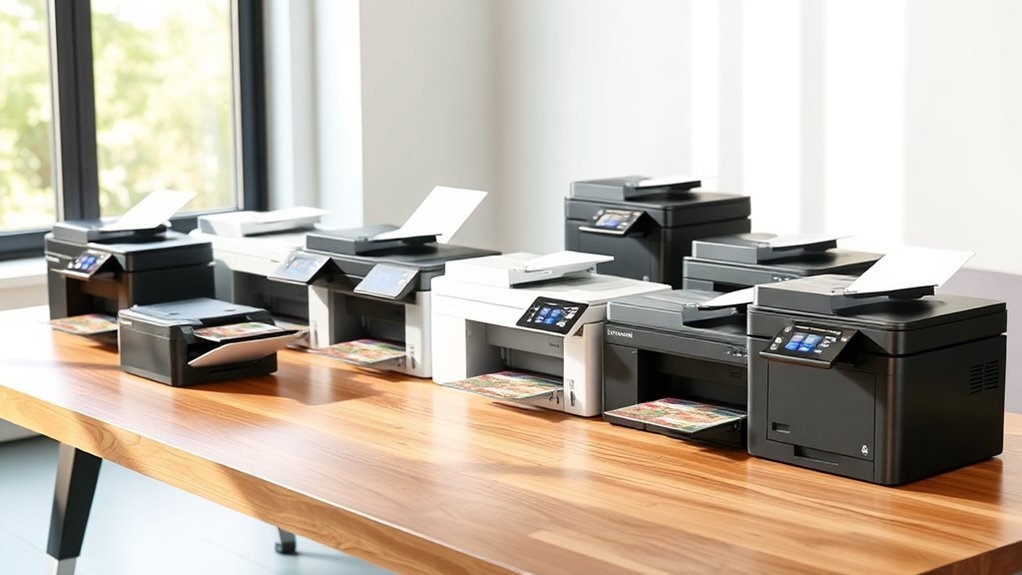
11 Best 11×17 Printer All-in-One Models for 2027 Reviewed
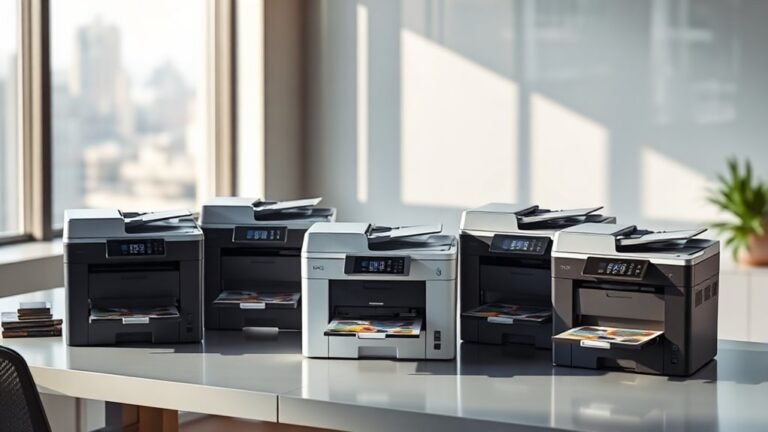
If you need a versatile 11×17 all-in-one printer, models like the HP OfficeJet Pro 9730 and 9720 offer reliable wide-format printing with duplex and ADF features. These are perfect for anyone looking to manage larger documents efficiently.
The Brother INKvestment 6560 is great for small offices that require ledger support. It balances functionality and affordability nicely.
Epson’s WorkForce Pro series and EcoTank models deliver sharp prints with low ink costs and large capacity. Each model fits different workloads and budgets, so keep exploring to find the perfect fit for your printing needs.
HP OfficeJet Pro 9730 Wide-Format Color Printer
Experience seamless productivity with the HP OfficeJet Pro 9730 Wide-Format Color Printer, designed to handle your most demanding office tasks. This all-in-one printer simplifies your workflow by printing, scanning, copying, and faxing wide-format documents up to 11×17 inches.
With its single-pass duplex automatic document feeder (ADF) and flatbed scanner, it efficiently manages two-sided documents, saving you time and effort. The dual 250-sheet trays reduce interruptions, allowing longer print runs without frequent paper reloads.
Connectivity is straightforward with dual-band Wi-Fi, Ethernet, and USB options, complemented by the intuitive 4.3-inch touchscreen. The HP Smart app extends convenience by enabling print and scan directly from your mobile device.
Maintenance is user-friendly, but note that after the free 3-month Instant Ink trial, a subscription is required to keep ink costs manageable. The printer’s size and weight might limit placement in compact spaces, so plan accordingly.
Best for: professionals and small businesses seeking reliable, high-quality wide-format printing combined with versatile multifunction features in a single device.
What We Like:
- Sharp wide-format printing at 4800 x 1200 dpi resolution
- Efficient single-pass duplex scanning and copying
- Flexible connectivity including dual-band Wi-Fi and mobile app support
Specification:
| Feature | Details |
|---|---|
| Manufacturer | HP |
| Dimensions (W×D×H) | Approximately 20.3 × 17.1 × 10.5 inches |
| Weight | Around 27.5 lb (12.5 kg) |
| Color | Off-white |
Brother INKvestment 6560 Wireless Color Inkjet Printer
The Brother INKvestment 6560 Wireless Color Inkjet Printer offers a smart solution for users who require high-quality 11×17 printing with efficient multi-function capabilities. It handles printing, copying, scanning, and faxing, making it ideal for busy offices or home workspaces that demand versatility. With a 50-sheet single-sided automatic document feeder, it streamlines everyday tasks but requires manual handling for double-sided scanning.
This printer delivers fast, sharp prints at resolutions up to 1200×4800 dpi, producing vibrant color documents and crisp black text. Its 250-sheet paper tray supports automatic duplex printing on ledger-size paper, reducing manual effort and paper waste. Connectivity is flexible, with options for dual-band Wi-Fi, Ethernet, USB, and mobile printing through Brother Mobile Connect, allowing seamless integration into various work environments.
Maintenance is straightforward, but users should be aware that replacement ink cartridges may be expensive, especially when paired with the subscription service, which could add to running costs. Its larger footprint means it needs more space than compact desktop models, so plan your setup accordingly.
Best for: Professionals and small businesses needing a reliable all-in-one printer for large-format documents and versatile wireless connectivity.
What We Like:
- Supports large 11″x17″ media with automatic duplex printing.
- Fast print speeds with high-resolution color output.
- Multiple connectivity options including dual-band Wi-Fi and mobile app.
- Energy-efficient design with easy-to-use maintenance features.
Specification:
| Feature | Details |
|---|---|
| Manufacturer | Brother |
| Dimensions (W x D x H) | Approx. 17.7 x 15.7 x 9.9 inches |
| Weight | Approx. 23.6 lbs (10.7 kg) |
| Printer Type | Wireless Color Inkjet |
| Max Print Size | 11″ x 17″ (Ledger) |
| Scanner Type | Flatbed with 50-sheet ADF (single-sided) |
| Connectivity | Dual-band Wi-Fi, Ethernet, USB |
| Print Resolution | Up to 1200 x 4800 dpi |
Epson WorkForce Pro WF-7840 Wireless All-in-One Wide-Format Inkjet Printer
The Epson WorkForce Pro WF-7840 is designed to handle demanding office tasks with ease. This all-in-one printer supports wide-format printing up to 13 x 19 inches, making it ideal for producing detailed marketing materials and large documents. Its high resolution ensures sharp, professional-quality output every time.
This printer combines printing, copying, scanning, and faxing into one efficient device. Duplex printing and a 500-sheet main tray reduce the need for constant paper refills. Wireless connectivity and a 4.3-inch touchscreen simplify operation and allow for quick setup with mobile devices using AirPrint.
Maintenance is straightforward, thanks to DURABrite Ultra ink that delivers vibrant colors and resists smudging. While it weighs 45.4 pounds, which may limit portability, it offers reliable, high-volume performance for busy home offices or small businesses. Print speeds vary, with faster black-and-white printing and slower color output, so plan large color jobs accordingly.
Best for: Professionals and small businesses needing a versatile all-in-one printer capable of wide-format printing with sharp, vibrant results.
What We Like:
- Wide-format printing up to 13 x 19 inches with 4800 x 2400 dpi resolution
- Multifunction capabilities: print, copy, scan, fax, and duplex printing
- Large 500-sheet main tray reduces paper handling
- Wireless connectivity and touchscreen for ease of use
- Durable, smudge-resistant DURABrite Ultra ink
Specification:
| Feature | Details |
|---|---|
| Manufacturer | Epson |
| Dimensions (W×D×H) | Approximately 24.2×32.3×15.5 inches |
| Weight | 45.4 lb (20.6 kg) |
| Color Options | Black |
| Maximum Print Size | 13 x 19 inches |
HP OfficeJet Pro 9720 Color Inkjet Printer | Wireless | All-in-One
Experience efficient wide-format printing designed for busy offices with the HP OfficeJet Pro 9720. This all-in-one printer combines printing, scanning, copying, and faxing in a single device, streamlining daily tasks for small and medium businesses. It handles prints up to 11 x 17 inches, offering flexibility for diverse document needs.
The fast print speeds of up to 22 ppm black and 18 ppm color help reduce wait times and boost productivity. Automatic two-sided printing saves paper and effort, while the 2.7-inch color touchscreen ensures easy operation. Scanning is simplified by the dual-pass automatic document feeder, making multi-page jobs quicker.
Connectivity options include Wi-Fi, Ethernet, and USB, allowing seamless integration into various office setups. The HP Smart app enhances convenience by enabling printing and scanning directly from mobile devices. Additionally, HP AI technology optimizes print quality, and HP Wolf Pro Security protects your network against threats.
Maintenance requires regular ink replacement due to moderate initial cartridge yields, and the single 250-sheet input tray may need frequent refills in high-volume environments. Despite some reports of performance issues, this printer offers a versatile solution for offices needing reliable wide-format capabilities.
Best for: Small and medium business owners and office teams seeking a versatile, fast, wide-format all-in-one printer with wireless connectivity and mobile app support.
What We Like:
- Supports wide-format printing up to 11 x 17 inches with fast print speeds.
- Automatic two-sided printing and dual-pass ADF simplify workflow.
- Intuitive 2.7-inch color touchscreen for easy navigation.
- Multiple connectivity options including Wi-Fi, Ethernet, USB, and mobile app support.
- HP AI print optimization and robust network security features.
Specification:
| Feature | Details |
|---|---|
| Manufacturer | HP |
| Model | OfficeJet Pro 9720 |
| Printing Technology | Color Inkjet |
| Maximum Print Size | 11 x 17 inches |
| Print Speed (Black) | Up to 22 ppm |
| Print Speed (Color) | Up to 18 ppm |
| Display | 2.7-inch color touchscreen |
| Connectivity | Wi-Fi, Ethernet, USB |
| Input Tray Capacity | 250 sheets |
| Dimensions (W x D x H) | Not specified |
| Weight | Not specified |
Epson EcoTank ET-15000 Wireless All-in-One Wide-Format Supertank Printer
The Epson EcoTank ET-15000 is designed for those who need more than just standard printing. It handles wide-format projects up to 13 x 19 inches, making it perfect for creative tasks and professional documents. This all-in-one printer combines printing, scanning, copying, and faxing in one compact unit.
Its refillable supersized ink tanks greatly reduce ink costs by up to 90%, which also means fewer interruptions for replacements. The printer supports wireless, Ethernet, and USB connections, providing flexible options for busy home offices or small businesses. A 2.7″ touchscreen and voice-activated printing simplify everyday operations.
Maintenance is straightforward thanks to the EcoTank system, which minimizes cartridge waste and supports eco-friendly printing. While print speeds are moderate, especially for color, the device delivers sharp, high-resolution results. Keep in mind, scanning and copying are limited to 8.5 x 14 inches, smaller than the maximum print size.
Best for: individuals and small office users needing an efficient, versatile all-in-one printer that supports wide-format printing with low ink costs.
What We Like:
- Refillable supersized ink tanks reduce ink expenses and waste
- Prints wide-format media up to 13 x 19 inches via rear-feed tray
- Multiple connectivity options including wireless, Ethernet, and USB
- Easy operation with 2.7″ touchscreen and voice-activated printing
- Eco-friendly design with Energy Star certification
Specification:
| Feature | Details |
|---|---|
| Manufacturer | Epson |
| Maximum Print Size | 13 x 19 inches |
| Maximum Scan/Copy Size | 8.5 x 14 inches |
| Connectivity | Wireless, Ethernet, USB |
| Display | 2.7″ Touchscreen |
| Ink System | Refillable supersized tanks |
| Capacity | 250-sheet input tray |
| Certification | Energy Star |
Epson Workforce Pro WF-7820 Wireless All-in-One Wide-Format Inkjet Printer
Experience vibrant, professional-quality prints with the Epson Workforce Pro WF-7820. This wireless all-in-one printer excels at producing sharp, wide-format documents up to 13 x 19 inches. Its advanced PrecisionCore Heat-Free Technology ensures fast, high-resolution prints without excessive heat, saving energy and reducing wait times.
Designed for busy offices, it supports seamless duplex printing, scanning, copying, and faxing, all managed through a user-friendly 4.3-inch touchscreen or voice commands via Alexa. The 50-sheet automatic document feeder enhances productivity by handling multiple pages with ease, streamlining your workflow.
Maintenance is straightforward with DURABrite Ultra pigment inks, known for producing durable, smudge-resistant prints that withstand demanding office use. Connectivity options including wireless, Ethernet, and Bluetooth provide flexible integration into various work environments, enabling easy mobile and remote printing.
While the printer’s size requires ample workspace, its robust functionality suits professionals who need versatility and speed. Exclusive use of Epson Genuine Cartridges supports print quality but may affect running costs, an important consideration for budget management.
Best for: Professionals and small office users who require reliable wide-format printing combined with multifunctional capabilities and fast processing speeds.
What We Like:
- High-resolution wide-format printing up to 13 x 19 inches
- Automatic duplex printing and 50-sheet ADF for efficient multitasking
- Multiple connectivity options including wireless, Ethernet, Bluetooth, and voice control
- Durable, smudge-resistant prints with DURABrite Ultra pigment inks
Specification:
| Feature | Details |
|---|---|
| Manufacturer | Epson |
| Dimensions (W×D×H) | Approx. 24.4 x 19.8 x 13.1 in |
| Weight | Approx. 29.8 lbs (13.5 kg) |
| Color Options | Black |
| Connectivity | Wireless, Ethernet, Bluetooth |
Epson Workforce Pro WF-7310 Wireless All-in-One Wide-Format Inkjet Printer
Experience professional-quality wide-format printing with the Epson Workforce Pro WF-7310. This all-in-one printer is designed to handle complex print jobs up to 13 x 19 inches, making it ideal for those who need sharp, vibrant output without hassle. Its automatic duplexing saves time and paper by printing double-sided documents efficiently.
The printer uses DURABrite Ultra pigment inks, ensuring prints are crisp and smudge-resistant. This means your documents will maintain their professional look even after handling. With three trays that hold up to 500 sheets, switching between media sizes is straightforward, reducing downtime and interruptions.
Connectivity options include wireless and Ethernet, allowing you to print directly from smartphones or tablets via the Epson Smart Panel app. This feature enhances convenience, especially in busy environments where quick access is essential. The scanner and copier functions support borderless 11 x 17-inch prints, adding versatility for varied office needs.
While the color print speed is moderate compared to black, the overall performance meets the demands of small businesses and professionals. The printer’s size requires a dedicated workspace but provides reliable, consistent results.
Best for: Professionals and small businesses needing fast, high-quality wide-format printing with versatile media handling and wireless connectivity.
What We Like:
- Wide-format printing up to 13 x 19 inches with automatic duplexing.
- DURABrite Ultra pigment inks deliver vibrant, smudge-resistant prints.
- Wireless and Ethernet connectivity with Epson Smart Panel app control.
- Three trays accommodate up to 500 sheets for varied media.
- Supports borderless printing on 11 x 17-inch documents.
Specification:
| Feature | Details |
|---|---|
| Manufacturer | Epson |
| Dimensions (W×D×H) | Approx. 22.8 x 18.1 x 12.2 inches |
| Weight | Approx. 26.5 lb |
| Ink Type | DURABrite Ultra pigment |
| Max Print Size | 13 x 19 inches |
| Connectivity | Wireless, Ethernet |
Epson EcoTank Pro ET-16600 Wireless All-in-One Wide-Format Tank Printer
The Epson EcoTank Pro ET-16600 is designed to handle demanding printing tasks with ease. Its wide-format capability and high-volume output make it ideal for busy offices needing crisp, professional documents. By integrating printing, scanning, copying, and faxing, it streamlines workflows and reduces the need for multiple devices.
This printer’s EcoTank system significantly lowers ink costs, making it a cost-effective choice for long-term use. Wireless, USB, and LAN connectivity options offer flexible setup and seamless integration into varied office environments. The sharp 4800 x 2400 dpi resolution ensures every print is clear and precise.
Maintenance is straightforward but requires some initial care during setup and ink refilling. The large ink tanks minimize frequent refills, helping to keep downtime low. Its automatic duplexing and 50-sheet auto feeder simplify multi-page tasks.
Though it has a larger footprint, this robust printer supports a monthly duty cycle of up to 66,000 pages. It meets the needs of professionals who demand reliability and versatility in their printing solutions.
Best for: Professionals and small to medium-sized offices needing high-volume, versatile printing with wireless connectivity and cost-effective ink solutions.
What We Like:
- High-quality prints with 4800 x 2400 dpi resolution
- Supports wide-format documents and automatic duplexing
- Large monthly duty cycle up to 66,000 pages
- EcoTank system reduces ink expenses significantly
- Multiple connectivity options including wireless, USB, and LAN
Specification:
| Feature | Details |
|---|---|
| Manufacturer | Epson |
| Dimensions (W×D×H) | 13.8 x 20.3 x 19.7 inches |
| Weight | Not specified |
| Color Options | Not specified |
| Print Resolution | 4800 x 2400 dpi |
| Print Speed | 25 ppm (black/white), 12 ppm (color) |
| Monthly Duty Cycle | Up to 66,000 pages |
| Connectivity | Wireless, USB, LAN |
Epson Workforce WF-7720 Wireless Wide-Format Printer
When your printing demands go beyond the standard page, the Epson Workforce WF-7720 steps up with wireless wide-format printing up to 13×19 inches. This all-in-one device is designed to handle complex office tasks, delivering high-quality prints, scans, copies, and faxes with sharp PrecisionCore inkjet technology. It simplifies your workflow by supporting borderless printing and automatic duplexing, cutting paper use and saving time.
This printer’s dual trays with a combined 500-sheet capacity reduce frequent paper refills, making it ideal for busy environments. Wireless, Ethernet, and NFC connections provide versatile options for printing directly from mobile devices or desktops. The 4.3-inch touchscreen offers intuitive control, streamlining setup and operation.
Maintenance focuses on using genuine DURABrite Ultra inks to ensure vibrant, long-lasting colors. While this limits third-party ink options and firmware updates may restrict non-Epson cartridges, the trade-off is consistent, high-quality output. The unit’s size requires dedicated office space but offers energy-efficient performance suitable for professional settings.
Best for: professionals and small businesses needing a versatile wireless all-in-one printer capable of wide-format, high-quality color printing with efficient paper handling.
What We Like:
- Wide-format printing up to 13×19 inches with borderless capability
- Multiple connectivity options including Wi-Fi, Ethernet, and NFC
- Large 500-sheet capacity with dual trays and automatic duplex printing
- User-friendly 4.3″ touchscreen for easy navigation
- Uses durable DURABrite Ultra inks for vibrant, smudge-resistant prints
Specification:
| Feature | Details |
|---|---|
| Manufacturer | Epson |
| Dimensions | 23.7 x 22.6 x 15.2 inches |
| Weight | Approx. 34 lbs (15.4 kg) |
| Printing Technology | PrecisionCore Inkjet |
| Max Print Size | Up to 13 x 19 inches |
| Connectivity | Wireless, Ethernet, NFC |
| Screen Size | 4.3-inch color touchscreen |
WorkForce WF-7210 Wireless Wide-Format Color Printer
The WorkForce WF-7210 Wireless Wide-Format Color Printer is designed to meet the needs of home and small office users who require vibrant, borderless wide-format prints. It delivers sharp color graphics and laser-quality text up to 13 x 19 inches, making it ideal for professional marketing materials and specialty projects. This printer simplifies large-format printing without compromising quality.
Equipped with a PrecisionCore printhead and auto-duplex functionality, it enhances productivity by enabling efficient two-sided printing. Its wireless connectivity options, including Wi-Fi Direct and Ethernet, seamlessly integrate with Android and Windows devices, allowing for flexible placement and convenient operation.
Maintenance is straightforward with DURABrite Ultra inks that produce durable, smudge-resistant prints. The printer also supports Amazon Dash Replenishment, making ink replacement hassle-free. Despite its larger footprint, it offers a 500-sheet capacity, reducing the need for frequent paper refills.
While print speed is moderate at around 10 pages per minute for color, the balance of quality and functionality suits users prioritizing precision over speed. Its size and weight may require consideration in very small workspaces.
Best for: small offices and home users needing wide-format, borderless, high-quality color prints with efficient wireless connectivity.
What We Like:
- Sharp color and text prints up to 13 x 19 inches with PrecisionCore technology
- Automatic two-sided printing for improved efficiency
- Multiple connectivity options including Wi-Fi Direct and Ethernet
- Durable prints using DURABrite Ultra inks
- Large 500-sheet paper capacity reduces interruptions
Specification:
| Feature | Details |
|---|---|
| Manufacturer | Epson |
| Dimensions (WxDxH) | Approx. 22.6 x 16.5 x 9.7 in |
| Weight | Approx. 23.2 lb (10.5 kg) |
| Ink Type | DURABrite Ultra |
| Connectivity | Wi-Fi Direct, Ethernet, USB |
| Maximum Print Size | 13 x 19 inches |
Epson EcoTank Pro ET-16650 Wireless All-in-One Wide-Format Tank Printer
Discover the Epson EcoTank Pro ET-16650, designed to meet the demands of professionals needing wide-format printing with minimal hassle. This all-in-one printer handles documents up to 13 x 19 inches, delivering sharp, vibrant prints without the constant need to replace cartridges.
Its large, refillable ink tanks reduce running costs and waste, making it ideal for high-volume tasks. PrecisionCore Heat-Free Technology ensures prints dry instantly and maintain durability with DURABrite pigment inks. The printer supports fast duplex printing and can scan up to 11 x 17 inches, streamlining office workflows.
Maintenance is straightforward, but keep in mind that the initial ink setup partly uses the included ink. Using genuine Epson pigment inks is necessary to preserve print quality and warranty, which limits third-party ink options. Connectivity options like Wi-Fi, Ethernet, and USB allow for flexible placement in busy work environments.
A 4.3″ touchscreen enables hands-free, voice-activated commands, enhancing ease of use. With a 500-sheet capacity, this energy-efficient wide-format printer fits well in both professional and creative spaces.
Best for: professionals and small businesses needing a versatile, cost-effective wide-format all-in-one printer with high-volume and wireless capabilities.
What We Like:
- Cartridge-free printing with large refillable ink tanks cuts costs and waste
- Supports wide-format printing up to 13 x 19 inches and large-format scanning
- Fast duplex printing boosts productivity
- Voice-activated commands for hands-free operation
- Multiple connectivity options for flexible office setups
Specification:
| Feature | Details |
|---|---|
| Manufacturer | Epson |
| Dimensions | Not specified |
| Weight | Not specified |
| Color Options | Not specified |
| Max Print Size | 13 x 19 inches |
| Max Scan Size | 11 x 17 inches |
| Ink Technology | DURABrite pigment inks |
| Connectivity | Wi-Fi, Ethernet, USB |
| Touchscreen | 4.3 inches |
| Paper Capacity | 500 sheets |
Factors to Consider When Choosing an 11X17 Printer All in One

When choosing an 11×17 printer all-in-one, you’ll want to focus on print quality standards to get sharp, vibrant results. Make sure it offers the connectivity options you need and can handle your typical paper size and volume efficiently.
Don’t forget to factor in speed, ink usage, and overall cost to keep your workflow smooth and affordable. These little details can make a big difference in the long run.
Print Quality Standards
Although choosing an 11×17 all-in-one printer involves many factors, print quality standards should top your list. Focus on optical resolution; commercial-quality color printing usually requires at least 4800 x 1200 dpi for sharp graphics and detailed photos.
Don’t overlook color depth—24 to 48 bits per pixel—and support for wide color gamuts like CMYK or ICC profiles to guarantee accurate, smooth color gradations.
Consider the print technology and ink type; pigment inks offer better text durability and color stability, while dye inks produce more vibrant photos.
Pay attention to print quality metrics such as minimum droplet size, dot placement accuracy, and interpolation, as these affect fine details and tonal smoothness.
Finally, check real-world test results to confirm the printer meets your expected output quality in practical use.
Connectivity Options Available
Print quality matters a lot, but it won’t mean much if your printer can’t connect smoothly to your devices and network. When choosing an 11×17 all-in-one printer, look for dual-band Wi-Fi (2.4 GHz and 5 GHz) and Wi-Fi Direct to guarantee fast, reliable wireless printing—even without a router.
Ethernet connectivity is essential if you need stable, high-volume printing or easier management on corporate networks. USB ports let you print directly from thumb drives or connect to PCs for local printing and firmware updates when network access is limited.
Mobile and cloud printing compatibility, like AirPrint or vendor cloud services, lets you print or scan remotely from smartphones and tablets. Plus, extra features like NFC, Bluetooth, and USB host ports add quick, convenient printing options for diverse workflows.
Paper Handling Capacity
Consider your paper handling needs carefully to make sure your 11×17 all-in-one printer keeps up with your workflow. Check the maximum input tray capacity—if you handle large volumes, aim for 250–500 sheets to cut down on reloads.
Look at how many trays the printer has and whether they can hold different media types or sizes, like cardstock or envelopes. This way, you don’t have to swap papers manually all the time.
Verify if there’s a rear or specialty feed for thicker stock and wide-format sheets to avoid jams. Also, consider the output tray’s size and overflow handling if you frequently print multi-page jobs.
Finally, confirm that the automatic document feeder and scanner support 11×17 media and duplex scanning. This helps streamline two-sided, multi-page document processing without extra hassle.
Speed and Efficiency
Paper handling capacity sets the stage for smooth operations, but speed and efficiency determine how quickly your projects get done. When choosing an 11×17 printer all-in-one, focus on ISO/IEC-rated print speeds for both black and color to gauge realistic performance.
Pay attention to first-page-out time and warm-up behavior—faster startup reduces wait times for single jobs. Duplex and automatic document feeder (ADF) speeds matter too; single-pass duplex ADFs scan both sides simultaneously, streamlining two-sided workflows.
Also, consider the recommended monthly page volume and maintenance intervals. Models requiring less frequent printhead cleaning and consumable replacement keep your printer running longer without delays.
Balancing these factors guarantees your printer handles tasks swiftly and reliably, boosting your overall productivity. It’s all about picking a machine that works as hard as you do.
Ink and Cost Management
While choosing an 11×17 all-in-one printer, you’ll want to weigh ink and cost management carefully. These factors directly affect your long-term expenses.
Compare per-page ink costs using manufacturer-reported yields. Tank or bottle systems typically offer 80–90% lower costs per color page than cartridge models.
Check starter supply yields and replacement volumes so you know when you’ll need to buy more ink. It’s always good to be prepared.
Consider subscription plans that auto-renew; they can save money but add recurring fees and restrictions. So, think about whether that convenience is worth it for you.
Factor in total cost of ownership by multiplying ink cost per page by your average monthly volume, plus service or warranty fees. This gives you a clearer picture of what you’ll really spend.
Also, think about environmental impact. Refillable tanks reduce plastic waste and often hold more ink upfront, while cartridge systems tend to produce more waste and require frequent replacements.
Device Size and Weight
Because 11×17 all-in-one printers are larger than standard models, you’ll need to measure your available space carefully. These wide-format devices have bigger footprints, so factor in extra room for paper trays, output bins, and door clearance.
Don’t overlook vertical height and depth—ADF lids and rear feeders can add several inches when open. That can really impact the fit in tight spots.
Heavier models, often weighing 30–50 pounds, usually offer more robust paper handling. So make sure your shelf or cart can support the load.
If you move the printer occasionally, check for handles or wheels. Otherwise, you might need two people to lift it.
Finally, leave a few inches of ventilation space on each side and the back for cables, maintenance, and airflow. This helps keep your printer running smoothly.
Security and Software Features
Since 11×17 all-in-one printers often handle sensitive documents, you’ll want to prioritize strong security and software features to protect your data. Make sure the device supports network security standards like WPA3/WPA2 for Wi-Fi and TLS for cloud services, encrypting data both at rest and in transit.
Look for built-in user authentication such as PIN codes, LDAP/Active Directory integration, or secure card readers to control access. It’s also important to verify support for secure printing options like PIN-release or pull-printing to prevent unauthorized document retrieval.
Check that firmware updates are signed and timely to avoid vulnerabilities or device issues. Finally, confirm the printer offers auditing, logging, and integration with SIEM or management software to track usage, detect anomalies, and meet compliance requirements effectively.
Frequently Asked Questions
How Do I Recycle Ink Cartridges From These Printers?
You can recycle ink cartridges by returning them to the manufacturer’s program, dropping them off at local recycling centers, or using mail-back services.
Always check for specific instructions from your printer brand to guarantee proper recycling.
It’s a good idea to follow these steps to make sure your cartridges are handled the right way. This helps keep the environment safe and reduces waste.
Can These Printers Connect to Multiple Devices Simultaneously?
Yes, many 11×17 all-in-one printers let you connect multiple devices simultaneously via Wi-Fi or Ethernet. You can easily print from your phone, laptop, or tablet without switching connections or cables.
It’s pretty convenient, right? No need to keep plugging and unplugging stuff when you want to print from different devices. Just connect once, and you’re good to go!
What Is the Average Lifespan of an 11X17 All-In-One Printer?
You can expect an 11×17 all-in-one printer to last about 3 to 5 years with regular use. Proper maintenance and quality ink can extend its lifespan, so don’t neglect routine cleaning and care.
Taking a little time to keep it in good shape really pays off. It’s kind of like giving your printer a little TLC to keep it running smoothly longer.
Are There Any Special Maintenance Tips for Wide-Format Printers?
Think of your wide-format printer as a garden; you’ve gotta water it regularly. Clean print heads, use quality ink, keep it dust-free, and run maintenance cycles often to keep colors vibrant and avoid costly clogs.
Keeping it dust-free is super important. Dust can mess with the print quality big time.
Also, don’t skip those maintenance cycles. They help prevent issues before they start.
Using good ink makes a difference too. Cheap ink might save money now but can cause problems later.
Do These Printers Support Printing on Specialty Paper Types?
Yes, these printers support printing on specialty paper types like cardstock, photo paper, and transparencies. You’ll just need to adjust the settings accordingly and use compatible paper to guarantee the best print quality and avoid jams.
It’s pretty straightforward once you get the hang of it. Just make sure to check the printer’s manual or settings menu for the right options before you start printing.
Conclusion
Choosing the perfect 11×17 all-in-one printer is like finding the right brush for your masterpiece—it shapes your work with precision and color. Whether you need speed, quality, or budget-friendly ink, these models have you covered.
So, don’t let your creativity be boxed in; pick a printer that dances with your demands and prints your vision boldly. Your next project deserves a partner that works as hard and beautifully as you do.
When looking for the best 11×17 printer all-in-one, consider what matters most to you—whether it’s fast printing, sharp image quality, or affordable ink replacement. The right all-in-one printer can handle everything from detailed graphics to everyday documents with ease.
In 2027, the top models are designed to meet diverse needs without breaking the bank. Choosing one means your prints come out vibrant and your workflow stays smooth. Embrace an 11×17 all-in-one printer that fits your style and helps your creativity shine every step of the way.