8 Best Amateur 3D Printers for 2027
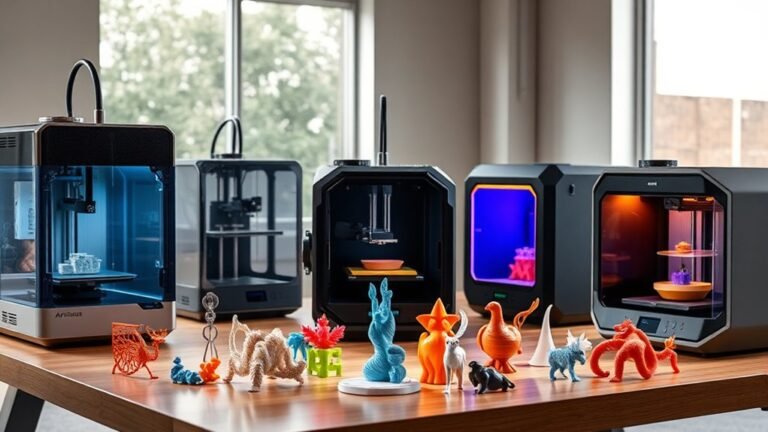
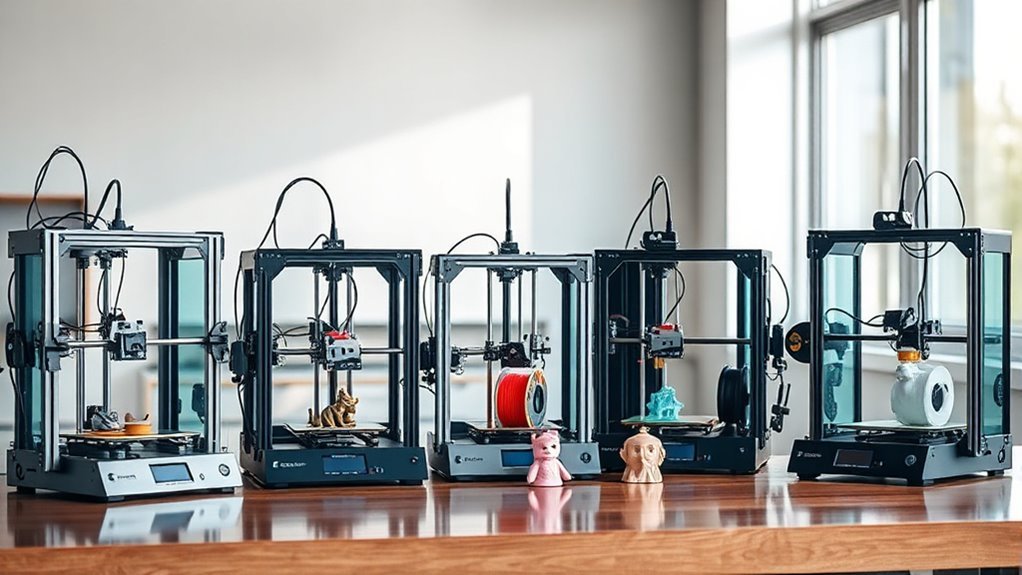
If you’re looking for the best amateur 3D printer in 2027, you want something that’s fast, precise, and easy to use. Whether you’re just starting out or already into 3D printing projects, there are plenty of great options to consider. From professional-speed CoreXY models to versatile multicolor printers, the choices are impressive.
For example, the FLASHFORGE Adventurer 5M offers professional-speed CoreXY printing, perfect for those who want speed and accuracy. Meanwhile, the Bambu Lab P2S Combo shines with multi-color projects and advanced material handling, making it ideal for more complex prints.
Beginners will love the plug-and-play simplicity of the TINA2C and the compact design of the Bambu Lab A1 mini. If versatility is your game, check out the Anycubic Kobra X Multicolor and ELEGOO Centauri 2 for great multicolor capabilities. Want to know which model suits your needs best?
| Image | Name | Editor's Rating | Price |
|---|---|---|---|

|
|
||

|
|
||

|
|
||

|
|
||

|
|
FLASHFORGE Adventurer 5M 3D Printer, All-Metal CoreXY, 600mm/s Max Travel
- One-Click Automatic Printing: Experience hassle-free 3D printing with the Adventurer 5M Series. Enjoy automatic bed leveling for flawless first layers, ensuring...
- 12X Ultra Fast Printing: Featuring a CoreXY structure with 600mm/s travel speed and 20000mm/s² acceleration, the AD5M maximizes efficiency, reduces production cycles...
- Smart and Efficient Design: Quick 3-second nozzle changes, a high-flow 32mm³/s nozzle, and fast 35-second warm-up to 200°C deliver stable high-speed printing. Its...
- Superior Print Quality & Adaptability: Combines a 280°C direct drive extruder with dual-fan cooling and vibration compensation. Includes a standard 0.4mm nozzle and...
- Real-Time App Monitoring: Monitor print progress, adjust settings, and receive instant status alerts remotely with the Flash Studio. Smart mobile control ensures a...
Experience rapid prototyping like never before with the FLASHFORGE Adventurer 5M. Its all-metal CoreXY design ensures fast, precise movements, allowing you to complete projects swiftly without compromising quality. This printer tackles speed and accuracy challenges head-on, improving your workflow significantly.
The printer’s 600 mm/s max travel speed and 20,000 mm/s² acceleration enable efficient printing times, making it ideal for demanding professional environments. Its all-metal direct drive extruder heats up to 280°C, supporting a broad range of filament options for versatile applications.
Maintenance is simple and quick. You can swap nozzles in just 3 seconds, and the dual-sided PEI platform offers easy part removal and bed preparation. Automated features like one-click printing and automatic bed leveling reduce setup time and minimize errors.
While the 280°C max nozzle temperature suits most filaments, it may restrict some specialty materials. Also, optional nozzle sizes require separate purchase, and high-speed CoreXY mechanics need careful calibration for optimal precision.
Best for: professionals and businesses needing fast, precise prototyping with flexible filament use and streamlined maintenance.
What We Like:
- High-speed printing with 600 mm/s travel and rapid acceleration.
- Quick nozzle changes and dual-sided PEI platform ease maintenance.
- Automated features simplify operation and enhance consistency.
- Robust all-metal CoreXY system balances speed and accuracy.
Specification:
| Feature | Details |
|---|---|
| Manufacturer | FLASHFORGE |
| Travel Speed | Up to 600 mm/s |
| Acceleration | 20,000 mm/s² |
| Max Nozzle Temperature | 280°C |
| Extruder Type | All-metal direct drive |
| Platform | Dual-sided PEI |
| Design | CoreXY (all-metal) |
Bambu Lab P2S Combo, P2S 3D Printer & AMS 2 Pro, Multi-Color 3D Printing
- High-Speed Precision: The Bambu Lab P2S 3D printer prints up to 600 mm/s while maintaining exceptional accuracy. With the PMSM Servo Extruder and Active Flowrate...
- Ready to Print in 15 Minutes: Set up your P2S FDM 3D printer and start printing in just 15 minutes. With AI failure detection, quick-swap nozzles, and automatic...
- Effortless Multi-Color Printing: The AMS 2 Pro enables seamless multi-color/multi-material 3D printing. It features built-in filament drying at up to 65 °C, keeping...
- Smart Airflow for Any Filament: The Adaptive Airflow System automatically balances cooling and heat retention—keeping overhangs crisp with cool air, or maintaining a...
- Limitless Creativity, Seamless Workflow: Explore over one million 3D models on MakerWorld and bring them to life with a smooth, unified workflow using Bambu Studio, Bambu...
Experience fast, precise multi-color 3D printing with the Bambu Lab P2S Combo, designed to simplify your creative process. Its high-speed CoreXY system prints up to 600 mm/s, delivering sharp, detailed results. This printer tackles common speed and quality challenges, helping you produce complex designs efficiently.
Setup is straightforward with automatic calibration and quick-swap nozzles, so you can start printing in just 15 minutes. Maintenance is hassle-free, supported by AI error detection that identifies issues early to minimize downtime. The combo’s design focuses on reliability and ease of use.
The AMS 2 Pro accessory expands your capabilities by enabling seamless multi-color or multi-material prints. It also features built-in filament drying and an Adaptive Airflow System, which carefully balances cooling and heat retention for crisp, engineering-grade outcomes.
While compact and powerful, the unit’s weight (46.3 lbs) and larger footprint (18 x 22 x 18 inches) require a dedicated workspace. The AMS 2 Pro is sold separately, allowing users to customize their setup based on specific printing needs.
Best for: hobbyists and professionals seeking fast, precise multi-color 3D printing with easy setup and advanced material handling.
What We Like:
- High-speed printing with accurate, sharp detail.
- Seamless multi-color/multi-material printing with AMS 2 Pro.
- Automated calibration and quick nozzle swaps reduce setup time.
- AI error detection enhances print reliability.
- Built-in filament drying and Adaptive Airflow ensure print quality.
Specification:
| Feature | Details |
|---|---|
| Manufacturer | Bambu Lab |
| Dimensions | 18 x 22 x 18 inches |
| Weight | 46.3 lbs |
| Material | Various (multi-material compatible) |
| Color Options | Not specified |
TINA2C 3D Printer Beginner Friendly, Easy-Ready to Print in 5 Mins
- 【BEGINNER FRIENDLY-READY TO PRINT】Hephi3d Tina2C 3d printer friendly for home, fully assembled, factory preset, auto leveling, ready to print right out of the box, no...
- 【EASY TO USE-ONE TAP PRINTING】Tina2C mini 3d printer provides 3500+ online massive ready to print model library, new designs update every day. You can print in one...
- 【UNLIMITED CREATIVITY-EASY DIY】Tina2C beginner friendly 3d printer with APP provides STEM Learning Module and 25+ design modules for simply customizing. AIGC & Photo...
- 【FULLY OPEN SOURCE-NO LIMITS】Tina2C beginner 3d printer is no software lock-In. Print you way freely with Wiibuilder or Cura on PC and laptops, one-click wifi upload...
- 【FAMILY & BEGINNER FRIENDLY】 Tina2c compact 3d printer for home can print anytime anywhere, space save. Silent Printing and Auto Detect Bed function give more safe...
The TINA2C 3D Printer is designed to make 3D printing accessible and straightforward for beginners. Its fully assembled, factory preset, and auto-leveled setup means you can start printing in about five minutes without any hassle. This saves time and removes the frustration often associated with initial setup.
With a plug-and-play design and mobile app control, the printer offers smooth one-tap printing. The app provides access to over 3,500 online models, STEM learning modules, and AI-generated 3D designs from photos, enhancing creativity and educational use. This integration helps users explore 3D design easily and expand their projects.
Maintenance is minimal thanks to the included starter PLA filament and essential tools, which simplify ongoing use. The open-source software and flexible upload options via Wi-Fi, TF card, or USB-C add versatility for different user preferences and project needs.
Its compact size is ideal for home use, educational settings, or personal creative projects, although it may limit the size of prints. Relying on the mobile app for full functionality could be a drawback for those who prefer standalone operation.
Best for: Beginners and hobbyists seeking an easy-to-use 3D printer with app control and creative customization for home, learning, and personal projects.
What We Like:
- Fully assembled and ready in about 5 minutes without complex setup
- Mobile app with one-tap printing and access to thousands of models
- STEM and AI-powered design features for educational and creative use
- Open-source software with multiple upload methods for flexibility
Specification:
| Feature | Details |
|---|---|
| Manufacturer | TINA |
| Dimensions | Compact size (exact size not specified) |
| Weight | Not specified |
| Material | Standard 3D printer materials |
| Color Options | Not specified |
Bambu Lab A1 mini 3D Printer + LED Lamp Kit, Ready-to-Use for Beginners
- A1 mini + LED Lamp Kit for Creative Light Projects: Bring your ideas to life with the included LED Lamp Kit. Simply print compatible lamp models and turn your 3D...
- The Perfect 3D Printer for Beginners: A1 mini 3D Printer is designed to make 3D printing easy from day one with automatic calibration, simple setup, and a smooth printing...
- Experience the Bambu Lab Ecosystem: Access MakerWorld’s huge library of ready-to-print models, manage prints through the Bambu Handy app, and enjoy a connected...
- Fast, Quiet, and Reliable Printing: Compact and beginner-friendly, A1 mini delivers high-speed, high-quality printing with quiet operation that fits naturally into your...
- Made for Everyday Creativity: From toys and home décor to functional tools and personalized gifts, A1 mini makes it easy to turn ideas into real-life creations with a...
The Bambu Lab A1 mini 3D Printer + LED Lamp Kit brings creativity and simplicity together in one compact package. Designed to help beginners create functional decorative lights and other DIY projects, it eliminates common printing frustrations with automatic calibration and an intuitive setup. This means you spend less time troubleshooting and more time bringing your ideas to life.
Its quiet, high-speed printing fits neatly into any space, making it ideal for home, studio, or workspace use. The compact design does limit print size, but it’s perfect for small to medium projects where detail and speed matter. Maintenance is straightforward, keeping the printer ready for your next creation without hassle.
The kit includes access to the MakerWorld library, offering a variety of ready-to-print models to jumpstart your projects. Managing prints is simple through the Bambu Handy app, which streamlines the entire process. While advanced users might find the feature set basic, this printer excels at delivering consistent, quality prints for everyday creative tasks.
Best for: Beginners and hobbyists seeking an easy-to-use 3D printer kit for personalized decorative lighting and creative DIY projects.
What We Like:
- Automatic calibration ensures smooth and hassle-free printing
- Quiet, high-speed printing in a compact design
- Easy print management with the Bambu Handy app and MakerWorld library
Specification:
| Feature | Details |
|---|---|
| Manufacturer | Bambu Lab |
| Dimensions | Compact (exact size not provided) |
| Weight | Not specified |
| Material | Not specified |
| Color Options | Not specified |
Anycubic Kobra X Multicolor 3D Printer, Easy Setup, Native 4-Color
- 【 Newest Level - 19-Color with 4 ACE 2 Pro】Why settle for one color when you can have multicolor? The Kobra X comes born with 4 colors built-in. It is innovative 3D...
- 【 Savings 2X Time】Stop wasting hours and filament on purging! Kobra X impresora 3D reduces the filament and machine travel path by 81.25%, so 2X the Speed, and...
- 【Hardened Precision & High Speed 】 Equipped with a high-durability hardened steel nozzle and vibration compensation, the Kobra X ensures every layer remains smooth...
- 【Flawless First Layer with LeviQ 3.0】The LeviQ 3.0 and auto bed leveling system uses a 49-point calibration and advanced leveling algorithm to ensure 100% bed...
- 【Smart AI Monitoring & Large Model Library】APP remote control, features Spaghetti detection and foreign object detection. The innovative top-mount spool holder...

Experience the ease of native 4-color printing with the Anycubic Kobra X Multicolor 3D Printer. It simplifies the creation of vibrant, multi-material projects without complicated setups. This printer helps reduce filament waste by half and boosts print speed up to 600 mm/s, making your workflow more efficient.
Its hardened steel nozzle supports a wide range of filaments, including flexible and rigid types, at temperatures up to 300°C. Auto bed leveling ensures your print surface is perfectly flat, reducing print errors. The smart AI system detects issues early to prevent print failures, saving time and materials.
Designed for quick and quiet operation, the Kobra X gets you printing in about 15 minutes. Dual-band Wi-Fi connectivity offers seamless file transfer, while access to a large model library supports both beginners and professionals. Maintenance is straightforward, with durable components built for consistent performance.
This printer is ideal for those who want fast, reliable multicolor 3D printing with minimal hassle. Its compact build fits well into home workshops, classrooms, or small studios, though the 260 × 260 × 260 mm build volume may limit larger projects.
Best for: hobbyists, educators, and professionals needing a versatile multicolor 3D printer that balances speed, quality, and ease of use.
What We Like:
- Native 4-color printing reduces filament waste and expands creative possibilities
- High-speed output up to 600 mm/s with durable steel nozzle
- Auto bed leveling and AI error detection improve print success
- Quick setup and quiet operation enhance user experience
- Dual-band Wi-Fi ensures reliable connectivity and access to model libraries
Specification:
| Feature | Details |
|---|---|
| Manufacturer | Anycubic |
| Build Volume | 260 × 260 × 260 mm |
| Max Print Speed | 600 mm/s |
| Nozzle Material | Hardened steel |
| Max Nozzle Temp | 300°C |
| Connectivity | Dual-band Wi-Fi |
| Color Options | Native 4-color system |
Creality Ender 3 V3 SE 3D Printer Upgrade

- 【250mm/s High-speed Printing】Creality Ender 3 V3 SE 3d printer supports a maximum printing speed of 250mm/s, 2500mm/s² acceleration.The speed has been greatly...
- 【Powerful ""Sprite"" Direct Extruder】Ender 3 V3 SE is the upgrade of ender 3, ender 3 v2, ender 3 pro, ender 3 neo, ender 3 v2 neo, ender 3 s1, ender 3 s1 pro etc 3d...
- 【Worry-free CR Touch Auto Leveling & Strain Sensor】Creality Ender 3 upgraded 3d printer features a CR Touch sensor for auto leveling and a strain sensor for auto...
- 【Stable Dual Z-axis & Y-axis Linear Shafts】High-precision dual Z-axis lead screws reduce Z wobbling effectively, avoid printing deviation in single-axis printing...
- 【Quick Assembly & Easy to Use】Preassembly has solved those hassles and worries of parts assembly, It only takes 3 steps to complete the assemble the ender-3 v3 se 3d...
Experience faster, more reliable 3D printing with the Creality Ender 3 V3 SE upgrade. Designed to boost efficiency, it cuts print times by up to 73%, helping amateurs complete projects quickly without sacrificing quality. Its high-speed capabilities reach up to 250 mm/s, making it ideal for users who want to save time on every print.
This printer upgrade features a Sprite full-metal dual-gear extruder that handles filament smoothly. Auto loading and unloading simplify working with PLA, TPU, and PETG, reducing the hassle during filament changes. The CR Touch auto-leveling system and strain sensor ensure precise bed leveling, giving consistent print results with minimal adjustments.
Stable motion is guaranteed by dual Z-axis lead screws and steel Y-axis shafts, which minimize vibrations and improve print accuracy. Setup is straightforward and takes about 20 minutes, making it accessible for beginners who want to upgrade their Ender 3 without a steep learning curve.
Maintenance is user-friendly thanks to reliable components that require less frequent attention. However, the build volume of 8.66 x 8.66 x 9.84 inches may limit larger projects, and filament compatibility is restricted to PLA, TPU, and PETG, which may not suit all advanced users.
Best for: hobbyists and beginners seeking a fast, reliable 3D printer upgrade compatible with the Ender 3 series.
What We Like:
- High-speed printing with significant time savings
- Smooth filament handling via full-metal dual-gear extruder
- Precise bed leveling with CR Touch and strain sensor
- Stable motion control through dual Z-axis screws and steel shafts
Specification:
| Feature | Details |
|---|---|
| Manufacturer | Creality |
| Build Volume | 8.66 x 8.66 x 9.84 inches |
| Printing Speed | Up to 250 mm/s |
| Acceleration | 2500 mm/s² |
| Filament Types | PLA, TPU, PETG |
| Extruder | Sprite full-metal dual-gear |
| Leveling | CR Touch auto-leveling |
| Frame Components | Dual Z-axis lead screws, steel Y-axis shafts |
ELEGOO Centauri 2 Combo 3D Printer, Beginner-Friendly Multicolor Printing

- 4-Color Printing with CANVAS: Create vibrant multi-color models effortlessly with CANVAS 4-color printing. Independent motors, instant color switching, RFID filament...
- Start Printing with Confidence: Full auto calibration and smart pre-print checks simplify setup, while 22 intelligent sensors monitor every print in real time. From first...
- Designed for Speed: Experience faster creation with a high-speed CoreXY system reaching up to 500mm/s and 20,000mm/s² acceleration. The rigid aluminum frame and...
- Smoother, Sharper, Smarter: From the first layer to the final detail, intelligent calibration, vibration compensation, and precise extrusion control help produce clean...
- A Seamless Workflow from Idea to Print: Simplify your entire workflow with the ELEGOO ecosystem. Discover ready-to-print models on Nexprint, prepare projects with...
The ELEGOO Centauri 2 Combo offers an accessible entry into multicolor 3D printing, making complex projects simpler for beginners. Its 4-color CANVAS system allows seamless color changes, while RFID filament recognition ensures you always use the right materials. This reduces errors and streamlines your workflow.
Designed with precision in mind, the printer features a high-speed CoreXY motion system and a sturdy aluminum frame. These elements work together to deliver stable prints at speeds up to 500 mm/s. This means you can complete detailed, multicolor objects efficiently without sacrificing quality.
Maintenance is straightforward thanks to intelligent calibration and full auto leveling. The printer monitors your prints in real time using 22 sensors, helping to avoid common issues. A 5-inch touchscreen and semi-automatic upkeep features make operation and care user-friendly.
Remote control via the ELEGOO Matrix app keeps you connected to your projects from anywhere. While the printer’s weight limits portability, its advanced features support consistent, high-quality results for creators focused on multicolor printing.
Best for: Beginners and makers seeking an easy-to-use 3D printer that delivers reliable, high-speed multicolor prints with smart monitoring and maintenance.
What We Like:
- 4-color CANVAS system with instant color switching and RFID filament recognition
- High-speed CoreXY system combined with a rigid aluminum frame for stable printing
- Intelligent calibration and full auto leveling with 22 sensors for real-time monitoring
- User-friendly 5-inch touchscreen and semi-automatic maintenance features
- Remote control via ELEGOO Matrix app for convenient project management
Specification:
| Feature | Details |
|---|---|
| Manufacturer | ELEGOO |
| Dimensions | Not specified |
| Weight | 33 lb (approx. 15 kg) |
| Frame Material | Aluminum |
| Color Options | Not specified |
68Pcs 3D Printer Tools Kit with Storage Case

- 【Upgraded 68-in-1 3D Printer Tools Kit, 1-Year Warranty】Designed by a Team of 15-Year 3D Printing Enthusiasts, the kit includes all essential tools. From wire cutters...
- 【Scrapers for Flawless Removal 3D Printed Models】One Stainless Steel removal scraper features a 15-degree angled (0.5mm thickness, 1.57-inch length), providing...
- 【1 Deburring Tool & 10 HSS BS1010 Swivel Blades】Our model polishing tools include 3 engraving knives with 9 types of blades, 5 different metal files and a...
- 【Nozzle Cleaning Needles, Brushes & Tweezers】To avoid inconsistent filament extrusion caused by a clogged nozzle, we provide 5 types of cleaning needles, (0.2mm...
- 【3D Printer Accessories Gifts Must-Have】4 cut-resistant finger cots to protect your fingers while working. A black sleeve case makes it easy to find, organize, store...
Get the most out of your 3D printing with this 68-piece 3D printer tools kit designed to keep your workspace tidy and efficient. It tackles common printer maintenance challenges, helping you avoid print failures and save time. Every tool is crafted to enhance precision and ease during setup and repairs.
The kit fits most 1.75mm filament printers like Bambu Lab and Ender 3, making it a versatile choice. Tools such as stainless steel scrapers and nozzle cleaning needles come in multiple sizes to handle diverse tasks. The high-speed drill and precision tweezers ensure you can maintain your printer with confidence and accuracy.
Organized in a durable 900D Oxford fabric case, the kit keeps everything in place and easy to find. Color-coded orange tags speed up tool retrieval, reducing downtime. This design improves workflow and portability, although the kit’s size and weight may be bulkier for some users.
Safety is prioritized with cut-resistant finger cots included to protect your hands during detailed work. While some tools require skill to use effectively, this comprehensive set equips both hobbyists and experienced users to manage various print challenges smoothly.
Best for: Experienced and hobbyist 3D printing enthusiasts using 1.75mm filament printers who need a well-organized, versatile maintenance toolkit.
What We Like:
- Wide range of specialized tools for detailed 3D printer maintenance
- Durable and organized case with color-coded tags for quick access
- Includes safety finger cots for protection during use
- Designed for 1.75mm filament printers, covering popular models
- Tools support precision work and complex repairs
Specification:
| Feature | Details |
|---|---|
| Manufacturer | Not specified |
| Dimensions | Not specified |
| Weight | 2.27 lb (approx. 1.03 kg) |
| Material | Stainless steel tools, 900D Oxford fabric case |
| Color Options | Black case with orange tags |
Factors to Consider When Choosing an Amateur 3D Printer
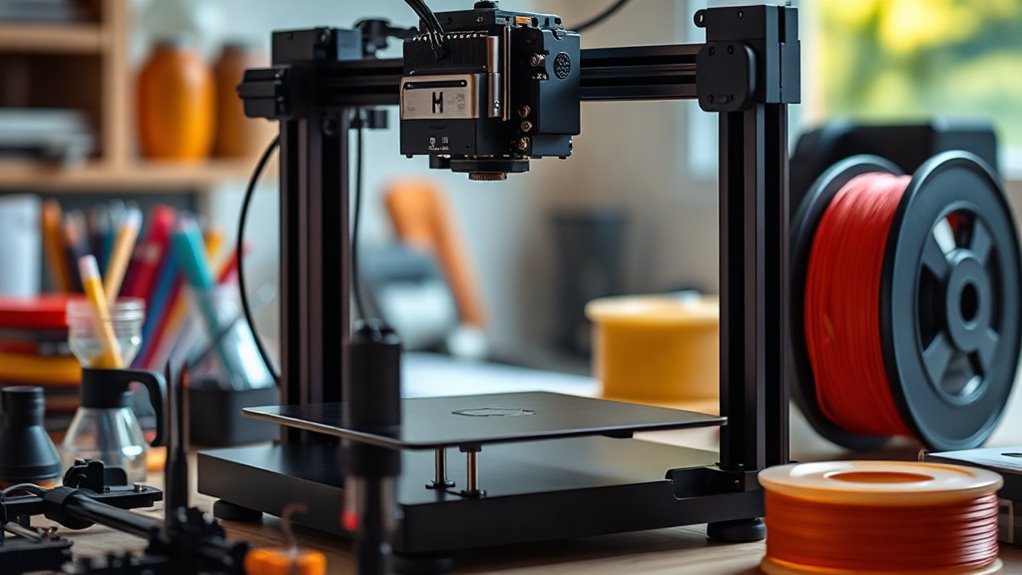
When choosing an amateur 3D printer, you’ll want to weigh factors like print speed and ease of use to match your needs. Consider if multi-color printing matters to you, along with how simple it is to maintain and how durable the machine is.
Don’t forget to check the software options and connectivity features to make certain a smooth printing experience. It’s all about finding a printer that feels right for you and fits your projects.
Print Speed Importance
You’ll often find that print speed plays a pivotal role in how quickly you can complete your 3D projects, but it’s not just about pushing the limits. While higher speeds—like 200 to 600 mm/s—can reduce turnaround, you’ll need a printer with stiff mechanics and efficient cooling to keep quality intact.
Acceleration and jerk settings also matter since they control how fast your printer changes speed, impacting both time and detail accuracy. Remember, real usable speed varies with filament, nozzle size, layer height, and model complexity; detailed features often demand slower printing.
Printing too fast risks ringing, poor layer adhesion, and extrusion problems unless your printer has vibration control and precise motion. For most hobbyists, moderate speeds between 40 and 100 mm/s strike the best balance between quality and efficiency.
Ease Of Use
Although 3D printing technology has advanced rapidly, ease of use remains a key factor for amateur users selecting their first printer. You’ll appreciate features like automatic bed leveling and reliable Z-offset sensors that cut setup time and reduce first-layer failures.
Choosing a preassembled printer with factory presets means you can start printing within minutes, avoiding complex mechanical assembly. Intuitive software with one-tap or mobile app controls simplifies slicing, monitoring, and managing prints, making your experience smoother.
Quick-swap hotends and easy maintenance, such as tool-free nozzle removal and resume-after-power-loss, minimize downtime and technical hurdles. Plus, clear onboarding resources like built-in model libraries, guided calibration wizards, and automated error detection help you quickly learn workflows and troubleshoot issues without frustration.
These ease-of-use aspects make 3D printing accessible and enjoyable for beginners.
Multi-Color Capability
Picking a 3D printer with solid multi-color capability can really elevate your projects by adding vibrant details and complex designs. You’ll want to decide between single hotend systems with filament switching or multiple extruders, as this affects color shift quality and print speed.
Native multi-nozzle setups often reduce filament waste and cut printing time by minimizing purge volume. Check the maximum nozzle temperature and filament compatibility to guarantee you can print with materials like PLA, PETG, TPU, or PVA reliably.
Features like independent color motors, quick-swap nozzles, and synchronized software support help maintain sharp details and consistent extrusion. Finally, look for error detection and automatic calibration to avoid failed prints caused by filament runouts or misalignment during multi-color jobs.
Maintenance And Durability
When selecting a 3D printer, focusing on maintenance and durability guarantees your machine stays reliable and delivers consistent results over time. Choose printers with all-metal frames and rigid linear guides to reduce vibration and wear, ensuring long-term accuracy.
Prioritize modular extruders and hotends with hardened nozzles compatible with various sizes. This simplifies maintenance and helps handle abrasive filaments without hassle.
Automatic or semi-automatic bed leveling with reliable Z-offset sensors minimizes manual calibration. That way, you can lower the chances of failed first layers and save time.
Check for accessible belts, lead screws, and replaceable parts to speed up repairs. It’s always better when you can fix things quickly without too much trouble.
Also, look for monitoring features like filament runout detection and resume-after-power-loss capabilities. These help you avoid wasted prints and reduce maintenance needs.
All these factors keep your printer efficient and minimize downtime, making your 3D printing experience smoother and more enjoyable.
Software And Connectivity
Getting your 3D printer set up with the right software and connectivity options can make all the difference in ease of use and print quality. Make sure your printer supports popular slicers like Cura or PrusaSlicer, or exports standard G-code to avoid vendor lock-in.
Choose a model offering multiple connection methods—USB, SD/TF card, Wi-Fi (2.4/5 GHz), and Ethernet—so you can pick the most reliable option for your setup. Look for a control app compatible with your operating system that offers remote monitoring, start/stop controls, temperature settings, and print alerts.
Also, verify the firmware is updatable and backed by an active community or solid documentation. Bonus features like print-failure detection, resume-after-power-loss, and clear error logs help troubleshoot and keep your prints on track.
Frequently Asked Questions
What Materials Are Best for Beginner 3D Printing?
You’ll find PLA and PETG perfect for beginner 3D printing because they’re easy to use, have low warping, and don’t require a heated bed.
Plus, they produce quality prints without complicated settings or toxic fumes. So, if you’re just starting out, these materials make the process way less stressful.
How Do I Maintain My 3D Printer?
Oh, you don’t need to maintain your 3D printer—it’ll just magically work forever!
But seriously, you should clean the nozzle, lubricate moving parts, tighten belts, and update firmware regularly.
Doing these things keeps your printer happy and printing perfectly.
What Software Is Recommended for Amateur 3D Printing?
You should use Cura or PrusaSlicer; they’re user-friendly and powerful for amateurs. Both let you customize settings easily and support many printers.
If you want something simpler, try Tinkercad for design and slicing combined. It’s really straightforward and great when you’re just starting out.
Can I Print Functional Parts With Amateur 3D Printers?
Yes, you can print functional parts with amateur 3D printers. While they may not match industrial quality, you’ll create durable prototypes, custom tools, and replacement parts suitable for everyday use.
This works especially well when you use the right materials and settings. So, don’t worry if you’re just starting out—your prints can still be pretty reliable!
How Much Space Do I Need for a 3D Printer Setup?
Space is the silent partner in your 3D printing journey—you’ll need at least a sturdy table about 2×2 feet.
Plus, you’ll want extra room for filament, tools, and ventilation. This keeps your setup running smoothly and safely.
Think of it as giving your printer a little breathing room to do its thing without any hiccups.
Conclusion
Choosing the right amateur 3D printer can be a game-changer for your creative projects. Whether you want speed, multi-color capabilities, or beginner-friendly setups, there’s something here that fits like a glove.
Remember, the best printer for you is the one that feels intuitive and meets your needs without breaking the bank. Don’t put all your eggs in one basket—explore your options and start turning your ideas into reality with confidence!
When looking for the best amateur 3D printer, consider what features matter most to you, like ease of use, print quality, and budget. Finding a reliable and affordable 3D printer can make your printing experience smooth and enjoyable.
So, take your time to research and compare the top models for 2027. With the right amateur 3D printer in hand, you’ll be ready to bring your innovative designs to life and take your creativity to the next level.