4 Best Budget 3D Printers for 2026: Top Cost-Benefit Picks
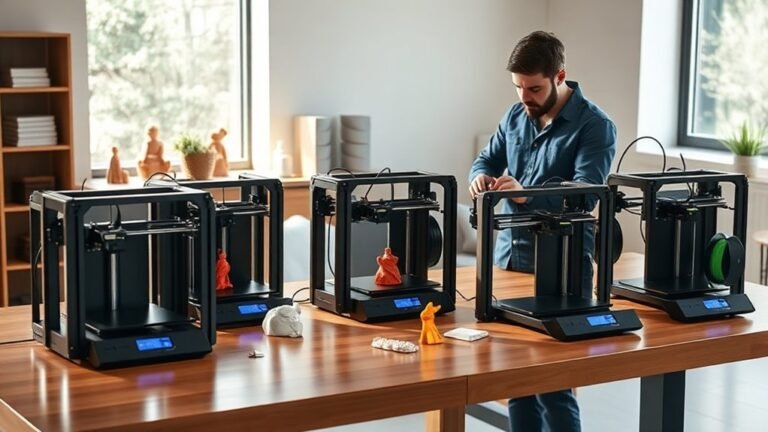
If you’re searching for the best budget 3D printers in 2026 that offer great value, quality, and features, you’ve got some solid options. These affordable 3D printers deliver impressive performance without breaking the bank, perfect for hobbyists and beginners alike.
Consider the Anycubic Kobra X Multicolor if you want vibrant multi-material prints that really stand out. Or check out the Creality Ender 3 V3 SE, known for its user-friendly auto-leveling and quiet operation.
The upgraded Ender 3 V3 SE is a winner with speedy, precise prints and a robust extruder that handles various filaments like a champ. Meanwhile, the FLASHFORGE Adventurer 5M shines with fast CoreXY motion and excellent PLA-CF support.
Keep exploring to find the model that best fits your 2026 printing needs. There’s definitely something here for every budget and project!
| Image | Name | Editor's Rating | Price |
|---|---|---|---|

|
|
||

|
|
||

|
|
||

|
|
Anycubic Kobra X Multicolor 3D Printer, Easy One-Click Printing
- 【Vivid 19-Color and Versatile Materials】Unleash creativity beyond limits. The Kobra X supports 4-color standard and expands up to 19 colors with 4 ACE 2 Pro for...
- 【600mm/s High Speed Performance】Don't let slow speeds limit your creativity. This high-speed FDM 3D printer reaches up to 600mm/s, completing tasks significantly...
- 【True Plug & Play Experience】Start your first project in as little as 15 minutes. The Kobra X arrives with a user-friendly setup and LeviQ 3.0 automatic bed leveling...
- 【LeviQ 3.0 Perfect First Layer】Forget the frustration of manual bed leveling that plagues beginner machines. The LeviQ 3.0 system utilizes 49-point full-auto leveling...
- 【Quiet & Reliable for Home】The ultra-quiet ≤48 dB operation ensures the living or learning space remains peaceful. Combined with power loss recovery and filament...
Discover how the Anycubic Kobra X Multicolor 3D printer transforms your creative workflow. This printer simplifies multi-color printing with its native 4-color capability, allowing you to bring vibrant, complex designs to life with ease. It even supports expansion to 19 colors, providing flexibility for intricate projects.
The printer’s 260 x 260 x 260 mm build volume accommodates a wide range of models while its hardened steel nozzle heats up to 300°C. This combination lets you work with popular materials like PLA, PETG, and TPU, offering versatility for various applications.
Setup is straightforward and fast, thanks to true plug & play functionality and an automatic 49-point leveling system. Maintenance is minimal, supported by AI-powered monitoring that alerts you to issues promptly, enabling reliable and quiet operation without constant oversight.
Overall, the Anycubic Kobra X Multicolor is designed to improve your 3D printing experience by reducing complexity and increasing creative possibilities.
Best for: Beginners and hobbyists seeking an easy-to-use, multi-color 3D printer for detailed, professional-quality projects.
What We Like:
- Native 4-color printing with expandable color options
- Quick, hassle-free setup with automatic leveling
- AI monitoring ensures consistent, unattended printing
- Hardened steel nozzle supports multiple filament types
- Compact yet versatile 260mm³ build volume
Specification:
| Feature | Details |
|---|---|
| Manufacturer | Anycubic |
| Build Volume | 260 x 260 x 260 mm |
| Nozzle Temperature | Up to 300°C |
| Color Printing | 4 colors native, expandable to 19 |
| Material Compatibility | PLA, PETG, TPU, others |
Creality Ender 3 V3 SE Beginner-Friendly 3D Printer with Auto Leveling
- 250mm/s High-Speed Printing: Print at speeds of up to 250mm/s with 2500mm/s² acceleration, helping you complete prototypes, functional parts, and everyday projects...
- Easy Setup with Auto Leveling: Designed for a fast and straightforward setup, the Ender 3 V3 SE can be assembled in just a few simple steps. CR Touch Auto Leveling and...
- Proven Sprite Direct Drive Extruder: The upgraded Sprite Direct Drive Extruder provides smooth and consistent filament feeding for PLA, PETG, and TPU. Its proven design...
- Stable Motion System for Consistent Results: Dual synchronized Z-axis lead screws and precision Y-axis linear shafts work together to help reduce vibration and Z...
- Quiet Operation with Easy Print Removal: A 32-bit silent mainboard helps reduce operating noise for a more comfortable printing experience, while the flexible PC spring...
The Creality Ender 3 V3 SE is designed to make 3D printing simple and reliable for beginners. Its CR Touch auto leveling and automatic Z-offset calibration remove the hassle of manual setup, ensuring your first layer sticks perfectly every time. This means less wasted material and more consistent prints.
Equipped with the Sprite Direct Drive Extruder, it offers smooth filament feeding and supports various materials like PLA, PETG, and TPU. This versatility lets you explore different projects without frequent adjustments. The printer’s dual Z-axis lead screws and silent 32-bit mainboard provide stable, quiet operation, so you can print comfortably at home or in a workspace.
Maintenance is straightforward thanks to the flexible PC spring steel build plate, which allows easy removal of finished prints without damaging the surface. Although its maximum print speed of 250 mm/s suits most everyday uses, it may not meet the needs of users seeking ultra-fast printing for very large projects.
Best for: Beginners and hobbyists wanting an easy-to-use, dependable 3D printer with automatic leveling and quiet performance.
What We Like:
- CR Touch auto leveling and Z-offset calibration for hassle-free setup
- Smooth feeding with Sprite Direct Drive Extruder supporting multiple filament types
- Dual Z-axis lead screws and silent 32-bit board ensure precision and quiet operation
- Flexible spring steel build plate simplifies print removal
Specification:
| Feature | Details |
|---|---|
| Manufacturer | Creality |
| Dimensions | Not specified |
| Weight | Not specified |
| Build Plate Material | PC spring steel |
| Supported Filaments | PLA, PETG, TPU, others |
| Max Print Speed | 250 mm/s |
Creality Ender 3 V3 SE 3D Printer Upgrade
- 【250mm/s High-speed Printing】Creality Ender 3 V3 SE 3d printer supports a maximum printing speed of 250mm/s, 2500mm/s² acceleration.The speed has been greatly...
- 【Powerful ""Sprite"" Direct Extruder】Ender 3 V3 SE is the upgrade of ender 3, ender 3 v2, ender 3 pro, ender 3 neo, ender 3 v2 neo, ender 3 s1, ender 3 s1 pro etc 3d...
- 【Worry-free CR Touch Auto Leveling & Strain Sensor】Creality Ender 3 upgraded 3d printer features a CR Touch sensor for auto leveling and a strain sensor for auto...
- 【Stable Dual Z-axis & Y-axis Linear Shafts】High-precision dual Z-axis lead screws reduce Z wobbling effectively, avoid printing deviation in single-axis printing...
- 【Quick Assembly & Easy to Use】Preassembly has solved those hassles and worries of parts assembly, It only takes 3 steps to complete the assemble the ender-3 v3 se 3d...

Experience faster, more reliable 3D printing with the Creality Ender 3 V3 SE upgrade. Designed to boost productivity, it accelerates printing speeds up to 250 mm/s, cutting project times significantly without sacrificing precision. This makes it ideal for users who need quick turnaround on detailed prints.
The printer’s full-metal Sprite dual-gear extruder enhances filament feeding by preventing slipping and tangles. Auto filament loading simplifies material changes, reducing downtime and keeping the workflow smooth. Stability is improved by dual Z-axis screws and robust Y-axis shafts, ensuring consistent accuracy during longer prints.
Maintenance is straightforward thanks to the CR Touch auto-leveling system, which automates bed calibration and saves time. Its compact footprint fits well in various workspaces, though the moderate build volume (220 x 220 x 250 mm) may limit very large creations. Overall, this model balances speed, precision, and ease of use effectively.
Best for: hobbyists and professionals seeking a fast, dependable 3D printer with advanced features and simple setup for quality prints.
What We Like:
- Prints up to 73% faster than many competitors
- Full-metal Sprite dual-gear extruder for smooth filament feeding
- Dual Z-axis screws enhance stability and precision
- CR Touch auto-leveling simplifies bed setup
Specification:
| Feature | Details |
|---|---|
| Manufacturer | Creality |
| Dimensions | 13.9 x 13.9 x 18.9 in |
| Print Volume | 220 x 220 x 250 mm |
| Extruder | Full-metal Sprite dual-gear |
| Maximum Print Speed | 250 mm/s |
FLASHFORGE Adventurer 5M 3D Printer,Support PLA-CF,Print Size 220x220x220mm
- Perfect First Layer, Every Print: One-click full auto leveling eliminates all manual adjustments. The advanced system precisely calibrates the bed to ensure flawless...
- Blazing Fast Core XY - 600 mm/s & 20,000 mm/s² Acceleration: From zero to 600mm/s in just 0.025s,enjoy ultra-fast printing without sacrificing quality. Unbox to first...
- Ready in 35s - 280°C Direct Extruder with Tool-Free Nozzle Swap: Heat to 200°C in only 35 seconds and reach a max flow of 32mm³/s. Swap nozzles (0.25/0.4/0.6/0.8mm) in...
- Smart Reliability: Vibration compensation eliminates ghosting for crisp, clean prints. Filament run-out detection pauses printing when out of material, and power loss...
- DIY Your Imagination: Fully open-source and Klipper-based, the Adventurer 5M gives you complete control for custom optimization. Add the optional enclosure kit to...
The FLASHFORGE Adventurer 5M transforms your 3D printing experience with its fast CoreXY motion system, allowing rapid, precise prints. It supports advanced materials like PLA-CF, enhancing your ability to create strong, detailed parts quickly. This printer’s design helps reduce downtime, getting you from idea to prototype faster.
Maintenance is simple with its tool-free nozzle swapping and a dual-sided PEI print plate that ensures excellent adhesion without hassle. Auto bed leveling and vibration compensation work together to reduce print errors, making your workflow smoother and more reliable.
The printer’s 220×220×220 mm build volume fits most hobbyist and educational projects while keeping the machine compact. Features like filament run-out detection and power-loss recovery protect your prints from interruptions, saving time and materials.
Open-source firmware and optional enclosures offer flexibility for DIY enthusiasts who want to customize and optimize their setup. While some technical skill is needed to make full use of these features, the Adventurer 5M balances professional capability with user-friendly design.
Best for: hobbyists, educators, and DIY enthusiasts seeking a reliable 3D printer that combines speed, material versatility, and precision in a compact build volume.
What We Like:
- Fast CoreXY motion system for quick, accurate printing
- Supports carbon-fiber–filled PLA and other advanced filaments
- Tool-free nozzle changes and dual-sided PEI plate simplify maintenance
- Automatic bed leveling and vibration compensation improve print quality
- Filament run-out detection and power-loss recovery enhance reliability
Specification:
| Feature | Details |
|---|---|
| Manufacturer | FLASHFORGE |
| Build Volume | 220 × 220 × 220 mm |
| Supported Materials | PLA, PLA-CF, and similar |
| Motion System | CoreXY |
| Nozzle Change | Tool-free, under 3 seconds |
| Print Bed | Dual-sided PEI plate |
Factors to Consider When Choosing a Budget 3D Printer 2026 Cost Benefit

When choosing a budget 3D printer, you’ll want to balance printing speed with multi-material compatibility to get the most value. Consider ease of setup and auto-leveling features to save time and frustration.
Also, think about noise and vibration since a quieter printer makes for a better workspace. After all, no one wants their creative zone disrupted by loud buzzing or shaking.
Printing Speed Importance
Although printing speed can considerably impact how quickly you finish a project, it’s essential to take into account more than just the maximum mm/s rating when choosing a budget 3D printer. You need to focus on the effective usable speed—the reliable print speed without failures—because pushing for top speed often compromises surface quality, layer adhesion, and accuracy.
Also, consider acceleration and jerk settings, as they influence how fast the print head can change direction, affecting actual print times more than max speed alone. Faster printing only justifies a higher upfront cost if you regularly produce many small parts or need quick turnaround.
Otherwise, prioritize reliability and print quality to avoid costly failed prints and excessive post-processing time that negate raw speed benefits.
Multi-Material Compatibility
Since multi-material printing can greatly expand your creative possibilities, you’ll want to verify that a budget 3D printer supports the filament types you plan to use, such as PLA, PETG, TPU, or water-soluble supports like PVA. Check recommended hardness and temperature ranges to guarantee soft filaments like TPU print reliably.
Look for multi-material hardware—whether single hotends with multiple inputs, independent extruders, or multi-filament feeders—and confirm how many materials it handles natively or via expansion modules. Make sure the extruder and nozzle materials suit your filaments, with hardened steel nozzles and temperatures up to 300°C for abrasive or high-temp filaments.
Also, prioritize reliable filament handling features like run-out detection and automatic loading to prevent jams. Don’t forget to verify the firmware supports multi-material slicing with purge towers and per-material calibration to reduce color bleed and improve adhesion.
Ease of Setup
Getting your 3D printer up and running quickly can save you hours of frustration, especially if you’re new to the hobby. To ease setup, look for printers labeled “plug-and-play” or those with preassembled frames. This can cut assembly time to under 30 minutes.
Features like built-in filament loading and one-touch extrusion make filament changes simple. Clear touchscreen menus or companion apps with step-by-step wizards guide you smoothly through initial configurations.
Integrated monitoring tools, such as built-in cameras and error detection, help you catch issues early without constant supervision. Though automatic bed leveling is essential, we’ll cover that next.
Prioritize models with these user-friendly features to jumpstart your 3D printing experience without a steep learning curve or excessive setup time.
Auto Leveling Features
Auto-leveling features often make a significant difference in print quality and ease of use, especially if you want consistent first layers without manual adjustments. These systems use sensors like BLTouch or strain sensors to measure your bed’s surface at multiple points—typically 9 to 49.
More probing points mean better compensation for unevenness, especially on larger beds. Look for printers that automate leveling from startup, integrate Z-offset calibration, and support mesh storage for multiple beds.
Advanced models even adjust dynamically during prints, boosting accuracy. Keep in mind sensor type and firmware matter: mechanical probes tend to be more reliable long-term than inductive sensors, which can be sensitive to materials and environment.
Choosing a printer with solid auto-leveling saves you time and frustration, ensuring smoother, more precise prints every time. It’s definitely worth considering if you want hassle-free printing!
Noise and Vibration
When choosing a budget 3D printer, you’ll want to pay close attention to noise and vibration levels, as these factors directly affect your printing experience and output quality. Printers operating at or below 50 dB are usually quiet enough for home or classroom use.
But if the noise goes above 60 dB, it can get pretty distracting during longer prints. Vibration control features like dual Z screws, rigid frames, and CoreXY motion help minimize artifacts such as ghosting.
They do this by reducing resonant gantry movement. Balancing print speed and acceleration is key because faster settings increase vibrations, which can harm print quality.
Look for printers with low-noise fans, sturdy construction, and anti-vibration mounts. These modest investments help prevent defects, reduce failed prints, and save you time and material in the long run.
Build Volume Size
Although a larger build volume lets you print bigger or multiple parts at once, you should match the printer’s size to your typical projects to avoid unnecessary costs. Choose a bed and Z-height that comfortably fit your largest expected prints—around a 250–300 mm cube suits most hobby and classroom needs.
Larger volumes mean more filament use and longer print times, so balance your need for big single-piece prints against these factors. Think about internal layout too: a taller Z dimension helps with seamless tall models, while a bigger X/Y area is ideal for batch printing smaller parts.
Monitoring and Safety
Securing reliable monitoring and safety features can save you time, money, and stress during 3D printing projects. Look for printers with built-in 720p cameras offering real-time streaming so you can catch early print failures and monitor remotely.
Automated failure detection and automatic pause on anomalies help prevent wasted filament and fire risks. Filament run-out sensors and power-loss recovery let your prints resume smoothly after interruptions without manual help.
Prioritize enclosed or optionally enclosed designs paired with temperature sensors and thermal runaway protection in the firmware to reduce burn hazards, especially with high-temp materials. Also, check for audible or visual alerts and remote notifications via app or email for critical events.
Accessible logs or time-lapse records are essential for troubleshooting and safety audits, ensuring you stay informed and in control throughout your print jobs. It really makes a difference when you can track what happened and prevent future issues.
Frequently Asked Questions
What Types of Filaments Are Compatible With Budget 3D Printers?
You’ll find budget 3D printers usually work well with PLA, ABS, and PETG filaments. These materials are affordable, easy to print with, and widely available.
That makes them perfect for beginners and everyday projects. So, if you’re just getting started or need something reliable without breaking the bank, these filaments are a great choice.
How Much Maintenance Do Budget 3D Printers Require?
Maintenance isn’t a beast; you’ll spend a few hours monthly cleaning, lubricating, and calibrating.
Budget 3D printers need regular care to stay sharp, but with simple tweaks, you’ll keep prints smooth and hassle-free.
Can Budget 3D Printers Be Used for Educational Purposes?
Yes, you can definitely use budget 3D printers for educational purposes. They’re great for hands-on learning, teaching design, engineering, and creativity.
Plus, they’re affordable and simple enough for students to operate safely. So, they really make a smart choice for schools and classrooms.
What Software Is Recommended for Beginner 3D Printing Projects?
You’d want to start with Tinkercad—it’s like the abacus of 3D modeling: simple yet effective. It’s user-friendly, web-based, and perfect for beginners.
Then, try Cura for slicing; it’s intuitive and widely supported.
Are There Any Safety Precautions for Home 3D Printing?
Yes, you should always guarantee proper ventilation. Avoid touching hot parts to prevent burns.
Keep your workspace clean, and never leave the printer unattended while printing. Wearing gloves and safety glasses can also protect you during post-processing.
Conclusion
Choosing the right budget 3D printer in 2026 doesn’t have to feel like searching for a needle in a haystack. Whether you pick the user-friendly Anycubic Kobra X, the reliable Creality Ender 3 V3 SE, or the versatile FLASHFORGE Adventurer 5M, you’re gearing up to set free creativity without breaking the bank.
Just like assembling the perfect puzzle, consider your needs carefully, and you’ll find a printer that fits just right—turning your ideas into reality with ease. Remember, the best budget 3D printer is the one that balances cost and performance perfectly, making your 3D printing journey enjoyable and rewarding. So go ahead, explore these top cost-benefit picks, and start creating amazing projects without stretching your budget too thin.