What Is an SLA Printer and How Does It Work?
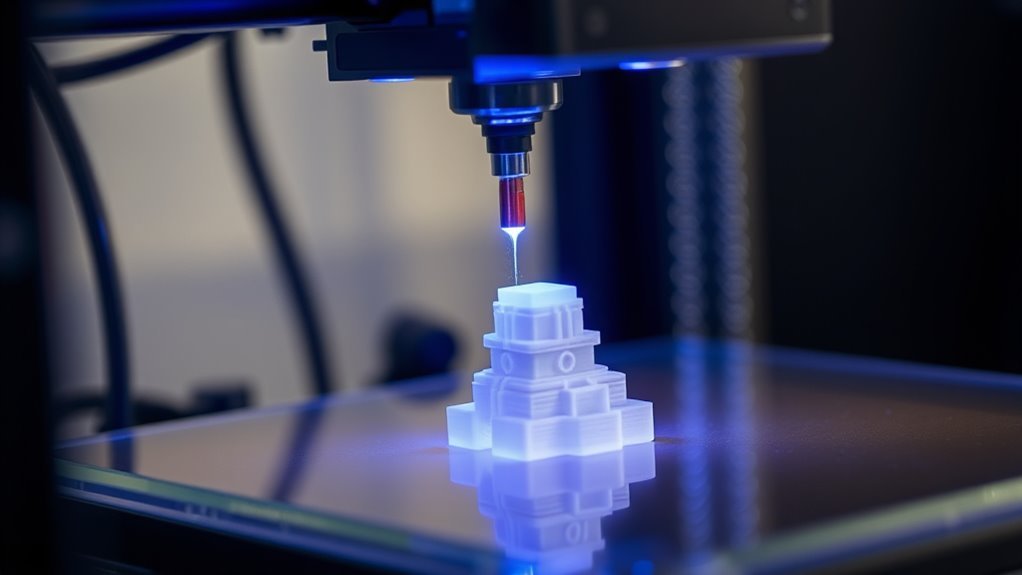
An SLA printer uses a focused ultraviolet laser to cure liquid resin layer by layer, creating precise, high-detail 3D objects with smooth finishes.
This 3D printing technology is known for producing incredibly accurate and detailed prototypes. You start with a CAD model that’s sliced into thin layers.
The laser then solidifies each layer on a build platform submerged in resin. It’s perfect for making detailed items like jewelry and dental models.
While SLA offers unmatched accuracy, it tends to work at slower speeds compared to other 3D printers.
Keep exploring to see how the hardware, materials, and techniques all come together to create stunning results. You’ll discover why SLA printing is a favorite for those who need fine details and smooth surfaces in their 3D prints.
Key Takeaways
- An SLA printer uses a focused UV laser to cure liquid photopolymer resin layer by layer into solid objects. The UV laser traces each layer point-by-point, enabling high precision and smooth surface finishes.
- A resin vat with a transparent FEP film holds the liquid resin and allows UV light transmission for curing. The build platform moves incrementally along the Z-axis to position and form each new layer during printing.
- After printing, parts require washing in isopropyl alcohol and UV post-curing to achieve full strength and finish. This extra step really helps make sure your prints are strong and look great.
What Is an SLA 3D Printer and How It Works
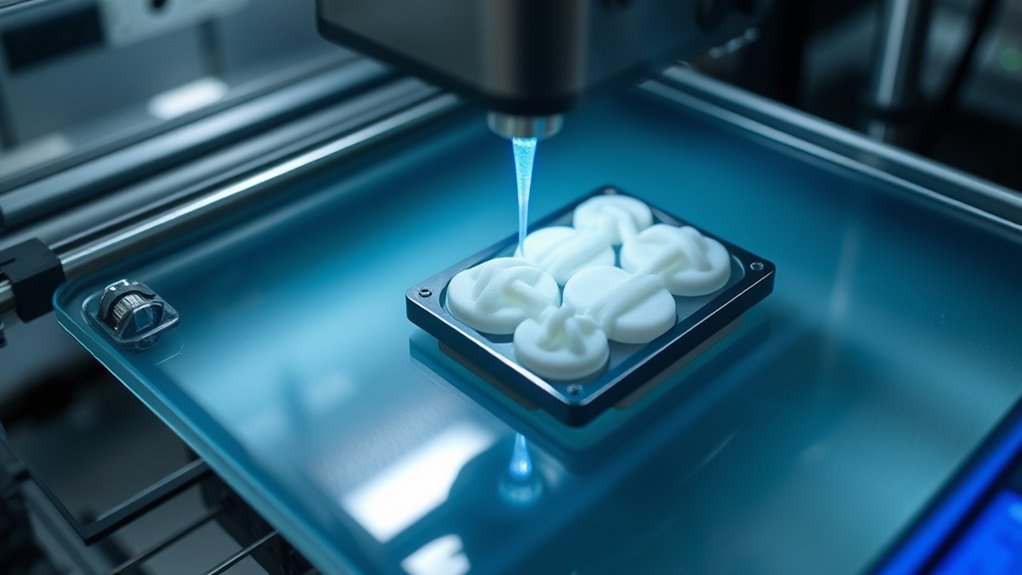
An SLA 3D printer uses a focused ultraviolet (UV) laser to cure liquid photopolymer resin layer by layer, turning your digital model into a precise, solid object. As the build platform lowers into the resin tank, the UV laser traces each cross-section, bonding cured layers into your final part.
SLA 3D printing uses a focused UV laser to cure resin, building precise, solid objects layer by layer.
This process achieves high resolution, capturing fine details with layer heights as low as 25 microns. It’s perfect for detailed prototypes, jewelry, or dental models.
Once printing finishes, you’ll wash the part to remove uncured resin, typically using isopropyl alcohol. Then, post-curing under UV light completes polymerization, ensuring your object reaches its intended strength and finish.
Using an SLA 3D printer gives you smooth surfaces and detailed accuracy unmatched by many other 3D printing methods. It’s a great choice when you need precision and quality in your prints.
Main Hardware Components of an SLA Printer
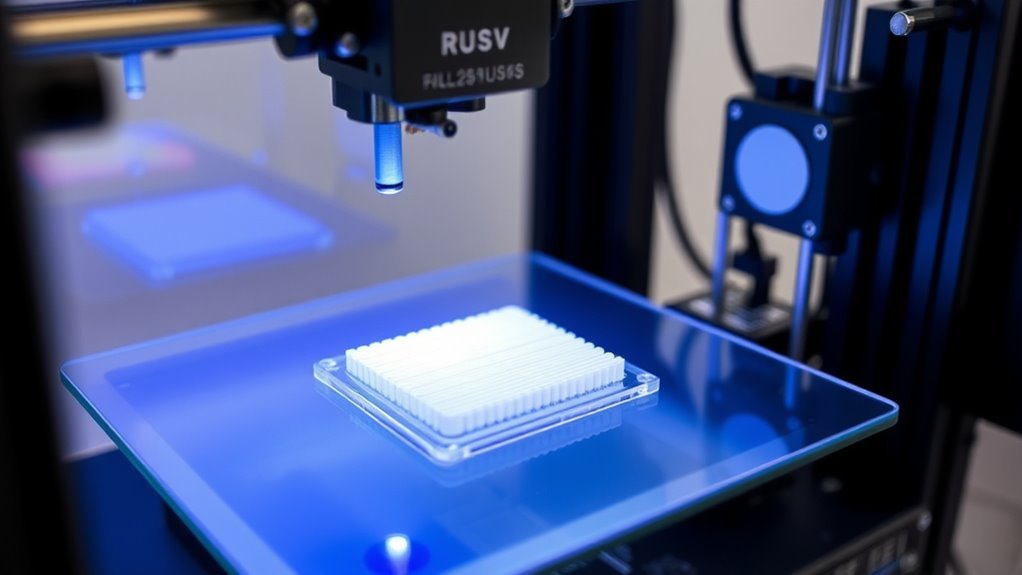
To understand how an SLA printer works, you need to know the roles of its main hardware components. The resin vat holds the liquid photopolymer, while the UV laser cures each layer with precision.
Meanwhile, the build platform moves incrementally to lift cured layers and create your 3D model layer by layer. It’s pretty cool how all these parts work together to bring your designs to life!
Resin Vat Functionality
While operating an SLA printer, you’ll rely heavily on the resin vat, a shallow, replaceable container that holds the photosensitive liquid resin. The vat’s bottom features a transparent FEP film that lets the UV light source pass through to cure each layer precisely.
Proper vat maintenance is essential—keep it clean and free of cured debris to avoid print defects and failures. Because the FEP film is flexible, it helps you peel finished parts off easily and allows for film replacement when worn.
You’ll also want to make certain the vat is leveled and mounted stably, as any misalignment or uneven film tension affects layer thickness, leading to inaccuracies. Choosing the right vat materials compatible with your resin ensures durability and consistent print quality.
UV Laser Mechanism
How does an SLA printer turn liquid resin into solid parts with such precision? It uses a UV laser that emits a focused beam to trace each layer’s cross-section on the photosensitive resin held in the resin vat (FEP). The resin vat’s transparent bottom lets the UV laser pass through while containing the liquid resin.
A galvanometer swiftly directs the UV laser across the resin surface with micron-level accuracy, controlling exactly where the resin cures. The exposure time for each point guarantees the resin solidifies properly.
Meanwhile, the build platform positions each new layer precisely for curing. This combination of the UV laser, galvanometer, resin vat, and controlled exposure time enables the SLA printer to create detailed, high-resolution parts layer by layer.
Build Platform Movement
The build platform moves with precise, incremental steps along the printer’s Z-axis to position each new layer of resin for curing. It’s controlled by stepper motors and lead screws, usually moving in 25–100 micron increments. This ensures accurate layer height and consistent thickness.
In bottom-up SLA printers, after curing, the platform lifts during the peel/lift cycle to separate the part from the FEP film. Then, it lowers back down to the next layer height.
First-layer adhesion is super important. The initial exposure time is longer to make sure the model sticks firmly to the build platform.
Keeping this adhesion strong throughout the peel/lift cycles helps prevent the part from detaching and ruining the print. Regular calibration and cleaning of the build platform are key to maintaining vertical accuracy and reliable layer stacking for high-quality prints.
How SLA Printing Works Step-by-Step
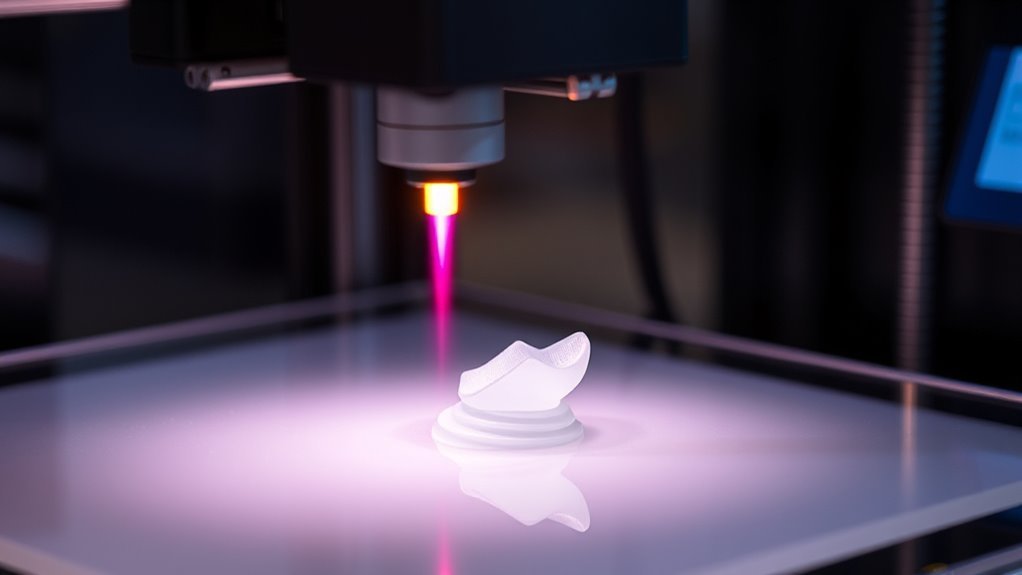
Understanding the step-by-step process of SLA printing lets you see how precise layers transform liquid resin into detailed solid parts.
Exploring SLA printing reveals how meticulous layering turns liquid resin into finely detailed solid creations.
In SLA printing, you start with a CAD model sliced into thin layers, which guides the UV laser to cure the liquid photopolymer resin selectively.
The build platform lowers into the resin vat, and the UV laser solidifies each layer based on the slice data.
After curing, the platform moves up, allowing fresh resin to coat the surface for the next layer.
This layer-by-layer process continues until your part is complete.
Once printed, you remove the part, wash off any uncured resin, and perform post-curing under UV light to strengthen the material.
- CAD model slicing
- Build platform immersion
- UV laser curing
- Layer-by-layer building
- Post-curing for durability
Choosing the Right Resin for SLA Printing
Selecting the right resin can make or break your SLA printing project, as it directly impacts the part’s strength, flexibility, and heat resistance. Standard resins provide fine detail but tend to be brittle, while durable resins offer better impact resistance and toughness for functional parts.
If you need parts that withstand heat, high-temperature resins are your go-to choice. For medical or dental applications, biocompatible resins certified for safety work best. Keep in mind, different resins require varying amounts of post-curing to reach optimal properties.
Always handle your resin carefully—using isopropyl alcohol to clean prints helps remove uncured resin. Also, consider your printer’s compatibility with resin chemistry and viscosity to guarantee smooth printing and reliable results.
Post-Processing Techniques to Improve SLA Print Quality
Once your SLA print is complete, taking the right steps to clean and finish it will greatly enhance its appearance and durability. First, rinse your part in fresh isopropyl alcohol for 2–5 minutes to remove uncured resin and avoid sticky surfaces.
Properly rinsing your SLA print in isopropyl alcohol removes uncured resin and prevents sticky surfaces.
Carefully remove supports with flush cutters, then sand the contact points. Start with 200–400 grit and progress to 800–1500 grit for smoothness.
Finally, post-cure your print under a UV lamp or sunlight to fully polymerize the resin and reach peak strength.
Key post-processing techniques include:
- Rinsing in isopropyl alcohol to clean uncured resin
- Removing supports carefully
- Sanding contact points to restore smoothness
- Post-curing under a UV lamp
- Designing with drainage holes to prevent trapped resin
These steps boost both print quality and longevity. Following them will really make your prints look and perform their best.
Common SLA 3D Printing Applications
SLA 3D printing has carved out a pivotal role across industries by delivering precise, high-quality parts that meet demanding specifications. When you use SLA 3D printing, you tap into the ability to create high-precision dental models, surgical guides, and clear aligner molds with micron-level accuracy.
In jewelry, castable resins let you print intricate wax-like patterns perfect for detailed investment casting. Aerospace and automotive sectors benefit from lightweight, complex prototypes and functional parts with smooth finishes and tight tolerances.
If you work in medical device development, biocompatible resins enable you to produce custom prosthetics and surgical planning models. Throughout these applications, managing your resin tank properly guarantees consistent, flawless prints.
SLA’s versatility makes it ideal for any project demanding exact detail and quality. It’s really the go-to choice when precision matters most.
SLA vs. Other Resin 3D Printing Technologies
When choosing between SLA, DLP, and MSLA printers, you’ll notice key differences in how they cure resin and handle print speeds. SLA uses a laser to trace each layer, giving you exceptional detail but slower prints.
On the other hand, DLP and MSLA expose entire layers at once for faster results. Understanding these trade-offs helps you decide which technology fits your project’s needs best.
SLA Vs DLP
Although resin 3D printing technologies share similarities, they differ markedly in how they cure each layer. SLA uses a UV laser to scan and cure resin point-by-point, delivering exceptional XY resolution and fine surface detail.
In contrast, DLP projects an entire layer at once, speeding up the layer curing process considerably. MSLA combines aspects of both, using a UV LED array with an LCD mask to cure whole layers quickly but with resolution limits.
- SLA’s UV laser offers precise, smooth finishes
- DLP cures full layers instantly, boosting print speed
- MSLA provides fast curing with lower hardware costs
SLA’s print speed slows with large, detailed models. On the other hand, DLP and MSLA print times stay consistent regardless of complexity.
MSLA Technology Benefits
You’ll often find MSLA technology striking a balance between speed and detail by using an LED array paired with an LCD mask to cure entire layers in seconds. Unlike laser SLA, MSLA cures each layer all at once, so layer curing speed stays consistent regardless of model complexity.
You benefit from excellent XY resolution thanks to high-quality 4K or 8K LCD panels, delivering sub-50 to 100-micron precision and smooth surface finishes. MSLA also tends to require less maintenance and energy than laser or projector-based systems.
However, you should keep in mind the LCD mask’s panel lifespan and potential UV uniformity issues. That means maintaining consistent resin formulation and proper panel cooling is vital for reliable results.
Printing Speed Comparison
How fast your prints finish depends heavily on the resin 3D printing technology you choose. An SLA printer using a laser scans each layer point-by-point, so print speed varies with part complexity and is usually slower.
In contrast, DLP and MSLA cure entire layers at once, markedly speeding up layer exposure times.
Consider these differences:
- Laser SLA scans layers, slowing with detailed cross-sections
- DLP flashes whole layers, boosting print speed
- MSLA uses an LED array masked by LCD for fast layer curing
- Fast galvo mirrors in laser SLA can approach DLP/MSLA speeds on simple shapes
- FDM may outpace resin methods for large, low-detail prints but lacks fine layer resolution
Tips for Getting the Best Results With an SLA Printer
Consistently applying the right settings and techniques can markedly improve your SLA prints. Start by choosing layer heights between 25–100 µm and matching resin-specific exposure settings in your slicer to capture fine details without overcuring.
Optimize SLA prints by selecting 25–100 µm layer heights and resin-specific exposure settings to enhance detail and prevent overcuring.
Try orienting your parts at 30–45° to the build platform. This helps minimize large flat areas and reduces the number of supports on visible surfaces, which is always a win.
Use sturdy supports with tip diameters of 0.6–1.2 mm for small features. Make sure they have snug contact and proper spacing to prevent surface rippling.
After printing, wash your model thoroughly in fresh isopropyl alcohol (90%+) for 2–5 minutes with gentle agitation. This step is key to removing any uncured resin.
Finally, perform a complete UV post-cure following your resin’s recommended time—typically 5–30 minutes. This ensures your print reaches peak strength and a great finish.
Frequently Asked Questions
What Is Stereolithography?
Stereolithography is a 3D printing method where you use a UV laser to cure liquid resin layer by layer, creating highly detailed, smooth parts.
You’ll then wash and cure them to finish the process. It’s a pretty cool way to get precise and polished results!
Is Anything Illegal to 3D Print?
Yes, you can’t legally 3D print items like functioning firearms, counterfeit currency, or unapproved medical devices. Always check your local laws, since printing or sharing illegal designs can lead to serious criminal or civil consequences.
It’s really important to stay informed about what’s allowed where you live. Laws can vary a lot, so a quick check could save you from big trouble down the road.
Is SLA the Same as 3D Printing?
Think of 3D printing as a toolbox, and SLA as one shiny tool inside it.
You’re right—SLA is a type of 3D printing, using light to cure resin, unlike other methods that melt plastic.
How Do Three D Printers Work?
You create objects by layering material, guided by digital models. Each printer uses different methods—extruding plastic, curing resin with light, or fusing powder with lasers—to build precise layers.
They keep adding these layers one after another until the full 3D shape forms. It’s like building something step-by-step, but with super fine details. Pretty cool, right?
Conclusion
Now that you know how an SLA printer works, you can appreciate its precision—SLA printers can achieve layer resolutions as fine as 25 microns, making your prints incredibly detailed. By choosing the right resin and mastering post-processing, you’ll get stunning results every time.
Whether you’re creating prototypes or detailed models, SLA printing offers unmatched quality. It’s perfect for anyone who values accuracy and smooth finishes in their projects.
Jump in, experiment, and watch your ideas come to life with incredible accuracy and smooth finishes. With SLA printing technology, you’re not just making objects—you’re crafting detailed, professional-grade prints that stand out. So go ahead, explore the possibilities, and enjoy the amazing results SLA printers deliver!