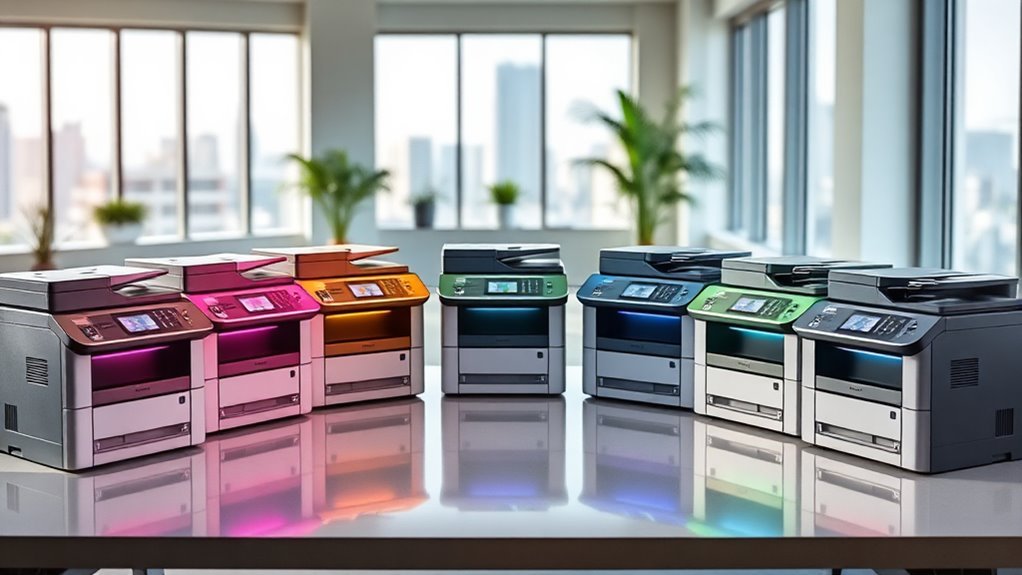
7 Best Colour Laser Printers in Singapore for 2027
You’ll find top colour laser printers like the HP Color LaserJet Pro 3304fdw and 3201dw great for small teams. These models deliver sharp prints and reliable performance, making them perfect for everyday office tasks.
If you need focused wireless printing, the Brother HL-L3220CDW is a solid choice. It offers seamless connectivity, so you can print from multiple devices without a fuss.
For those with heavy workloads, the HP Enterprise 4701dw handles jobs quickly and even supports duplex printing to save paper. It’s built to keep up with a busy office environment.
Looking for reliable mid-sized office options? Consider the KYOCERA ECOSYS PA2101cwx or Canon’s imageCLASS LBP646Cdw and multifunction MF751Cdw II. Each excels in speed, connectivity, or media handling. These printers come with key features to help you find the perfect fit for your business needs.
| Image | Name | Editor's Rating | Price |
|---|---|---|---|

|
|
||

|
|
||

|
|
||

|
|
||

|
|
HP Color LaserJet Pro 3304fdw | Color Laser Printer | Wireless | All-in-One
- FROM AMERICA'S MOST TRUSTED PRINTER BRAND – Perfect for office teams creating professional-quality color documents and reports. Auto 2-sided printing/scanning, auto...
- SIMPLIFY SCAN TO EMAIL – Save time when scanning documents to email. HP AI automatically generates smart subject lines, file names, and actionable summaries to...
- BLAZING FAST COLOR – Up to 26 color pages per minute, with sharp details and incredible color
- STAYS CONNECTED – Reliable Wi-Fi automatically reconnects to stay online and ready to print
- PROTECTS YOUR DATA – Includes HP Wolf Pro Security with customizable settings so your printer and information are always secure

Experience professional-quality color printing designed to keep your small office productive and efficient. The HP Color LaserJet Pro 3304fdw delivers crisp, vibrant documents quickly, reducing wait times and streamlining your workflow. Its compact all-in-one design combines printing, scanning, copying, and faxing, saving valuable space.
Maintenance is straightforward with this model, but it requires original HP cartridges containing HP chips. While this ensures consistent print quality, it may limit flexibility in cartridge choices. Firmware updates help keep your device secure but can also enforce these cartridge restrictions.
Ideal for teams of up to seven people, this printer supports wireless connectivity and mobile printing through the HP app. You can easily print and scan directly from your smartphone, making it convenient for busy work environments.
Security is prioritized with HP Wolf Pro Security, which safeguards your data and prevents unauthorized access. The auto 2-sided printing feature helps reduce paper waste and keeps your office eco-friendly.
Best for: small office teams needing fast, high-quality color printing combined with versatile all-in-one functionality.
What We Like:
- Fast color printing up to 26 pages per minute with duplex capability
- Integrated scanning, copying, faxing, and AI-powered smart email scanning
- Wireless and mobile printing via easy HP app setup
- Robust data protection with HP Wolf Pro Security
Specification:
| Feature | Details |
|---|---|
| Manufacturer | HP |
| Dimensions | Compact design (exact size not provided) |
| Weight | Not specified |
| Connectivity | Wireless, Mobile app |
| Print Speed | Up to 26 pages per minute (color) |
| Functions | Print, Scan, Copy, Fax |
HP Color LaserJet Pro 3201dw | Color Laser Printer | Wireless | Duplex
- FROM AMERICA'S MOST TRUSTED PRINTER BRAND – Perfect for small teams printing professional-quality color documents and reports. Print speeds up to 26 ppm black/color.
- PROFESSIONAL PRODUCTIVITY – Proficiency with every print—next-generation TerraJet toner brings your business to life with more vivid colors
- UPGRADED FEATURES – Fast color printing, auto 2-sided printing, and a 250-sheet input tray
- AWARD-WINNING RELIABILITY – Performance you can count on page after page, and always ready for the high demands of business
- WIRELESS PRINTING – Stay connected with dual-band Wi-Fi with self-reset, which automatically detects and resolves connection issues
The HP Color LaserJet Pro 3201dw is designed to boost productivity with fast, professional-quality color printing. Its wireless and Ethernet connectivity simplify setup and allow flexible placement in home offices or small teams. Duplex printing helps reduce paper waste by automatically handling double-sided jobs.
This printer delivers clear, sharp prints at 600 x 600 dpi resolution and prints up to 26 pages per minute. It supports a variety of media types, including envelopes and glossy photo paper, making it versatile for different tasks. The 250-sheet input tray minimizes interruptions, keeping your workflow steady.
Maintenance is straightforward with original HP toner cartridges, ensuring consistent print quality and reliable operation. The built-in HP Wolf Pro security protects sensitive data, offering peace of mind in shared work environments. Its compact design fits easily into tight spaces without sacrificing performance.
While it excels in printing, this model does not include scanning or copying functions. It also supports media sizes only up to 8.5 x 14 inches and requires genuine HP toner cartridges, which may limit third-party options.
Best for: Home offices and small teams needing reliable, high-quality color printing with wireless and duplex features.
What We Like:
- Fast printing speed up to 26 ppm with sharp 600 x 600 dpi resolution
- Flexible wireless and Ethernet connectivity options
- Convenient automatic duplex printing reduces paper use
- Compact design fits well in limited spaces
- Enhanced security with HP Wolf Pro technology
Specification:
| Feature | Details |
|---|---|
| Manufacturer | HP |
| Model | Color LaserJet Pro 3201dw |
| Print Speed | Up to 26 pages per minute |
| Print Resolution | 600 x 600 dpi |
| Connectivity | Wireless, Ethernet |
| Paper Input Capacity | 250 sheets |
| Media Size Supported | Up to 8.5 x 14 inches |
| Functions | Single-function (print only) |
| Dimensions (W x D x H) | Approx. 15.3 x 14.3 x 9.2 in |
Brother HL-L3220CDW Wireless Color Laser Printer
- Professional Quality: Brother Genuine color laser printer delivers stunning business documents with crisp text and vibrant graphics at impressive 19 PPM speed...
- Wireless Connectivity: Brother Genuine advanced wireless capabilities enable seamless printing from laptops, smartphones, and tablets, with built-in security protocols...
- High-Volume Capacity: Brother Genuine laser printer includes a generous 250-sheet paper tray minimizing refills, while the manual feed slot offers versatility for...
- Efficient Performance: Brother Genuine automatic duplex printing saves time and paper, while delivering professional-quality double-sided documents at speeds up to...
- Mobile Integration: Brother Genuine technology ensures seamless compatibility with major mobile printing platforms and cloud services, enabling effortless document...
Experience sharp, vibrant prints with the Brother HL-L3220CDW wireless color laser printer. Designed to enhance your workflow, it delivers crisp text and bright graphics at a steady speed of 19 pages per minute. This printer simplifies busy days by handling various media types with a 250-sheet tray and manual feed slot.
Its automatic duplex printing reduces paper waste, supporting eco-friendly practices without extra effort. Wireless connectivity lets you print directly from laptops, smartphones, or tablets, making it easy to integrate into any home office setup. The printer supports popular mobile and cloud printing platforms for seamless document sharing.
Maintenance is straightforward, thanks to Brother Genuine components that ensure consistent, reliable performance. Although it lacks scanning and copying features, its focus on efficient color laser printing meets the needs of professionals who prioritize quality and speed. The manual feed slot requires attention for specialty media, and the paper capacity suits moderate volume tasks.
Overall, the HL-L3220CDW is a practical choice for those needing dependable, high-quality color printing with wireless ease and minimal upkeep.
Best for: professionals and home office users who need reliable, high-quality color laser printing with wireless convenience and efficient paper handling.
What We Like:
- Crisp text and vibrant color printing at 19 ppm
- Automatic duplex printing reduces paper usage
- Wireless connectivity with mobile and cloud support
- 250-sheet tray accommodates various media types
- Reliable performance with genuine Brother components
Specification:
| Feature | Details |
|---|---|
| Manufacturer | Brother |
| Dimensions (W x D x H) | 16.1 x 18.5 x 8.7 inches |
| Weight | 35.3 lbs (16 kg) |
| Printing Technology | Wireless Color Laser |
| Paper Capacity | 250-sheet tray + manual feed slot |
| Connectivity | Wireless, USB |
HP Color LaserJet Enterprise 4701dw | Color Laser Printer | Duplex
- FROM AMERICA'S MOST TRUSTED PRINTER BRAND – Perfect for office teams printing, scanning and copying professional-quality color documents and reports. Perfect for small...
- HP FUTURESMART – Work seamlessly across devices. HP FutureSmart delivers a simple, consistent user-experience fleetwide
- BLAZING FAST COLOR – Up to 35 color pages per minute, with sharp details and incredible color
- STAYS CONNECTED – Reliable Wi-Fi automatically reconnects to stay online and ready to print
- PROTECTS YOUR DATA – Includes HP Wolf Pro Security and quantum-resistance to protect against next-gen cyberthreats
Experience vibrant, high-quality color printing with the HP Color LaserJet Enterprise 4701dw. Designed to boost your team’s productivity, it delivers fast results at 35 pages per minute. The sharp 2400 dpi resolution ensures every document appears crisp and professional.
This printer simplifies everyday tasks with automatic duplex printing, reducing paper waste effortlessly. Two versatile trays accommodate various media types like cardstock and envelopes, making it easy to handle diverse print jobs without interruption.
Maintenance is straightforward thanks to built-in firmware that enforces cartridge authentication, helping prevent unauthorized supplies and ensuring reliable output. Although it requires original HP cartridges, this security measure protects your investment and print quality.
Connectivity options are wide-ranging, allowing printing via Wi-Fi, Ethernet, Bluetooth, USB, Apple AirPrint, or Mopria. Despite weighing 36 pounds and consuming 579 watts of power, it remains a dependable choice for busy office environments that demand robust security and versatile media support.
Best for: Small work teams and enterprise offices needing fast, high-quality color printing with versatile media handling and strong security features.
What We Like:
- Fast 35 ppm print speed with sharp 2400 dpi color quality
- Automatic duplex printing reduces paper usage
- Dual trays support multiple media types and sizes
- Strong security with HP Wolf Pro Security and cartridge authentication
- Multiple connectivity options including Wi-Fi and Bluetooth
Specification:
| Feature | Details |
|---|---|
| Manufacturer | HP |
| Dimensions | Not specified |
| Weight | 36 lb (16.3 kg) |
| Print Speed | 35 pages per minute |
| Resolution | Up to 2400 dpi |
| Connectivity | Wi-Fi, Ethernet, Bluetooth, USB, Apple AirPrint, Mopria |
KYOCERA ECOSYS PA2101cwx Color Laser Printer, 22 ppm
- DILIGENT: Color Laser Printer
- QUALITY: High quality output at true 1200 x 1200 dpi
- SPEED: Up to 22 pages per minute
- CONTROL PANEL: Color 2.7" TSI with touch panel
- EFFORTLESS SETUP: Connect to a Wi-Fi network easily using your mobile device.
Experience professional-quality printing that keeps pace with your busy workflow. The KYOCERA ECOSYS PA2101cwx color laser printer delivers crisp, vibrant prints at up to 22 pages per minute, helping you complete tasks efficiently without sacrificing detail.
Designed for everyday office use, it produces sharp 1200 x 1200 dpi resolution in both color and black-and-white. Its automatic duplex printing saves time and paper, while the 300-sheet capacity reduces interruptions for reloading.
Connectivity is straightforward and flexible. Whether you prefer Ethernet, USB, Wi-Fi, or Wi-Fi Direct, this printer adapts to your network setup. The intuitive 2.7-inch touchscreen makes managing print jobs simple and quick.
Maintenance is streamlined with built-in toner cartridges, though these may require replacement more frequently depending on volume. Weighing 46.3 pounds and finished in sleek white, it fits neatly on a desk but may be less portable.
Best for: Professionals and small to medium-sized offices needing a reliable, high-quality color laser printer with fast print speeds and versatile connectivity options.
What We Like:
- Sharp 1200 x 1200 dpi resolution for vibrant color and clear monochrome prints
- Automatic duplex printing and large 300-sheet paper capacity for better workflow
- Multiple connectivity options including Wi-Fi and Ethernet for easy integration
- User-friendly 2.7-inch touchscreen simplifies printer control
Specification:
| Feature | Details |
|---|---|
| Manufacturer | KYOCERA |
| Print Speed | 22 ppm |
| Resolution | 1200 x 1200 dpi |
| Paper Capacity | 300 sheets |
| Connectivity | Ethernet, USB, Wi-Fi, Wi-Fi Direct |
| Display | 2.7-inch touchscreen |
| Weight | 46.3 lb (21 kg) |
| Color | White |
Canon imageCLASS LBP646Cdw Wireless Color Laser Printer

- Single-Function Color Wireless Duplex Printer: Print only functionality without scanning, copying, or faxing capabilities, designed for dedicated printing tasks in home...
- Fast Print Speeds: Print up to 26 pages per minute in both color and monochrome with a quick first print time of approximately 10.3 seconds, reducing wait time for your...
- Easy Wireless Setup: Establish your wireless connection and get up and running in just a few simple steps for convenient network printing
- 5-inch LCD Screen: Navigate through all the features using the 5-line LCD screen.
- Mobile Device Printing: Print from your compatible mobile devices using the free Canon PRINT app, Apple AirPrint and Mopria Print Service for convenient wireless printing
The Canon imageCLASS LBP646Cdw is designed to meet the demands of busy small offices needing reliable color printing. It produces sharp, professional-quality documents quickly, with a print speed of up to 26 pages per minute. This printer handles vibrant color prints at a resolution of 1200 x 1200 dpi, ensuring clear and detailed outputs for reports and marketing materials.
Its compact design saves valuable desk space while supporting automatic duplex printing to reduce paper usage. The device is versatile in handling various media types and sizes, including legal paper and labels, making it adaptable to different business needs. Wireless connectivity via Wi-Fi, Ethernet, or USB allows seamless printing from multiple devices, including mobile phones through Canon PRINT or AirPrint apps.
Maintenance is straightforward with easy access to toner replacement and minimal upkeep required. While it does not include scanning or copying functions, this print-only model focuses on delivering fast, high-quality color printing. Note that it consumes more power than some alternatives and has a moderate footprint, which may affect portability.
Best for: small offices and workgroups requiring a compact, efficient color laser printer for professional business documents and marketing materials.
What We Like:
- Fast print speed with sharp 1200 x 1200 dpi color resolution
- Multiple connectivity options including wireless and mobile printing
- Automatic duplex printing for efficient paper use
- Supports diverse media sizes and types for versatile printing needs
Specification:
| Feature | Details |
|---|---|
| Manufacturer | Canon |
| Dimensions | Not specified |
| Weight | 39.4 lb (17.9 kg) |
| Print Speed | Up to 26 pages per minute |
| Resolution | 1200 x 1200 dpi |
| Connectivity | Wi-Fi, Ethernet, USB |
| Media Support | Various sizes including legal and labels |
Canon imageCLASS MF751Cdw II Wireless Laser Printer
- Color, Wireless, Duplex 3-in-1: Print, scan, copy.
- Fast Print Speeds: Print up to 35 ppm in both color and monochrome and spend less time waiting with a quick first print time of approximately 7 seconds.
- Easy Wireless Setup: Setup your wireless connection and get up and running in just a few steps.
- 5-inch Color Touchscreen: Get the job done quickly with Application Library - an intuitive and easy to use customizable access to the features you use most.
- Mobile Device Printing: Print on-the-go using your compatible mobile devices with the free Canon PRINT app, Apple AirPrint and Mopria Print Service.
The Canon imageCLASS MF751Cdw II transforms busy offices with its fast, reliable color printing. It delivers crisp, clear prints at 35 pages per minute, reducing wait times and boosting productivity. Automatic duplex printing saves paper and effort, making everyday tasks smoother.
This wireless multifunction printer combines printing, scanning, and copying in one compact unit. Its 50-sheet automatic document feeder simplifies multi-page jobs, while the intuitive 5-inch touchscreen makes operation straightforward. Designed for convenience, it handles heavy workloads with ease.
Maintenance is straightforward thanks to its expandable 250-sheet paper cassette, which can grow to 850 sheets to minimize refills. Wireless compatibility with Chromebooks, smartphones, and apps like Canon PRINT and AirPrint keeps your workflow flexible and mobile-friendly.
Though it requires a fair amount of desk space and offers only one USB port, its performance and connectivity features make it a strong choice for small offices. The MF751Cdw II balances efficiency and functionality for hybrid work environments.
Best for: Small and home offices or hybrid work environments needing fast, high-quality color printing combined with multifunction capabilities and wireless connectivity.
What We Like:
- Fast print and copy speeds up to 35 ppm with sharp 600 dpi output
- Automatic duplex printing and 50-sheet ADF streamline tasks
- Wireless printing supports Chromebooks, smartphones, Canon PRINT, and AirPrint
- Expandable paper capacity reduces interruptions during busy periods
- Easy-to-use 5-inch touchscreen enhances user control
Specification:
| Feature | Details |
|---|---|
| Manufacturer | Canon |
| Dimensions | Not specified |
| Weight | 45 lb (approx. 20.4 kg) |
| Print Speed | Up to 35 ppm |
| Print Resolution | 600 dpi |
| Paper Capacity | 250 sheets (expandable to 850) |
| Connectivity | Wireless, USB (single port) |
| Features | Duplex printing, 50-sheet ADF, 5-inch touchscreen |
Factors to Consider When Choosing a Colour Laser Printer in Singapore
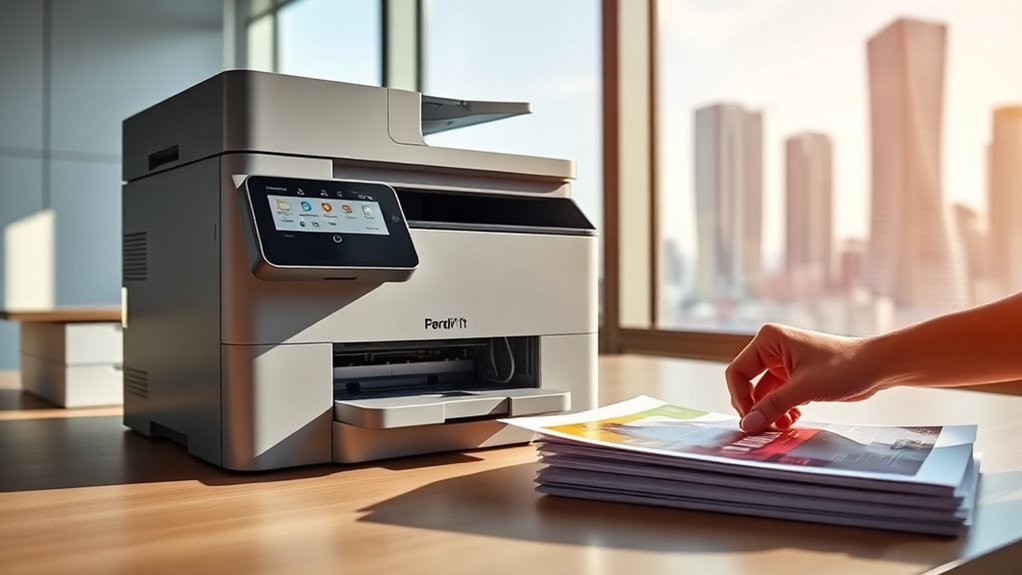
When choosing a colour laser printer in Singapore, you’ll want to take into account print speed to keep up with your workload and the connectivity options that fit your devices.
Don’t forget to check the paper handling capacity and built-in security features to protect your documents.
Also, make sure the printer uses consumables that are easy to find and affordable. It really helps to avoid any hassle down the road.
Print Speed Importance
Consider how print speed can boost your productivity, especially if you handle high-volume tasks regularly. Print speed, measured in pages per minute (ppm), directly affects how quickly you can complete large jobs.
For small offices or home use, 20–30 ppm usually suffices. But busy workgroups benefit from printers offering 30+ ppm to minimize wait times.
Don’t just check the black-and-white ppm; color printing often runs slower. So, compare both speeds if you print mixed documents.
Also, factor in first-page-out and warm-up times. Long delays here can disrupt workflow despite high steady-state ppm.
Finally, balance speed with print quality and duty cycle. Faster printers may compromise detail or need more maintenance if pushed beyond their limits.
Connectivity Options Available
Because connectivity plays a pivotal role in how seamlessly you can integrate a colour laser printer into your workspace, you’ll want to make certain it supports multiple connection options. Look for dual-band Wi-Fi (2.4 GHz and 5 GHz) to guarantee faster speeds and less interference, especially in busy networks.
Having both Wi-Fi and Ethernet ports gives you flexibility for wired or wireless setups. Don’t forget mobile printing compatibility like AirPrint, Mopria, or vendor-neutral apps, so you can print directly from your phone or tablet without hassle.
Features like Wi-Fi Direct or built-in hotspots let you print securely even without a network. Also, check for USB or Bluetooth support for quick local connections and easy file transfers. These options keep your printing workflow efficient and versatile.
Paper Handling Capacity
Many colour laser printers offer paper handling capacities that can make or break your printing efficiency in a busy Singapore office. You’ll want to check the standard paper tray capacity—usually 150 to 250 sheets for desktop models—to match your daily print volume and reduce refills.
If you expect higher workloads, look for expandable capacity via extra trays, scaling up to several hundred or even over a thousand sheets. Don’t forget to confirm the output tray’s capacity and the printer’s duty cycle to handle large jobs without jams.
Also, verify supported media types and weights, ensuring the feed system handles specialty media like envelopes or glossy brochures without manual single-sheet feeding. A multipurpose or bypass tray with decent capacity helps print small runs or mixed media without disturbing the main tray.
Security Features Included
While paper handling capacity determines how efficiently your printer manages physical media, security features protect your data and prevent unauthorized access—both are key for office productivity in Singapore.
Choose printers with firmware that supports automatic security updates to fix vulnerabilities and maintain strong authentication. It’s a smart way to keep your devices safe without extra hassle.
Look for built-in endpoint protections like secure boot, intrusion detection, and encrypted storage to safeguard sensitive jobs and credentials. These features help keep your information locked down tight.
Make sure the model supports user authentication methods such as PIN, LDAP, or card-based access, plus secure print release to stop unauthorized document pickup. That way, only the right people can get to important documents.
Verify encrypted network protocols like TLS and IPsec, secure Wi-Fi modes, and management features such as SNMPv3 and 802.1X to secure data in transit. It’s all about keeping your data safe while it moves around.
Also, check if the printer enforces cartridge authentication to prevent unverified consumable use. This helps maintain print quality and avoid potential damage.
Consumables Compatibility
Several key factors affect consumables compatibility when choosing a colour laser printer in Singapore, and understanding these can save you both time and money. First, check if the printer requires manufacturer‑chipged cartridges or accepts third‑party ones. Firmware updates may block non‑original consumables, so it’s good to be aware of that.
Compare the page yields of standard versus high‑capacity cartridges for each color using ISO/IEC 19798 or 24711/24712 standards. This helps you estimate costs and replacement frequency more accurately.
Calculate the cost per page by dividing cartridge price by its ISO yield to budget realistically. Also, make sure to verify local availability and lead times for replacement toners and imaging units. That way, you won’t get caught off guard when you need a refill.
Finally, decide if you prefer integrated toner‑and‑drum cartridges for easier maintenance or separate consumables. Separate parts usually mean lower long-term expenses but can add a bit of complexity. Choose what works best for your needs.
Frequently Asked Questions
How Long Do Colour Laser Printer Cartridges Typically Last?
Colour laser printer cartridges typically last between 2,000 to 5,000 pages, depending on usage and printer model.
You’ll want to monitor your print volume closely and replace cartridges as soon as print quality starts fading. It’s pretty normal to see colors getting a bit dull before the cartridge runs out completely.
Keeping an eye on your prints helps you avoid surprises and keeps everything looking sharp.
Are Colour Laser Printers Cost-Effective for Home Use?
You’ll find colour laser printers cost-effective if you print over 500 pages monthly since toner lasts longer and costs less per page.
Plus, they save you time with faster printing speeds compared to inkjets, making them worth it.
What Is the Average Warm-Up Time for Colour Laser Printers?
You’ll usually wait about 20 to 60 seconds for a colour laser printer to warm up. Some models warm faster, but it depends on the printer’s make and features.
Can Colour Laser Printers Handle Photo Printing Well?
Colour laser printers aren’t ideal for photo printing because they can’t match inkjet printers’ color depth and detail. You’ll get decent prints, but for vibrant, high-quality photos, inkjets are a better choice.
If you’re looking for really sharp images with rich colors, inkjets usually do the trick better. Laser printers are great for everyday documents, but photos? Not their strongest suit.
Do Colour Laser Printers Require Special Maintenance Routines?
Like a car needs regular oil changes, your colour laser printer requires routine cleaning and toner checks to keep it running smoothly.
You’ll want to follow manufacturer guidelines to avoid jams and maintain print quality over time.
It’s not hard, really — just a bit of regular care goes a long way.
Conclusion
Choosing the right colour laser printer in Singapore can make your work smoother and more vibrant. Imagine running a small design studio—you need sharp, reliable prints without breaking the bank.
The HP Color LaserJet Pro 3304fdw, with its wireless all-in-one features, fits perfectly. It’s a great option if you want convenience and quality in one package.
By considering speed, connectivity, and budget, you’ll find a printer that boosts your productivity and brings your projects to life effortlessly. Picking the best colour laser printer in Singapore means balancing these features to suit your needs. Whether for home or office use, the right printer can truly transform your printing experience.