5 Best Brother All-in-One Inkjet Printers for 2027
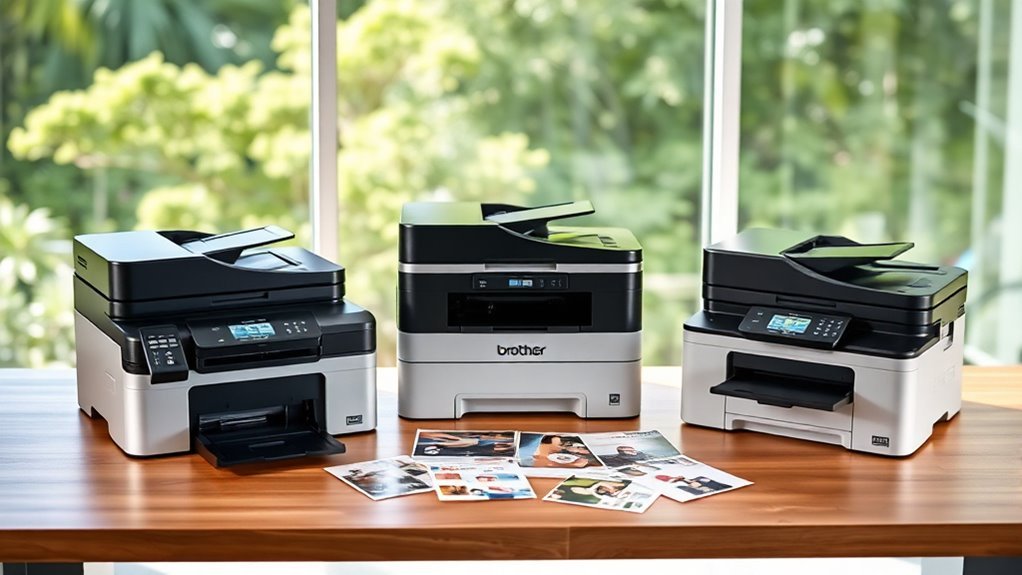
If you need reliable, fast, and efficient printing, the 5 best Brother all-in-one inkjet printers for 2027 have you covered.
These top-rated printers are perfect for home offices, students, and small businesses looking for quality and convenience. You’ll find models like the Work Smart 1360 and INKvestment 5010 offering sharp print quality, automatic duplexing, and wireless connectivity.
Plus, these printers come equipped with smart ink systems and high-yield cartridges, helping you save both time and money on replacements.
Whether you need to print documents, scan, or copy, Brother’s all-in-one inkjet printers are built to handle it all smoothly.
Keep exploring to discover which printer fits your specific needs perfectly.
| Image | Name | Editor's Rating | Price |
|---|---|---|---|

|
|
||

|
|
||

|
|
||

|
|
||

|
|
Brother Work Smart 1360 Wireless Color Inkjet All-in-One Print, Scan, Copy
- AFFORDABLE ALL-IN-ONE FOR HOME AND HOME OFFICE: Print, copy, and scan on one compact wireless printer designed for everyday home office printing, schoolwork, documents...
- EASY TO USE WITH CLOUD APP CONNECTIONS: Print from and scan to popular Cloud apps(2), including Google Drive, Dropbox, Box, OneDrive, and more from the simple-to-use...
- FULL-SIZE FEATURES IN A COMPACT DESIGN: This printer includes automatic duplex (2-sided) printing, a 20-sheet single-sided Automatic Document Feeder (ADF)(3), and a...
- MULTIPLE CONNECTION OPTIONS: Connect your way. Interface with your printer on your wireless network or via USB.
- MOBILE PRINTING MADE EASY: Go mobile with the Brother Mobile Connect app(5) that delivers easy onscreen menu navigation for printing, copying, scanning, and device...

The Brother Work Smart 1360 Wireless Color Inkjet All-in-One Printer is designed to simplify your daily printing needs. It combines printing, scanning, and copying in a compact device that fits well in home or small office spaces. With fast black-and-white print speeds and clear color output, it helps you handle documents and images efficiently.
Its automatic duplex printing reduces paper waste and saves time on double-sided jobs. The 20-sheet automatic document feeder streamlines multi-page scanning and copying, making routine tasks less cumbersome. Wireless capabilities, including Wi-Fi Direct and mobile app support, allow you to print from various devices without hassle.
Maintenance is straightforward with user-friendly features like ink usage monitoring and easy cartridge replacement. The printer uses Brother Genuine LC501 ink cartridges, ensuring consistent print quality, though the proprietary ink may be more costly than alternatives. Its lightweight design makes it easy to move or reposition as needed.
This all-in-one printer is ideal for those who want a reliable, versatile device that improves workflow without taking up much space.
Best for: individuals or small businesses seeking a compact, versatile all-in-one printer with wireless functionality for home or home office use.
What We Like:
- Fast black-and-white printing with high-quality color resolution
- Automatic duplex printing saves time and paper
- Wireless and mobile printing with Wi-Fi Direct and Brother Mobile Connect
- User-friendly interface with color display and ink monitoring
Specification:
| Feature | Details |
|---|---|
| Manufacturer | Brother |
| Dimensions (W x D x H) | 16.1 x 15.7 x 8.5 inches |
| Weight | 16.8 lb (7.6 kg) |
| Printing Technology | Color Inkjet |
| Max Print Resolution | 1200 x 6000 dpi |
| Print Speed (Black) | Up to 16 ppm |
| Print Speed (Color) | Up to 9 ppm |
| Automatic Document Feeder | 20 sheets |
| Connectivity | Wireless (Wi-Fi Direct), Mobile App |
Brother INKvestment 5010 Wireless All-in-One Printer
- BEST FOR SMALL BUSINESS: Print, copy, scan, and fax with one powerful device, with advanced security features for business. Includes one 1,800-page yield black ink...
- PRODUCTIVITY-FOCUSED FEATURES: A 250-sheet paper tray, 50-page single-pass duplex (2-sided) automatic document feeder (ADF), and automatic duplex printing on paper up to...
- SUPERIOR PRINTING: Engineered with the Brother PerfectPrint Auto Detection System, which helps ensure reliable, consistent print quality and performance you can depend on...
- SEAMLESS CONNECTIONS: Simplify your workflow with Wi-Fi Direct and multiple connection options, including wireless network interfacing, Ethernet, and USB. Plus, print...
- THE BROTHER MOBILE CONNECT APP: Put the power of printing at your fingertips. Go mobile with the simple-to-use Brother Mobile Connect app, which delivers easy on-screen...
The Brother INKvestment 5010 is designed to streamline printing tasks for small businesses that demand speed and reliability. Its fast print speeds of up to 28 ppm in black and 26 ppm in color help you complete large jobs without delay. The sharp 4800 x 1200 dpi resolution ensures professional-quality documents every time.
This all-in-one printer supports automatic duplex printing and features a 50-page duplex ADF, making double-sided scanning and copying effortless. Connectivity is versatile, with Wi-Fi Direct, Ethernet, and USB options, plus the ability to print or scan from mobile devices and cloud apps. This flexibility keeps your workflow smooth and adaptable.
Maintenance is simplified with Brother’s smart ink system, which tracks ink usage and sends replacements proactively. While the printer is compact, it weighs 30.9 pounds and has a sturdy build, suitable for busy office environments. Note that color cartridges yield fewer pages than black, which may affect running costs.
Power consumption is higher than some competitors at 33 watts, a factor to consider for energy-conscious users. Overall, the INKvestment 5010 balances functionality and convenience to support demanding business printing needs.
Best for: Small businesses needing a reliable, high-speed all-in-one printer with advanced connectivity and efficient document handling.
What We Like:
- Fast printing with sharp, high-resolution output
- Automatic duplex printing and 50-page duplex ADF for large tasks
- Multiple connectivity options including mobile and cloud printing
- Smart ink system simplifies maintenance and reduces downtime
Specification:
| Feature | Details |
|---|---|
| Manufacturer | Brother |
| Dimensions | Not specified |
| Weight | 30.9 lb (14.0 kg) |
| Print Speed | Up to 28 ppm black, 26 ppm color |
| Resolution | 4800 x 1200 dpi |
| Connectivity | Wi-Fi Direct, Ethernet, USB |
| Duplex Printing | Automatic, with 50-page duplex ADF |
Brother Work Smart 1410 Wireless Color Inkjet Printer
- BEST FOR HOME OFFICE AND SMALL OFFICE: Get your work done with a multifunction printer. Print, copy, and scan on one convenient, compact printer, with quick and easy...
- EASY-TO-USE TOUCHSCREEN WITH CLOUD APP CONNECTIONS: Seamless integration with the Cloud(2). Print from and scan to popular Cloud apps(2), including Google Drive, Dropbox...
- PRODUCTIVITY-FOCUSED FEATURES: Automatic duplex (2-sided) printing, 20-sheet single-sided Automatic Document Feeder (ADF)(3), 150-sheet paper tray(3). Print at fast...
- MULTIPLE CONNECTION OPTIONS: Connect your way. Interface with your printer on your wireless network or via USB.
- THE BROTHER MOBILE CONNECT APP: Go mobile with the Brother Mobile Connect app(5) for easy onscreen menu navigation for printing, copying, scanning, and device management...
The Brother Work Smart 1410 Wireless Color Inkjet Printer is designed to simplify your home or small office tasks. Its compact size fits easily into limited spaces, while offering versatile functions including printing, copying, and scanning. The intuitive 2.7” color touchscreen makes controlling these features straightforward and efficient.
Wireless and USB connectivity options keep you flexible and productive. You can also print directly from cloud services like Google Drive and Dropbox, streamlining document access. Automatic duplex printing and a 20-sheet automatic document feeder help reduce manual handling and speed up workflows.
Maintenance is hassle-free with genuine LC501 ink cartridges, supported by a Refresh Subscription Trial that helps you keep ink levels monitored through the Brother Mobile Connect app. This reduces downtime and ensures consistent print quality.
While print speeds are modest compared to laser models, this printer balances performance with affordability. The limited 20-sheet ADF suits moderate scanning needs, making it ideal for small scale use without overwhelming tasks.
Best for: individuals and small businesses needing a compact, multifunctional printer with wireless and cloud connectivity for everyday home or office use.
What We Like:
- User-friendly 2.7” color touchscreen for easy navigation
- Wireless and USB connections with cloud service integration
- Automatic duplex printing and convenient 20-sheet ADF
- Ink management via Brother Mobile Connect app
- Compact design suitable for small spaces
Specification:
| Feature | Description |
|---|---|
| Manufacturer | Brother |
| Dimensions | Compact (exact size not specified) |
| Weight | Not specified |
| Color Options | Not specified |
| Connectivity | Wireless, USB |
| Display | 2.7” color touchscreen |
| Paper Capacity | 150 sheets |
| ADF Capacity | 20 sheets |
| Print Speed | Up to 16 ppm (black), 9 ppm (color) |
Brother INKvestment 1365 Wireless Color Inkjet Printer
- BEST FOR HOME AND HOME OFFICE: This multifunction printer makes it easy to print, copy, and scan—all in one compact printer. Includes one 1,200-page yield black...
- WIRELESS, MOBILE, AND USB CONNECTIVITY: Connect your way. Interface with your printer on your wireless network or via USB. Enhance your workflow with Wi-Fi Direct, which...
- CLOUD APP CONNECTIONS: Print from and scan to popular Cloud apps(3), including Google Drive, Dropbox, Box, OneDrive, and more, from an impressive 1.8” color display...
- PRODUCTIVITY-FOCUSED FEATURES: A 150-sheet paper tray(4), 20-page single-sided automatic document feeder (ADF)(4), and automatic duplex (2-sided) printing. Prints at fast...
- THE BROTHER MOBILE CONNECT APP: Put the power of printing at your fingertips. Go mobile with the Brother Mobile Connect app(6) that delivers easy onscreen menu navigation...
The Brother INKvestment 1365 Wireless Color Inkjet Printer is designed to make printing easy and efficient for small offices and home users. It delivers fast wireless color printing, helping you handle daily tasks without delays. The automatic duplex feature saves time and paper by printing on both sides effortlessly.
This printer supports multiple connection methods, including Wi-Fi Direct, USB, and cloud services such as Google Drive and Dropbox. Its compact design includes a 1.8” color display for straightforward navigation. The 150-sheet tray and 20-page automatic document feeder (ADF) streamline your workflow, especially for single-sided scanning and copying.
Maintenance is simple with high-yield ink cartridges that reduce frequent replacements. Plus, the two-month free Refresh EZ Print trial helps you manage ink supply without interruptions. Keep in mind, the color cartridge yield is lower than black, and the ADF handles only single-sided documents, which could slow double-sided jobs.
Overall, the Brother INKvestment 1365 balances speed, convenience, and versatile functions in a lightweight, compact unit weighing just 16.8 pounds.
Best for: Small offices and home users who need fast, wireless color printing with versatile scanning and copying capabilities.
What We Like:
- Fast print speeds with automatic duplexing
- Multiple easy connectivity options
- High-yield cartridges with convenient ink management
- Compact and lightweight design
Specification:
| Feature | Details |
|---|---|
| Manufacturer | Brother |
| Dimensions (W x D x H) | Approximately 16.1 x 17.7 x 7.2 inches |
| Weight | 16.8 lb (7.62 kg) |
| Connectivity | Wi-Fi Direct, USB, Cloud Services |
| Display | 1.8” color screen |
| Paper Capacity | 150-sheet tray |
| Automatic Document Feeder | 20 pages, single-sided |
Brother INKvestment 5110 Wireless Color Inkjet Printer
- BEST FOR SMALL BUSINESS: Print, copy, scan, and fax with one powerful device, with advanced security features for business. Includes one 1,800-page yield black ink...
- PRODUCTIVE PRINTING FEATURES: A 500-sheet capacity between two trays, a 100-sheet multipurpose tray, single-pass duplex copy & scan for up to 50 pages via ADF, automatic...
- SUPERIOR PRINTING: Engineered with the PerfectPrint Auto Detection System, which helps ensure reliable, consistent print quality and performance you can depend on for all...
- SEAMLESS CONNECTIONS: Simplify your workflow with Wi-Fi Direct and multiple connection options, including wireless network interfacing, Ethernet, and USB. Plus, print...
- THE BROTHER MOBILE CONNECT APP: Put the power of printing at your fingertips. Go mobile with the Brother Mobile Connect app that delivers easy onscreen navigation for...
The Brother INKvestment 5110 Wireless Color Inkjet Printer is designed to streamline printing tasks for small businesses. It tackles common productivity challenges by delivering fast, sharp prints with a resolution of 4800 x 1200 dpi. This printer handles high-volume jobs smoothly, reducing downtime with its 500-sheet capacity and a 100-sheet multipurpose tray.
Maintaining this printer is straightforward. It offers versatile connectivity options including Wi-Fi Direct, Ethernet, and USB, allowing seamless integration into various workspaces. Remote printing is also possible via Brother Mobile Connect, keeping your workflow flexible and efficient.
The printer’s automatic duplexing and 50-sheet automatic document feeder save time on multi-page tasks. While it is relatively heavy at 37.7 pounds, its robust design supports demanding office environments. Ink management is efficient, but color cartridges may require more frequent replacement compared to black.
This model enhances productivity with its intuitive 4.3” touchscreen and energy-saving features, making it a practical choice for businesses that need reliable, high-quality color printing without complex maintenance.
Best for: Small businesses seeking a fast, versatile color inkjet printer that balances performance with efficient ink usage.
What We Like:
- Fast print speeds with sharp color and black output.
- Large paper capacity and automatic duplexing.
- Multiple connectivity options including mobile printing.
- Easy-to-use touchscreen interface.
- Efficient ink system designed for high-volume printing.
Specification:
| Feature | Details |
|---|---|
| Manufacturer | Brother |
| Dimensions | Not specified |
| Weight | 37.7 lb (17.1 kg) |
| Color Options | Not specified |
| Connectivity | Wi-Fi Direct, Ethernet, USB |
| Print Resolution | 4800 x 1200 dpi |
| Paper Capacity | 500-sheet + 100-sheet multipurpose tray |
Factors to Consider When Choosing a Brother All in One Inkjet Printer
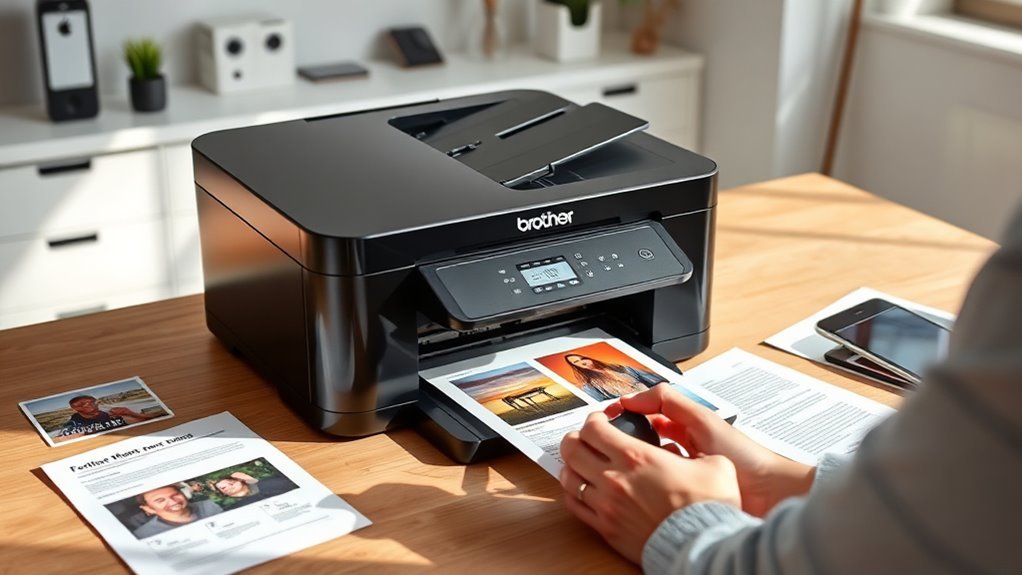
When choosing a Brother All-in-One Inkjet Printer, you’ll want to focus on print speed and quality to match your needs. These two factors really make a difference in your overall experience.
Also, consider connectivity options, ink efficiency, and paper handling to guarantee smooth operation. These features can save you time and hassle in the long run.
Don’t forget to check the user interface and features for ease of use and added convenience. It’s always nicer when your printer is simple to operate and packed with helpful extras.
Print Speed And Quality
Although print speed and quality can vary widely among all-in-one inkjet printers, understanding these factors is essential for choosing the right model for your needs. Brother printers offer speeds ranging from 16 ppm black/9 ppm color up to 28 ppm black/26 ppm color. So, you can pick one that matches your workload.
Print quality, measured in dpi, can reach 1,200 x 6,000 dpi, delivering sharp text and vibrant images. Automatic duplex printing saves time by printing on both sides without your intervention. Also, consider models that handle various media types like glossy photo paper or envelopes to maintain quality across projects.
Features like automatic document feeders and ink tracking help you streamline tasks and keep prints consistent. These little extras can make a big difference in your daily printing routine.
Connectivity And Compatibility
Connectivity plays an essential role in how easily you can integrate a Brother all-in-one inkjet printer into your workspace. Look for wireless options like Wi-Fi Direct and mobile printing to boost convenience and flexibility.
Make certain your printer supports popular cloud services such as Google Drive, Dropbox, and OneDrive, so managing and accessing documents becomes effortless. It’s also wise to choose a model with multiple connection interfaces like USB and Ethernet to fit your setup preferences.
Mobile printing features that let you print and scan remotely through dedicated apps add valuable flexibility. Finally, check for user-friendly displays and navigation to simplify setup and improve daily use.
Prioritizing these features guarantees your printer works seamlessly with your devices and workflow.
Ink Efficiency And Cost
After ensuring your Brother all-in-one inkjet printer fits seamlessly into your digital setup, it’s important to evaluate how efficiently it uses ink and what that means for your costs. Look for models with high-yield black cartridges that print up to 1,800 pages and color cartridges yielding around 750 pages.
Choosing these can save you money over time despite a higher upfront cost. It’s a smart move if you want to keep expenses manageable in the long run.
Consider subscription services offering automatic ink delivery, so you never run out unexpectedly. That way, you can keep printing without the hassle of last-minute trips to the store.
Also, take advantage of monitoring tools like the Page Gauge for real-time ink tracking. This helps you stay on top of your ink levels and manage expenses more efficiently.
Finally, opt for energy-efficient printers to reduce power consumption. Lower energy use means lower overall operating costs, making your printing more economical over time.
Paper Handling Capacity
When choosing a Brother all-in-one inkjet printer, you’ll want to evaluate its paper handling capacity since it directly affects how many sheets you can load and process at once. Tray capacities vary widely, typically from 150 to 500 sheets. A larger tray means fewer interruptions to refill paper during big print jobs.
Consider models with an Automatic Document Feeder (ADF) if you often scan or copy multi-page documents. These usually handle 20 to 50 sheets at a time, making your tasks quicker and easier. Also, check if the printer supports duplex printing to save paper by printing on both sides automatically.
Finally, verify it can handle various media types like envelopes and photo paper. This enhances its versatility for all your printing needs. So, picking the right paper handling features can really make a difference!
User Interface And Features
Paper handling sets the foundation for smooth printing, but how you interact with your Brother all-in-one inkjet printer makes a big difference in everyday use. Many models feature a 2.7” color touchscreen that simplifies navigation and operation.
You’ll appreciate mobile app compatibility, like the Brother Mobile Connect app, which lets you print, copy, and scan directly from your smartphone or tablet. Cloud connectivity enables easy access to services like Google Drive, Dropbox, and OneDrive, streamlining workflow.
Automatic Document Feeders (ADF) with capacities from 20 to 50 sheets boost efficiency by handling multi-page documents quickly. Plus, ink monitoring tools such as the Page Gauge keep you informed about ink levels, so you won’t get caught off guard during important print jobs.
Frequently Asked Questions
Are Brother Inkjet Printers Compatible With macOS and Windows?
Yes, Brother inkjet printers work seamlessly with both macOS and Windows. You’ll find drivers and software for easy installation, so you won’t have trouble setting up or printing from either operating system.
It’s pretty straightforward to get everything up and running. Just download the right software, follow the instructions, and you’re good to go!
What Is the Average Lifespan of a Brother All-In-One Inkjet Printer?
You can expect your Brother all-in-one inkjet printer to last around 3 to 5 years with regular use. Proper maintenance and using genuine ink cartridges can help you extend its lifespan effectively.
Taking care of your printer doesn’t have to be complicated. Just a little attention goes a long way in keeping it running smoothly for years.
Do Brother Printers Support Mobile Printing Apps Like Airprint?
Think of Brother printers as bridges connecting your devices to paper. Yes, they support mobile printing apps like AirPrint, so you can easily print directly from your iPhone, iPad, or other smart devices without any hassle.
It’s super convenient because you don’t need to mess around with cables or complicated setups. Just a few taps, and your document or photo is on its way to the printer. Easy, right?
How Energy-Efficient Are Brother All-In-One Inkjet Printers?
Brother all-in-one inkjet printers are quite energy-efficient, using low power in sleep mode and during printing.
You’ll save on electricity bills while getting reliable performance, thanks to their ENERGY STAR certifications and smart power management features.
It’s nice to know your printer isn’t wasting energy when it’s not in use. Plus, these features help the environment without you having to think twice.
What Warranty Options Are Available for Brother Inkjet Printers?
Think of Brother’s warranty like a safety net when you’re tightrope walking—usually, you get one-year coverage with options to extend up to three years.
This guarantees you’re supported if anything goes wrong unexpectedly. It’s nice knowing you’ve got backup when you need it most.
Conclusion
Choosing the perfect Brother all-in-one inkjet printer for 2027 doesn’t have to be overwhelming. With options like the Work Smart 1360 and INKvestment 5010, you get reliable performance tailored to your needs.
Why settle for less when you can have wireless convenience, vibrant color, and efficient ink usage all in one device? Take a moment to reflect on what matters most to you, and you’ll find the ideal printer ready to boost your productivity.
When searching for the best Brother all-in-one inkjet printer, focus on features like print quality, speed, and connectivity. Whether you need it for home or office use, these printers offer a great balance of functionality and value.
In 2027, the right Brother all-in-one inkjet printer will deliver seamless wireless printing, cost-effective ink solutions, and sharp, vibrant prints. So, choose wisely and enjoy enhanced productivity with a device designed to meet your everyday printing needs.