4 Best Color Printers with Cheap Ink for 2027
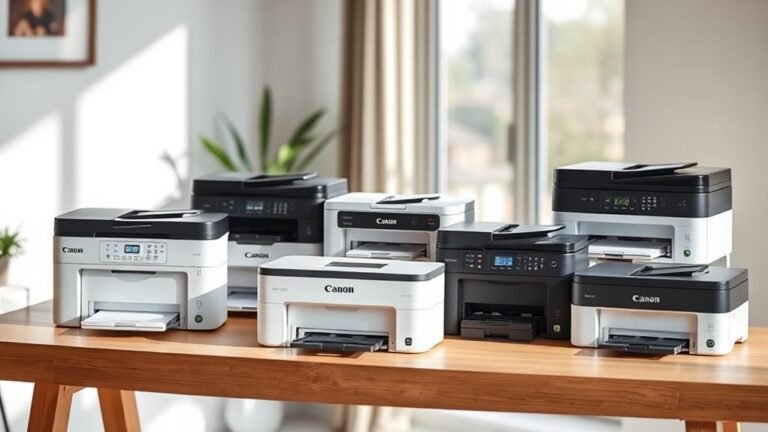
You’ll save big with the Canon MegaTank G3270, Epson EcoTank ET-2900, Epson EcoTank ET-4800, and HP Smart Tank 5100. These color printers with cheap ink are perfect for anyone looking to cut down on printing costs without sacrificing quality.
Each all-in-one model comes with refillable ink tanks that slash ink expenses and can print thousands of pages before needing a refill. Plus, they all support wireless printing and smartphone control, which makes printing from anywhere super easy.
Whether you need a printer for home use or a small office, these models deliver vibrant prints at a fraction of the usual ink cost. Capacities and features vary a bit, so keep exploring to find the one that fits your needs best.
| Image | Name | Editor's Rating | Price |
|---|---|---|---|

|
|
||

|
|
||

|
|
||

|
|
Canon MegaTank G3270 All-in-One Wireless Color Printer
- Wireless Print/Copy/Scan
- Up to 2 years of ink included (2)
- Print up to 6,000 black & white / 7,700 color pages using a single set of inks! (1)
- Save up to $1,000 on ink (1)
- 1.35” Square LCD display

Experience hassle-free printing with the Canon MegaTank G3270 All-in-One Wireless Color Printer, designed to keep your ink costs low and productivity high. Its refillable MegaTank system lets you print thousands of pages without interruptions, eliminating frequent cartridge replacements. This means less downtime and more focus on your work.
You can easily print, scan, and copy with crisp quality at 4800 × 1200 dpi resolution. Wireless connectivity and smartphone app control simplify setup and daily use, making it ideal for home or small office environments. The compact design fits neatly on your desk without taking up much space.
Maintenance is straightforward with visible ink tanks that let you monitor ink levels at a glance. While the printer supports various paper sizes, note it only prints single-sided pages and has a 100-sheet tray, so larger jobs require more frequent attention.
Best for: Users seeking an affordable, high-yield color printer with wireless convenience for home or small office use.
What We Like:
- Refillable MegaTank system for high ink yield and cost savings
- Sharp print, scan, and copy quality at 4800 × 1200 dpi
- Wireless and smartphone app control for easy operation
- Compact design that fits well in limited spaces
Specification:
| Feature | Details |
|---|---|
| Manufacturer | Canon |
| Dimensions (W×D×H) | Approx. 17.7 × 13.7 × 7.7 in (45 × 34.8 × 19.5 cm) |
| Weight | Approx. 7.5 lb (3.4 kg) |
| Color Options | White |
| Print Resolution | Up to 4800 × 1200 dpi |
| Connectivity | Wireless, USB |
| Paper Capacity | 100 sheets input/output |
Epson EcoTank ET-2900 Wireless All-in-One Printer
- Epson EcoTank includes enough ink to last up to 3 years⁴
- WORRY-FREE PRINTING — Epson EcoTank comes with enough ink to print up to 3,600 pages black/6,500 color⁹ for fewer out-of-ink frustrations. Each replacement ink bottle...
- SIMPLE INK REFILLING — Supersized ink tanks and uniquely keyed EcoFit bottles make refilling ink simple—no mess, no stress and no ink bottle mix-ups; fits in...
- THE WORLD’S #1 SELLING SUPERTANK PRINTER² — Epson invented EcoTank to revolutionize the way people print; we’ve sold 100 million EcoTanks worldwide⁷ and this is...
- KEY PRODUCTIVITY FEATURES — 11 black/6 color ISO ppm print speeds with zero warmup time, 100-sheet paper tray, high-resolution flatbed scanner and a 1.44" color display...
The Epson EcoTank ET-2900 redefines affordability and convenience in home and small office printing. Its innovative cartridge-free design with large refillable ink tanks eliminates frequent cartridge replacements, saving you both time and money. You can print thousands of pages before needing a refill, reducing interruptions and hassle.
This wireless all-in-one printer offers easy mobile printing and scanning through the Epson Smart Panel app. The 1.44″ color display makes navigation straightforward, even for those new to wireless devices. Heat-Free technology protects the printhead, ensuring consistent quality and longer printer life.
Designed for everyday use, the ET-2900 delivers reliable black-and-white and color prints with decent speed and borderless photo capability. While it supports single-sided printing and has a modest paper capacity, it suits users with moderate print volumes who prioritize low maintenance and cost efficiency.
Energy Star certification highlights its energy-saving design, reducing power consumption without compromising performance. This printer’s blend of functionality, user-friendly features, and economical ink system makes it a practical choice for budget-conscious users.
Best for: Home and small office users seeking a cost-efficient, low-maintenance all-in-one printer with wireless functionality and high ink capacity.
What We Like:
- Cartridge-free EcoTank system with large refillable tanks cuts ink costs.
- Heat-Free technology ensures durable printheads and reliable print quality.
- Wireless connectivity plus Epson Smart Panel app simplify mobile printing.
- Compact design with intuitive 1.44″ color display for easy operation.
- Energy Star certified for reduced power consumption.
Specification:
| Feature | Details |
|---|---|
| Manufacturer | Epson |
| Dimensions | Approx. 14.8 x 13.8 x 9.4 in (37.6 x 35.1 x 23.9 cm) |
| Weight | Approx. 9.3 lb (4.2 kg) |
| Ink System | Refillable EcoTank ink tanks |
| Connectivity | Wireless (Wi-Fi) |
| Display | 1.44″ color LCD |
Epson EcoTank ET-4800 Wireless Color All-in-One Supertank Printer
- INNOVATIVE CARTRIDGE-FREE PRINTING — High-capacity ink tanks mean no more dealing with lots of tiny ink cartridges; Epson’s exclusive EcoFit ink bottles make filling...
- CLEAR AND VIBRANT PRINT QUALITY ― Create memorable prints and projects; Unique Micro Piezo Heat-Free Technology allows wireless color printer to produce sharp text and...
- ZERO CARTRIDGE WASTE — By using an Epson EcoTank printer you can help reduce the amount of cartridge waste ending up in landfills
- BUILT IN SCANNER AND COPIER ― All-In-One Epson EcoTank is more than a printer; High-resolution flatbed scanner and color display come together for easy document copying...
- LESS FREQUENT INK REPLACEMENT — Replacement ink bottles don't have to be changed nearly as often as ink cartridges¹; Printer, scanner and copier lets you print up to...
Experience hassle-free, high-volume printing with the Epson EcoTank ET-4800 Wireless Color All-in-One Supertank Printer. Its innovative cartridge-free ink system eliminates frequent replacements, saving you both time and money. The large ink tanks let you print thousands of pages before needing a refill, reducing interruptions and lowering overall printing costs.
Refilling is simple and eco-friendly with Epson EcoFit ink bottles, which help cut down on plastic waste by removing the need for cartridges. This system supports sharp text and vibrant color prints using Micro Piezo Heat-Free Technology, compatible with nearly any paper type, enhancing your print quality without extra effort.
Designed as an all-in-one solution, the ET-4800 includes a high-resolution flatbed scanner, copier, fax, and a color display. These features make it ideal for boosting productivity in a home office setting. Maintenance requires genuine Epson ink to ensure consistent output and protect your printer’s warranty.
While the initial setup and refilling process may take some getting used to, the benefits of fewer refills and reduced waste outweigh the learning curve. This printer is less suited for low-volume users due to its large ink capacity.
Best for: Home office users or individuals who need a cost-efficient, eco-friendly printer with scanning, copying, and fax capabilities.
What We Like:
- High-capacity ink tanks reduce refill frequency.
- Cartridge-free design lowers waste and simplifies maintenance.
- Versatile all-in-one functionality with scanner, copier, fax, and color display.
Specification:
| Feature | Details |
|---|---|
| Manufacturer | Epson |
| Dimensions | Not specified |
| Weight | Not specified |
| Color Options | Not specified |
HP Smart Tank 5100 Ink Tank Printer | 3 Years of Ink Included | All-in-One
- THE LAST PRINTER YOU'LL EVER NEED – Set it up once and print with confidence; no complicated maintenance, just easy, reliable printing you can count on
- FULLY LOADED WITH SAVINGS – Best for low-cost, high-volume printing—up to 3 years of HP Ink included; get up to 6,000 color or black pages right out of the box
- KEY FEATURES – Print, copy and scan, plus borderless prints, mobile and wireless printing
- MESS-FREE REFILL – Replenish ink with HP's easy-access, mess-free refill system; simply plug the ink bottles into this cartridge-free ink tank and let them drain—no...
- BEST PRINT QUALITY, PERIOD – Sharper text, richer colors, only with HP Smart Tank
The HP Smart Tank 5100 is designed to meet the needs of home users who require affordable, high-volume color printing. Its all-in-one functionality allows you to print, copy, and scan with ease, while wireless connectivity lets you print directly from your phone or tablet. This printer simplifies everyday tasks without complicated setups.
Maintenance is hassle-free thanks to the cartridge-free ink tank system that holds enough ink for up to 3 years. The mess-free refill design prevents spills, reducing downtime and keeping your workspace clean. This means fewer interruptions and lower running costs for your printing needs.
With a sharp resolution of 4800 x 1200 dpi, your prints come out clear and vibrant. While the print speed is moderate, it balances quality and efficiency for home projects. Manual duplex printing offers flexibility but requires user involvement.
This printer is ideal for users who want reliable performance, wireless convenience, and low-cost color printing all in one device.
Best for: Home users needing an affordable all-in-one printer capable of handling large print volumes with wireless features.
What We Like:
- Includes original HP ink for up to 3 years, supporting about 6,000 pages without refills
- Cartridge-free ink tank with spill-resistant refill system
- Wireless printing from mobile devices with smart workflow features
- High-quality color prints at 4800 x 1200 dpi resolution
Specification:
| Feature | Details |
|---|---|
| Manufacturer | HP |
| Dimensions (W×D×H) | Approx. 16.4 × 13.7 × 7.5 inches (41.6 × 34.8 × 19 cm) |
| Weight | Approx. 7.2 lbs (3.3 kg) |
| Color Options | White with black accents |
| Print Resolution | Up to 4800 x 1200 dpi |
Factors to Consider When Choosing a Color Printer With Cheap Ink
When choosing a color printer with cheap ink, you’ll want to focus on ink cost efficiency and print yield capacity to save money over time. Consider cartridge refill options and how they affect ongoing expenses.
Don’t forget to check print quality standards and make sure the printer’s connectivity and compatibility match your needs. It’s all about finding the right balance between cost and performance.
Ink Cost Efficiency
Many factors influence how cost-effective your color printer’s ink truly is, so you’ll want to calculate the cost per page by dividing the price of replacement ink or refill bottles by their rated yield. Favor printers with high-yield refillable tanks or bulk ink systems, which usually lower your per-page cost by delivering thousands of pages per refill compared to small cartridges.
Since black and color ink yields often differ, calculate separate cost-per-page rates based on your typical print mix. Don’t forget to factor in indirect costs like ink lost during maintenance cycles and printhead cleaning.
Also, verify that manufacturer yield claims follow standard testing methods like ISO/IEC. And keep in mind—if you print lots of images or photos, you’ll want to reduce your expectations since these consume more ink per page.
Print Yield Capacity
Although ink cost often grabs your attention first, print yield capacity plays an equally crucial role in keeping your color printing affordable. You should check the ink yield, usually expressed in pages per full ink set or bottle.
A higher yield, like several thousand pages, lowers your cost per page by spreading the ink cost over more prints. Compare yields for black and color separately, as black ink often yields fewer pages or is measured differently.
This can affect costs based on your usage. Keep in mind that manufacturer-stated yields assume about 5% coverage, so your actual yield may vary, especially with photos or graphics.
To compare long-term costs, divide the ink set price by its yield. Also, printers with high-capacity tanks or bottles reduce refill frequency and help cut costs further.
Cartridge Refill Options
Understanding print yield capacity helps you gauge how long ink lasts, but knowing your cartridge refill options can make a big difference in ongoing costs and convenience.
Refillable ink-tank systems with large reservoirs offer thousands of pages per bottle, cutting your per-page cost markedly. Look for printers with replaceable ink bottles featuring keyed, no-spill designs and clear tanks to avoid mess and monitor ink levels easily.
While third-party refill kits are cheaper, they might void warranties or clog printheads, especially if your printer has a permanent head. So, it’s a good idea to opt for printers with user-replaceable heads to reduce repair risks.
Always factor in bottle yield, refill frequency, and ease of refilling when calculating total cost of ownership. This way, you can make sure you get the best long-term savings.
Print Quality Standards
When choosing a color printer with cheap ink, prioritize print quality standards to guarantee your output meets your expectations. Look for a maximum print resolution of at least 4800 × 1200 dpi to make certain your photos and graphics come out sharp and detailed.
Check the color depth—16-bit or higher delivers richer tonal gradations and more accurate colors. Don’t overlook scanner and copy resolution if you need to reproduce artwork, aiming for around 4800–5760 × 1200 dpi.
Also, consider the printer’s technology; micro-nozzle or piezo-based printheads offer precise dot placement, sharp text, and consistent color mixing. Finally, review color gamut coverage like sRGB or Adobe RGB and test print samples to confirm the printer handles your required hues and saturation well.
This guarantees professional-quality results without overspending on ink.
Connectivity and Compatibility
How will you connect your color printer to your devices? Make sure it supports the network methods you need—Wi‑Fi, Ethernet, or USB—so you can print from PCs, laptops, or shared home networks without relying on just one device.
If you print or scan from smartphones and tablets, verify mobile and cloud compatibility like Apple AirPrint, Mopria, or native IPP/SMTP printing. It’s important to check that the printer supports your operating system, whether it’s Windows, macOS, or Linux.
Also, make sure the manufacturer provides regular firmware and driver updates. That way, your printer stays up to date and secure.
Don’t forget to confirm it offers essential features like scanning over Wi‑Fi, USB host for direct printing, or an SD/USB port for standalone use. These can come in really handy depending on how you like to work.
Look for easy setup and management options like a web interface, onboard display, or companion app. Keeping things simple makes life a lot easier!
Printing Speed Performance
Consider print speed carefully to guarantee your color printer keeps up with your workload without wasting ink or time. Check print speeds separately for black and color pages, since color printing is often slower and impacts overall throughput.
Always rely on ISO or Mbps-equivalent test speeds rather than manufacturer “up to” claims to get realistic expectations. Don’t overlook first-page-out time and warm-up delays, especially if you print single pages frequently—long warm-ups can cancel out high ppm rates.
If you copy documents often, review the copier’s speed and max copies per run, as it may differ from print speed. Finally, remember that duplexing, high-resolution, and borderless or photo modes reduce effective speeds markedly, so verify the printer’s performance at the quality settings you plan to use.
Paper Size Support
Print speed matters, but so does the range of paper sizes your color printer can handle, especially if you want to keep ink costs low without sacrificing versatility. Check the maximum supported paper size—whether it’s Letter, Legal (8.5″×14″), or larger—to make certain it fits your document needs.
If you print photos, verify support for common sizes like 4″×6″, 5″×7″, and 8″×10″, plus borderless printing for edge-to-edge images. Also, confirm the printer accepts custom widths and lengths if you plan on printing banners or business cards.
Don’t forget to take into account input and output tray capacities, which impact workflow during heavy use. Finally, make sure compatibility with various media types and weights, such as card stock or glossy paper, to avoid jams and maintain print quality across all supported sizes.
Warranty and Support
Although affordable ink costs are important, you’ll want to prioritize warranty and support when choosing a color printer. Start by verifying the length and scope of the manufacturer warranty—check if it covers printhead and ink-related failures and any usage limits.
Also, confirm how long spare parts and service support last in your region, typically 3 to 5 years. This helps guarantee repairability beyond the warranty period.
It’s vital to know if using third-party or refilled ink voids the warranty or if it’s explicitly allowed. Don’t forget to review support channels like phone, chat, or online resources, along with any restrictions such as service hours or return procedures.
Finally, understand coverage for consumables and wear items, including any per-incident or lifetime caps on tanks, bottles, or printheads. This way, you won’t be caught off guard when it’s time to replace these parts.
Frequently Asked Questions
How Do Printer Ink Cartridges Impact Environmental Sustainability?
You impact environmental sustainability by choosing printer ink cartridges that are refillable or recyclable, reducing plastic waste.
Using cartridges with eco-friendly ink also lowers pollution, helping you minimize your carbon footprint and conserve resources effectively.
It’s a simple choice that makes a big difference for the planet. Just swapping to greener options can really add up over time.
Can These Printers Connect to Mobile Devices via Bluetooth?
Yes, many printers now connect to your mobile devices via Bluetooth, letting you print wirelessly and easily.
You won’t need cables, and you can quickly print photos or documents directly from your phone or tablet.
It’s super convenient, right? Just tap and print without any hassle.
What Is the Average Lifespan of a Color Printer With Cheap Ink?
You can expect a color printer with cheap ink to last around 3 to 5 years, depending on usage and maintenance.
Regular cleaning and proper handling will help you extend its lifespan markedly. Taking care of it goes a long way!
Are There Any Subscription Services Available for Ink Refills?
Yes, you’ll find subscription services like HP Instant Ink and Epson’s ReadyInk that deliver ink automatically. They save you money and hassle by ensuring you never run out, making refills easy and affordable.
It’s pretty convenient, right? You just set it up once, and the ink shows up when you need it—no last-minute trips to the store. Plus, it often costs less than buying cartridges individually.
How Do Printer Warranties Differ Between Brands?
Don’t worry about confusing warranties—they differ mainly in length and coverage. Some brands offer longer, more all-encompassing warranties with free repairs or replacements, while others limit coverage.
Always check the specifics to avoid surprises. That way, you can protect your investment better.
Conclusion
Choosing the right color printer with cheap ink is like picking a reliable travel buddy—you want one that won’t run out of fuel halfway. Imagine printing 6,000 pages without worrying about ink costs, just like the Epson EcoTank ET-2900 lets you.
With these printers, you’re not just saving money; you’re investing in hassle-free creativity. Pick wisely, and your printing journey will be smooth and budget-friendly for years to come.
When you choose a color printer with affordable ink, you’re making a smart move for your wallet and your workflow. These printers combine quality, efficiency, and low running costs, making them perfect for home or office use. So, whether you’re printing photos, documents, or creative projects, a cheap ink color printer is the way to go for 2027.