8 Best Color Printers for Office Use in 2027
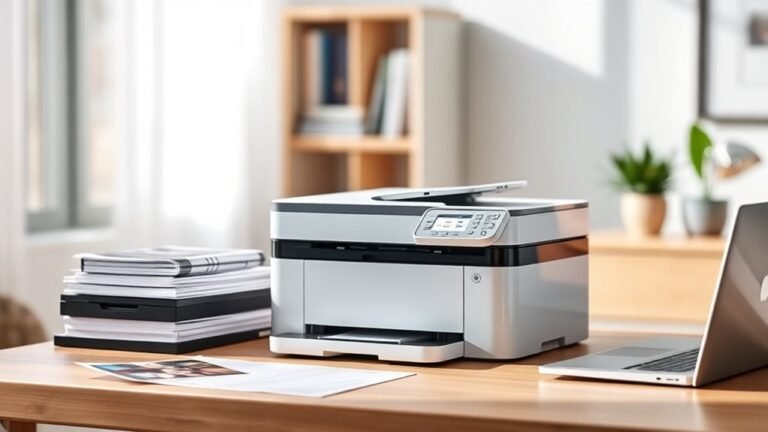
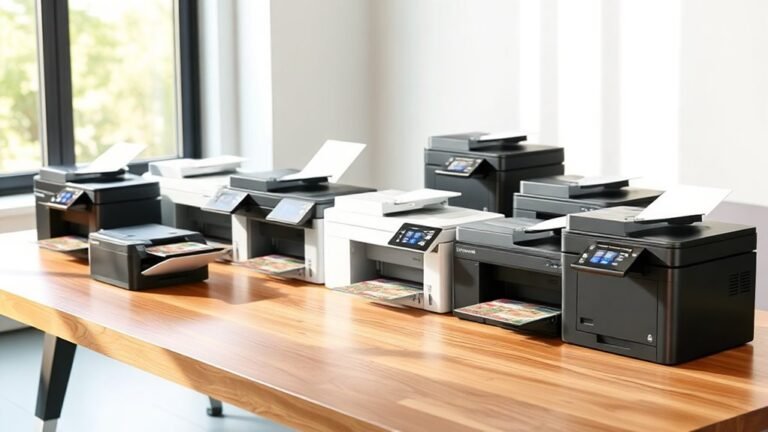
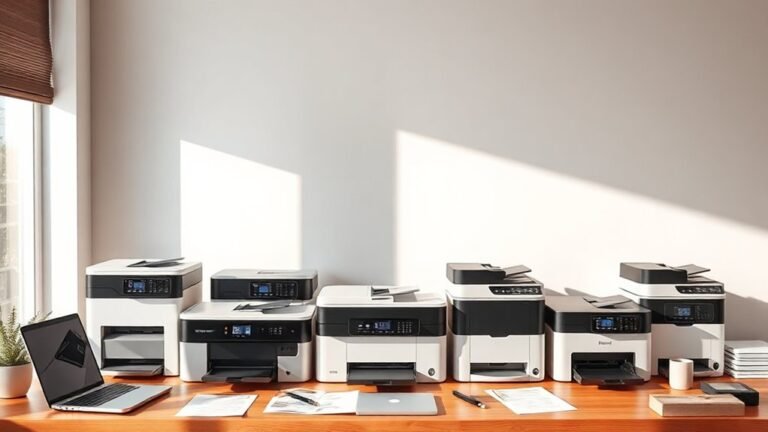
If you need reliable, high-quality color printing for your office in 2027, there are some great options to consider. Whether you want cost-efficient wireless printing or powerful all-in-one features, there’s something for every office setup. For example, the Canon MegaTank G3270 is perfect if you’re looking to save on ink without sacrificing quality.
Another versatile option is the HP OfficeJet Pro 8125, which combines printing, scanning, and copying in one neat package. If you prefer laser printers, models like the HP Color LaserJet Pro 3301sdw and the Brother MFC-L3720CDW deliver fast duplexing and sharp output, making them ideal for busy offices.
When handling heavy workloads, the Epson Workforce Pro WF-4830 and Canon imageCLASS printers stand out for their durability and consistent performance. Take a closer look at these models to find the one that balances speed, cost, and features perfectly for your workflow.
| Image | Name | Editor's Rating | Price |
|---|---|---|---|

|
|
||

|
|
||

|
|
||

|
|
||

|
|
Canon MegaTank G3270 All-in-One Wireless Color Printer
- Wireless Print/Copy/Scan
- Up to 2 years of ink included (2)
- Print up to 6,000 black & white / 7,700 color pages using a single set of inks! (1)
- Save up to $1,000 on ink (1)
- 1.35” Square LCD display

The Canon MegaTank G3270 is designed to meet the needs of home users and small offices seeking a reliable and cost-effective printing solution. Its multifunction capabilities include printing, copying, and scanning, making it a versatile device for everyday tasks. The printer delivers sharp, vibrant output with a resolution of 4800 × 1200 dpi, ensuring professional-looking documents and images.
This model features a refillable MegaTank ink system that significantly lowers running costs. One set of ink can produce up to 6,000 black-and-white pages or 7,700 color pages, which can last up to two years, reducing the hassle and expense of frequent cartridge replacements. This system is ideal for users who print regularly and want consistent performance without interruptions.
Wireless connectivity offers seamless integration with smartphones and tablets, allowing you to print and scan directly from mobile devices. The compact design fits easily into limited spaces, making it practical for smaller work areas. Included ink bottles and print heads mean you can start printing immediately without additional purchases.
While the printer supports only simplex printing and has a modest paper capacity of 100 sheets, it remains a solid choice for users prioritizing high ink yield and easy mobile device control.
Best for: Small office users or individuals needing an affordable, high-yield wireless color printer with multifunction features and straightforward maintenance.
What We Like:
- High ink yield with up to 6,000 black and 7,700 color pages per ink set
- Refillable MegaTank system lowers ongoing costs and reduces downtime
- Wireless printing and scanning with easy mobile device integration
- Compact footprint fits well in tight spaces
- Ready to use out of the box with included ink bottles and print heads
Specification:
| Feature | Details |
|---|---|
| Manufacturer | Canon |
| Dimensions (W×D×H) | Not specified |
| Weight | Not specified |
| Print Resolution | 4800 × 1200 dpi |
| Ink System | Refillable MegaTank |
| Page Yield (Black) | Up to 6,000 pages |
| Page Yield (Color) | Up to 7,700 pages |
| Connectivity | Wi-Fi, USB |
| Paper Capacity | 100 sheets |
| Display | 1.35″ LCD |
HP OfficeJet Pro 8125 Wireless All-in-One Printer
- FROM AMERICA'S MOST TRUSTED PRINTER BRAND – The OfficeJet Pro 8125 is perfect for home offices printing professional-quality color documents like business documents...
- 3 MONTH TRIAL OF INSTANT INK INCLUDED – Subscribe to the Instant Ink delivery service to get ink delivered directly to your door before you run out, and you save up to...
- KEY FEATURES – Fast color printing, scan, copy, auto 2-sided printing, auto document feeder, and a 225-sheet input tray
- 2.7-INCH TOUCHSCREEN – Quickly navigate your printer with a large color touchscreen and a phone-like user interface
- WIRELESS PRINTING – Stay connected with our most reliable dual-band Wi-Fi, which automatically detects and resolves connection issues
The HP OfficeJet Pro 8125 Wireless All-in-One Printer is designed to meet the demands of home and home office users who need reliable, professional-quality color printing. It combines print, scan, copy, and fax functions in a single compact device, helping to save space and simplify workflow. With sharp print quality reaching up to 4800 x 1200 dpi, your documents and images come out vibrant and clear every time.
Maintenance is straightforward with this model. It supports automatic duplex printing, reducing paper waste and saving you time. The 2.7-inch touchscreen and HP Smart app make managing tasks and monitoring ink levels easy, while a three-month Instant Ink trial helps keep printing affordable. Dual-band Wi-Fi, Ethernet, and AirPrint connectivity ensure smooth wireless operation without interruptions.
This printer’s design focuses on eco-friendliness, incorporating over 45% recycled plastic and energy-saving features. However, faxing requires the use of an app rather than dedicated hardware, which may not suit every user. Limited USB ports and firmware controls on cartridge compatibility are other considerations to keep in mind.
Overall, the HP OfficeJet Pro 8125 enhances productivity with versatile functions and strong wireless connectivity, making it a practical choice for everyday professional use.
Best for: Home and home office users needing a versatile, efficient color printer with reliable wireless features.
What We Like:
- High-quality prints with resolution up to 4800 x 1200 dpi
- All-in-one functionality including scan, copy, and fax
- Automatic duplex printing to save paper and time
- Intuitive touchscreen and mobile app for easy operation
- Eco-friendly design using recycled materials
Specification:
| Feature | Description |
|---|---|
| Manufacturer | HP |
| Dimensions (W x D x H) | 17.2 x 15.3 x 9.3 inches |
| Weight | Approximately 19.4 lb (8.8 kg) |
| Color Options | Black and white |
| Connectivity | Dual-band Wi-Fi, Ethernet, USB |
| Print Resolution | Up to 4800 x 1200 dpi |
HP Color LaserJet Pro MFP 3301sdw Printer
- FROM AMERICA'S MOST TRUSTED PRINTER BRAND – Perfect for small teams printing, scanning and copying professional-quality color documents and reports. Print speeds up to...
- PROFESSIONAL PRODUCTIVITY – Proficiency with every print—next-generation TerraJet toner brings your business to life with more vivid colors.
- ORIGINAL HP TONER CARTRIDGES – This HP printer uses Original HP 218A standard and 218X high yield LaserJet toner cartridges.
- UPGRADED FEATURES – Fast color printing, scan, copy, auto 2-sided printing, auto document feeder, and a 250-sheet input tray.
- AWARD-WINNING RELIABILITY – Performance you can count on page after page, and always ready for the high demands of business.
Experience smooth, vibrant printing designed to meet the needs of small teams and busy offices with the HP Color LaserJet Pro MFP 3301sdw. This all-in-one color laser printer simplifies daily tasks by combining printing, scanning, and copying in a single device. Its fast output, reaching up to 30 ppm in color, keeps workflow steady and efficient.
The printer supports auto duplex printing, saving time and paper by printing on both sides automatically. An auto document feeder and flatbed scanner add convenience for handling multi-page documents without constant supervision. Connectivity is versatile, with built-in Wi-Fi, Ethernet, and mobile printing through the HP app, making it easy to print from various devices.
Maintenance is straightforward with the use of Original HP 218A or 218X toner cartridges featuring TerraJet toner. These cartridges ensure sharp, vivid colors and reliable performance, although they come at a higher cost due to their integrated chips. The 250-sheet input tray and dual USB ports provide ample capacity and flexible connection options.
The printer’s sturdy design supports daily office use but weighs 37.7 lb, limiting portability within the workspace. It handles paper sizes up to 8.5 x 14 inches, which fits most office needs but does not support larger formats.
Best for: Small teams and offices needing an efficient all-in-one color laser printer that balances speed, security, and color quality.
What We Like:
- Fast color printing up to 30 ppm with automatic duplexing
- Flexible connectivity via Wi-Fi, Ethernet, and HP mobile app
- Sharp, vibrant output with Original HP toner and TerraJet technology
- Convenient multi-page scanning with auto document feeder
Specification:
| Feature | Details |
|---|---|
| Manufacturer | HP |
| Dimensions (W×D×H) | Not specified |
| Weight | 37.7 lb (17.1 kg) |
| Color Options | Not specified |
| Paper Size | Up to 8.5 x 14 inches (Legal) |
Brother MFC-L3720CDW Wireless Color Laser Printer
- Professional Performance: Dominate your business printing with this Brother Genuine color laser printer delivering exceptional print speeds up to 19 ppm and stunning...
- Advanced Connectivity: Take command of your workflow with dual-band wireless networking (2.4GHz/5GHz), Wi-Fi Direct, and USB 2.0 interface, enabling multiple users to...
- Productivity Powerhouse: Maximize efficiency with the 50-sheet auto document feeder, 250-sheet adjustable paper tray, and automatic duplex printing, ensuring...
- Smart Integration: Transform your workflow with the intuitive 3.5" color touchscreen featuring 48 customizable shortcuts and direct access to popular cloud services...
- Mobile Command Center: Leverage the power of mobile printing with remote access capabilities, toner level monitoring, and complete printer management directly from your...
The Brother MFC-L3720CDW offers fast and reliable color printing designed to keep up with busy office environments. It delivers sharp, laser-quality prints at speeds up to 19 pages per minute, helping reduce wait times for important documents.
This multifunction device combines printing, scanning, copying, and faxing in one compact unit. Its 50-sheet auto document feeder and 250-sheet adjustable tray allow for smooth handling of everyday tasks. Automatic duplex printing helps cut paper use without extra effort.
Connectivity is flexible with dual-band Wi-Fi, Wi-Fi Direct, and USB options, making it easy to share the printer across multiple users or devices. The 3.5″ color touchscreen provides quick access to 48 customizable shortcuts and direct cloud printing, simplifying complex workflows.
Maintenance is straightforward with remote management tools that monitor toner levels and reduce downtime. While the USB 2.0 interface is somewhat slower than newer standards and the touchscreen may feel small for detailed navigation, its overall design supports efficient, nonstop business use.
Best for: small to medium offices needing versatile, reliable color printing and multifunction capabilities.
What We Like:
- Fast laser-quality color printing at 19 ppm
- Automatic duplex printing saves paper
- Flexible connectivity with dual-band Wi-Fi and Wi-Fi Direct
- 3.5″ touchscreen with customizable shortcuts
- Remote toner monitoring reduces downtime
Specification:
| Feature | Details |
|---|---|
| Manufacturer | Brother |
| Dimensions (W x D x H) | Approx. 16.1 x 18.7 x 15.7 in (40.9 x 47.5 x 39.9 cm) |
| Weight | Approx. 33.5 lbs (15.2 kg) |
| Paper Capacity | 250-sheet adjustable tray, 50-sheet ADF |
| Connectivity | Dual-band Wi-Fi, Wi-Fi Direct, USB 2.0 |
| Display | 3.5″ color touchscreen |
Canon Color imageCLASS MF753Cdw II – All-in-One Color Duplex Laser Printer
- Color, Wireless, Duplex 4-in-1: Print, scan, copy, fax.
Experience fast, high-quality color printing designed to keep your small office productive. The Canon Color imageCLASS MF753Cdw II streamlines your workflow by combining printing, scanning, copying, and faxing in one device. It handles up to 35 pages per minute, letting you complete tasks quickly and efficiently.
This all-in-one printer features one-pass duplex scanning and printing, reducing paper use and saving valuable time. The sharp 1200 x 1200 dpi resolution ensures your documents and graphics always look professional. Navigating the device is simple thanks to a clear 5-inch touchscreen.
Maintenance is straightforward with a 250-sheet input capacity that can expand to 850 sheets, minimizing interruptions. It supports multiple connectivity options like Ethernet, USB, Wi-Fi, and mobile printing, enabling flexible setups for busy workspaces.
While it weighs 50 lbs, making it less portable, this Energy Star–certified printer offers reliable, consistent performance. Starter toner yields are moderate, so plan for timely replacements to maintain high-volume output. The single USB port might limit simultaneous wired connections but covers basic needs well.
Best for: Small and home offices or hybrid work environments needing a fast, reliable all-in-one color duplex laser printer with versatile connectivity and high-quality output.
What We Like:
- Fast printing up to 35 ppm with crisp 1200 x 1200 dpi detail
- Efficient one-pass duplex scanning and printing
- Wide connectivity options including Ethernet, USB, Wi-Fi, and mobile printing
- Expandable paper capacity supports busy workflows
- Intuitive 5-inch touchscreen for easy operation
Specification:
| Feature | Details |
|---|---|
| Manufacturer | Canon |
| Dimensions (W×D×H) | 16.5 x 18.5 x 15.7 inches |
| Weight | 50 lbs (22.7 kg) |
| Color Options | White/Gray |
| Printing Speed | Up to 35 pages per minute |
| Resolution | 1200 x 1200 dpi |
| Connectivity | Ethernet, USB, Wi-Fi, Mobile |
| Paper Capacity | 250 sheets (expandable to 850) |
Brother INKvestment 5010 Wireless Color Printer (MCF-J5010DW)

- BEST FOR SMALL BUSINESS: Print, copy, scan, and fax with one powerful device, with advanced security features for business. Includes one 1,800-page yield black ink...
- PRODUCTIVITY-FOCUSED FEATURES: A 250-sheet paper tray, 50-page single-pass duplex (2-sided) automatic document feeder (ADF), and automatic duplex printing on paper up to...
- SUPERIOR PRINTING: Engineered with the Brother PerfectPrint Auto Detection System, which helps ensure reliable, consistent print quality and performance you can depend on...
- SEAMLESS CONNECTIONS: Simplify your workflow with Wi-Fi Direct and multiple connection options, including wireless network interfacing, Ethernet, and USB. Plus, print...
- THE BROTHER MOBILE CONNECT APP: Put the power of printing at your fingertips. Go mobile with the simple-to-use Brother Mobile Connect app, which delivers easy on-screen...
The Brother INKvestment 5010 Wireless Color Printer is designed to simplify your small business tasks with efficient, reliable color printing and scanning. It offers print, copy, scan, and fax functions in a single device, helping you manage workflows without hassle. Its 250-sheet tray and 50-page duplex automatic document feeder (ADF) keep your projects moving smoothly.
This printer handles double-sided documents up to 8.5” x 14” automatically, saving time and reducing paper waste. Print speeds reach up to 28 pages per minute (ppm) in black and 26 ppm in color, delivering consistent results through Brother’s PerfectPrint system. It connects easily through Wi-Fi Direct, Ethernet, or USB, giving you flexible options to fit your office setup.
Maintenance is straightforward, though color ink cartridges yield fewer pages (around 750) compared to black (1,800), which may require more frequent replacements. The 2.7” touchscreen provides simple navigation but can feel compact for complex tasks. Overall, it offers strong functionality with a focus on productivity and security.
Best for: Small businesses needing an all-in-one wireless color printer with solid security and efficient document handling.
What We Like:
- Fast and consistent print speeds using Brother PerfectPrint technology
- Four-in-one functionality supports diverse office needs
- Large input capacity with 250-sheet tray and 50-page duplex ADF
- Multiple connectivity options including Wi-Fi Direct and Ethernet
- Compact touchscreen for easy mobile and on-device management
Specification:
| Feature | Details |
|---|---|
| Manufacturer | Brother |
| Dimensions (W x D x H) | Approx. 16.1” x 16.7” x 11.7” |
| Weight | Approx. 18.7 lb |
| Color Options | White and Black |
| Connectivity | Wi-Fi Direct, Ethernet, USB |
| Paper Capacity | 250-sheet tray, 50-page duplex ADF |
Epson Workforce Pro WF-4830 Wireless Color All-in-One Inkjet Printer

- Sold as 1 Each.
- All-in-one printer provides printing, copying, and scanning capabilities in one compact machine
- Inkjet printer creates documents up to 4800 x 2400 dpi for sharp detail
- 12 ppm for color and 25 ppm for black/white images with a maximum monthly duty cycle of 33000 pages; supports auto two-sided print, copy, scan, and fax
- USB, Ethernet (10/100Mbps), Bluetooth Low Energy, and Wi-Fi (802.11b/g/n/a/ac) connectivity enhances productivity
Experience efficient, high-quality color printing designed to meet the demands of busy offices. The Epson WorkForce Pro WF-4830 all-in-one printer delivers sharp prints with a resolution of up to 4800 x 2400 dpi, ensuring vibrant documents every time. With fast print speeds of 12 ppm in color and 25 ppm for black-and-white, you can keep your workflow smooth and uninterrupted.
This model combines printing, copying, scanning, and faxing in one compact unit. It features auto two-sided printing, saving paper and reducing costs. The large monthly duty cycle of 33,000 pages means it is built to handle heavy workloads without frequent maintenance.
Connectivity is flexible with options like USB, Ethernet, Bluetooth Low Energy, and dual-band Wi-Fi. This ensures easy integration into various office setups. While inkjet technology offers excellent color quality, keep in mind that ink costs may be higher than laser alternatives.
Best for: small to medium-sized offices needing a versatile, reliable all-in-one printer with robust connectivity and strong monthly capacity.
What We Like:
- Sharp print resolution for vibrant documents
- Fast black-and-white and color print speeds
- Multiple connectivity options including Bluetooth and dual-band Wi-Fi
- Large monthly duty cycle supports heavy use
- Auto two-sided printing reduces paper use
Specification:
| Feature | Details |
|---|---|
| Manufacturer | Epson |
| Model | WorkForce Pro WF-4830 |
| Print Resolution | Up to 4800 x 2400 dpi |
| Print Speed | 12 ppm color, 25 ppm black-and-white |
| Connectivity | USB, Ethernet (100 Mbps), BLE, Wi-Fi |
| Duty Cycle (Monthly) | 33,000 pages |
| Dimensions (W x D x H) | 16.9 x 18.1 x 11.7 inches |
| Weight | 18.1 lb (8.2 kg) |
Canon Color imageCLASS MF652Cw Wireless Laser Printer

- Wireless 3-in-1 (print, scan, copy)
- Print up to 22 pages per minute (CL/BW), with first print out in approximately 10.3 seconds
- Uses Canon Genuine Toner 067 / 067 high capacity
- Print on-the-go using a variety of mobile apps, including the Canon PRINT app using your compatible mobile device
- 250-sheet standard cassette, 1-sheet multipurpose tray
The Canon Color imageCLASS MF652Cw offers a practical solution for busy offices needing reliable color printing, scanning, and copying. Its wireless multifunction design helps streamline daily tasks without the hassle of complex setups. With crisp 1200 x 1200 dpi resolution and a print speed of up to 22 pages per minute, it balances quality and efficiency.
This printer supports diverse media types, including glossy paper and envelopes, accommodating various business needs. Its 250-sheet capacity reduces frequent paper refills, helping maintain workflow continuity. Connectivity options like Wi-Fi, Ethernet, and USB simplify integration into existing office networks, while mobile printing through Canon’s apps adds convenience.
The 5-inch color touchscreen enhances ease of use by providing intuitive navigation. Although duplex printing requires manual effort, the device handles single-sided tasks smoothly. Energy efficiency is supported by ENERGY STAR certification, but users should be mindful of its 900-watt power consumption.
Maintenance is straightforward, making it suitable for small to medium-sized offices seeking dependable multifunction performance without excessive upkeep.
Best for: small and medium-size businesses or office environments needing a reliable, multifunction wireless color laser printer.
What We Like:
- Sharp print quality at 1200 x 1200 dpi with fast 22 ppm speed
- Handles various media types including envelopes and glossy paper
- Flexible connectivity with Wi-Fi, Ethernet, USB, and mobile printing
- User-friendly 5-inch color touchscreen for easy control
Specification:
| Feature | Details |
|---|---|
| Manufacturer | Canon |
| Dimensions | Not specified |
| Weight | Not specified |
| Technology | Wireless Laser Printer |
| Print Speed | Up to 22 pages per minute |
| Resolution | 1200 x 1200 dpi |
| Paper Capacity | 250 sheets |
| Connectivity | Wi-Fi, Ethernet, USB |
| Display | 5-inch color touchscreen |
| Power Consumption | 900 watts |
Factors to Consider When Choosing a Color Printer for Office Use
When choosing a color printer for your office, you’ll want to take into account print speed to keep up with your workload and connectivity options that fit your setup.
Don’t overlook ink and toner costs, as they can add up quickly, or paper handling capacity based on your typical print volume.
Finally, think about the print quality you need to make sure your documents look professional every time. It’s all about finding the right balance for your office needs.
Print Speed Requirements
Determine your office’s print speed needs by estimating daily or monthly page volumes and matching them to a printer’s duty cycle and pages per minute (ppm) rating. Choose a device with a monthly duty cycle comfortably above your peak volume to prevent overload.
If your workflow is time-sensitive, prioritize printers offering 20+ ppm for both color and monochrome, and check first-page-out times to minimize wait on shorter jobs. It really helps keep things moving smoothly.
Remember, features like automatic duplexing or an ADF can slow down effective throughput, especially for two-sided or multi-page tasks. Also, keep in mind that color prints and high-resolution graphics often reduce real-world ppm compared to black-only speeds.
Finally, balance speed with cost and network demand—faster printers cost more upfront but save employee time in busy offices. So, think about what makes the most sense for your team and budget.
Connectivity Options Available
Choosing the right connectivity options guarantees your color printer fits seamlessly into your office environment and workflow. Look for dual-band Wi-Fi (2.4 GHz and 5 GHz) to make certain stable, fast connections even in busy networks.
Having both wired Ethernet and Wi-Fi allows you to choose between secure, high-speed wired printing and wireless convenience. Support for mobile and cloud printing protocols like AirPrint or Mopria means you can print directly from smartphones and tablets.
Wi-Fi Direct or Wireless Direct enables peer-to-peer printing when a network isn’t available, while USB ports offer reliable local connections. Also, consider built-in IT-friendly features such as IPv4/IPv6 Ethernet, SNMP/LDAP support, and secure printing with PIN release to manage access and integrate smoothly into your office infrastructure.
Ink And Toner Costs
To figure out the true cost of printing, you’ll want to calculate the cost per page by dividing the price of each cartridge or bottle by its actual yield. Compare black and color printing expenses carefully since inkjet liquid inks usually cost less upfront but have higher per-page costs for color photos.
Toner cartridges, however, offer higher page yields and lower costs for high-volume printing. Check starter yields and real-world ratings—standard versus high-yield cartridges—and consider subscription plans if you print a lot monthly.
Don’t forget maintenance consumables like printheads, drum units, and waste toner containers, as their replacement adds to recurring costs. Estimate your total cost of ownership over 1–3 years by multiplying your monthly page volume by per-page costs and adding maintenance expenses to get a clear budget forecast.
Paper Handling Capacity
When selecting a color printer for your office, consider how much paper it can handle at once to keep up with your workflow. Check the input tray capacity and total paper storage—whether it’s a single 250-sheet tray or expandable multiple trays—to match your monthly print volumes and reduce refill frequency.
Don’t overlook output tray capacity; a larger one prevents frequent clearing during high-volume jobs. Also, look for a multipurpose or bypass tray to print specialty media like envelopes or cardstock easily.
Evaluate the automatic document feeder (ADF) capacity and duplex scanning features to streamline multi-page tasks. Finally, confirm the printer supports your needed paper sizes and weights, from small cards to legal or heavier cardstock, ensuring it fits your office’s document and marketing material needs.
Print Quality Expectations
How sharp and vibrant do you need your office prints to be? Aim for printers offering at least 1200×1200 dpi to get crisp text and detailed images.
Beyond resolution, check color depth—16 to 24 bits per channel assures smooth gradients and accurate logos or charts. Don’t overlook color accuracy; support for ICC profiles and wide gamut coverage guarantees consistent branding across all your prints.
Keep in mind, faster print speeds might sacrifice quality, causing banding or poor halftoning on complex images. Also, think about ink types and paper compatibility—pigment inks and heavyweight or coated media enhance color vibrancy, durability, and fade resistance.
Balancing these factors helps you pick a color printer that meets your office’s quality expectations perfectly.
Device Size And Weight
Print quality matters, but fitting the printer into your office space is just as important. Measure your available space carefully, considering the printer’s footprint plus clearance for paper trays and access panels—most multifunction printers need about 14–22 inches depth and 16–21 inches width.
Don’t forget to factor in device weight; smaller desktop models weigh 10–20 pounds, while larger MFPs can exceed 35–50 pounds. That might mean you need a dedicated stand or some help moving it around.
Check if your shared countertop or cabinet offers enough vertical clearance with trays and the automatic document feeder open.
Finally, balance sheet capacity with size—larger trays holding 200+ sheets boost productivity but also take up more floor or desk space. So, choose what fits your workflow and office layout best.
Frequently Asked Questions
What Is the Average Lifespan of These Color Printers?
You can expect these color printers to last around 3 to 5 years with regular use. Proper maintenance and using quality supplies will help you extend their lifespan.
It’ll keep them running smoothly without frequent breakdowns. So, taking good care of your printer really pays off in the long run!
How Do These Printers Handle High-Volume Printing?
Like a marathon runner, these printers handle high-volume printing with stamina and speed. You’ll find they maintain consistent quality and manage large jobs without overheating.
They also minimize downtime, keeping your office workflow smooth and efficient. Pretty impressive, right?
Are These Printers Compatible With macOS and Linux?
Yes, these printers are compatible with both macOS and Linux. You’ll find drivers and software support available, ensuring smooth installation and operation across different platforms without hassle.
What Are the Typical Maintenance Costs for These Models?
You’ll typically spend on ink or toner replacements, which vary by model, plus occasional maintenance kits or parts.
Budget around $100 to $300 annually, but costs depend on your printing volume and chosen printer brand. It really comes down to how much you print and the type of printer you have.
Do These Printers Support Mobile and Cloud Printing?
Of course, they do—because who even prints from a desktop anymore?
You’ll easily print from your phone or cloud storage, as these printers practically beg you to share documents wirelessly.
It saves you from cable chaos and desk clutter.
Conclusion
Choosing the right color printer for your office is like picking the perfect paintbrush—you want one that brings your work to life with vibrant, reliable results. Whether you prioritize speed, cost-efficiency, or wireless convenience, these top eight printers have you covered.
Keep your specific needs in mind, and you’ll find a model that fits seamlessly into your workflow. With the right printer, your office will run smoother and your documents will truly pop.
Finding the best color printer for office use means balancing quality, speed, and budget. When you choose wisely, you get a machine that enhances productivity and delivers professional-looking prints every time. So, whether you need fast printing, cost-effective solutions, or easy wireless connectivity, these printers are designed to meet those demands. In the end, the perfect color printer will boost your office’s efficiency and make your documents stand out with vibrant colors and sharp details.