3 Best Budget Auto Leveling 3D Printers for 2027
If you’re on the hunt for the best budget auto leveling 3D printers in 2027, you’ve come to the right place. These printers make your life easier by handling bed leveling automatically, so you can focus more on creating and less on setup. Whether you’re a beginner or looking for advanced features without breaking the bank, there’s something here for everyone.
Check out the Creality Ender 3 V3 SE—it’s known for its fast setup and reliable dual-gear extruder, making it a solid choice for those who want efficiency and quality. Then there’s the Creality SPARKX i7, which brings AI-powered remote monitoring and a flexible PEI build plate to the table. Perfect for more advanced printing projects!
If you’re just starting out, the Entina Tina2 Plus is super beginner-friendly. It heats up quickly and comes with WiFi control, so managing your prints remotely is a breeze. Each of these printers balances speed, stability, and user convenience nicely. Take a closer look at their features to find the perfect fit for your 3D printing adventures!
| Image | Name | Editor's Rating | Price |
|---|---|---|---|

|
|
||

|
|
||

|
|
Creality Ender 3 V3 SE 3D Printer Upgrade
- 【250mm/s High-speed Printing】Creality Ender 3 V3 SE 3d printer supports a maximum printing speed of 250mm/s, 2500mm/s² acceleration.The speed has been greatly...
- 【Powerful ""Sprite"" Direct Extruder】Ender 3 V3 SE is the upgrade of ender 3, ender 3 v2, ender 3 pro, ender 3 neo, ender 3 v2 neo, ender 3 s1, ender 3 s1 pro etc 3d...
- 【Worry-free CR Touch Auto Leveling & Strain Sensor】Creality Ender 3 upgraded 3d printer features a CR Touch sensor for auto leveling and a strain sensor for auto...
- 【Stable Dual Z-axis & Y-axis Linear Shafts】High-precision dual Z-axis lead screws reduce Z wobbling effectively, avoid printing deviation in single-axis printing...
- 【Quick Assembly & Easy to Use】Preassembly has solved those hassles and worries of parts assembly, It only takes 3 steps to complete the assemble the ender-3 v3 se 3d...

The Creality Ender 3 V3 SE transforms 3D printing by combining speed and precision in an easy-to-use package. It tackles long printing times with speeds up to 250 mm/s and rapid acceleration, cutting your project duration significantly. This means you can complete more prints in less time without sacrificing quality.
Its full-metal dual-gear extruder expertly handles popular filaments like PLA, TPU, and PETG. The automatic filament loading and unloading simplify material changes, reducing downtime and frustration during prints. Maintenance is straightforward, helping keep the printer running smoothly.
The printer’s CR Touch auto-leveling system and dual Z-axis lead screws ensure each layer is stable and accurate. This stability helps avoid print failures and improves final product quality. Its design also includes partial preassembly, so you can start printing within 20 minutes of unpacking.
With a moderate build volume, it fits well in home workshops or small studios. While it supports fewer filament types than some advanced models, it covers the essentials for most users. Assembly is simplified but may still require some setup for optimal results.
Best for: Hobbyists and budget-conscious makers seeking a fast, reliable 3D printer with easy setup and precise printing capabilities.
What We Like:
- High-speed printing with efficient acceleration
- Reliable full-metal dual-gear extruder for multiple filaments
- Auto filament loading/unloading for ease of use
- Accurate prints with CR Touch leveling and dual Z-axis
- Quick start with partial preassembly
Specification:
| Feature | Details |
|---|---|
| Manufacturer | Creality |
| Dimensions | Not specified |
| Weight | Not specified |
| Material | Full-metal extruder parts |
| Color Options | Not specified |
Creality SPARKX i7 3D Printer with AI Monitoring
- Easy 3D Printing with Auto Leveling: The Creality SPARKX i7 features automatic bed leveling, quick setup, and streamlined calibration for a smoother desktop 3D printing...
- Smart Camera Monitoring for Reliable Printing: Built-in smart camera monitoring supports remote viewing, time-lapse recording, and print status detection to help improve...
- Quiet High-Speed Desktop 3D Printer: With an optimized motion system and low-noise operation, the SPARKX i7 delivers stable high-speed 3D printing with reduced vibration...
- Large Build Volume for Bigger Creative Projects: Featuring a 260×260×255mm build volume and flexible PEI build plate, the SPARKX i7 supports larger models, props...
- 5-Second Quick-Swap Hotend for Easy Maintenance: The tool-free quick-swap hotend design allows faster nozzle replacement and simplified maintenance, helping reduce...
The Creality SPARKX i7 3D Printer with AI Monitoring transforms the printing experience by delivering fast, precise results with minimal effort. Its automatic bed leveling ensures your prints start perfectly every time, eliminating the frustration of manual adjustments. The quiet, high-speed motion system reduces vibrations, providing consistent and stable printing quality.
This printer’s direct drive extruder supports a wide range of filaments, making it versatile for different project needs. The flexible PEI build plate allows for easy removal of finished prints, saving you time and reducing damage risks. With a generous build volume of 260 × 260 × 255 mm, it handles larger projects effortlessly.
Maintenance is straightforward thanks to the tool-free hotend swap, which simplifies upkeep and minimizes downtime. The integrated AI camera offers remote monitoring via WiFi, allowing you to track print progress and reduce waste by catching issues early.
Optional upgrades like multi-color printing extend the printer’s capabilities, although the CFS Lite system is sold separately. Weighing 29.5 pounds, it balances stability with moderate portability.
Best for: users seeking a reliable, easy-to-use 3D printer with advanced AI monitoring and versatile printing options for larger, multi-material projects.
What We Like:
- Automatic bed leveling ensures hassle-free setup
- AI camera enables remote print monitoring to minimize errors
- Tool-free hotend replacement simplifies maintenance
- Flexible PEI build plate for effortless print removal
- Supports a range of filaments with direct drive extruder
Specification:
| Feature | Details |
|---|---|
| Manufacturer | Creality |
| Build Volume | 260 × 260 × 255 mm |
| Printer Weight | 29.5 lb (13.4 kg) |
| Key Materials | Flexible PEI build plate |
| Color Options | Not specified |
Entina Tina2 Plus Fast WiFi 3D Printer
- 【Start Printing in Minutes – Beginner Friendly】No setup required. Tina2 Plus 3d printer comes fully assembled and ready to use out of the box. With included TF card...
- 【Fast 250mm/s Printing Performance】This Tina2 Plus high speed 3D printer print speeds up to 250 mm/s help reduce waiting time and support fast project turnaround...
- 【WiFi App Control & STEM Model Library】Powered by the Poloprint Cloud app, this WiFi-enabled 3D printer gives access to 3,500+ printable models and 25+ creative DIY...
- 【40-Second Fast Heat Ceramic Hotend】High-efficiency ceramic hotend heats up in just 40 seconds for faster start-up and less downtime. The quick-swap nozzle design...
- 【Compact 3D Printer for Home & Classroom】Designed with a space-saving footprint while maintaining practical print capacity, this compact 3D printer fits easily on...
Entina Tina2 Plus makes 3D printing accessible and straightforward from the start. Its fully assembled design and preloaded TF card with ready-to-print models let users create quickly without setup delays. This printer addresses common beginner challenges by offering fast printing speeds and reliable precision.
The printer’s 250 mm/s speed and rapid 40-second ceramic hotend heat-up reduce waiting times and improve efficiency. Dual Z-axis support ensures stable, accurate prints, while the PEI spring steel build plate auto-levels to simplify maintenance and prevent print failures. These features combine to save time and reduce frustration during printing.
Designed with safety and space in mind, the compact, partially enclosed frame fits well in homes, classrooms, and STEM labs. WiFi connectivity paired with the Poloprint Cloud app allows easy remote control and slicing from multiple devices. This flexibility supports collaborative learning and remote project management.
Regular upkeep is straightforward thanks to the auto-leveling plate and durable components. However, the printer’s smaller build volume may limit larger projects, and supervised use is recommended for younger users. Being a newer model, long-term community insights are still developing.
Best for: Beginners, educators, and STEM enthusiasts seeking a fast, reliable 3D printer ideal for educational and home use.
What We Like:
- Fully assembled with preloaded models for quick setup
- Fast printing speed and quick heat-up for efficient workflows
- Dual Z-axis and auto-leveling for precise and hassle-free prints
- WiFi and Poloprint Cloud app enable remote control and slicing
Specification:
| Feature | Details |
|---|---|
| Manufacturer | Entina |
| Dimensions | Compact (specific size not provided) |
| Weight | Not specified |
| Material | PEI spring steel build plate, ceramic hotend |
| Color Options | Not specified |
Factors to Consider When Choosing a Budget Auto Leveling 3D Printer
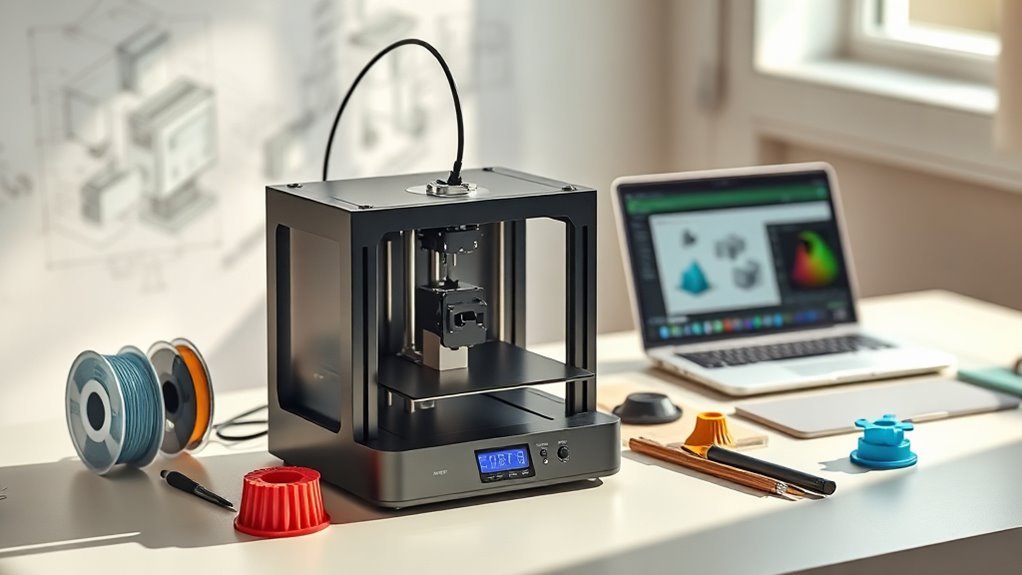
When choosing a budget auto leveling 3D printer, you’ll want to weigh factors like printing speed and accuracy to match your project needs.
Think about how easy it is to set up, what filaments it supports, and whether it offers convenient connectivity and monitoring options.
Also, don’t forget to check the build volume and overall size to make sure it fits your workspace and print goals.
These little details can make a big difference in your printing experience!
Printing Speed And Accuracy
Choosing a budget auto leveling 3D printer means balancing printing speed and accuracy to suit your projects. Higher print speeds, like up to 250 mm/s, cut down print times but demand sturdy motion systems and carefully tuned acceleration to keep dimensions precise.
Acceleration limits impact surface quality—too high, and you risk ringing if the frame or belts aren’t rigid. Look for printers with stable components such as hardened shafts, quality bearings, and a rigid gantry to reduce vibrations that harm accuracy.
Vertical precision depends on layer resolution and the quality of lead screws; dual Z leadscrews or high-precision screws help minimize wobble and layer misalignment. Finally, you’ll want to tune firmware settings and make certain proper cooling to achieve the best balance between speed and print quality.
Ease Of Setup
Although budget auto leveling 3D printers save you money, ease of setup plays a crucial role in your overall experience. Look for printers with true auto-bed-leveling sensors and automatic Z-offset calibration to cut manual tuning from hours to minutes.
Choose models that arrive preassembled or offer simple, tool-free assembly in just a few steps. That’s perfect if you’re new to 3D printing.
Auto filament loading and clear on-screen prompts make inserting your first filament hassle-free. Guided setup wizards, built-in test prints, or app workflows help you nail bed leveling and calibration effortlessly.
Also, quick-swap nozzles, removable PEI or spring-steel build plates, and heated beds simplify adhesion troubleshooting and print removal. These features make your first setup smooth and stress-free.
Filament Compatibility Options
Filament compatibility plays a vital role in getting the most out of your budget auto leveling 3D printer. You’ll want to check which filaments the extruder and hotend officially support—PLA, TPU, PETG, ABS are common.
Soft filaments like TPU often need a direct-drive or dual-gear extruder for smooth feeding. Also, verify the maximum printing temperature and hotend type, since full-metal hotends handle higher temps better than PTFE-lined ones, especially for PETG or ABS.
Look for features like auto filament load/unload, reliable drive gears, and a flexible or PEI build plate to reduce jams and ease removal. Finally, make sure the feeder and nozzle suit abrasive or composite filaments, and that cooling, heated bed, and firmware presets match your filament choices for peak prints.
Connectivity And Monitoring
How do you keep tabs on your 3D prints without constantly hovering over your machine? Look for printers with Wi‑Fi or Ethernet connectivity to start, stop, and update firmware remotely.
Built‑in cameras with time‑lapse and real-time video help you catch print failures early — just check the camera’s resolution, frame rate, and if it offers AI-based failure detection.
Smartphone and web app controls simplify managing print queues and slicing, but make certain they support common file transfers like Wi‑Fi, USB, or SD cards.
Don’t forget local control options for offline printing or when your network’s down. Finally, consider privacy: confirm camera feeds and remote access are encrypted, require logins, and let you disable cloud features to keep your designs secure.
Build Volume And Size
Choosing the right build volume is crucial when picking a budget auto leveling 3D printer because it directly impacts the size and number of parts you can print. Match the build volume (X × Y × Z) to your project needs: tall printers (Z ≥ 250 mm) suit large single parts, while wider X/Y dimensions benefit batch printing.
Always verify the usable build plate area, as clamps or sensors can reduce the printable space. Also, consider the printer’s physical footprint and clearance to fit your workspace comfortably.
If you plan to print multiple parts simultaneously, prioritize a larger XY area over height to boost throughput. Keep in mind that bigger volumes may increase warm-up times and material waste, so balance size with efficiency and cost.
Frequently Asked Questions
How Does Auto Leveling Improve Print Quality?
Auto leveling improves print quality by ensuring your print bed is perfectly aligned, so your first layer sticks evenly. This reduces warping, improves adhesion, and prevents nozzle collisions.
It lets you create smoother, more accurate prints every time. Plus, it takes the guesswork out of setup, making your printing experience way easier and more reliable.
Can These Printers Handle Flexible Filaments?
Yes, many of these printers can handle flexible filaments, but you’ll need a direct drive extruder for the best results.
Make sure to adjust print speed and retraction settings to avoid jams and improve flexibility. It really makes a difference in the final print quality.
What Is the Average Print Speed of These Models?
You’ll typically see average print speeds between 40 to 60 mm/s with these models. They balance speed and quality well, letting you get reliable prints without sacrificing detail or risking clogs during longer jobs.
It’s a sweet spot for most users, really. You get good results without having to wait ages or deal with constant troubleshooting.
Are Replacement Parts Readily Available for These Printers?
Yes, you’ll find replacement parts easily for these printers since they’re popular and widely supported. You won’t struggle sourcing components like nozzles, belts, or sensors.
This makes sure your 3D printer stays reliable and ready for projects whenever you need it. It’s always good to know you’ve got backup parts just in case!
Do These Printers Support Third-Party Slicing Software?
You’ll find these printers gladly shake hands with third-party slicing software, offering flexibility and control. They don’t lock you into one ecosystem, so you can easily experiment and optimize prints using your favorite slicing tools.
It’s all about giving you the freedom to tinker and get the best results. So, whether you’re a newbie or a pro, you’re covered!
Conclusion
When choosing a budget auto leveling 3D printer, you want reliability and ease of use. For example, Sarah, a hobbyist, upgraded to the Creality Ender 3 V3 SE and instantly cut calibration time in half. This boost helped her finish projects faster and with less hassle.
Whether you pick the Ender 3 V3 SE, SPARKX i7, or Entina Tina2 Plus, focusing on features like auto leveling and connectivity guarantees your investment pays off. These features make 3D printing smoother and more enjoyable.
In 2027, finding a budget-friendly 3D printer with dependable auto leveling is key. It not only saves time but also enhances print quality. So, when shopping, keep an eye on user-friendly designs and reliable technology to get the best value for your money. This way, your 3D printing journey will be both efficient and fun.