8 Best Canon Printers for Home Use in 2027
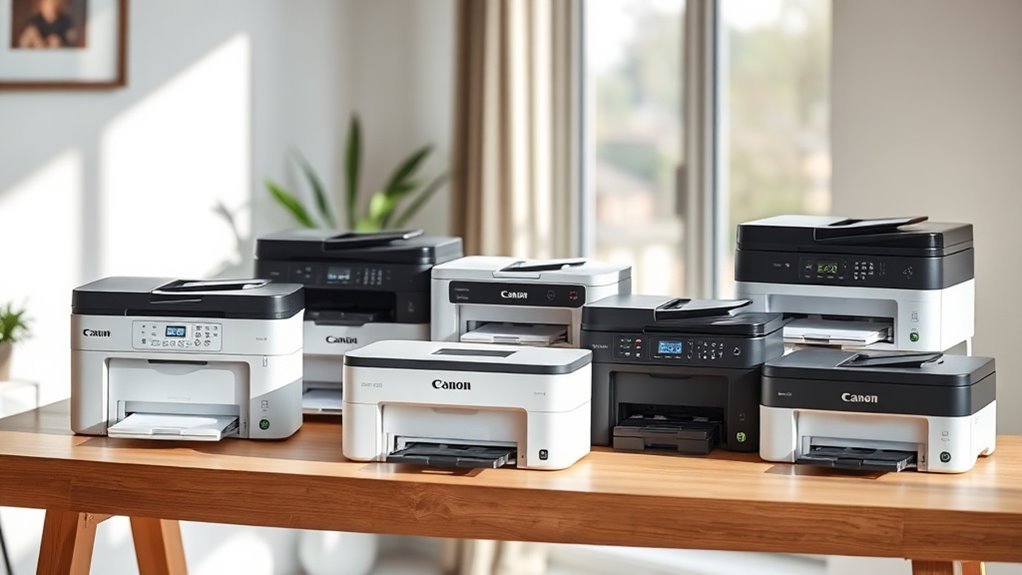
If you’re on the hunt for a reliable Canon printer for home use in 2027, you’ve got some great options to consider. Whether you need something compact for everyday tasks or a powerhouse for high-volume printing, Canon has you covered. From wireless convenience to cost-effective printing, these models are designed to fit various needs and budgets.
Take the PIXMA TS6520, for example. It’s compact, easy to maintain, and wireless, making it perfect for most homes. Or maybe you’re looking for something with low running costs? The MegaTank G3270 offers refillable tanks that let you print a lot without breaking the bank.
If photo printing is your thing, the PIXMA TS7720 produces sharp images and even has dual trays. And for those who are always on the move, the portable TR160 is a solid choice. Got bigger projects or larger media? The TS9521Ca is built to handle that with ease. Explore these options to find the perfect fit!
| Image | Name | Editor's Rating | Price |
|---|---|---|---|

|
|
||

|
|
||

|
|
||

|
|
||

|
|
Canon PIXMA TS6520 Wireless Color Inkjet Printer, 1.42″ OLED Display, White
- Affordable Versatility - A budget-friendly all-in-one printer perfect for both home users and hybrid workers, offering exceptional value
- Crisp, Vibrant Prints - Experience impressive print quality for both documents and photos, thanks to its 2-cartridge hybrid ink system that delivers sharp text and vivid...
- Effortless Setup & Use - Get started quickly with easy setup for your smartphone or computer, so you can print, scan, and copy without delay
- Reliable Wireless Connectivity - Enjoy stable and consistent connections with dual-band Wi-Fi (2.4GHz or 5GHz), ensuring smooth printing from anywhere in your home or...
- Scan & Copy Handling - Utilize the device’s integrated scanner for efficient scanning and copying operations

The Canon PIXMA TS6520 Wireless Color Inkjet Printer is designed to simplify your home printing needs. Its compact size fits neatly into any workspace, saving valuable desk space. The sleek white finish adds a modern touch without overwhelming your setup.
This printer handles printing, scanning, and copying with ease. The clear 1.42″ OLED display makes navigation intuitive, reducing setup and operation time. Dual-band Wi-Fi ensures stable, fast connections for seamless mobile and remote printing, helping you stay productive without hassle.
Maintenance is straightforward thanks to the hybrid ink system, which delivers sharp black-and-white documents and vibrant color photos. Automatic duplex printing cuts paper use in half, while borderless photo printing up to letter size lets you create professional-looking prints at home.
While it lacks an automatic document feeder, the single paper tray suits moderate print volumes typical of family or home office use. Starter ink tanks may need replacing sooner depending on your printing habits, but the overall design supports easy upkeep.
Best for: families, students, and home or hybrid workers needing a compact, multifunction printer with reliable wireless connectivity.
What We Like:
- Compact footprint fits small home workspaces
- Dual-band Wi-Fi and voice control enable flexible printing options
- Automatic duplex and borderless photo printing enhance versatility
- Intuitive OLED display simplifies operation
Specification:
| Feature | Detail |
|---|---|
| Manufacturer | Canon |
| Dimensions | Compact (exact size not provided) |
| Weight | Not specified |
| Color Options | White |
| Display | 1.42″ OLED |
| Connectivity | Dual-band Wi-Fi |
| Functions | Print, Scan, Copy |
Canon MegaTank G3270 All-in-One Wireless Color Printer
- Wireless Print/Copy/Scan
- Up to 2 years of ink included (2)
- Print up to 6,000 black & white / 7,700 color pages using a single set of inks! (1)
- Save up to $1,000 on ink (1)
- 1.35” Square LCD display
The Canon MegaTank G3270 is designed to cut your printing costs with its refillable ink tanks that deliver up to 6,000 black and 7,700 color pages per set. This all-in-one printer simplifies daily tasks by combining printing, copying, and scanning in one compact device. Its wireless and USB connectivity make printing from smartphones and tablets straightforward and flexible.
Maintenance is easy thanks to the MegaTank system, which reduces the hassle and expense of frequent cartridge replacements. The 1.35″ LCD offers simple controls, helping you manage functions without complexity. Although it prints only single-sided, the printer supports borderless output and a variety of paper sizes for versatile use.
With a sharp 4800×1200 dpi resolution, your documents and photos come out vibrant and clear. The compact design fits well in home or office spaces, and its energy efficiency helps reduce power consumption. This printer is ideal for users who want reliable performance without frequent upkeep.
Best for: Home or home office users needing an affordable, high-yield all-in-one printer with wireless functionality and flexible media handling.
What We Like:
- Refillable MegaTank system with high ink yield per set
- Wireless and USB connectivity with smartphone/tablet app support
- Borderless printing and versatile paper size compatibility
Specification:
| Feature | Details |
|---|---|
| Manufacturer | Canon |
| Dimensions | Compact design (exact size not provided) |
| Weight | Not specified |
| Color Options | Not specified |
| Print Resolution | 4800×1200 dpi |
| Display | 1.35″ LCD |
| Connectivity | Wi-Fi, USB |
Canon PIXMA TS4320 – Wireless Color Inkjet Printer with Print, Copy, Scan
- Affordable Versatility - A budget-friendly all-in-one printer perfect for both home users and hybrid workers, offering exceptional value
- Crisp, Vibrant Prints - Experience impressive print quality for both documents and photos, thanks to its 2-cartridge hybrid ink system that delivers sharp text and vivid...
- Effortless Setup & Use - Get started quickly with easy setup for your smartphone or computer, so you can print, scan, and copy without delay
- Reliable Wireless Connectivity - Enjoy stable and consistent connections with dual-band Wi-Fi (2.4GHz or 5GHz), ensuring smooth printing from anywhere in your home or...
- Scan & Copy Handling - Utilize the device’s integrated scanner for efficient scanning and copying operations
Experience hassle-free printing with the Canon PIXMA TS4320, designed to bring convenience and vibrant results to your home or hybrid workspace. This wireless color inkjet printer lets you print, copy, and scan quickly, streamlining your daily tasks. Its easy connectivity options help you work without interruptions.
The printer delivers sharp, high-resolution prints up to 1200 dpi, perfect for detailed documents and photos. Duplex printing reduces paper waste, making it an eco-friendly choice. The compact design fits comfortably on your desk, while the 100-sheet capacity handles various media types, including card stock and glossy paper.
Maintenance is straightforward, with user-friendly controls and reliable ink management to keep your printer running smoothly. Wireless dual-band Wi-Fi and mobile printing apps let you print directly from your smartphone or tablet, adding flexibility to your workflow.
While the single paper tray requires occasional refilling, and print speeds are moderate, the TS4320 balances functionality and design for light to occasional use at home or in hybrid work settings.
Best for: Home users and hybrid workers needing a compact, versatile all-in-one printer for light printing, copying, and scanning.
What We Like:
- Wireless dual-band Wi-Fi with smartphone printing support
- High-quality prints up to 1200 x 1200 dpi with duplex capability
- Compact size with 100-sheet capacity handling diverse media
- Simple maintenance and user-friendly controls
Specification:
| Feature | Details |
|---|---|
| Manufacturer | Canon |
| Dimensions | Approx. 17.7 x 12.7 x 5.8 in (45 x 32.3 x 14.7 cm) |
| Weight | About 8.8 lb (4 kg) |
| Color Options | Black |
| Media Size | Up to Letter (8.5 x 11 in) |
Canon PIXMA TS7720 Wireless All-in-One Printer
- ALL-IN-ONE: Print, Copy, Scan features for full control at your fingertips.
- FAST PRINT SPEEDS: Print approximately 15 (black) / 10 (color) images per minute.
- EASY SETUP: Get running in just a few minutes thanks to a streamlined and easy setup process out of the box.
- EASY TO INSTALL INK: Print full color with only 2 (no mess) easy-to-replace ink cartridges.
- 2.7” LCD SCREEN: Get the job done with an intuitive and easy to use 2.7” LCD touchscreen.
Experience the convenience of the Canon PIXMA TS7720, designed to meet your home printing needs with ease. Its compact form fits neatly into any space, delivering sharp text and vivid photos that bring your projects to life. Whether printing documents or cherished memories, this all-in-one printer handles tasks efficiently.
Maintenance is straightforward thanks to the 2-cartridge FINE hybrid ink system. The pigment black ink ensures crisp text, while dye-based colors create rich, vibrant images. Managing different paper sizes is simple with two trays, each holding up to 100 sheets, supporting borderless photo printing up to 8.5″ x 11″.
The intuitive 2.7″ LCD touchscreen offers easy navigation and control. Wireless connectivity allows you to print directly from your mobile devices, reducing hassle and increasing flexibility. Though print speeds are moderate, the PIXMA TS7720 balances quality and functionality well.
This printer suits users who value versatility and clear output in a space-saving design. It is energy-efficient and backed by Canon’s dependable support network, making it a practical choice for everyday home use.
Best for: Home users needing a compact, versatile all-in-one printer for photo printing, document tasks, and wireless mobile convenience.
What We Like:
- Sharp print quality with hybrid pigment and dye inks
- Dual trays supporting various paper sizes and borderless photos
- Easy-to-use 2.7″ LCD touchscreen interface
- Convenient Wi-Fi for seamless mobile printing
- Compact design that fits well in small spaces
Specification:
| Feature | Details |
|---|---|
| Manufacturer | Canon |
| Dimensions | Approx. 14.7 x 12.8 x 5.2 inches (W x D x H) |
| Weight | Approx. 12.1 lbs |
| Ink System | 2-cartridge FINE hybrid ink (pigment black, dye color) |
| Paper Capacity | Two trays, up to 100 sheets each |
| Display | 2.7″ LCD touchscreen |
| Connectivity | Wi-Fi |
Canon PIXMA TS9521Ca – Wireless Home All-in-One Inkjet Printer
- ALL-IN-ONE: Print, Copy, Scan features for full control at your fingertips. Comes with a 1 year limited warranty.
- FAST PRINT SPEEDS: Print approximately 15 (black) / 10 (color) images per minute.
- EASY SETUP and INSTALL: Get running in just a few minutes thanks to a streamlined and easy setup process out of the box. The five individual ink system makes it easy to...
- USER-FRIENDLY TOUCHSCREEN: Get the job done with an intuitive and easy to use 4.3” touch LCD screen.
- AUTO 2-SIDED PRINTING: Built in auto duplex printing for convenience & paper savings.
The Canon PIXMA TS9521Ca transforms your home printing experience by blending versatility with ease of use. It tackles a wide range of projects, from vibrant photos to large-format banners and calendars, all up to 11″ x 17″. This all-in-one inkjet printer simplifies your workflow by combining printing, copying, and scanning in one compact device.
Its design includes a 20-sheet auto document feeder and a generous 200-sheet paper capacity, helping you manage varied tasks without frequent refills. Automatic duplex printing saves time and paper, while the five individual ink cartridges reduce waste by letting you replace only the colors you need.
Wireless connectivity via Wi-Fi and the Canon PRINT app allows seamless printing directly from your smartphone or tablet. The intuitive 4.3″ touch LCD makes navigation straightforward, so managing print jobs and settings is hassle-free.
Maintenance is user-friendly, focusing on cost efficiency and convenience without compromising quality. The PIXMA TS9521Ca fits perfectly for home users who require a reliable, multifunction printer capable of creative and everyday tasks.
Best for: Home users wanting a versatile all-in-one printer that handles creative projects and offers wireless convenience.
What We Like:
- Fast print speeds with automatic duplexing for efficient two-sided printing
- Large paper capacity with support for media up to 11″ x 17″
- Five individual ink cartridges cut down on waste and ink replacement costs
- Easy wireless printing through Wi-Fi and the Canon PRINT app
- User-friendly 4.3″ touch LCD for simple operation
Specification:
| Feature | Details |
|---|---|
| Manufacturer | Canon |
| Dimensions (W x D x H) | 19.3 x 15.2 x 6.1 inches |
| Weight | Approx. 17.4 lbs (7.9 kg) |
| Printing Technology | Inkjet |
| Max Print Size | 11″ x 17″ |
| Paper Capacity | Up to 200 sheets |
| Auto Document Feeder | 20 sheets |
| Ink Cartridges | 5 individual cartridges |
| Connectivity | Wi-Fi, Canon PRINT app |
| Display | 4.3″ touch LCD |
Canon PIXMA TS3720 Wireless All-in-One Printer
No products found.
The Canon PIXMA TS3720 is an ideal choice for those who need a compact and straightforward printer for everyday home use. It tackles printing, copying, and scanning tasks with ease, making it convenient for users who want reliable performance without unnecessary complexity.
This all-in-one inkjet printer delivers sharp black text and vibrant photos thanks to its hybrid ink system. With a resolution of up to 4800 x 1200 dpi, it ensures clear documents and colorful images. The printer’s small footprint fits well in tight spaces, helping to keep your work area organized.
Setting up and maintaining the TS3720 is simple. Replacing cartridges is hassle-free, and the 1.5″ LCD screen provides easy navigation. Dual-band Wi-Fi connectivity and mobile printing support via the Canon PRINT app streamline wireless printing from smartphones and tablets.
While it doesn’t support automatic duplex printing and has a modest paper capacity of 60 sheets, the TS3720 remains a practical solution for basic home printing needs. Its user-friendly design and essential features make daily tasks less of a chore.
Best for: individuals or families looking for an affordable, compact all-in-one printer suited to basic home printing, copying, and scanning.
What We Like:
- Compact design with easy cartridge replacement
- Dual-band Wi-Fi and mobile printing support
- High-resolution printing with hybrid ink system
- Simple 1.5″ LCD for straightforward controls
Specification:
| Feature | Details |
|---|---|
| Manufacturer | Canon |
| Dimensions | Approx. 14.5 x 11.7 x 5.5 in (36.8 x 29.7 x 14 cm) |
| Weight | Approx. 7.5 lb (3.4 kg) |
| Color | White |
| Print Technology | Inkjet (Hybrid Ink System) |
| Connectivity | Dual-band Wi-Fi, USB |
| Display | 1.5″ LCD screen |
Canon imageCLASS LBP646Cdw Wireless Laser Printer

- Single-Function, Color, Wireless, Duplex Printer: Print only. — No Scanning, Copying, or Faxing
- Fast Print Speeds: Print up to 26 ppm in both color and monochrome and spend less time waiting with a quick first print time of approximately 10.3 seconds.
- Easy Wireless Setup: Setup your wireless connection and get up and running in just a few steps.
- 5-inch LCD Screen: Navigate through all the features using the 5-line LCD screen.
- Mobile Device Printing: Print from your compatible mobile devices using the free Canon PRINT app, Apple AirPrint and Mopria Print Service.
The Canon imageCLASS LBP646Cdw is built to meet the demands of small and home office environments with ease. It delivers fast, high-quality color printing that keeps your workflow smooth and professional. With a print speed of up to 26 ppm and sharp 1200 x 1200 dpi resolution, your documents come out vibrant and clear every time.
This printer helps reduce paper waste thanks to its automatic duplex printing feature, which saves both time and resources. Its compact design fits neatly into tight workspaces, making it ideal for hybrid work setups. The device supports convenient wireless and mobile connectivity, allowing you to print effortlessly from smartphones through the Canon PRINT app or AirPrint.
Maintenance is straightforward with a 250-sheet paper capacity, though heavier printing needs may require frequent refills. Using Canon Genuine Toner 075 ensures consistent, reliable output, but starter toner yields may be limited for high-volume users. Connections include Wi-Fi, Ethernet, and USB, providing versatile options for your office setup.
Best for: Small and home office users needing reliable, fast color printing with wireless and mobile flexibility in a compact, eco-conscious design.
What We Like:
- Fast print speed with sharp, vibrant color output
- Automatic duplex printing reduces paper use
- Multiple connectivity options including Wi-Fi and mobile printing apps
- Compact design fits well in limited spaces
- ENERGY STAR certified for eco-friendly operation
Specification:
| Feature | Details |
|---|---|
| Manufacturer | Canon |
| Dimensions (W×D×H) | Approx. 16.5 × 18.1 × 14.1 in (42 × 46 × 36 cm) |
| Weight | Approx. 32.6 lb (14.8 kg) |
| Printing Technology | Color Laser |
| Print Speed | Up to 26 ppm |
| Resolution | 1200 x 1200 dpi |
| Paper Capacity | 250 sheets |
| Connectivity | Wi-Fi, Ethernet, USB |
| Mobile Printing | Canon PRINT app, AirPrint |
Canon PIXMA TR160 Color Wireless Portable Printer

- LIGHTWEIGHT AND PORTABLE - Connect and print on the go with the PIXMA TR160. This lightweight portable printer can fit into a bag or backpack with room to spare.
- HIGH-QUALITY PRINTING ON THE GO - Print documents and photos up to 8.5” x 11” that showcase sharp black text and vibrant details with rich color thanks to a 5-Color...
- SIMPLE & EASY CONNECTIVITY - Printing is only an app away when using the Canon PRINT app, Apple AirPrint4, or Mopria Print Service5 with your compatible device(s) or the...
- WIRELESS DIRECT MODE - Connect your compatible device to the printer even without a wireless router.
- 1.44” OLED DISPLAY - Easily check ink levels, printer status, and other settings with the 1.44” Monochrome OLED.
Experience true portability with the Canon PIXMA TR160, designed to fit effortlessly into your busy life. Weighing just 4.5 pounds, this compact wireless printer lets you print documents and borderless photos up to 8.5″ x 11″ wherever you go. Its lightweight design solves the problem of bulky, hard-to-carry printers, making it ideal for travel and remote work.
The PIXMA TR160 uses a 5-color Hybrid Ink System that ensures sharp black text and vibrant color prints. This means your documents and photos always look professional without extra effort. Wireless printing is simple through the Canon PRINT app, AirPrint, or even direct connection without a router, giving you flexibility in various environments.
Maintenance is straightforward with a 50-sheet paper capacity and an intuitive 1.44″ OLED display for easy navigation. An optional battery lets you print on the move, making it perfect for users who need printing without being tethered to a power source. While it doesn’t scan or copy, it excels at reliable, high-quality printing in a portable package.
Best for: professionals and travelers seeking a lightweight, wireless printer for on-the-go document and photo printing.
What We Like:
- Lightweight and compact for easy portability
- Flexible wireless connectivity including direct connection options
- High-quality 5-color Hybrid Ink System for sharp, vibrant prints
- Optional battery support enhances mobility
- User-friendly OLED display simplifies operation
Specification:
| Feature | Details |
|---|---|
| Manufacturer | Canon |
| Dimensions | Compact (specific size not provided) |
| Weight | 4.5 pounds (2.04 kg) |
| Color Options | Not specified |
| Ink System | 5-color Hybrid Ink System |
| Paper Capacity | Up to 50 sheets |
| Display | 1.44″ OLED |
Factors to Consider When Choosing a Canon Printer for Home
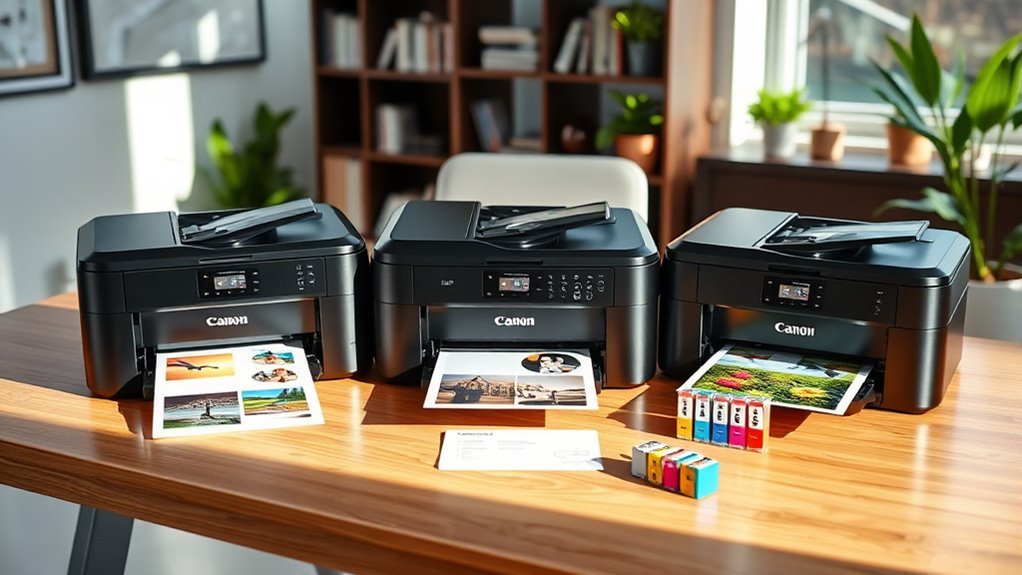
When choosing a Canon printer for your home, you’ll want to take into account print quality and the type of ink it uses. Think about how fast you need your documents printed and what paper sizes you’ll use most.
Also, check the connectivity options to make sure it fits your devices and setup. It’s all about finding the right match for your needs. That way, you’ll get the best performance without any hassle.
Print Quality Expectations
Print quality plays a crucial role in choosing the right Canon printer for your home. You should look for a maximum print resolution—generally, 4800 × 1200 dpi or above delivers finer detail and smoother gradients in color photos. Meanwhile, 1200 × 1200 dpi guarantees sharp text.
Keep in mind that photo and borderless prints often use the highest color resolution settings. So, expect sharper, more vibrant results on photo paper than plain documents.
Color depth also matters; higher bit depths provide smoother tonal shifts and more accurate colors. While print speed is important, faster printing might sacrifice fine photographic details.
Ink Type Options
Although many factors influence your choice of a Canon printer for home use, the type of ink it uses greatly impacts both print quality and running costs. Pigment black ink delivers sharp, smudge-resistant text, perfect for documents, while dye-based color inks produce vibrant photos with smooth blends.
Hybrid systems combine pigment black with dye-based color cartridges, giving you crisp text and vivid images. Refillable ink-tank printers offer high page yields—often thousands per fill—cutting your cost per page compared to disposable cartridges.
Two-cartridge setups are simpler and cheaper to replace but may waste ink since the entire color cartridge must be swapped even if only one color runs out. Multi-cartridge systems let you replace only the empty color.
Make sure to check ink yield claims and think about refill or subscription options to manage ongoing expenses and convenience. It’s all about finding the balance that works best for you!
Printing Speed Needs
Choosing the right ink type helps manage costs and quality, but you’ll also want to think about how fast your Canon printer can produce pages.
If you mainly print text documents, look for monochrome speeds of 12–15 pages per minute or higher to avoid long waits. For mixed photo and color printing, aim for color speeds around 6–10 ppm to balance speed with quality.
Check the first-page-out time—faster models often deliver pages in under 10 seconds. That really helps if you print single pages frequently.
If duplex printing is common, make sure automatic double-sided printing keeps speeds close to single-sided rates. For light use, slower speeds below 10 ppm are fine. But heavy home-office workloads demand higher ppm and quick warm-up times to stay efficient.
Paper Size Compatibility
When you select a Canon printer for home use, making sure it handles the paper sizes you need is essential. Check the maximum supported paper size—whether Letter, Legal, A4, or even up to 11″×17″—to guarantee it fits your largest documents or projects.
Also, verify if the printer supports borderless printing and the maximum borderless size, especially for photos or posters. It’s a nice touch if you want those edge-to-edge prints.
Consider the range of supported media sizes if you print nonstandard items like square photos, envelopes, or banners.
Take a close look at input tray capacity and the number or placement of trays. This helps you avoid frequent refills and keeps things running smoothly.
Don’t forget to confirm duplex capability and supported media thickness. That way, you’ll get smooth double-sided printing with your preferred paper types and sizes.
All these factors together keep your printing efficient and hassle-free.
Connectivity Features Available
How do you make sure your Canon printer stays connected seamlessly in a busy home environment? First, choose a model that supports both 2.4 GHz and 5 GHz Wi-Fi for a stronger, less crowded wireless connection.
Mobile-printing compatibility like AirPrint, Mopria, and Canon’s own apps lets you print directly from your smartphone or tablet without needing a computer. Pretty convenient, right?
If you want more reliable or shared connections, look for USB and Ethernet ports. Wireless direct or hotspot modes are handy when you’re on the go or if your network goes down.
And finally, if you prefer hands-free or remote printing, check that your printer supports voice assistants and cloud services. These features keep your printing smooth and flexible, fitting your home’s connectivity needs perfectly.
Device Compatibility Range
Considering the devices you use daily is essential to guarantee your Canon printer fits seamlessly into your home setup. First, check if it supports your operating systems, like Windows, macOS, iOS, Android, or Chromebook, ensuring native drivers or apps are ready.
Next, verify mobile printing protocols such as AirPrint, Mopria, or Canon’s own app. This way, you can print directly from smartphones or tablets without needing a computer.
Also, confirm network options—dual-band Wi‑Fi, Wi‑Fi Direct, Ethernet, or USB—match how you’ll connect multiple devices. Make sure the printer’s control methods, whether touchscreen or app-based, suit your comfort level.
Finally, if you use cloud services or voice assistants, look for compatibility with cloud printing platforms and voice control. That way, you can enjoy hands-free printing whenever you want.
Scanner And Copier Functions
A reliable Canon printer for home use often doubles as a scanner and copier, making these functions essential to assess. Check if it features a flatbed scanner or an automatic document feeder (ADF)—flatbeds excel with photos and single pages, while ADFs speed up multi-page tasks.
Look for high scan resolution (dpi) and color depth to guarantee sharp, accurate images, especially for photos or important documents. If you copy frequently, verify the copy speed, maximum count per run, and duplex capabilities for efficient two-sided copying.
Also, consider supported media sizes and types, plus borderless scanning or copying if you need full-bleed images. Finally, evaluate connectivity options like PC or mobile apps, cloud uploads, and USB or Wi-Fi support for convenient scanning and copying workflows.
Printer Size And Weight
When choosing a Canon printer for home use, paying close attention to size and weight can make a big difference in your setup. Measure your available desk or shelf space beforehand. Compact all-in-one models can be under 7 inches tall and weigh less than 9 pounds, while larger home-office printers may reach 11 inches and weigh up to 28 pounds.
If you need portability, consider lightweight models around 4–5 pounds that fit in a backpack. Also, account for extra clearance when the printer is in use—open lids and paper trays require additional space.
If you plan to move your printer often, prioritize smaller, lighter options. But if it stays put, focus on features and paper capacity. That way, you can balance footprint and weight with your printing needs.
Frequently Asked Questions
How Do I Recycle Canon Printer Ink Cartridges?
You can recycle Canon printer ink cartridges by returning them to Canon’s recycling program online or dropping them off at authorized collection points.
Just make sure to package them securely to prevent leaks during shipping.
It’s pretty easy and helps keep the environment clean!
Can Canon Printers Connect to Multiple Devices Simultaneously?
Yes, your Canon printer can connect to multiple devices simultaneously, so you don’t have to wait your turn.
You’ll enjoy seamless printing from your phone, laptop, or tablet without constantly switching connections.
What Is the Average Lifespan of a Canon Home Printer?
You can expect a Canon home printer to last about 3 to 5 years with regular use. Proper maintenance and avoiding overuse can extend its lifespan, helping you get the most out of your device.
Taking care of your printer can really make a difference. So, it’s worth spending a little time on upkeep to keep it running smoothly.
Are Canon Printers Compatible With macOS and Windows?
Yes, Canon printers are compatible with both macOS and Windows. You’ll find drivers and software that work seamlessly on these operating systems.
How Do I Perform a Printer Head Cleaning on Canon Models?
You can perform printer head cleaning on Canon models via the printer’s control panel or software. Access the maintenance menu, select “Cleaning,” and follow prompts.
If the print quality doesn’t improve, just repeat the process. It helps clear any clogs and keeps your prints looking sharp.
Conclusion
When choosing a Canon printer for home use, you might think more features always mean better value. But that’s not always true. Sometimes, a simple model like the PIXMA TS3720 fits your needs perfectly without overspending.
Think about what you’ll actually use—scanning, photo printing, or portability—and pick the one that matches. With Canon’s variety, you’re sure to find a reliable, affordable printer that makes home tasks easier and more efficient.
Remember, the best Canon printers for home use in 2027 don’t have to be packed with every feature. Focus on what matters most to you. Whether it’s crisp photo printing, fast scanning, or compact design, Canon offers options that balance quality and cost. Choosing the right Canon printer means getting a device that fits your lifestyle and budget, helping you tackle everyday printing needs with ease.