6 Best Color Laser Printers for Home Use in 2027
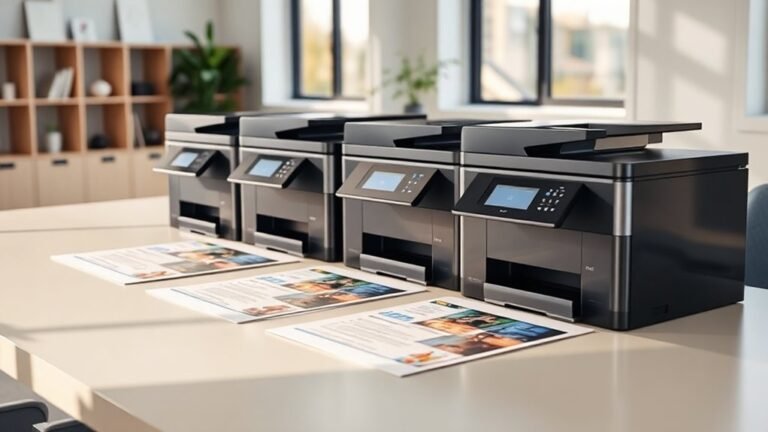
For home use in 2027, you’ll want a color laser printer that blends quality, speed, and convenience. Finding the best color laser printer for home use means looking for sharp prints, fast duplexing, and user-friendly features. Whether you’re printing documents, photos, or specialty media, the right model makes all the difference.
The Canon LBP646Cdw offers sharp prints in a compact design, while the MF662Cdw adds scanning and copying with a handy touchscreen. HP’s 3204dw and 3301sdw provide solid security features and fast duplex printing.
The Canon MF753Cdw II is perfect for hybrid workspaces, combining efficiency and versatility. Meanwhile, Brother’s HL-L3220CDW handles specialty media easily, making it a great choice for varied home projects. Keep going to discover which model fits your exact needs.
| Image | Name | Editor's Rating | Price |
|---|---|---|---|

|
|
||

|
|
||

|
|
||

|
|
||

|
|
Canon Color imageCLASS LBP646Cdw Wireless Laser Printer
- Single-Function, Color, Wireless, Duplex Printer: Print only. — No Scanning, Copying, or Faxing
- Fast Print Speeds: Print up to 26 ppm in both color and monochrome and spend less time waiting with a quick first print time of approximately 10.3 seconds.
- Easy Wireless Setup: Setup your wireless connection and get up and running in just a few steps.
- 5-inch LCD Screen: Navigate through all the features using the 5-line LCD screen.
- Mobile Device Printing: Print from your compatible mobile devices using the free Canon PRINT app, Apple AirPrint and Mopria Print Service.

The Canon Color imageCLASS LBP646Cdw brings vibrant color printing to compact office spaces. It meets the needs of small or home offices with sharp prints that keep your documents professional and clear. This printer helps you save time by producing up to 26 pages per minute, ensuring your workflow stays smooth.
Its automatic duplex printing reduces paper waste and simplifies handling multi-page documents. The ability to print on legal-size paper adds flexibility for diverse tasks. Thanks to wireless, Ethernet, and USB connectivity, the printer fits easily into various setups, letting you print from multiple devices without hassle.
Maintenance is straightforward, though the starter toner cartridges have limited yields, which means you’ll replace them a bit more often. Despite weighing 27.6 pounds, its compact design keeps it manageable in most workspaces. The Canon PRINT app and AirPrint support make mobile printing quick and convenient.
This single-function printer focuses purely on delivering consistent, quality prints without extras like scanning or copying. It’s designed to offer reliable performance and easy setup, perfect for today’s hybrid work environments.
Best for: Small and home office users who need dependable, high-quality color laser printing with versatile connectivity and duplex capability.
What We Like:
- Sharp 1200 x 1200 dpi prints at a fast 26 ppm speed
- Automatic duplex printing saves time and paper
- Supports legal-size paper for versatile document handling
- Multiple connectivity options including wireless and mobile printing
- Compact design suited for limited desk space
Specification:
| Feature | Details |
|---|---|
| Manufacturer | Canon |
| Dimensions | Not specified |
| Weight | 27.6 lb (12.5 kg) |
| Printing Technology | Color Laser |
| Print Speed | Up to 26 pages per minute |
| Resolution | 1200 x 1200 dpi |
| Duplex Printing | Automatic |
| Connectivity | Wireless, Ethernet, USB |
| Mobile Printing | Canon PRINT app, AirPrint |
| Paper Size | Up to legal size |
Canon imageCLASS MF662Cdw Wireless Duplex Laser Printer
- Color, Wireless, Duplex 3-in-1: Print, scan, copy.
- Fast Print Speeds: Print up to 26 ppm in both color and monochrome and spend less time waiting with a quick first print time of approximately 10.3 seconds.
- Easy Wireless Setup: Setup your wireless connection and get up and running in just a few steps.
- 5-inch Color Touchscreen: Get the job done quickly with Application Library - an intuitive and easy to use customizable access to the features you use most.
- Mobile Device Printing: Print from your compatible mobile devices using the free Canon PRINT app, Apple AirPrint and Mopria Print Service.
Experience efficient and versatile printing with the Canon imageCLASS MF662Cdw. Designed to tackle everyday office demands, this wireless duplex laser printer simplifies your workflow by offering fast color and black printing at up to 26 ppm. Its 3-in-1 capabilities—print, copy, and scan—help streamline tasks without needing separate devices.
The intuitive 5-inch touchscreen enhances usability, making navigation straightforward for users of all levels. Connectivity options like Wi-Fi, Ethernet, and mobile printing through Canon PRINT or AirPrint provide flexible ways to print from various devices. Automatic duplexing saves paper and time by handling two-sided documents effortlessly.
With a 250-sheet paper cassette and support for legal-sized media, this printer fits well in small office or home environments. Maintenance is straightforward, though its 55.1 lb weight means it’s best kept in a fixed spot. The 600 x 600 dpi print resolution delivers clear, professional documents suitable for most business needs.
Best for: Small offices and home users who require fast, multifunction wireless printing with easy duplex handling.
What We Like:
- Fast print speed of up to 26 ppm in color and black
- 3-in-1 print, copy, and scan functionality
- User-friendly 5-inch touchscreen interface
- Multiple connectivity options including Wi-Fi and mobile printing
- Automatic duplex printing to reduce paper use
Specification:
| Feature | Details |
|---|---|
| Manufacturer | Canon |
| Dimensions (W×D×H) | 16.5 × 18.1 × 17.1 inches |
| Weight | 55.1 lb (25 kg) |
| Color Options | White |
| Print Resolution | 600 × 600 dpi |
HP Color LaserJet Pro 3204dw | Color Laser Printer | Duplex
- FROM AMERICA'S MOST TRUSTED PRINTER BRAND – Perfect for office teams creating professional-quality color documents and reports; auto 2-sided printing; perfect for up to...
- OPTIMIZE PRINT FORMATTING WITH HP AI – Print web pages and emails with precision—no wasted pages or awkward layouts; HP AI easily removes unwanted content, so your...
- BLAZING FAST COLOR – Up to 26 color pages per minute, with sharp details and incredible color
- STAYS CONNECTED – Reliable Wi-Fi automatically reconnects to stay online and ready to print
- PROTECTS YOUR DATA – Includes HP Wolf Pro Security with customizable settings so your printer and information are always secure
Experience vivid, professional-quality color printing with the HP Color LaserJet Pro 3204dw. Designed to meet the demands of home offices and small teams, it delivers sharp prints at up to 26 pages per minute. This printer’s reliable 600 x 600 dpi resolution ensures clear text and vibrant graphics for everyday business needs.
With automatic duplex printing, it helps reduce paper waste and streamline your workflow. The printer handles a variety of media types and sizes, making it easy to complete diverse printing tasks without hassle. Its versatile connectivity options include wireless, Ethernet, USB, and AirPrint, allowing seamless printing from laptops, smartphones, and tablets.
Maintenance is straightforward, but note that this model requires original HP cartridges with proprietary chips to maintain consistent performance. While heavier than some alternatives at 30.4 pounds, its sturdy design supports steady, long-term use. Security features like HP Wolf Pro protect your data, making it a dependable choice for small workgroups.
Best for: Small offices, home offices, and teams of up to 7 people needing efficient, secure, and versatile color printing solutions.
What We Like:
- Fast printing speed with clear 600 x 600 dpi resolution
- Automatic duplex printing saves paper and time
- Multiple connectivity options including wireless and AirPrint
- Supports a wide range of media types and sizes
- Built-in security with HP Wolf Pro for data protection
Specification:
| Feature | Details |
|---|---|
| Manufacturer | HP |
| Dimensions | Not specified |
| Weight | 30.4 lb (13.8 kg) |
| Technology | Color LaserJet |
| Print Speed | Up to 26 ppm |
| Print Resolution | 600 x 600 dpi |
| Connectivity | Wireless, Ethernet, USB, AirPrint |
Canon Color imageCLASS MF753Cdw II – All-in-One Color Duplex Laser Printer
- Color, Wireless, Duplex 4-in-1: Print, scan, copy, fax.
Experience efficient, high-quality printing with the Canon Color imageCLASS MF753Cdw II, designed to meet the demands of small offices and hybrid workspaces. This all-in-one color laser printer streamlines your workflow by combining printing, scanning, copying, and faxing into one compact device.
Its fast printing speed of up to 35 pages per minute with duplex capability helps reduce wait times and improves productivity. The 50-sheet duplex automatic document feeder simplifies handling multi-page documents, saving you time on repetitive tasks.
Maintenance is straightforward with easy toner replacement and a large paper capacity of 250 sheets, expandable to 850 sheets to support heavier workloads. Connectivity options like Ethernet, USB, Wi-Fi, and mobile apps ensure flexible access from various devices.
The printer’s robust build supports consistent performance, though its weight and single USB port may require careful placement and connection planning. Overall, the MF753Cdw II balances functionality and efficiency for busy work environments.
Best for: Small businesses and hybrid workers needing a versatile, fast all-in-one color laser printer with duplex functionality.
What We Like:
- Fast duplex color and black-and-white printing up to 35 ppm
- Expandable paper capacity up to 850 sheets for high-volume tasks
- Multiple connectivity options including Wi-Fi and mobile printing
- User-friendly 5-inch touchscreen for easy operation
- Efficient duplex automatic document feeder for multi-page jobs
Specification:
| Feature | Details |
|---|---|
| Manufacturer | Canon |
| Dimensions (W×D×H) | Approx. 16.1 × 18.5 × 15.7 in (41 × 47 × 40 cm) |
| Weight | 50 lb (22.7 kg) |
| Printing Technology | Color Duplex Laser |
| Paper Capacity | 250 sheets (expandable to 850 sheets) |
| Connectivity | Ethernet, USB, Wi-Fi, Mobile apps |
| Touchscreen | 5-inch customizable color |
HP Color LaserJet Pro MFP 3301sdw Printer
- FROM AMERICA'S MOST TRUSTED PRINTER BRAND – Perfect for small teams printing, scanning and copying professional-quality color documents and reports. Print speeds up to...
- PROFESSIONAL PRODUCTIVITY – Proficiency with every print—next-generation TerraJet toner brings your business to life with more vivid colors.
- ORIGINAL HP TONER CARTRIDGES – This HP printer uses Original HP 218A standard and 218X high yield LaserJet toner cartridges.
- UPGRADED FEATURES – Fast color printing, scan, copy, auto 2-sided printing, auto document feeder, and a 250-sheet input tray.
- AWARD-WINNING RELIABILITY – Performance you can count on page after page, and always ready for the high demands of business.
Experience seamless all-in-one printing with the HP Color LaserJet Pro MFP 3301sdw, designed to boost productivity for small teams and home offices. This versatile printer handles printing, scanning, and copying with smooth efficiency, delivering vibrant color output at speeds up to 30 pages per minute.
Its compact design fits easily into limited spaces while featuring a 250-sheet tray that balances capacity with convenience. Built-in Wi-Fi and Ethernet support ensures stable connectivity, and mobile printing through the HP app lets you print directly from your smartphone or tablet.
Maintenance is straightforward but requires the use of Original HP toner cartridges with embedded chips, which firmware updates enforce to maintain print quality and security. This limits third-party cartridge options but helps protect your data with HP Wolf Pro security features.
While the print resolution maxes out at 600 x 600 dpi, the device prioritizes speed and reliability over ultra-fine detail, making it ideal for everyday office documents. Overall, the 3301sdw combines solid performance with secure, easy-to-manage operation.
Best for: small teams and home offices needing reliable, all-in-one color printing, scanning, and copying with secure connectivity.
What We Like:
- Fast, consistent print speeds up to 30 ppm with automatic duplexing
- Flexible connectivity options including Wi-Fi, Ethernet, and mobile printing
- Enhanced security via HP Wolf Pro and enforced use of Original HP toner cartridges
- Compact design with a 250-sheet input tray for balanced capacity
Specification:
| Feature | Details |
|---|---|
| Manufacturer | HP |
| Dimensions (W x D x H) | Approx. 16.5 x 15.4 x 12.5 in |
| Weight | Approx. 31 lb (14 kg) |
| Print Speed | Up to 30 pages per minute (color) |
| Maximum Resolution | 600 x 600 dpi |
| Paper Tray Capacity | 250 sheets |
| Connectivity | Wi-Fi, Ethernet, Mobile via HP app |
Brother HL-L3220CDW Wireless Color Laser Printer

- Professional Quality: Brother Genuine color laser printer delivers stunning business documents with crisp text and vibrant graphics at impressive 19 PPM speed...
- Wireless Connectivity: Brother Genuine advanced wireless capabilities enable seamless printing from laptops, smartphones, and tablets, with built-in security protocols...
- High-Volume Capacity: Brother Genuine laser printer includes a generous 250-sheet paper tray minimizing refills, while the manual feed slot offers versatility for...
- Efficient Performance: Brother Genuine automatic duplex printing saves time and paper, while delivering professional-quality double-sided documents at speeds up to...
- Mobile Integration: Brother Genuine technology ensures seamless compatibility with major mobile printing platforms and cloud services, enabling effortless document...
The Brother HL-L3220CDW is designed to bring efficient, high-quality color printing to busy home offices. Its fast output of 19 pages per minute helps you stay productive without long waits. Crisp text and vibrant graphics ensure your documents look professional every time.
This wireless color laser printer lets you print directly from laptops, smartphones, or tablets, simplifying your workflow. Automatic duplex printing cuts paper use and saves time, while the 250-sheet tray supports everyday printing needs. The manual feed slot adds flexibility for specialty media.
Maintenance is straightforward with Brother’s genuine components, reducing downtime and keeping your printer reliable. Although it requires occasional toner refills, the HL-L3220CDW handles high-volume tasks with minimal interruptions.
Ideal for users needing dependable, fast color printing at home, this printer balances functionality and ease of use. Its wireless capabilities and duplex features improve efficiency in a compact design.
Best for: professionals and home office users requiring reliable, wireless color printing with efficient duplexing.
What We Like:
- Fast 19 ppm color printing with sharp text and vivid graphics
- Convenient wireless printing from multiple devices
- Automatic duplexing to save paper and time
- 250-sheet capacity supports regular print jobs
- Simple maintenance with genuine Brother components
Specification:
| Feature | Details |
|---|---|
| Manufacturer | Brother |
| Dimensions (W×D×H) | 16.1 x 18.0 x 8.5 inches |
| Weight | Approximately 22.1 lbs |
| Color Options | White |
| Connectivity | Wireless, USB |
Factors to Consider When Choosing a Color Laser Printer for Home
When choosing a color laser printer for your home, you’ll want to weigh how fast you need it to print and the quality of color you expect. Think about the connectivity options that fit your setup and how much paper you’ll typically handle.
Also, decide if multifunction features like scanning or copying are important for your daily tasks. It’s all about what works best for your routine and space.
Print Speed Needs
Often, print speed plays a pivotal role in choosing a color laser printer for your home. If you print less than 200 pages monthly, a speed of 20–25 ppm usually suffices.
For heavier use, look for printers offering 25–35+ ppm to avoid backlogs. Don’t overlook first-page-out times; models with 7–10 seconds cut wait when printing single or occasional pages.
If you print double-sided documents often, consider duplex speed—some printers halve throughput for duplex jobs. Also, balance speed with your print quality needs, as faster printers may slightly sacrifice fine color details.
Finally, if you handle multi-page reports or simultaneous print jobs from several users, faster printers with swift warm-up and quick first-page times can boost your productivity markedly.
Color Quality Expectations
How sharp and vibrant do you expect your prints to be? Look for printers with at least 1200 x 1200 dpi resolution to get crisp text and smooth gradients.
Toner-based color laser printers deliver sharper text and more consistent solids than inkjets, although photo prints may have slightly less vibrancy and gloss. Check if the printer supports halftoning or ICC color profiles to improve accuracy and tonal shifts.
Also, consider toner yields—low-yield cartridges can cause color shifts as they deplete, affecting consistency over long runs. If you want photo-realistic prints, prioritize true 1200+ dpi and broad color gamut support.
For business graphics, focus on sharp vector and text output with solid CMYK rendering. This helps you match your color quality expectations precisely.
Connectivity Options Available
Beyond color quality, your printer’s connectivity options will shape how easily you can integrate it into your home setup. Make sure it supports both Wi‑Fi, including Wi‑Fi Direct, and Ethernet. That way, you can print wirelessly from mobile devices or reliably via wired networks.
Look for USB Type-A or Type-B ports for direct printing from a PC, plus a multipurpose USB port if you want high-speed local connections. It’s all about having options that fit your needs.
Check compatibility with mobile printing standards like AirPrint, Mopria, or proprietary apps. This makes printing from your smartphone or tablet a breeze, without needing extra drivers.
If you need remote access, confirm support for cloud printing and networked scanning via SMB or FTP. These features give you flexibility when you’re away from home.
Finally, guarantee the printer offers secure network features like WPA3, user authentication, and firmware updates. It’s important to keep your documents safe on your home network.
Paper Handling Capacity
Several key factors influence the paper handling capacity you’ll need in a home color laser printer. First, check the standard input tray capacity—most home models hold 150–250 sheets. So, pick one that fits your typical print volume to minimize refills.
Also, confirm if there’s a multipurpose or manual feed slot. This lets you print envelopes, labels, or cardstock without disturbing the main tray.
Automatic duplex printing saves paper by printing on both sides but may slightly slow down printing. If you expect your printing needs to grow, look for models that support expandable trays or add-on feeders.
Finally, consider the output tray’s capacity. Larger trays (100+ sheets) help prevent jams and reduce the need for frequent emptying during batch jobs.
Multifunction Features Consideration
When choosing a color laser printer for your home, you’ll want to decide if a multifunction device that prints, scans, copies, and faxes fits your needs better than a print-only model. If you often scan receipts, copy homework, or fax documents, a multifunction printer could save you time and space.
Check scanner types—flatbed or automatic document feeder (ADF)—and whether the ADF supports duplex scanning for double-sided pages. Also, consider ADF capacity, especially if you handle many multi-page documents.
Look for user-friendly features like color touchscreens, customizable shortcuts, and mobile app integration to streamline scanning and cloud uploads. These little extras can make a big difference in your daily use.
Just remember, multifunction printers may require extra maintenance, such as scanner glass cleaning and ADF roller care. That can affect your overall cost of ownership, so keep it in mind when making your choice.
Energy Efficiency Ratings
After considering multifunction features, you’ll also want to pay attention to energy efficiency when choosing a color laser printer for your home. Start by looking for ENERGY STAR certification, which guarantees the printer meets EPA standards for low power use in active and sleep modes.
Check typical power consumption figures—both active printing watts and sleep watts—to gauge electricity use during heavy and standby times. Printers with quick-wake times reduce high-power warm-up durations, saving energy during intermittent use.
Automatic duplexing not only cuts paper but also lowers energy per job by printing on both sides without extra passes. Finally, review toner yield and energy-per-page estimates if available, so you can compare long-term operational energy costs rather than just the device’s rated wattage.
Budget and Warranty
Budgeting wisely plays a crucial role in choosing the right color laser printer for your home. Set a realistic total budget that covers the printer, initial toner cartridges, and any extras like paper trays or maintenance kits—since toner can cost as much as the printer itself.
Compare cost-per-page estimates by dividing cartridge price by page yield to gauge ongoing expenses based on your printing volume. This helps you understand what you’ll really be spending over time.
Factor in the warranty’s length and coverage, including parts, labor, and on-site service. An all-encompassing warranty can save you from costly repairs down the road.
Also, check if extended warranties or service plans make financial sense against potential repair costs, especially for key components. It’s worth weighing these options carefully.
Finally, consider the total cost of ownership over 2–3 years to make a well-informed choice. This way, you’re not just looking at the price tag but the bigger picture.
Frequently Asked Questions
How Long Do Toner Cartridges Typically Last in Color Laser Printers?
Toner cartridges typically last between 1,500 to 5,000 pages, depending on your printer and usage. You’ll usually get more pages from high-yield cartridges, so choosing those can help you print longer without needing replacements.
It really comes down to how much you print and what kind of documents you’re producing. Heavy graphics and color-heavy prints can use up toner faster than simple text pages. So, keep that in mind when estimating how long your cartridge will last.
Are Color Laser Printers More Energy-Efficient Than Inkjet Printers?
Yes, color laser printers are generally more energy-efficient than inkjet printers during heavy use. You’ll save power because lasers heat toner quickly.
But for occasional printing, inkjets might use less energy overall. So, it really depends on how often you print.
Can Color Laser Printers Print on Specialty Paper Like Labels or Cardstock?
Yes, you can print on specialty paper like labels or cardstock with color laser printers. But you’ll want to check the printer’s specifications and use compatible media to avoid jams or damage.
Doing this helps ensure crisp, professional results every time. It’s always a good idea to double-check before you start printing!
How Noisy Are Color Laser Printers During Operation?
Color laser printers can be somewhat noisy, especially during warm-up and printing. However, newer models have quieter operation, so you won’t be too distracted.
It’s best to check reviews for noise levels before buying one. That way, you know what to expect and can pick a printer that won’t bother you too much.
What Is the Average Warm-Up Time for Color Laser Printers?
Think of your color laser printer as a racehorse stretching before the sprint—it usually takes about 20 to 60 seconds to warm up.
You’ll be ready to print sharp, vibrant pages without too much delay. It’s a small wait for great-quality prints!
Conclusion
Choosing the right color laser printer for your home is like picking the perfect brush for a masterpiece—you want precision, speed, and reliability all in one. Whether you need wireless convenience, duplex printing, or all-in-one functionality, these top picks cover your needs.
Don’t settle for less; with the right printer, your home office or creative space will run smoothly and efficiently. A good color laser printer can turn everyday tasks into colorful accomplishments you’ll be proud of.
Finding the best color laser printer for home use means balancing features like print quality, speed, and ease of use. With advancements in technology, these printers offer vibrant colors and crisp text without breaking the bank. So, whether you’re printing documents, photos, or school projects, the right color laser printer will make your work look professional and polished every time.