8 Best Auto Duplex Printers for Efficient Printing in 2027
You’ll find top auto duplex printers like the Epson EcoTank ET-2988 and ET-4950 perfect for eco-friendly, cost-effective printing with easy wireless features. These models are great if you want to save on ink and reduce paper waste while enjoying hassle-free connectivity.
The Canon MAXIFY GX2020 suits small offices needing high-capacity, versatile connectivity. It handles large print jobs smoothly and offers various ways to connect, making it super flexible for busy workspaces.
For speed and recycled materials, the HP OfficeJet Pro 8125 stands out. It’s designed to keep up with fast-paced environments while supporting eco-conscious printing habits.
Meanwhile, the Epson Workforce Pro WF-4930 handles heavy duplex workloads with ease.
Models like the HP Envy 6155 and Brother 1365 fit home use with reliable features. They’re perfect for everyday printing needs without compromising on quality or convenience. Keep exploring to discover which model fits your needs best.
| Image | Name | Editor's Rating | Price |
|---|---|---|---|
|
|
||

|
|
||

|
|
||

|
|
||

|
|
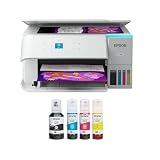
Epson EcoTank ET-2988 Wireless All-in-One Printer
- STRESS-FREE PRINTING — Epson EcoTank comes with enough ink to print up to 6,600 pages black/5,500 color¹⁰ for fewer out-of-ink frustrations. Each replacement ink...
- SIMPLE INK REFILLING — Supersized ink tanks and uniquely keyed EcoFit bottles make refilling ink simple—no mess, no stress and no ink bottle mix-ups
- THE WORLD’S #1 SELLING SUPERTANK PRINTER² — Epson invented EcoTank to revolutionize the way people print; we’ve sold 100 million EcoTanks worldwide⁷ and this is...
- ADVANCED PRODUCTIVITY FEATURES — Fast 15 black/8 color ISO ppm print speeds with zero warmup time, built-in scanner, 100-sheet paper tray, auto duplex printing and a...
- STUNNING PRINT QUALITY — High 4800 x 1200 dpi print resolution for exceptional photos and text; enjoy amazing image quality on a wide range of media

The Epson EcoTank ET-2988 Wireless All-in-One printer offers a practical solution for those tired of frequent ink cartridge replacements. Its innovative cartridge-free system uses large, refillable EcoFit bottles, providing up to three years of ink. This reduces interruptions and lowers printing costs while minimizing plastic waste.
Designed for easy maintenance, the ET-2988 features wireless connectivity and a clear 1.44″ color display. Users can quickly print, scan, or copy from smartphones, tablets, or PCs without complicated setup. Automatic duplexing saves paper, making it ideal for everyday home or small office tasks.
With print speeds up to 15 ppm black and 8 ppm color, this printer balances efficiency and quality. Its zero-cartridge design not only cuts down on waste but also supports high-volume printing with fewer refills. However, the 100-sheet paper capacity may require frequent loading for larger jobs.
Best for: Individuals or small offices seeking an eco-friendly, cost-effective all-in-one printer with wireless features and high ink capacity.
What We Like:
- Cartridge-free system with supersized refillable ink bottles
- Wireless printing and easy mobile device integration
- Automatic duplex printing for paper savings
- Fast print speeds with sharp image resolution
Specification:
| Feature | Details |
|---|---|
| Manufacturer | Epson |
| Dimensions (W x D x H) | 14.8 x 13.7 x 5.8 inches |
| Weight | 10.8 lb (4.9 kg) |
| Color Options | White with black accents |
Canon MAXIFY GX2020 Wireless All-in-One Printer
- Wireless Print/Copy/Scan/Fax (2)
- Print up to 3,000 black & white / 3,000 color pages using a single set of inks! (1)
- 2.7” LCD Color Touchscreen
- Auto 2-sided printing
- ADF – 35 sheet Auto Document Feeder
The Canon MAXIFY GX2020 is designed to make printing tasks easier and more cost-efficient. Its auto duplex feature allows you to print double-sided documents quickly, reducing paper waste and saving time. This printer’s refillable MegaTank system delivers up to 3,000 pages per ink set, minimizing the need for frequent replacements and lowering running costs.
This wireless all-in-one printer handles printing, scanning, copying, and faxing, simplifying your workflow. The 2.7″ adjustable touchscreen and 35-sheet auto document feeder help you manage multi-page documents with ease, boosting overall productivity. Its compact design fits well in tight spaces without compromising functionality.
Connectivity options include dual-band Wi-Fi, wired LAN, and USB, giving you versatile ways to connect from various devices. The GX2020 supports paper sizes up to 8.5″ x 14″, suitable for most office and home printing needs. While print speeds are moderate, its reliable performance suits steady workloads.
Best for: small businesses and home offices needing a cost-effective, high-capacity all-in-one printer with versatile connectivity and efficient duplex printing.
What We Like:
- High page yield with refillable MegaTank reduces ink costs
- Auto duplex printing and 35-sheet ADF enhance productivity
- Multiple connectivity options including dual-band Wi-Fi and wired LAN
- Compact design fits easily in small office spaces
Specification:
| Feature | Details |
|---|---|
| Manufacturer | Canon |
| Dimensions | Not specified |
| Weight | Not specified |
| Color Options | Not specified |
| Paper Sizes Supported | Up to 8.5″ x 14″ |
| Connectivity | Dual-band Wi-Fi, LAN, USB |
| Display | 2.7″ adjustable touchscreen |
| ADF Capacity | 35 sheets |
Epson EcoTank ET-4950 Wireless Color All-in-One Supertank Printer – Black
- Epson EcoTank Wireless All-in-One Ink Tank Printer – Cartridge-Free System, High-Capacity Ink Bottles, Mobile Printing, Auto Duplex
- WORRY-FREE PRINTING — Epson EcoTank comes with enough ink to print up to 6,600 pages black/5,500 color⁹ for fewer out-of-ink frustrations. Each replacement ink bottle...
- SIMPLE INK REFILLING — Supersized ink tanks and uniquely keyed EcoFit bottles make refilling ink simple—no mess, no stress and no ink bottle mix-ups
- THE WORLD’S #1 SELLING SUPERTANK PRINTER² — Epson invented EcoTank to revolutionize the way people print; we’ve sold 100 million EcoTanks worldwide⁷ and this is...
- ADVANCED PRODUCTIVITY FEATURES — Fast 18 black/9 color ISO ppm print speeds with zero warmup time, an Auto Document Feeder, fax, a high-capacity 250-sheet paper tray...
Experience efficient, high-volume printing with the Epson EcoTank ET-4950, designed to meet the demands of busy home offices and small businesses. Its wireless color all-in-one functionality streamlines tasks, allowing you to print, scan, copy, and fax with ease. Automatic two-sided printing saves time and reduces paper waste, making your workflow more productive.
This printer uses cartridge-free refillable ink tanks that deliver an impressive page yield—up to 6,600 black and 5,500 color pages. This setup significantly cuts down on ink replacement frequency and lowers operating costs. The 250-sheet paper tray supports various media sizes, minimizing paper reloads during large jobs.
Maintenance is straightforward, though initial setup and ink refilling may require some attention for first-time Supertank users. The compact design includes a 2.4″ color LCD for simple navigation, while connectivity options such as Wi-Fi, Ethernet, and mobile printing through the Epson Smart Panel app keep you connected and flexible.
Best for: Small offices and home users needing reliable, cost-efficient color and document printing with wireless convenience.
What We Like:
- Cartridge-free refillable tanks with high page yields.
- Fast print speeds and automatic duplex printing.
- Multiple connectivity options including mobile app support.
- Large paper capacity reduces interruptions during busy printing.
Specification:
| Feature | Details |
|---|---|
| Manufacturer | Epson |
| Dimensions (W×D×H) | 13.7″ × 14.8″ × 9.4″ |
| Color | Black |
| Paper Capacity | 250 sheets |
| Connectivity | Wi-Fi, Ethernet, USB, Mobile |
HP OfficeJet Pro 8125 Wireless All-in-One Printer
- FROM AMERICA'S MOST TRUSTED PRINTER BRAND – The OfficeJet Pro 8125 is perfect for home offices printing professional-quality color documents like business documents...
- 3 MONTH TRIAL OF INSTANT INK INCLUDED – Subscribe to the Instant Ink delivery service to get ink delivered directly to your door before you run out, and you save up to...
- KEY FEATURES – Fast color printing, scan, copy, auto 2-sided printing, auto document feeder, and a 225-sheet input tray
- 2.7-INCH TOUCHSCREEN – Quickly navigate your printer with a large color touchscreen and a phone-like user interface
- WIRELESS PRINTING – Stay connected with our most reliable dual-band Wi-Fi, which automatically detects and resolves connection issues
Experience efficient, professional-quality printing with the HP OfficeJet Pro 8125 Wireless All-in-One Printer. Designed to deliver sharp color and black-and-white prints quickly, it keeps your workflow smooth whether at home or in a small office. With print speeds up to 20 ppm in black and 10 ppm in color, it reduces waiting time for important documents.
This all-in-one device goes beyond printing. You can easily scan, copy, and fax using its intuitive 2.7-inch color touchscreen or the HP Smart app. The app also simplifies maintenance tasks like monitoring ink levels and managing print jobs remotely, saving you time and effort.
The dual-band Wi-Fi ensures a stable wireless connection, minimizing interruptions. Automatic duplexing helps cut paper use, making it an eco-friendly choice. Its construction features over 45% recycled plastics, reflecting a commitment to sustainability without sacrificing performance.
Cartridge replacement is straightforward, but note that the printer uses firmware to enforce compatibility with original HP chips. Faxing is handled via the app, which may differ from traditional hardware controls. These factors should be considered if you rely heavily on fax or third-party cartridges.
Best for: individuals and small office users who need fast, reliable color printing with versatile all-in-one features and an eco-conscious design.
What We Like:
- Sharp, professional-quality color and black printing up to 20 ppm.
- Easy-to-use 2.7-inch touchscreen and HP Smart app for remote control.
- Automatic duplex printing reduces paper waste.
- Dual-band Wi-Fi for consistent wireless connectivity.
- Built with over 45% recycled plastics, supporting sustainability.
Specification:
| Feature | Details |
|---|---|
| Manufacturer | HP |
| Model | OfficeJet Pro 8125 |
| Dimensions (W×D×H) | 17.3 x 14.6 x 9.9 inches |
| Weight | Approx. 18.1 lbs (8.2 kg) |
| Print Resolution | Up to 4800 x 1200 dpi |
| Paper Size | Up to 8.5 x 11.7 inches |
| Connectivity | Dual-band Wi-Fi, USB |
| Display | 2.7-inch color touchscreen |
Epson EcoTank ET-4800 Wireless Color All-in-One Supertank Printer
- INNOVATIVE CARTRIDGE-FREE PRINTING — High-capacity ink tanks mean no more dealing with lots of tiny ink cartridges; Epson’s exclusive EcoFit ink bottles make filling...
- CLEAR AND VIBRANT PRINT QUALITY ― Create memorable prints and projects; Unique Micro Piezo Heat-Free Technology allows wireless color printer to produce sharp text and...
- ZERO CARTRIDGE WASTE — By using an Epson EcoTank printer you can help reduce the amount of cartridge waste ending up in landfills
- BUILT IN SCANNER AND COPIER ― All-In-One Epson EcoTank is more than a printer; High-resolution flatbed scanner and color display come together for easy document copying...
- LESS FREQUENT INK REPLACEMENT — Replacement ink bottles don't have to be changed nearly as often as ink cartridges¹; Printer, scanner and copier lets you print up to...
Experience effortless printing with the Epson EcoTank ET-4800, designed to meet the demands of high-volume users while keeping costs low. Its cartridge-free ink system uses large-capacity tanks and EcoFit bottles, significantly reducing waste and the need for frequent refills. This means you can print thousands of pages without interruption, making it ideal for busy home offices.
The printer’s Micro Piezo Heat-Free Technology ensures sharp text and vibrant colors on a wide range of paper types. Beyond printing, it offers versatile functionality with a flatbed scanner, copier, fax, and an intuitive color display. These features help streamline your daily tasks and boost productivity.
Maintenance is simplified, but it requires genuine Epson ink to maintain print quality and protect your warranty. While setup and refilling may take a bit more effort than traditional cartridge printers, the long-term savings and convenience make it worthwhile.
Best for: Home office users needing a cost-effective, high-capacity all-in-one printer that handles multiple tasks with ease.
What We Like:
- Cartridge-free system with high-capacity ink tanks reduces waste
- Prints up to 4,500 black and 7,500 color pages per refill
- Includes scanner, copier, fax, and easy-to-use color display
- Sharp, vibrant printing with heat-free technology
Specification:
| Feature | Details |
|---|---|
| Manufacturer | Epson |
| Dimensions | Approx. 14.8 x 13.2 x 9.8 inches |
| Weight | Approx. 12.8 lbs (5.8 kg) |
| Material | Plastic |
| Color Options | White |
Epson Workforce Pro WF-4930 Wireless All-in-One Printer

- Built for Speed — PrecisionCore Heat-Free technology delivers fast, high-volume printing with 25 (black)/12 (color) ISO ppm and fast first-page-out
- High-Precision Office Printing — Accurate dot placement and DURABrite Ultra instant-dry pigment inks for professional-quality prints
- High-Volume Durability for Heavy Workloads — Innovative heat-free technology engineered for reliability and reduced downtime
- Complete Duplex Solution — All-in-one printer with auto 2-sided print, copy, scan and fax; plus 50-sheet ADF
- Maximize Printing Productivity — High-performance office printer with 500-sheet paper capacity; includes two 250-sheet trays for added convenience
The Epson Workforce Pro WF-4930 is designed to handle demanding office tasks with ease. It helps professionals manage heavy print volumes quickly and efficiently. With fast duplex printing, you can save time while producing sharp, high-quality documents.
This all-in-one printer combines print, copy, scan, and fax functions, making it a versatile tool for busy workspaces. Its PrecisionCore Heat-Free technology speeds up output while reducing energy consumption. A large paper capacity and automatic document feeder simplify handling large jobs.
Maintenance is straightforward with precise ink delivery using DURABrite Ultra pigment inks, ensuring durability and professional results. Wireless features like Wi-Fi Direct and AirPrint allow seamless printing from multiple devices, including voice control through Siri.
The user-friendly 4.3″ color touchscreen and Epson Smart Panel app make setup and operation intuitive. However, it requires genuine Epson cartridges and has slower color print speeds compared to black, which may affect color-intensive projects.
Best for: Professionals and small offices needing reliable, high-volume duplex printing with versatile wireless connectivity.
What We Like:
- Fast black and color print speeds with energy-efficient PrecisionCore technology
- Durable, sharp prints from DURABrite Ultra pigment inks
- Large paper capacity and 50-sheet ADF for handling big jobs
- Easy wireless printing via Wi-Fi Direct, AirPrint, and voice commands
- Intuitive touchscreen and smart app for simple operation
Specification:
| Feature | Details |
|---|---|
| Manufacturer | Epson |
| Dimensions (W×D×H) | Approx. 18.5 × 16.5 × 12 inches (47 × 42 × 30.5 cm) |
| Weight | Approx. 22 lb (10 kg) |
| Color Options | Black |
| Connectivity | Wireless (Wi-Fi Direct, AirPrint), USB |
| Paper Capacity | 500 sheets |
| Automatic Document Feeder | 50 sheets |
HP Envy 6155 Wireless All-in-One Inkjet Printer

- FROM AMERICA'S MOST TRUSTED PRINTER BRAND – The Envy 6155 is perfect for homes printing everyday high-quality color documents like homework and borderless photos. Print...
- 3 MONTH TRIAL OF INSTANT INK – Subscribe to the Instant Ink delivery service to get ink delivered directly to your door before you run out, and you save up to 50% on...
- KEY FEATURES – Color print, copy and scan, plus auto 2-sided printing and a 100-sheet input tray
- HP'S MOST INTUITIVE COLOR TOUCHSCREEN – Smoothly navigate your printer with the easy-to-use 2.4" touchscreen
- WIRELESS PRINTING – Stay connected with our most reliable dual-band Wi-Fi, which automatically detects and resolves connection issues
The HP Envy 6155 Wireless All-in-One Inkjet Printer is designed to handle everyday home printing needs with ease. It combines printing, scanning, and copying in one compact device. Automatic duplex printing helps reduce paper waste, making it an efficient choice for busy households.
This printer’s 100-sheet input tray ensures you can print multiple documents without constant refilling. Its P3 color technology delivers vibrant, true-to-screen colors, ideal for school projects and family photos. The 2.4″ touchscreen simplifies navigation, so you can easily select functions and settings.
Wireless dual-band Wi-Fi and the HP App allow effortless printing and scanning from smartphones or tablets. HP AI technology fine-tunes your prints to minimize wasted pages, helping you save on ink. Maintenance is straightforward, but keep in mind it requires original HP cartridges with embedded chips for optimal performance.
Made with 60% recycled plastic, the Envy 6155 supports eco-friendly printing. It also includes a trial of HP’s Instant Ink delivery service, which can keep your ink stocked without interruption.
Best for: home users needing a reliable all-in-one printer for everyday documents, homework, and borderless photos with convenient wireless features.
What We Like:
- All-in-one functionality with automatic duplex printing
- Vibrant, accurate colors using P3 technology and AI print optimization
- Wireless dual-band Wi-Fi and easy mobile printing via HP App
- Eco-conscious design with recycled plastic components
- Simple touchscreen navigation and maintenance
Specification:
| Feature | Details |
|---|---|
| Manufacturer | HP |
| Dimensions | Approx. 17.3 x 14.5 x 7.5 in (44 x 37 x 19 cm) |
| Weight | About 13.5 lb (6.1 kg) |
| Material | Plastic (60% recycled) |
| Color Options | Mainly black with white trim |
Brother INKvestment 1365 Wireless Color Inkjet Printer

- BEST FOR HOME AND HOME OFFICE: This multifunction printer makes it easy to print, copy, and scan—all in one compact printer. Includes one 1,200-page yield black...
- WIRELESS, MOBILE, AND USB CONNECTIVITY: Connect your way. Interface with your printer on your wireless network or via USB. Enhance your workflow with Wi-Fi Direct, which...
- CLOUD APP CONNECTIONS: Print from and scan to popular Cloud apps(3), including Google Drive, Dropbox, Box, OneDrive, and more, from an impressive 1.8” color display...
- PRODUCTIVITY-FOCUSED FEATURES: A 150-sheet paper tray(4), 20-page single-sided automatic document feeder (ADF)(4), and automatic duplex (2-sided) printing. Prints at fast...
- THE BROTHER MOBILE CONNECT APP: Put the power of printing at your fingertips. Go mobile with the Brother Mobile Connect app(6) that delivers easy onscreen menu navigation...
Experience versatile printing with the Brother INKvestment 1365 Wireless Color Inkjet Printer. This compact all-in-one device simplifies your workflow by combining printing, copying, and scanning in one space-saving design. Its automatic duplex printing helps reduce paper waste, making it ideal for eco-conscious users.
Maintenance is straightforward thanks to high-yield ink cartridges, including a 1,200-page black ink option. This reduces the need for frequent replacements, allowing you to focus on your tasks without constant interruptions. The 150-sheet tray and 20-page automatic document feeder (ADF) efficiently handle daily document needs.
Designed for home and small office environments, this printer offers multiple connectivity options such as wireless, USB, and Wi-Fi Direct. You can easily print or scan to cloud platforms like Google Drive and Dropbox using the intuitive 1.8” color display, enhancing convenience and productivity.
While the print speed is moderate, reaching up to 16 ppm in black and 9 ppm in color, it suits users with light to moderate printing demands. The smaller ADF capacity and compact display may require some adjustment but suit users prioritizing space and efficiency.
Best for: individuals and small home offices seeking a compact, multifunction printer with wireless connectivity and efficient ink usage.
What We Like:
- Multifunction device with automatic duplex printing saves space and paper.
- High-yield ink cartridges minimize maintenance interruptions.
- Multiple connectivity options including wireless, USB, and cloud integration.
- Compact design fits well in small office or home settings.
Specification:
| Feature | Details |
|---|---|
| Manufacturer | Brother |
| Dimensions | Compact design (exact size not provided) |
| Weight | Not specified |
| Ink Type | High-yield cartridges (1,200-page black ink) |
| Paper Capacity | 150-sheet tray |
| Automatic Document Feeder | 20 pages |
| Connectivity | Wireless, USB, Wi-Fi Direct |
| Display | 1.8” color screen |
Factors to Consider When Choosing an Auto Duplex Printer

When choosing an auto duplex printer, you’ll want to compare print speeds and check ink efficiency to save time and money. It’s all about getting the best value without compromising on performance.
Consider connectivity options and paper handling capacity to match your workflow needs. Having the right features can make a big difference in your daily tasks.
Don’t forget to evaluate print quality and resolution to guarantee your documents look sharp and professional. After all, presentation matters just as much as functionality.
Print Speed Comparison
Print speed often plays a vital role in selecting an auto duplex printer, especially if you handle large volumes of double-sided documents. You should compare pages per minute (ppm) for black and color separately, focusing on ISO/IEC standardized ratings rather than manufacturer-claimed maximums for accurate expectations.
Remember, duplex printing usually slows throughput, so check both first-page-out times and two-sided job ppm to understand real-world performance. If you work in a high-volume setting, prioritize printers with a higher duty cycle and black ppm of 20 or more to prevent bottlenecks.
Also, make certain the duplexer supports automatic duplexing at speeds matching simplex printing. Some models only advertise simplex ppm, which might be misleading for two-sided tasks. So, keep an eye out for that when choosing your printer!
Ink Efficiency And Yield
Beyond speed, ink efficiency and yield greatly impact the overall cost and convenience of using an auto duplex printer. You should check the page yield of the ink supply to see how many pages you can print before needing a refill or replacement.
If you print duplex often, opt for refillable tanks or high-yield cartridges—they offer higher yields and lower cost per page. Calculate the cost per page by dividing the replacement ink price by the rated yield for both black and color prints to estimate ongoing expenses.
Look for printers with separate high-capacity consumables for black and color so you replace only what’s needed, reducing waste and cost. Also, verify if the printer supports genuine high-yield or refillable inks and how that affects warranty and long-term efficiency.
Connectivity Options Available
How can you guarantee your auto duplex printer fits seamlessly into your workflow? Start by choosing one that supports both wireless (Wi-Fi 2.4 GHz and ideally 5 GHz) and wired Ethernet connections. This ensures reliable, fast duplex printing in any network environment.
Make sure it includes mobile printing standards like AirPrint and Mopria. That way, you can print two-sided documents directly from smartphones and tablets without needing extra drivers.
USB ports with direct printing options are also handy. They offer quick local connections when networks aren’t available.
If you need two-sided scanning and copying, look for an automatic document feeder with duplex scan capability. Just make sure it has compatible drivers too.
Finally, consider cloud printing support and network protocols like IPP, SMB, and FTP. Don’t forget robust security features such as WPA3 and TLS to keep your duplex print jobs safe across multiple devices.
Paper Handling Capacity
When selecting an auto duplex printer, you’ll want to pay close attention to its paper handling capacity to keep your workflow smooth and efficient. Start by checking the input tray capacity—printers that hold 100 to over 500 sheets reduce frequent refills during large jobs.
Also, verify the output tray and duplex path capacity to prevent jams or overflow with double-sided prints. If you print on various media, consider models with multiple paper trays or a secondary high-capacity tray for easier media management.
Don’t forget to confirm supported paper sizes, including legal, letter, A4, envelopes, and custom dimensions, so you avoid manual feeding. Finally, review the rated monthly duty cycle and recommended print volume to make certain the printer can handle your duplex workload without strain.
Print Quality And Resolution
Since print quality directly impacts the professionalism of your documents, you’ll want to focus on resolution and color accuracy when choosing an auto duplex printer. Look for a high native optical resolution, like 4800 x 1200 dpi, to get finer detail and smoother gradients, especially for color and photo prints.
Don’t overlook color depth—the more bits per channel, the better the color gradations and tones. Also, pay attention to the printer’s ink technology and printhead precision, as these affect sharpness and vibrancy beyond just dpi numbers.
Be sure to check sample outputs for crisp text edges, consistent colors, and minimal banding on both sides of duplex prints. It’s all about balancing your resolution needs with real-world print speeds, since higher quality modes can slow down your printing considerably.
User Interface And Controls
Although print quality is vital, you’ll also want a user interface that makes managing duplex printing simple and efficient. Look for a color touchscreen between 1.5 and 3 inches with intuitive menus and preview options to set up two-sided printing easily and avoid misfeeds.
Make certain the control panel offers quick access to duplex settings like auto two-sided on/off, binding margin, and flip options. This way, you can adjust jobs on the fly without any hassle.
A clear status display with notifications for paper jams or low paper helps keep your duplex tasks running smoothly. Also, check if the mobile app or web interface matches the printer’s duplex options, guaranteeing consistent control across devices.
Finally, dedicated duplex buttons and programmable presets speed up repetitive double-sided workflows. It really makes your life easier when you’re handling lots of duplex printing.
Warranty And Support Coverage
After ensuring your printer’s interface supports smooth duplex operations, you’ll want to focus on warranty and support coverage to protect your investment. Check the length and terms of the limited hardware warranty—does it last one year or three?
Make sure it covers key components like the printhead, duplex mechanism, and sensors, while noting any exclusions such as ink-related damage. You’ll also want to confirm what support channels are available—phone, chat, email, or on-site repair—and typical response times.
Review if the warranty has page-count limits or conditions that might void coverage. Finally, ask about extended warranty options, their costs, and what extra services or parts they include.
Prioritizing these factors guarantees your duplex printer stays reliable and supported throughout its lifespan. It’s worth taking the time now to avoid headaches later!
Frequently Asked Questions
How Does Auto Duplex Printing Impact Ink or Toner Usage?
Auto duplex printing reduces paper use by printing on both sides, but it doesn’t directly affect ink or toner consumption.
You might save a bit since fewer pages are printed overall, but ink usage per page stays roughly the same.
Can Duplex Printers Handle Different Paper Types and Sizes?
You’ll be amazed—duplex printers can handle various paper types and sizes like a pro! They’re designed to adjust settings automatically, so you won’t struggle with different weights or dimensions when printing double-sided.
It’s pretty handy, right? Whether it’s thick cardstock or thinner paper, these printers have got you covered without any hassle.
What Maintenance Is Required for Auto Duplex Mechanisms?
You’ll need to regularly clean the duplex rollers and check for paper jams. It’s also a good idea to lubricate moving parts if the manufacturer recommends it.
Don’t forget to update the firmware to keep everything running smoothly. And when parts start to wear out, replace them to avoid printing errors.
Are Auto Duplex Printers Compatible With All Operating Systems?
About 85% of auto duplex printers support major OS like Windows, macOS, and Linux. You’ll find compatibility varies with less common systems, so always check the specs before buying to make certain your setup works seamlessly.
It’s a good idea to double-check because some printers might not play nice with every system out there. Better safe than sorry, right?
How Does Duplex Printing Affect Print Speed Compared to Single-Sided?
Duplex printing usually slows your print speed because the printer flips the paper to print on both sides.
However, many modern printers minimize this delay, so you’ll only notice a slight difference compared to single-sided printing.
It’s pretty convenient once you get used to it!
Conclusion
Choosing the right auto duplex printer might seem like a small decision, but it can save you time, paper, and hassle every day. Just as a simple click sets your printer in motion, that choice sets your workflow in motion too.
When you pick one from this list, you’re not just buying a machine—you’re investing in efficiency that keeps pace with your busy life. It’s funny how something so small can make such a big difference.
Auto duplex printers are designed to streamline your printing tasks by automatically printing on both sides of the paper. This feature not only reduces paper usage but also speeds up your work, making it ideal for home offices, businesses, and students alike.
So, choosing the best auto duplex printer is about more than convenience—it’s about enhancing productivity and saving resources. With the right printer, you can enjoy efficient printing, lower costs, and a smoother workflow every day.