12 Best Children’s 3D Printers for Creative Kids in 2027
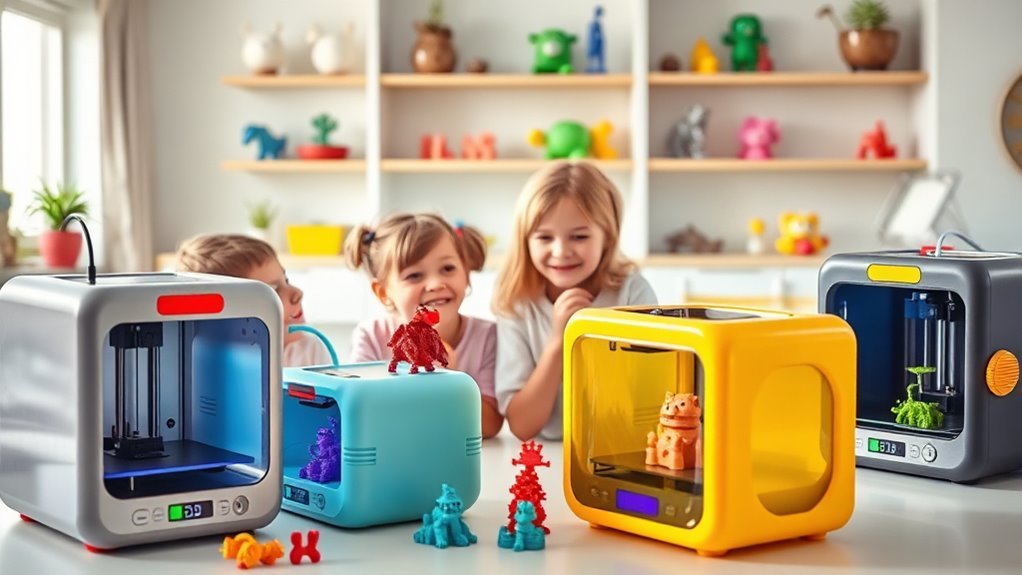
If you’re looking for a safe, easy-to-use 3D printer perfect for creative kids aged 4 to 12, these 12 children’s 3D printers are just what you need. Each model is designed with young makers in mind, offering kid-friendly features like enclosed designs for safety and auto-leveling for hassle-free setup.
They come fully assembled, so your little one can start printing right away without any complicated setup. Plus, many include app controls, making it super simple for kids to choose and customize their projects.
What’s more, these printers offer extensive libraries of 1,500 to over 20,000 models to spark creativity and keep your child inspired. Many also feature quick printing speeds and use non-toxic filaments, ensuring a safe and fun experience.
Take a look at these options to find the best fit for your young maker’s needs and creative journey!
| Image | Name | Editor's Rating | Price |
|---|---|---|---|

|
|
||

|
|
||

|
|
||

|
|
||
|
|
Entina Tina2 Plus Fast WiFi 3D Printer
- 【Start Printing in Minutes – Beginner Friendly】No setup required. Tina2 Plus 3d printer comes fully assembled and ready to use out of the box. With included TF card...
- 【Fast 250mm/s Printing Performance】This Tina2 Plus high speed 3D printer print speeds up to 250 mm/s help reduce waiting time and support fast project turnaround...
- 【WiFi App Control & STEM Model Library】Powered by the Poloprint Cloud app, this WiFi-enabled 3D printer gives access to 3,500+ printable models and 25+ creative DIY...
- 【40-Second Fast Heat Ceramic Hotend】High-efficiency ceramic hotend heats up in just 40 seconds for faster start-up and less downtime. The quick-swap nozzle design...
- 【Compact 3D Printer for Home & Classroom】Designed with a space-saving footprint while maintaining practical print capacity, this compact 3D printer fits easily on...
The Entina Tina2 Plus is an ideal choice for those seeking a compact, user-friendly 3D printer that works right out of the box. Its fully assembled design lets you begin printing within minutes using the preloaded models on the included TF card. This simplicity solves the common frustration of long setup times, making it perfect for beginners and kids.
With fast WiFi connectivity and app control via Poloprint Cloud, you gain instant access to over 3,500 models and DIY modules. This feature streamlines the creative process by offering a vast library of designs at your fingertips. Its partially enclosed frame and auto leveling system enhance safety and ensure stable, high-quality prints every time.
Maintenance is straightforward thanks to its intuitive design and quick heating capability. The printer supports multiple platforms, which makes it versatile for both home and school environments. While its smaller build volume limits larger projects, this compact size contributes to easier handling and storage.
Best for: Beginners, kids, and educators looking for a quick-start, wireless 3D printing solution for educational and home use.
What We Like:
- Fully assembled with preloaded models for instant use
- Fast WiFi and extensive model library via Poloprint Cloud app
- Safety-focused design with a partially enclosed frame and auto leveling
- Quick heating and multi-platform compatibility
Specification:
| Feature | Details |
|---|---|
| Manufacturer | Entina |
| Dimensions | Compact mini size |
| Weight | Lightweight |
| Frame | Partially enclosed |
| Connectivity | Fast WiFi |
| Control | Poloprint Cloud app |
| Included Storage | TF card with preloaded models |
AOSEED AI 3D Printer for Kids, Fast 400mm/s, 20,000+ Models, Enclosed Safe
- [NOTE] PLA comes in multiple colors, but this printer supports single-color printing only. Multi-color designs can be created by printing separate parts and assembling...
- A Home Toy Factory with Endless DIY Fun: This mini 3D printer brings a toy factory home, helping families make new toys without extra store trips. With access to...
- AI-Powered Creativity Made Simple: This AI 3D printer lets kids bring their imagination to life. With AI Doodle, children can create custom 3D models using voice, text...
- Easy, Safe One-Tap Printing: Designed as a 3D printer for kids, it makes every project simple. Kids can print with one tap in the app, while parents can feel confident...
- Fast, Precise Printing with Smart Detection: This 3D printer delivers precision up to 0.05 mm and upgraded speeds of 220–250 mm/s, with peaks up to 400 mm/s. Small toy...
The AOSEED AI 3D Printer offers a fast and safe way for kids to explore 3D printing. Its high-speed printing capability, reaching up to 400mm/s, allows young creators to complete projects quickly without long waits. This speed helps keep children engaged and motivated.
Designed with safety in mind, the printer features an enclosed, pinch-resistant structure. It uses TÜV-tested PLA filament, ensuring materials stay kid-friendly and non-toxic. The printer’s quiet operation and leveling-free platform make it easy to set up and maintain, minimizing the need for adult intervention.
This 3D printer includes access to over 20,000 human-reviewed models, plus AI-powered design tools like Doodle and MiniMe. These features empower kids to customize and create unique projects easily, expanding their creative possibilities. A built-in camera lets parents and kids monitor prints in real time and capture time-lapse videos.
The AOSEED AI 3D Printer is ideal for educational settings or home use where safety, speed, and simplicity are priorities. While it only supports PLA filament and has a smaller build volume, it is well-suited for most beginner and intermediate projects.
Best for: Kids and young creators seeking a fast, safe, and easy-to-use 3D printer that encourages creativity with AI-powered design tools and a large model library.
What We Like:
- Rapid printing speeds up to 400 mm/s reduce wait times
- Enclosed, child-safe design with non-toxic PLA filament
- AI-powered design tools expand creative options
- Easy maintenance with leveling-free platform and quiet operation
- Built-in camera for live print monitoring and time-lapse videos
Specification:
| Feature | Details |
|---|---|
| Manufacturer | AOSEED |
| Printing Speed | Up to 400 mm/s |
| Filament Type | PLA (TÜV-tested) |
| Build Volume | Smaller (exact dimensions not provided) |
| Design | Enclosed, pinch-resistant |
| Operation Noise | Quiet |
| Additional Features | AI design tools, built-in camera |
Geeetech Mini 3D Printer for Kids and Beginners
No products found.
The Geeetech Mini 3D Printer is designed to make 3D printing simple and accessible for kids and beginners. Its fully assembled design and intuitive knob controls eliminate complex setup, allowing users to start printing quickly. The one-button filament loading further reduces hassle, making it easy to swap materials.
This compact printer delivers fast, reliable prints at speeds up to 250 mm/s. It uses a direct drive extruder paired with a 50W hot-end, ensuring consistent extrusion and smooth results. The 16-point auto-leveling system keeps the build plate perfectly calibrated, so prints come out precise every time.
Maintenance is straightforward thanks to the flexible magnetic build plate. Models can be easily removed without damage, reducing frustration and cleanup time. The machine supports TPU and PLA filaments, suitable for a variety of beginner projects within its modest print volume.
With a clear 2.4” LCD screen, navigating menus and settings is simple. While the small print area limits larger creations, this printer offers a balanced mix of speed, ease of use, and quality for early users.
Best for: Kids and beginners looking for a compact, easy-to-use 3D printer that delivers fast and accurate prints.
What We Like:
- Fully assembled with simple controls for quick setup
- Fast printing speeds with a reliable direct drive extruder
- Accurate 16-point auto-leveling and flexible magnetic build plate
- Supports TPU and PLA for varied beginner projects
- User-friendly 2.4” LCD screen for easy navigation
Specification:
| Feature | Details |
|---|---|
| Manufacturer | Geeetech |
| Dimensions | 3.94 x 4.33 x 3.94 inches |
| Print Volume | 3.94 x 4.33 x 3.94 inches |
| Print Speed | Up to 250 mm/s |
| Extruder Type | Direct drive |
| Hot-end Power | 50W |
| Filament Types | TPU, PLA |
| Display | 2.4” LCD screen |
Bambu Lab A1 mini 3D Printer + LED Lamp Kit, Ready-to-Use for Beginners
- A1 mini + LED Lamp Kit for Creative Light Projects: Bring your ideas to life with the included LED Lamp Kit. Simply print compatible lamp models and turn your 3D...
- The Perfect 3D Printer for Beginners: A1 mini 3D Printer is designed to make 3D printing easy from day one with automatic calibration, simple setup, and a smooth printing...
- Experience the Bambu Lab Ecosystem: Access MakerWorld’s huge library of ready-to-print models, manage prints through the Bambu Handy app, and enjoy a connected...
- Fast, Quiet, and Reliable Printing: Compact and beginner-friendly, A1 mini delivers high-speed, high-quality printing with quiet operation that fits naturally into your...
- Made for Everyday Creativity: From toys and home décor to functional tools and personalized gifts, A1 mini makes it easy to turn ideas into real-life creations with a...
The Bambu Lab A1 mini 3D Printer offers a simple and effective way to bring creative ideas to life. Its beginner-friendly design includes automatic calibration, which eliminates complex setup and reduces print errors. This makes it easy to start printing quickly, even for those new to 3D printing.
Compact and lightweight, this printer fits neatly into any home or workspace without taking up much room. It operates quietly while maintaining high-speed, high-quality printing, making it suitable for both hobbyists and casual users. Maintenance is straightforward, ensuring you spend more time printing and less on upkeep.
The Bambu Handy app provides seamless control over your prints and access to the MakerWorld library. This wide range of ready-to-print models helps users explore new projects without hassle. The included LED lamp kit adds a unique touch by transforming prints into functional, decorative lighting.
While the compact size limits print dimensions, the printer excels in delivering consistent results for smaller projects. Additional filament may be needed, and users focused solely on traditional 3D printing might find the LED kit less relevant.
Best for: Beginners and hobbyists seeking an easy-to-use, compact 3D printer that integrates creative printing with decorative lighting options.
What We Like:
- Automatic calibration simplifies setup and improves print accuracy
- Quiet operation with fast, high-quality output
- Intuitive app control and vast MakerWorld model library access
- Compact, lightweight design fits small spaces
- LED lamp kit adds creative lighting possibilities
Specification:
| Feature | Details |
|---|---|
| Manufacturer | Shenzhen Tuozhu Technology |
| Dimensions | Compact size (exact size not specified) |
| Weight | Lightweight (exact weight not specified) |
| Material | Not specified |
| Color Options | Not specified |
Spark AI 3D Printer for Kids, 20,000+ Models, Enclosed Safe
- [NOTE] This printer prints one filament at a time, so each print is a single color. PLA comes in many colors, including gradient. For multi-color models, print parts...
- Fully enclosed child-safe design: The enclosed printing chamber keeps all hot components and moving parts away from children at all times. Non-toxic PLA filament only...
- Fully assembled and ready to use out of the box: No tools, no manual assembly required. Connect to WiFi, load the included white PLA filament, and start printing. Once...
- 20,000+ toy models and creative design tools: Browse a growing library of toys, animals, vehicles, and STEM projects on iOS, Android, or Windows. New models added...
- Fast printing at up to 400mm/s with built-in camera: Small models complete in as little as 20 minutes. Most library models print in 1 to 3 hours. The built-in camera...

Experience the joy of creation with the Spark AI 3D Printer for Kids, designed to inspire young innovators. This printer solves the challenge of limited creative resources by providing access to over 20,000 printable models right at your fingertips. Kids can easily explore toys, animals, and STEM projects, encouraging hands-on learning and design skills.
The enclosed, cool-touch design ensures safe and quiet operation, making it ideal for use in any room without disruption. Its magnetic build plate simplifies removal of finished pieces, reducing mess and frustration during cleanup. Maintenance is straightforward, with a quick setup that only requires connecting to WiFi and loading the included non-toxic filament.
Powered by AI tools, this 3D printer allows users to customize existing models or import new ones, expanding creative possibilities. Fast print speeds and a built-in camera capture every step, making projects more engaging and fun. While limited to one color per print and non-toxic PLA filament, it still offers a safe, manageable introduction to 3D printing.
Best for: Kids and young creators seeking a safe, user-friendly 3D printer to explore creativity and STEM learning independently.
What We Like:
- Extensive library of 20,000+ ready-to-print models and AI design customization
- Enclosed, cool-touch housing and magnetic build plate for safe, clean printing
- Fast printing with built-in camera for time-lapse project recording
Specification:
| Feature | Details |
|---|---|
| Manufacturer | Spark AI |
| Dimensions | Not specified |
| Weight | Not specified |
| Material | Non-toxic PLA filament |
| Color Options | Not specified |
3Doodler Start+ 3D Pen Set for Kids
- Award-Winning 3D Pen: The original 3D printing pen for kids ages 6+ and an entry point to hands-on STEAM learning
- Child-Safe: No external hot parts, designed for safe use by children while creating in 3D
- Rechargeable Design: USB-C charging lets kids enjoy hands-on fun wherever inspiration strikes
- Learning Through Play: Supports creativity, storytelling, fine motor skills, spatial awareness, and STEAM learning
- Easy 3D Projects: Heated filament extrudes and hardens quickly
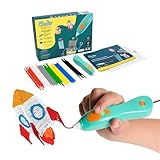
Unlock creativity safely with the 3Doodler Start+ 3D pen, designed specifically for children aged six and up. Its child-safe design features no external hot parts, allowing kids to create without risk. This makes it an ideal tool for young makers to explore 3D drawing with confidence.
The pen uses heated filament that quickly hardens, so projects come to life fast and hold their shape. Its rechargeable USB-C feature means it can be used anywhere, encouraging creativity on the go. Maintenance is straightforward, with easy filament replacement and minimal cleaning required.
Included in the set are colorful filaments, a DoodlePad, and an activity guide to inspire imaginative projects. The pen supports STEAM learning by helping children develop fine motor skills and spatial awareness through hands-on creation. While it suits simple designs, it encourages skill-building in young users.
The 3Doodler Start+ is a practical, fun tool that blends safety and functionality. Its design and materials prioritize ease of use, making it well-suited for beginners and young artists exploring three-dimensional art.
Best for: Kids ages 6 and older seeking a safe, easy-to-use 3D pen to foster creativity and STEAM skills.
What We Like:
- Child-safe design with no external hot parts
- Rechargeable USB-C for portable use
- Quick-hardening filament ideal for simple projects
- Supports development of fine motor skills and spatial awareness
Specification:
| Feature | Details |
|---|---|
| Manufacturer | 3Doodler |
| Dimensions | Approx. 6.5 x 1 x 1 inches |
| Weight | Approx. 0.15 lb (70 g) |
| Material | Plastic and electronic components |
| Color Options | Multicolor filaments included |
SCRIB3D P1 3D Printing Pen with Starter Kit
- [A GIFT FOR THE WHOLE FAMILY] Create, Draw, Doodle, and Build in 3D with this affordable yet high grade 3D pen. The new SCRIB3D P1 3D Pen helps improve spatial thinking...
- [READY-TO-USE KIT] Includes 3 colors (30 feet) of PLA plastic to keep you Doodling for ages, as well as a power adapter, step-by-step manual, and a free stencil guide...
- [BEGINNER FRIENDLY] Plug the adapter into the back of the pen and choose your filament. The red light will turn on indicating warm up, this will take about 2-3 mins...
- [MULTI-FUNCTIONAL] The SCRIB3D P1 Pen is temperature adjustable to accommodate multiple types of filament: PLA (160-210℃, 320-410°F) or ABS (210-235℃, 410-455°F...
- [SAFE & RISK FREE PURCHASE] The P1's ceramic nozzle and premium motor ensure safety and high performance without clogging. Equipped with 2 minute auto sleep function...
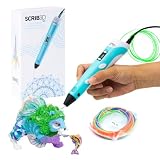
The SCRIB3D P1 3D Printing Pen offers an accessible way to bring 3D creations to life. Designed for ease of use, it quickly heats up in just a few minutes, allowing users to start crafting without long waits. Adjustable temperature and speed controls help tailor the experience to different materials and project needs, ensuring precise results.
Its thoughtful design includes a ceramic nozzle and anti-clogging features, reducing maintenance hassles and improving reliability. The pen’s auto sleep function helps conserve energy during breaks, making it a practical choice for extended creative sessions. Lightweight and ergonomic, it fits comfortably in hand for detailed work.
This pen comes with three starter PLA filament colors, a stencil book, and a project guide, perfectly suited to inspire beginners and young users. While the included filament length is limited, it’s ideal for initial projects and learning the basics of 3D drawing.
Best for: Kids and beginners eager to explore 3D art with a safe, easy-to-use printing pen.
What We Like:
- Adjustable temperature and speed for versatile filament use
- Starter kit includes filament, stencil book, and project guide
- Ceramic nozzle and anti-clogging design enhance safety and ease of use
- Auto sleep function conserves energy during inactivity
Specification:
| Feature | Details |
|---|---|
| Manufacturer | SCRIB3D |
| Dimensions | Not specified |
| Weight | Lightweight |
| Material | Not specified |
| Color Options | Blue, White, Black |
TKID 3D Printer for Kids, 20,000+ Models, Up to 400mm/s

- Easy 3D Printing for Kids & Beginners: Getting started should feel simple, not technical. Kids can choose a model, start printing in the XMAKER app, and watch their...
- 20,000+ Models Keep Kids Creating: Kids do not need to learn complicated 3D modeling before making something they enjoy. More than 20,000 ready-to-print models give them...
- Parents Can Check In from Anywhere: Kids can enjoy watching a print come to life while parents stay connected without standing beside the machine. As a 3D printer with...
- Less Waiting, More Time Making: Long print times can take the excitement out of a new idea. This 3D printer runs at 220–250mm/s for standard printing and reaches...
- A Kids 3D Printer Starter Kit Made for DIY Fun: This kids 3D printer starter kit includes 2 PLA spools, so kids have filament ready for their first projects. As a 3D...
The TKID 3D Printer makes printing accessible and fun for kids and beginners. Its app-guided setup eliminates common frustrations like bed leveling and filament loading. This means less time troubleshooting and more time creating.
With access to over 20,000 ready-to-print models, including AI-powered designs, children can explore endless creative possibilities. The printer supports quick output speeds up to 400mm/s with precise detail at ±0.05mm, so projects come to life fast and clearly.
Maintenance is simple thanks to the user-friendly design and the included starter kit with PLA filament spools. The printer is ideal for home or school environments, promoting hands-on learning in STEM subjects while encouraging creativity.
Though designed for ease, younger users may need supervision initially. It supports PLA filament only, which limits material options. Advanced users might find the features basic compared to professional models.
Best for: Kids and beginners seeking a straightforward, fast 3D printing experience that fosters creativity and STEM education.
What We Like:
- Easy setup with no bed leveling and guided filament loading
- Huge library of 20,000+ models with AI design tools
- Fast printing up to 400mm/s with high precision
- Starter kit includes PLA filament and personalization stickers
- User-friendly for home and school use
Specification:
| Feature | Details |
|---|---|
| Manufacturer | TKID |
| Printing Speed | Up to 400 mm/s |
| Print Precision | ±0.05 mm |
| Model Library | 20,000+ ready-to-print |
| Filament Type | PLA (included) |
| Dimensions | Not specified |
| Weight | Not specified |
Entina Tina2C Mini 3D Printer Starter Bundle

- Complete Starter Bundle with 1kg PLA: Includes four 250g rolls of PLA filament in different colors. Start creating colorful toys, decorations, and DIY projects without...
- Fully Assembled & Ready in 5 Minutes: No complicated assembly required. The Tina2C mini 3D printer comes ready for guided setup through the Poloprint Cloud app, helping...
- 3500+ Models, New Designs Added Daily: Explore over 3500 printable models and 25+ DIY modules through the app. Discover fresh creative projects and hands-on STEM...
- Auto Leveling & Power-Loss Recovery: Automatic bed leveling improves first-layer setup and reduces manual adjustments. Power-loss recovery helps resume interrupted...
- Magnetic Build Plate & Quick-Swap Nozzle: The flexible magnetic plate helps release finished prints with a gentle bend, while the quick-swap nozzle design makes routine...
Experience hassle-free 3D printing with the Entina Tina2C Mini 3D Printer Starter Bundle, designed to get you creating quickly and easily. This compact printer arrives fully assembled and ready to use, allowing you to start printing in just five minutes. The intuitive Poloprint Cloud app guides you through every step, making setup straightforward for users of all ages.
Its small footprint and lightweight design fit comfortably on any desk, making it ideal for kids and beginners. The 3.9-inch cubic build volume is perfect for small projects, encouraging creativity without overwhelming complexity. Auto leveling ensures consistent prints, while power-loss recovery protects your work from unexpected interruptions.
Maintenance is simple with a magnetic build plate and quick-swap nozzle, reducing downtime and keeping the printer ready for your next idea. Connectivity through WiFi or TF card broadens your access to over 3,500 models and STEM projects, all included with vibrant PLA filament rolls to inspire learning and creativity.
While the build volume is limited and it supports only PLA filament, this starter bundle focuses on ease of use and educational value rather than advanced materials or large-scale prints.
Best for: Kids and beginners seeking a compact, user-friendly 3D printer with educational resources and quick setup.
What We Like:
- Fully assembled and guided setup via Poloprint Cloud app enables printing within five minutes
- Auto leveling and power-loss recovery enhance reliability and print success
- Magnetic build plate and quick-swap nozzle simplify maintenance
- Includes 1kg of colorful PLA filament and access to 3,500+ models and STEM projects
Specification:
| Feature | Details |
|---|---|
| Manufacturer | Entina |
| Dimensions | Compact footprint, fits on desk |
| Weight | Under 6 lbs (approx. 2.7 kg) |
| Build Volume | 3.9 x 3.9 x 3.9 inches |
| Filament Type | PLA only |
| Connectivity | 2.4GHz WiFi, TF card |
Bambu Lab A1 3D Printer, Ready-to-Use FDM 3D Printer for Beginners and Kids

- High-Speed Precision: Experience unparalleled speed and precision with the Bambu Lab A1 3D Printer. With an impressive acceleration of 10,000 mm/s², the A1 delivers...
- Multi-Color Printing with AMS lite: Unlock your creativity with vibrant and multi-colored 3D prints. The Bambu Lab A1 3D printers make multi-color printing accessible and...
- Full-Auto Calibration: Say goodbye to manual calibration hassles. The A1 3D printer takes care of all the calibration processes automatically, ensuring optimal...
- Active Flow Rate Compensation: Achieve consistently smooth prints with active flow rate compensation. The algorithm actively compensates the flow rate according to the...
- Easy and Quiet 3D Printing: Experience effortless printing with the Bambu Lab A1 FDM 3D printer. Its user-friendly interface and simplified touchscreen make it easy to...
Discover the ease of 3D printing with the Bambu Lab A1 3D Printer, designed to make creativity accessible for beginners and kids. This ready-to-use machine eliminates the hassle of complex setups with its full-auto calibration, including automatic Z-offset and bed leveling. It saves time and reduces frustration, allowing users to focus on bringing their ideas to life quickly.
The printer features a user-friendly touchscreen interface and a 1-clip quick swap nozzle that simplifies maintenance and control. Its precision is enhanced by high acceleration and active flow rate compensation, ensuring every print is smooth and accurate. This means fewer failed prints and consistent quality for learning and experimentation.
Thanks to its compact, lightweight design and quiet operation (≤48 dB), the Bambu Lab A1 fits perfectly in small spaces like desks or classrooms. It supports multi-color projects through AMS Lite compatibility, inviting young makers to explore more creative possibilities. However, advanced users might find the multi-material options limited by the AMS Lite system.
Overall, the Bambu Lab A1 offers a balance of simplicity, reliability, and innovative features tailored for new users. Its design and functions reduce setup time and maintenance effort, making it an ideal introduction to 3D printing.
Best for: Beginners and kids seeking a straightforward, easy-to-maintain 3D printer with multi-color capabilities and quiet performance.
What We Like:
- Full-auto calibration simplifies setup and reduces errors
- Touchscreen interface and quick swap nozzle ease operation and maintenance
- High-speed precision with active flow rate compensation ensures quality prints
- Compact, lightweight, and quiet for home or educational settings
Specification:
| Feature | Details |
|---|---|
| Manufacturer | Bambu Lab |
| Dimensions | Compact (Desk-friendly) |
| Weight | 22 lb (10 kg) |
| Color Options | Standard (not specified) |
| Multi-Color Capability | AMS Lite compatible |
SainSmart PrintyGo Mini 3D Printer for Kids
No products found.
The SainSmart PrintyGo Mini 3D Printer offers a simple way for children aged 4 to 12 to discover the world of 3D printing. Its fully enclosed design with a child lock ensures a safe environment, preventing accidental contact during operation. This setup helps parents feel confident while their kids explore creative projects.
With a user-friendly 5″ touch screen and pre-assembled parts, the printer eliminates complex setup steps. Kids can start printing quickly, making it an ideal tool to introduce STEM concepts in a hands-on manner. The printer’s speed of 600mm/s balances efficiency with ease of use.
Maintenance is straightforward thanks to the use of non-toxic PLA filament, which is eco-friendly and safe for children. While the printer only supports PLA, this limitation simplifies material handling and cleanup, ideal for young users. The ever-growing library of over 1,500 models encourages creativity and learning.
This printer suits young beginners who want a safe, easy introduction to 3D printing. It lacks more advanced features, so it may be less appealing for older or experienced users seeking complex projects.
Best for: Children aged 4–12 who are new to 3D printing and want a safe, easy-to-use device for creative STEM learning.
What We Like:
- Fully enclosed design with child safety lock
- Pre-assembled with intuitive 5″ touch screen
- Extensive, regularly updated model library
- Uses non-toxic, eco-friendly PLA filament
Specification:
| Feature | Details |
|---|---|
| Manufacturer | SainSmart |
| Dimensions | Not specified |
| Weight | Not specified |
| Material | Non-toxic PLA filament |
| Color Options | Not specified |
SainSmart PrintyGo 3D Printer for Kids

- [Why Choose PrintyGo] PrintyGo combines child-safe design. Perfect for kids, it encourages creativity and hands-on learning while making 3D printing simple, fun, and...
- [Designed for Kids Aged 8+] Created for young creators, PrintyGo introduces children to the world of STEM learning by blending science, technology, engineering, and math...
- [Child-Safe & Eco-Friendly Design] Built with a fully enclosed body to prevent contact with moving or heated parts, PrintyGo ensures peace of mind for parents. It...
- [Interactive Screen for Easy Control] PrintyGo 3D printing machine features a responsive, interactive screen that makes operation a breeze. You can just tap and go, with...
- [Endless Creative & Education Resources] Features a rich library with over 1,500 3D models, covering diverse themes like animals, geometric shapes, puzzles, and miniature...
The SainSmart PrintyGo 3D Printer offers a simple and safe way for kids to explore STEM learning through hands-on creation. Its auto-leveling feature ensures prints start perfectly every time, reducing setup stress for young users and parents. The fully enclosed design keeps curious fingers safe, while the child lock adds extra security during use.
This printer arrives pre-assembled and ready to go, equipped with a 5-inch touch screen that allows children to print independently without needing a computer or smartphone. Its user-friendly interface makes it easy to select and print from a growing library of over 1,500 3D models, updated weekly to keep creativity flowing.
Maintaining the PrintyGo is straightforward with eco-friendly PLA filament included in the kit. This material is safe and easy to handle, though it limits experimentation with other filaments. The printer’s moderate speed supports learning without overwhelming beginners, though more advanced users might find it less suitable as skills grow.
By combining safety, ease of use, and creative resources, the PrintyGo encourages curiosity and critical thinking in young makers. It balances educational value with fun, making it a practical introduction to 3D printing for children.
Best for: Kids aged 8 and up seeking a safe, beginner-friendly 3D printer for STEM learning and creative projects.
What We Like:
- Fully enclosed design with child lock for enhanced safety
- Pre-assembled with intuitive 5-inch touch screen for standalone use
- Access to a large, regularly updated library of 3D models
- Eco-friendly PLA filament included, easy for beginners
- Auto-leveling feature simplifies print setup
Specification:
| Feature | Details |
|---|---|
| Manufacturer | SainSmart |
| Dimensions | Not specified |
| Weight | Not specified |
| Material | Eco-friendly PLA filament |
| Color Options | Not specified |
Factors to Consider When Choosing a Children’s 3D Printer
When choosing a children’s 3D printer, you’ll want to prioritize safety features and easy operation to keep the experience fun and worry-free.
Also, consider printing speed and build volume to match your child’s projects and patience level.
Access to a good model library can also make a big difference in keeping creativity flowing.
These factors together help ensure your child stays engaged and enjoys learning with their new printer.
Safety Features Importance
Although 3D printing offers exciting creative opportunities, you need to prioritize safety features when choosing a printer for children. Look for fully enclosed designs that prevent contact with moving or heated parts, reducing burn risks.
Child lock systems are vital—they pause printing whenever the printer door opens, keeping curious kids safe during operation. Make sure the printer uses non-toxic, eco-friendly materials like PLA to guarantee safe handling.
Pinch-resistant designs protect little fingers when loading or unloading filament, which is important for young users still learning. Plus, automatic calibration and leveling reduce the need for manual adjustments, minimizing user errors and potential accidents.
User-Friendly Operation
Anyone choosing a 3D printer for children should prioritize user-friendly operation to make the experience enjoyable and frustration-free. Look for fully assembled printers that let kids start printing right away without complicated setup.
Automatic calibration and leveling features simplify the process, so your child won’t need technical expertise to get great results. Touchscreen interfaces or app-guided controls make it easy for kids to navigate menus and pick models.
Quick-swap nozzles and simple filament loading reduce downtime, letting creativity flow uninterrupted. Also, printers with extensive preloaded model libraries encourage exploration without needing extra software.
This keeps kids engaged and inspired. Choosing a 3D printer with these user-focused features guarantees your child can engage in creative projects confidently and independently.
Printing Speed Requirements
Selecting a 3D printer with user-friendly features sets the stage for a positive experience, but you’ll also want to evaluate printing speed to keep your child motivated.
Faster printing lets kids see their creations quickly, maintaining excitement and engagement. Many children’s 3D printers offer speeds between 200 and 400 mm/s, which can produce small models in about 20 minutes.
A printer reaching up to 400 mm/s is perfect for classrooms or busy schedules where time is tight. However, don’t sacrifice quality for speed—too fast can reduce precision and increase print failures, especially for beginners.
Model Library Access
One key factor to take into account when choosing a children’s 3D printer is access to a rich model library. A diverse library with over 20,000 human-reviewed models lets your child explore various themes, keeping their curiosity alive.
Regular updates, adding new designs weekly, guarantee fresh content that inspires ongoing creativity. Look for printers that include design tools within the library, so your child can craft their own unique models—boosting innovation and problem-solving skills.
Also, easy access through mobile apps simplifies the printing process, letting kids quickly pick and start projects without needing technical know-how. With the right model library access, you empower your child to dive deeper into 3D printing, making learning engaging and fun every step of the way.
Build Volume Size
Build volume size plays an essential role in deciding what your child can create with a 3D printer. It sets the maximum dimensions for printing, affecting the complexity and size of their projects.
If your child enjoys bigger, multi-part models, a larger build volume will be ideal. However, smaller build volumes encourage focus on precision and intricate designs, helping develop fine skills.
When choosing, consider your available workspace—larger printers need more room and might not fit well in tight spaces. For educational use, a moderate build volume often provides the best balance, supporting a variety of projects without overwhelming young users or requiring too much space.
Picking the right build volume guarantees your child’s creativity isn’t limited by the printer’s size. So, think about what they like to create and where you’ll put the printer before making a choice.
Connectivity Options Available
Connectivity options can greatly impact how easily you and your child interact with a 3D printer. Look for WiFi connectivity to control the printer remotely and access vast online libraries with thousands of printable designs.
USB connections offer a simple, reliable way to connect directly to your computer. This allows smooth model transfers and compatibility with various software.
If you don’t always have internet access, a printer with TF card support lets you load pre-sliced models directly. This makes printing hassle-free.
Some models even integrate with apps, letting you browse projects, monitor prints, and use voice commands. These features can make the experience more engaging for kids.
Choosing a printer with versatile connectivity guarantees flexibility and ease of use. It’ll fit your child’s creative needs and your setup perfectly.
Educational Value Offered
Any 3D printer designed for children should offer meaningful educational value that sparks curiosity and skill development. You want a printer that enhances STEM learning by introducing science, technology, engineering, and math through hands-on projects.
Look for models with extensive libraries of 3D printable designs to encourage exploration and design thinking. User-friendly features like auto-leveling and guided setups let your child focus on creativity without getting bogged down by technical details, promoting independent learning.
The printer should foster critical thinking and problem-solving as kids design, troubleshoot, and refine their work. Plus, tools that support custom model creation, including AI-driven design options, really boost artistic expression and make learning interactive and engaging for your child.
Maintenance And Support
Although 3D printers for children are designed to be user-friendly, you’ll want to prioritize models that make maintenance simple and hassle-free. Look for printers with quick-swap nozzles and easy maintenance features to reduce downtime and keep printing smooth.
Auto-leveling technology is a huge help, cutting down manual adjustments and ensuring consistent print quality every time. Don’t forget to check customer support options—responsive service teams and lifetime technical support can be lifesavers when troubleshooting.
Also, explore online resources like tutorials and community forums that boost your kid’s skills and solve common issues. Finally, make sure the printer comes with a clear warranty covering repairs or replacements, protecting your investment from defects or malfunctions.
Frequently Asked Questions
What Safety Precautions Should Parents Take During 3D Printing Sessions?
You should supervise constantly, guarantee proper ventilation, and keep kids away from hot parts. Use non-toxic filaments, provide safety goggles, and teach them to handle the printer carefully to prevent burns or inhaling harmful fumes.
It’s really important to stay close during the whole printing process. Make sure the room is well-ventilated because some fumes can be harmful. Also, always remind kids not to touch the hot parts of the printer.
Choosing non-toxic filaments is a smart move. Don’t forget to give them safety goggles to protect their eyes. Teaching them how to be careful with the printer helps avoid accidents like burns or breathing in bad fumes.
How Can 3D Printing Help Develop STEM Skills in Children?
You’ll boost your child’s STEM skills by letting them design and print objects, which teaches problem-solving, engineering, and coding. It’s a fun way to learn that really sticks.
Hands-on 3D printing sparks creativity, critical thinking, and a deeper understanding of science and technology concepts. Plus, kids get to see their ideas come to life, which makes learning way more exciting.
Are There Eco-Friendly Filament Options for Kids’ 3D Printers?
Yes, you can choose eco-friendly filaments like PLA made from cornstarch, which contrasts traditional plastics.
These options biodegrade faster, so you won’t sacrifice creativity for sustainability when your kids print their cool projects.
What Maintenance Is Required for Children’s 3D Printers?
You’ll need to clean the nozzle regularly, check filament feeds, and lubricate moving parts.
Also, keep the print bed level and update firmware when possible. These simple steps keep your child’s 3D printer running smoothly.
Can Children Customize 3D Models Without Prior Design Experience?
Yes, you can customize 3D models without prior design experience. Many kids’ 3D printers come with user-friendly software that makes it super easy.
They usually have simple drag-and-drop tools, templates, and tutorials. These help you create and modify designs easily and confidently. It’s designed so even beginners can jump right in without feeling overwhelmed.
Conclusion
Choosing the right 3D printer for your child can spark endless creativity and learning. Did you know kids who engage in hands-on tech activities like 3D printing improve problem-solving skills by up to 40%?
With options like the Entina Tina2 Plus or Bambu Lab A1 mini, you’ll find safe, easy-to-use printers perfect for young creators. These models are designed to be user-friendly, making it easier for kids to get started and stay engaged.
Immerse yourself and watch your child bring their imagination to life—one layer at a time! Choosing the best children’s 3D printer not only encourages creativity but also builds valuable STEM skills. Whether your child is a beginner or ready to explore more advanced projects, these printers offer a fantastic way to learn while having fun. So, dive into the world of 3D printing and watch your young creator’s ideas take shape right before your eyes!