10 Best 3D Printers for Tinkercad in 2027 Worth Trying
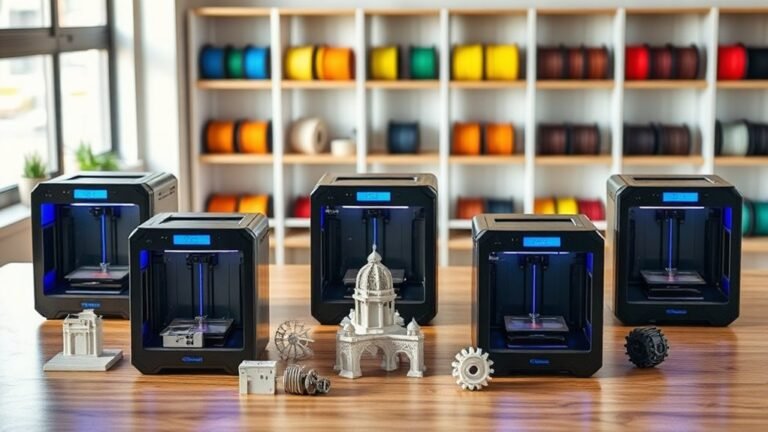
You’ll find top 3D printers for Tinkercad in 2027 that blend speed, precision, and ease of use perfectly. Whether you’re a beginner or an experienced maker, these printers are designed to bring your 3D designs to life with impressive quality.
Options like the Portable Compact FDM suit beginners with straightforward setup, making it easy to get started without hassle. Meanwhile, Bambu Lab’s P1S and P2S Combos offer multi-color printing and high-speed CoreXY motion for advanced projects.
For those interested in easy multi-material projects, consider the Anycubic Kobra X or Creality’s K2 SE 4C. These printers deliver great print quality, smart features, and flexible materials — ideal for makers keen to bring designs to life.
Explore these picks to discover the perfect fit for your projects.
| Image | Name | Editor's Rating | Price |
|---|---|---|---|

|
|
||

|
|
||

|
|
||

|
|
||

|
|
Portable Compact FDM 3D Printer with Removable Plate
- Foolproof Setup with Video Guides – Never get stuck! We provide a crystal-clear Quick Start Guide and step-by-step video tutorials. Watch them online to get started.
- Simple Assembly with Video Guide – Requires quick modular setup (watch our step-by-step video). Comes with 10m PLA filament, TF card, tools, and 12V Type-C power...
- Versatile Filament Compatibility – Unleash your creativity with both PLA and flexible TPU (1.75mm). The reliable 0.4mm nozzle and precise 0.05-0.3mm layer thickness...
- Reliable Performance & Compact Design – Features stable FDM technology and a removable build plate for easy model removal. The perfect 100x100x100mm build volume is...
- Complete Package – No Hidden Costs – Includes printer, 10m PLA filament, 8GB TF card + reader, tools, illustrated manual, and 12V Type-C power adapter. Plus free...
Experience the convenience of 3D printing without the hassle of bulky equipment. This Portable Compact FDM 3D Printer is designed to fit comfortably in small spaces, making it ideal for beginners and students. Its compact size ensures it won’t clutter your workspace, yet it delivers precise and detailed prints every time.
Setup is straightforward thanks to a foolproof quick-start guide and easy-to-follow video tutorials. The removable build plate simplifies maintenance and print removal, reducing downtime and frustration. Included tools and filament mean you can start printing immediately without extra purchases.
This printer supports PLA and flexible TPU filaments, providing versatility for various creative projects. Its 0.4 mm nozzle and adjustable layer thickness offer quality results, perfect for educational environments, hobbyists, or STEM learning. The printer’s design promotes ease of use and encourages experimentation.
One limitation is its build volume of 100 x 100 x 100 mm, which restricts larger projects. Additionally, it only supports PLA and TPU, so users looking for a wider range of materials may find this limiting. The layer thickness range balances detail and speed but may not meet ultra-high resolution needs.
Best for: beginners, students, and hobbyists seeking a compact, user-friendly 3D printer ideal for small spaces and educational settings.
What We Like:
- Easy setup with quick-start guide and video tutorials
- Removable build plate for simplified maintenance
- Supports PLA and flexible TPU filaments for versatile printing
- Compact design fits neatly in classrooms and small workspaces
- Precise 0.4 mm nozzle delivers smooth, detailed prints
Specification:
| Feature | Details |
|---|---|
| Manufacturer | Not specified |
| Build Volume | 100 x 100 x 100 mm |
| Nozzle Size | 0.4 mm |
| Supported Filaments | PLA, TPU |
| Layer Thickness | 0.05–0.3 mm |
| Included Extras | 10m PLA filament, tools, 8 GB TF card with reader |
| Dimensions | Compact (exact size not specified) |
Bambu Lab P1S Combo, P1S 3D Printer and AMS, Multi-Color 3D Printing
- Up to 16 Colors: Bring your designs to life with vibrant multi-color/multi-material printing capabilities, perfect for showcasing your creativity. Note: Connecting Bambu...
- 500mm/s and 20000 mm/s² Acceleration True High Speed: Don't wait around for your masterpieces. Lightning-fast printing speed lets you focus on creating, not waiting.
- Enclosed Design: Fully enclosed body improves print performance for advanced filaments. Automatic Bed Leveling: Say hello to high-quality, successful prints. Auto bed...
- Set Up in 15 Minutes: Spend more time printing and less time setting up. User-friendly design ensures a hassle-free assembly experience for all skill levels.
- Supported Filament: Ideal: PLA, PETG, TPU, PVA, PET ABS, ASA; Capable : PA, PC; Not Recommended: Carbon/Glass Fiber Reinforced Polymer.
Experience the power of vibrant, multi-color 3D printing with the Bambu Lab P1S Combo. Designed to simplify complex projects, this printer handles up to 16 filament colors when paired with its AMS accessory. It delivers clear, sharp details thanks to its CoreXY system, capable of moving at speeds of up to 500 mm/s with rapid acceleration.
The fully enclosed frame protects prints from environmental disturbances and supports advanced materials like PLA, PETG, and TPU. This enclosure also helps maintain print quality over long sessions. Setup is straightforward, taking about 15 minutes, and automatic bed leveling reduces manual adjustments, saving time and frustration.
Maintenance is user-friendly; the robust construction and reliable components minimize downtime and ensure consistent performance. The P1S Combo’s design also balances speed with precision, making it suitable for detailed prototypes and functional parts alike.
While the multi-color printing requires the AMS accessory, adding to the investment, the printer’s versatility and quality justify it. Its heavier build may affect portability but provides stability during high-speed printing.
Best for: Creators and professionals who need a fast, precise 3D printer capable of multi-color projects with easy setup and support for diverse filament types.
What We Like:
- Multi-color printing with up to 16 filament options using AMS
- High-speed CoreXY motion system ensures quick and precise prints
- Fully enclosed design improves print consistency and filament compatibility
- Simple setup and automatic bed leveling enhance user experience
Specification:
| Specification | Details |
|---|---|
| Manufacturer | Bambu Lab |
| Dimensions | Not specified |
| Weight | 47.5 lb (21.5 kg) |
| Motion System | CoreXY |
| Maximum Speed | 500 mm/s |
| Acceleration | 20,000 mm/s² |
| Supported Filaments | PLA, PETG, TPU, others |
| Multi-Color Support | Up to 16 colors with AMS |
| Design | Fully enclosed |
Entina Tina2C Mini 3D Printer for Beginners
- 【Easy to Use 3D Printer – Ready in 5 Minutes】 Meet the Entina Tina2C, a plug-and-play mini 3D printer designed for first-time users. Fully assembled with factory...
- 【3500+ 3D Models & Easy One-Tap Printing】 Explore 3500+ ready-to-print 3D models and 25+ DIY projects in the Poloprint Cloud app, with new designs added daily...
- 【Smart WiFi 3D Printer & AI-Powered App】 Connect via 2.4GHz WiFi and enjoy convenient 3D printer app control through Poloprint Cloud. Explore models, manage prints...
- 【Auto Leveling 3D Printer & Power-Loss Recovery】 Automatic bed leveling helps improve first-layer adhesion and reduces manual adjustments for a smoother 3D printing...
- 【Flexible Magnetic Print Bed & Quick-Swap Nozzle】 The flexible magnetic build plate makes finished 3D prints easier to remove with a gentle bend. A removable...
Step into the world of 3D printing effortlessly with the Entina Tina2C Mini 3D Printer for Beginners. This compact device arrives fully assembled and can be set up in just five minutes, eliminating common startup frustrations. Its auto leveling feature ensures your prints start perfectly every time, reducing trial and error.
The printer’s guided setup is supported by the Poloprint app, which simplifies the printing process and offers AI-powered tools like text-to-3D and photo-to-3D conversions. These smart features empower users to create unique models without needing advanced design skills, making it ideal for learning and experimentation.
Designed to fit neatly on a desk, the Tina2C operates quietly and includes a flexible magnetic build plate for easy print removal. Maintenance is straightforward thanks to a removable nozzle, helping keep your printer in top condition without hassle.
With both WiFi and offline printing options, plus compatibility with popular software like Cura and Simplify3D, this printer adapts well to different workflows. While its build volume of 3.9 x 3.9 x 3.9 inches suits smaller projects, it’s perfect for beginners, families, and STEM students exploring creative 3D printing.
Best for: Beginners, families, and STEM learners seeking an easy-to-use, compact 3D printer with smart app features for creative educational projects.
What We Like:
- Fully assembled and ready to print with quick, guided setup.
- AI-powered design tools through the Poloprint app.
- Quiet operation and easy maintenance with a flexible magnetic build plate.
- Compatible with WiFi and offline printing, plus popular slicer software.
Specification:
| Feature | Details |
|---|---|
| Manufacturer | Entina |
| Dimensions | Compact (fits on a desk) |
| Build Volume | 3.9 x 3.9 x 3.9 inches |
| Setup Time | 5 minutes |
| Connectivity | WiFi and offline printing |
| Software Compatibility | Cura, Simplify3D, Poloprint app |
| Special Features | Auto leveling, removable nozzle, AI-powered tools |
Bambu Lab P2S Combo, P2S 3D Printer & AMS 2 Pro, Multi-Color 3D Printing
- High-Speed Precision: The Bambu Lab P2S 3D printer prints up to 600 mm/s while maintaining exceptional accuracy. With the PMSM Servo Extruder and Active Flowrate...
- Ready to Print in 15 Minutes: Set up your P2S FDM 3D printer and start printing in just 15 minutes. With AI failure detection, quick-swap nozzles, and automatic...
- Effortless Multi-Color Printing: The AMS 2 Pro enables seamless multi-color/multi-material 3D printing. It features built-in filament drying at up to 65 °C, keeping...
- Smart Airflow for Any Filament: The Adaptive Airflow System automatically balances cooling and heat retention—keeping overhangs crisp with cool air, or maintaining a...
- Limitless Creativity, Seamless Workflow: Explore over one million 3D models on MakerWorld and bring them to life with a smooth, unified workflow using Bambu Studio, Bambu...
Experience the power of high-speed, multi-color 3D printing with the Bambu Lab P2S Combo. This combo integrates a fast CoreXY printer with the AMS 2 Pro multi-material system, solving the challenge of creating complex, multi-color models with ease. Print speeds reaching up to 600 mm/s ensure you save time without sacrificing detail.
The printer’s heated chamber and Adaptive Airflow System enable stable printing of engineering-grade parts. This setup is designed to reduce warping and improve layer adhesion for durable results. With the AMS 2 Pro’s filament drying and multi-material handling, you can switch colors seamlessly during prints, expanding your creative possibilities.
Maintenance is straightforward with a well-designed user interface and AI failure detection, which helps minimize print errors and downtime. Setup takes about 15 minutes, making it accessible for users who want professional results without complicated calibration.
The Bambu Studio software unifies your workflow, allowing smooth control over your projects. While the P2S alone doesn’t support multi-color prints, the Combo package unlocks this functionality, though the machine’s size and features may require some experience for beginners.
Best for: Makers and professionals seeking a reliable, high-speed 3D printer with multi-color capabilities and engineering-grade performance.
What We Like:
- High-speed printing up to 600 mm/s with consistent quality
- AMS 2 Pro supports seamless multi-material and color changes
- Heated chamber with Adaptive Airflow for stable engineering-grade prints
- Easy setup with AI failure detection reduces print failures
- Unified Bambu Studio software simplifies workflow
Specification:
| Feature | Details |
|---|---|
| Manufacturer | Bambu Lab |
| Printer Type | CoreXY 3D Printer + AMS 2 Pro |
| Print Speed | Up to 600 mm/s |
| Dimensions | 18 x 22 x 18 inches |
| Weight | 46.3 pounds |
| Chamber | Heated with Adaptive Airflow |
| Multi-material | Yes, with AMS 2 Pro |
Anycubic Kobra X Multicolor 3D Printer, Easy Setup, Native 4-Color
- 【 Newest Level - 19-Color with 4 ACE 2 Pro】Why settle for one color when you can have multicolor? The Kobra X comes born with 4 colors built-in. It is innovative 3D...
- 【 Savings 2X Time】Stop wasting hours and filament on purging! Kobra X impresora 3D reduces the filament and machine travel path by 81.25%, so 2X the Speed, and...
- 【Hardened Precision & High Speed 】 Equipped with a high-durability hardened steel nozzle and vibration compensation, the Kobra X ensures every layer remains smooth...
- 【Flawless First Layer with LeviQ 3.0】The LeviQ 3.0 and auto bed leveling system uses a 49-point calibration and advanced leveling algorithm to ensure 100% bed...
- 【Smart AI Monitoring & Large Model Library】APP remote control, features Spaghetti detection and foreign object detection. The innovative top-mount spool holder...

Bring your 3D projects to life with vibrant colors using the Anycubic Kobra X Multicolor 3D Printer. This printer solves the common challenge of multicolor printing by offering native 4-color functionality, which can expand up to 19 colors with additional units. Its intuitive setup means you can start printing in about 15 minutes, making it ideal for quick project turnarounds.
Designed for ease of use, the Kobra X Multicolor features LeviQ 3.0 auto bed leveling that ensures precise and consistent prints without manual adjustments. Its quiet 45 dB operation creates a comfortable workspace, while smart AI monitoring helps detect and prevent print errors early, reducing wasted materials and time.
Maintenance is straightforward, with user-friendly controls accessible via Wi-Fi or LAN through the Anycubic app. This lets you monitor and manage prints remotely, enhancing convenience and flexibility. The 260mm³ build volume and fast 600 mm/s max speed balance size and efficiency for a variety of projects.
Best for: hobbyists, educators, and makerspaces seeking an accessible multicolor 3D printer with smart features and dependable performance.
What We Like:
- Native 4-color printing expandable to 19 colors for diverse creative applications.
- Quick, hassle-free setup with reliable LeviQ 3.0 auto bed leveling.
- Smart AI monitoring reduces print errors and material waste.
- Remote print control through Anycubic app via Wi-Fi and LAN.
- Quiet operation suitable for shared or quiet environments.
Specification:
| Feature | Details |
|---|---|
| Manufacturer | Anycubic |
| Build Volume | 260 mm × 260 mm × 260 mm |
| Max Print Speed | 600 mm/s |
| Color Capability | Native 4-color (expandable) |
| Bed Leveling | LeviQ 3.0 Auto Bed Leveling |
| Noise Level | 45 dB |
| Connectivity | Wi-Fi, LAN |
Bambu Lab A1 3D Printer, Ready-to-Use FDM 3D Printer for Beginners and Kids

- High-Speed Precision: Experience unparalleled speed and precision with the Bambu Lab A1 3D Printer. With an impressive acceleration of 10,000 mm/s², the A1 delivers...
- Multi-Color Printing with AMS lite: Unlock your creativity with vibrant and multi-colored 3D prints. The Bambu Lab A1 3D printers make multi-color printing accessible and...
- Full-Auto Calibration: Say goodbye to manual calibration hassles. The A1 3D printer takes care of all the calibration processes automatically, ensuring optimal...
- Active Flow Rate Compensation: Achieve consistently smooth prints with active flow rate compensation. The algorithm actively compensates the flow rate according to the...
- Easy and Quiet 3D Printing: Experience effortless printing with the Bambu Lab A1 FDM 3D printer. Its user-friendly interface and simplified touchscreen make it easy to...
The Bambu Lab A1 3D Printer is designed to make 3D printing accessible for beginners and young users. Its intuitive touchscreen and quick-swap nozzle simplify setup and maintenance, reducing frustration and downtime. This means users can focus on creating rather than troubleshooting.
With blazing-fast printing speeds and high acceleration, it delivers precise results quickly. The printer’s full-auto calibration and active flow rate compensation ensure every print is consistent, eliminating common printing errors. This reliability helps users achieve satisfying prints from the start.
The option for multi-color printing through the AMS Lite accessory adds creative flexibility. While this expands possibilities, it may increase the overall cost and requires additional setup. The printer also features active motor noise canceling, making it ideal for quiet environments such as classrooms or home offices.
Overall, the Bambu Lab A1 balances performance and ease of use, making 3D printing approachable for newcomers and kids. Its thoughtful design minimizes maintenance and enhances the learning experience.
Best for: Beginners and kids seeking a fast, easy-to-use 3D printer with quiet operation and multi-color capabilities.
What We Like:
- Fast, precise printing with high acceleration
- Full-auto calibration for hassle-free setup
- User-friendly touchscreen interface
- Quiet operation with active noise canceling
- Multi-color printing option via AMS Lite accessory
Specification:
| Feature | Details |
|---|---|
| Manufacturer | Bambu Lab |
| Printer Type | Ready-to-use FDM |
| Acceleration | 10,000 mm/s² |
| Calibration | Full-auto |
| Interface | Touchscreen |
| Noise Reduction | Active motor noise canceling |
| Multi-color Printing | Optional AMS Lite accessory |
Creality K2 Combo (A) 3D Printer, Multicolor Printing with CFS
- 𝐍𝐞𝐱𝐭-𝐆𝐞𝐧 𝐌𝐮𝐥𝐭𝐢𝐜𝐨𝐥𝐨𝐫 𝟑𝐃 𝐏𝐫𝐢𝐧𝐭𝐢𝐧𝐠: K2 Combo 3d printer comes with one CFS unit (expandable...
- 𝐒𝐦𝐚𝐫𝐭 𝐅𝐢𝐥𝐚𝐦𝐞𝐧𝐭 𝐒𝐲𝐬𝐭𝐞𝐦, 𝐃𝐫𝐲, 𝐀𝐮𝐭𝐨 & 𝐑𝐞𝐥𝐢𝐚𝐛𝐥𝐞: Experience intelligent...
- ...
- 𝐔𝐥𝐭𝐫𝐚 𝐐𝐮𝐢𝐞𝐭 & 𝐔𝐬𝐞𝐫-𝐅𝐫𝐢𝐞𝐧𝐝𝐥𝐲: Enjoy a peaceful workspace with Silent Mode, dynamically balanced fans, and...
- 𝐃𝐢𝐫𝐞𝐜𝐭 𝐃𝐫𝐢𝐯𝐞, 𝐏𝐫𝐨-𝐋𝐞𝐯𝐞𝐥 𝐌𝐚𝐭𝐞𝐫𝐢𝐚𝐥𝐬: Equipped with a 40 mm³/s high-flow hotend, a...
The Creality K2 Combo (A) 3D Printer transforms multicolor printing by offering seamless transitions between up to 16 colors. Its innovative CFS filament system automatically manages filament details and keeps materials moisture-free. This reduces print errors and enhances color accuracy, making complex projects more manageable.
Built with a sturdy aerospace-grade aluminum frame and dual Z-axis, the printer ensures precise and stable printing. The compact build volume of 260 x 260 x 260 mm suits a wide range of creative and professional applications. High-speed printing up to 600 mm/s helps you complete tasks efficiently.
Smart features like AI monitoring, Wi-Fi connectivity, and silent mode improve usability and convenience. Maintenance is simplified by the Smart Filament System, which auto-identifies filament types for smooth operation. The built-in air purifier helps maintain a cleaner printing environment.
While the printer’s weight of 55 pounds limits portability, its robust design supports high-quality, multicolor prints with minimal fuss. Beginners may face a learning curve due to its advanced technology, but experienced users will benefit from its precision and flexibility.
Best for: Professionals and enthusiasts seeking reliable multicolor 3D printing with advanced filament control and stable performance.
What We Like:
- Supports up to 16 colors with automatic filament switching
- Aerospace-grade aluminum frame and dual Z-axis for stability
- Smart Filament System ensures smooth operation and moisture protection
- Includes AI monitoring, Wi-Fi, and silent mode for ease of use
Specification:
| Feature | Details |
|---|---|
| Manufacturer | Creality |
| Build Volume | 260 x 260 x 260 mm |
| Weight | 25 kg (55 lbs) |
| Frame Material | Aerospace-grade aluminum |
| Supported Filaments | PLA, ABS, PETG, engineering-grade |
| Max Print Speed | 600 mm/s |
| Connectivity | Wi-Fi |
Creality K2 SE 4C Multi-Color 3D Printer

- Integrated Multi-color Printing: K2 SE 4C is pre-equipped for instant multicolor printing with a space-saving design that occupies 37% less space than K2 SE Combo. You...
- Easy Setup & Smart Auto Leveling: Only simple setup is needed to start printing, acting as a hassle-free portal to turn your imagination into physical objects. It...
- High-Speed Core-XY Printing: Creality K2 SE 4C 3d printer adopting the advanced Core-XY structure, supports a maximum print speed of 500 mm/s and peak acceleration of...
- Sturdy Die-Cast Aluminum Frame: Constructed with rigid die-cast aluminum alloy frame reinforced by bilateral crossbeams and corner gussets. The reinforced structure...
- Multi Smart Printing Protection Features: Multiple practical protection functions prevent material and time waste: built-in sensors detect filament tangling and run-out...
Experience the freedom of creating vibrant, multi-color 3D prints with the Creality K2 SE 4C Multi-Color 3D Printer. This innovative machine lets you bring your Tinkercad designs to life in four colors at once, enhancing the detail and depth of your projects. Its advanced core-XY structure and reinforced die-cast aluminum frame reduce vibrations, delivering precise results even at high speeds up to 500 mm/s.
Designed to save space, the K2 SE 4C is 37% more compact than earlier models, making it ideal for smaller workspaces. It features smart functions like auto bed leveling, filament run-out detection, and power loss recovery to minimize disruptions and maintain print quality. These features simplify maintenance and help ensure consistent performance.
The printer supports popular materials such as PLA and PETG, offering versatility for various applications. While the build volume is moderate at 220 x 215 x 245 mm, it suits most personal and professional projects. Its sturdy build adds some weight, so it’s best suited for stationary setups rather than frequent transport.
Best for: Creators and professionals seeking reliable and precise multi-color 3D printing with convenient smart features and a compact design.
What We Like:
- Instant 4-color printing for enhanced multi-color models
- Stable core-XY frame reduces vibration for sharp, high-speed prints
- Smart features improve reliability and ease of use
- Compact footprint saves workspace without sacrificing quality
Specification:
| Feature | Details |
|---|---|
| Manufacturer | Creality |
| Build Volume | 220 x 215 x 245 mm |
| Print Speed | Up to 500 mm/s |
| Frame Material | Reinforced die-cast aluminum |
| Weight | 16.4 kg (36.2 lb) |
| Supported Materials | PLA, PETG |
| Special Features | Auto bed leveling, filament run-out detection, power loss recovery |
Creality K2 Plus Combo 3D Printer, Multi Color Printing with New CFS

- 𝐄𝐧𝐣𝐨𝐲 𝐏𝐫𝐢𝐧𝐭𝐢𝐧𝐠 𝐢𝐧 𝐌𝐮𝐥𝐭𝐢𝐩𝐥𝐞 𝐂𝐨𝐥𝐨𝐫𝐬: By hooking up as many as four CFS units...
- 𝐇𝐢𝐠𝐡 𝐒𝐩𝐞𝐞𝐝 𝐏𝐫𝐢𝐧𝐭𝐢𝐧𝐠: Step-servo Motor System 30000mm/s² accelaration, 40mm³/s High-flow and quiet. For a large-format...
- 𝐌𝐮𝐥𝐭𝐢 𝐌𝐚𝐭𝐞𝐫𝐢𝐚𝐥 𝐂𝐚𝐩𝐚𝐛𝐢𝐥𝐢𝐭𝐲: K2 Plus Combo equipped with Actively Heated Chamber & High-temp Nozzle...
- 𝐃𝐮𝐚𝐥 𝐀𝐈 𝐂𝐚𝐦𝐞𝐫𝐚𝐬: K2 Plus uses an Al camera on the chamber side to watch over spaghetti failure, foreign objects, idling, etc. It...
- 𝐈𝐧𝐠𝐞𝐧𝐢𝐨𝐮𝐬 𝐀𝐧𝐭𝐢-𝐭𝐢𝐥𝐭 𝐀𝐮𝐭𝐨 𝐋𝐞𝐯𝐞𝐥𝐢𝐧𝐠: K2 Plus features dual independently motorized...
The Creality K2 Plus Combo 3D Printer transforms your creative ideas into vibrant, multi-color prints with ease. By connecting up to four CFS units, it enables printing with as many as 16 colors in a single project, solving the challenge of color variety in 3D design. This printer’s Automatic Material System smartly manages multiple filaments, reducing manual intervention and streamlining complex prints.
Designed for speed and precision, the K2 Plus Combo uses a step-servo motor to achieve rapid acceleration up to 600 mm/s. Its heated chamber and hardened steel nozzle support a wide range of materials, including those requiring higher temperatures, allowing you to explore diverse printing options without frequent hardware changes. The sturdy frame with dual Z-axes ensures consistent accuracy and minimal layer shifting, even on large-format prints.
Maintenance is straightforward despite its advanced capabilities, but managing multiple filaments may require some initial learning. The printer’s size and complexity mean it needs a dedicated workspace and occasional upkeep to maintain optimal performance. Dual AI cameras monitor each print, providing real-time oversight to catch issues early and improve print quality.
Best for: Professionals and enthusiasts who need high-speed, multi-color 3D printing with precise control and material versatility.
What We Like:
- Supports up to 16 colors with connected CFS units and smart filament management
- Turbocharged step-servo motor enables fast, large-format printing
- Heated chamber and hardened steel nozzle accommodate diverse materials
- Dual Z-axes and sturdy frame provide reliable precision
- AI cameras offer real-time print monitoring for quality assurance
Specification:
| Specification | Details |
|---|---|
| Manufacturer | Creality |
| Dimensions | Not specified |
| Weight | Not specified |
| Material Compatibility | Wide range, high-temp capable |
| Color Options | Up to 16 colors (multi-CFS) |
FLASHFORGE AD5M 3D Printer with Auto Calibration

- Unleash Your Creativity: The Perfect Companion for Beginners and Experts Alike. The AD5M combines brand-new technology and superior craftsmanship to meet the needs of all...
- Achieve Perfect Prints with Ease: The AD5M is equipped with a fully automatic one-click leveling system that precisely measures the nozzle-to-build plate distance to set...
- Core XY All-Metal Motion Structure: The AD5M features a durable, innovative design that ensures high-speed printing without compromising quality. Its stable and smooth...
- Patent Quick-Release Nozzle: With multiple nozzle diameters available (0.25/0.4/0.6/0.8 mm), the AD5M caters to both high-precision and high-efficiency printing needs...
- Enhanced Control and Efficiency: The Orca-flashforge slicer enables one-click batch file transmission and multi-printer network monitoring. Additionally, the Flash Maker...
Experience fast and precise 3D printing with the FLASHFORGE AD5M 3D Printer, designed to minimize setup time and maximize output quality. Its CoreXY all-metal frame ensures smooth, low-noise operation even at speeds reaching 600 mm/s, letting you complete projects quickly without losing detail.
This printer’s fully automatic one-click leveling removes the guesswork from bed calibration, ensuring a perfect first layer every time. The power-loss resume feature protects your prints from unexpected interruptions, saving time and material.
Maintenance is straightforward thanks to the quick-release nozzles and a flexible, double-sided PEI steel plate. These features make part removal and printer upkeep hassle-free, reducing downtime. Remote management through the FlashMaker app adds convenience, allowing you to control prints from anywhere.
Though the build volume is limited to 220 x 220 x 220 mm, the FLASHFORGE AD5M suits a wide range of users. Nozzle swapping requires manual handling, which might challenge beginners but offers versatility for more advanced users.
Best for: Users seeking a fast, precise 3D printer with automatic calibration and remote control, ideal for both beginners and professionals.
What We Like:
- Stable, low-noise CoreXY all-metal structure supports high-speed printing
- Automatic one-click leveling ensures consistent first layers
- Power-loss resume protects ongoing prints from interruptions
- Quick-release nozzles and flexible PEI plate simplify maintenance
- Remote print management through the FlashMaker app
Specification:
| Feature | Details |
|---|---|
| Manufacturer | FLASHFORGE |
| Print Speed | Up to 600 mm/s |
| Build Volume | 220 x 220 x 220 mm |
| Frame | CoreXY all-metal |
| Bed Leveling | Fully automatic one-click |
| Nozzle | Quick-release, manual swap |
| Print Bed | Flexible double-sided PEI steel plate |
| Connectivity | FlashMaker app (remote control) |
Factors to Consider When Choosing a 3D Printer for Tinkercad
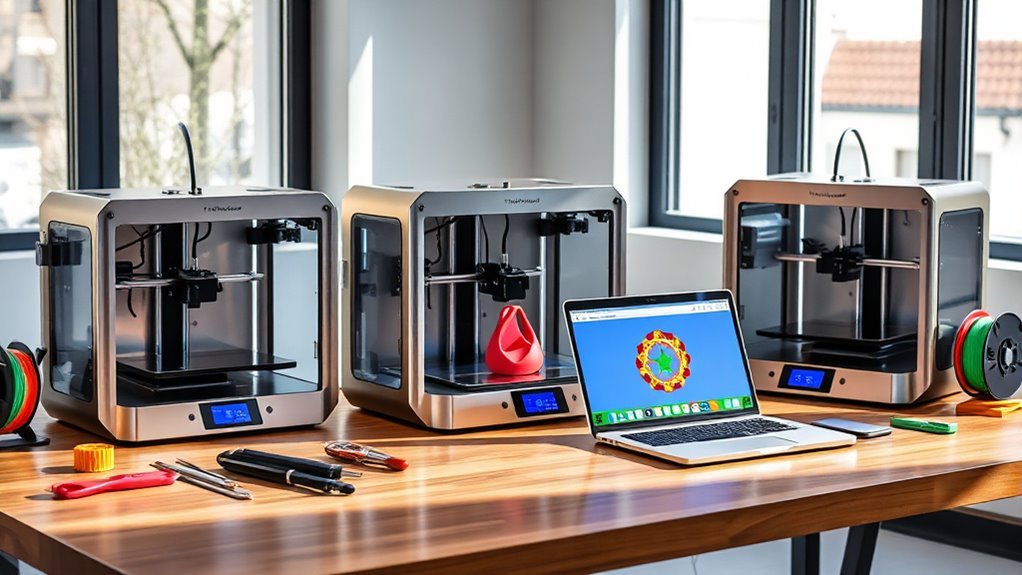
When picking a 3D printer for Tinkercad, you’ll want to take into account the print volume to match your project sizes.
Material compatibility and print precision also play key roles in getting the results you want.
Plus, look for ease of use and strong software integration to keep your workflow smooth.
Print Volume Requirements
Since your Tinkercad projects vary in size, you’ll want to pick a 3D printer with a build volume that’s at least 10–20% larger than your largest typical design. For small items like jewelry or figurines, a build volume around 100 x 100 x 100 mm usually works well.
If you create larger functional parts or classroom projects, look for printers offering 200–300 mm or more on one or more axes. When printing multi-part assemblies, choose a bed that can handle multiple components in one run to save time and maintain consistent fit.
Always check the usable build volume—hardware or enclosures can reduce printable space. Also, consider the Z-height capacity if you plan to scale up tall, narrow designs, as these may exceed standard height limits even if the footprint fits.
Material Compatibility Options
Although choosing a 3D printer for Tinkercad involves many factors, material compatibility plays a crucial role in determining what you can create. First, make sure your printer supports the common 1.75 mm filament diameter. Most hobby printers and slicers designed for Tinkercad use this size.
PLA compatibility is essential since it’s easy to print and ideal for prototypes and classroom projects. If your designs include flexible parts like grips or hinges, confirm that the printer can handle TPU or similar flexible filaments. It should also have a suitable extruder, such as direct drive.
For advanced workflows involving soluble supports like PVA, check for dual extruders or multi-filament feeders. Also, consider the maximum nozzle temperature if you plan to use stronger materials like PETG or ABS for functional prints. These details can make a big difference depending on what you want to create!
Precision and Resolution
Material compatibility sets the foundation for what you can print, but getting those designs to look just right depends on your printer’s precision and resolution.
You’ll want a printer with a minimum layer height between 0.05 and 0.1 mm to capture fine details and smooth vertical surfaces in your Tinkercad models. Look for a nozzle diameter around 0.25 to 0.4 mm to balance detail with print speed.
Pay close attention to XY positioning accuracy—aim for ≤50–100 microns to guarantee small features print true to size. Also, check filament diameter tolerances and extrusion control, since consistent filament feed avoids dimensional errors.
Finally, verify the printer can reliably produce minimum feature sizes that match your design’s thin walls and tiny gaps, typically around 0.8–1.2 mm for 0.4 mm nozzles.
Ease of Use
When choosing a 3D printer for Tinkercad, ease of use can make all the difference in turning your digital designs into physical models quickly and confidently. Look for printers with plug-and-play setups, guided leveling, and preconfigured slicing profiles to reduce setup time.
Features like auto bed leveling and easy-release build plates help prevent first-layer failures and make removing prints hassle-free. You’ll really appreciate low-maintenance hardware such as quick-swap nozzles, filament runout detection, and power-loss resume.
These keep your prints running smoothly without constant monitoring. Plus, quiet operation, enclosed designs, and clear error indicators create a user-friendly environment.
All these ease-of-use factors let you focus on creating, iterating, and enjoying your Tinkercad projects without technical frustrations slowing you down.
Software Integration Support
Picking a 3D printer that smoothly integrates with Tinkercad can save you a lot of hassle. You want a printer that accepts STL or OBJ files directly from Tinkercad, so you won’t waste time reformatting.
Make sure it’s compatible with popular slicers like Cura or PrusaSlicer. These slicers offer printer profiles and G-code presets tailored for quick setup.
Look for firmware or software that lets you customize print settings—like layer height and supports—to handle Tinkercad models’ details and overhangs. It really helps to get those finer details just right.
Also, choose a printer with automatic STL repair features to fix mesh issues that could cause failed prints. This way, you won’t have to worry about troubleshooting every little error.
Finally, confirm the printer supports easy file transfer via USB, SD card, or network syncing. That makes moving your designs from browser to print quick and painless.
Budget and Value
Although you can find 3D printers across a wide price range, setting a budget between $150 and $400 usually gets you a reliable entry-level FDM printer that handles Tinkercad models with decent accuracy.
When choosing, balance upfront cost with features that save time and filament, like auto bed leveling, removable build plates, and filament runout detection. These reduce failed prints and waste, boosting long-term value.
Keep in mind filament costs—PLA runs about $20–$30 per kilogram, but small Tinkercad prints use only 10–50 grams, so material expenses stay low unless you print frequently.
Also, factor in warranty, community support, and spare parts availability to avoid costly downtime. Unless you need multi-material or high-temp printing, skip pricey advanced features to maximize your investment’s cost-effectiveness.
Frequently Asked Questions
How Do I Convert Tinkercad Files for 3D Printing?
You export your Tinkercad design as an STL or OBJ file, then import it into your 3D printer’s slicing software.
From there, you adjust the settings to fit your printing needs. After tweaking, generate the G-code and save it.
That’s the file your printer reads to create your model. It’s pretty straightforward once you get the hang of it!
What Materials Are Compatible With These 3D Printers?
You can use PLA, ABS, PETG, and TPU with most 3D printers compatible with Tinkercad.
Some advanced models also support nylon and resin materials, giving you flexible options for different project needs and finishes.
Can These Printers Handle Flexible Filaments?
Yes, you can print flexible filaments with these printers. They’re designed to handle materials like TPU smoothly.
But, you’ll want to adjust your print settings and use a direct-drive extruder for the best results and fewer jams. It really makes a difference!
What Software Works Best With Tinkercad Designs?
Don’t worry if you think Tinkercad designs limit your options—you can use Cura, PrusaSlicer, or Simplify3D. These slicers work seamlessly with Tinkercad files, letting you customize settings and print with ease and precision.
They make the whole process pretty straightforward. So, even if you’re new to 3D printing, these tools have got your back!
How Do I Maintain and Clean These 3D Printers?
You should regularly clean the print bed and remove filament residues. Also, make sure to lubricate the moving parts to keep everything running smoothly.
Don’t forget to check for nozzle clogs—they can really mess up your prints. It’s also a good idea to update the firmware when updates are available.
Keeping the printer dust-free and calibrated is key. This way, you’ll get consistent, high-quality prints every time without any hassle.
Conclusion
Choosing the right 3D printer for Tinkercad is like picking the perfect brush for your masterpiece. Whether you want vibrant multi-color creations or a compact, portable device, these top picks bring your digital dreams into vivid reality.
With the right printer in your hands, you’ll transform ideas into tangible art, layer by layer, turning imagination into solid form. Jump in, and watch your designs leap off the screen into the real world.
Finding the best 3D printers for Tinkercad can truly elevate your creative projects. From detailed models to colorful prints, the right machine makes all the difference. So, if you’re ready to bring your Tinkercad designs to life, these 3D printers are definitely worth trying in 2027!