10 Best Cheap 3D Printers for 2027
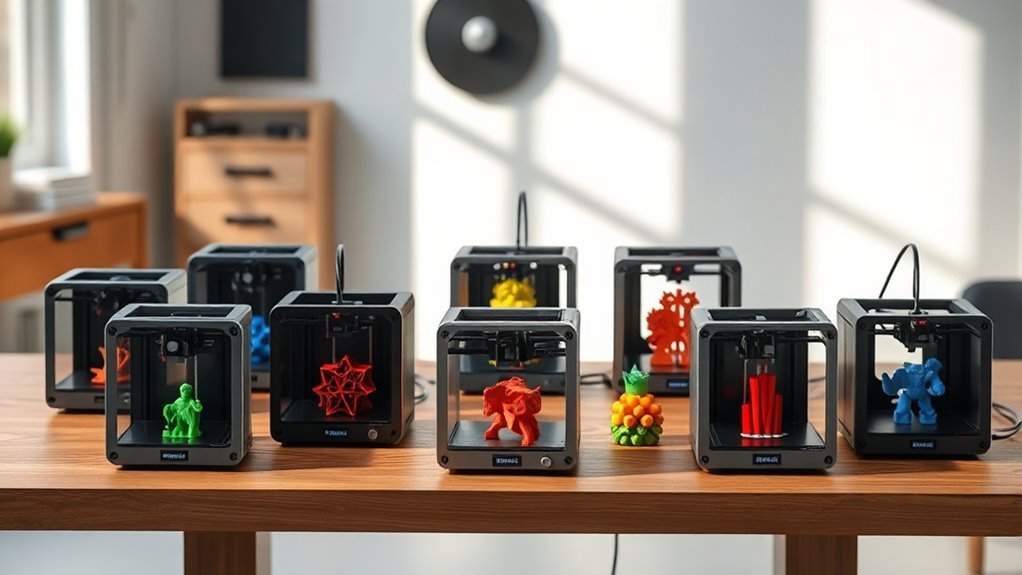
If you’re on the hunt for the best cheap 3D printers in 2027, you’re in the right place. Whether you’re a beginner, a kid just starting out, or a hobbyist looking for budget-friendly options, there’s something here for you.
These affordable 3D printers deliver reliable FDM technology that won’t let you down. They’re compact and user-friendly, making setup and printing super easy.
Plus, many models boast fast print speeds up to 600 mm/s, so you won’t be waiting around forever. Safety is also a priority—features like enclosed frames and auto shut-off help keep things secure.
Most of these printers support popular filaments like PLA and TPU. You’ll also find smart apps that make controlling your printer a breeze.
On top of that, great warranty coverage and solid connectivity options mean peace of mind. Keep reading to find the perfect cheap 3D printer that fits your needs!
| Image | Name | Editor's Rating | Price |
|---|---|---|---|

|
|
||

|
|
||
|
|
||

|
|
||

|
|
Portable Compact FDM 3D Printer with Removable Plate
- Foolproof Setup with Video Guides – Never get stuck! We provide a crystal-clear Quick Start Guide and step-by-step video tutorials. Watch them online to get started.
- Simple Assembly with Video Guide – Requires quick modular setup (watch our step-by-step video). Comes with 10m PLA filament, TF card, tools, and 12V Type-C power...
- Versatile Filament Compatibility – Unleash your creativity with both PLA and flexible TPU (1.75mm). The reliable 0.4mm nozzle and precise 0.05-0.3mm layer thickness...
- Reliable Performance & Compact Design – Features stable FDM technology and a removable build plate for easy model removal. The perfect 100x100x100mm build volume is...
- Complete Package – No Hidden Costs – Includes printer, 10m PLA filament, 8GB TF card + reader, tools, illustrated manual, and 12V Type-C power adapter. Plus free...
Experience the convenience of 3D printing with this Portable Compact FDM 3D Printer, designed to fit seamlessly into tight spaces. Its compact size and lightweight build make it easy to move between desks or classrooms without hassle. This printer solves the common problem of bulky equipment that limits workspace flexibility.
The removable build plate simplifies model removal, reducing the risk of damage during extraction. Maintenance is straightforward, with stable FDM technology ensuring consistent print quality. This design allows users to focus more on creating and less on troubleshooting.
With a build volume of 100x100x100mm, it is ideal for small-scale projects and prototypes. While the printer supports only PLA and TPU filaments, these materials cover a wide range of beginner and educational applications. The printer’s layer thickness options balance detail and speed without overwhelming complexity.
This unit is perfect for beginners and educators who need a reliable, easy-to-use printer that fits in classrooms or compact work areas. Its thoughtful design and user-friendly features make 3D printing accessible and practical.
Best for: educators, hobbyists, and beginners needing a portable and compact 3D printer for small projects and classroom use.
What We Like:
- Lightweight and compact for easy transport and small spaces
- Removable build plate allows simple, damage-free model removal
- Stable FDM printing technology for reliable results
- Ready to use with included tutorials for quick startup
Specification:
| Feature | Details |
|---|---|
| Manufacturer | Not specified |
| Dimensions | 6.8 x 6.1 x 8.3 inches |
| Weight | 2.2 pounds |
| Build Volume | 100 x 100 x 100 mm |
| Supported Filaments | PLA, TPU |
Entina Tina2 Plus WiFi 3D Printer for Beginners
- 【Start Printing in Minutes – Beginner Friendly】No setup required. Tina2 Plus 3d printer comes fully assembled and ready to use out of the box. With included TF card...
- 【Fast 250mm/s Printing Performance】This Tina2 Plus high speed 3D printer print speeds up to 250 mm/s help reduce waiting time and support fast project turnaround...
- 【WiFi App Control & STEM Model Library】Powered by the Poloprint Cloud app, this WiFi-enabled 3D printer gives access to 3,500+ printable models and 25+ creative DIY...
- 【40-Second Fast Heat Ceramic Hotend】High-efficiency ceramic hotend heats up in just 40 seconds for faster start-up and less downtime. The quick-swap nozzle design...
- 【Compact 3D Printer for Home & Classroom】Designed with a space-saving footprint while maintaining practical print capacity, this compact 3D printer fits easily on...
The Entina Tina2 Plus WiFi 3D Printer offers a seamless introduction to 3D printing with its compact, fully assembled design. Beginners can avoid complex setups and start creating within minutes, thanks to preloaded models on the included TF card. This ease of use helps reduce frustration and accelerates the learning curve.
Control is simple and flexible through WiFi and the Poloprint Cloud app, granting access to a vast library of over 3,500 models and 25+ DIY modules. This connectivity supports creativity and experimentation without the hassle of cables or complicated software.
Maintenance is straightforward with a fast-heating ceramic hotend that reaches temperature in just 40 seconds. The quick-swap nozzle enables easy cleaning and replacement, minimizing downtime and keeping the printer ready for continuous use.
Its partially enclosed frame and dual Z-axis stability provide a safer printing environment and improved print quality. Auto leveling ensures precise results, making it suitable for home, educational, or hobbyist use on multiple operating systems.
Best for: Beginners and hobbyists seeking a user-friendly, compact 3D printer with WiFi connectivity and quick setup for home or educational projects.
What We Like:
- Fully assembled with ready-to-print preloaded models
- WiFi control and cloud app access to extensive model libraries
- Fast heating ceramic hotend and easy nozzle maintenance
- Stable dual Z-axis and auto leveling for consistent prints
Specification:
| Feature | Details |
|---|---|
| Manufacturer | Entina |
| Dimensions | Compact size (exact size not provided) |
| Weight | Not specified |
| Material | Metal frame with partial enclosure |
| Color Options | Not specified |
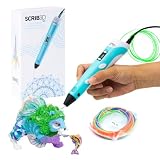
SCRIB3D P1 3D Printing Pen Kit with Accessories
- [A GIFT FOR THE WHOLE FAMILY] Create, Draw, Doodle, and Build in 3D with this affordable yet high grade 3D pen. The new SCRIB3D P1 3D Pen helps improve spatial thinking...
- [READY-TO-USE KIT] Includes 3 colors (30 feet) of PLA plastic to keep you Doodling for ages, as well as a power adapter, step-by-step manual, and a free stencil guide...
- [BEGINNER FRIENDLY] Plug the adapter into the back of the pen and choose your filament. The red light will turn on indicating warm up, this will take about 2-3 mins...
- [MULTI-FUNCTIONAL] The SCRIB3D P1 Pen is temperature adjustable to accommodate multiple types of filament: PLA (160-210℃, 320-410°F) or ABS (210-235℃, 410-455°F...
- [SAFE & RISK FREE PURCHASE] The P1's ceramic nozzle and premium motor ensure safety and high performance without clogging. Equipped with 2 minute auto sleep function...
Bring your creative ideas to life with the SCRIB3D P1 3D Printing Pen, designed for ease and precision. Its adjustable temperature and speed controls allow you to work confidently with both PLA and ABS filaments. This flexibility helps you achieve either fine details or quicker builds, depending on your project needs.
Maintenance is simple thanks to the pen’s ceramic nozzle and anti-clogging features, which ensure smooth, uninterrupted operation. The 2-minute auto sleep mode conserves energy and extends the pen’s lifespan. Lightweight and ergonomic, it feels comfortable during extended use.
The pen kit includes three starter filament colors, a stencil book, and a project guide, making it easy to begin without additional purchases. This setup encourages creative exploration while providing helpful guidance for beginners.
While the line size range is ideal for most projects, it may not suit ultra-fine detailing. It also requires an external power adapter, which can limit portability during use.
Best for: Beginners and hobbyists seeking a versatile and user-friendly 3D printing pen for creative and detailed projects.
What We Like:
- Adjustable temperature and speed for working with PLA and ABS filaments
- Includes starter kit with filament, stencil book, and project guide for immediate creativity
- Ceramic nozzle and anti-clogging design promote smooth, reliable performance
- Energy-saving auto sleep mode enhances durability
Specification:
| Feature | Details |
|---|---|
| Manufacturer | SCRIB3D |
| Dimensions | Not specified |
| Weight | Lightweight (exact weight not provided) |
| Material | Not specified |
| Color Options | Not specified |
Geeetech Mini 3D Printer for Kids and Beginners
No products found.
The Geeetech Mini 3D Printer is designed to make 3D printing accessible and enjoyable for kids and beginners. Its fully assembled setup allows users to start printing immediately, eliminating the hassle of complicated assembly. The compact print area of 3.94 x 4.33 x 3.94 inches is ideal for small, creative projects.
This printer features a flexible, magnetic build plate, making print removal quick and easy. Its direct drive extruder and 16-point auto-leveling system ensure consistent, high-quality results while reducing manual adjustments. Users can expect smooth operation with speeds up to 250 mm/s, balancing efficiency and detail.
Maintaining the printer is straightforward due to its simple controls, including a 2.4-inch LCD screen and intuitive knob. The design focuses on user convenience, helping beginners avoid common printing frustrations. Although the filament capacity is limited to 0.5 kg, the compact size supports manageable, frequent refills.
Overall, this mini 3D printer addresses the needs of novice users by offering reliable performance and ease of use in a small footprint. It is a practical tool for learning and exploring 3D printing without overwhelming complexity.
Best for: Kids and beginners seeking a user-friendly 3D printer with precise printing capabilities for small-scale projects.
What We Like:
- Fully assembled for immediate use with no setup hassle
- 16-point auto-leveling for consistent print quality
- Flexible magnetic build plate simplifies print removal
- Direct drive extruder enhances print reliability
- Clear 2.4” LCD screen with easy knob controls
Specification:
| Feature | Details |
|---|---|
| Manufacturer | Geeetech |
| Print Area | 3.94 x 4.33 x 3.94 inches |
| Filament Capacity | 0.5 kg |
| Print Speed | Up to 250 mm/s |
| Display | 2.4-inch LCD screen |
MakeBuddy Smart5 AI 3D Printer for Beginners, Plug & Play, High Speed
- 【Designed for Beginners】 MakeBuddy Smart5 3d printer arrives fully assembled and enclosed, so there is no kit to build. Guided app setup and automatic bed leveling...
- 【Easy to Start – Beginner Friendly 3D Printer】From unboxing to your first print in just 15 minutes. Features the leveling technology inherited from QIDI’s...
- 【Safe & Low-Noise Home 3D Printer】The QIDI Smart5 features a sealed enclosure that covers the hot end and moving gantry while lowering operating noise, so the printer...
- 【AI 3D Printer with One-Tap Printing】 The MakeBuddy Smart5 AI 3D printer turns a photo into a printable model: capture an object with a phone or tablet, let the AI...
- 【Complete Starter Kit with Filament and Course Access】 Smart5 ships with 4 PLA filaments, LED and clock DIY build kits, and access to a regularly updated STEAM...

The MakeBuddy Smart5 AI 3D Printer offers a seamless start for beginners and hobbyists. Its plug-and-play design eliminates setup hassles, so you can begin printing within 15 minutes using a guided app. This ease of use solves common frustrations around complex assembly and software.
Maintenance is simplified with an automatic bed leveling system, reducing manual calibration. The sealed enclosure enhances safety and quiet operation, making it ideal for home or classroom environments. Active HEPA and carbon filters keep the workspace clean and comfortable.
Designed for fast, precise printing, the Smart5 features an advanced CoreXY motion system and AI technology that transforms photos into 3D models. This innovation expands creative possibilities without requiring CAD skills. The printer supports primarily PLA filaments and includes starter kits and STEAM courses to enrich learning.
While the build volume is compact at 180 x 180 x 180 mm, it suits most small to medium projects. Its weight of 31.6 pounds provides stability but limits portability. Overall, this printer balances user-friendly functionality with smart technology to support your creative journey.
Best for: Beginners and hobbyists seeking an easy-to-use, fast 3D printer with AI features and comprehensive starter resources.
What We Like:
- Fully assembled with quick start and guided app, no CAD skills needed
- Safe, quiet use with sealed enclosure and active HEPA/carbon filtration
- AI-driven photo-to-3D model conversion and fast CoreXY motion system
Specification:
| Feature | Details |
|---|---|
| Manufacturer | MakeBuddy |
| Build Volume | 180 x 180 x 180 mm |
| Weight | 31.6 lb (14.3 kg) |
| Filament Type | Primarily PLA |
| Enclosure | Sealed with HEPA & carbon filter |
Bambu Lab A1 3D Printer, Ready-to-Use FDM 3D Printer for Beginners and Kids
- High-Speed Precision: Experience unparalleled speed and precision with the Bambu Lab A1 3D Printer. With an impressive acceleration of 10,000 mm/s², the A1 delivers...
- Multi-Color Printing with AMS lite: Unlock your creativity with vibrant and multi-colored 3D prints. The Bambu Lab A1 3D printers make multi-color printing accessible and...
- Full-Auto Calibration: Say goodbye to manual calibration hassles. The A1 3D printer takes care of all the calibration processes automatically, ensuring optimal...
- Active Flow Rate Compensation: Achieve consistently smooth prints with active flow rate compensation. The algorithm actively compensates the flow rate according to the...
- Easy and Quiet 3D Printing: Experience effortless printing with the Bambu Lab A1 FDM 3D printer. Its user-friendly interface and simplified touchscreen make it easy to...
The Bambu Lab A1 3D Printer is designed to make 3D printing accessible and enjoyable for beginners and kids. Its ready-to-use setup means you can start creating quickly without complicated assembly. This printer tackles common issues like poor print quality with its precise acceleration of 10,000 mm/s² and active flow rate compensation, delivering consistent and smooth results.
Maintenance is straightforward thanks to its full-auto calibration and a 1-clip quick swap nozzle. These features reduce downtime and simplify upkeep, allowing users to focus on creativity rather than technical challenges. The intuitive touchscreen offers easy control, making navigation simple for all skill levels.
Compact and quiet, the Bambu Lab A1 operates at ≤48 dB and weighs only 22 pounds. Its small footprint fits comfortably in homes or classrooms, providing a convenient, non-disruptive printing experience. Compatibility with AMS Lite enables multi-color printing, expanding creative possibilities for young makers.
While the AMS Lite system supports vibrant prints, it limits advanced multi-material options. The build volume is relatively small, which may not suit larger projects. Experienced users might find the feature set basic but suitable for learning and casual use.
Best for: Beginners and kids seeking a user-friendly, fast, and precise 3D printer with multi-color capabilities.
What We Like:
- Full-auto calibration and quick swap nozzle simplify maintenance.
- High-speed printing with precise acceleration for flawless results.
- Quiet operation and compact design fit well in small spaces.
- Easy-to-use touchscreen interface.
- Supports multi-color printing via AMS Lite compatibility.
Specification:
| Feature | Description |
|---|---|
| Manufacturer | Bambu Lab |
| Dimensions | Compact (Exact size not specified) |
| Weight | 22 lb (10 kg) |
| Printer Type | FDM (Fused Deposition Modeling) |
| Noise Level | ≤48 dB |
| Color Options | Multi-color via AMS Lite |
Gonetre FDM 3D Printer for Beginners 100mm

- [Fast Heating Capability] The frequency division multiplexing 3d printer is engineered for efficient heating, making it suitable for beginners. with a unique key system...
- [High Accuracy Printing] The beginner 3d printer features a compact printing size of 4 x 4 x 4in (100 x 100 x 100mm) and is equipped with an excellent all metal nozzle...
- [ and ] Made from robust abs material, this 3d printer is built to withstand regular use while maintaining its performance. its sturdy design ensures reliability and...
- [Easy to Use for Beginners] Designed with beginners in mind, this frequency division multiplexing 3d printer allows for easy usage even if you have no experience with 3d...
- [Versatile Printing Options] You can print from both included model files and downloaded online, offering versatility in your innovative projects. this feature enables...
If you need a compact 3D printer that fits easily on any desk, the Gonetre FDM offers a smart solution. Its small build volume of 100x100x100mm is ideal for crafting detailed, small-scale models. This makes it perfect for users with limited space or those focusing on precise, intricate projects.
The printer heats up quickly, reaching 180°C in about five minutes. This fast nozzle heating means you spend less time waiting and more time creating. Its all-metal nozzle and 0.05mm layer resolution ensure your prints come out with fine details and minimal errors.
Designed for beginners, the Gonetre FDM supports TPU and PLA filaments, making filament changes simple and maintenance straightforward. The sturdy ABS frame provides durability for everyday use in homes, classrooms, or makerspaces, though it may not be as heat-resistant as metal frames.
While its limited build size restricts larger creations, this printer’s ease of use and reliable performance make it a practical choice for those starting out or working on small projects.
Best for: Beginners and educators needing a compact, easy-to-use 3D printer for small-scale creative or educational tasks.
What We Like:
- Quick nozzle heating reduces setup time.
- High precision with 0.05mm layer resolution.
- Supports TPU and PLA filaments for versatile printing.
- Durable ABS build suitable for various environments.
Specification:
| Feature | Details |
|---|---|
| Manufacturer | Gonetre |
| Build Volume | 100 x 100 x 100 mm |
| Nozzle Temperature | Up to 180°C |
| Layer Resolution | 0.05 mm |
| Supported Filaments | TPU, PLA |
| Frame Material | ABS |
Mini 3D Printer Starter Kit for Kids & Beginners
No products found.
Discover the joy of 3D printing with this fully assembled mini 3D printer, designed especially for kids and beginners. It arrives ready to use, eliminating any setup frustrations and allowing users to start printing creative projects immediately.
This starter kit includes everything needed: a mini 3D printer, test PLA filament, an SD card with pre-sliced files, and essential accessories. The printer operates at a fast speed of 250mm/s, delivering professional-level precision of 0.01mm. These features ensure smooth, high-quality prints that bring ideas to life quickly.
Maintenance is simplified through one-button auto-leveling, one-touch filament loading, and automatic nozzle cleaning. The PEI heated bed facilitates easy removal of printed models, reducing the risk of damage. Users can also print a custom filament holder for 1kg spools, which helps keep materials organized.
While optimized for PLA filament included in the kit, users may need additional filament types for varied projects. The compact build size suits smaller prints, making it ideal for personal and educational use.
Best for: Kids and beginners seeking an easy, fast, and precise mini 3D printer for learning and creative expression.
What We Like:
- Complete starter kit with filament and pre-sliced SD card for quick setup
- User-friendly maintenance with auto-leveling and nozzle cleaning
- PEI heated bed allows simple and safe model removal
- Fast printing speed with high precision for quality results
- Includes files to print a custom filament holder
Specification:
| Feature | Details |
|---|---|
| Manufacturer | Not specified |
| Dimensions | Mini size (exact size not given) |
| Weight | Not specified |
| Material | PLA filament included |
| Color Options | Not specified |
MALYAN M200 Ultra 3D Printer, 600mm/s High Speed Printing, Klipper Firmware

- 【Full-Auto Bed Leveling】Auto-leveling ensures the flatness of the heated bed, allowing for a perfect first layer without effort, say goodbye to manual calibration...
- 【Max 600mm/s High-speed Printing】Experience unparalleled speed and precision with the M200 Ultra 3d printer, supports a maximum travel speed of 600mm/s, 20000mm/s...
- 【Smart Camera Monitoring print 】Monitor your prints in real time with the built-in HD Camera and LED lighting. Capture time-lapse videos and make remote adjustments...
- 【Print Right Out of the Box】MALYAN M200 Ultra arrives fully assembled and pre-calibrated, ready to go right away. With auto bed leveling, intuitive touchscreen...
- 【Vibration Compensation & Linear Rails】M200 Ultra 3D printer features linear rails reduce friction that minimizes vibrations and maintains exceptional stability, even...
Experience the power of ultra-fast 3D printing with the MALYAN M200 Ultra. Its impressive speed of up to 600mm/s drastically reduces production time, helping you complete projects faster without sacrificing quality. This printer is designed to enhance your workflow and productivity.
Compact yet robust, the MALYAN M200 Ultra features advanced components like Klipper firmware and linear rails for superior stability and precision. Auto bed leveling and pre-assembly simplify setup, allowing you to start printing immediately. Maintenance is straightforward, ensuring consistent performance with minimal hassle.
The built-in HD camera and LED lighting offer convenient remote monitoring, so you can keep an eye on prints from anywhere. An upgraded PLA surface improves adhesion and prevents warping, delivering reliable results on every print. Acceleration capabilities up to 20,000mm/s² mean smoother, faster movements.
While the build volume of 180 x 180 x 180 mm suits small to medium projects, it may limit larger prints. The printer excels with PLA filament and may require some technical skill to fully leverage its advanced features.
Best for: Professionals and enthusiasts who need a fast, stable 3D printer optimized for high-quality PLA prints with easy setup and remote monitoring.
What We Like:
- High-speed printing up to 600mm/s for efficient output
- Pre-assembled with auto bed leveling for quick start-up
- Remote print monitoring via built-in HD camera and LED lights
- Enhanced PLA surface for strong adhesion and minimal warping
- Smooth, precise movements enabled by Klipper firmware and linear rails
Specification:
| Feature | Details |
|---|---|
| Manufacturer | MALYAN |
| Dimensions | 11.8 x 15.4 x 15.4 inches |
| Build Volume | 180 x 180 x 180 mm |
| Printing Speed | Up to 600 mm/s |
| Firmware | Klipper |
| Special Features | Auto bed leveling, HD camera, LED lighting, linear rails, vibration compensation |
MALYAN M320 Mini 3D Printer for Kids and Beginners

- Compact Build Volume 3D Printer for Everyday Projects:With a 150×150×150 mm compact build volume, the M320 is perfect for daily creative projects. Featuring a heated...
- Fully Assembled 3D Printer with Touchscreen for Easy Use:The M320 comes fully assembled and factory-calibrated, ready to print out of the box. Thanks to the intuitive...
- Magnetic Removable Build Plate :The detachable magnetic platform ensures strong adhesion during printing, while allowing you to remove models effortlessly by bending...
- Compact, Sturdy, and Stable Metal Frame 3D Printer:Featuring a full-metal frame in a lightweight, space-saving design, the M320 stays stable during printing while...
- Ideal for Learning, Creating, and Prototyping:Whether for educational projects, family DIY fun, cosplay miniatures, or professional prototyping, the M320 brings your...
The MALYAN M320 Mini 3D Printer brings 3D printing within easy reach for kids and beginners. Its user-friendly touchscreen simplifies operation, helping new users quickly learn and create. The compact build volume of 150 x 150 x 150 mm fits well into small spaces without sacrificing functionality.
This printer’s full-metal frame offers durability and stability, ensuring consistent print quality. The heated bed enhances adhesion and reduces warping, allowing smoother prints with common filaments like PLA and PETG. Removing finished models is hassle-free thanks to the magnetic removable build plate, eliminating the need for extra tools.
Maintenance is straightforward, making it ideal for home, school, or office environments. Weighing just 11.66 pounds, it’s easy to move and store. While the build size suits smaller projects, users should plan accordingly. The included 10 meters of PLA filament supports initial printing but additional material may be needed for extended use.
Overall, the MALYAN M320 Mini 3D Printer provides a reliable, beginner-friendly platform for educational and creative exploration in 3D printing.
Best for: Kids, beginners, and hobbyists seeking a compact, easy-to-use 3D printer for learning and small creative projects.
What We Like:
- Intuitive touchscreen designed for easy use by beginners and young users
- Durable full-metal frame for stable and consistent printing
- Heated bed paired with a magnetic removable build plate for better print quality and easy model removal
Specification:
| Feature | Details |
|---|---|
| Manufacturer | MALYAN |
| Build Volume | 150 x 150 x 150 mm |
| Weight | 11.66 lb (5.29 kg) |
| Frame Material | Full-metal |
| Supported Filaments | 1.75 mm PLA, PETG |
| Bed Type | Heated with magnetic plate |
Factors to Consider When Choosing a Cheap 3D Printer
When choosing a cheap 3D printer, you’ll want to focus on print quality, precision, and the size of the build volume. These factors really determine how good your final product will look and how big you can go.
Also, make sure it supports the filament materials you plan to use and is easy to set up. No one wants to spend hours just getting started!
Speed and efficiency also matter if you want to get your projects done faster. After all, waiting around isn’t fun when you’re excited to see your creation come to life.
Print Quality Precision
Although choosing a cheap 3D printer might seem straightforward, understanding print quality precision is crucial to getting detailed, smooth results. You’ll want to focus on layer thickness, typically ranging from 0.05mm to 0.3mm, since thinner layers yield finer detail.
Nozzle diameter also matters; smaller nozzles, usually around 0.4mm, offer higher resolution but slower speeds. The build plate plays a role, too—a flexible, removable surface helps reduce warping and makes model removal easier.
Look for printers with stable motion systems, like dual Z-axis setups, which minimize vibrations and improve accuracy. Finally, some models feature active flow rate compensation, automatically adjusting filament flow to maintain consistent quality during complex or varied-speed prints.
Paying attention to these factors guarantees you get the best precision without breaking the bank.
Build Volume Size
Print quality precision sets the foundation, but you’ll also want to evaluate build volume size when choosing a cheap 3D printer. The build volume determines the maximum size of objects you can print, usually measured in millimeters like 100x100x100 or 180x180x180.
Larger volumes let you create more complex, detailed prints and accommodate bigger prototypes or multi-part assemblies. However, many budget printers offer smaller build volumes, which might limit your project options.
If you’re a beginner or have limited space, a compact build volume can be easier to manage and set up. Just make sure the printer’s size matches your current needs and leaves room for future projects, so you don’t outgrow it too quickly.
Balancing size and functionality is key.
Filament Material Compatibility
Choosing a cheap 3D printer means you need to confirm it works with common filament materials like PLA and TPU. These are both affordable and beginner-friendly, making them great choices to start with.
Most budget printers use the 1.75mm filament diameter, giving you access to a wide variety of materials. Just make sure the printer’s nozzle can reach the right temperatures—PLA needs around 190-220°C, while ABS requires 220-250°C. This flexibility guarantees you can experiment without issues.
Also, check if the printer supports adjustable layer thickness, typically between 0.05mm and 0.3mm. That way, you can balance print quality and strength depending on the filament you choose.
Finally, opting for a printer compatible with multiple filament types broadens your project possibilities. It lets you create everything from simple toys to functional, complex models.
Ease Of Setup
One of the biggest factors that can make or break your 3D printing experience is how easy the printer is to set up. You’ll want to look for fully assembled models that let you start printing within minutes, cutting down on frustrating setup time.
Printers with automatic bed leveling guarantee your first layer sticks perfectly, so you won’t waste time on manual tweaks. Simple one-touch controls for loading and unloading filament make operation straightforward, especially if you’re new to 3D printing.
Also, consider machines that provide foolproof setup aids, like video guides and quick start manuals, to help you get going smoothly. Finally, check if the manufacturer offers solid online support with tutorials and troubleshooting resources—these can be lifesavers during setup and beyond.
Speed And Efficiency
While speed isn’t the only factor to take into account, it plays an essential role in how quickly you can complete your projects. When choosing a cheap 3D printer, consider printing speeds ranging from 250 mm/s for basic models to 600 mm/s for faster units.
Acceleration capabilities, sometimes up to 20,000 mm/s², also impact efficiency by smoothing print movements and cutting downtime between layers. A printer with automatic bed leveling helps you avoid failed prints by ensuring proper first-layer adhesion, saving both time and material.
Look for models with ceramic hotends that heat up in under 40 seconds to start projects faster. Finally, using materials like PLA, tailored for high-speed printing, will reduce warping and improve overall print reliability without sacrificing quality.
Safety Features Included
Because 3D printers operate at high temperatures and involve moving parts, safety features are essential to protect you and your workspace. Look for printers with enclosed frames that shield you from hot components, reducing burn risks.
Many models include auto shut-off systems that activate after inactivity, cutting fire hazards and saving energy. If you’re new to 3D printing, choose a printer with ceramic nozzles—they run cooler and clog less, making your experience safer and smoother.
Active filtration systems, like HEPA filters, help trap ultrafine particles and odors, keeping your environment healthier. Additionally, thermal runaway protection prevents the hotend and bed from overheating, ensuring your printer operates safely every time you print.
Software And Connectivity
Although budget 3D printers may come with basic hardware, their software and connectivity options greatly impact your overall experience. You should verify the printer supports multiple operating systems like Windows, macOS, and Linux, making it easier to use your preferred slicing software.
Look for models offering cloud integration so you can access printable models and control prints remotely through an app. A user-friendly slicing program is essential, especially if you’re new to 3D printing, as it simplifies preparing your models.
Consider printers with versatile connectivity options such as USB, WiFi, and TF card support to fit your workflow. Finally, check if the manufacturer regularly releases firmware updates to keep your printer’s performance optimized and add new features over time.
Warranty And Support
One key factor to evaluate when choosing a cheap 3D printer is the warranty and support offered by the manufacturer. A strong warranty, typically at least 12 months, protects your investment by covering parts and service.
You’ll want a company that offers lifetime technical support with fast response times to solve any issues promptly. Check if they provide helpful online resources like video tutorials and troubleshooting guides to make your experience smoother.
Also, a clear return or replacement policy is essential in case the printer doesn’t meet your expectations. Don’t forget to read customer service reviews to gauge the reliability and responsiveness of the support team.
Prioritizing warranty and support guarantees you get dependable assistance and peace of mind with your new 3D printer.
Frequently Asked Questions
What Types of Filaments Are Compatible With Cheap 3D Printers?
You’ll find cheap 3D printers usually work with PLA, ABS, and PETG filaments. These materials are affordable, easy to use, and widely available, making them perfect for beginners looking to print quality models without breaking the bank.
Plus, they don’t require any fancy setups or special conditions, which is great if you’re just starting out. So, if you want something reliable and budget-friendly, these filaments are definitely the way to go.
How Do I Maintain and Clean a Budget 3D Printer?
Think of your budget 3D printer like a bike; you clean the nozzle and bed regularly, lubricate moving parts, and update firmware.
Just like a well-oiled bike, your printer runs smoother and lasts longer with care.
Taking a little time to maintain it now means fewer headaches later.
Trust me, your prints will thank you for it!
Are Cheap 3D Printers Suitable for Printing Functional Parts?
Yes, cheap 3D printers can print functional parts, but you’ll need to manage expectations on precision and durability.
Often, you’ll need to do some post-processing and fine-tuning to get reliable, usable results. It’s all about putting in a bit of extra effort for practical applications.
What Software Is Best for Beginners Using Low-Cost 3D Printers?
You’ll want to start with user-friendly software like Ultimaker Cura or PrusaSlicer. They’re free, easy to learn, and work well with most low-cost 3D printers.
These programs help you get great prints without frustration. Plus, they have lots of online resources if you ever get stuck.
Can Cheap 3D Printers Be Upgraded With Better Components?
Yes, you can upgrade cheap 3D printers with better components like improved nozzles, extruders, or build plates. This boosts performance and print quality.
It lets you customize your printer without spending a fortune on a new model. So, if you’re looking to get more out of your 3D printer, upgrading is definitely worth considering!
Conclusion
When choosing a cheap 3D printer, remember that 70% of beginners find ease of use the most important feature. You want a printer that’s reliable, fast, and beginner-friendly—just like the ones we covered.
Whether you’re printing toys, prototypes, or hobby projects, there’s a perfect option waiting for you. Don’t settle for less; pick a printer that makes your 3D printing journey smooth and exciting from day one!
Finding the best cheap 3D printer means balancing cost with quality and features. Look for models that offer easy setup, consistent printing results, and good customer support. These factors ensure you get the most out of your investment without frustration.
So, whether you’re a newbie or just looking for an affordable upgrade, the right cheap 3D printer can unlock your creativity and bring your ideas to life with ease. Happy printing!