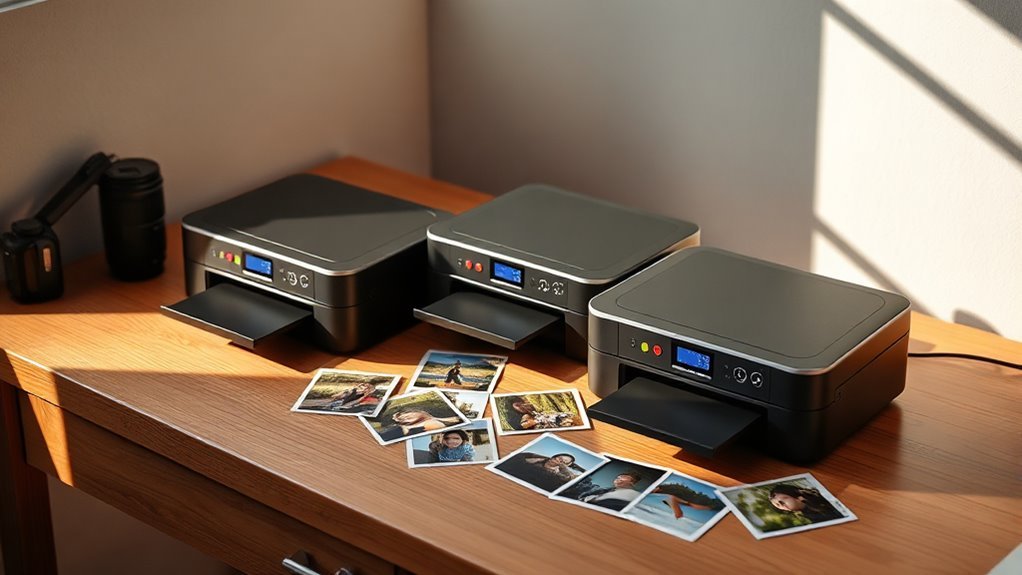
4 Best Budget Photography Printers for 2027
For budget photography printers in 2027, you’ll want reliable and affordable options that deliver great quality without breaking the bank. Whether you’re printing photos from your smartphone or handling high-volume projects, there are printers designed to fit different needs. Some offer portability, others focus on cost efficiency, and a few provide vibrant, professional-quality results.
For instance, the KODAK Dock Plus is perfect for sharp 4×6 smartphone prints with a protective coating. On the other hand, the Canon PIXMA G620 is excellent if you need high-volume, cost-efficient prints using vibrant six-color ink.
The Canon Selphy CP1500 is a great choice for portable, water-resistant prints with Wi-Fi connectivity. Meanwhile, the KODAK Step gives you compact, peel-and-stick photos that are perfect for on the go. Each printer offers unique features, so exploring them will help you find the perfect match for your photography needs.
| Image | Name | Editor's Rating | Price |
|---|---|---|---|

|
|
||

|
|
||

|
|
KODAK Dock Plus 4×6 Photo Printer, Smartphone Docking, 4PASS, 50 Sheets
- Dock Photo Printer: The KODAK Dock Plus is a home photo printer that produces high-quality 4x6” prints directly from compatible smartphones. Featuring an integrated...
- Genuine 4PASS dye sublimation printing: Each photo is produced in three color layers and finished with a clear protective lamination layer. In approximately 55 seconds...
- Easy to Use: Print photos quickly without complicated setup or technical steps. Simply power on, connect wireless bluetooth, and start printing within seconds. The Dock...
- Home Printing Station: Designed for stable desktop use, this dock photo printer connects to a power outlet for consistent performance and larger 4x6” prints. Ideal for...
- KODAK Photo Printer APP: Featuring integrated Bluetooth connectivity, this portable printer connects to compatible iOS and Android devices through the KODAK Photo Printer...
Experience hassle-free photo printing with the KODAK Dock Plus 4×6 Photo Printer, designed to bring your smartphone pictures to life quickly and easily. This printer solves the common problem of complicated setups by offering a stable docking station that holds and charges your phone while printing. It keeps your device powered and ready, making the printing process smooth and uninterrupted.
Using advanced 4PASS dye sublimation technology, the printer produces vibrant and long-lasting 4×6″ photos. Each print is layered with three colors and a clear protective coat, ensuring resistance to fingerprints, water, and fading. You get professional-quality prints right at home without needing extra equipment or complicated steps.
The KODAK Dock Plus connects effortlessly via Bluetooth, with a user-friendly app that lets you edit and customize your photos before printing. Maintenance is simple—just replenish the included 50 sheets and keep the dock clean to ensure stable phone placement and consistent print quality.
While it’s perfect for everyday photo printing, note that the printer is limited to 4×6″ size and requires a power outlet, which may restrict portability. The print speed of about 55 seconds per photo suits casual use rather than high-volume needs.
Best for: Users who want an easy, high-quality home photo printer for smartphone pictures, especially families and casual photographers.
What We Like:
- Produces durable, vibrant 4×6″ prints with protective coating
- Integrated phone dock that charges your device during printing
- Simple Bluetooth connection and intuitive editing app
- Compact desktop design ideal for home use
- Includes 50 sheets for immediate printing
Specification:
| Feature | Details |
|---|---|
| Manufacturer | KODAK |
| Print Size | 4 x 6 inches |
| Technology | 4PASS dye sublimation |
| Connectivity | Bluetooth |
| Included Paper Sheets | 50 |
| Power | Requires power outlet |
Canon PIXMA G620 Wireless MegaTank All-in-One Printer
- Never run out of ink. Connect your printer to Alexa and receive notifications when you’re running low. Alexa can even place a smart reorder from Amazon on your behalf...
- Enrolling in Smart Reorders with Alexa ensures that you never have too much or too little ink supplies. No subscription needed.
- MEGATANK HIGH PAGE YIELD: Print up to 3,800 4” x 6” color photos on a full set of ink.
- LOW COST PER PRINT with approx. ink cost of 2.5 cents per 4” x 6” color photo.2
- 6-COLOR DYE-BASED INK SYSTEM including Red and Gray inks for a wider color gamut.

The Canon PIXMA G620 Wireless MegaTank All-in-One Printer is designed to deliver high-quality photo prints while keeping costs low. It tackles the frustration of frequent ink replacements by offering up to 3,800 vibrant 4″ x 6″ photos per ink set, making it ideal for users who print in volume. This printer’s 6-color dye-based ink system, including Red and Gray inks, expands the color range and produces long-lasting Chromalife 100 prints.
Maintaining the printer is simple thanks to its wireless and USB connectivity, allowing easy setup and operation at home or in small offices. Alexa integration adds convenience by providing low-ink alerts and smart reordering, so you never run out of ink unexpectedly. The printer handles printing, copying, and scanning with sharp quality up to 4800 x 1200 dpi, supporting photo sizes from 3.5″ to 14″.
While the PIXMA G620 is efficient, it has some trade-offs. Its print and copy speeds are moderate, and the single 50-sheet tray may require frequent refills in heavy-use scenarios. The scanner is optimized for photos but may not meet all document scanning needs.
This all-in-one printer is a practical choice for users seeking cost-effective, reliable photo printing with smart features and straightforward maintenance.
Best for: Budget-conscious photographers and home users needing affordable, high-quality photo printing with wireless convenience.
What We Like:
- High ink yield reduces frequent replacements.
- Expanded color gamut with Red and Gray inks.
- Wireless and USB connectivity with Alexa support.
- Long-lasting Chromalife 100 prints.
- Easy setup and smart maintenance alerts.
Specification:
| Feature | Details |
|---|---|
| Manufacturer | Canon |
| Dimensions | (Not specified) |
| Weight | (Not specified) |
| Ink System | 6-color dye-based (including Red and Gray) |
| Print Resolution | Up to 4800 x 1200 dpi |
| Connectivity | Wireless, USB, Alexa support |
| Max Photo Size | 14 inches |
| Paper Tray Capacity | 50 sheets |
Canon Selphy CP1500 Wireless Compact Photo Printer (Black)
No products found.
The Canon Selphy CP1500 offers a practical solution for those who need quick, high-quality photo prints wherever they go. Its compact and lightweight design, combined with an optional battery pack, allows for true mobile printing without being tied to a power outlet.
This wireless photo printer connects easily to smartphones, tablets, and cameras via Wi-Fi or USB, making it simple to print vibrant 4×6-inch photos and smaller sizes on demand. The built-in 3.5″ LCD screen lets you preview and make basic edits before printing, helping to ensure your photos look just right.
Maintenance is straightforward, with dye sublimation technology producing water-resistant prints that dry instantly and remain durable for up to 100 years. However, keep in mind that the printer handles a limited output capacity and prints at a modest speed, which may not suit high-volume needs.
The Selphy CP1500 is an ideal companion for casual photographers and anyone looking to create lasting physical memories quickly and conveniently without complicated setups.
Best for: Casual photographers and users wanting a portable, wireless photo printer for quick, quality prints directly from mobile devices.
What We Like:
- Compact, lightweight design with optional battery for true portability
- Prints water-resistant, instantly dry photos with long-lasting color
- Easy image preview and editing on built-in 3.5″ LCD screen
Specification:
| Feature | Details |
|---|---|
| Manufacturer | Canon |
| Dimensions | Compact size (exact size not specified) |
| Weight | Lightweight (exact weight not specified) |
| Color Options | Black |
| Print Technology | Dye sublimation |
| Max Print Size | 4 x 6 inches |
| Connectivity | Wi-Fi, USB |
| Display | 3.5-inch LCD screen |
KODAK Step Portable Wireless Instant Photo Printer
- STEP UP YOUR PRINTING GAME. KODAK Step Printer Connects to Any iOS or Android Device [Via Bluetooth or NFC] Turn Your Selfies, Portraits, Social Media Posts Into Physical...
- AMAZING ZERO-INK TECHNOLOGY. ZINK 2” x 3” Sticky-Back Paper with Embedded Dye Crystals Delivers High-Quality, Durable, Affordable, Beautifully Detailed Prints That...
- FULL EDITING SUITE VIA APP. Download the KODAK App to Create Collages & Customize Your Snaps with Stunning Filters, Interesting Borders, Cool Stickers, Funny Text & Other...
- TAKE YOUR PROJECTS TO GO. Our Palm-Sized Printer Weighs Less Than a Pound, Sets Up Fast & Delivers Gorgeous Prints You Can Peel & Stick Everywhere.
- CUTE, COMPACT & COLORFUL. Step Printer is Designed for Photo-Loving Influencers & Crafters of All Ages & Skill Levels! Portable, Lightweight Device Features Built-In...
Capture and print your memories instantly with the KODAK Step Portable Wireless Instant Photo Printer. Designed for quick, peel-and-stick photos, this device lets you create vibrant 2×3-inch prints right from your smartphone. Its compact and lightweight design ensures you can take it anywhere without hassle.
Connecting via Bluetooth or NFC, the printer works seamlessly with both iOS and Android devices. It uses ZINK thermal technology, eliminating the need for ink cartridges and producing smudge- and tear-resistant photos. This makes maintenance easy and hassle-free.
The accompanying KODAK app enhances your experience by offering editing tools such as filters, borders, and text. This allows for creative personalization before printing. The rechargeable battery supports about 25 prints per charge, making it ideal for casual use on the move.
While the print size is limited to 2×3 inches and the speed is about one minute per photo, this printer is perfect for those who need quick, durable photos without bulky equipment. Its portability and ease of use make it a practical choice for capturing moments anywhere.
Best for: Travelers, social influencers, and crafters seeking portable, customizable peel-and-stick photo prints on the go.
What We Like:
- Compact, lightweight design for easy portability
- ZINK thermal printing for smudge- and tear-resistant photos without ink
- User-friendly KODAK app with editing features for customization
Specification:
| Feature | Details |
|---|---|
| Manufacturer | KODAK |
| Dimensions | Compact, lightweight |
| Print Size | 2 x 3 inches |
| Connectivity | Bluetooth, NFC |
| Battery Life | Approx. 25 prints/charge |
| Printing Technology | ZINK thermal |
Factors to Consider When Choosing a Budget Photography Printer
When choosing a budget photography printer, you’ll want to compare print quality to guarantee your photos look sharp and vibrant. Consider ink cost efficiency and connectivity options to keep printing affordable and convenient.
Also, think about portability, size, and media compatibility to match your printing needs and space. These factors can make a big difference in how happy you are with your printer in the long run.
Print Quality Comparison
Although budget photography printers vary widely, understanding key factors that affect print quality can help you make a smart choice. Look for printers using dye-sublimation or high-resolution inkjet technology.
Dye-sublimation delivers smooth, continuous-tone photos, while inkjets offer higher dpi, producing sharper details. Check the maximum print resolution; values between 300 and 4800 dpi impact sharpness, especially for small prints.
Consider the color gamut and ink systems—printers with six-color setups reproduce more hues and smoother skin tones than four-color models. Also, evaluate print longevity: pigment-based inks and laminated prints resist fading and damage better than untreated dye-based prints.
Finally, make certain your printer matches recommended paper types and finishes, since the right photo paper materially influences your final print quality.
Ink Cost Efficiency
Choosing a budget photography printer often means paying close attention to ink cost efficiency, as ink expenses can quickly add up. To get a clear picture, divide the price of replacement ink or bottles by the number of 4×6-equivalent prints they yield, giving you a cents-per-print figure.
Look for refillable tank systems or high-yield cartridges—they typically deliver thousands of prints, cutting costs compared to standard cartridges that offer only dozens. Don’t forget maintenance costs like print heads and cleaning cycles, which consume ink and impact your total ownership expenses.
Also, check real-world user reports for yield since manufacturers often base numbers on ideal text-only conditions. Finally, consider your paper choice; higher-quality photo paper boosts image value but increases per-print material costs.
Connectivity Options Available
How do you make sure your budget photography printer fits seamlessly into your digital life? Start by considering connectivity options. Wi‑Fi is great if you want to print wirelessly from multiple devices and enjoy mobile protocols like AirPrint for direct smartphone or tablet printing.
Bluetooth offers quick, low-power pairing for easy mobile prints but has shorter range and slower speeds than Wi‑Fi. USB connections deliver stable, high-speed data transfer, perfect when you need reliable or offline printing.
NFC can simplify setup by letting you tap your phone to the printer, usually to initiate Bluetooth or Wi‑Fi links. Additionally, app or cloud integration allows remote printing, editing, and firmware updates via companion apps—just make sure you have compatible software and a stable internet connection.
Portability And Size
Where you plan to use your budget photography printer plays a big role in deciding its size and portability. If you need a truly portable option, look for models under 1 kg that fit in your pocket or palm.
Check if the printer has a built-in rechargeable battery and how many 2×3 or 4×6 prints it can produce per charge. That way, you’re not tied to AC power.
Keep in mind that portable printers usually hold 10 sheets or fewer. This means you’ll need to reload them frequently during events.
Also, consider durable features like rubberized edges or dust resistance if you’ll carry it outdoors.
Finally, make sure it supports wireless mobile printing via Bluetooth, Wi‑Fi, or NFC. This helps keep your workflow smooth on the go without needing a computer.
Media Size Compatibility
When selecting a budget photography printer, you’ll want to make sure it handles the paper sizes you plan to use, from standard 4×6 inches to specialty formats like 2×3 inches or square prints. Check the maximum and minimum paper sizes the printer supports and confirm it accommodates common photo dimensions like 5×7 and 8×10 inches.
Also, verify the tray capacity and sheet handling, as some budget models require manual feeding for nonstandard sizes. Don’t forget to confirm the printer supports your preferred paper types—glossy, matte, sticker-backed, or cardstock—and thickness to avoid jams or poor quality.
If you want edge-to-edge photos, look for explicit borderless printing support and compatible sizes. Finally, make sure the driver or app lets you resize or crop to common aspect ratios for proper printing. It’s all about making sure your prints come out just right!
Ease Of Use
After confirming your printer supports the paper sizes and types you need, consider how easy it is to use in daily life. Choose a printer with straightforward setup—just plug in power, connect via Wi‑Fi or Bluetooth, and install a companion app to get printing quickly.
A user-friendly mobile app with editing, cropping, and preset layouts lets you print directly from your smartphone without extra software. Look for intuitive controls like a clear LCD or touchscreen and labeled buttons for simple tasks like loading paper or selecting print sizes.
Fast print times (about 40–60 seconds per small photo) and minimal warm-up make casual printing convenient. Finally, self-contained consumable systems—integrated cartridges or ZINK paper packs—are easy to load and replace, reducing maintenance hassles for first-time users.
Frequently Asked Questions
Can These Printers Print Borderless Photos?
Yes, many budget photography printers can print borderless photos. You’ll find models that handle various photo sizes seamlessly.
This means you can create vibrant, edge-to-edge prints without white margins. Perfect for professional-looking photos right at home.
Are Compatible Ink Cartridges Widely Available?
Ink cartridges for these printers aren’t unicorns in the wild; you’ll find them widely available online and in stores. You won’t struggle to keep your printer fed, ensuring your photo projects never hit a pause.
It’s pretty convenient, right? Knowing you can easily grab what you need without the hassle makes printing a breeze. No more hunting around or waiting forever for supplies to arrive.
Do These Printers Support Direct Printing From SD Cards?
Yes, many budget photography printers let you print directly from SD cards, so you don’t need a computer.
Just insert your card, select your images on the printer’s screen, and start printing instantly.
What Is the Average Print Speed for Color Photos?
You can expect an average print speed of about 1 to 2 minutes per color photo, depending on the printer model and print quality settings.
Faster speeds usually compromise some image detail or color accuracy. So, it’s a bit of a trade-off between speed and quality.
Are There Any Mobile Apps for Printer Management?
You’ll find mobile apps to manage many printers, making it a walk in the park to print, scan, or check ink levels from your phone.
These apps keep you in control, wherever you are. It’s pretty handy when you’re on the go!
Conclusion
When choosing a budget photography printer, you want quality without breaking the bank. Did you know 72% of casual photographers prefer wireless models for convenience?
Whether you pick the KODAK Dock Plus for quick 4×6 prints or the Canon PIXMA G620 for versatile all-in-one use, these top picks balance affordability and performance.
Keep your needs in mind, and you’ll capture memories beautifully without overspending. Finding the best budget photography printer means looking for features like wireless connectivity, print quality, and ease of use. With options like these, you can enjoy crisp, vibrant photos without stretching your budget. Your perfect printer for photography is just a click away—making it easy to preserve your memories in stunning detail while staying within your budget.