4 best budget dtf printer for beginners 2026
If you’re starting with DTF printing, consider the A3 DTF Printer Bundle or the A3 DTF Printer R1390. These are beginner-friendly kits that come with included software and consumables, making your setup easier.
The A4 DTF Printer Bundle offers a compact, plug-and-play experience. It’s great for small apparel projects and perfect if you want something simple and hassle-free.
For dye-sublimation versatility, the Epson SureColor F170 delivers crisp prints on various media. It’s a solid choice if you want to expand your printing options beyond just DTF.
You’ll find these budget-friendly options balance ease of use, quality, and support. They’re perfect to help you kick off your custom printing journey smoothly. More details await below.
| Image | Name | Editor's Rating | Price |
|---|---|---|---|

|
|
||

|
|
||

|
|
||

|
|
A3 DTF Printer Bundle for Beginners Direct to Film Transfer Machine
- 📦 COMPLETE READY-TO-PRINT BUNDLE: Get everything in one box. Package Includes: A3 DTF Printer, full CMYK+White ink set, premium powder, film rolls, and RIP software...
- 🛠️ 24/7 LIVE REMOTE SUPPORT: Never worry about difficult setups. We provide comprehensive installation guides to help you get started easily. As soon as you receive...
- 🔥 ADVANCED PRINTING PERFORMANCE: Equipped with a 13.38-inch print width and a reliable 1390 printhead system, this printer delivers exceptional results. Enjoy vivid...
- "🛡️ 1-YEAR WARRANTY & DEDICATED AFTER-SALES We stand by our products with a 1-Year Warranty on core parts and a 6-Month Warranty on the printhead. Our technical...
- 🎨 UNLIMITED FABRIC COMPATIBILITY Perfect for 100% cotton, polyester, blends, canvas, leather, and more. Whether you are launching a custom apparel startup, making team...
The A3 DTF Printer Bundle offers an all-in-one solution for those new to direct-to-film printing. It simplifies the process of creating vibrant custom designs on various fabrics like t-shirts, bags, canvas, and leather. This bundle is designed for easy setup, so beginners can start printing quickly without technical hurdles.
The printer supports a maximum print size of 11.7 by 16.5 inches and delivers sharp images at up to 1440 x 2880 DPI resolution. Including full CMYK plus white inks, it ensures detailed and colorful prints every time. Maintenance is straightforward, helping users keep the printer running smoothly with minimal effort.
This bundle also includes premium adhesive powder and film rolls, which work together to ensure strong, lasting transfers. The RIP software streamlines workflow, allowing precise control over print jobs. While the printer is limited to USB 3.0 connectivity and print-only functions, it offers reliable performance focused on quality output.
Best for: Beginners and small businesses needing a complete, user-friendly DTF printing setup for custom fabric items.
What We Like:
- Complete ready-to-print kit with inks, adhesive powder, and film rolls
- High-resolution printing with vibrant CMYK plus white inks
- Easy setup and maintenance for hassle-free operation
- RIP software included for efficient print management
- Suitable print size for a variety of custom apparel projects
Specification:
| Feature | Details |
|---|---|
| Manufacturer | Not specified |
| Maximum Print Size | 11.7 x 16.5 inches |
| Print Resolution | Up to 1440 x 2880 DPI |
| Ink Types | CMYK plus white |
| Connectivity | USB 3.0 |
| Included Supplies | Adhesive powder, film rolls, RIP software |
Epson SureColor F170 Dye-Sublimation Printer Kit
- Confidence - Epson authorized partner. Original Epson Manufactured product delivered in Epson’s factory-sealed packaging with Epson documentation and Epson’s full...
- Genuine Epson Ink Included - Comes with a full set of OEM Epson sublimation inks, certified ECO PASSPORT by OEKO-TEX for safe use on textiles, apparel, mugs, mousepads...
- Astounding Print Quality - Epson's Surecolor F170 Sublimation printer boasts the PrecisionCore printhead which offers Precision Droplet Control for the most outstanding...
- Versatile Media Support - Includes a 150-sheet auto-feed tray for added efficiency. Epson SureColor sublimation printers house the paper in a dust resistant closed tray...
- Compact Reliable Solution - Space-saving design with user-friendly setup for MacOS & Windows. Please note that connection to mobile devices is not supported with this...
The Epson SureColor F170 Dye-Sublimation Printer Kit offers a compact solution for creating vibrant, customized prints on fabrics, mugs, and mousepads. It solves common challenges by using genuine Epson dye-sublimation inks, which are certified safe for textiles, ensuring durable and vivid results without compromising material quality.
Designed with ease of use in mind, this printer features a PrecisionCore printhead that produces sharp, detailed images. The ink bottles include an auto-stop function to prevent spills during refills, making maintenance straightforward and clean. Its 150-sheet dust-resistant tray keeps media protected and ready for printing.
Connectivity options include USB and Ethernet, which provide stable connections for macOS and Windows systems. While it lacks mobile device support and duplex printing, the F170’s lightweight, space-saving design fits well in small workspaces.
This printer is ideal for hobbyists and small business owners who need a reliable, easy-to-maintain dye-sublimation printer for promotional items and custom fabric projects.
Best for: Small businesses and crafters looking for a compact dye-sublimation printer that balances quality and convenience.
What We Like:
- Genuine Epson dye-sublimation inks safe for textiles
- PrecisionCore printhead ensures sharp, clear images
- Auto-stop ink bottles reduce mess during refills
- Compact, lightweight design with dust-resistant media tray
Specification:
| Feature | Details |
|---|---|
| Manufacturer | Epson |
| Dimensions | Not specified |
| Weight | 16 lb (7.26 kg) |
| Color Options | Not specified |
| Connectivity | USB, Ethernet |
| Maximum Media Width | 8.5 inches (21.6 cm) |
A3 DTF Printer R1390 with Software & Consumables
- Package Contents: 1 R1390 A3 DTF Printer, DTF Consumables, EraRIP Software Suite, User Guide; Complete equipment ready for immediate printing.
- R1390 Print-head: 2280 x 1440dpi dpi Fuller, More accurate color, faster speed. more vivid colors with white ink background. transfer rate for both white and black...
- Features EraRIP software: Compatible with Windows 7/8/10/11 systems. Installation is secure, hassle-free, and virus-free. Includes a pre-loaded USB drive for quick setup.
- Pre-sales and after-sales support: Contact us anytime before purchase with product inquiries. We provide immediate troubleshooting assistance during use. Reach us via the...
- Automatic Cleaning: One-click cleaning system Long press the middle button for 5 seconds, the printer will start do head cleaning
Experience hassle-free apparel printing with the A3 DTF Printer R1390, designed to simplify your creative process. This printer comes with everything beginners need, including consumables and the EraRIP software on a ready-to-use USB. Setting up your printing workspace is fast and straightforward.
Print vibrant, detailed designs on various fabrics like T-shirts, caps, and canvas bags with ease. The printer handles white ink beautifully, allowing bright colors to stand out on dark materials. Its A3 size supports a good range of apparel projects without overwhelming complexity.
Maintenance is stress-free thanks to the one-click cleaning feature and white ink circulation system. These reduce clogging issues and extend the printer’s lifespan by keeping the print head in optimal condition. A stable USB 3.0 connection ensures reliable data transfer during your printing sessions.
While the printer supports single-sheet printing and has a moderate print speed, it offers consistent quality for hobbyists and small-scale printing. Remote installation support helps you get started without delays or technical roadblocks.
Best for: Beginners and DIY enthusiasts looking for a reliable, easy-to-maintain A3 direct-to-film printer with included software and consumables.
What We Like:
- Complete starter kit including consumables and pre-loaded EraRIP software
- White ink circulation and one-click cleaning for low maintenance
- Supports diverse apparel types with stable USB 3.0 connectivity
- Remote installation assistance simplifies setup
Specification:
| Feature | Details |
|---|---|
| Manufacturer | Not specified |
| Print Size | A3 (approx. 11.7 x 16.5 in) |
| Connectivity | USB 3.0 |
| Software Included | EraRIP (USB pre-loaded) |
| Ink Circulation | White ink circulation system |
| Maintenance Feature | One-click cleaning |
A4 DTF Printer bundle Direct to Film Printer for T-Shirt printing Apparel
- 📦 COMPLETE READY-TO-PRINT BUNDLE: Get everything in one box. Package Includes: A4 DTF Printer, full CMYK+White ink set, premium powder, film rolls, and RIP software...
- 🛠️ 24/7 LIVE REMOTE SUPPORT: Never worry about difficult setups. We provide comprehensive installation guides to help you get started easily. As soon as you receive...
- 🔥 ADVANCED PRINTING PERFORMANCE: Equipped with a 7.87inch print width and a reliable L805 printhead system, this printer delivers exceptional results. Enjoy vivid...
- "🛡️ 1-YEAR WARRANTY & DEDICATED AFTER-SALES We stand by our products with a 1-Year Warranty on core parts and a 6-Month Warranty on the printhead. Our technical...
- "🎨 UNLIMITED FABRIC COMPATIBILITY Perfect for 100% cotton, polyester, blends, canvas, leather, and more. Whether you are launching a custom apparel startup, making...
Experience hassle-free custom apparel printing with this plug-and-play A4 DTF printer bundle. Designed to simplify t-shirt printing, it delivers crisp images up to 7.87 inches wide, perfect for small-scale projects and startups. The high resolution of 1440 x 2880 DPI ensures your designs come out sharp and vibrant every time.
This bundle includes everything needed to get started—full CMYK plus white inks, premium hot-melt powder, film rolls, RIP software, and a starter kit. Its compact design fits easily into any workspace, while compatibility with cotton, polyester, canvas, and leather expands creative possibilities.
Maintenance is straightforward with an automated cleaning system and white ink circulation to prevent clogging. These features reduce downtime and keep your printer running smoothly. The single USB connection keeps setup simple, though it may limit speed for larger print runs.
Ideal for both DIY enthusiasts and small businesses, this printer supports a variety of fabrics and design needs. It offers reliable performance with 24/7 support to assist your printing journey.
Best for: Beginners, hobbyists, and small businesses seeking a compact, user-friendly A4 DTF printer for custom apparel.
What We Like:
- Complete bundle with inks, powders, film, and software included
- High-quality prints with sharp resolution and vibrant colors
- Automated cleaning and ink circulation for easy maintenance
- Supports multiple fabric types for versatile applications
- Compact and lightweight design fits small workspaces
Specification:
| Feature | Details |
|---|---|
| Manufacturer | Not specified |
| Print Size | Up to 7.87 inches wide |
| Resolution | 1440 x 2880 DPI |
| Ink Type | CMYK + White Inks |
| Included Items | Hot-melt powder, film rolls, RIP software, starter kit |
| Supported Fabrics | Cotton, polyester, canvas, leather |
| Connectivity | USB |
| Color Options | Silver and black |
Factors to Consider When Choosing a Budget Dtf Printer for Beginners 2026
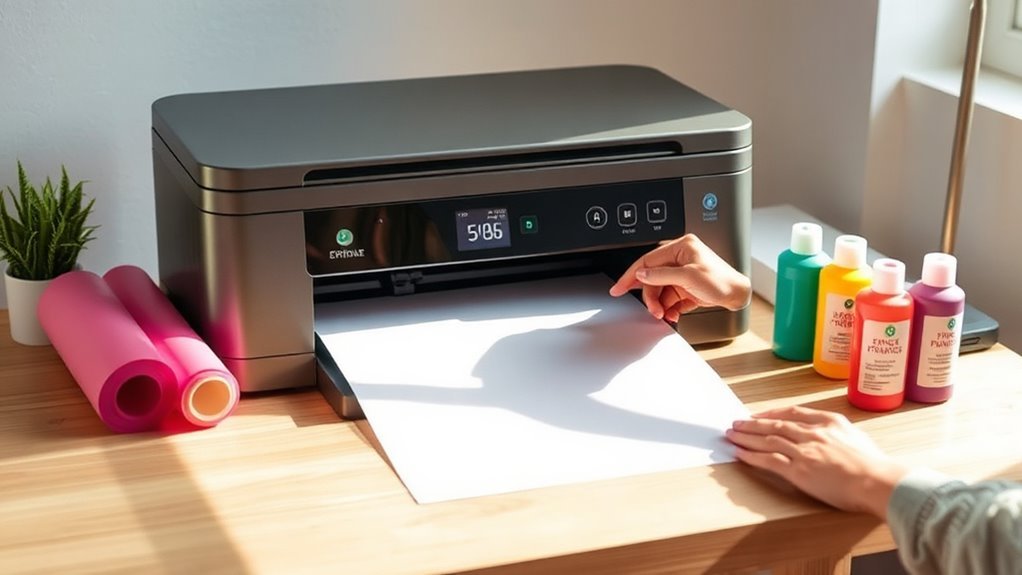
When choosing a budget DTF printer, you’ll want to focus on print quality and resolution to guarantee sharp designs. Keep an eye on ink system efficiency and media size compatibility to match your project needs.
Also, consider how easy the printer is to set up, maintain, and clean to save yourself time and hassle. Trust me, a straightforward setup can make all the difference when you’re just starting out.
Print Quality And Resolution
Although budget DTF printers might seem similar at first glance, their print quality and resolution can vary markedly, affecting your final product’s appearance. You should pick a printer with at least 1440 x 1440 dpi native printhead resolution to capture fine text, smooth gradients, and halftone details on your transfer film.
True white-ink capability with a circulation or stirring system is vital to maintain consistent white underbase density and avoid banding or patchy coverage. Also, check for 32-bit or higher color depth and RIP support to guarantee vibrant, accurate colors and smooth tonal shifts.
Don’t rely solely on advertised DPI; review sample prints because mechanical precision and RIP software impact sharpness. Finally, automated cleaning and anti-clogging features help maintain consistent print quality over time.
Ink System Efficiency
Since ink system efficiency directly impacts both print quality and operating costs, you’ll want to prioritize printers with features like white-ink circulation and filtration systems to reduce clogging and maintenance. These systems prevent white ink from settling, cutting down cleaning cycles and extending printhead life.
Look for automated cleaning routines and white-ink stirring mechanisms to minimize downtime and waste. Also, compare ink composition—higher-opacity whites and well-balanced CMYK inks deliver vibrant results with fewer passes, saving ink.
Don’t forget to check power consumption; lower-wattage printers with continuous circulation often use less energy per print, lowering long-term costs. Finally, evaluate software support for ink management features like ICC profiles and white underbase control to optimize ink use and reduce overall consumable consumption.
Media Size Compatibility
Choosing the right media size compatibility plays a pivotal role in selecting a budget DTF printer that meets your printing needs. First, confirm the maximum printable dimensions—like A4 (8.3″ x 11.7″) or A3 (11.7″ x 16.5″)—to make certain the printer handles your garment sizes and design templates.
If you mainly print on infant wear or small accessories, an A4-sized printer will do. But full-front adult T-shirts or tote bags require A3 or larger.
Also, check if the printer supports roll-fed film or sheet media, noting maximum roll width or sheet size. Rolls allow longer prints and versatile cutting, which can be handy.
Don’t forget to verify the printable margin, as it affects usable design area. Keep in mind, bigger media means more ink, film, and adhesive powder, which impacts cost and workflow efficiency.
Ease Of Setup
After figuring out the right media size compatibility for your printing projects, you’ll want to focus on how easy the printer is to set up. Look for models labeled “plug-and-play” or those that come with preloaded RIP software and clear, step-by-step guides to reduce setup time.
Make sure the package includes all consumables like inks, film, and adhesive powder, along with a preconfigured ink workflow to avoid complicated adjustments. Check that the printer connects via simple USB or Ethernet interfaces and supports your operating system to prevent driver headaches.
Also, prioritize options offering remote support or one-on-one onboarding to ease your learning curve. Finally, confirm the printer’s power needs, size, and weight fit your workspace for a smooth, hassle-free start.
Maintenance And Cleaning
Regular maintenance and cleaning play a crucial role in keeping your budget DTF printer running smoothly and producing vibrant prints. You should establish a daily nozzle check and use one-click or automated head cleaning to prevent white-ink clogging, especially with pigment or white inks that tend to thicken.
Implement a scheduled white-ink circulation or stirring cycle every 8–12 hours of downtime, and use filtration to reduce sediment buildup that can harm the printhead. Always use manufacturer-recommended cleaning solutions and follow soak or flush intervals for maintenance tanks and waste lines to avoid damaging seals and pumps.
Keep a log of cleaning cycles and printhead hours to spot patterns indicating wear. Store films and inks in a cool, low-humidity environment, and run a short purge before long print jobs for consistent ink flow and color stability.
Warranty And Support
When investing in a budget DTF printer, you’ll want to make sure the warranty covers essential components like printer electronics for at least a year. Consumables and printheads should have clearly defined shorter terms.
Also, confirm that the vendor offers 24/7 technical support and one-on-one setup help. This can really reduce downtime and speed up your learning curve.
Check for accessible replacement parts, service manuals, and firmware updates. That way, you can handle basic maintenance yourself without too much hassle.
Don’t forget to review service response times, return policies, and warranty claim procedures. You want to avoid unexpected delays or extra costs.
Finally, make sure the manufacturer provides training resources like installation guides and RIP software tutorials. These help you smoothly shift from setup to full production without frustration.
This all-inclusive support is especially crucial if you’re just starting out.
Frequently Asked Questions
How Long Does a DTF Printer Typically Last With Regular Use?
A DTF printer typically lasts 3 to 5 years with regular use.
If you maintain it properly and clean it regularly, you’ll extend its lifespan and keep it running smoothly for your printing projects.
Taking care of your printer might seem like a hassle, but it really pays off in the long run.
You’ll avoid unexpected breakdowns and get the best quality prints every time.
Can DTF Printers Be Used on Materials Other Than Fabric?
DTF printers don’t just dress fabrics; you can print on plastics, paper, and leather too.
Just make sure you match the material with the right adhesive powder and curing process for perfect prints every time.
It’s all about getting those details right to make your prints pop, no matter the surface.
What Maintenance Is Required for a Beginner DTF Printer?
You’ll need to clean print heads regularly, keep the ink cartridges filled, and make certain the printer’s rollers stay free of debris.
Also, perform nozzle checks and use your printer’s maintenance mode to avoid clogs and make certain smooth printing.
Keeping up with these simple steps will help your DTF printer run smoothly and last longer. It’s not as hard as it sounds once you get into the habit!
Are DTF Printers Compatible With Mac and Windows Software?
Yes, DTF printers usually work with both Mac and Windows software. You’ll want to check the specific printer’s compatibility before buying, though.
Most popular models support both platforms to keep your workflow smooth and flexible. It’s pretty convenient if you switch between systems!
How Eco-Friendly Are Budget DTF Printers Compared to Other Printing Methods?
Think of budget DTF printers as gentle breezes—they’re more eco-friendly than traditional methods, using less ink and waste.
You’ll find they consume less energy and produce fewer harmful emissions, making your printing greener and cleaner.
It’s like giving the planet a little break while still getting the job done.
Conclusion
Choosing the right budget DTF printer for beginners in 2026 is like finding the perfect paintbrush for your masterpiece. With options like the A3 bundles and Epson SureColor F170, you’re armed to bring your creative visions to life without breaking the bank.
Keep your eyes on ease, quality, and versatility—these will be your guiding stars as you set out on your vibrant printing journey. Your canvas awaits; make every print a bold stroke!
When picking the best budget DTF printer for beginners, focus on user-friendly features and consistent print quality. Versatility matters too, so you can experiment with different designs without hassle. Remember, a well-chosen printer can make all the difference in turning your creative ideas into stunning prints.