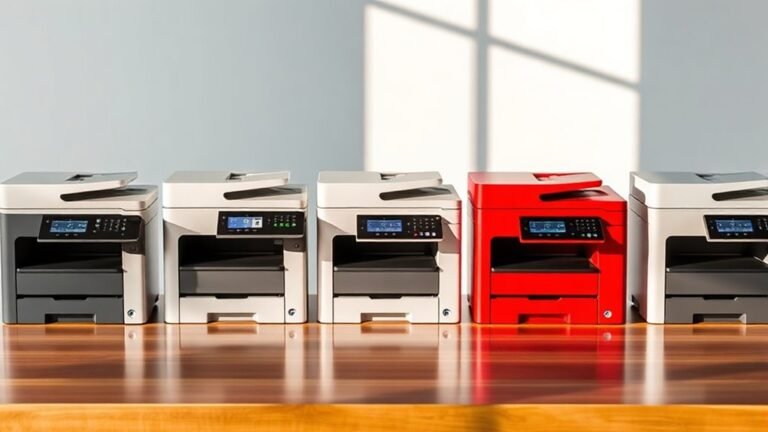
5 Best Commercial Label Printers for 2027
For 2027, you’ll want a commercial label printer that balances speed, durability, and connectivity. A good label printer should handle your volume without slowing down and offer versatile connection options. Whether you need fast shipping labels or high-resolution industrial tags, the right printer can make a big difference.
The Rollo offers fast, reliable 4×6 USB printing perfect for ecommerce businesses. Westinghouse steps it up with Ethernet support and broad OS compatibility, making it easy to integrate into various setups.
MakeID D50 stands out with high-res thermal transfer printing tailored for tough industrial needs. Bluetooth-enabled printers like Thermal Shipping Label Printer and Nelko add wireless convenience, cutting down on cable clutter.
Each printer excels in unique ways, so exploring your specific needs will help you find the perfect match for seamless label printing. Don’t rush—choosing wisely means smoother operations and better results.
| Image | Name | Editor's Rating | Price |
|---|---|---|---|

|
|
||

|
|
||

|
|
||

|
|
||

|
|
Rollo USB Shipping Label Printer – Commercial Grade 4×6 Thermal Printer
- ROLLO PRINTER: Rollo USB is compatible with both Windows (XP and newer) and Mac (10.9 and newer) with easy set up; Print shipping labels, warehouse labels, barcode...
- ROLLO SHIP: Our complimentary shipping app provides a streamlined and cost saving way to mail packages; Connect any ecommerce platform and gain access to exclusive...
- HIGH SPEED & HIGH SAVINGS: Stop buying ink and toner and start printing with advanced direct thermal technology at a speed of 150mm/s or one 4x6 label per second; Labels...
- CUSTOM LABEL MAKER: Our thermal label printer is also a custom label maker (labels from 1.57" to 4.1" width) making it ideal for more than shipping labels; Create from...
- VERSATILE COMPATIBILITY: Rollo thermal label printer is compatible with all major shipping platforms including Fedex, UPS, USPS, Rollo Ship Manager, ShipStation...

The Rollo USB Shipping Label Printer offers a practical solution for small businesses and ecommerce sellers who need to print shipping labels quickly and efficiently. This commercial-grade printer produces crisp 4×6 labels at a rate of one per second using direct thermal, inkless technology, eliminating the need for costly ink or toner. Its reliable performance ensures your shipping process stays smooth and uninterrupted.
Designed for simplicity and ease of use, the Rollo printer connects via USB 2.0, providing a stable wired connection. It integrates effortlessly with popular platforms such as Shopify, Amazon, and FedEx, helping you streamline your shipping workflow. The compact and lightweight design fits neatly on any desk, saving valuable workspace.
Maintenance is straightforward since the printer uses direct thermal printing, which reduces consumable costs and mess. While it only supports monochrome printing and lacks wireless connectivity, it focuses on delivering consistent, high-quality labels for shipping and product identification.
Best for: Small business owners and ecommerce sellers needing a fast, reliable, and compact thermal label printer for shipping and product labeling.
What We Like:
- Fast, inkless printing of 4×6 labels at one per second
- Seamless integration with major ecommerce and shipping platforms
- Compact design that saves space on busy workstations
- Easy maintenance with direct thermal printing technology
Specification:
| Feature | Details |
|---|---|
| Manufacturer | Rollo |
| Dimensions | Compact, fits easily on desk |
| Weight | Lightweight |
| Printing Technology | Direct thermal (inkless) |
| Connectivity | USB 2.0 wired |
| Label Size | 4 x 6 inches |
Westinghouse Thermal 4×6 USB Shipping Label Printer
- THERMAL SHIPPING LABEL PRINTER: Compatible with Windows, macOS, and Linux, and can be used with ZPL software. Ethernet capability: Supports router speeds under 1ghz. See...
- PRINT QUALITY: Optimized for performance with a top print speed of 6-inch-per-second and 203 DPI for sharp, high-quality text and graphics. Perfect for printing shipping...
- DIRECT THERMAL PRINTER: Applies heat directly onto the label material, eliminating the need for ink ribbons and toners. Perform a print test during setup to ensure print...
- 4x6 THERMAL LABEL PRINTER: Can be used with fanfold labels or label rolls. Supports media widths of 0.78" to 4.6" with a max printing width of 4.25", thickness of 0.06mm...
- PACKAGING CONTENTS: Printer, starter labels, label holder, USB flash drive, USB cable, power cord, and power adapter. Ethernet cable and USB-C cable/adapter are sold...
The Westinghouse Thermal 4×6 USB Shipping Label Printer delivers fast, dependable label printing designed to simplify your daily shipping tasks. Its direct thermal technology prints crisp labels quickly, reaching speeds up to 6 inches per second. This efficiency helps reduce wait times and keeps your business running smoothly.
Designed for small businesses and ecommerce, this printer handles standard 4×6-inch shipping labels without fuss. It connects easily through USB or Ethernet, providing flexible setup options. You’ll need to supply your own cables, but the included starter labels and power accessories get you printing right away.
Maintenance is straightforward since it uses direct thermal printing—no ink or ribbons to replace. The printer’s durable build supports heavy use in busy shipping or warehouse environments. Its broad compatibility with Windows, macOS, and Linux ensures it fits seamlessly into your existing workflow.
While it only prints in monochrome and has Ethernet speed limits under 1 GHz, it covers essential shipping needs efficiently. Compatible with major carriers and popular ecommerce platforms, it helps streamline your order fulfillment process.
Best for: Small businesses and ecommerce sellers needing fast, reliable, and high-quality 4×6 shipping label printing with broad platform compatibility.
What We Like:
- Fast direct thermal printing up to 6 inches per second
- Supports major carriers like USPS, UPS, FedEx
- Compatible with Windows, macOS, and Linux systems
- Durable commercial-grade construction
- Includes starter labels and essential accessories
Specification:
| Feature | Details |
|---|---|
| Manufacturer | Westinghouse |
| Label Size | 4 x 6 inches |
| Print Speed | Up to 6 inches/second |
| Print Technology | Direct Thermal |
| Resolution | 203 DPI |
| Connectivity | USB, Ethernet |
| Operating Systems | Windows, macOS, Linux |
| Included Items | Starter labels, USB flash drive, power accessories |
| Cables | Not included |
MakeID D50 Industrial Label Maker, 2 Inch 300 DPI Thermal Transfer Printer
- 2-Inch Print Head for Versatile Applications - Create everything from cable labels and data&telecommunications labeling to asset tracking, electrical labeling, laboratory...
- Outstanding Print Quality - Utilizing thermal transfer printing technology, our labels maintain their clarity for up to 10 years without fading. With a 300 DPI...
- Enhanced Efficiency - D50 label printer is equipped with an automatic cutter for effortless bulk label cutting. Our integrated label and ribbon cartridge design allows...
- Mobile and PC Compatibility - Connect via mobile app for easy printing or use PC software for more flexible editing options. With a powerful 2600mAh battery, enjoy an...
- Auto-Template Matching - Use exclusive consumables, the D50 printer rapidly identifies label sizes and auto-matches templates. This hardware-media synergy makes sure...
The MakeID D50 Industrial Label Maker is designed to tackle demanding labeling tasks with ease. Its 2-inch, 300 DPI thermal transfer print head produces sharp, durable labels that stand up to harsh industrial environments. This ensures your labels remain clear and legible over time, improving organization and safety.
Maintenance is simple thanks to the integrated label and ribbon cartridge system. You can swap consumables in about five seconds, minimizing downtime and keeping your workflow smooth. The built-in automatic cutter speeds up bulk printing jobs, saving you time and effort.
This label maker is tailored for industrial use, perfect for cable identification, asset tracking, and electrical labeling. It offers flexible connectivity through a mobile app and PC software, making label design and printing effortless. The 2600 mAh battery provides up to 90 days of standby, supporting extended use between charges.
While it supports only 2-inch label widths and uses exclusive consumables, the MakeID D50 balances reliability and speed to meet professional demands effectively.
Best for: Professionals and businesses needing durable, high-resolution labels for industrial applications like cable and asset management.
What We Like:
- Sharp 300 DPI thermal transfer printing for lasting labels
- Quick consumable changes with integrated cartridge system
- Convenient mobile app and PC software connectivity
- Automatic cutter for efficient bulk label production
- Long 90-day standby battery life
Specification:
| Feature | Details |
|---|---|
| Manufacturer | MakeID |
| Print Resolution | 300 DPI |
| Label Width | 2 inches (5.08 cm) |
| Battery Capacity | 2600 mAh |
| Connectivity | Mobile app, PC software |
| Consumable Type | Integrated label & ribbon cartridge |
Thermal Shipping Label Printer 4×6 Bluetooth Label Maker for Small Business
- 【High‑Quality, Energy‑Efficient Thermal Printing】The NULLTONEX shipping label printer uses direct thermal technology, eliminating the need for ink or toner and...
- 【Bluetooth & USB Dual Connectivity】 Connect seamlessly to your phone, laptop or PC via Bluetooth or USB. Download the free app for quick Bluetooth pairing to create...
- 【User‑Friendly Operation】 Easy setup and a dedicated app offer 1,800+ customizable templates, 300+ fonts, and multiple editing tools for everything from daily home...
- 【Wide Compatibility with Popular Shipping Platforms】 Works seamlessly with major shipping carriers and e‑commerce platforms including Amazon, Shopify, Etsy, USPS...
- 【Durable, Compact & Ready to Use】 Featuring a special matte finish with reinforced coating and a space‑saving design that fits neatly on any desk. Built‑in...
This thermal shipping label printer delivers fast, ink-free printing designed to simplify small business operations. With seamless Bluetooth connectivity, it allows easy wireless setup, reducing clutter and streamlining your workspace. The printer produces sharp 203 DPI labels quickly, helping you keep up with busy shipping demands without extra ink or toner costs.
Its compact design fits neatly on any desk, making it ideal for tight spaces. Built-in overheat protection ensures the printer remains reliable during extended use, reducing downtime and maintenance worries. Connecting via Bluetooth or USB offers flexible options for different work environments.
Using the included free app, you can create labels offline with access to over 1,800 templates. This supports efficient label creation for various carriers like USPS and FedEx. The printer is ready to use right out of the box with 25 label sheets included, speeding up your shipping process.
While it prints only in black and white on standard 4×6 thermal labels, this design choice keeps costs low and maintenance simple. However, labels may fade over time if exposed to heat or sunlight, so proper storage is advised.
Best for: Small business owners needing a fast, reliable, and cost-effective thermal label printer with versatile connectivity for efficient shipping and organization.
What We Like:
- Fast 203 DPI printing up to 72 labels per minute without ink or toner.
- Dual Bluetooth and USB connectivity with a free app offering 1,800+ templates.
- Compact design with built-in overheat protection for long-term use.
- Compatible with major carriers and standard 4×6 thermal labels.
Specification:
| Feature | Details |
|---|---|
| Manufacturer | Not specified |
| Dimensions | Compact, fits on a desk (approx. 4×6 inches) |
| Weight | Not specified |
| Material | Durable plastic |
| Color Options | Not specified |
Nelko Bluetooth Thermal Shipping Label Printer, 4×6 Thermal Label Printer
- Go Wireless by Bluetooth: Download the "NELKO"app to print via Bluetooth on your Nelko Bluetooth thermal label printer for iOS and Android. Printing shipping labels has...
- Print via USB: For Windows (7 and later), Mac OS,Chrome OS, you can connect the desktop label printer via USB cable. Note that Mac OS only works with USB connection, you...
- Good Helper for Cost Saving: Advanced thermal direct technology is adopted to achieve the printing speed of 150 mm/s, up to 72 sheets 4x6 labels/min. High speed brings...
- Strong Platform Compatibility: This bluetooth shipping label printer can work with virtually all platforms, including Amazon, Ebay, Shopify, USPS, UPS, Esty, PayPal...
- Suitable for Commercial and Home Use: Printer driver, instruction videos and problem shooting videos are provided in U-Disk for better setting. Nelko PL70E label printer...
Experience effortless label printing with the Nelko Bluetooth Thermal Shipping Label Printer. Its seamless Bluetooth connectivity enables quick wireless printing from multiple devices, streamlining your shipping and inventory tasks. Compatible with iOS, Android, Windows, and Mac M1/M2 through the NELKOapp, it integrates smoothly with popular platforms like Amazon, eBay, and Shopify.
This printer uses thermal direct technology, producing sharp 4×6 labels at speeds up to 150 mm/s without the need for ink or toner. Its compact design fits neatly in both home and commercial setups, saving space while handling various label types, including fanfold and roll labels. Maintenance is simple since it doesn’t require cartridges, reducing ongoing costs.
Setting up the Nelko printer is straightforward with included drivers and instructional videos accessible via the U-Disk. However, Bluetooth printing is limited to the NELKOapp, which may restrict app flexibility. USB printing excludes Linux and older operating systems, focusing compatibility on Windows, Mac, and Chrome OS.
Best for: Small business owners and home users needing fast, wireless, and versatile thermal label printing for shipping, mailing, and inventory management.
What We Like:
- Fast 150 mm/s print speed with clear 203 DPI resolution
- Broad platform compatibility via Bluetooth and the NELKOapp
- Compact, ink-free design reduces costs and saves space
Specification:
| Feature | Details |
|---|---|
| Manufacturer | Nelko |
| Dimensions | Compact (exact size not provided) |
| Weight | Not specified |
| Printing Speed | Up to 150 mm/s |
| Resolution | 203 DPI |
| Connectivity | Bluetooth, USB |
| Compatible OS | iOS, Android, Windows, Mac M1/M2, Chrome OS |
| Label Size | 4×6 inches, fanfold, roll types |
Factors to Consider When Choosing a Commercial Label Printer
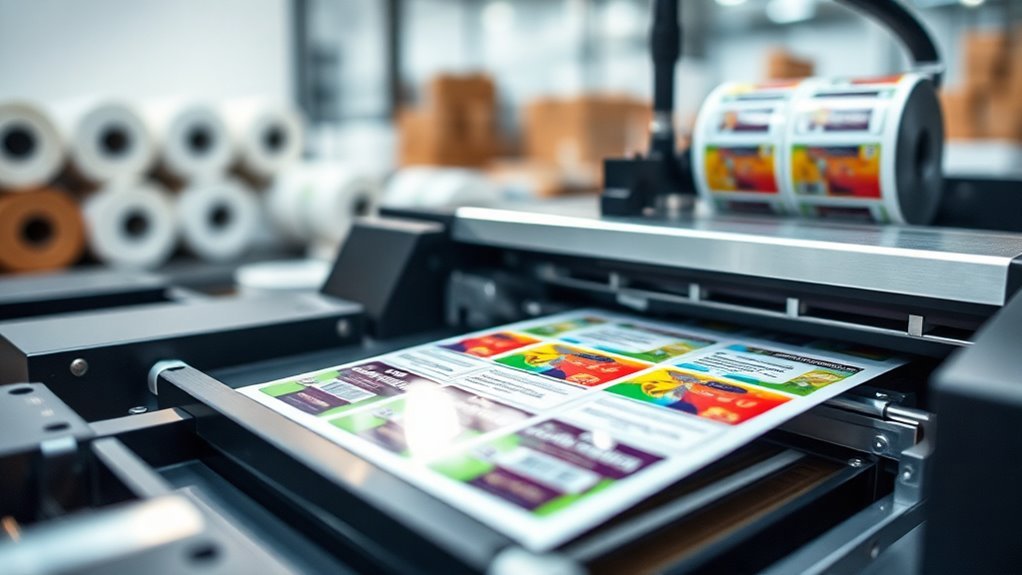
When choosing a commercial label printer, you’ll want to focus on print quality and resolution to guarantee clear labels. Consider connectivity options and supported label sizes to match your workflow.
Don’t forget to check printing speed and build durability for long-term efficiency. These factors really make a difference, especially if you’re using the printer frequently.
Print Quality and Resolution
Print quality plays an essential role in selecting a commercial label printer, as it directly impacts the readability and professionalism of your labels. You’ll want a printer with a higher DPI—300 DPI offers finer text and barcode detail compared to 203 DPI. This is fundamental for small fonts and dense labels.
Thermal transfer technology generally produces sharper, more durable prints that resist smudging and fading better than direct thermal. To guarantee barcode scanners read your labels reliably, match the printer’s resolution and contrast to your barcode type and scanning distance.
Look for printers with minimal margin capability and precise head alignment to reduce waste and enable edge-to-edge printing. Also, consider print consistency at your target speed; some printers sacrifice sharpness and uniformity when pushed to high throughput.
Connectivity Options Available
Choosing the right connectivity options can make or break how smoothly your commercial label printer fits into your workflow. USB ports offer reliable, low-latency wired connections, ideal for desktop use and broad compatibility with Windows and macOS.
Ethernet lets multiple users share the printer over a local network, supporting high-volume printing in busy fulfillment centers. It’s perfect when you need to keep things running fast and efficient.
Bluetooth provides wireless convenience for smartphones and tablets but has limited range and slower speeds. So, it’s great for quick jobs but not the best for heavy-duty printing.
Wi-Fi enables flexible placement and multi-device access without cables, though it demands network setup and may face interference or security issues. Still, it’s super handy when you want to avoid the clutter of wires.
Also, make sure your printer supports standard protocols like ZPL or ESC/POS and has compatible drivers. This guarantees smooth integration with your existing shipping or warehouse software, keeping your operations efficient and connected.
Supported Label Sizes
Beyond connectivity, you’ll want to focus on the label sizes your printer supports to match your specific needs. Verify the maximum and minimum media widths and lengths, ensuring compatibility with common sizes like 4×6 shipping labels and narrower ones around 1.5 inches.
Check if the printer handles both roll and fanfold media, plus the maximum roll diameter and core sizes. This way, you can use your preferred supplies without hassle.
Confirm the printhead width and printable area to avoid cutting off content on unusual label dimensions. Make sure it supports your required label formats—whether shipping, barcode, product, or cable labels—and can switch sizes easily without complex setups.
Also, consider sheet or roll capacity and media-handling limits if you print high volumes regularly. It’s all about making your printing process smooth and efficient.
Printing Speed Efficiency
Evaluate how quickly a label printer can handle your workload by looking at its throughput, typically measured in labels per minute or millimeters per second. For example, 150 mm/s equals roughly one 4×6 label per second or about 60 labels per minute, ensuring you meet peak shipping volumes.
Also, consider the duty cycle and recommended daily or monthly label counts so print speed won’t drop during continuous high-volume runs. Keep in mind, faster speeds may cause feed or alignment errors on thin or small labels, so balance speed with media stability and printhead endurance.
Plus, higher speeds often need better cooling to prevent overheating and throttling. Finally, factor in real-world workflow elements like file processing and connection latency, as these affect effective throughput beyond raw print speed.
Durability and Build Quality
Speed alone won’t keep your operations running smoothly if the printer can’t hold up under constant use. You need a commercial label printer with durable housing and reinforced coatings to resist wear in busy packing environments.
Check the rated duty cycle and daily throughput to match your print volume. This helps make sure mechanical parts won’t fail prematurely.
Look for robust cooling systems and hardened printheads to avoid overheating during long runs. Also, pay attention to media-handling specs like maximum roll diameter and core size to minimize jams and wear from frequent media changes.
Finally, verify warranty length and service options. These signal the manufacturer’s confidence in build quality and help protect your investment over time.
Choosing durability upfront saves costly downtime later. It’s definitely worth thinking about before making a purchase.
Compatibility With Software
When choosing a commercial label printer, you’ll want to make sure it works seamlessly with your existing software and operating systems. Check that the printer supports your OS—whether Windows, macOS, Linux, or mobile platforms—and that drivers or apps are available for your version.
Also, verify it integrates smoothly with your shipping platforms, marketplaces, or label-design software, including support for ZPL or other command languages.
Confirm the connectivity options you need, such as USB, Ethernet, Bluetooth, or Wi-Fi, and that your software can communicate over these interfaces. Make sure the printer accepts your file formats and templates like PDF, PNG, or native files.
It’s a good idea to check if it supports batch printing or template editing if you need those features. And if you plan custom integrations, look for SDKs, APIs, or mobile apps with solid documentation.
Maintenance and Consumables
You’ll often find that maintenance and consumables play a crucial role in the long-term cost and efficiency of your commercial label printer. First, decide between direct thermal, which is inkless with lower consumable costs but less durability, and thermal transfer, which uses ribbons for prints lasting up to a decade.
Check media compatibility, including supported widths and roll dimensions, to avoid unusable labels. For thermal transfer, consider ribbon length, core size, and yield since these impact downtime and cost per label.
Look for features like automatic cutters and auto label detection that reduce waste and maintenance needs. Finally, review throughput, tray or roll capacity, and maintenance intervals for printheads to guarantee you can plan spare parts and consumables stocking efficiently, keeping your printer running smoothly.
Frequently Asked Questions
Can Commercial Label Printers Connect to Multiple Devices Simultaneously?
Yes, you can connect commercial label printers to multiple devices simultaneously. They often support Wi-Fi or Ethernet, which makes printing from various computers or mobile devices super easy.
No need to keep switching connections or unplugging cables all the time. It’s really convenient when you have several people or devices that need to print labels regularly.
What Maintenance Is Required for Thermal Label Printers?
Think of your thermal printer as a garden—clean the printhead regularly, keep the rollers free of dust, and replace worn parts.
Also, make sure to use quality labels. With this care, your printer will bloom and run smoothly, just like a well-tended garden.
Are These Printers Compatible With Mac Operating Systems?
Yes, many commercial label printers are compatible with Mac operating systems. You’ll want to check each model’s specifications, but most manufacturers provide Mac drivers or support.
This means you can easily connect and print without compatibility issues. Just make sure to double-check before you buy!
How Do Label Printers Handle Different Label Materials?
Label printers adapt impressively, switching between paper’s smoothness and plastic’s durability. You’ll choose settings and ribbons that match each material, ensuring crisp prints.
This contrast lets you handle diverse labeling needs effortlessly and professionally. It’s pretty cool how versatile these printers can be!
What Warranty Options Are Available for Commercial Label Printers?
You’ll find commercial label printers typically offer warranties from one to three years, covering parts and labor. Some brands include extended or onsite warranties, giving you extra protection and peace of mind for your investment.
It’s always a good idea to check what’s included before you buy. That way, you know exactly what kind of coverage you’re getting and can choose the best option for your needs.
Conclusion
Choosing the right commercial label printer might feel like searching for a needle in a haystack, but luckily, the perfect match is within reach. Whether you prefer USB or Bluetooth, thermal or transfer printing, these top picks have you covered.
It’s like finding the right pair of shoes—you want comfort, reliability, and style. So go ahead, pick the one that fits your business needs, and watch your labeling tasks become effortlessly smooth.
When choosing a commercial label printer, consider your connectivity options and printing technology to ensure efficiency. A reliable label printer can streamline your workflow and improve product presentation.
With the best commercial label printers for 2027, you’ll enjoy enhanced performance, easy integration, and professional-quality labels. Find the perfect commercial label printer that suits your business and experience hassle-free labeling every day.