6 Best Cheap Sublimation Printers for Shirts in 2027
You’ll want to check out the Brother SP-1, Epson SureColor F170, and Sawgrass SG500 for crisp, vibrant prints with easy connectivity.
These sublimation printers are known for delivering sharp, colorful designs that make your shirts pop. Plus, they’re super user-friendly, which is great if you’re just starting out or want hassle-free printing.
The PC Universel Super-Tank offers high-volume output, perfect if you’re planning to print lots of shirts without running out of ink.
On the other hand, the VEVOR 12x10in heat press and the Sublimation Starter Kit with 15×15 heat press give you versatile, reliable customization options.
Each combines affordability with quality features, making them perfect for budget-conscious creators.
Keep exploring to discover the best fit for your shirt printing needs.
| Image | Name | Editor's Rating | Price |
|---|---|---|---|

|
|
||
|
|
||

|
|
||

|
|
||

|
|
Brother Sublimation Printer
No products found.
If you want to create vibrant, custom shirts at home without hassle, the Brother Sublimation Printer (Model SP-1) is designed to help. This compact printer fits easily on your workspace and offers multiple connection options, including Wi-Fi, Ethernet, and USB, to simplify setup and use.
Using Brother’s genuine sublimation ink and paper, it produces sharp, bright prints with a high resolution of 1440 x 1440 dpi. The colors stay vivid even after multiple washes, ensuring your designs look great for a long time. You can easily access over 100 designs or import your own through the user-friendly Artspira app.
Maintenance is straightforward, but keep in mind you’ll need a separate heat press to complete your sublimation projects. The printer handles media up to 8.5 x 11 inches, which suits most personal projects but limits larger designs. Its lightweight design makes it portable and easy to move as needed.
Best for: DIY enthusiasts and crafters who want an easy-to-use printer for creating bright, custom apparel and home decor.
What We Like:
- Multiple connectivity options for flexible setup
- Access to a large library of sublimation designs via the Artspira app
- High-resolution prints with vibrant, long-lasting colors
- Compact and lightweight for easy placement
- Compatible with standard sublimation ink and paper
Specification:
| Feature | Details |
|---|---|
| Manufacturer | Brother |
| Model | SP-1 |
| Dimensions | Compact, exact size not specified |
| Weight | Lightweight |
| Connectivity | Wi-Fi, Ethernet, USB |
| Max Print Size | 8.5 x 11 inches |
| Print Resolution | 1440 x 1440 dpi |
Epson SureColor F170 Compact Dye-Sublimation Printer
- 𝗔𝘀𝘁𝗼𝘂𝗻𝗱𝗶𝗻𝗴 𝗣𝗿𝗶𝗻𝘁 𝗤𝘂𝗮𝗹𝗶𝘁𝘆: Epson's Surecolor F170 Sublimation printer boasts the PrecisionCore printhead...
- 𝗚𝗲𝗻𝘂𝗶𝗻𝗲 𝗘𝗽𝘀𝗼𝗻 𝗗𝘆𝗲-𝗦𝘂𝗯𝗹𝗶𝗺𝗮𝘁𝗶𝗼𝗻 𝗜𝗻𝗸 𝗧𝗲𝗰𝗵𝗻𝗼𝗹𝗼𝗴𝘆: Epson...
- 𝗩𝗲𝗿𝘀𝗮𝘁𝗶𝗹𝗲 𝗠𝗲𝗱𝗶𝗮 𝗦𝘂𝗽𝗽𝗼𝗿𝘁: Includes a 150-sheet auto-feed tray for added efficiency. Epson SureColor...
- 𝗥𝗲𝗽𝗹𝗮𝗰𝗲 𝗜𝗻𝗸 𝗟𝗲𝘀𝘀 𝗢𝗳𝘁𝗲𝗻: Our high-capacity sublimation ink bottles with auto-stop for easy, mess-free filling...
- Versatile Wi-Fi and USB Connectivity: Easily print from Windows or macOS computers using Epson Print Layout or Epson Edge Print software. Compatible with the Epson iPrint...
The Epson SureColor F170 offers a practical solution for small businesses aiming to create vibrant, professional-quality shirt prints without taking up much space. Its compact design and lightweight build make it easy to fit into tight work areas. This dye-sublimation printer supports media widths up to 8.5 inches, ideal for standard-sized apparel printing.
With a PrecisionCore printhead, the printer delivers sharp, detailed images at a resolution of 5760 x 1440 dpi. The rich color saturation ensures your designs stand out clearly on fabric. The 150-sheet auto-feed tray minimizes downtime, helping you maintain steady production during busy periods.
Maintenance is straightforward thanks to high-capacity ink bottles that reduce the frequency of replacements. An auto-stop feature prevents ink waste and lowers operating costs. However, once inks are loaded, the printer cannot be returned due to potential leakage risks, which is important to consider.
Connectivity options include wireless, USB, and Ethernet, providing versatile setup choices to fit various workspace needs. Overall, the Epson SureColor F170 balances quality, convenience, and compactness for efficient dye-sublimation printing.
Best for: Small businesses and entrepreneurs needing a compact, reliable dye-sublimation printer for vibrant apparel printing and efficient media handling.
What We Like:
- Compact and lightweight design fits small spaces easily
- High-resolution PrecisionCore printhead for sharp, vivid prints
- Multiple connectivity options for flexible installation
- High-capacity ink bottles with auto-stop to reduce waste
Specification:
| Feature | Details |
|---|---|
| Manufacturer | Epson |
| Dimensions | Compact (exact size not specified) |
| Weight | 15.8 lb (7.16 kg) |
| Max Media Width | 8.5 inches (21.6 cm) |
| Print Resolution | 5760 x 1440 dpi |
| Ink Type | Dye-sublimation |
| Connectivity | Wireless, USB, Ethernet |
VEVOR Heat Press Machine 12x10in Clamshell Sublimation Transfer Printer
- Pinnacle of Versatility: This power heat press from VEVOR provides a large surface to transfer onto flat items, ready to show your boundless ideas by transferring...
- Perfect Transfer without the Fade: Joint with the thicker newest generation of heating tubes, our 12 x 10 in professional heat press can transfer heat better and enhance...
- Rotate at Will: Outfitted with an ergonomic long arm handle with a non-slip rubber grip to ensure comfortable and consistent presses. Users can easily adjust the knob to...
- Smart Digital Control: Get ready to create the perfect transfer at just the right time! 480℉ / 250℃ gradual-heating range can precisely assist users in achieving...
- Easy Operating Steps: Operation can be completed in just three simple steps! First, put the T-shirts on the panel and veil them with a sheet of sublimation paper printed...

Experience precise and consistent heat application with the VEVOR Heat Press Machine 12x10in. This clamshell sublimation transfer printer solves common issues like uneven heating and burned designs, giving you vibrant, professional results every time. Its advanced heating tubes ensure even temperature distribution, reducing the risk of flawed transfers.
Designed for ease of use, the Teflon-coated surface prevents sticking and scorching, making cleanup straightforward and maintenance minimal. The adjustable pressure knob lets you tailor the pressure to different materials, accommodating various thicknesses for versatile projects.
The ergonomic handle features a non-slip grip and a swing-away aluminum rod, enhancing safety and comfort during operation. Weighing 23.3 pounds, it strikes a balance between stability and portability, suitable for workshops or small business setups.
Ideal for customizing shirts, bags, phone cases, and other flat items, this 650W heat press offers reliable performance for various sublimation needs. Its compact 12×10 inch pressing area fits most small to medium projects but may limit larger designs.
Best for: Small business owners, hobbyists, and crafters seeking a reliable and user-friendly heat press for detailed sublimation work.
What We Like:
- Precise digital temperature control for consistent results
- Teflon-coated platen prevents burning and simplifies cleaning
- Adjustable pressure knob for different material thicknesses
- Ergonomic handle with safety features enhances user comfort
Specification:
| Feature | Details |
|---|---|
| Manufacturer | VEVOR |
| Dimensions | 12 x 10 inches |
| Weight | 23.3 lb (10.57 kg) |
| Power | 650W |
| Press Type | Clamshell |
| Surface Coating | Teflon-coated |
Sublimation Starter Kit with 15×15 Heat Press Bundle
- All-in-one sublimation bundle with 15"x15" heat press, printer and 8-in-1 attachments. Everything you need to start printing and selling custom mugs and tumblers...
- Perfect for Etsy sellers and startup businesses. Professional equipment designed to help you launch your custom printing business with confidence.
- Large heating plate with even heat distribution. Includes mug, 30oz tumbler, hat and plate attachments. Digital temperature control up to 250°C (480°F).
- Upgraded with chipless ink system and pre-filled sublimation ink. No cartridge switching. Easy setup and ready to print in minutes. Upgraded with chipless ink system and...
- Multiple operation and setup videos included. Beginner-friendly guidance for printer setup, heat press use and troubleshooting.
Experience the ease of custom sublimation printing with the Sublimation Starter Kit with 15×15 Heat Press Bundle. This kit solves common challenges like uneven heat distribution and slow printing speeds, making it ideal for beginners and small business owners. The 15×15 heat press uses advanced double-tube heating technology to ensure consistent, even transfers every time.
Included is an Epson WF-2860 printer equipped with a CHIPLESS CISS ink system, allowing vibrant, cartridge-free printing. This setup reduces downtime and costs while improving print quality. The kit’s design includes 8-in-1 attachments, letting you create on mugs, tumblers, T-shirts, and more, increasing your project versatility.
Maintenance is straightforward with digital controls for precise temperature and timing, helping prevent errors and prolonging the heat press’s lifespan. A helpful video guide simplifies setup, so you can start producing quality prints quickly. Keep in mind, the kit works best with sublimation-compatible materials, and the printer may require some initial practice to optimize output.
Best for: Entrepreneurs and hobbyists aiming to start or grow a custom sublimation printing business with reliable and versatile equipment.
What We Like:
- Large 15×15 heat press with advanced double-tube heating for even results
- CHIPLESS CISS Epson WF-2860 printer for vibrant, cartridge-free printing
- Versatile 8-in-1 attachments for multiple product types
- Easy-to-use digital controls for precise temperature and time settings
- Setup video guide simplifies the learning curve
Specification:
| Feature | Details |
|---|---|
| Manufacturer | Epson (printer), [Heat Press Brand] |
| Heat Press Size | 15 x 15 inches |
| Printer Model | Epson WF-2860 |
| Ink System | CHIPLESS CISS |
| Attachments | 8-in-1 (mugs, tumblers, T-shirts, etc.) |
| Sublimation Paper | 100 sheets included |
| Color Options | Standard (white blanks included) |
Sawgrass SG500 Sublimation Printer, 31 mL Inks and Paper Bundle
- Professional-Grade Print Quality: The Sawgrass SG500 delivers professional-grade sublimation printing, perfect for creating custom t-shirts, drinkware, signage, and...
- Rich & Vivid CMYK Sublimation Printing Inkset: Includes a full set of SubliJet UHD inks (cyan, magenta, yellow, black), specially formulated in small batches to produce...
- Compact Design with Big Potential: The SG500 offers desktop-friendly dimensions without compromising performance, printing on media up to 8.5” x 14”; This makes it...
- Powerful, User-Friendly Software: Gain access to our all-in-one MySawgrass platform, an intuitive online design tool packed with templates, allowing you to create...
- Built for Growth and Reliability: With features like Wi-Fi connectivity and print head auto-maintenance, the SG500 is engineered for durability and long-term use; Whether...
Experience high-quality sublimation printing without sacrificing space or convenience. The Sawgrass SG500 sublimation printer delivers professional-grade results while fitting comfortably on your desktop.
This compact printer handles media sizes up to 8.5” x 14” and longer sheets through its bypass tray, solving the challenge of printing on varied-sized materials. It produces sharp, vibrant prints with 1200 dpi resolution using SubliJet UHD inks, ensuring your designs stand out.
Designed for ease of use, the SG500 includes MySawgrass software with smart presets for precise color control. Its Wi-Fi and USB connectivity options simplify setup and operation. Auto-maintenance features keep the printer running smoothly with minimal effort.
Ideal for hobbyists and small businesses, this printer offers reliable performance in a compact design. However, the 31 mL ink cartridges may need frequent replacement during heavy use, and it is limited to dye sublimation printing.
Best for: Small business owners, creatives, and hobbyists who need a compact, user-friendly sublimation printer for vibrant, detailed prints.
What We Like:
- Produces sharp, vibrant prints up to 8.5” x 51” media size
- Compact desktop design with bypass tray for longer sheets
- Easy-to-use MySawgrass software with precise color control
- Wi-Fi and USB connectivity options for flexible setup
- Auto-maintenance features reduce downtime and upkeep
Specification:
| Feature | Details |
|---|---|
| Manufacturer | Sawgrass |
| Max Media Size | 8.5” x 51” |
| Ink Volume | 31 mL |
| Print Resolution | 1200 dpi |
| Connectivity | Wi-Fi, USB |
| Dimensions (WxDxH) | Compact desktop size |
PC Universel Super-Tank Wireless Sublimation Printer Bundle
- XL size PC Universel sublimation ink bottles provide up to 10,000 page yields for plug-and-play convenience and exceptional printing quality
- Maximum print resolution of 5760 x 1440 optimized dpi for sharp and vibrant prints
- Maximum print size of A4 (210 × 297 millimeters / 8.27 × 11.69 inches)
- ISO print speeds of 33 ppm (black) and 15 ppm (color) for efficient and fast printing
- Wireless printing from computers and mobile devices for added convenience
Experience seamless high-volume sublimation printing with the PC Universel Super-Tank Wireless Sublimation Printer Bundle. Designed to tackle the common challenges of frequent ink refills and slow print speeds, this bundle offers a reliable solution for creators focused on custom apparel and accessories.
The super tank ink system significantly reduces maintenance by supporting up to 10,000 pages before needing a refill. Wireless connectivity and an automatic feeder simplify operation, allowing users to stay productive without constant supervision. This bundle includes a sublimation printer and flat board press, making it easy to customize T-shirts, gloves, and tote bags.
With a sharp print resolution of 5760 x 1440 dpi and a maximum A4 print size, the printer delivers vibrant and detailed designs quickly. While print speeds reach up to 33 ppm in black and 15 ppm in color, the size limitation may require planning for larger projects. Its user-friendly interface ensures smooth setup and operation.
Best for: Creators and small business owners who need a high-volume, easy-to-use sublimation printer bundle for custom T-shirt, glove, and tote bag printing.
What We Like:
- High-resolution printing for vivid and precise designs
- Large ink capacity reduces downtime for refills
- Wireless and auto feeder features enhance workflow efficiency
Specification:
| Feature | Details |
|---|---|
| Manufacturer | PC Universel |
| Print Resolution | 5760 x 1440 dpi |
| Max Print Size | A4 (8.3 x 11.7 inches) |
| Print Speed | Up to 33 ppm (black), 15 ppm (color) |
| Ink System | Super tank (up to 10,000 pages) |
| Connectivity | Wireless |
| Included Accessories | Flat board press, all necessary items |
Factors to Consider When Choosing a Cheap Sublimation Printer for Shirts
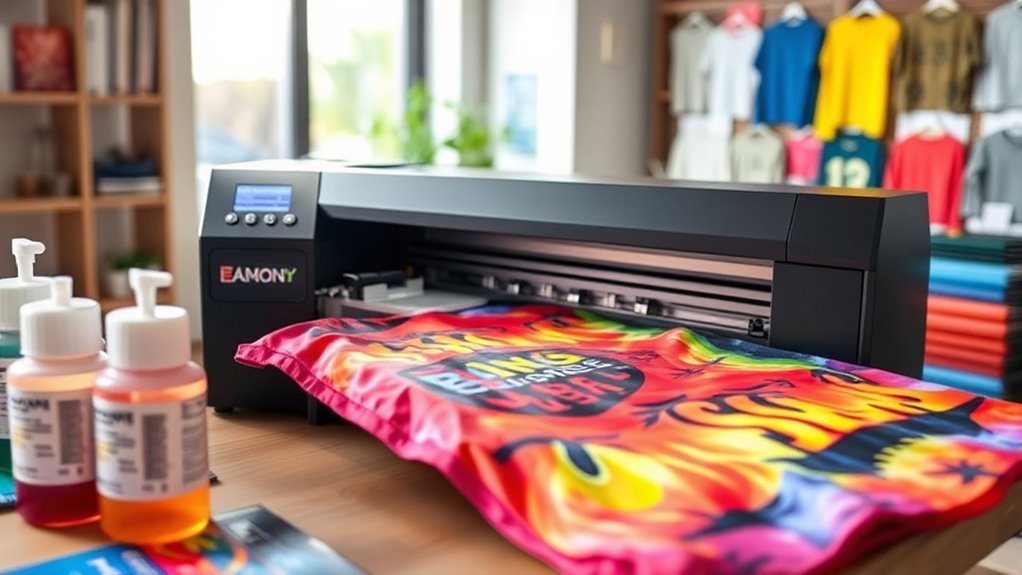
When choosing a cheap sublimation printer for shirts, you’ll want to focus on print quality and resolution to guarantee sharp designs. It’s all about making sure your prints look crisp and professional.
Also, consider the type and cost of ink, as well as the media sizes the printer supports. These can really impact your overall expenses and what kind of projects you can take on.
Don’t forget to check connectivity options and the printer’s size and weight. You want something that fits well in your workspace and matches your workflow without any hassle.
Print Quality And Resolution
Print quality determines how vibrant and detailed your shirt designs will appear after sublimation. When choosing a cheap sublimation printer, look for one offering high resolution—ideally around 1440 x 1440 dpi or higher—to capture sharp images and fine details. This is especially important if your designs include intricate patterns or small text.
Additionally, excellent color saturation and contrast make your prints pop. So, select printers with advanced printhead technology like PrecisionCore for precise droplet control.
While ink type affects print quality, we’ll cover that next. But just know that genuine inks typically yield better color fidelity and longevity.
Prioritize printers that balance resolution and color accuracy. This way, you’ll guarantee your shirts look professional and eye-catching every time.
Ink Type And Cost
Choosing the right ink type plays an essential role in achieving vibrant, durable shirt designs with sublimation printers. You’ll typically use dye-based inks, which deliver bright colors and long-lasting prints on fabric.
Most printers rely on a four-color system—cyan, magenta, yellow, and black. So keep in mind this affects both your initial cost and ongoing ink expenses.
To save money, consider high-capacity ink bottles if you plan on printing in volume. They reduce frequent replacements and can really add up in savings.
Always use ink compatible with your printer model. Non-genuine inks might lower print quality and durability, which could cost you more in reprints.
Regular maintenance and careful ink management will also help extend your printer’s life. Plus, it keeps your ink costs efficient over time.
Media Size Compatibility
Beyond selecting the right ink, you’ll want to contemplate the media size your sublimation printer can handle, as it directly affects the size and complexity of your shirt designs. Smaller printers typically support media up to 8.5 x 11 inches, perfect for standard T-shirt graphics.
If you’re aiming for larger or more detailed designs, consider printers that accommodate formats like 11 x 17 or even 13 x 19 inches. Also, check if your printer can handle thicker media types, especially if you plan on using specialty substrates.
Larger media sizes let you print multiple designs at once, boosting your efficiency. Finally, always verify compatibility with sublimation paper dimensions to guarantee peak print quality and minimize waste.
This way, you’ll get the best results without overspending on unnecessary features.
Connectivity Options Available
Connectivity plays an essential role when picking a sublimation printer for your shirt designs. You’ll want a printer that offers multiple connection options like Wi-Fi, USB, and Ethernet to fit your setup needs.
Wi-Fi lets you print directly from smartphones and tablets, which is perfect if you like working on the go. Ethernet connections provide stable, high-speed data transfer. This is ideal for handling larger print jobs or running a busy shop.
USB connections are straightforward and reliable, especially if you don’t have consistent network access. Some printers also support app-based printing, letting you design and send projects straight from your device without needing a computer.
Choosing a printer with flexible connectivity guarantees smooth, hassle-free printing every time. It just makes the whole process easier and more convenient.
Printer Size And Weight
Once you’ve considered how your sublimation printer will connect to your devices, it’s also important to think about the printer’s size and weight. The printer’s dimensions directly affect the maximum media size you can print on—most compact models handle up to 8.5 x 11 inches. That size is ideal for shirts and smaller accessories.
Lighter printers, typically under 10 pounds, offer easy portability and storage. On the other hand, heavier models provide more stability during printing. Make sure your workspace can accommodate the printer’s footprint, including extra space for heat presses or supplies.
While larger printers support bigger projects, they do need more room. Plus, they may increase ongoing costs for ink and maintenance. Balancing size and weight helps you pick a printer that fits your space and project needs without unnecessary hassle.
Ease Of Use
When choosing a cheap sublimation printer for shirts, ease of use can make a big difference in your printing experience. Look for printers with user-friendly software that lets you import and edit images effortlessly.
Models featuring intuitive control panels, like touch screens, simplify navigation and operation, saving you time. Consider printers with integrated apps offering design templates and tutorials to boost your creativity.
Opt for machines supporting multiple connectivity options so you can print directly from various devices without hassle. Also, prioritize printers with straightforward maintenance features, such as auto-cleaning print heads, to reduce downtime and keep performance consistent.
Choosing a printer built with these user-friendly features guarantees your printing process stays smooth and efficient every time. It just makes everything easier and more enjoyable!
Warranty And Support
Although price plays a big role in your decision, you shouldn’t overlook warranty and support when choosing a cheap sublimation printer for shirts. A solid warranty, ideally longer than one year, shows the manufacturer’s confidence and protects you against defects.
Reliable customer support is just as important—look for printers backed by accessible online resources and responsive assistance to help you troubleshoot problems quickly. Pay attention to clear return policies, giving you the option to return the printer if it doesn’t meet your expectations.
Also, consider how easy it is to find replacement parts and ink, as this can extend your printer’s life and keep your business running smoothly. Prioritizing these factors guarantees you get both value and reliability.
Frequently Asked Questions
Can Sublimation Printers Be Used on Dark-Colored Shirts?
No, you can’t use sublimation printers directly on dark-colored shirts because sublimation works best on light, polyester fabrics.
For dark shirts, you’ll need special coatings or transfer papers to get vibrant, lasting prints. It’s a bit more work, but totally doable if you want those bright colors to pop!
How Long Do Sublimation Prints Typically Last on Fabric?
You might be surprised, but sublimation prints typically last for years!
If you care for your shirts properly, avoiding harsh washing, your designs will stay vibrant and won’t crack or peel.
This keeps your fabric looking fresh and new for a long time.
Are Sublimation Inks Safe for Skin Contact?
Yes, sublimation inks are generally safe for skin contact since they bond with fabric fibers, reducing direct exposure.
However, you should avoid prolonged skin contact with fresh prints to prevent irritation or allergic reactions.
It’s always a good idea to let the print fully cure before wearing it against your skin. That way, you minimize any risk and stay comfortable.
Can I Use Sublimation Printers for Other Materials Besides Shirts?
Yes, you can use sublimation printers on other materials like mugs, phone cases, and polyester fabrics.
Just remember, sublimation works best on polyester or polymer-coated surfaces. This way, you get vibrant, lasting prints you’ll love.
What Maintenance Is Required for Sublimation Printers?
You’ll need to clean print heads regularly, use compatible sublimation inks, and run nozzle checks.
Also, keep the printer covered when idle to prevent dust buildup. It really helps to keep everything running smoothly.
Don’t forget to perform occasional software updates too. This guarantees smooth operation and keeps your printer in top shape.
Conclusion
Choosing the right cheap sublimation printer for shirts can make a huge difference in your business or hobby. Imagine Sarah, who started with the Epson SureColor F170—affordable yet reliable—and quickly turned her passion for custom tees into a thriving online store.
By picking a printer that balances cost and quality, you’re setting yourself up for success without breaking the bank. So, take your time, consider your needs, and get ready to create amazing designs effortlessly!
When searching for the best cheap sublimation printer for shirts, focus on finding a model that offers great print quality, ease of use, and durability. This way, you’ll enjoy producing vibrant, long-lasting designs that keep customers coming back. Investing in the right printer means more than just saving money—it’s about boosting your creativity and growing your business smartly.