3 Best Budget Printers for Sublimation in 2027
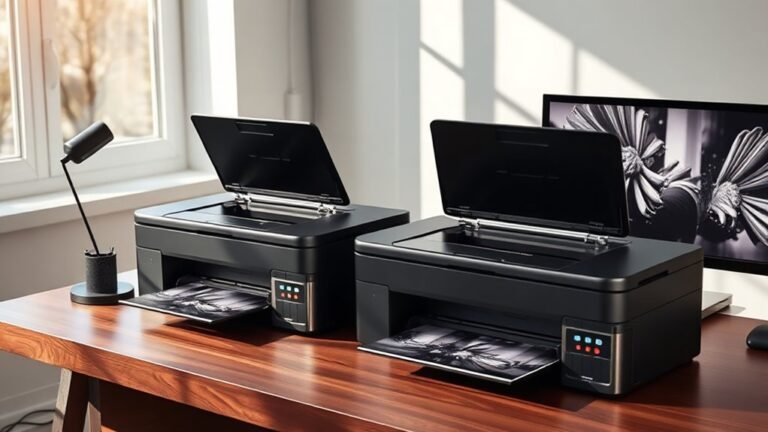
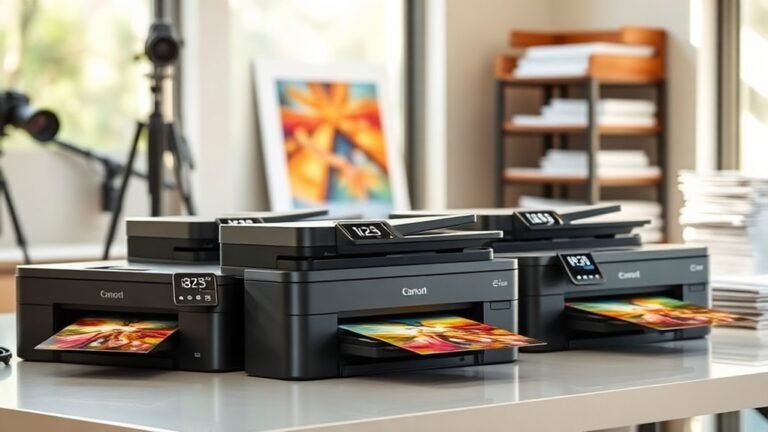
You’ll find great budget sublimation printers like the Sawgrass SG500, Brother SP-1, and Sawgrass VersiFlex SG1000, all bundled with inks and paper to get you started instantly. These printers are perfect for anyone looking to dive into sublimation without breaking the bank.
The SG500 and VersiFlex offer compact designs and versatile media sizes, making them ideal for various creative projects. Meanwhile, the Brother SP-1 shines with high resolution for vibrant prints that really pop.
Each supports Wi‑Fi and USB for easy setup, so you can get printing quickly and hassle-free. Keep exploring to uncover how these printers balance cost, quality, and performance for your creative projects.
| Image | Name | Editor's Rating | Price |
|---|---|---|---|

|
|
||

|
|
||

|
|
Sawgrass SG500 Sublimation Printer, 31 mL Inks and Paper Bundle
- Professional-Grade Print Quality: The Sawgrass SG500 delivers professional-grade sublimation printing, perfect for creating custom t-shirts, drinkware, signage, and...
- Rich & Vivid CMYK Sublimation Printing Inkset: Includes a full set of SubliJet UHD inks (cyan, magenta, yellow, black), specially formulated in small batches to produce...
- Compact Design with Big Potential: The SG500 offers desktop-friendly dimensions without compromising performance, printing on media up to 8.5” x 14”; This makes it...
- Powerful, User-Friendly Software: Gain access to our all-in-one MySawgrass platform, an intuitive online design tool packed with templates, allowing you to create...
- Built for Growth and Reliability: With features like Wi-Fi connectivity and print head auto-maintenance, the SG500 is engineered for durability and long-term use; Whether...
The Sawgrass SG500 Sublimation Printer bundle is a practical choice for those seeking a compact, reliable printer designed to deliver vivid, professional-quality prints. It solves the common challenge of clogging with its anti-clog print-head design, ensuring consistent performance without frequent interruptions.
This printer includes everything needed to start printing immediately—four 31 mL SubliJet UHD inks and TruePix paper. Its Wi-Fi and USB connectivity offer flexible setup options, fitting comfortably into small workspaces. The compact size allows seamless integration into home offices or small business environments.
Maintenance is straightforward thanks to the auto-maintenance feature, which reduces downtime and keeps the printer running smoothly over time. It efficiently handles standard print sizes up to 8.5″ x 14″, making it ideal for apparel, drinkware, and promotional items.
While the print speed of up to 10 color pages per minute suits moderate production, it might not meet the demands of high-volume printing. The printer balances ease of use and quality output, making it a smart tool for creative entrepreneurs.
Best for: small business owners and hobbyists needing an affordable sublimation printer that delivers vibrant, durable prints for customized products.
What We Like:
- Complete bundle with printer, inks, and premium paper for instant printing
- Anti-clog print-head and auto-maintenance for reliable long-term use
- Compact design with Wi-Fi and USB connectivity for versatile workspace placement
- Vivid CMYK color output ideal for apparel and promotional items
Specification:
| Feature | Details |
|---|---|
| Manufacturer | Sawgrass |
| Dimensions | Compact desktop size |
| Ink Volume | Four 31 mL SubliJet UHD inks |
| Media Size | Up to 8.5″ x 14″ (Letter to Legal) |
| Connectivity | Wi-Fi and USB |
Brother Sublimation Printer with Ink and Paper Set
- Powered by Artspira: Import printing images easily with the free Artspira app. With access to printing patterns and designs, plus the ability to convert images into...
- Create in Artspira: To start using the Brother Sublimation Printer, you must first download the free Artspira app. Once in Artspira, you can access over 100 sublimation...
- Make readymade clothes all yours: Use the Brother Sublimation Printer for your next DIY Project! It's as easy as creating your design on Artspira, transferring it...
- Fast printing speeds: With fast printing speeds, up to 45 seconds per sheet, you can quickly show off your custom project in full color.
- Ink Bundle: This product bundle also includes an extra set of 3 standard yield color sublimation ink cartridges, cyan, magenta and yellow, and 100 sheets of letter-size...
The Brother Sublimation Printer with Ink and Paper Set transforms your creative ideas into vibrant, high-quality prints. Designed for easy use, this dye sublimation printer (Model SP-1) produces detailed designs with resolutions up to 1200 x 2400 dpi. It simplifies the printing process by including genuine Brother ink cartridges and 100 sheets of sublimation paper, so you can start your projects right away.
Maintaining this compact printer is straightforward, helping you avoid downtime and costly repairs. Its compatibility with the Artspira app adds flexibility, allowing you to edit designs and access over 100 ready-made sublimation patterns. This feature reduces the time spent on setup and enhances your creative workflow.
The printer works seamlessly with fabrics and coated items, but it requires a separate heat press for transferring your designs. Its letter-size media limitation suits small to medium projects, making it ideal for hobbyists and small business owners. Wi-Fi and USB connectivity options ensure smooth integration with your devices.
This set offers a practical and cost-effective solution for producing personalized items, improving your creative output without overwhelming your workspace or budget.
Best for: Creative hobbyists and small business owners seeking a reliable dye sublimation printer with included ink and paper for fabric and coated item customization.
What We Like:
- Includes genuine Brother sublimation ink cartridges and 100 sheets of sublimation paper for immediate use
- High-resolution printing up to 1200 x 2400 dpi for vibrant, detailed designs
- Compatible with the free Artspira app featuring over 100 sublimation patterns
- Compact design with Wi-Fi and USB connectivity for easy setup and use
Specification:
| Feature | Details |
|---|---|
| Manufacturer | Brother |
| Model | SP-1 |
| Print Resolution | Up to 1200 x 2400 dpi |
| Ink Cartridges | Cyan, Magenta, Yellow, Black |
| Included Paper | 100 sheets, letter-size (8.5 x 11 in) |
| Connectivity | Wi-Fi, USB |
| Media Size | Letter (8.5 x 11 inches) |
| Dimensions | Compact size (exact dimensions not provided) |
| Heat Press | Sold separately |
Sawgrass VersiFlex SG1000 Printer, Ink and Transfer Paper Bundle
- A pressure adjustable manual heat press is required. VersiFlex Kit Includes: A Sawgrass SG1000 printer, 31ml VersiFlex ink cartridge 4 Pack, 50 sheets of VersiFlex Light...
- VersiFlex Unique Decoration System – Next-gen decoration solution for durable, high-quality prints on porous materials like natural fibers & untreated wood—more...
- Simplified Decoration - No Pre-treatment Needed! VersiFlex technology enables high-quality decoration on porous surfaces - natural fibers, cotton, canvas, and untreated...
- Unleash Vibrant Colors & Soft Feel - VersiFlex Decoration Inks exclusively for the SG1000 that deliver stunning, true-to-life colors with a soft touch. No more stiff...
- Industry-Trusted Printers, Innovative Inks & Specialized Papers: Experience flawless prints, REACH/RoHS/OEKO-TEX certified.
Experience vibrant, soft-feel prints on natural fibers effortlessly with the Sawgrass VersiFlex SG1000 bundle. This kit combines the SG1000 printer, ink cartridges, and transfer paper to deliver high-quality decorations without any pre-treatment. It solves the common challenge of printing on porous materials like cotton and canvas while maintaining durability and color vibrancy.
The bundle includes four 31 ml CMYK ink cartridges and 50 sheets of VersiFlex Light Heat Transfer Paper. These components work together to produce sharp images with a resolution up to 1200 x 1200 dpi. Setup is straightforward with one tray, and connectivity options include Wi-Fi and USB, supporting easy integration into various work environments.
Maintenance is simple thanks to its design focused on porous substrates such as untreated wood and fabrics. While the print speed is moderate at 5 ppm in color, the SG1000 excels in delivering consistent results for small to medium projects. Its size limitation to 8.5 x 11 inches fits typical craft and decoration needs.
Best for: budget-conscious decorators and small businesses needing a reliable solution for vibrant prints on porous materials without pre-treatment.
What We Like:
- Produces durable, vibrant prints on natural fibers and porous surfaces
- Complete bundle simplifies the printing process
- Easy connectivity via Wi-Fi and USB, with network readiness
- Compact design tailored for small-format printing
- Suitable for untreated materials like cotton, canvas, and wood
Specification:
| Feature | Details |
|---|---|
| Manufacturer | Sawgrass |
| Printer Model | VersiFlex SG1000 |
| Ink Cartridges | 4 x 31 ml (CMYK) |
| Transfer Paper | 50 sheets VersiFlex Light |
| Max Print Size | 8.5 x 11 inches |
| Print Resolution | Up to 1200 x 1200 dpi |
| Connectivity | Wi-Fi, USB |
| Intended Substrates | Porous materials (cotton, canvas, untreated wood) |
Factors to Consider When Choosing a Budget Printer for Sublimation
When choosing a budget printer for sublimation, you need to focus on print quality and resolution to guarantee sharp results. Consider ink compatibility and cost, as well as the media size and capacity to match your project needs.
Don’t forget to check connectivity options and the warranty or support offered for peace of mind. These little details can make a big difference when you’re setting up your printing workflow.
Print Quality And Resolution
Although budget printers may have limitations, you’ll want to prioritize print quality and resolution to make certain your sublimation transfers look sharp and vibrant. Look for printers with a high maximum resolution—1200 x 1200 dpi or more—to capture fine details and smooth gradients, especially for photographic or intricate designs.
Pay attention to printhead technology; smaller droplets and precise nozzles improve edge sharpness and reduce banding, making text crisp. A wide color gamut and well-calibrated profiles make certain your colors stay accurate and vivid after heat transfer.
Consistent ink laydown and reliable nozzle maintenance help avoid streaks and color shifts, keeping print quality uniform across long runs. Also, native support for high-res print modes and color management tools simplifies matching colors to your substrate.
Ink Compatibility And Cost
Since using the right ink is essential for sublimation printing, you’ll want to confirm your printer supports dedicated sublimation inks rather than standard dye- or pigment-based ones. Using the wrong ink risks clogging print heads and ruining color fidelity.
Compare per-ml ink costs and cartridge or bottle sizes carefully—cheap printers often come with costly sublimation ink, especially if you print high-coverage designs. Check ink yield to estimate cost per finished item, factoring in paper waste and transfer inefficiencies.
Also, consider the ink delivery system: refillable tanks usually lower ongoing costs but may need more upkeep compared to replaceable cartridges or integrated packs. Finally, review manufacturer guidance on ink compatibility and warranty impact, as third-party inks can save money but might affect reliability or void your warranty.
Media Size And Capacity
Ink compatibility and cost play a big role in choosing a sublimation printer, but media size and capacity can impact your workflow just as much. You’ll want a printer that supports the largest paper size you plan to use—whether that’s letter (8.5″ x 11″), legal (8.5″ x 14″), or even extended rolls up to 8.5″ x 51″—to avoid tiling and get full-bleed prints.
Check the input tray’s sheet capacity to match your production needs; a 100-sheet tray works well for small batches, while smaller trays might slow you down with higher volumes. Don’t forget to verify max media thickness and weight limits if you’re using heavy transfer papers.
Also, see if the printer supports single-sheet feeding, bypass trays, or roll media for greater flexibility in your projects. It really helps to have those options when working on different types of jobs.
Connectivity Options Available
How you connect your sublimation printer can markedly impact your workflow and reliability. Wi-Fi lets you print wirelessly from design apps or multiple devices, but occasional dropouts can disrupt your work.
If stability is key, a USB direct connection offers the fastest, most reliable data transfer, minimizing corrupted prints. Ethernet suits small shops well, providing high-throughput printing and easy sharing across multiple workstations.
Don’t overlook the number of USB or Ethernet ports if you plan to connect scanners or external drives simultaneously. Additionally, cloud or app-based printing enables remote job submission and easy template access, but you’ll need compatible software and secure internet.
Choosing the right connectivity guarantees smooth, efficient sublimation printing tailored to your setup. It’s all about matching the option to what fits your workflow best.
Warranty And Support
Reliable connectivity keeps your sublimation projects flowing smoothly, but even the best setup can run into hiccups. That’s why checking warranty and support is vital when choosing a budget sublimation printer.
Look for warranties lasting 1–3 years that explicitly cover print heads, electronics, and ink-related failures. Make sure support options like phone, email, live chat, and online resources are readily available, with clear response times.
Find out if repairs require shipping the printer or if on-site service or loaner units are offered to minimize downtime. Also, confirm what consumables and parts are covered, including firmware updates, and understand required maintenance to keep your warranty valid.
Finally, review return policies and available training or extended support for growing businesses. It’s all about making sure you’re covered and supported when you need it most.
Frequently Asked Questions
Can Sublimation Printers Print on Dark Fabrics?
No, sublimation printers can’t print directly on dark fabrics because the inks are transparent.
You’ll need to use white or light-colored polyester materials or apply a special coating to make your designs pop on darker surfaces.
Basically, the color of the fabric plays a huge role here. If it’s dark, the sublimation ink won’t show up well without some extra steps.
How Long Does Sublimation Ink Last After Printing?
Sublimation ink lasts indefinitely on your printed transfer paper if stored properly in a cool, dry place. So, as long as you keep it away from heat and moisture, you’re good to go.
But once you transfer the design, the colors stay vibrant for years without fading. This is especially true when you’re working with polyester fabrics. They really hold onto those bright colors!
Are Sublimation Printers Compatible With Mac and Windows?
Of course, sublimation printers only work on one system, right? Actually, you’ll find most models compatible with both Mac and Windows, letting you print your vibrant designs no matter which side of the tech fence you’re on.
It’s pretty convenient, especially if you switch between devices or work in a mixed environment. So, no need to worry about compatibility issues when choosing a sublimation printer!
Can Sublimation Printers Be Used for Photo Printing?
Yes, you can use sublimation printers for photo printing, especially on polyester or coated surfaces. They deliver vibrant, durable images.
But they’re not ideal for regular photo paper like traditional inkjets. So, if you’re thinking about printing photos on standard paper, sublimation might not be the best choice.
What Maintenance Is Required for Sublimation Printers?
Think of your sublimation printer as a garden—it needs regular watering. You’ll clean print heads, flush ink lines, and keep cartridges full to avoid clogs.
Regular maintenance guarantees vibrant prints and smooth operation every time. It’s all about staying on top of these tasks so your printer runs like a charm.
Conclusion
When you pick your budget sublimation printer, it’s like finding the perfect brush for your masterpiece. Whether it’s the Sawgrass SG500’s vibrant hues, Brother’s reliable charm, or the VersiFlex SG1000’s bold strokes, each choice paints your creativity vividly.
Just like ink meeting paper, your decision blends quality with cost, making magic happen. So, trust your instincts and let your ideas flow—your perfect printer is ready to bring those colors to life.
Choosing the best budget printer for sublimation means balancing affordability with performance. These top options offer excellent value without compromising on print quality or durability. Whether you’re a hobbyist or growing a small business, the right printer helps your creative vision stand out.
In 2027, investing in a budget sublimation printer like the Sawgrass SG500, Brother, or VersiFlex SG1000 ensures vibrant prints and dependable results. So, go ahead—bring your designs to life with a budget-friendly sublimation printer that fits your needs perfectly!