15 Best Brother Printer All-in-One Models for 2027 Reviewed
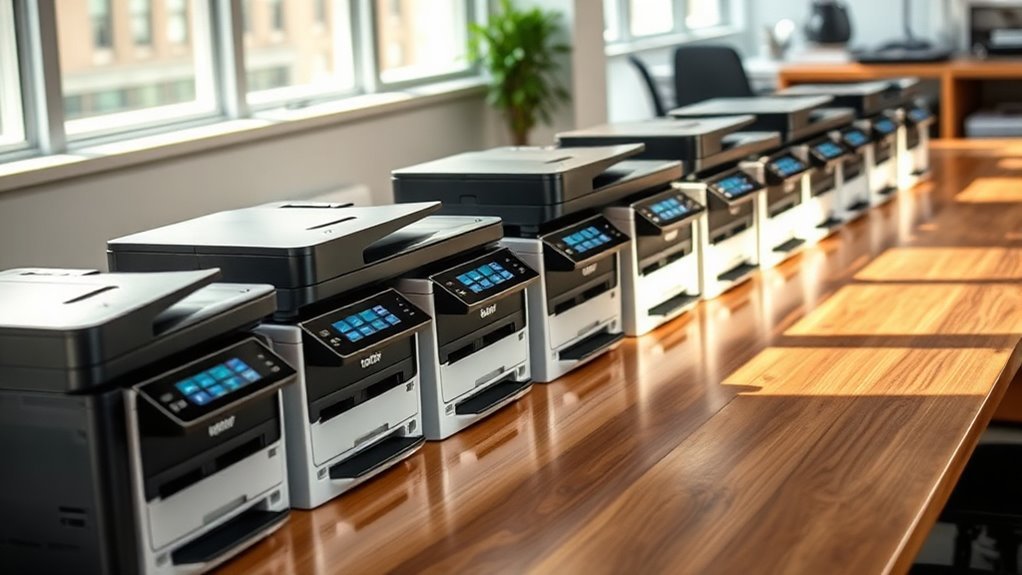
You want a Brother all-in-one printer that fits your home or office needs in 2027. Brother printers are known for their reliability and versatility, making them a top choice for various printing tasks. Whether you’re looking for speed, quality, or advanced features, Brother has you covered.
If you need fast monochrome laser models like the DCP-L2640DW or MFC-L2820DW, these are perfect for efficient black-and-white prints. On the other hand, color inkjets like the Work Smart 1360 and INKvestment series deliver vibrant, eye-catching output.
For those handling high-volume color printing, the MFC-L8930CDW offers advanced features and excellent performance. Take a look at Brother’s lineup to find the perfect match for your workflow and printing demands.
| Image | Name | Editor's Rating | Price |
|---|---|---|---|

|
|
||

|
|
||

|
|
||

|
|
||

|
|
Brother DCP-L2640DW Wireless Monochrome Printer
- BEST FOR SMALL BUSINESSES – Engineered for extraordinary productivity, the Brother DCP-L2640DW Monochrome (Black & White) 3-in-1 combines laser printer, scanner, copier...
- FAST PRINTER WITH EFFICIENT SCANNING – Produces documents quickly with print speeds up to 36 ppm(2) and scan speeds up to 23.6/7.9 ipm(3) (black/color). A 50-page auto...
- FLEXIBLE CONNECTION OPTIONS – Easily navigate the changing demands of your business with secure multi-device connectivity via built-in dual-band wireless (2.4GHz...
- BROTHER MOBILE CONNECT APP – Print, scan, and manage your wireless printer anytime, from almost anywhere from your mobile device. Order Brother Genuine Supplies, track...
- CHOOSE BROTHER GENUINE TONER – When it’s time to replace your toner, be sure to choose Brother Genuine TN830 or TN830XL replacement toner. And with Refresh EZ Print...

The Brother DCP-L2640DW wireless monochrome printer is designed to enhance productivity for small businesses and home offices. It combines printing, scanning, and copying in one compact device, helping you manage tasks efficiently without clutter.
With printing speeds up to 36 pages per minute and automatic duplexing, this printer handles high-volume jobs quickly. The 50-sheet automatic document feeder and 250-sheet paper tray reduce interruptions, allowing you to focus on your work instead of constant refills.
Maintaining this printer is straightforward thanks to its monochrome laser technology, which generally requires less frequent toner replacement than color models. Its dual-band wireless connectivity and compatibility with the Brother Mobile Connect app make it easy to print from various devices.
While it does not support color printing and lacks a touchscreen interface, its simple LCD controls keep operation clear and user-friendly. This model is ideal for those who need reliable black-and-white printing with versatile wireless options.
Best for: Small businesses and home offices seeking a dependable monochrome all-in-one printer with wireless functionality and efficient high-volume handling.
What We Like:
- Fast printing and copying speeds with automatic duplexing
- Compact design with efficient paper handling features
- Dual-band wireless and mobile app compatibility for flexible connectivity
Specification:
| Feature | Details |
|---|---|
| Manufacturer | Brother |
| Dimensions (W×D×H) | 15.7 × 15.3 × 7.7 in |
| Weight | 15.4 lb (7 kg) |
| Printing Technology | Monochrome Laser |
| Connectivity | Dual-band Wireless |
| Paper Capacity | 250-sheet tray, 50-sheet ADF |
Brother Work Smart 1360 Wireless Color Inkjet All-in-One Print, Scan, Copy
- AFFORDABLE ALL-IN-ONE FOR HOME AND HOME OFFICE: Print, copy, and scan on one compact wireless printer designed for everyday home office printing, schoolwork, documents...
- EASY TO USE WITH CLOUD APP CONNECTIONS: Print from and scan to popular Cloud apps(2), including Google Drive, Dropbox, Box, OneDrive, and more from the simple-to-use...
- FULL-SIZE FEATURES IN A COMPACT DESIGN: This printer includes automatic duplex (2-sided) printing, a 20-sheet single-sided Automatic Document Feeder (ADF)(3), and a...
- MULTIPLE CONNECTION OPTIONS: Connect your way. Interface with your printer on your wireless network or via USB.
- MOBILE PRINTING MADE EASY: Go mobile with the Brother Mobile Connect app(5) that delivers easy onscreen menu navigation for printing, copying, scanning, and device...
The Brother Work Smart 1360 Wireless Color Inkjet All-in-One is designed to meet the needs of home users and small offices looking for versatile and efficient printing solutions. It simplifies everyday tasks by combining printing, scanning, and copying into one compact device.
This all-in-one printer helps save time with fast print speeds—up to 16 ppm for black and 9 ppm for color—and supports automatic duplex printing, making two-sided document handling effortless. Its 150-sheet paper capacity and 20-sheet automatic document feeder (ADF) reduce the need for frequent paper refills.
Wireless connectivity options like Wi-Fi, AirPrint, and the Brother Mobile Connect app allow users to print and scan directly from smartphones or tablets. The compact design fits well in tight spaces while being Energy Star certified, ensuring energy efficiency without compromising performance.
Maintenance is straightforward with its user-friendly interface and consumables designed for easy replacement. While it offers solid functionality, the printer’s single paper tray limits media flexibility, and initial print times may be slower compared to some competitors.
Best for: Home users and small offices needing a reliable wireless all-in-one color inkjet printer with practical mobile connectivity and duplex printing.
What We Like:
- Fast print speeds with automatic duplex printing for efficient two-sided documents
- Multiple wireless options including Wi-Fi, AirPrint, and Brother Mobile Connect app
- Compact, Energy Star certified design that fits small workspaces
- 150-sheet capacity and 20-sheet ADF reduce paper handling interruptions
Specification:
| Feature | Details |
|---|---|
| Manufacturer | Brother |
| Dimensions (W x D x H) | Approx. 16.1 x 14.7 x 7.7 inches (41 x 37.3 x 19.6 cm) |
| Weight | Approx. 13.7 lbs (6.2 kg) |
| Technology | Wireless Color Inkjet |
| Paper Capacity | 150 sheets (single tray) |
| ADF Capacity | 20 sheets |
| Connectivity | Wi-Fi, AirPrint, Mobile App |
| Energy Certification | Energy Star Certified |
Brother MFC-L2820DW Wireless Monochrome Laser Printer
- BEST FOR SMALL OFFICES – Combining space-saving efficiency and premium monochrome (black & white) print quality with affordability, the Brother MFC-L2820DW delivers...
- EFFICIENT PRINTING & SCANNING – Produces black & white documents quickly with print speeds up to 36 ppm(2) and scan speeds up to 23.6/7.9 ipm(3) (bk/cl). A 50-page auto...
- FLEXIBLE CONNECTION OPTIONS – Securely connect to multiple devices with built-in dual-band wireless (2.4GHz / 5GHz), Ethernet, or connect locally to a single computer...
- 2.7" TOUCHSCREEN – The intuitive 2.7” touchscreen enables effortless navigation with the added ability to print-from and scan-to popular Cloud-based apps such as...
- BROTHER MOBILE CONNECT APP – Print, scan, and manage your wireless printer anytime, from almost anywhere from your mobile device. Order Brother Genuine Supplies, track...
The Brother MFC-L2820DW Wireless Monochrome Laser Printer is designed to boost productivity in small offices and home workspaces. It handles black-and-white printing tasks quickly and reliably, making your daily document management easier. With fast print speeds and automatic duplexing, it saves time and reduces paper waste.
Its compact design fits neatly on desks while offering multifunction capabilities like scanning, copying, and faxing. The 50-page auto document feeder simplifies multi-page tasks, reducing manual effort. Connectivity options include dual-band Wi-Fi, Ethernet, and USB, so you can print effortlessly from mobile devices or cloud apps.
Maintenance is straightforward with a large 250-sheet tray that means fewer paper refills. ENERGY STAR compliance also ensures energy-efficient operation without compromising performance. The 2.7-inch touchscreen makes navigating options simple, and Alexa compatibility adds voice command convenience.
While it only prints in monochrome and offers a modest scanner resolution of 300 x 300 dpi, this printer balances speed and functionality for everyday office needs. It’s a reliable tool that streamlines your workflow without taking up much space.
Best for: Small offices and home workspaces needing a fast, reliable black-and-white all-in-one printer with wireless and mobile connectivity.
What We Like:
- Fast printing at up to 36 ppm with automatic duplex for efficient document handling
- Multiple connectivity options including dual-band Wi-Fi, Ethernet, and USB
- Compact design with a 50-page auto document feeder and 250-sheet paper capacity
- Easy operation via a 2.7″ touchscreen and Alexa voice compatibility
Specification:
| Feature | Details |
|---|---|
| Manufacturer | Brother |
| Dimensions (W x D x H) | 16.1 x 15.7 x 12.4 inches |
| Weight | 18.3 lbs (8.3 kg) |
| Connectivity | Dual-band Wi-Fi, Ethernet, USB |
| Print Speed | Up to 36 pages per minute |
| Scanner Resolution | 300 x 300 dpi |
Brother Work Smart 1410 Wireless Color Inkjet Printer
- BEST FOR HOME OFFICE AND SMALL OFFICE: Get your work done with a multifunction printer. Print, copy, and scan on one convenient, compact printer, with quick and easy...
- EASY-TO-USE TOUCHSCREEN WITH CLOUD APP CONNECTIONS: Seamless integration with the Cloud(2). Print from and scan to popular Cloud apps(2), including Google Drive, Dropbox...
- PRODUCTIVITY-FOCUSED FEATURES: Automatic duplex (2-sided) printing, 20-sheet single-sided Automatic Document Feeder (ADF)(3), 150-sheet paper tray(3). Print at fast...
- MULTIPLE CONNECTION OPTIONS: Connect your way. Interface with your printer on your wireless network or via USB.
- THE BROTHER MOBILE CONNECT APP: Go mobile with the Brother Mobile Connect app(5) for easy onscreen menu navigation for printing, copying, scanning, and device management...
Experience the convenience of wireless printing with the Brother Work Smart 1410 Wireless Color Inkjet Printer. Designed to simplify your daily tasks, this all-in-one device handles printing, copying, and scanning effortlessly. Its automatic duplex printing reduces paper waste and saves time by printing on both sides without manual intervention.
The printer features a 20-sheet automatic document feeder (ADF), making multi-page scanning and copying faster and more efficient. A bright 2.7” color touchscreen helps you navigate settings and access cloud services like Google Drive and Dropbox quickly. This seamless cloud connectivity keeps your documents accessible and manageable.
Maintenance is straightforward with the Brother Mobile Connect app, allowing you to monitor ink levels and manage print jobs from your smartphone. The included Refresh subscription trial ensures you stay stocked with genuine Brother ink, avoiding unexpected interruptions.
While print speeds of up to 16 ppm for black and 9 ppm for color are suitable for home and small office use, the 150-sheet paper tray may require frequent refills for larger print jobs. Inkjet technology offers vibrant color output but can have higher running costs compared to lasers.
Best for: Home users and small offices needing a versatile wireless all-in-one printer with duplex printing and cloud connectivity.
What We Like:
- Automatic duplex printing and 20-sheet ADF boost productivity.
- Intuitive 2.7” color touchscreen for easy cloud app access.
- Wireless and mobile app support for remote printing and ink management.
- Refresh subscription trial helps maintain ink supply.
Specification:
| Feature | Details |
|---|---|
| Manufacturer | Brother |
| Dimensions (WxDxH) | Approx. 16.7 x 14.3 x 7.5 in |
| Weight | Approx. 12.3 lb (5.6 kg) |
| Printing Technology | Color Inkjet |
| Paper Tray Capacity | 150 sheets |
| Connectivity | Wireless, Mobile App Support |
| Display | 2.7” Color Touchscreen |
Brother MFC-L8930CDW Color Laser All-in-One Printer
- Updated design, professional results. High-quality output with sharp color and black printing. Fast print and copy speeds up to 33ppm(1) help boost productivity. Reliable...
- Maximize printing budgets. Offers built-in value with included Brother Genuine 3,000-page black and 1,800-page color standard yield toner cartridges. Help lower printing...
- Advanced scanning. High-speed, two-sided scanning up to 104ipm(3) with 80-page auto document feeder(4) and legal-size glass. Scan to cloud, email, SharePoint, and more...
- Productivity-enhancing features. Flexible connectivity, including built-in dual-band (2.4GHz / 5GHz) wireless networking and Gigabit Ethernet networking. 7” color...
- Triple Layer Security. Advanced security features to help keep devices secure, protect documents in transit to and from print devices, and safeguard networks. Includes an...
The Brother MFC-L8930CDW is designed to boost productivity for busy offices and teams. This all-in-one color laser printer combines printing, scanning, copying, and faxing in a compact, space-saving design that is 25% smaller than its predecessor. With fast print speeds of up to 33 pages per minute and automatic duplexing, it helps streamline everyday tasks efficiently.
Maintenance is straightforward with its 80-page automatic document feeder, which reduces manual handling for multi-page jobs. The 7-inch touchscreen interface simplifies navigation, allowing quick scanning to cloud services or email. Built-in NFC and triple-layer security features protect sensitive data, ensuring secure access and network integrity.
Connectivity options include wireless and Ethernet, making it easy to integrate into various office environments. While the printer is relatively heavy at 71.2 pounds, it offers a sturdy build suitable for dedicated workstations. Standard toner cartridges have moderate yields, but higher-yield options can be chosen to reduce running costs.
Best for: Business teams, enterprises, and educational institutions needing a reliable, high-volume all-in-one color laser printer with strong security and connectivity.
What We Like:
- Fast print and copy speeds with automatic duplexing and an 80-page ADF for efficient workflow
- Compact design that saves office space without sacrificing functionality
- Advanced security features including NFC authentication and triple-layer protection
- Easy-to-use 7″ touchscreen for quick access to cloud scanning and email
- Flexible wireless and Ethernet connectivity for versatile office setups
Specification:
| Feature | Details |
|---|---|
| Manufacturer | Brother |
| Dimensions | Compact (25% smaller than predecessor) |
| Weight | 71.2 lb (32.3 kg) |
| Functionality | Print, copy, scan, fax |
| Print Speed | Up to 33 ppm |
| Automatic Document Feeder | 80 pages |
| Connectivity | Wireless, Ethernet, NFC |
| Security | Triple-layer security, NFC authentication |
Brother INKvestment 5010 Wireless Color Inkjet Printer

- BEST FOR SMALL BUSINESS: Print, copy, scan, and fax with one powerful device, with advanced security features for business. Includes one 1,800-page yield black ink...
- PRODUCTIVITY-FOCUSED FEATURES: A 250-sheet paper tray, 50-page single-pass duplex (2-sided) automatic document feeder (ADF), and automatic duplex printing on paper up to...
- SUPERIOR PRINTING: Engineered with the Brother PerfectPrint Auto Detection System, which helps ensure reliable, consistent print quality and performance you can depend on...
- SEAMLESS CONNECTIONS: Simplify your workflow with Wi-Fi Direct and multiple connection options, including wireless network interfacing, Ethernet, and USB. Plus, print...
- THE BROTHER MOBILE CONNECT APP: Put the power of printing at your fingertips. Go mobile with the simple-to-use Brother Mobile Connect app, which delivers easy on-screen...
The Brother INKvestment 5010 Wireless Color Inkjet Printer is designed to meet the demands of busy small offices and home workspaces. It handles printing, copying, scanning, and faxing with ease. Its fast print speeds help you complete tasks quickly, reducing wait times and boosting productivity.
This all-in-one printer makes multitasking simple with features like automatic duplex printing and a 50-sheet duplex ADF. The wireless and Ethernet connectivity options let you print directly from your mobile devices or cloud platforms, streamlining your workflow.
Maintenance is hassle-free thanks to the INKvestment system, which provides a long-lasting ink supply that cuts replacement frequency and controls costs. The 2.7″ color touchscreen keeps navigation straightforward, although it’s smaller compared to some models, it remains user-friendly.
While the 250-sheet main tray suits moderate use, it may require frequent refills during heavy printing. Also, the different yields between black and color cartridges mean color replacements might come more often.
Best for: Small businesses and home offices needing a versatile, efficient all-in-one printer with wireless connectivity and cost-effective ink management.
What We Like:
- Fast print speeds with automatic duplex and 50-sheet duplex ADF for smooth multitasking
- INKvestment system ensures long-lasting ink and reduces running costs
- Multiple connectivity options including dual-band Wi-Fi, Ethernet, and mobile/cloud printing support
- User-friendly 2.7″ color touchscreen for easy operation
Specification:
| Feature | Details |
|---|---|
| Manufacturer | Brother |
| Dimensions | Approx. 16.1 x 15.7 x 12.5 in |
| Weight | Approx. 17.5 lbs |
| Connectivity | Wireless (dual-band Wi-Fi), Ethernet |
| Ink System | INKvestment long-lasting cartridges |
| Main Tray Capacity | 250 sheets |
| Duplex ADF Capacity | 50 sheets |
| Touchscreen Size | 2.7 inches color display |
Brother INKvestment 1365 Wireless Color Inkjet Printer

- BEST FOR HOME AND HOME OFFICE: This multifunction printer makes it easy to print, copy, and scan—all in one compact printer. Includes one 1,200-page yield black...
- WIRELESS, MOBILE, AND USB CONNECTIVITY: Connect your way. Interface with your printer on your wireless network or via USB. Enhance your workflow with Wi-Fi Direct, which...
- CLOUD APP CONNECTIONS: Print from and scan to popular Cloud apps(3), including Google Drive, Dropbox, Box, OneDrive, and more, from an impressive 1.8” color display...
- PRODUCTIVITY-FOCUSED FEATURES: A 150-sheet paper tray(4), 20-page single-sided automatic document feeder (ADF)(4), and automatic duplex (2-sided) printing. Prints at fast...
- THE BROTHER MOBILE CONNECT APP: Put the power of printing at your fingertips. Go mobile with the Brother Mobile Connect app(6) that delivers easy onscreen menu navigation...
The Brother INKvestment 1365 Wireless Color Inkjet Printer offers a smart solution for those aiming to reduce printing costs while maintaining professional quality. Its clear, sharp prints help small businesses and home offices create polished documents without expensive supplies. The wireless setup simplifies printing from multiple devices, saving time and hassle.
Designed for efficiency, this printer supports automatic duplex printing and a 150-sheet paper tray, making it easy to handle everyday tasks and multi-page jobs. The 20-page automatic document feeder speeds up copying and scanning, reducing manual effort. High-resolution output at up to 1,200 x 6,000 dpi ensures vibrant colors and crisp text.
Maintenance is straightforward with high-yield ink cartridges that stretch your budget further, though color cartridge yields are lower than black. The printer supports Wi-Fi, Wi-Fi Direct, USB connections, and mobile printing through the Brother Mobile Connect app, enhancing flexibility. However, some features require an internet connection and compatible devices.
Best for: Small businesses and home offices needing cost-effective, wireless color printing with versatile functionality.
What We Like:
- Sharp, high-resolution prints with fast black and color speeds
- Automatic duplexing and efficient multi-page handling
- Multiple connectivity options including wireless and mobile printing
- High-yield cartridges reduce frequent replacements
Specification:
| Feature | Details |
|---|---|
| Manufacturer | Brother |
| Dimensions (W x D x H) | Approx. 16.7 x 14.2 x 7.9 in |
| Weight | Approx. 16.3 lb (7.4 kg) |
| Print Resolution | Up to 1,200 x 6,000 dpi |
| Print Speed | 16 ppm black, 9 ppm color |
| Paper Capacity | 150-sheet tray, 20-page ADF |
| Connectivity | Wi-Fi, Wi-Fi Direct, USB |
Brother MFC-L3780CDW Wireless Digital Color All-in-One Printer

- Best for Small Businesses: The Brother MFC L3780CDW small business printer is a wireless multi-function digital color printer with copy, scan, and fax functionalities...
- AMPLIFY YOUR PROFESSIONAL DOCUMENTS. This Brother laser printer provides the consistent performance of laser-quality digital color printing
- MAXIMIZE EFFICIENCY WITH ALL-IN-ONE FUNCTIONALITY. This Brother all in one printer has print speeds up to 31 ppm(1) and scan speeds up to 29/22 ipm(2) (black/color) with...
- RELIABLE RESULTS WITH BROTHER GENUINE TONER. Choose Brother Genuine TN229 Standard Yield, TN229XL High Yield, or TN229XXL Super High Yield for your Brother printer...
- Flexible Connection Options: Brother laser color printer has built-in dual band wireless (2.4GHz / 5GHz)(5), Gigabit Ethernet, and Wi-Fi Direct connections, plus a USB...
Experience seamless productivity with the Brother MFC-L3780CDW, a wireless digital color all-in-one printer designed to simplify office tasks. This device combines printing, copying, scanning, and faxing into one compact unit, reducing clutter and streamlining workflows. Its sharp 3.5″ touchscreen makes navigating functions straightforward, saving you time on routine jobs.
The printer delivers crisp, smudge-free color prints at speeds up to 31 pages per minute, helping you meet tight deadlines without sacrificing quality. Automatic duplex printing and dual 250-sheet trays let you handle large volumes with less interruption. This setup suits busy environments that demand efficiency and versatility.
Connectivity options include dual-band Wi-Fi, Ethernet, and NFC, providing secure and flexible ways to connect your devices. Maintenance is simplified with subscription toner plans, ensuring you stay stocked without hassle while reducing waste. However, the 250-sheet capacity might require upgrades for very high-volume use.
Power consumption peaks at 660 watts, so consider energy use in your workspace setup. Overall, this Brother model supports small offices with reliable, multifunction printing that adapts to daily demands.
Best for: Small businesses and home offices needing a reliable, multifunction wireless color laser printer that balances speed and media versatility.
What We Like:
- Fast, smudge-free color output at up to 31 ppm
- Automatic duplex printing and dual trays for efficient paper handling
- Multiple secure connectivity options: dual-band Wi-Fi, Ethernet, NFC
- Easy-to-use 3.5″ touchscreen interface
- Subscription toner service simplifies maintenance and reduces waste
Specification:
| Feature | Details |
|---|---|
| Manufacturer | Brother |
| Model | MFC-L3780CDW |
| Dimensions (W×D×H) | 16.1 × 18.0 × 17.7 inches |
| Weight | Approximately 31.6 lbs (14.3 kg) |
| Printing Technology | Wireless digital color laser |
| Connectivity | Dual-band Wi-Fi, Ethernet, NFC |
| Paper Capacity | 2 trays, 250 sheets each |
| Display | 3.5-inch color touchscreen |
Brother MFC-L3720CDW Wireless Color Laser Printer

- Professional Performance: Dominate your business printing with this Brother Genuine color laser printer delivering exceptional print speeds up to 19 ppm and stunning...
- Advanced Connectivity: Take command of your workflow with dual-band wireless networking (2.4GHz/5GHz), Wi-Fi Direct, and USB 2.0 interface, enabling multiple users to...
- Productivity Powerhouse: Maximize efficiency with the 50-sheet auto document feeder, 250-sheet adjustable paper tray, and automatic duplex printing, ensuring...
- Smart Integration: Transform your workflow with the intuitive 3.5" color touchscreen featuring 48 customizable shortcuts and direct access to popular cloud services...
- Mobile Command Center: Leverage the power of mobile printing with remote access capabilities, toner level monitoring, and complete printer management directly from your...
Experience fast, high-quality printing with the Brother MFC-L3720CDW, designed to streamline your workflow. This all-in-one wireless color laser printer handles printing, scanning, copying, and faxing with ease, helping you manage daily tasks efficiently. Its laser technology delivers sharp, smudge-free prints at speeds up to 19 pages per minute.
The intuitive 3.5″ color touchscreen offers customizable shortcuts, making operation simple and quick. Dual-band Wi-Fi and Wi-Fi Direct ensure reliable connectivity, so you can print from multiple devices without hassle. Automatic duplexing saves paper by printing on both sides, supporting eco-friendly office practices.
Maintenance is straightforward with a 250-sheet tray and a 50-sheet automatic document feeder, reducing the need for frequent refills. Toner save mode extends cartridge life, helping to control costs while minimizing waste. Cloud integration options add convenience for remote printing and scanning.
Though it weighs 44 pounds and is limited to printing up to 8.5 x 14 inches, this model balances performance with efficiency, ideal for busy environments where space and reliability matter.
Best for: Small to medium-sized offices or home users needing a dependable wireless color laser printer with versatile functions and fast output.
What We Like:
- Sharp, smudge-free laser prints at up to 19 ppm
- Easy-to-use 3.5″ color touchscreen with customizable shortcuts
- Reliable dual-band Wi-Fi and Wi-Fi Direct connectivity
- Eco-conscious features like automatic duplexing and toner save mode
- Efficient document handling with 250-sheet tray and 50-sheet ADF
Specification:
| Feature | Details |
|---|---|
| Manufacturer | Brother |
| Dimensions (W×D×H) | 16.1 × 18.7 × 16.1 in |
| Weight | 44 lb |
| Printing Technology | Wireless Color Laser |
| Paper Capacity | 250-sheet tray, 50-sheet ADF |
| Maximum Paper Size | 8.5 × 14 in |
| Display | 3.5″ Color Touchscreen |
Brother INKvestment 4355 Wireless Color Inkjet Printer

- UP TO 1-YEAR OF INK IN-BOX¹ – Enjoy exceptional convenience and savings with enough ink for up to 1 year of printing right out of the box¹.
- REVOLUTIONARY INKVESTMENT TANK TECHNOLOGY – Internal ink tank system works with front-loading cartridges for hassle-free, uninterrupted printing with no manual refills.
- COMPACT ALL-IN-ONE FUNCTIONALITY – Print, copy, scan, and fax with fast speeds, duplex printing, and a 20-page automatic document feeder
- WIRELESS AND CLOUD READY – Print-from and scan-to popular cloud services and mobile devices via the Brother Mobile Connect App³.
- VERSATILE PAPER HANDLING – Features a 150-sheet adjustable paper tray, bypass tray, and automatic duplex printing for letter and legal-size paper.
The Brother INKvestment 4355 Wireless Color Inkjet Printer offers a smart solution for those tired of frequent ink replacements. Its unique INKVESTMENT TANK TECHNOLOGY delivers up to a year’s worth of ink right out of the box. This means less hassle and fewer interruptions, letting you focus on your work instead of printer maintenance.
Designed as an all-in-one device, it prints, copies, scans, and faxes with sharp 1200 x 4800 dpi resolution. The printer supports duplex printing to save paper and handles up to 150 sheets, fitting well in compact home offices. Wireless and cloud connectivity make it easy to print from multiple devices without cables.
Maintenance is simplified with front-loading cartridges that avoid messy manual refills. Plus, Alexa-enabled smart ink reordering keeps ink levels in check automatically. The 1.8″ color touchscreen provides basic control, though it might feel limited compared to larger displays.
Best for: Small offices and busy home users who want an efficient all-in-one printer with long-lasting ink and wireless features.
What We Like:
- Up to one year of ink with INKVESTMENT TANK TECHNOLOGY reduces cartridge changes
- All-in-one printing, copying, scanning, and faxing with duplex support
- Wireless, cloud connectivity, and Alexa-enabled smart ink reordering for convenience
Specification:
| Feature | Details |
|---|---|
| Manufacturer | Brother |
| Dimensions (W×D×H) | Approx. 16.1 × 15.7 × 7.5 in |
| Weight | Approx. 16.4 lbs (7.44 kg) |
| Color Options | White |
Brother MFC-L5915DW Professional Laser Printer All-in-One

- FAST BUSINESS PRINTING AND COPYING: The Brother MFC-L5915DW business monochrome laser all-in-one printer delivers high-quality output and print and copy speeds of up to...
- LOW-COST OUTPUT: Help reduce operating costs by using the Brother Genuine TN920UXXL ultra high-yield 18,000-page replacement toner cartridge. Includes a Brother Genuine...
- FAST, HIGH-VOLUME SCANNING: The 70-page capacity(3) auto document feeder offers single-pass, two-sided scanning up to 56ipm(4). Features a large document glass for up to...
- FLEXIBLE CONNECTIVITY OPTIONS: Features built‐in Gigabit Ethernet and dual band wireless networking to seamlessly set up and share on your wired.
Experience fast, professional monochrome printing with the Brother MFC-L5915DW, designed to meet the demands of busy offices and workgroups. Its high-speed printing of up to 50 pages per minute reduces wait times, keeping your workflow smooth and efficient.
This all-in-one device simplifies multitasking with a 5″ color touchscreen that offers easy navigation and customizable shortcuts. The automatic duplexing and 70-sheet automatic document feeder handle two-sided printing, scanning, and copying without constant user intervention.
Maintenance is straightforward with a 250-sheet paper tray and a toner yield of 3,000 pages, suitable for moderate print volumes. Connectivity options like Gigabit Ethernet, dual-band Wi-Fi, and mobile printing provide flexible setups for various office environments.
Though it supports only monochrome printing, its sharp 1200 x 1200 dpi output and secure data protection make it ideal for small businesses prioritizing reliability and document clarity.
Best for: Small businesses and workgroups requiring fast, secure monochrome printing with versatile all-in-one capabilities.
What We Like:
- Rapid print speed up to 50 ppm for high-volume tasks
- Automatic duplexing and 70-sheet ADF improve efficiency
- Multiple connectivity options including mobile printing
- Sharp 1200 x 1200 dpi print resolution
- User-friendly 5″ color touchscreen with customizable shortcuts
Specification:
| Feature | Details |
|---|---|
| Manufacturer | Brother |
| Dimensions (W×D×H) | Approx. 16.1 × 16.1 × 14.1 in (41 × 41 × 35.8 cm) |
| Weight | Approx. 27.3 lb (12.4 kg) |
| Print Speed | Up to 50 pages per minute |
| Print Resolution | 1200 x 1200 dpi |
| Paper Capacity | 250-sheet tray |
| Automatic Document Feeder | 70 sheets |
| Connectivity | Gigabit Ethernet, Dual-band Wi-Fi, Mobile Printing |
Brother Work Smart 1360 Wireless Color Inkjet Printer

- AFFORDABLE ALL-IN-ONE FOR HOME AND HOME OFFICE: Print, copy, and scan on one compact wireless printer designed for everyday home office printing, schoolwork, documents...
- EASY TO USE WITH CLOUD APP CONNECTIONS: Print from and scan to popular Cloud apps(2), including Google Drive, Dropbox, Box, OneDrive, and more from the simple-to-use...
- FULL-SIZE FEATURES IN A COMPACT DESIGN: This printer includes automatic duplex (2-sided) printing, a 20-sheet single-sided Automatic Document Feeder (ADF)(3), and a...
- MULTIPLE CONNECTION OPTIONS: Connect your way. Interface with your printer on your wireless network or via USB.
- MOBILE PRINTING MADE EASY: Go mobile with the Brother Mobile Connect app(5) that delivers easy onscreen menu navigation for printing, copying, scanning, and device...
The Brother Work Smart 1360 Wireless Color Inkjet Printer brings reliable color and black-and-white printing right to your home or small office. It addresses common printing challenges by combining multiple functions—printing, copying, scanning, and faxing—into one compact device. This helps you save space and streamline your daily tasks effortlessly.
Designed for convenience, it features automatic duplex printing and a 20-sheet automatic document feeder (ADF), allowing you to handle multi-page documents with ease. Fast print speeds of up to 16 ppm for black and 9 ppm for color ensure your projects move quickly, while sharp 1200 x 6000 dpi resolution delivers clear, professional-quality prints.
Connectivity is simple with wireless, Wi-Fi Direct, and USB options, making it easy to print from multiple devices. The Brother Mobile Connect app further simplifies printer management and maintenance. Although the paper tray holds 150 sheets, frequent refills may be needed for heavy use. The starter ink cartridges are smaller, so replacing ink sooner is likely under high-volume printing.
This printer is energy efficient and includes an optional ink delivery system that helps reduce your operating costs over time. It’s a practical choice for those needing consistent, versatile printing with easy upkeep.
Best for: Small offices and home users requiring a functional, wireless color inkjet all-in-one printer with duplex printing and mobile connectivity.
What We Like:
- Fast printing speeds with high-resolution output
- Automatic duplex printing and 20-sheet ADF for multitasking
- Multiple connectivity options plus mobile app support
- Compact design combining four functions in one device
Specification:
| Feature | Details |
|---|---|
| Manufacturer | Brother |
| Dimensions | Not specified |
| Weight | Not specified |
| Color Options | Not specified |
| Connectivity | Wireless, Wi-Fi Direct, USB |
| Print Resolution | 1200 x 6000 dpi |
| Print Speed | Up to 16 ppm (black), 9 ppm (color) |
| Paper Capacity | 150-sheet tray |
| Automatic Duplex | Yes |
| Automatic Document Feeder | 20 sheets |
Brother INKvestment 6960 Wireless Color Inkjet Printer

- BEST FOR SMALL BUSINESS: This multifunction printer makes it easy to print, copy, scan, and fax on up to 11”x17” paper. Includes one 1,800-page yield black ink...
- PRODUCTIVITY-FOCUSED FEATURES: 500-sheet capacity with two trays(3), 100-sheet multipurpose tray(3), up to 50-page single-pass duplex copy & scan via ADF(3), and...
- SPEED & QUALITY: Engineered with MAXIDRIVE Technology with print speeds of up to 31 pages per minute (ppm) in black and up to 30 ppm in color(5). The PerfectPrint Auto...
- INNOVATIVE TECHNOLOGY: With Wi-Fi Direct, print wirelessly without an external network connection. Print from and scan to Cloud apps(6), including Google Drive, Dropbox...
- THE BROTHER MOBILE CONNECT APP: The power of printing at your fingertips. Go mobile with the simple-to-use Brother Mobile Connect app(7) that delivers onscreen menu...
Experience efficient, high-volume printing with the Brother INKvestment 6960 Wireless Color Inkjet Printer. Designed to handle demanding office tasks, this printer reduces downtime with its large 500-sheet capacity and automatic duplex printing that supports up to ledger-size documents. You can tackle big print jobs quickly without frequent paper refills, keeping your workflow smooth.
Its sharp 1,200 x 4,800 dpi resolution and fast print speeds—up to 31 ppm for black and 30 ppm for color—ensure professional-quality output. The 3.5” color touchscreen simplifies navigation, while dual-band Wi-Fi offers reliable wireless connectivity across your office network, reducing cable clutter.
Maintenance is straightforward with Brother’s ink subscription service, which can lower ink costs by up to 50%. The single-pass duplex automatic document feeder (ADF) scans and copies up to 50 sheets efficiently, saving time on multi-page documents. However, the printer’s larger size and weight require adequate space in your office setup.
Best for: Small businesses and office teams needing a high-capacity, all-in-one printer that combines speed, quality, and versatile connectivity.
What We Like:
- Large 500-sheet capacity with automatic duplex up to 11” x 17”
- Fast print speeds with high-resolution output
- Easy-to-use 3.5” color touchscreen and dual-band Wi-Fi
- Efficient single-pass duplex ADF for scanning and copying
- Cost-saving ink subscription option available
Specification:
| Feature | Details |
|---|---|
| Manufacturer | Brother |
| Dimensions (W x D x H) | 22.7″ x 18.8″ x 14.8″ |
| Weight | 51.4 lbs |
| Printing Technology | Wireless Color Inkjet |
| Max Print Resolution | 1200 x 4800 dpi |
| Paper Capacity | 500 sheets |
| Connectivity | Dual-band Wi-Fi, USB |
Brother INKvestment 4555 Wireless Color Inkjet Printer
- BEST FOR SMALL OFFICE AND SMALL BUSINESS: This multifunction printer makes it easy to print, copy, scan, and fax —all in one compact printer. Includes one 1,800-page...
- INNOVATIVE CONNECTIVITY TECHNOLOGY: Connect your way via ethernet, wireless network, or USB connection. Wi-Fi Direct enables convenient wireless printing, even without an...
- CLOUD APP CONNECTIONS: Print from and scan to popular Cloud apps(4), including Google Drive, Dropbox, Box, OneDrive, and more with an impressive 2.7” color touchscreen...
- PRODUCTIVITY-FOCUSED FEATURES: Automatic duplex (2-sided) printing, 400-sheet paper capacity between 2 trays, 20-page single-sided auto document feeder (ADF), 1-sheet...
- THE BROTHER MOBILE CONNECT APP: Put the power of printing at your fingertips. Go mobile with the Brother Mobile Connect app(7) that delivers easy onscreen menu navigation...
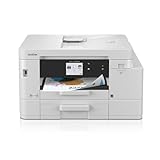
Experience seamless productivity with the Brother INKvestment 4555 Wireless Color Inkjet Printer. This all-in-one device is designed to simplify your daily tasks by combining printing, copying, scanning, and faxing in one compact unit. It’s perfect for home or small office environments where space and efficiency matter.
The printer’s dual scanners, both flatbed and sheetfed, handle various document types with ease, making it versatile for diverse workflows. A 2.7″ color touchscreen lets you navigate menus and access cloud services like Google Drive and Dropbox effortlessly, streamlining your document management.
With print speeds up to 20 ppm in black and 19 ppm in color, it keeps up with busy schedules. Automatic duplex printing saves paper and time, while two paper trays accommodate up to 400 sheets to reduce refills. The included ink cartridges provide reasonable yields, though frequent printing may require timely replacements.
Wireless and Ethernet connectivity options ensure you stay connected without hassle. While its moderate ink yield and larger size might be considerations for some users, the printer’s multifunction capabilities and strong connectivity make it a reliable office companion.
Best for: Small offices, home offices, and small businesses needing a versatile all-in-one wireless color inkjet printer with strong connectivity and multifunction features.
What We Like:
- Multifunction device with print, copy, scan, and fax capabilities.
- Dual scanners for flexible document handling.
- Intuitive 2.7″ color touchscreen with cloud service integration.
- Fast print speeds with automatic duplex printing.
- Large paper capacity with two trays holding up to 400 sheets.
Specification:
| Feature | Details |
|---|---|
| Manufacturer | Brother |
| Dimensions (W x D x H) | Approx. 17.3 x 15.7 x 12.5 in |
| Weight | Approx. 19.4 lb (8.8 kg) |
| Color Options | White |
| Connectivity | Wireless, Ethernet |
| Touchscreen Size | 2.7 inches (color) |
Brother MFC-L2900DW Professional Laser Printer Scanner Combo

- Professional Performance: Elevate your business efficiency with this Brother Genuine laser printer delivering lightning-fast 36 ppm output, crystal-clear monochrome...
- Versatile Connectivity: Take command of your workflow with dual-band wireless (2.4GHz/5GHz), Ethernet, or USB connectivity options, plus seamless mobile printing and...
- Advanced Document Handling: Maximize productivity with the 50-page auto document feeder, automatic duplex printing to save paper, and convenient single-pass two-sided...
- Smart Interface: Navigate effortlessly through printing, scanning, and cloud functions using the responsive 3.5 in touchscreen display, with direct access to popular...
- Energy Efficient: Benefit from an enhanced fuser design that delivers 22% reduction in electricity consumption, faster warm-up times from sleep mode, and automatic duplex...
The Brother MFC-L2900DW Professional Laser Printer Scanner Combo delivers fast, dependable monochrome printing that tackles busy office tasks with ease. Its high-speed printing at up to 36 pages per minute and sharp 1200 x 1200 dpi resolution help reduce wait times and improve productivity. Automatic duplex printing and a 50-sheet automatic document feeder simplify double-sided printing and scanning, saving both time and effort.
This machine offers versatile connectivity with dual-band Wi-Fi, Ethernet, and USB, allowing seamless integration into various work environments. Mobile printing is supported through Brother Mobile Connect, making remote printing straightforward and efficient. The 3.5″ touchscreen ensures intuitive operation, minimizing user errors and streamlining workflow.
Maintenance is straightforward with included starter toner and drum units, enabling you to begin printing immediately. While the starter toner holds about 700 pages, regular replacements maintain consistent output quality. The 250-sheet paper tray suits moderate print volumes but may require refills in high-demand scenarios.
Designed for small to medium-sized offices, this combo device excels in monochrome document handling, combining printing, scanning, copying, and faxing into one compact, energy-efficient unit. It addresses common office challenges by enhancing speed, connectivity, and ease of use without unnecessary complexity.
Best for: Small to medium-sized offices or professionals needing fast, reliable monochrome printing with efficient scanning, copying, and faxing features.
What We Like:
- Fast printing speed up to 36 ppm with sharp 1200 x 1200 dpi output
- Multiple connectivity options including dual-band Wi-Fi and Ethernet
- Intuitive 3.5″ touchscreen for easy control
- Automatic duplex printing and scanning with 50-sheet ADF
- Energy-efficient design reduces power consumption
Specification:
| Feature | Details |
|---|---|
| Manufacturer | Brother |
| Dimensions | 16.1 x 15.7 x 12.5 inches |
| Weight | 16.5 lbs (7.5 kg) |
| Printing Technology | Monochrome Laser |
| Print Speed | Up to 36 pages per minute |
| Print Resolution | 1200 x 1200 dpi |
| Paper Tray Capacity | 250 sheets |
| ADF Capacity | 50 sheets |
| Connectivity | Dual-band Wi-Fi, Ethernet, USB |
| Display | 3.5-inch touchscreen |
Factors to Consider When Choosing Brother Printer All in One
When choosing a Brother All-in-One printer, you’ll want to compare print speeds to match your workflow. Check connectivity options to guarantee it fits your devices.
Also, consider the paper handling capacity for your printing volume. It’s important to make sure the printer can keep up with your needs without constant refills.
Don’t forget to factor in ink or toner costs. And think about the multi-function features you actually need—no point in paying for extras you won’t use!
Print Speed Comparison
Getting a clear picture of print speed is essential when choosing a Brother All-in-One printer. You’ll want to compare pages per minute (ppm) for the type of printing you do most, whether mono or color.
Don’t overlook the first-page-out time—it shows how fast your printer starts. This really matters if you print small jobs frequently.
Keep in mind, manufacturer speeds usually reflect ideal one-sided printing. Real-world duplex or high-res jobs are slower.
Also, consider scan and copy speeds measured in images per minute (ipm) if you handle multi-page workflows. Don’t forget to check the Automatic Document Feeder (ADF) capacity too.
To get reliable data, look for ISO/IEC-standard speed tests rather than proprietary claims. That way, you can make a well-informed comparison.
Connectivity Options Overview
Picking the right connectivity options can make or break your experience with a Brother All-in-One printer. You’ll want dual-band Wi-Fi (2.4 GHz and 5 GHz) to reduce interference and boost wireless range for smooth mobile printing and scanning.
If you need a reliable, secure connection for multiple users, look for Ethernet with Gigabit support. USB ports are essential if you prefer direct wired connections or printing from a USB thumb drive.
Don’t forget to check compatibility with mobile printing standards like AirPrint or Mopria and a companion app for remote control and supply orders. For quick peer-to-peer printing without a network, Wi-Fi Direct and NFC come in handy.
These options guarantee your printer fits your connectivity needs perfectly.
Paper Handling Capacity
After choosing the right connectivity options for your Brother All-in-One printer, you’ll want to focus on paper handling capacity to keep your workflow smooth.
Check the paper tray capacity—typically between 150 and 250 sheets—to match your daily printing volume and reduce frequent reloads. Think about how many trays your model offers; multiple trays and a multipurpose tray let you switch paper types or sizes without hassle.
If you scan or copy multi-page documents, look for an automatic document feeder (ADF) with a 20–50 sheet capacity. Don’t overlook the output tray capacity, often 100 to 250 sheets, to prevent jams during large jobs.
Finally, confirm support for various media sizes and types like legal paper, envelopes, labels, and cardstock. This makes sure you have the versatility needed for all your projects.
Ink and Toner Costs
While selecting a Brother All-in-One printer, you should carefully evaluate ink and toner costs to avoid unexpected expenses. Start by comparing the cost per page, dividing cartridge price by the manufacturer’s stated page yield.
Opt for models offering high-yield or XL cartridges—they generally lower your overall cost per page. Don’t forget to factor in subscription or smart-reorder programs; weigh their monthly fees and trial offers against buying cartridges outright.
Also, consider additional consumables like drum units and maintenance kits, including their replacement frequency. Using power-saving or toner-saver modes can reduce consumption but may impact print quality, so use them selectively.
Multi-Function Features
When choosing a Brother All-in-One printer, you’ll want to zero in on the specific multi-function features that match your workflow. Identify whether you need print, copy, scan, and fax, along with duplex printing and single-pass duplex ADF scanning for efficient two-sided tasks.
If you handle multi-page documents often, pay attention to the ADF’s capacity and speed to guarantee time savings. Check the maximum copy run and scan resolution to ascertain it meets your quality and volume needs, especially for OCR or archival work.
Look for versatile scanning options, like flatbed glass for photos and sheetfed scanners for batch jobs. Finally, consider user-friendly controls, touchscreen menus, mobile app integration, and cloud connectivity to streamline your multi-function experience.
Device Compatibility Range
Because your devices and network setup vary, guaranteeing your Brother All-in-One printer supports your operating systems and connectivity options is essential. Check compatibility with Windows, macOS, Linux, iOS, and Android, and confirm driver or app support matches your versions.
Look for dual-band Wi-Fi (2.4 GHz and 5 GHz), Wi-Fi Direct, Ethernet, or Bluetooth to fit your wireless or wired needs. If you print or scan from smartphones or tablets, verify mobile and cloud printing options like AirPrint, Mopria, or vendor apps.
Also, consider USB and Ethernet ports for easy local connections. Finally, guarantee integration with your productivity tools, such as email and cloud storage, so you can scan and print smoothly within your workflow.
This thorough compatibility check prevents frustrating interruptions. It’s worth taking the time to make sure everything works together seamlessly.
Energy Efficiency Ratings
Choosing a Brother All-in-One printer means paying close attention to energy efficiency ratings, as they directly impact your operating costs and environmental footprint. Start by looking for ENERGY STAR certification to make sure the printer meets strict government efficiency standards, reducing power consumption in both active and standby modes.
Check the power draw in watts across different modes to estimate real-world energy use. Opt for models with automatic duplexing to save paper and energy, along with quick sleep or low-power modes to minimize idle consumption.
Don’t overlook broader eco-ratings like EPEAT, which reflect overall environmental performance. Also, consider toner or ink yield; higher-yield cartridges mean fewer replacements, lowering energy use per page.
These factors together help you select a Brother printer that balances performance with sustainability. It’s all about making a smart choice that’s good for your wallet and the planet.
Warranty and Support
While exploring Brother All-in-One printers, you’ll want to pay close attention to warranty and support options to protect your investment and guarantee smooth operation. Check the warranty length and type—whether it’s a one-year limited or multi-year coverage—to understand how long hardware defects and parts are protected.
Confirm available support channels like phone, live chat, or in-warranty exchange to assure quick assistance when problems arise. Verify if consumables such as toner or drum units are included or excluded from coverage, and review replacement policies.
Also, look for online resources like driver downloads, firmware updates, and troubleshooting guides to help you resolve issues independently. Finally, note any registration or return-period requirements that affect warranty activation or support eligibility to avoid surprises later.
Frequently Asked Questions
How Do Brother Printers Connect to Mobile Devices?
You can connect Brother printers to mobile devices using Wi-Fi, Bluetooth, or NFC. Just install the Brother app, enable wireless settings on your printer, and follow the prompts to print or scan directly from your smartphone or tablet.
It’s pretty straightforward once you get the app going. Just make sure your printer and mobile device are on the same network if you’re using Wi-Fi. Then, you’re all set to print or scan anytime you want!
What Is the Average Lifespan of Brother All-In-One Printers?
You can expect Brother all-in-one printers to last around 5 to 7 years with regular use.
If you maintain them properly, they’ll keep printing smoothly, saving you from frequent replacements and hassles.
Are Brother Printers Compatible With Macos and Windows?
Yes, Brother printers are compatible with both macOS and Windows. You’ll find drivers and software easily available on their website, making setup straightforward.
This means you can print, scan, and fax without any hassle on either system. It’s pretty convenient to get everything up and running quickly!
How Energy-Efficient Are Brother All-In-One Printers?
Brother all-in-one printers use up to 30% less energy than standard models.
You’ll find they’re designed to conserve power during standby and printing. This helps you save on electricity bills while reducing your environmental impact effortlessly.
What Warranty Options Are Available for Brother Printers?
Brother printers usually come with a one-year limited warranty covering parts and labor. You can often extend it or get additional coverage through BrotherCare plans, giving you peace of mind for repairs or replacements beyond that period.
It’s pretty handy to know you’re covered if something goes wrong. Plus, those BrotherCare plans make it easy to keep your printer in top shape without worrying about unexpected costs.
Conclusion
Choosing the perfect Brother all-in-one printer is like finding the right key to unleash your productivity castle. Whether you need crisp monochrome pages or vibrant color bursts, there’s a model waiting to dance through your tasks effortlessly.
With wireless freedom and smart features, these printers aren’t just machines—they’re your reliable sidekicks in the daily hustle. So, pick the one that clicks with your needs and watch your work flow like a well-oiled symphony.
When selecting the best Brother printer all-in-one, consider your printing needs, preferred features, and budget. From compact models ideal for home use to robust options designed for busy offices, Brother offers a range that fits everyone. Embrace the convenience of wireless connectivity, sharp print quality, and multifunction capabilities that boost your efficiency every day. Your perfect Brother all-in-one printer is out there, ready to transform your printing experience in 2027.