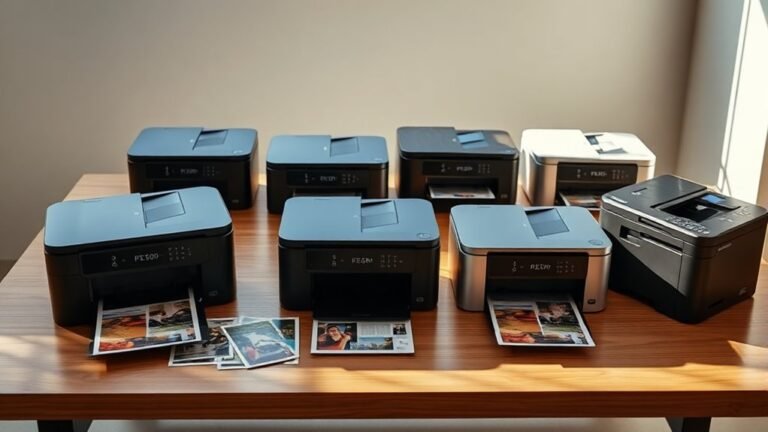
8 Best Colour Laser Printers for 2027
If you need fast, sharp color printing for your small office or hybrid workspace, consider some of the best colour laser printers available in 2027. These printers deliver vibrant, professional-quality prints without slowing down your workflow. Whether you want a compact model or an all-in-one solution, there’s something to suit your needs.
For compact use, the Canon imageCLASS LBP646Cdw is a great pick. Or, if you need duplex scanning and multifunction features, check out the Canon MF753Cdw II. The HP Color LaserJet Pro 3204dw stands out with strong security features and automatic duplexing.
Brother’s HL-L3220CDW impresses with excellent resolution for sharp documents. And for multifunction and high-capacity printing, the HP MFP 3301sdw and Brother MFC-L8930CDW are solid choices. Explore these options to find the perfect fit for your workflow needs.
| Image | Name | Editor's Rating | Price |
|---|---|---|---|

|
|
||

|
|
||

|
|
||

|
|
||

|
|
Canon imageCLASS LBP646Cdw Wireless Laser Printer
- Single-Function, Color, Wireless, Duplex Printer: Print only. — No Scanning, Copying, or Faxing
- Fast Print Speeds: Print up to 26 ppm in both color and monochrome and spend less time waiting with a quick first print time of approximately 10.3 seconds.
- Easy Wireless Setup: Setup your wireless connection and get up and running in just a few steps.
- 5-inch LCD Screen: Navigate through all the features using the 5-line LCD screen.
- Mobile Device Printing: Print from your compatible mobile devices using the free Canon PRINT app, Apple AirPrint and Mopria Print Service.

The Canon imageCLASS LBP646Cdw Wireless Laser Printer brings dependable color printing to your small or home office. It delivers sharp prints at a fast pace, helping you stay productive throughout your busy day. With print speeds up to 26 pages per minute and crisp 1200 x 1200 dpi resolution, this printer handles both color and black-and-white documents smoothly.
Its automatic duplex printing saves paper and effort by printing on both sides without manual intervention. The 250-sheet tray means fewer interruptions for paper refills, which keeps your workflow steady. Connectivity options like Wi-Fi, Ethernet, and USB make setup flexible and mobile printing through the Canon PRINT app adds further convenience.
Designed for straightforward use, this single-function printer focuses solely on high-quality printing. While it lacks scanning and copying features, its compact design fits well in tight spaces. Maintenance is simple, but note that the starter toner yields are limited, requiring more frequent replacements early on.
Best for: Small or home office users needing a reliable, high-quality color laser printer with fast output and versatile connectivity.
What We Like:
- Fast 26 ppm printing with sharp 1200 x 1200 dpi resolution
- Automatic duplex printing reduces paper use and boosts efficiency
- Multiple connectivity options including wireless and mobile printing
- Compact design fits well in limited office spaces
Specification:
| Feature | Specification |
|---|---|
| Manufacturer | Canon |
| Dimensions | Approx. 16.5 x 18.5 x 15.1 in (41.9 x 47 x 38.4 cm) |
| Weight | Approx. 30.2 lb (13.7 kg) |
| Print Technology | Laser |
| Color Capability | Color |
| Connectivity | Wi-Fi, Ethernet, USB, Mobile App |
Canon Color imageCLASS MF753Cdw II – All-in-One Color Duplex Laser Printer
- Color, Wireless, Duplex 4-in-1: Print, scan, copy, fax.
The Canon Color imageCLASS MF753Cdw II is designed to keep up with demanding small offices and hybrid workspaces. It delivers fast, high-quality color printing that sharpens documents with a 1200 x 1200 dpi resolution. One-pass duplex printing speeds up workflows by handling both sides of a page in a single run.
This all-in-one device simplifies office tasks by combining print, scan, copy, and fax functions. The built-in 50-sheet duplex automatic document feeder supports smooth multi-page processing, reducing manual handling. Its 250-sheet paper capacity, expandable to 850 sheets, helps maintain productivity during busy periods.
Connectivity options include Wi-Fi, Ethernet, and mobile printing support, making it easy to integrate into any modern workspace. The 5-inch touchscreen provides intuitive control, streamlining operation and reducing downtime. Maintenance remains straightforward, with reliable components designed for consistent performance.
Energy Star certification highlights its efficiency, helping offices reduce power consumption. Although it weighs 50 lb and requires substantial desk space, its functionality and durability make it a practical choice for fast-paced environments.
Best for: Small offices and hybrid work settings needing a versatile all-in-one printer for efficient, high-quality color document handling.
What We Like:
- Sharp, high-speed printing with one-pass duplex capability
- Versatile all-in-one functions including scan, copy, fax, and duplex ADF
- Flexible connectivity with Wi-Fi, Ethernet, USB, and mobile printing
- Expandable paper capacity supports larger print jobs
- User-friendly 5-inch touchscreen for easy operation
Specification:
| Feature | Details |
|---|---|
| Manufacturer | Canon |
| Dimensions (W×D×H) | Approximately 16.5 × 18.3 × 17.3 inches |
| Weight | 50 lb (22.7 kg) |
| Color Options | White |
| Print Resolution | 1200 x 1200 dpi |
| Print Speed | Up to 35 ppm |
| Paper Capacity | 250 sheets (expandable to 850) |
HP Color LaserJet Pro 3204dw | Color Laser Printer | Duplex
- FROM AMERICA'S MOST TRUSTED PRINTER BRAND – Perfect for office teams creating professional-quality color documents and reports; auto 2-sided printing; perfect for up to...
- OPTIMIZE PRINT FORMATTING WITH HP AI – Print web pages and emails with precision—no wasted pages or awkward layouts; HP AI easily removes unwanted content, so your...
- BLAZING FAST COLOR – Up to 26 color pages per minute, with sharp details and incredible color
- STAYS CONNECTED – Reliable Wi-Fi automatically reconnects to stay online and ready to print
- PROTECTS YOUR DATA – Includes HP Wolf Pro Security with customizable settings so your printer and information are always secure
The HP Color LaserJet Pro 3204dw delivers dependable color printing designed to keep your small office productive. It handles everyday tasks with ease, producing sharp prints at 600 x 600 dpi and speeds up to 26 pages per minute. This printer’s automatic duplexing feature helps reduce paper waste, making your workflow both efficient and eco-friendly.
Designed for versatility, it supports various media types and sizes across two trays, holding up to 250 sheets. Connectivity options include Ethernet, USB, and Wi-Fi, along with mobile printing through Apple AirPrint and HP’s app. This ensures smooth integration into different work environments and devices.
Maintenance is straightforward, but the printer requires original HP toner cartridges, which might affect running costs. Security is enhanced with HP Wolf Pro, protecting sensitive data in your network. AI-driven print layout optimization further improves output quality and resource use.
With a compact design and easy setup, the HP Color LaserJet Pro 3204dw suits teams of up to seven users needing reliable, fast color printing with smart features. It balances performance with practical operation, though power consumption is on the higher side.
Best for: Small offices or work teams of up to seven people needing a reliable, fast color laser printer with automatic duplexing and versatile connectivity options.
What We Like:
- Sharp prints at 26 ppm with 600 x 600 dpi resolution
- Automatic two-sided printing reduces paper use
- Multiple connectivity options including mobile printing
- Enhanced security with HP Wolf Pro
- AI optimizes print layouts for better efficiency
Specification:
| Feature | Description |
|---|---|
| Manufacturer | HP |
| Dimensions | Not specified |
| Weight | Not specified |
| Printing Technology | Color Laser |
| Print Speed | Up to 26 pages per minute |
| Resolution | 600 x 600 dpi |
| Paper Capacity | Up to 250 sheets (2 trays) |
| Connectivity | Ethernet, USB, Wi-Fi, Mobile |
| Duplex Printing | Automatic (two-sided) |
Brother HL-L3220CDW Wireless Color Laser Printer
- Professional Quality: Brother Genuine color laser printer delivers stunning business documents with crisp text and vibrant graphics at impressive 19 PPM speed...
- Wireless Connectivity: Brother Genuine advanced wireless capabilities enable seamless printing from laptops, smartphones, and tablets, with built-in security protocols...
- High-Volume Capacity: Brother Genuine laser printer includes a generous 250-sheet paper tray minimizing refills, while the manual feed slot offers versatility for...
- Efficient Performance: Brother Genuine automatic duplex printing saves time and paper, while delivering professional-quality double-sided documents at speeds up to...
- Mobile Integration: Brother Genuine technology ensures seamless compatibility with major mobile printing platforms and cloud services, enabling effortless document...
Experience efficient, high-quality color printing that meets the demands of your professional home office with the Brother HL-L3220CDW. This compact wireless color laser printer delivers sharp results at a speed of 19 pages per minute, helping you complete tasks quickly without sacrificing detail.
Designed to handle various paper types, including envelopes and glossy photo paper, it simplifies your workflow with automatic duplex printing. The 250-sheet tray and manual feed slot reduce interruptions, letting you focus on your work.
Connecting is hassle-free with wireless and USB options, plus mobile and cloud printing support. Security features help keep your documents safe, while high-yield toner options lower your operating costs over time.
Maintenance is straightforward, but note it is a print-only device without scanning or copying functions. Power consumption is somewhat high, so consider your energy use when planning your setup.
Best for: Professionals and small teams needing a reliable, compact color laser printer for versatile home office printing with wireless connectivity.
What We Like:
- Fast 19 ppm print speed with sharp 2400 x 600 dpi resolution
- Automatic duplex printing for efficient double-sided documents
- Supports multiple media types including envelopes and photo paper
- Wireless, USB, mobile, and cloud connectivity options
- Built-in security features to protect sensitive data
Specification:
| Feature | Details |
|---|---|
| Manufacturer | Brother |
| Dimensions (W×D×H) | 16.1 × 18.7 × 7.2 inches |
| Weight | 23.6 lbs (10.7 kg) |
| Color Options | White |
| Print Speed | 19 pages per minute |
| Print Resolution | Up to 2400 x 600 dpi |
| Paper Capacity | 250-sheet tray + manual feed |
| Connectivity | Wireless, USB, mobile, cloud |
| Duplex Printing | Automatic |
HP Color LaserJet Pro MFP 3301sdw Printer
- FROM AMERICA'S MOST TRUSTED PRINTER BRAND – Perfect for small teams printing, scanning and copying professional-quality color documents and reports. Print speeds up to...
- PROFESSIONAL PRODUCTIVITY – Proficiency with every print—next-generation TerraJet toner brings your business to life with more vivid colors.
- ORIGINAL HP TONER CARTRIDGES – This HP printer uses Original HP 218A standard and 218X high yield LaserJet toner cartridges.
- UPGRADED FEATURES – Fast color printing, scan, copy, auto 2-sided printing, auto document feeder, and a 250-sheet input tray.
- AWARD-WINNING RELIABILITY – Performance you can count on page after page, and always ready for the high demands of business.
The HP Color LaserJet Pro MFP 3301sdw is a practical solution for small teams and offices that demand efficient, vibrant color printing. It tackles the challenge of slow print jobs by delivering up to 30 ppm in color and 26 ppm in black, helping you stay productive throughout busy workdays. Its auto duplex printing further enhances efficiency by reducing paper use and saving time.
This device combines printing, scanning, and copying in one compact unit. The flatbed scanner and auto document feeder simplify handling multi-page documents. Connectivity options like Wi-Fi, Ethernet, and the HP app make mobile and network printing straightforward, supporting diverse work environments.
Maintenance is streamlined, but the printer requires Original HP 218A or 218X toner cartridges with HP chips to ensure smooth operation. While the 250-sheet input tray suits moderate workloads, heavy-volume settings might need more frequent refills. The printer’s size and weight (37.7 lb) should be considered in smaller spaces.
Security is robust with HP Wolf Pro protection, helping safeguard sensitive information in busy office settings. Overall, this all-in-one printer is built to improve workflow without unnecessary complexity.
Best for: small teams and offices needing fast, vibrant color printing with scanning and copying capabilities in a secure, all-in-one laser printer.
What We Like:
- Fast color and black print speeds with auto duplex saving time and paper
- Versatile all-in-one design with flatbed scanner and automatic document feeder
- Multiple connectivity options including Wi-Fi, Ethernet, and mobile app support
- Strong security features with HP Wolf Pro protection
Specification:
| Feature | Details |
|---|---|
| Manufacturer | HP |
| Model | Color LaserJet Pro MFP 3301sdw |
| Print Speed | Up to 30 ppm color, 26 ppm black |
| Input Tray Capacity | 250 sheets |
| Weight | 37.7 lb (17.1 kg) |
| Connectivity | Wi-Fi, Ethernet, HP app |
Canon Color imageCLASS MF665Cdw – Wireless, All-in-One Duplex Laser Printer

- Color, Wireless, Duplex 4-in-1: Print, scan, copy, fax.
- Fast Print Speeds: Print up to 26 ppm in both color and monochrome and spend less time waiting with a quick first print time of approximately 10.3 seconds.
- Easy Wireless Setup: Setup your wireless connection and get up and running in just a few steps.
- 5-inch Color Touchscreen: Get the job done quickly with Application Library - an intuitive and easy to use customizable access to the features you use most.
- Mobile Device Printing: Print from your compatible mobile devices using the free Canon PRINT app, Apple AirPrint and Mopria Print Service.
The Canon Color imageCLASS MF665Cdw combines speed and wireless convenience to meet the demands of small offices and hybrid workspaces. It prints up to 26 pages per minute, delivering sharp images at 600 x 600 dpi resolution. This helps reduce wait times and supports smooth workflow.
Designed for efficiency, it handles duplex printing and scanning automatically with its 50-sheet document feeder. This feature simplifies managing double-sided documents, saving time and paper. The 5-inch touchscreen offers an intuitive control panel for easy task navigation.
Setting up wireless connections is straightforward, allowing seamless printing from mobile devices via Canon PRINT, AirPrint, and Mopria. Its 250-sheet paper capacity supports larger jobs without frequent refilling. However, the unit is relatively heavy at 22.68 kg and has limited USB connectivity with only one port.
Power consumption peaks at 1080 watts, which might be higher than some alternatives but reflects its multifunction capabilities. Overall, this printer is a practical all-in-one solution for offices needing reliable duplex laser printing combined with mobile flexibility.
Best for: small offices and hybrid work environments requiring efficient, wireless all-in-one duplex printing.
What We Like:
- Fast print speeds with clear 600 x 600 dpi quality
- Automatic duplex printing and scanning ease document handling
- Simple wireless setup with broad mobile printing support
- Large paper capacity reduces interruptions
- Intuitive 5-inch touchscreen for easy operation
Specification:
| Feature | Details |
|---|---|
| Manufacturer | Canon |
| Dimensions | Not specified |
| Weight | 22.68 kg (50 lb) |
| Printing Technology | Duplex laser |
| Connectivity | Wireless, USB (1 port) |
| Paper Capacity | 250 sheets |
| Display | 5-inch touchscreen |
Brother MFC-L8930CDW Color Laser All-in-One Printer

- Updated design, professional results. High-quality output with sharp color and black printing. Fast print and copy speeds up to 33ppm(1) help boost productivity. Reliable...
- Maximize printing budgets. Offers built-in value with included Brother Genuine 3,000-page black and 1,800-page color standard yield toner cartridges. Help lower printing...
- Advanced scanning. High-speed, two-sided scanning up to 104ipm(3) with 80-page auto document feeder(4) and legal-size glass. Scan to cloud, email, SharePoint, and more...
- Productivity-enhancing features. Flexible connectivity, including built-in dual-band (2.4GHz / 5GHz) wireless networking and Gigabit Ethernet networking. 7” color...
- Triple Layer Security. Advanced security features to help keep devices secure, protect documents in transit to and from print devices, and safeguard networks. Includes an...
Experience fast, high-quality color printing designed to keep your office productive and efficient. The Brother MFC-L8930CDW tackles common workflow bottlenecks with sharp prints and copies at up to 33 pages per minute. Its compact design, 25% smaller than previous models, fits comfortably into tight office spaces without sacrificing performance.
This all-in-one printer streamlines tasks with duplex printing and a high-speed, two-sided scanner featuring an 80-page automatic document feeder. Scanning to cloud services is simple and customizable via the intuitive 7″ touchscreen, helping you save time and reduce manual effort.
Maintenance is straightforward with long-lasting toner cartridges that yield thousands of pages. Super high-yield replacements are available to minimize downtime and lower running costs over time. Security is robust, featuring triple-layer protection to safeguard sensitive documents and data.
Eco-conscious offices will appreciate the device’s EPEAT Gold and ENERGY STAR certifications, helping reduce environmental impact without compromising functionality. The Brother MFC-L8930CDW balances speed, quality, and security in a compact package tailored to modern office needs.
Best for: Small to medium-sized offices or workgroups requiring efficient color printing, scanning, and secure document management.
What We Like:
- Fast print and copy speeds up to 33 ppm with duplex capability
- Efficient two-sided scanning with 80-page automatic document feeder
- Long-lasting toner cartridges with super high-yield options
- User-friendly 7″ touchscreen with customizable scan shortcuts
- Strong security features and eco-friendly certifications
Specification:
| Feature | Description |
|---|---|
| Manufacturer | Brother |
| Dimensions (W x D x H) | Compact, 25% smaller than previous model (exact size not specified) |
| Weight | Not specified |
| Material | Not specified |
| Color Options | Standard office white/gray |
HP Color LaserJet Pro MFP 4301fdw | Color Printer | Wireless | All-in-One

- EVERYTHING SMALL TEAMS NEED – Print, scan and copy professional-quality color documents and reports plus fax. Auto 2-sided printing and auto document feeder for fast...
- BLAZING FAST COLOR – Up to 35 color pages per minute, with sharp details and incredible color
- STAYS CONNECTED – Intelligent Wi-Fi looks for the best connection to stay online and ready to print
- PROTECTS YOUR DATA – Includes HP Wolf Pro Security with customizable settings so your printer and information are always secure
- PRINT FROM ANY DEVICE – Wireless printing from any mobile device, PC or tablet. Ethernet and Bluetooth included. Works with Microsoft, Mac, AirPrint, Android...
The HP Color LaserJet Pro MFP 4301fdw delivers fast and reliable color printing designed to keep small teams productive. It handles printing, scanning, copying, and faxing in one compact device, reducing office clutter. With speeds of up to 33 color pages per minute, it helps meet tight deadlines without sacrificing quality.
This all-in-one printer supports wireless, Ethernet, and USB connections, plus mobile printing, making it easy to integrate into any workspace. The 300-sheet input tray and automatic duplexing streamline large jobs, minimizing interruptions. Its intuitive app simplifies control and setup for users of all skill levels.
Maintenance is straightforward but requires original HP cartridges with embedded chips, which may limit third-party options. The printer’s robust HP Wolf Pro Security safeguards sensitive data, ensuring peace of mind in busy office environments. Weighing 45 pounds, it is sturdy but less portable.
The HP Color LaserJet Pro MFP 4301fdw is ideal for small offices that demand professional-quality color output and versatile functionality in a single device.
Best for: Small teams or home offices of up to 10 users needing efficient, multifunction color printing with strong security features.
What We Like:
- Fast color printing up to 33 ppm with automatic duplexing
- Multiple connectivity options including wireless and mobile printing
- Strong security with HP Wolf Pro Security
- User-friendly app and easy setup
Specification:
| Feature | Details |
|---|---|
| Manufacturer | HP |
| Dimensions (W×D×H) | Not specified |
| Weight | 45 lb (20.4 kg) |
| Connectivity | Wireless, Ethernet, USB |
| Functions | Print, Scan, Copy, Fax |
| Paper Capacity | 300 sheets |
| Print Speed (Color) | Up to 33 ppm |
Factors to Consider When Choosing a Colour Printer Laser
When choosing a colour laser printer, you’ll want to take into account print speed and how accurate the colours need to be for your projects.
Also, check the connectivity options to make sure it fits your setup. Think about how much paper it can handle at once.
Don’t forget to explore any multi-function features that could boost your productivity. These can really make a difference depending on what you need.
Print Speed Importance
Consider how print speed directly impacts your workflow efficiency when choosing a colour laser printer. Print speed, measured in pages per minute (ppm), determines how quickly your jobs finish—higher ppm means less waiting, especially for large volumes or team use.
Don’t overlook first-page-out time; a fast start matters if you print single pages often. Check if the printer lists separate ppm for color and monochrome since color usually runs slower, and your workload might lean heavily on black-and-white.
Also, factor in duplex printing: automatic two-sided printing may slightly reduce speed per side but saves paper and boosts overall efficiency. Finally, match the printer’s ppm with your typical monthly volume and user count to prevent bottlenecks and keep your office running smoothly.
Color Accuracy Needs
Print speed keeps your workflow moving, but color accuracy guarantees your output looks exactly right. If your projects demand true-to-life colors—like photography or marketing materials—choose a color laser printer with at least 1200 x 1200 dpi resolution or multi-level halftoning for sharper tonal gradations.
Look for devices supporting extended color spaces and ICC profiles to match screen and press standards closely. You’ll want user-adjustable color calibration, density, and contrast controls to maintain consistency across print runs and paper types.
Don’t overlook toner and media compatibility; some combinations reproduce saturated colors and fine gradients better than generic options. For critical color work, check repeatability metrics like delta E values and make certain your printer supports color management workflows to minimize print variation and achieve reliable, high-quality results every time.
Connectivity Options Available
How will you connect your color laser printer to your devices and network? Choose a printer that supports both wired options like Ethernet and USB, and wireless ones such as Wi-Fi and Wi-Fi Direct. This flexibility lets you set up secure networks for multiple users or print directly from your device.
Make sure it supports mobile printing protocols like Apple AirPrint and Mopria, so you can easily print from smartphones, tablets, and Chromebooks without installing drivers. If you need multifunction features, check for duplex ADF and network scan-to options like SMB, FTP, or email.
For reliability in busy environments, look for simultaneous dual-band Wi-Fi or wired Gigabit Ethernet. And don’t overlook secure printing features like PIN release or user authentication to protect sensitive documents on shared networks. It’s all about keeping things smooth and safe!
Paper Handling Capacity
Evaluate the paper handling capacity to guarantee your color laser printer keeps up with your workload without constant interruptions. Start by checking the input tray capacity—250 sheets suit higher volumes, while 50 sheets fit lighter tasks.
If you expect growth or batch printing, choose a model with expandable trays to avoid frequent refills. Don’t overlook multipurpose or manual feed trays for envelopes, labels, and cardstock.
Also, verify the output tray’s size so finished prints stack neatly without jams. Confirm the printer supports all media sizes you use, from small index cards to legal or ledger sheets, across both main and multipurpose trays.
Finally, consider automatic duplexing and total paper path capacity to handle two-sided jobs efficiently and maintain smooth, large print runs.
Multi-Function Features
Explore multi-function features to maximize the value of your colour laser printer. All-in-one (MFP) models combine printing, scanning, copying, and often faxing in one device, saving space and cutting hardware costs.
Look for a duplex automatic document feeder (ADF) and one-pass two-sided scanning to speed up double-sided workflows. These features really help when you have lots of documents to handle quickly.
Check scan resolution and features like OCR and searchable PDF creation. Higher dpi and built-in OCR make digitizing documents and creating searchable archives easier.
Also, consider workflow enhancements such as network scan-to-email, SMB, or cloud support. Customizable touchscreen shortcuts and scan preview can streamline repetitive tasks and save you time.
If faxing matters, make certain the MFP supports it and can handle simultaneous tasks like printing while scanning. Plus, make sure it has enough memory and processor power to keep up with heavy use.
Energy Efficiency Ratings
Consider energy efficiency ratings carefully when choosing a colour laser printer, as they directly impact your electricity bills and environmental footprint. Look for ENERGY STAR certification to guarantee lower power use during active and standby modes.
EPEAT Silver or Gold ratings signal strong environmental performance throughout the printer’s lifecycle. Compare power consumption in watts, especially during printing and idle states. Also, check TEC or annual energy estimates for a realistic view of yearly usage.
Opt for models with duplex printing and fast warm-up times to cut energy per page. It’s also a good idea to evaluate toner yield and fusing efficiency—higher-yield cartridges and efficient fusing reduce energy per printed page. This way, you lower your overall environmental impact while saving money over the printer’s lifetime.
Frequently Asked Questions
How Long Do Toner Cartridges Typically Last in Colour Laser Printers?
Toner cartridges in colour laser printers typically last between 2,000 to 6,000 pages, depending on usage and cartridge size.
You’ll want to keep an eye on your print volume and replace cartridges when you notice the print quality dropping. It’s pretty simple to stay on top of it!
Are Colour Laser Printers More Expensive to Maintain Than Inkjet Printers?
You’ll find colour laser printers cost more to maintain than inkjets. Toner cartridges last longer but replace pricey drums and parts.
Inkjets need frequent ink refills, making laser upkeep feel like a steady, heavier beat.
Can Colour Laser Printers Print on Different Types of Paper or Labels?
Yes, you can print on various paper types and labels with colour laser printers. Just make sure the materials are compatible with laser technology to avoid damage or poor quality.
Also, don’t forget to adjust the settings for the best results. It really helps to get that perfect print every time!
What Is the Average Warm-Up Time for a Colour Laser Printer?
Like waiting for dawn, you’ll find most colour laser printers warm up in about 30 to 60 seconds.
They quickly get ready so you won’t be left staring at a blank page, keen to print.
Do Colour Laser Printers Support Mobile Printing Apps and Cloud Services?
Yes, colour laser printers often support mobile printing apps and cloud services. You can print directly from your smartphone or tablet using apps like Apple AirPrint, Google Cloud Print, or manufacturer-specific apps.
It’s super convenient and gives you a lot of flexibility. Just a few taps, and you’re good to go!
Conclusion
Choosing the perfect colour laser printer is like painting your masterpiece — you want precision, speed, and reliability to dance together in harmony. Whether you’re chasing vibrant hues or sharp text, these top picks offer a symphony of features tailored to your needs.
So, don’t just print—make every page sing with color and clarity. Turn your everyday tasks into a vibrant celebration of productivity and style. With the best colour laser printers for 2027, you’ll enjoy fast printing speeds, crisp image quality, and dependable performance.
Finding the right printer means balancing your budget with features like wireless connectivity, duplex printing, and toner efficiency. Ready to elevate your printing game? These colour laser printers are designed to bring your documents and photos to life, making every printout a vivid expression of creativity and professionalism.