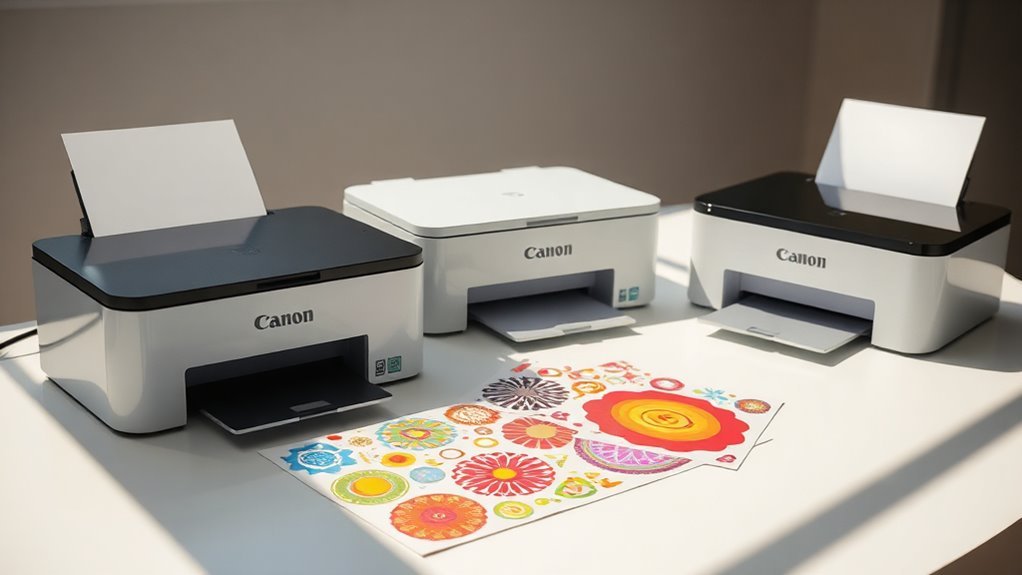
3 Best Canon Printers for Stickers in 2027
You’ll want a Canon printer that handles glossy vinyl papers like the 8.5 x 11-inch Glossy Printable Vinyl Sticker Paper or Koala’s inkjet-optimized sheets. These materials are perfect for making vibrant, durable stickers that really stand out. Look for models supporting thick media feeds and high-resolution pigment inks (1200 dpi+).
Also, check if the printer is compatible with cutting machines like Cricut or Silhouette. This makes the sticker-making process smoother and more precise. Choose printers offering sharp, water-resistant prints with quick drying times and minimal jams.
Keep these factors in mind to pick your best Canon for vibrant, durable stickers. Explore key features that make all the difference when creating professional-quality stickers at home or in your small business.
| Image | Name | Editor's Rating | Price |
|---|---|---|---|

|
|
||
|
|
||

|
|
Glossy Printable Vinyl Sticker Paper for Printer – 21 Sheets
- High Quality Printable Vinyl Sticker Paper: Includes 21 sheets of glossy white printable vinyl sticker paper (8.5"x11", letter size). The smooth satin finish gives your...
- Water-Resistant & Reliable for Daily Use:This vinyl sticker paper lets you create water-resistant labels and decals with strong adhesion. For extra durability, simply add...
- Inkjet & Laser Printer: Designed as dependable sticker paper for printer, it works with most inkjet and laser printers (Epson, Canon, HP, Brother). The surface holds ink...
- Tear-Resistant & Long-Lasting Vinyl: This glossy printable vinyl sticker paper is tough and durable—resistant to tearing and minor scratches. Great for everyday use...
- Easy DIY Personalized Stickers: Create personalized stickers for laptops, bottles, packaging, scrapbooking, and more. This sticker paper for printer sticks well to glass...
Create vibrant and long-lasting stickers with the Glossy Printable Vinyl Sticker Paper, designed to work seamlessly with your Canon printer. This pack includes 21 sheets of glossy white vinyl paper, each measuring 8.5 x 11 inches. The surface is waterproof and tear-resistant, ensuring your labels and decals stay intact on glass, plastic, wood, and metal.
The paper’s smooth finish holds ink well, drying in around five minutes for sharp, colorful prints. To maintain durability, it’s best to seal your prints with a UV-resistant spray. This adds extra protection against fading and water damage, extending the life of your stickers in various environments.
These sheets are compatible with most inkjet and laser printers, including Canon models. They also work with cutting machines like Cricut Maker and Silhouette Cameo, allowing for precise, custom shapes. Note that the glossy surface may require matte tape for easier scanning with some cutting devices.
Best for: Creative individuals and small business owners who need reliable, waterproof stickers and labels for diverse surfaces.
What We Like:
- Waterproof and tear-resistant for durable use on multiple surfaces
- Compatible with most inkjet and laser printers, including Canon
- Works well with cutting machines for custom designs
- Quick ink drying time for efficient printing
Specification:
| Feature | Details |
|---|---|
| Manufacturer | Not specified |
| Dimensions | 8.5 x 11 inches (21.6 x 27.9 cm) |
| Sheets per pack | 21 |
| Material | Glossy white vinyl |
| Color Options | Glossy white |
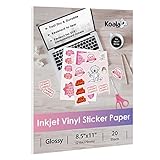
Koala Printable Vinyl Sticker Paper for Inkjet Printer, Glossy 20 Sheets
- IMPORTANT NOTE 1: This vinyl sticker paper is Incompatible with ET-2760, ET-4850, ENVVY 6000, 6400, 6455e, 7830, 7900e, OfficeJeit Pro 8020, 9010e, 9125E... If your...
- IMPORTANT NOTE 2: Use only dye ink to print. Pigment ink will smear and not dry properly on this sticker paper.
- VIBRANT GLOSS FINISH: Enhance your designs with KOALA glossy vinyl sticker paper that makes colors pop with vibrancy and clarity. Ideal for professional and eye-catching...
- WATER-RESISTANT & DURABLE: Crafted from vinyl material, our sticker paper is water-resistant and ensures durability in various conditions. For full waterproofness and...
- PRINTER AND INK COMPATIBILITIES: The printable sticker paper is compatible with some inkjet printer that supports thick label paper. Make sure to refer to your...

Koala Printable Vinyl Sticker Paper transforms your sticker-making process with its vibrant, glossy finish that brings designs to life. Designed specifically for inkjet printers, it helps you create professional-quality stickers that stand out with clear, bright colors. The vinyl surface ensures your stickers are not only eye-catching but also durable.
This sticker paper works best with dye ink, as pigment ink may smear or not dry fully. It’s ideal for printers that can handle thicker materials, so double-check your model’s compatibility before use. The glossy vinyl adds water resistance, making your stickers last longer in everyday conditions.
To boost durability and protect your designs, applying laminate sheets or a sealer spray after printing is recommended. This extra step ensures your stickers remain waterproof and resilient against wear. Koala’s customer support is available to assist if you encounter any issues during your projects.
Best for: Creative individuals and small business owners using compatible inkjet printers who want vibrant, durable, and professional-quality stickers and labels.
What We Like:
- Glossy finish delivers vibrant, eye-catching colors
- Durable vinyl material offers water resistance
- Includes 20 sheets, ample for various projects
- Designed specifically for inkjet printers using dye ink
Specification:
| Feature | Details |
|---|---|
| Manufacturer | Koala |
| Sheets Included | 20 |
| Printer Type | Inkjet (dye ink only) |
| Finish | Glossy |
| Material | Vinyl |
| Compatibility | Compatible with select inkjet printers only |
Printable Vinyl Sticker Paper, 8.5 x11 Glossy White 50 Sheets
- High Quality Printable Vinyl Sticker Paper: Package includes 50 white vinyl sheets of Printable Sticker Paper for printer. Glossy finish. Standard Letter Size 8.5"x11".
- Water-Resistant and Vivid Colors:These printable vinyl for inkjet printer is very beautifully, retain color well, good waterproof effect, scratch and tear resistant...
- GREAT HOLD INK AND QUICK DRY: Our waterproof sticker paper dries quickly after printing and made from durable materials, so you can be confident that your designs are...
- EASY TO USE AND CUT: Easily make your own printable stickers with our sticker paper. Vinyl stickers are highly adhesive and stable, the stickers will not come off easily...
- DIY Personalized Stickers: Unleash your unlimited creativity with your glossy sticker paper. Printable Vinyl Sticker Paper will stick on all flat surfaces, plastic...
You’ll find this Printable Vinyl Sticker Paper ideal for creating vibrant, waterproof stickers that last. Its glossy white surface enhances colors, delivering sharp, vivid prints that dry quickly to prevent smudging. This paper is designed to work seamlessly with inkjet printers, ensuring your designs come out clear and bright.
The strong adhesive backing keeps stickers firmly in place on flat surfaces such as glass, plastic, and metal. This makes it perfect for labels, decals, and craft projects that require durability and resistance to wear. The paper’s compatibility with die-cutters and manual cutting tools adds versatility for custom shapes and creative designs.
Maintenance is straightforward, as the waterproof finish protects stickers from moisture and fading. However, be mindful that the glossy surface may need adjusted printer settings to avoid ink bleeding. Also, the thicker sheets might challenge some printers’ feeding mechanisms.
This 8.5 x 11-inch vinyl paper comes in a pack of 50 sheets, offering a reliable supply for both personal and small business use. It balances quality and functionality to help you produce professional-looking, long-lasting stickers.
Best for: DIY crafters and small business owners needing vibrant, waterproof vinyl sticker paper for durable, high-quality prints.
What We Like:
- Produces vivid, quick-drying, and smear-resistant prints
- Strong adhesive suitable for multiple flat surfaces
- Compatible with inkjet printers and die-cutting tools
- Durable waterproof finish protects against moisture
- Comes in a convenient 50-sheet pack
Specification:
| Feature | Details |
|---|---|
| Manufacturer | Not specified |
| Dimensions | 8.5 x 11 inches |
| Sheet Count | 50 sheets |
| Material | Glossy white vinyl |
| Color Options | Glossy white |
Factors to Consider When Choosing a Canon Printer for Stickers
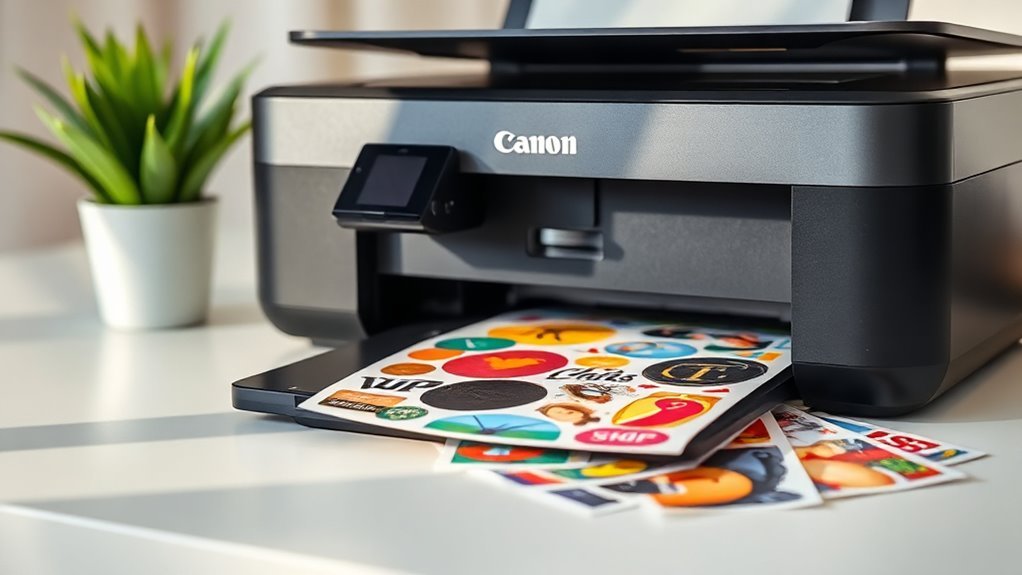
When choosing a Canon printer for stickers, you need to check if it’s compatible with vinyl and what type of ink it uses.
Pay close attention to print resolution and how well the printer handles different paper sizes.
Don’t forget to take into account waterproofing and overall durability to make certain your stickers last.
Printer Compatibility With Vinyl
Choosing the right Canon printer for vinyl stickers means making sure it can handle the specific type and thickness of vinyl paper you plan to use. Check if your printer supports glossy or matte vinyl and thicker sheets by using settings like “thick paper” or “cardstock.”
Also, confirm the feed path can handle 8.5×11 vinyl without jams or curling. This is super important to avoid frustrating print errors.
Make certain the printer prints in high-quality mode with sharp, non-bleeding colors that dry quickly on vinyl. Nobody wants smudged or faded stickers, right?
If you plan to use a cutting machine, verify the vinyl’s finish works well with die-cutting. Plus, make sure registration marks can be read or added for precise cuts.
Paying attention to these compatibility factors helps you avoid printing issues and achieve professional-looking vinyl stickers with your Canon printer. It’s worth the extra check!
Ink Type And Quality
Focus on ink type and quality to guarantee your Canon printer produces durable, vibrant stickers that stand out. Opt for pigment-based inks because they offer superior water and UV resistance. This way, your stickers won’t fade or blur on glossy vinyl.
Make sure your printer supports high-resolution pigment printheads—1200 dpi or higher. That’s important to deliver sharp edges and smooth gradients on small-format designs.
Choose inks with wide color gamuts and high density to achieve rich, saturated hues that really pop. Also, check if the inks bond well with clear sealers or laminates. Some pigment inks chemically cure for lasting adhesion, while certain dye inks risk smearing or lifting.
Finally, consider permanence ratings like lightfastness and waterfastness. These help you predict how long your stickers will last outdoors or in moist conditions.
Print Resolution And Detail
Ink quality sets the foundation, but print resolution determines how sharply your sticker designs come to life. Choose a Canon printer with at least 1200 x 1200 dpi native optical resolution to guarantee fine lines and small text appear crisp on glossy sticker media.
Pairing high dpi with small droplet sizes, like 1–4 picoliters, delivers smooth gradients and sharp edges, minimizing banding in color-rich areas. Look for printers offering variable drop or multi-level halftoning to capture detailed photos and subtle color shifts accurately.
Make sure your printer supports ICC profiles and at least 8-bit per channel color processing to maintain precise color separation and detail. Keep in mind, maximum-quality modes slow print speed and consume more ink, so use them primarily for your final sticker prints.
Paper Handling Capacity
When selecting a Canon printer for stickers, you’ll want to pay close attention to its paper handling capacity. Check the maximum supported paper thickness since sticker papers typically range from 120 to 300 gsm or 5 to 10 mil.
Make certain the printer’s rear or straight-through feed can handle that thickness without bending sheets. Also, confirm the input tray and bypass or manual feed support single glossy or vinyl sheets, so you avoid jams.
Don’t forget to verify the maximum sheet size and orientation, especially if you use standard 8.5×11 inch sticker paper. It’s a good idea to consider the printer’s recommended daily or monthly duty cycle to match your sticker production volume.
Finally, make sure the printer lets you set the media type and print mode for thick or glossy substrates. This helps prevent misfeeds and print defects, keeping your stickers looking great every time.
Waterproofing And Durability
Although the printer plays a vital role, you’ll want to prioritize waterproofing and durability by selecting pigment-based inks that bond well with vinyl surfaces. These inks resist water and fading much better than dye-based alternatives.
Make sure your sticker media is waterproof and tear-resistant, like vinyl or coated polyester. The substrate you choose largely determines your sticker’s durability.
For maximum protection, apply a clear UV-resistant sealer or laminate over your prints. Spray sealers and pressure-sensitive laminates can significantly reduce water penetration and fading.
Use your printer’s recommended drying time and high-quality print settings to guarantee proper ink fixation before handling or sealing. This helps avoid smearing.
If your stickers will face outdoor exposure, pick inks and sealants rated for UV and temperature variability. That way, your designs stay vibrant longer.
Cutting Machine Compatibility
Protecting your sticker prints with waterproofing and sealants sets the stage for precise cutting, but you also need to make sure your Canon printer works seamlessly with your cutting machine. First, check that your printer handles common sticker media thickness, ideally up to 300–350 gsm, so it feeds vinyl sheets reliably.
Next, confirm it outputs registration marks or maintains consistent edge-to-edge alignment, as cutters depend on these for accurate die-cutting. Your printer should also offer minimal skew and stable print margins within a few millimeters to guarantee cutter software maps cuts precisely.
Make sure you match your sticker sheets and cutter file formats—use 300 DPI images and export cut paths as vector SVG or DXF. And if you’re using a roll-fed cutter, double-check that your printer supports long continuous prints or employs splicing to keep sensors aligned.
Frequently Asked Questions
Can I Use Canon Printers for Heat Transfer Sticker Paper?
Yes, you can use Canon printers for heat transfer sticker paper, but make sure your model supports the paper type and ink.
Always check compatibility to avoid smudging or poor transfer results when printing your designs. It’s a good idea to do a test print first to see how it turns out.
That way, you can adjust settings if needed and get the best results possible.
How Do I Clean My Canon Printer After Printing Stickers?
You’ll want to turn off your Canon printer and unplug it first. Then, gently wipe the exterior and print head area with a soft, lint-free cloth that’s slightly dampened with water.
Make sure to avoid using any harsh chemicals—they can damage your printer. Just keep it simple and gentle to keep everything working smoothly.
Are Canon Printers Compatible With Waterproof Sticker Paper?
Think of your Canon printer as a skilled painter—yes, it works well with waterproof sticker paper. Just make sure you choose the right ink and paper type, so your designs stay vibrant and durable, no matter the splash.
It’s all about picking the best combo. When you do, your stickers will look great and last long. Easy, right?
What Is the Average Lifespan of Stickers Printed on Canon Printers?
You’ll find stickers printed on Canon printers typically last 3 to 5 years, depending on paper quality and exposure to sunlight or moisture.
Using waterproof sticker paper can extend their lifespan greatly, keeping them vibrant longer. It really makes a difference if you want your stickers to stay looking fresh.
Can Canon Printers Print Stickers in Bulk Efficiently?
Yes, Canon printers can print stickers in bulk efficiently, especially models designed for high-volume tasks. You’ll save time with fast print speeds and reliable color consistency.
This makes large sticker runs smooth and cost-effective. So, if you need to produce a lot of stickers, Canon printers are a solid choice.
Conclusion
Choosing the right Canon printer for your stickers is like picking the perfect brush for your masterpiece. Just as a brush brings your vision to life on canvas, your printer transforms blank sheets into vibrant, lasting art.
When you use glossy vinyl papers and quality printing, your creativity won’t just stick—it’ll shine. It’s all about making those colors pop and details crisp.
So, trust your Canon printer to be the bridge between your ideas and reality. With the best Canon printers for stickers, each print becomes a symbol of your unique expression. Whether for personal projects or professional use, these printers deliver vibrant, durable results that truly stand out. In 2027, choosing the right Canon sticker printer means your creativity sticks around beautifully and professionally.