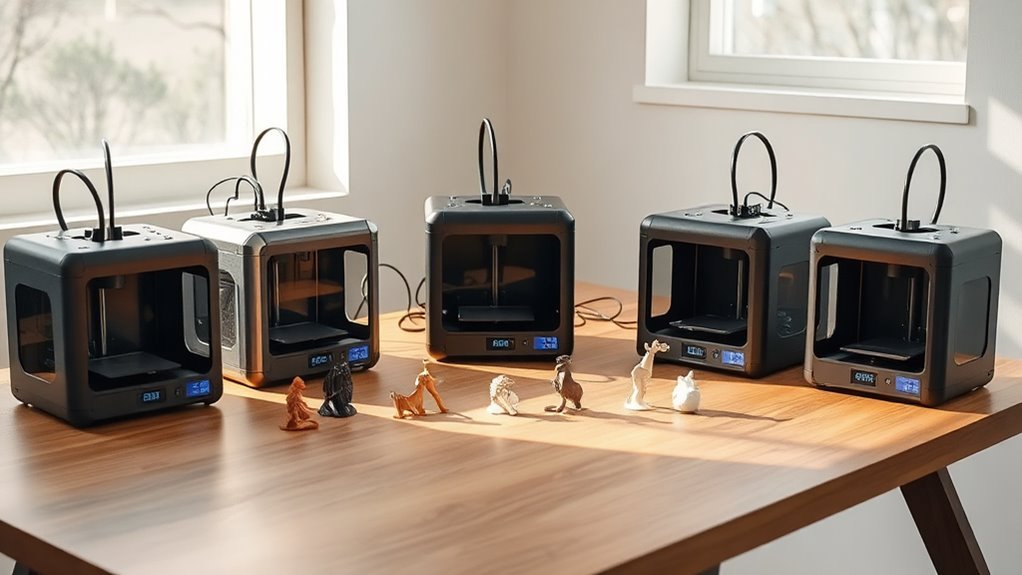
7 Best Budget Resin 3D Printers for Beginners in 2026
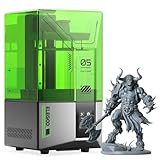
You’ll want to contemplate models like the ANYCUBIC Photon Mono 4 with its sharp 10K 7″ mono LCD and power-loss resume, or the ELEGOO Mars 5, which offers user-friendly one-click leveling and safety features.
The ANYCUBIC 10K adds precision and a redesigned platform to reduce warping.
For higher resolution, the ELEGOO Saturn 4 Ultra 16K impresses with speed and AI monitoring. Each balances ease of setup, detail, and reliability—perfect for beginners keen to pick the right fit.
Exploring the options reveals key features and trade-offs tailored to your needs.
This makes choosing one of the best budget resin 3D printers for beginners in 2026 a lot easier and more fun!
| Image | Name | Editor's Rating | Price |
|---|---|---|---|

|
|
||
|
|
||

|
|
||

|
|
||

|
|
ANYCUBIC Photon Mono 4, Resin 3D Printer with 7” 10K Mono LCD Screen
- 【7'' 10K High Resolution】Photon Mono 4 boasts an impressive 105% increase in print precision compared to Mono 2. With a resolution of 9024x5120, each pixel measures a...
- 【Powerful Light Source】The time-tested Anycubic LighTurbo matrix light source technology delivers stable, balanced, and uniform lighting to reduce layer lines and...
- 【Sufficient Print Size】With a generous maximum build volume of 6.04'' x 3.42'' x 6.49''/153.4mm x 87mm x 165mm, you have ample print space to easily tackle your daily...
- 【Laser-engraved Print Platform 2.0】With a new design, the laser engraving platform of the photon mono 4 improves adhesion to mitigate lifting and warping of the model...
- 【User-friendly Function】The 4-point leveling method is ideal for beginners, after the first leveling and tightening the 4 screws, no need to repeat leveling. Photon...
Experience precise and detailed resin 3D printing with the ANYCUBIC Photon Mono 4, designed to bring your creative projects to life. This printer’s 7-inch 10K monochrome LCD screen offers outstanding resolution, enabling you to produce sharp, high-quality prints with minimal layer lines.
The advanced LighTurbo matrix light source delivers even illumination across the build area. This reduces imperfections and provides smooth surface finishes, improving overall print quality. Its laser-engraved platform enhances adhesion, helping prints stick firmly during the process and reducing failures.
Maintenance is straightforward, with a compact build volume of 6.04 x 3.42 x 6.49 inches that suits most small to medium projects. The printer runs quietly and efficiently, reaching speeds up to 70 mm/h, so you get reliable results without long wait times.
While it doesn’t support remote control via an app, the Photon Mono 4 offers user-friendly operation suited for beginners and hobbyists. Its design focuses on delivering precision and consistent performance in a convenient size.
Best for: Beginners and hobbyists seeking detailed resin 3D prints with reliable quality and efficient operation.
What We Like:
- High-resolution 10K monochrome LCD for precise detail
- Uniform light source reduces layer imperfections
- Laser-engraved platform improves print adhesion
- Compact size fits most workspace setups
- Fast printing speed up to 70 mm/h
Specification:
| Feature | Details |
|---|---|
| Manufacturer | ANYCUBIC |
| Build Volume | 6.04 x 3.42 x 6.49 inches |
| LCD Screen Size | 7 inches |
| Resolution | 9024 x 5120 pixels (10K) |
| Pixel Size | 17 microns |
| Print Speed | Up to 70 mm/h |
| Light Source | LighTurbo matrix |
| Platform | Laser-engraved Print Platform 2.0 |
ELEGOO Mars 5 Resin 3D Printer
- 【Effortless Magic with One-Click Automatic Leveling】Effortless precision is just a click away. ELEGOO Mars 5 resin 3D printer offers advanced automatic leveling...
- 【Print Smarter, Print Worry-Free】With a smart mechanical sensor, ELEGOO Mars 5 resin printer supports residue detection to prevent damage to the LCD screen. Plus...
- 【One-Click Self-Check, Ensuring Reliable Prints】Tired of setup hassles and unexpected errors ruining your printing projects? With just a simple click, ELEGOO Mars...
- 【4K Mono LCD for Stunning Details】Featuring a 4K mono LCD with advanced COB light source, ELEGOO Mars 5 impresora 3D de resina faithfully reproduces intricate details...
- 【Advanced Overheat Protection, Cool and Safe】No more overheating worries. The advanced overheat protection automatically halts printing and triggers an alarm if the...

The ELEGOO Mars 5 Resin 3D Printer transforms resin printing into a more accessible experience. Its automatic one-click leveling removes the complexity of setup, allowing users to start printing quickly without calibration frustrations.
This printer features a 4K monochrome LCD with a COB light source, ensuring sharp and detailed prints in a compact build volume of 5.65 × 3.53 × 5.91 inches. The design focuses on precision and clarity, ideal for creating intricate models.
Maintenance is straightforward thanks to a smart mechanical sensor that detects resin residue to protect the LCD screen. Additionally, alerts for resin shortages and leveling issues help prevent print failures and reduce wasted materials.
Safety is integral to the Mars 5, combining advanced overheat protection with an efficient cooling system. These features support reliable, long-term operation, making it suitable for beginners and hobbyists who want consistent results without constant supervision.
Best for: Beginners and hobbyists seeking a user-friendly resin 3D printer that balances detailed output with safety and ease of maintenance.
What We Like:
- Automatic one-click leveling simplifies setup and saves time
- High-resolution 4K mono LCD delivers detailed, textured prints
- Resin residue sensor and alerts help prevent damage and print errors
- Built-in safety features ensure stable, reliable printing sessions
Specification:
| Feature | Details |
|---|---|
| Manufacturer | ELEGOO |
| Build Volume | 5.65 × 3.53 × 5.91 inches |
| Display | 4K Mono LCD with COB light |
| Weight | 14.52 lbs (6.59 kg) |
| Safety Features | Resin residue detection, resin shortage alarm, overheat protection |
ANYCUBIC 10K Resin 3D Printer, Photon Mono 4
- 【7'' 10K HD Mono LCD】Anycubic Photon Mono 4 is equipped with a 7'' 10k mono LCD screen with a resolution of 9024x5120, XY axes pixel of 17x17um, 105% increase in...
- 【LighTurbo Matrix Light Source】Photon Mono 4 resin printer adopts Anycubic LighTurbo matrix light source, delivering stable, balanced, and uniform lighting to...
- 【Large Printing Volume】With a Large enough print volume of 153.4 mm x 87 mm x 165 mm / 6.04'' x 3.42'' x 6.49'', Photon Mono 4 resin 3d printer provides you with...
- 【Designed for Stable Printing】With a re-engineered build platform and redesigned laser-engraved patterns, this generation of build platforms provides just the right...
- 【Improved Printing Experience】Every Mono 4 printer was assembled, calibrated, tuned, and tested before shipment. When you receive it, just unbox and start printing...
The ANYCUBIC 10K Resin 3D Printer, Photon Mono 4, redefines precision in resin printing. Its 7-inch 10K mono LCD screen delivers ultra-fine details with a pixel size of just 17 microns, ideal for projects demanding sharp accuracy. This level of clarity helps users produce intricate models with minimal imperfections.
Uniform lighting is crucial for consistent prints. The printer’s Anycubic LighTurbo Matrix light source ensures even exposure across every layer, significantly reducing visible layer lines and enhancing surface smoothness. This technology supports a reliable print quality that minimizes post-processing work.
Designed for ease of use, the build platform has been re-engineered to prevent common issues like warping and lifting. Its 153.4 x 87 x 165 mm build volume accommodates most small to medium-sized projects, making it suitable for detailed prototypes and artistic creations. Setup is straightforward, and the printer can resume operations after power interruptions, saving time and resin.
Maintenance is simplified with features that allow easy model removal and stable printing conditions. While the printer’s moderate size and weight require dedicated space, its thoughtful design helps users focus on creativity without constant troubleshooting.
Best for: professionals and hobbyists who need high-precision resin 3D printing with dependable performance and advanced features like power-loss resume.
What We Like:
- Ultra-high resolution with 10K mono LCD and 17 μm pixel size for detailed accuracy
- Even illumination from LighTurbo Matrix light source reduces layer lines
- Redesigned build platform minimizes warping and lifting for better print stability
- Power-loss resume function saves resin and time during unexpected outages
Specification:
| Feature | Details |
|---|---|
| Manufacturer | ANYCUBIC |
| Screen Size | 7 inches |
| LCD Resolution | 9024 x 5120 (10K) |
| XY Pixel Size | 17 microns |
| Build Volume | 153.4 x 87 x 165 mm |
| Weight | 11 lb (5 kg) |
ANYCUBIC Photon Mono 4 10K Resin 3D Printer, 7” HD Mono LCD Screen
- 【10K High Resolution】7-inch 10K (9024 x 5120 px) HD Screen of Photon Mono 4 delivers over twice the detail (+105%) vs. Mono 2. With 17×17μm pixel precision, see...
- 【Stabilized Light Source】Anycubic LighTurbo matrix light source system ensures ultra-stable layer curing for smoother surfaces and near-invisible layer lines. Achieve...
- 【Upgraded Build Plate】Anycubic Photon Mono 4 uses the Laser Engraving Platform 2.0, which optimizes pattern and grain depth, enhances model adhesion, and reduces the...
- 【Power Failure Recovery】Resume printing from the original schedule after downtime - save time and materials in case of accidents
- 【Easy to Start】Photon Mono 4 Resin 3D Printer Fully assembled, tested, and factory-calibrated. Just unbox, run a quick 4-point leveling check, and start printing in...
Unlock the potential of high-precision 3D printing with the ANYCUBIC Photon Mono 4 10K Resin 3D Printer. This printer is designed to produce exceptionally detailed models, making it ideal for users aiming for professional-level results at home or in a small workshop. Its 7-inch HD Mono LCD screen delivers an ultra-fine 10K resolution, allowing you to capture intricate designs with remarkable clarity.
The printer’s LighTurbo matrix light source and fast 1.5-second exposure time work together to speed up print jobs while maintaining smooth surface finishes. This efficiency reduces wait times and increases productivity without compromising quality, solving the common problem of slow resin printing processes.
Maintenance is straightforward thanks to its factory calibration and simple leveling system, minimizing setup hassles for beginners. Plus, the power failure recovery feature safeguards your prints, so unexpected interruptions won’t ruin your progress. This combination of user-friendly design and reliable function supports consistent, high-quality output.
While the build volume is on the smaller side, it suits detailed projects and prototypes well. Users should note the higher price reflects the advanced resolution and speed capabilities. Overall, this printer offers a practical balance of precision, speed, and ease of use for detailed resin printing needs.
Best for: hobbyists and beginners seeking high-resolution, detailed resin prints with efficient setup and reliable performance.
What We Like:
- Ultra-high 10K resolution for exceptional print detail
- Rapid 1.5-second exposure accelerates printing speed
- Simple setup with factory calibration and quick leveling
- Power failure recovery protects ongoing print jobs
- Stable LighTurbo light source ensures consistent curing
Specification:
| Feature | Specification |
|---|---|
| Manufacturer | ANYCUBIC |
| Screen Size | 7 inches |
| Resolution | 10K (9024 × 5120 pixels) |
| Pixel Size | 17 μm |
| Exposure Time | 1.5 seconds |
| Build Volume | Small (exact dimensions not provided) |
| Light Source | LighTurbo matrix |
| Setup | Fully assembled, factory-calibrated |
| Power Recovery | Yes |
ELEGOO Saturn 4 Ultra 16K Resin 3D Printer
- 【16K Magic, Precision Redefined】Designed to capture the finest details for exquisite models, ELEGOO Saturn 4 Ultra 16K Resin 3D Printer boasts ultra-high resolution...
- 【Smart Tank Heating, Flawless Prints at 30 °C】ELEGOO Saturn 4 Ultra 16K 3D Resin Printer features an intelligent tank heating system that continues heating the resin...
- 【New AI Camera with Light for All-Day Monitoring】The AI camera offers real-time monitoring and instant alerts for empty build plates and warped models, enabling you...
- 【Auto-Leveling, Plug-N-Play】Achieve effortless precision with just a click. Saturn 4 Ultra 16K Impresora 3D Resina features automatic leveling with no manual...
- 【Tilt Release Innovation, Blazing Fast】ELEGOO Saturn 4 Ultra 16K Resin Printer features advanced tilt release technology, allowing for quick and effortless model...
The ELEGOO Saturn 4 Ultra 16K resin 3D printer delivers exceptional detail and large build capacity for creators who demand precision. Its 16K mono LCD screen ensures your prints come out with smooth surfaces and intricate textures, solving common issues with print clarity.
The generous build volume lets you produce bigger models or multiple pieces in one run, improving workflow efficiency. Automated features like auto-leveling and plug-and-play setup simplify the printing process, making it accessible even for newcomers.
Maintenance is streamlined with smart tank heating, which keeps the resin at an ideal temperature to avoid print failures caused by viscosity changes. The built-in AI camera monitors prints live, offering real-time updates and alerts to help prevent wasted materials.
This printer is designed to enhance both hobbyists’ and professionals’ capabilities by combining ease of use with advanced technology. While it is relatively heavy and priced higher than entry-level models, its precise output and reliable monitoring justify the investment.
Best for: artists and engineers seeking high-resolution resin 3D printing with large build volume and smart features for detailed, consistent results.
What We Like:
- Ultra-high 16K mono LCD for fine detail and smooth finishes
- Smart tank heating maintains optimal resin temperature
- AI camera provides real-time print monitoring and alerts
- Auto-leveling and easy setup reduce user effort
Specification:
| Feature | Details |
|---|---|
| Manufacturer | ELEGOO |
| Build Volume | 8.33 × 4.66 × 8.66 inches |
| Display | 16K monochrome LCD |
| Weight | 35.5 lb |
| Color Options | Black |
ELEGOO Saturn 4 Ultra 16K Resin 3D Printer

- 【16K Ultra High Resolution】ELEGOO Saturn 4 Ultra 16K Resin printer features an upgraded 16K LCD screen with an impressive XY resolution of 15120 x 6230 px (14 x...
- 【Automatic Heated Resin Tank】 Low temperatures can affect resin properties, leading to a decrease in print success rate. The Saturn 4 Ultra 16K resin tank...
- 【Upgraded AI Camera】The 3D resin printer quipped with an AI smart camera, you can monitor the printing process at any time, notice errors in time and correct them...
- 【True High-Speed Printing】 ELEGOO Saturn 4 Ultra with innovative tilted release technology and a 25% increase in light energy intensity, resin curing time is...
- 【Smart Monitoring System】Saturn 4 Ultra built-in mechanical sensor that monitors resin dosage, detects foreign objects, checks bulit plate leveling, and alerts you to...
Dive into the world of detailed, large-scale resin printing with the ELEGOO Saturn 4 Ultra 16K Resin 3D Printer. Designed to deliver ultra-crisp results, this printer tackles complex models with a massive print volume of 8.33 × 4.66 × 8.66 inches. Its 16K mono LCD resolution ensures every fine detail is captured precisely, making it ideal for creators who demand accuracy.
Maintenance is simplified through its heated resin tank and smart sensors. These features help maintain optimal curing conditions and automatically monitor resin levels and build plate alignment. This reduces print failures and minimizes manual adjustments, saving you time and effort.
The printer supports fast printing speeds up to 150 mm/h and offers convenient Wi-Fi transfer. Real-time AI camera monitoring provides peace of mind by allowing you to track prints remotely, enhancing reliability during longer print jobs.
Its robust design requires a dedicated workspace due to its weight of 35.4 pounds. While it comes with advanced features, the printer strikes a balance between professional-grade quality and user-friendly operation, catering well to both beginners and seasoned users.
Best for: Enthusiasts and professionals seeking large, highly detailed resin 3D prints with advanced automation and monitoring features for reliable, high-speed production.
What We Like:
- Ultra-high 16K mono LCD for sharp, detailed prints
- Heated resin tank and smart sensors improve print success
- Fast printing speeds up to 150 mm/h enhance productivity
- Wi-Fi transfer and AI camera monitoring enable convenient control
Specification:
| Feature | Details |
|---|---|
| Manufacturer | ELEGOO |
| Print Volume | 8.33 × 4.66 × 8.66 inches |
| Resolution | 16K mono LCD |
| Print Speed | Up to 150 mm/h |
| Weight | 35.4 lb (16.06 kg) |
Creality HALOT-X1 Neo 9K Resin 3D Printer

- 𝟗𝐊 𝐔𝐋𝐓𝐑𝐀-𝐇𝐈𝐆𝐇 𝐑𝐄𝐒𝐎𝐋𝐔𝐓𝐈𝐎𝐍: Bring fine details to life with a 6.8-inch 9K LCD, 8520 × 4320 resolution, and...
- 𝐏𝐋𝐔𝐆 & 𝐏𝐋𝐀𝐘 𝐅𝐎𝐑 𝐁𝐄𝐆𝐈𝐍𝐍𝐄𝐑𝐒: Start printing right out of the box with a factory pre-leveled build platform. Scan...
- 𝐀𝐈-𝐏𝐎𝐖𝐄𝐑𝐄𝐃 𝟐𝐃-𝐓𝐎-𝟑𝐃 𝐂𝐑𝐄𝐀𝐓𝐈𝐎𝐍: Powered by FanForge, AI model generation transforms 2D images into 3D...
- 𝐅𝐋𝐄𝐗𝐈𝐁𝐋𝐄 𝐂𝐎𝐍𝐍𝐄𝐂𝐓𝐈𝐕𝐈𝐓𝐘 & 𝐒𝐋𝐈𝐂𝐈𝐍𝐆: Transfer files via USB, 2.4GHz WiFi, or Creality Cloud...
- 𝐂𝐎𝐌𝐏𝐀𝐂𝐓 & 𝐇𝐈𝐆𝐇-𝐏𝐑𝐄𝐂𝐈𝐒𝐈𝐎𝐍 𝐏𝐑𝐈𝐍𝐓𝐈𝐍𝐆: With a 153.36 × 77.76 × 160 mm build volume and...
The Creality HALOT-X1 Neo 9K Resin 3D Printer offers an exceptional printing experience with ultra-high resolution that brings your designs to life in stunning detail. Its 6.8-inch 9K LCD screen delivers sharp, precise prints, making it ideal for crafting intricate miniatures and figurines.
This printer simplifies the setup process with a pre-leveled build platform, allowing you to start printing without delay. File transfers are flexible, supporting USB, WiFi, and Creality Cloud, which streamlines workflow and enhances productivity.
Designed for creativity, the HALOT-X1 Neo includes AI-powered 2D-to-3D model conversion. This feature speeds up prototype development and makes experimentation easier for users. Maintenance is straightforward, ensuring consistent print quality with minimal hassle.
Though the build volume is modest, it suits detailed projects perfectly. It integrates well with popular slicers like HALOT BOX and CHITUBOX, enhancing user control over print settings. This printer is a practical choice for hobbyists seeking advanced features without complexity.
Best for: hobbyists and beginners looking for high-resolution resin 3D printing with easy setup and innovative design tools.
What We Like:
- Ultra-high 9K resolution with 18 μm XY pixel size for fine details
- Pre-leveled platform for quick and hassle-free printing
- AI-assisted 2D-to-3D model conversion for faster prototyping
- Multiple file transfer options including USB, WiFi, and cloud
- Compatibility with popular slicer software for flexible printing
Specification:
| Feature | Details |
|---|---|
| Manufacturer | Creality |
| LCD Size | 6.8 inches |
| Resolution | 8520 × 4320 (9K) |
| XY Pixel Size | 18 μm |
| Build Volume | 153.36 × 77.76 × 160 mm |
| File Transfer | USB, WiFi, Creality Cloud |
| Compatible Slicers | HALOT BOX, CHITUBOX |
Factors to Consider When Choosing a Budget Resin 3D Printer for Beginners 2026
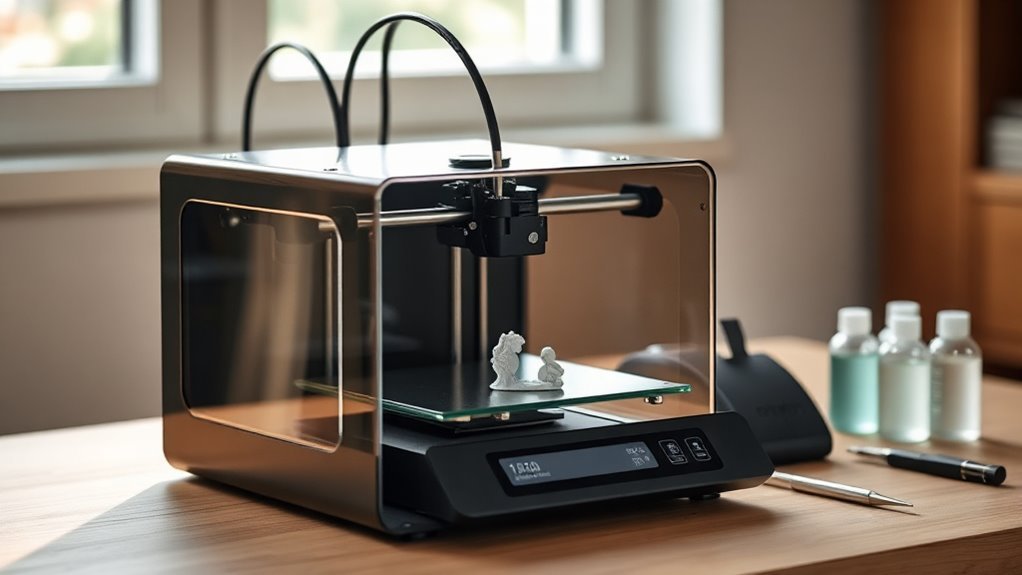
When choosing a budget resin 3D printer, you’ll want to focus on print resolution quality and build volume capacity to match your project needs.
Also, think about how easy the printer is to set up. You’ll want something that handles print speed efficiently without sacrificing reliability.
These factors will help you find a stable and user-friendly option that fits your beginner goals in 2026. It’s all about balancing quality with ease of use!
Print Resolution Quality
Print resolution quality plays a crucial role in determining how detailed and crisp your 3D prints will appear. Focus on the XY pixel density—smaller pixel sizes (around 10–20 µm) deliver finer surface detail.
The native LCD resolution, like 4K or 10K, paired with screen size, influences pixel size and print sharpness; higher resolution on the same panel means better detail. Don’t overlook the Z-axis layer thickness—thinner layers (as low as 0.01 mm) create smoother vertical surfaces but increase print time.
Also, consider light source uniformity and exposure control since uneven lighting can blur fine features. Finally, remember that hardware precision and slicer settings, like anti-aliasing and exposure times, both impact your print’s actual resolution.
Build Volume Capacity
Understanding how resolution affects your print quality is important, but you’ll also want to take into account the build volume capacity of your resin 3D printer. For beginners, pick a build volume that comfortably fits the projects you plan to print.
Desktop resin printers usually range from about 5.5 × 3.5 × 6 inches to 8.5 × 4.7 × 8.7 inches. Larger volumes let you print multiple small parts or bigger models but use more resin, increase cure times, and risk costly print failures.
Smaller volumes often deliver finer detail and save resin, making them more economical and less intimidating. Also, consider your workspace—bigger printers need more room and better ventilation.
If you plan to scale later, opt for printers with modular upgrades or volumes that fit future projects to avoid buying new equipment. It’s all about finding the right balance for your needs!
Ease of Setup
Because getting started can feel overwhelming, choosing a resin 3D printer with an easy setup will save you time and frustration. Look for models that arrive fully assembled or require minimal assembly, like plug-and-play setups with pre-fitted Z-rails and pre-mounted build plates.
Automatic or simple manual leveling, guided by clear instructions, cuts calibration time and reduces first-print failures. Printers with built-in self-check routines catch issues early, preventing wasted resin.
An intuitive touchscreen with on-screen guidance and preloaded files helps you learn faster, avoiding complex PC-only controls. Features like resume-on-power-loss, clear error alerts, and easy access to common maintenance points simplify ongoing use.
Prioritizing these ease-of-setup factors secures a smoother, more enjoyable start to your resin 3D printing journey.
Print Speed Efficiency
When you’re choosing a budget resin 3D printer, speed matters—especially if you want to complete projects quickly and efficiently. Look for printers with faster layer exposure and peel mechanisms, ideally between 60–150 mm/h, to slash print times.
Keep in mind, shorter per-layer exposure times near 1–2 seconds speed up printing but need strong, well-matched light sources to maintain good surface quality. Also, consider your typical print sizes; larger build volumes naturally take longer, so the printer’s speed should match your project scale.
Efficient peel and vat mechanics, like reduced suction forces and optimized tilting, let you print faster without risking failures. Finally, remember that slicing settings, layer height, and post-processing often impact overall speed more than just the printer’s specs.
Reliability and Stability
Although budget resin 3D printers may seem similar at first glance, their reliability and stability can vary widely. This directly affects your print success.
You’ll want a printer with proven uptime features like power-loss resume and automatic recovery. These help you avoid wasting resin during outages.
Look for a stable, uniform light source that guarantees consistent exposure times. This reduces layer defects and improves print quality.
A robust mechanical design is key—think a stiff Z-axis, secure build plate, and reliable FEP film mounts. These help prevent layer shifting and model lifting.
Active thermal management is a big plus. It cools LEDs and electronics, extending component life and keeping print parameters steady.
Finally, built-in sensors that detect resin shortage, debris, or leveling issues can save you headaches. They help prevent silent failures, boosting your successful print rate and saving you time and frustration.
Software Compatibility Options
Choosing a budget resin 3D printer means paying close attention to software compatibility, as it directly impacts your printing experience and results. First, confirm the printer supports common file formats like .stl or .obj and make sure your slicer exports the exact format required, whether .gcode or proprietary.
Check if the printer works with popular slicers that offer resin-specific features—layer exposure control, hollowing, drainage, and support generation—so you can fine-tune prints easily. Also, verify how print jobs transfer: USB, SD card, or network options like Wi-Fi, and whether your slicer supports those methods for smoother workflows.
Finally, pick a printer with an active software ecosystem, frequent updates, and firmware that enables print recovery and resin-specific presets, reducing failed prints and improving reliability. It makes a big difference when your software is reliable and keeps getting better.
Safety Features Included
Beyond software compatibility, ensuring your resin 3D printer includes strong safety features protects you and your workspace from potential hazards. Look for printers with enclosed build chambers and hinged lids to minimize your exposure to resin fumes and accidental contact during curing.
Models supporting activated carbon or HEPA filtration and exhaust ventilation help limit airborne VOCs and odors. It’s a smart way to keep the air cleaner while you print.
Choose machines with resin-level sensors and alarms to avoid printing with an empty or contaminated vat. This reduces spills and protects your LCD screen from damage.
Verify thermal and electrical protections like overheat shutdown, surge protection, and resume-on-power-loss safeguards. These features help prevent fires and wasted resin, giving you peace of mind.
Finally, features such as tilt-release mechanics, UV-blocking covers, and clear error messages promote safe handling. They reduce risks of splashes, skin contact, or accidental UV exposure during your printing workflow.
Frequently Asked Questions
How Do I Safely Dispose of Used Resin and Cleaning Materials?
You should cure used resin fully under UV light before disposal, then throw it away with regular trash.
For cleaning materials soaked in resin, let them dry and harden completely. After that, dispose of them safely in sealed bags.
What Are the Best Post-Processing Techniques for Resin Prints?
Perfect post-processing practices polish prints precisely: you’ll want to rinse with isopropyl alcohol, cure under UV light, then sand smoothly.
Sealing surfaces with resin or paint seals your sturdy, stunning, and successful 3D creations. It really helps protect your prints and give them a professional finish.
Plus, taking these steps makes a huge difference in durability and appearance. So, don’t skip them!
Can Resin Printers Be Used for Food-Safe or Medical Applications?
You can’t use most resin printers for food-safe or medical applications without special biocompatible resins and certifications. Always check material safety data sheets and post-processing requirements to make certain your prints meet health and safety standards.
It’s really important to use the right materials if you want your prints to be safe for those uses. And don’t forget, certifications matter a lot in these cases. So, always double-check before you start printing!
How Do Ambient Temperature and Humidity Affect Resin Printing?
Like Goldilocks seeking the perfect porridge, you’ll want ambient temperature and humidity just right—too cold or damp can ruin your print’s cure and adhesion.
While stable, warm conditions guarantee smooth, detailed resin results every time. It’s all about finding that sweet spot for the best outcome.
What Maintenance Steps Prolong the Lifespan of Resin 3D Printers?
You should regularly clean the resin vat and build plate, and replace the FEP film when it shows signs of wear. Keeping the printer dust-free is also important to avoid issues.
Make sure to store your resin properly, too. It really helps to calibrate your printer often.
Also, guarantee proper ventilation in your workspace. These steps together will effectively prolong your printer’s lifespan.
Conclusion
Choosing the right budget resin 3D printer can feel like finding a hidden gem in a treasure chest—you want something reliable, easy to use, and packed with features. Whether you pick the ANYCUBIC Photon Mono 4 or the ELEGOO Saturn 4 Ultra, you’ll be set to bring your creative ideas to life without breaking the bank.
Keep your needs and workspace in mind, and you’ll print with confidence from day one. Budget resin 3D printers offer incredible value for beginners, combining precision and ease of use. By focusing on models that balance affordability and performance, you ensure your creative journey starts smoothly. So, dive into the world of resin printing with a budget-friendly printer that fits your style and goals perfectly!