12 Best All In One Printers for Small Offices in 2027
You want an all-in-one printer that’s fast, reliable, and perfectly suited for your small office. Finding a printer that balances quality, speed, and affordability can be tricky, but it’s totally doable with the right info.
Models like the HP OfficeJet Pro 8125, 9125, and 8139 offer versatile wireless connectivity and sharp color prints. Meanwhile, the LaserJet Pro 3105sdw delivers speedy monochrome output, great for black-and-white documents.
Brother and Epson also provide robust options with high yields and smart app controls. Keep going to explore which printer perfectly matches your workflow and budget. You’re just a few steps away from making a smart purchase!
| Image | Name | Editor's Rating | Price |
|---|---|---|---|

|
|
||
|
|
||

|
|
||

|
|
||

|
|
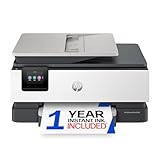
HP OfficeJet Pro 8125 Wireless All-in-One Printer
- FROM AMERICA'S MOST TRUSTED PRINTER BRAND – The OfficeJet Pro 8125 is perfect for home offices printing professional-quality color documents like business documents...
- 3 MONTH TRIAL OF INSTANT INK INCLUDED – Subscribe to the Instant Ink delivery service to get ink delivered directly to your door before you run out, and you save up to...
- KEY FEATURES – Fast color printing, scan, copy, auto 2-sided printing, auto document feeder, and a 225-sheet input tray
- 2.7-INCH TOUCHSCREEN – Quickly navigate your printer with a large color touchscreen and a phone-like user interface
- WIRELESS PRINTING – Stay connected with our most reliable dual-band Wi-Fi, which automatically detects and resolves connection issues

The HP OfficeJet Pro 8125 Wireless All-in-One Printer is designed to simplify your office tasks. It handles printing, scanning, copying, and faxing with ease, making daily workflows smoother. Its wireless dual-band Wi-Fi and Ethernet connectivity allow seamless printing from laptops, smartphones, or PCs, reducing cable clutter.
The 2.7-inch color touchscreen offers intuitive control, helping you access functions quickly and efficiently. Fast print speeds of up to 20 ppm in black and 10 ppm in color keep up with busy schedules. Duplex printing cuts paper use by automatically printing on both sides.
Maintenance is straightforward but requires original HP 923 cartridges, which deliver sharp, water-resistant prints. Keep in mind, the fax feature works only through the mobile app, and the automatic document feeder supports one-sided scanning and copying. Firmware updates may restrict use of non-HP cartridges.
Best for: Small office users and home office workers who need a versatile, wireless all-in-one printer with reliable connectivity and fast output.
What We Like:
- Flexible printing options with dual-band Wi-Fi, Apple AirPrint, and Ethernet.
- Easy navigation via a 2.7-inch color touchscreen.
- Efficient duplex printing saves paper and costs.
- Crisp, durable prints with original HP 923 cartridges.
Specification:
| Feature | Details |
|---|---|
| Manufacturer | HP |
| Dimensions (W×D×H) | 17.23 × 14.02 × 8.58 inches |
| Weight | Approximately 16.5 lb (7.5 kg) |
| Connectivity | Dual-band Wi-Fi, Ethernet, USB |
| Display | 2.7-inch color touchscreen |
| Cartridge Type | HP 923 original cartridges |
HP OfficeJet Pro 9125 Wireless All-in-One Printer
No products found.
The HP OfficeJet Pro 9125 Wireless All-in-One Printer is designed to streamline your daily office tasks efficiently. Whether you’re printing, scanning, copying, or faxing, this printer handles it all with ease. Its dual-pass 2-sided automatic document feeder and automatic duplex printing reduce manual effort and speed up workflow.
With fast print speeds of up to 22 ppm for black and 18 ppm for color, you can complete jobs quickly without compromising quality. The high-resolution output at 4800 x 1200 dpi ensures sharp, detailed prints every time. This printer supports multiple connection options, including dual-band Wi-Fi, Ethernet, and USB, giving you flexible ways to connect from various devices.
Maintenance is straightforward with a 250-sheet input tray that minimizes frequent refills. However, it uses HP 936 cartridges with original HP chips, which might affect ongoing costs. The printer’s size and weight require adequate desk space but provide a stable, robust build for busy offices.
Best for: Small offices and home businesses needing a reliable all-in-one printer to handle daily printing, scanning, copying, and faxing with versatile wireless connectivity.
What We Like:
- Fast print speeds with high-quality color resolution.
- Efficient dual-pass 2-sided document feeder and duplex printing.
- Multiple connectivity options including modern wireless and Ethernet.
- Large input tray reduces paper refills.
- Sturdy design suitable for frequent office use.
Specification:
| Feature | Details |
|---|---|
| Manufacturer | HP |
| Dimensions (W×D×H) | Approx. 18.5 × 15.5 × 10.3 in |
| Weight | Over 20 lb (approx. 9.1 kg) |
| Connectivity | Dual-band Wi-Fi, Ethernet, USB |
| Input Tray Capacity | 250 sheets |
HP OfficeJet Pro 8139 Wireless All-in-One Printer
- FROM AMERICA'S MOST TRUSTED PRINTER BRAND – The OfficeJet Pro 8139 is perfect for home offices printing professional-quality color documents like business documents...
- 1 YEAR TRIAL OF INSTANT INK INCLUDED – Subscribe to the Instant Ink delivery service to get ink delivered directly to your door before you run out, and you save up to...
- KEY FEATURES – Fast color printing, scan, copy, fax, auto 2-sided printing, auto document feeder, and a 225-sheet input tray
- 2.7-INCH TOUCHSCREEN – Quickly navigate your printer with a large color touchscreen and a phone-like user interface
- WIRELESS PRINTING – Stay connected with our most reliable dual-band Wi-Fi, which automatically detects and resolves connection issues
The HP OfficeJet Pro 8139 Wireless All-in-One Printer brings professional-quality color printing into your home or small office with ease. It tackles common frustrations by delivering crisp, clear documents at up to 4800 x 1200 dpi resolution. This printer uses smart AI technology to automatically optimize your print jobs and remove unwanted content, saving you time and improving output quality.
Designed with convenience in mind, it supports wireless printing, scanning, copying, and faxing through a user-friendly 2.7-inch touchscreen and the HP app. The built-in automatic document feeder (ADF) and duplex printing capability further streamline your workflow, reducing manual effort and paper use.
Maintenance is straightforward with HP Instant Ink, which ensures you never run out of ink without frequent trips to the store. The sustainable design incorporates over 45% recycled plastic, reflecting an eco-conscious approach without compromising performance.
While the print speed is moderate—20 ppm for black and 10 ppm for color—it suits typical home and small office workloads. Note that the printer requires HP 923 series cartridges, and firmware limits the use of third-party ink.
Best for: Small home offices and professionals needing reliable, high-quality color printing with smart AI features and wireless convenience.
What We Like:
- High-resolution color printing with smart AI optimization
- Wireless connectivity with an intuitive touchscreen interface
- Duplex printing and automatic document feeder for efficient handling
- Sustainable design using recycled materials
- HP Instant Ink support for hassle-free ink management
Specification:
| Feature | Details |
|---|---|
| Manufacturer | HP |
| Dimensions (W x D x H) | Approx. 17.2 x 15.4 x 9.7 inches (43.7 x 39.1 x 24.6 cm) |
| Weight | Approx. 19.4 lbs (8.8 kg) |
| Print Resolution | Up to 4800 x 1200 dpi |
| Print Speed | 20 ppm (black), 10 ppm (color) |
| Paper Capacity | Single 225-sheet tray |
| Connectivity | Wireless, USB |
HP LaserJet Pro 3105sdw Monochrome Laser Printer | All-in-One
No products found.
The HP LaserJet Pro 3105sdw is designed to keep small teams productive and efficient. It delivers fast monochrome printing at speeds up to 33 pages per minute, reducing wait times and streamlining document workflows. Its automatic two-sided printing helps save paper and cuts down on manual tasks.
Setup is straightforward with the HP app, which also optimizes your Wi-Fi connection for seamless use. The printer’s auto feeder speeds up scanning of one-sided documents, making it easier to digitize paperwork quickly. AI-driven tools enhance your workflow by crafting smart email subjects and cleaning web content before printing, saving you time and effort.
Maintenance is simple but requires original HP cartridges with chips, which may limit third-party options and affect running costs. While it does not support color printing or automatic duplex scanning, its compact design and smart security features ensure your data stays protected.
Best for: Small teams or offices needing fast, reliable black-and-white printing with smart AI enhancements and secure connectivity.
What We Like:
- Fast print speeds with automatic two-sided printing
- AI tools improve content quality and email integration
- Easy setup and smart Wi-Fi connection management
- Robust security features with HP Wolf Pro Security
Specification:
| Feature | Details |
|---|---|
| Manufacturer | HP |
| Product Type | Monochrome Laser Printer |
| Dimensions | Approx. 16.3 x 14 x 11.7 in |
| Weight | Around 23.7 lb (10.75 kg) |
| Connectivity | Wi-Fi, USB |
| Printing Speed | Up to 33 pages per minute |
HP OfficeJet Pro 8135 Wireless All-in-One Printer
- FROM AMERICA'S MOST TRUSTED PRINTER BRAND – The OfficeJet Pro 8135 is perfect for home offices printing professional-quality color documents like business documents...
- 3 MONTH TRIAL OF INSTANT INK INCLUDED – Subscribe to the Instant Ink delivery service to get ink delivered directly to your door before you run out, and you save up to...
- KEY FEATURES – Fast color printing, scan, copy, fax, auto 2-sided printing, auto document feeder, and a 225-sheet input tray
- 2.7-INCH TOUCHSCREEN – Quickly navigate your printer with a large color touchscreen and a phone-like user interface
- WIRELESS PRINTING – Stay connected with our most reliable dual-band Wi-Fi, which automatically detects and resolves connection issues
Experience reliable and efficient printing with the HP OfficeJet Pro 8135 Wireless All-in-One Printer. Designed for small offices, it handles printing, scanning, copying, and faxing with ease, helping you stay productive without hassle. Wireless connectivity means you can manage tasks from anywhere in your workspace.
This printer delivers sharp, high-quality documents at speeds up to 20 ppm in black and 10 ppm in color. Automatic two-sided printing reduces paper waste, making it an eco-conscious choice. The 2.7-inch color touchscreen and HP Smart app simplify operations, letting you control functions directly from your smartphone.
Maintenance is straightforward with this all-in-one device. It uses over 45% recycled plastic, reflecting an environmentally friendly design. The HP AI technology helps optimize print formatting, reducing errors and saving resources. However, note that the single-sided automatic document feeder limits duplex scanning and copying.
With a modest paper capacity, it suits small office tasks without overwhelming bulk. The printer supports high-resolution photos at 4800 x 1200 dpi and includes robust security features to protect your data and documents.
Best for: Small offices and home offices needing a versatile, eco-friendly all-in-one printer with wireless functionality and sharp color printing.
What We Like:
- Fast print speeds with automatic duplex printing
- Easy mobile management via touchscreen and HP Smart app
- Environmentally friendly build featuring recycled materials
- AI-enhanced print formatting for optimized output
- Strong security features for document protection
Specification:
| Feature | Details |
|---|---|
| Manufacturer | HP |
| Dimensions (W x D x H) | 17.3 x 14.3 x 8.4 inches |
| Weight | Approximately 20.8 lbs |
| Color Options | Black |
| Paper Input Capacity | 225 sheets |
| Paper Output Capacity | 60 sheets |
| Display | 2.7-inch color touchscreen |
Canon MegaTank G3270 All-in-One Wireless Color Printer
- Wireless Print/Copy/Scan
- Up to 2 years of ink included (2)
- Print up to 6,000 black & white / 7,700 color pages using a single set of inks! (1)
- Save up to $1,000 on ink (1)
- 1.35” Square LCD display
Experience hassle-free printing with the Canon MegaTank G3270, designed to keep your ink costs low without compromising on quality. This all-in-one wireless color printer handles printing, scanning, and copying with ease. Its sharp 4800 x 1200 dpi resolution produces vibrant images and clear text for professional results every time.
Maintenance is simple thanks to the refillable MegaTank system, which can last up to two years on a single set of ink bottles. This feature dramatically reduces running costs and minimizes the need for frequent ink replacements. The printer supports both wireless and USB connections, allowing seamless printing from computers, smartphones, and tablets.
Compact and energy-efficient, the Canon MegaTank G3270 fits comfortably in small office or home environments. While its printing speed is moderate—up to 11 pages per minute in black and 6 in color—it suits users prioritizing quality and cost savings over volume. Note that it only offers single-sided printing and has a 100-sheet paper tray, which may require regular refills in busy settings.
Best for: Small offices and home users seeking a cost-effective, reliable all-in-one printer with vibrant color output and low ink expenses.
What We Like:
- Refillable MegaTank system delivers up to two years of ink.
- High-resolution printing ensures sharp, vibrant documents.
- Wireless and mobile device compatibility enhances convenience.
- Compact design saves space in small work areas.
Specification:
| Feature | Details |
|---|---|
| Manufacturer | Canon |
| Dimensions | Compact size (exact size not provided) |
| Weight | Not specified |
| Color Options | Not specified |
| Print Resolution | Up to 4800 x 1200 dpi |
| Print Speed | 11 ppm (black), 6 ppm (color) |
| Connectivity | Wireless, USB |
| Paper Tray Capacity | 100 sheets |
Canon PIXMA TR8620a All-in-One Printer Black
- Never run out of ink. Connect your printer to Alexa and receive notifications when you’re running low. Alexa can even place a smart reorder from Amazon on your behalf...
- Enrolling in Smart Reorders with Alexa ensures that you never have too much or too little ink supplies. No subscription needed.
- Wireless 4-in-1 (Print | Copy | Scan | Fax)
- 15 / 10 ipm Print Speed
- 200 Sheet Capacity (100 Cassette, 100 Rear Feed)
The Canon PIXMA TR8620a All-in-One Printer is designed to simplify your office workflow by combining printing, scanning, copying, and faxing into one compact unit. This device helps reduce clutter and speeds up tasks with its intuitive touchscreen and wireless connectivity. You can easily manage multi-page documents thanks to the 20-sheet automatic document feeder, making everyday tasks more efficient.
With print resolutions up to 4800 x 1200 dpi, the PIXMA TR8620a delivers sharp and vibrant results, whether for text or photos. Automatic duplex printing helps save paper and supports eco-friendly practices. Two 100-sheet trays allow you to switch between different paper types without hassle, ideal for diverse printing needs.
Maintenance is straightforward with Alexa integration, which alerts you when ink is low and allows for smart reordering. The printer’s energy-efficient design ensures reliability without excessive power consumption. However, its 1,000-page monthly duty cycle may not suit very high-volume environments, and print speeds are moderate.
Best for: Small office users and home professionals seeking an all-in-one printer that balances functionality with ease of use.
What We Like:
- Combines multiple functions with simple touchscreen control
- Automatic duplex and 20-sheet ADF boost productivity
- Alexa-enabled ink alerts and smart reorder support
- Dual paper trays accommodate various media types
Specification:
| Feature | Details |
|---|---|
| Manufacturer | Canon |
| Dimensions (W×D×H) | Approx. 14.5 × 12.4 × 7.6 in (36.8 × 31.5 × 19.3 cm) |
| Weight | Approx. 15.7 lb (7.1 kg) |
| Color | Black |
| Connectivity | Wireless, USB |
| Maximum Print Resolution | 4800 x 1200 dpi |
| Automatic Document Feeder | 20 sheets |
| Paper Capacity | Two 100-sheet trays |
Brother DCP-L2640DW Wireless Monochrome Multi-Function Printer

- BEST FOR SMALL BUSINESSES – Engineered for extraordinary productivity, the Brother DCP-L2640DW Monochrome (Black & White) 3-in-1 combines laser printer, scanner, copier...
- FAST PRINTER WITH EFFICIENT SCANNING – Produces documents quickly with print speeds up to 36 ppm(2) and scan speeds up to 23.6/7.9 ipm(3) (black/color). A 50-page auto...
- FLEXIBLE CONNECTION OPTIONS – Easily navigate the changing demands of your business with secure multi-device connectivity via built-in dual-band wireless (2.4GHz...
- BROTHER MOBILE CONNECT APP – Print, scan, and manage your wireless printer anytime, from almost anywhere from your mobile device. Order Brother Genuine Supplies, track...
- CHOOSE BROTHER GENUINE TONER – When it’s time to replace your toner, be sure to choose Brother Genuine TN830 or TN830XL replacement toner. And with Refresh EZ Print...
The Brother DCP-L2640DW Wireless Monochrome Multi-Function Printer is designed to simplify busy office tasks. It handles printing, scanning, and copying with speed and reliability, helping you stay productive without cluttering your workspace. Its fast output—up to 36 pages per minute—means less waiting and more getting done.
With built-in dual-band wireless and Ethernet connectivity, you can easily print from laptops, smartphones, or tablets. The 50-sheet auto document feeder streamlines multi-page scanning and copying, reducing manual effort. Automatic duplex printing saves paper, supporting eco-friendly office practices.
Maintenance is straightforward thanks to Brother’s toner subscription service, which ensures you never run low on supplies. The compact design fits well in small offices or home workspaces without sacrificing functionality. While it prints in monochrome only, it excels at delivering sharp black-and-white documents quickly.
Best for: Small businesses and home offices needing a compact, fast, and reliable monochrome printer with scanning and copying capabilities.
What We Like:
- Fast print and copy speeds up to 36 ppm
- Dual-band wireless and Ethernet for versatile connectivity
- Automatic duplex printing reduces paper waste
- 50-sheet auto document feeder streamlines multi-page jobs
- Compact design saves space without sacrificing features
Specification:
| Feature | Details |
|---|---|
| Manufacturer | Brother |
| Dimensions (W×D×H) | Approx. 16.1 × 14.0 × 7.2 in (41 × 35.6 × 18.3 cm) |
| Weight | Approx. 15.7 lb (7.1 kg) |
| Color Options | Monochrome (Black and White) |
| Connectivity | Dual-band Wireless, Ethernet |
Canon MegaTank MAXIFY GX2020 Wireless All-in-One Printer

- Wireless Print/Copy/Scan/Fax (2)
- Print up to 3,000 black & white / 3,000 color pages using a single set of inks! (1)
- 2.7” LCD Color Touchscreen
- Auto 2-sided printing
- ADF – 35 sheet Auto Document Feeder
Experience efficient, cost-effective printing designed for busy small offices with the Canon MegaTank MAXIFY GX2020. Its refillable ink tank system delivers up to 3,000 black and 3,000 color pages per set, reducing the hassle of frequent cartridge replacements and lowering operating costs. This system ensures you spend more time on work and less on maintenance.
The printer’s versatile functionality handles printing, copying, scanning, and faxing, making it a complete office solution. Automatic duplexing and a 35-sheet automatic document feeder streamline multitasking and boost productivity. These features help manage daily tasks without slowing down your workflow.
Connectivity options include wireless dual-band, USB, and wired LAN, along with Chromebook compatibility. This flexibility easily integrates into hybrid work environments, supporting various devices and remote printing needs. Its compact design fits comfortably in tight office spaces.
While print speeds are moderate, the GX2020 produces sharp text and vivid colors with its pigment and dye-based inks. The 2.7″ touchscreen, though small, provides straightforward control for essential functions. The maximum media size of 8 x 10 inches suits most standard office print jobs.
Best for: Small offices and hybrid work environments needing reliable, high-volume printing with versatile, all-in-one functionality.
What We Like:
- High page yield with refillable ink tanks up to 3,000 pages black/color
- Comprehensive all-in-one features: print, copy, scan, fax
- Flexible connectivity including wireless dual-band and Chromebook support
- Automatic duplex printing and 35-sheet ADF for enhanced efficiency
Specification:
| Feature | Details |
|---|---|
| Manufacturer | Canon |
| Dimensions | Compact (exact dimensions not provided) |
| Weight | Not specified |
| Ink System | Refillable MegaTank ink tanks |
| Connectivity | Wireless dual-band, USB, wired LAN, Chromebook compatible |
| Media Size Max | 8 x 10 inches |
| Display | 2.7-inch touchscreen |
Epson Workforce Pro WF-4935 Wireless All-in-One Printer

- Built for Speed — PrecisionCore Heat-Free technology delivers fast, high-volume printing with 25 (black)/12 (color) ISO ppm and fast first-page-out
- High-Precision Office Printing — Accurate dot placement and DURABrite Ultra instant-dry pigment inks for professional-quality prints
- High-Volume Durability for Heavy Workloads — Innovative heat-free technology engineered for reliability and reduced downtime
- Complete Duplex Solution — All-in-one printer with auto 2-sided print, copy, scan and fax; plus 50-sheet ADF
- Maximize Printing Productivity — High-performance office printer with 500-sheet paper capacity; includes two 250-sheet trays for added convenience
The Epson Workforce Pro WF-4935 Wireless All-in-One Printer is designed to handle demanding office tasks with ease. Its dual 250-sheet trays and 50-sheet automatic document feeder reduce the need for constant paper refills, allowing you to focus on your work without interruptions. This makes it a dependable choice for busy small offices.
With PrecisionCore heat-free inkjet technology, the printer delivers sharp, professional-quality prints at a speed of 25 ppm for black and 12 ppm for color. The high resolution of up to 4800 x 2400 dpi ensures clear text and vibrant images. Its auto-duplex printing and scanning capabilities help save time and paper.
The 4.3″ touchscreen and Wi-Fi connectivity simplify operation and enable seamless integration into your workspace. Maintenance is straightforward, and the DURABrite Ultra pigment inks provide durable documents that resist smudging and fading, ensuring your prints look professional over time.
While the color print speed may be slower for very large jobs, and the printer’s size requires some desk space, its robust features and reliable performance make it a valuable office tool.
Best for: Small offices and home offices that require reliable, high-volume printing with professional-quality results.
What We Like:
- Dual 250-sheet trays and 50-sheet feeder minimize paper reloads
- Fast black-and-white printing with sharp, durable output
- Auto-duplex functions save time and reduce paper use
- User-friendly 4.3″ touchscreen and wireless connectivity
Specification:
| Feature | Details |
|---|---|
| Manufacturer | Epson |
| Dimensions (W x D x H) | 18.8 x 20.7 x 13.6 inches |
| Weight | 23.6 lbs (10.7 kg) |
| Printing Technology | PrecisionCore heat-free inkjet |
| Paper Capacity | Dual 250-sheet trays, 50-sheet ADF |
| Connectivity | Wi-Fi, USB 2.0 |
Brother INKvestment 5010 Wireless Color Inkjet Printer

- BEST FOR SMALL BUSINESS: Print, copy, scan, and fax with one powerful device, with advanced security features for business. Includes one 1,800-page yield black ink...
- PRODUCTIVITY-FOCUSED FEATURES: A 250-sheet paper tray, 50-page single-pass duplex (2-sided) automatic document feeder (ADF), and automatic duplex printing on paper up to...
- SUPERIOR PRINTING: Engineered with the Brother PerfectPrint Auto Detection System, which helps ensure reliable, consistent print quality and performance you can depend on...
- SEAMLESS CONNECTIONS: Simplify your workflow with Wi-Fi Direct and multiple connection options, including wireless network interfacing, Ethernet, and USB. Plus, print...
- THE BROTHER MOBILE CONNECT APP: Put the power of printing at your fingertips. Go mobile with the simple-to-use Brother Mobile Connect app, which delivers easy on-screen...
The Brother INKvestment 5010 Wireless Color Inkjet Printer is designed to keep up with the demands of a busy small office. It delivers fast printing speeds and automatic duplexing, helping you complete double-sided documents quickly without extra effort. This printer reduces workflow interruptions with its high-capacity 250-sheet tray and 50-page duplex automatic document feeder.
Its sharp 4800 × 1200 dpi resolution ensures clear, vibrant color prints ideal for professional presentations and reports. You can easily connect via dual-band Wi-Fi, Ethernet, or USB. The intuitive 2.7″ touchscreen simplifies navigation, while direct cloud app printing and scanning support streamline remote work.
Maintenance is straightforward thanks to the cost-effective INKvestment system, which uses high-yield cartridges to minimize frequent replacements. The Brother Mobile Connect app further enhances convenience by allowing job management from anywhere.
While the printer is somewhat bulky and the starter ink is limited, it balances these drawbacks with reliable performance and flexible connectivity. It’s a practical solution for improving productivity in small office environments.
Best for: small offices and busy professionals who require a versatile, fast, and cost-effective wireless color inkjet printer with duplex capabilities.
What We Like:
- Fast print speeds with automatic duplexing to save time
- Large 250-sheet main tray and 50-page duplex ADF for efficient job handling
- High-resolution color output suitable for professional documents
- Flexible connectivity options including dual-band Wi-Fi, Ethernet, and USB
- Cost-saving INKvestment ink system with remote management via mobile app
Specification:
| Feature | Details |
|---|---|
| Manufacturer | Brother |
| Printer Type | Wireless Color Inkjet |
| Print Resolution | 4800 × 1200 dpi |
| Print Speed | Up to 28 ppm (black), 26 ppm (color) |
| Paper Capacity | 250-sheet main tray |
| Automatic Document Feeder | 50-page duplex ADF |
| Connectivity | Dual-band Wi-Fi, Ethernet, USB |
| Display | 2.7-inch touchscreen |
| Weight | 30.9 lbs (14 kg) |
HP Color LaserJet Pro 3304fdw | Color Laser Printer | Wireless | All-in-One

- FROM AMERICA'S MOST TRUSTED PRINTER BRAND – Perfect for office teams creating professional-quality color documents and reports. Auto 2-sided printing/scanning, auto...
- SIMPLIFY SCAN TO EMAIL – Save time when scanning documents to email. HP AI automatically generates smart subject lines, file names, and actionable summaries to...
- BLAZING FAST COLOR – Up to 26 color pages per minute, with sharp details and incredible color
- STAYS CONNECTED – Reliable Wi-Fi automatically reconnects to stay online and ready to print
- PROTECTS YOUR DATA – Includes HP Wolf Pro Security with customizable settings so your printer and information are always secure
Experience seamless productivity with the HP Color LaserJet Pro 3304fdw, designed to simplify print, scan, copy, and fax tasks for small teams. This all-in-one color laser printer delivers sharp prints at 600 x 600 dpi and speeds up to 26 pages per minute, helping you meet tight deadlines with ease.
Wireless connectivity lets you print and scan directly from your smartphone or tablet using the HP app, Apple AirPrint, or Mopria. The compact design fits neatly into busy office spaces while the auto document feeder and duplex printing streamline your workflow.
Maintenance is straightforward, though note the printer consumes up to 416 watts, which may impact energy costs over time. Firmware updates can restrict the use of non-HP cartridges with chips, so consider this when managing toner expenses. The maximum supported media size is standard letter size, limiting larger format printing.
This printer is ideal for small to medium offices that need reliable, secure, and efficient document handling. The built-in HP Wolf Pro Security safeguards your data, making it suitable for environments where privacy is a priority.
Best for: Small to medium-sized businesses or work teams up to seven users requiring a versatile all-in-one color laser printer with wireless capabilities and enhanced security.
What We Like:
- Fast print speeds up to 26 ppm in color and black-and-white.
- Wireless printing and scanning via HP app, Apple AirPrint, and Mopria.
- Auto document feeder and duplex printing for efficient multitasking.
- HP Wolf Pro Security protects sensitive data.
- Compact design fits into tight office spaces.
Specification:
| Feature | Details |
|---|---|
| Manufacturer | HP |
| Model | Color LaserJet Pro 3304fdw |
| Print Speed | Up to 26 ppm (color & B/W) |
| Print Resolution | 600 x 600 dpi |
| Connectivity | Wireless, HP app, AirPrint, Mopria |
| Media Size | Up to 8.5 x 11.7 inches |
| Power Consumption | Up to 416 watts |
| Dimensions (W×D×H) | Compact design (exact size not provided) |
| Weight | Not specified |
Factors to Consider When Choosing an All in One Printer for Small Offices
When picking an all-in-one printer for your small office, you’ll want to weigh how fast it prints and what connectivity options it offers.
Don’t forget to factor in ink or toner costs and how much paper it can handle at once.
Plus, strong security features are a must to keep your documents safe.
Print Speed Importance
Consider print speed carefully, as it directly impacts how quickly you get your documents, especially during large jobs. Higher speeds, measured in pages per minute (ppm), can materially cut your wait time—for example, jumping from 20 to 30+ ppm reduces a 100-page job from 5 minutes to about 3.3 minutes.
Pay attention to black and color ppm separately since color printing often runs slower and can bottleneck your workflow. Also, check the first-page-out time for quick tasks; a fast initial print boosts responsiveness.
Match the printer’s rated speed to your typical volume and peak usage—faster models suit busy, multi-user settings, while slower ones may suffice for occasional use. Keep in mind duplex printing can save paper but usually slows overall throughput.
Connectivity Options Variety
How does your office stay connected when printing? Choosing a printer that supports both 2.4 GHz and 5 GHz Wi-Fi bands guarantees faster, more reliable connections with less interference. This is perfect for multiple users sharing the same network.
Built-in Ethernet capability is also essential for stable wired connections and easier network management. You’ll want Wi-Fi Direct or wireless-direct features too, so guests and mobile users can print without joining your main network.
Make sure the printer supports Apple AirPrint and Mopria standards. This allows seamless printing from iOS and Android devices without installing extra drivers.
Finally, look for multiple USB ports and cloud or app-based printing options to handle varied workflows, whether local or remote. These connectivity features keep your small office printing flexible and efficient.
Ink and Toner Costs
Managing ink and toner expenses plays a critical role in keeping your small office printing budget under control. Start by calculating the cost per page—divide the cartridge or toner price by its page yield—and compare monochrome versus color rates, since color often costs several times more.
Don’t overlook total cost of ownership: factor in how often you’ll replace cartridges based on your monthly print volume, plus any subscription or refill fees. High-yield or XL cartridges usually reduce your per-page cost despite higher upfront prices, so compare yields and unit costs carefully.
Consider refillable tank systems for dramatically lower ongoing ink costs, though they may require more maintenance. Also, for laser printers, factor in hidden expenses like drum units or maintenance kits that can notably raise your long-term costs.
Paper Handling Capacity
When selecting an all-in-one printer for your small office, matching the paper handling capacity to your workload can save you time and hassle. Aim for an input tray that holds at least 250 sheets to reduce frequent refills and handle batch jobs smoothly.
Also, check the automatic document feeder (ADF) capacity—30 to 50 sheets or more—so you can scan or copy multi-page documents efficiently without manual effort. Automatic duplex printing is a must to cut paper usage and produce professional double-sided documents easily.
Don’t forget the output tray capacity and the printer’s monthly duty cycle; both should accommodate your largest print jobs and peak usage. Finally, make sure your printer supports specialty media through multipurpose or rear trays to avoid jams and manual feeding.
Security Features Necessity
Since printers connect directly to your network and handle sensitive documents, securing them is essential to protect your small office from unauthorized access and data breaches. Choose a printer that supports strong network security protocols like WPA3, TLS, and SSL to prevent eavesdropping.
Device-level protections such as built-in firewalls, secure boot, and firmware signing keep tampering at bay. Make sure your printer offers user authentication options like PINs or LDAP integration, so only authorized staff can print or access stored files.
Data protection features including drive encryption, secure erase, and encrypted transmission safeguard your documents. Finally, prioritize models with logging, audit trails, and remote management, allowing your IT team to monitor security events, enforce policies, and deploy automatic updates.
This makes certain your office stays secure and compliant.
Frequently Asked Questions
How Do All-In-One Printers Impact Office Energy Consumption?
All-in-one printers help you save energy by combining multiple functions into one device, reducing power use and space.
You’ll cut electricity costs and lower your office’s carbon footprint with energy-efficient models and smart power management features.
It’s a simple way to keep your workspace efficient and eco-friendly without adding extra gadgets.
Can These Printers Integrate With Cloud Storage Services?
Yes, you can connect, upload, and print directly from cloud services. These printers sync effortlessly with platforms like Google Drive, Dropbox, and OneDrive.
This means you can work seamlessly, save time, and boost your office’s productivity. It’s super convenient and really streamlines your workflow.
What Security Features Protect Sensitive Office Documents?
You’ll find security features like user authentication, encrypted data transmission, and secure print release protect your sensitive documents.
Many printers also offer PIN codes and automatic data deletion to keep your office information safe from unauthorized access.
These features work together to make sure only authorized people can see or print your documents. It’s all about keeping your info secure and giving you peace of mind.
Are There Subscription Plans for Ink or Toner Replacement?
You might think subscription plans are expensive, but yes, many printers offer ink or toner replacement subscriptions. They save you time and money by automatically delivering cartridges before you run out, keeping your office running smoothly.
It’s pretty convenient, honestly. No more last-minute trips to the store or worrying about running out at the worst time. Plus, some plans even adjust deliveries based on your usage, so you only get what you need.
How Do Warranty and Customer Support Vary Among Brands?
Warranty length and customer support quality vary widely among brands. You’ll find some offering extended warranties and 24/7 support, while others provide limited coverage and business hours only.
Always compare before buying to avoid surprises. It’s better to know what you’re getting into upfront. That way, you won’t be stuck with less help than you expected.
Conclusion
Choosing the right all-in-one printer for your small office is like picking the perfect tool in a busy workshop—you want reliability, speed, and versatility all in one.
Whether you lean towards HP’s trusted models or Epson’s efficiency, these printers are designed to keep your workflow smooth and your tasks seamless.
With the right choice, you’ll turn your office into a well-oiled machine, ready to tackle anything the workday throws your way. Finding the best all-in-one printer for small offices means focusing on features like fast print speeds, high-quality scanning, and cost-effective ink options.
These factors make a big difference when you’re managing multiple tasks daily.
So, if you want to boost productivity and streamline your office operations, investing in one of the top all-in-one printers for small offices is definitely the way to go.