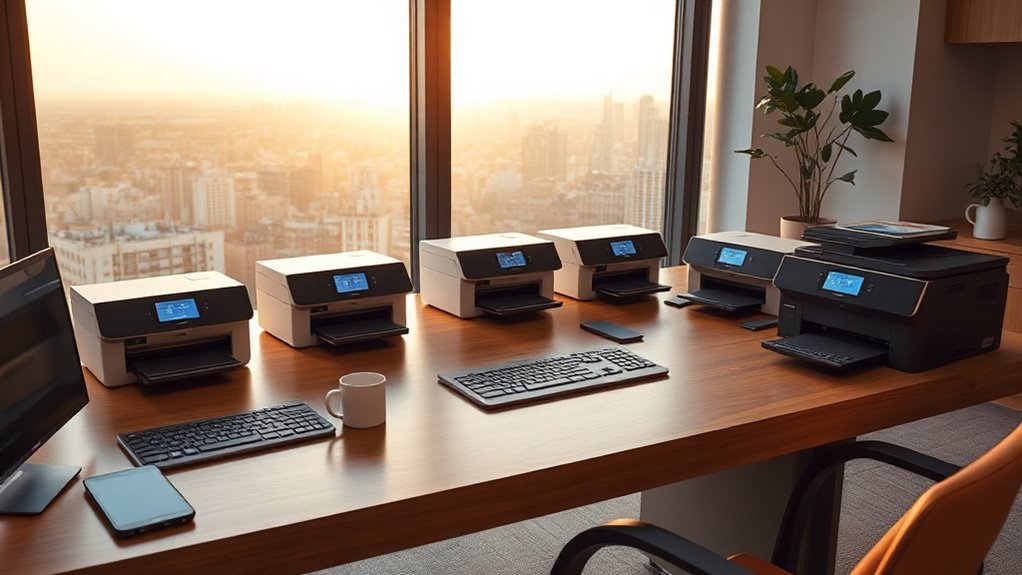
8 Best Business Printers for Remote Teams in 2027
For remote teams in 2027, choosing the right business printer is key to staying productive and efficient. You’ll want printers like the HP OfficeJet Pro 9125 or Brother MFC-L8930CDW, which offer reliable and versatile all-in-one functions. These models are perfect for handling a variety of tasks without hiccups.
Epson Workforce Pro models stand out for fast, high-volume printing. If security and management features are your priority, HP’s Color LaserJet Enterprise M480f has you covered. Plus, Brother’s INKvestment 6960 helps keep ink costs low with handy subscription options.
These printers handle speed, connectivity, and capacity well, making them excellent choices to boost your team’s productivity. Want to know more? You’ll find even more insights on what makes these models stand out below.
| Image | Name | Editor's Rating | Price |
|---|---|---|---|

|
|
||

|
|
||

|
|
||

|
|
||

|
|
HP OfficeJet Pro 9125 Wireless All-in-One Printer
No products found.
The HP OfficeJet Pro 9125 Wireless All-in-One Printer is designed to streamline your remote team’s daily tasks. It handles printing, scanning, copying, and faxing with ease, helping you stay productive without interruptions. Its fast print speeds and duplex scanning reduce wait times, keeping your workflow efficient.
Maintenance is straightforward with the 250-sheet input tray and wireless connectivity options like dual-band Wi-Fi and AirPrint. The intuitive 2.7-inch touchscreen and HP Smart app simplify control, making it easy to manage jobs remotely. However, it requires genuine HP 936 cartridges, which may affect ongoing supply costs.
This printer fits well in small to medium-sized offices that need a versatile device for multiple functions. Its eco-conscious design includes over 40% recycled plastic and strong security features with HP Wolf Pro. While it supports standard letter-size paper, it does not handle larger formats.
Best for: small to medium-sized remote teams needing a reliable, versatile all-in-one printer for efficient printing, scanning, copying, and faxing with strong wireless connectivity.
What We Like:
- Fast print speeds with duplex scanning and dual-pass automatic document feeder
- Wireless options include dual-band Wi-Fi, AirPrint, and a user-friendly touchscreen
- Eco-friendly design using over 40% recycled plastic and enhanced security with HP Wolf Pro
Specification:
| Feature | Details |
|---|---|
| Manufacturer | HP |
| Dimensions (W×D×H) | 17.2 × 17.2 × 10.1 inches |
| Weight | Approximately 18.3 lb |
| Material | Plastic (over 40% recycled) |
| Paper Size Supported | Up to 8.5 × 11.7 inches |
Epson Workforce Pro WF-4930 Wireless All-in-One Printer
- Built for Speed — PrecisionCore Heat-Free technology delivers fast, high-volume printing with 25 (black)/12 (color) ISO ppm and fast first-page-out
- High-Precision Office Printing — Accurate dot placement and DURABrite Ultra instant-dry pigment inks for professional-quality prints
- High-Volume Durability for Heavy Workloads — Innovative heat-free technology engineered for reliability and reduced downtime
- Complete Duplex Solution — All-in-one printer with auto 2-sided print, copy, scan and fax; plus 50-sheet ADF
- Maximize Printing Productivity — High-performance office printer with 500-sheet paper capacity; includes two 250-sheet trays for added convenience

The Epson Workforce Pro WF-4930 Wireless All-in-One Printer is designed to enhance productivity in busy workspaces. Its PrecisionCore Heat-Free technology delivers fast, high-quality prints while reducing energy consumption. This makes it a practical choice for remote teams who need consistent performance without frequent maintenance interruptions.
With print speeds of 25 ppm for black and 12 ppm for color, it handles daily printing tasks efficiently. The automatic duplex printing and a 50-sheet automatic document feeder simplify multi-page jobs, saving time and effort. Two 250-sheet trays allow uninterrupted printing for high-volume projects.
Connectivity is flexible with wireless, Ethernet, and USB options. Mobile printing via AirPrint and Mopria supports on-the-go workflows, making it easy to print from smartphones or tablets. The intuitive 4.3-inch touchscreen helps users navigate functions quickly.
Using DURABrite Ultra inks, the printer produces sharp, durable prints suitable for professional documents. However, it requires Epson Genuine Cartridges, which may increase operating costs. Its larger size means it needs adequate workspace but supports demanding printing needs reliably.
Best for: remote teams and small offices requiring fast, high-volume printing with versatile connectivity and low-maintenance operation.
What We Like:
- Fast and energy-efficient printing with PrecisionCore Heat-Free technology
- Automatic duplex and 50-sheet ADF improve multitasking efficiency
- Multiple connectivity options including wireless, Ethernet, and mobile printing
- Large capacity trays reduce paper refills during heavy use
- Sharp, long-lasting prints with DURABrite Ultra inks
Specification:
| Feature | Details |
|---|---|
| Manufacturer | Epson |
| Dimensions | Approx. 18.1 x 22.8 x 15.5 in |
| Weight | Approx. 22 lb |
| Color Options | Black |
Brother MFC-L8930CDW Color Laser All-in-One Printer
- Updated design, professional results. High-quality output with sharp color and black printing. Fast print and copy speeds up to 33ppm(1) help boost productivity. Reliable...
- Maximize printing budgets. Offers built-in value with included Brother Genuine 3,000-page black and 1,800-page color standard yield toner cartridges. Help lower printing...
- Advanced scanning. High-speed, two-sided scanning up to 104ipm(3) with 80-page auto document feeder(4) and legal-size glass. Scan to cloud, email, SharePoint, and more...
- Productivity-enhancing features. Flexible connectivity, including built-in dual-band (2.4GHz / 5GHz) wireless networking and Gigabit Ethernet networking. 7” color...
- Triple Layer Security. Advanced security features to help keep devices secure, protect documents in transit to and from print devices, and safeguard networks. Includes an...
The Brother MFC-L8930CDW is a compact color laser all-in-one printer designed to streamline your office tasks. It handles printing, scanning, copying, and faxing efficiently, making it ideal for busy work environments where space and speed matter. Its smaller size saves desk space without compromising performance.
This model prints sharp color documents at speeds up to 33 pages per minute and features automatic duplex printing to reduce paper use. The 80-page auto document feeder and high-speed two-sided scanning at up to 104 images per minute help you process large jobs quickly. These capabilities simplify document management for remote teams.
Connectivity options include dual-band wireless and Gigabit Ethernet, ensuring smooth network integration. The printer also protects sensitive information with triple-layer security and NFC badge authentication. This combination of features supports secure and flexible use in various office settings.
Maintenance is straightforward, though users should note that the printer weighs 71.2 pounds, which limits portability. Toner replacements might be frequent for heavy users, despite available high-yield cartridges. Some advanced scanning and mobile printing functions require internet access and additional setup.
Best for: small to medium business teams and remote workers needing a versatile, space-saving all-in-one printer with robust color printing and secure document handling.
What We Like:
- Compact design reduces workspace footprint by 25%
- Fast color printing and two-sided scanning speeds
- Advanced security with triple-layer protection and NFC authentication
- Versatile connectivity including dual-band wireless and Ethernet
Specification:
| Feature | Details |
|---|---|
| Manufacturer | Brother |
| Dimensions (W x D x H) | Approx. 16.1 x 18.0 x 16.7 in (40.9 x 45.7 x 42.4 cm) |
| Weight | 71.2 lb (32.3 kg) |
| Printing Technology | Color Laser |
| Connectivity | Dual-band Wireless, Gigabit Ethernet |
| Touchscreen Size | 7 inches |
HP Color LaserJet Pro 3304fdw | Color Laser Printer | Wireless | All-in-One
- FROM AMERICA'S MOST TRUSTED PRINTER BRAND – Perfect for office teams creating professional-quality color documents and reports. Auto 2-sided printing/scanning, auto...
- SIMPLIFY SCAN TO EMAIL – Save time when scanning documents to email. HP AI automatically generates smart subject lines, file names, and actionable summaries to...
- BLAZING FAST COLOR – Up to 26 color pages per minute, with sharp details and incredible color
- STAYS CONNECTED – Reliable Wi-Fi automatically reconnects to stay online and ready to print
- PROTECTS YOUR DATA – Includes HP Wolf Pro Security with customizable settings so your printer and information are always secure
Experience seamless productivity with the HP Color LaserJet Pro 3304fdw, designed to simplify office workflows. This all-in-one color laser printer delivers fast, reliable printing, scanning, copying, and faxing for small to medium business teams. It handles daily tasks efficiently, reducing downtime and streamlining communication.
The printer supports wireless connectivity, allowing you to print directly from smartphones or tablets using the HP app, Apple AirPrint, or Mopria. Its automatic duplexing saves time and paper by printing on both sides, while the 250-sheet capacity handles diverse document types without frequent reloads.
Maintenance is straightforward with clear guided setup and smart AI features that enhance workflow management. Although the print resolution maxes out at 600 x 600 dpi, it provides sharp text and vibrant color for everyday business needs. Keep in mind, toner cartridges yield moderate page counts, so plan accordingly.
Security is a priority with built-in HP Wolf Pro Security, protecting sensitive data from threats. The printer’s sturdy design supports workgroups of up to seven users, making it a dependable choice for busy office environments.
Best for: Small to medium business teams seeking a versatile, secure all-in-one color laser printer with wireless capabilities.
What We Like:
- Fast print speed up to 26 ppm with automatic duplexing
- Multifunctional: print, scan (ADF + flatbed), copy, and fax
- Robust security features including HP Wolf Pro Security
- Wireless printing from mobile devices
- User-friendly setup with AI-powered workflow enhancements
Specification:
| Feature | Details |
|---|---|
| Manufacturer | HP |
| Model | Color LaserJet Pro 3304fdw |
| Dimensions (W×D×H) | 16.9 × 15.4 × 11.6 inches |
| Weight | 37.7 pounds (17.1 kg) |
| Connectivity | Wireless, USB |
| Print Speed | Up to 26 ppm |
| Print Resolution | Up to 600 x 600 dpi |
| Paper Capacity | 250 sheets |
| Functions | Print, Scan (ADF + Flatbed), Copy, Fax |
Brother INKvestment 6960 Wireless Color All-in-One Printer
- BEST FOR SMALL BUSINESS: This multifunction printer makes it easy to print, copy, scan, and fax on up to 11”x17” paper. Includes one 1,800-page yield black ink...
- PRODUCTIVITY-FOCUSED FEATURES: 500-sheet capacity with two trays(3), 100-sheet multipurpose tray(3), up to 50-page single-pass duplex copy & scan via ADF(3), and...
- SPEED & QUALITY: Engineered with MAXIDRIVE Technology with print speeds of up to 31 pages per minute (ppm) in black and up to 30 ppm in color(5). The PerfectPrint Auto...
- INNOVATIVE TECHNOLOGY: With Wi-Fi Direct, print wirelessly without an external network connection. Print from and scan to Cloud apps(6), including Google Drive, Dropbox...
- THE BROTHER MOBILE CONNECT APP: The power of printing at your fingertips. Go mobile with the simple-to-use Brother Mobile Connect app(7) that delivers onscreen menu...
The Brother INKvestment 6960 Wireless Color All-in-One Printer is designed to meet the needs of small businesses and remote teams seeking reliable, high-quality printing solutions. It delivers fast prints with speeds up to 31 pages per minute for black and 30 for color, helping you stay productive during busy workdays. Automatic duplexing supports efficient double-sided printing up to ledger size, saving both paper and time.
This printer handles large workloads with ease, offering a total paper capacity of up to 500 sheets through two trays and a multipurpose slot. Its single-pass duplex automatic document feeder scans up to 50 pages quickly, streamlining document management. The 3.5-inch color touchscreen provides intuitive control, making operation straightforward even for new users.
Connectivity is versatile, featuring dual-band Wi-Fi, Ethernet, and cloud app integration. The Brother Mobile Connect app allows seamless printing and scanning from mobile devices, enhancing flexibility. Ink subscriptions reduce running costs and simplify maintenance, although some may find the printer’s size and weight less portable.
Best for: Small businesses and remote teams needing a fast, versatile color all-in-one printer with strong connectivity and efficient ink management.
What We Like:
- Fast print speeds with automatic duplexing up to ledger size
- Large paper capacity and efficient single-pass duplex scanning
- Multiple connectivity options including dual-band Wi-Fi and cloud apps
- User-friendly 3.5” color touchscreen
- Ink subscription for cost-effective maintenance
Specification:
| Feature | Details |
|---|---|
| Manufacturer | Brother |
| Dimensions (W x D x H) | Not specified |
| Weight | Over 51 lbs (approx. 23.1 kg) |
| Color Options | Not specified |
| Connectivity | Dual-band Wi-Fi, Ethernet, Cloud apps |
Epson Workforce Pro WF-5938 Wireless All-in-One Printer
- Built for Speed — PrecisionCore Heat-Free technology delivers fast, high-volume printing with 25 (black)/25 (color) ISO ppm and fast first-page-out
- High-Precision Office Printing — Accurate dot placement and DURABrite Ultra instant-dry pigment inks for professional-quality prints
- High-Volume Durability for Heavy Workloads — Innovative heat-free technology engineered for reliability and reduced downtime
- Complete Duplex Solution — All-in-one printer with auto 2-sided print, copy, scan and fax; plus 50-sheet ADF
- Maximize Printing Productivity — High-performance office printer with 500-sheet paper capacity; includes two 250-sheet trays for added convenience
Experience fast, reliable printing designed to keep your remote team productive. The Epson Workforce Pro WF-5938 offers professional-quality output at impressive speeds, reducing wait times and boosting efficiency. Its PrecisionCore Heat-Free technology eliminates warmup delays, letting you print instantly.
This wireless all-in-one handles printing, scanning, copying, and faxing with ease. Automatic duplex printing saves paper, while the 50-sheet Automatic Document Feeder streamlines multi-page tasks. The large 4.3″ touchscreen simplifies operation, making daily use straightforward.
Maintenance is hassle-free with DURABrite Ultra inks that dry instantly and resist smudging. However, it requires genuine Epson cartridges to maintain performance and avoid warranty issues. Its sturdy build offers durability, though the footprint is sizable and demands ample desk space.
Connectivity options include Wi-Fi, Ethernet, and USB, plus mobile printing via AirPrint and voice commands. This makes it adaptable to various remote work environments, supporting seamless document handling.
Best for: remote teams and professionals needing a fast, versatile, and high-quality wireless all-in-one printer with multifunction capabilities.
What We Like:
- Fast 25 ppm print speed with no warmup delays
- Multifunction features including duplex printing and 50-sheet ADF
- Wide connectivity options with mobile and voice printing support
- Crisp 4800 x 1200 dpi resolution with durable, instant-dry inks
Specification:
| Feature | Details |
|---|---|
| Manufacturer | Epson |
| Dimensions (W x D x H) | 16.7″ x 15.3″ x 13″ |
| Weight | 22.5 lbs (10.2 kg) |
| Print Resolution | Up to 4800 x 1200 dpi |
| Print Speed | 25 ppm (black and color) |
| Connectivity | Wi-Fi, Ethernet, USB |
| Media Size Max | 8.5″ x 14″ |
HP OfficeJet Pro 9135 Wireless All-in-One Printer

- FROM AMERICA'S MOST TRUSTED PRINTER BRAND – The OfficeJet Pro 9135 is perfect for offices printing professional-quality color documents like presentations, brochures...
- 3 MONTH TRAIL OF INSTANT INK INCLUDED – Subscribe to the Instant Ink delivery service to get ink delivered directly to your office door before you run out, and you save...
- KEY FEATURES – Fast color printing, copy, fax, auto 2-sided printing, auto document feeder with single-pass 2-sided scanning, and two 250-sheet input trays
- 4.3-INCH TOUCHSCREEN – Quickly navigate your printer with a large color touchscreen and a phone-like user interface
- WIRELESS PRINTING – Stay connected with our most reliable dual-band Wi-Fi, which automatically detects and resolves connection issues
The HP OfficeJet Pro 9135 Wireless All-in-One Printer is designed to keep small to medium business teams productive and connected. It tackles the challenge of handling high-volume printing with speeds up to 25 ppm black and 20 ppm color, reducing wait times and streamlining daily tasks. The printer’s duplex capability and single-pass two-sided scanning improve efficiency by automating complex workflows.
Wireless connectivity is seamless thanks to dual-band Wi-Fi, Ethernet, and USB options. This flexibility makes it easy to integrate into various office environments without hassle. The intuitive 4.3-inch touchscreen simplifies navigation and job management, minimizing downtime.
Maintenance is straightforward with HP’s AI-powered print formatting, which optimizes ink usage and reduces waste. The printer’s robust build includes over 40% recycled plastic, reflecting a commitment to sustainability. However, it only supports original HP cartridges with chips, which may limit third-party options.
This all-in-one printer securely manages sensitive documents with HP Wolf Pro Security, making it a reliable choice for busy workgroups needing consistent performance and secure wireless printing.
Best for: Small to medium business teams and small workgroups needing fast, versatile, and secure wireless all-in-one printing solutions.
What We Like:
- Fast print speeds with duplex printing and single-pass two-sided scanning
- Multiple connectivity options including dual-band Wi-Fi and Ethernet
- User-friendly 4.3-inch touchscreen for easy operation
- HP AI optimizes print jobs and supports sustainability efforts
- Durable design with over 40% recycled plastic content
Specification:
| Feature | Details |
|---|---|
| Manufacturer | HP |
| Dimensions (W×D×H) | Approx. 17.3 × 15.4 × 10.7 in |
| Weight | Approx. 19.8 lb (9 kg) |
| Connectivity | Dual-band Wi-Fi, Ethernet, USB |
| Display | 4.3-inch touchscreen |
| Paper Capacity | 500 sheets |
HP Color LaserJet Enterprise M480f | Color Printer | All-in-One | Duplex

- Easy to use, simple to manage: Print, scan, copy, HP Color LaserJet Enterprise M480f Multifunction Printer, a laser printer with speeds up to 29 ppm, a 50-sheet automatic...
- Enhanced productivity to empower work teams: Support mobile workers with optional multifunction apps that meet your specific business needs
- Build business efficiency: Centralize control of your printing environment with HP Web JetAdmin
- HP Wolf Enterprise Security: The world's most secure printers are always on guard with defensive layers to detect and self-heal from malware, and protect your data and...
- Automatic 2-sided printing: Speed through tasks and save paper by printing two-sided documents
Experience efficient color printing that keeps your remote or busy office productive. The HP Color LaserJet Enterprise M480f combines sharp, high-quality prints with multifunction versatility, including scanning, copying, and faxing. It delivers crisp output at 600 x 600 dpi and prints up to 29 pages per minute, helping you meet deadlines without delay.
Its automatic duplex printing reduces paper usage, promoting eco-friendly practices. The 50-sheet automatic document feeder simplifies multi-page tasks, while the intuitive touchscreen enhances ease of use. Security is a priority with HP Wolf Enterprise, protecting your sensitive data in real time.
Designed for reliable performance, this all-in-one printer supports Android, iOS, and major desktop operating systems. Centralized management via HP Web JetAdmin streamlines maintenance and network control, ideal for remote teams managing multiple devices.
Though compact, the device is relatively heavy and offers a single 300-sheet paper tray, which can require frequent refills during high-volume use. Despite these considerations, it delivers consistent, professional-quality color printing that meets the demands of busy workplaces.
Best for: remote teams and busy offices needing a dependable color multifunction printer with advanced security and mobile compatibility.
What We Like:
- Fast printing speed with clear 600 x 600 dpi resolution and duplex capability
- Multifunction design including scanning, copying, faxing, and automatic document feeder
- Strong security features with HP Wolf Enterprise and centralized management
Specification:
| Feature | Details |
|---|---|
| Manufacturer | HP |
| Dimensions (W×D×H) | 16.5 × 18.9 × 15.5 inches |
| Weight | Over 51 lbs (approx. 23.1 kg) |
| Print Resolution | 600 x 600 dpi |
| Print Speed | Up to 29 pages per minute |
| Paper Capacity | 300-sheet single tray |
| Connectivity | Compatible with Android, iOS, major desktop OS |
Factors to Consider When Choosing a Business Printer for Remote Teams
When picking a printer for your remote team, you’ll want to focus on connectivity options that fit your setup and print speed that keeps up with your workload.
Look for multi-function features and strong security to protect sensitive information. Also, consider cost efficiency to keep expenses manageable without sacrificing quality.
It’s all about finding the right balance, so your team stays productive without breaking the bank.
Connectivity Options
Although connectivity can seem straightforward, choosing the right options for your business printer is essential to support remote teams effectively. Make sure your printer supports dual-band Wi‑Fi (2.4 GHz and 5 GHz) to reduce interference and maintain reliable connections for users in different locations.
Include multiple wired options like Ethernet and USB to accommodate office hubs or power users who need stable, secure access. It’s also a good idea to verify compatibility with mobile and cloud printing standards such as AirPrint and Google Cloud Print equivalents. This way, printing from smartphones, tablets, and cloud workflows is seamless.
Wi‑Fi Direct is super handy for ad-hoc local printing without network access, perfect for contractors or hot-desk users. Finally, check for print server, VPN support, and secure authentication (WPA3, 802.1x). These features help guarantee safe, centralized management across your distributed team.
Print Speed and Volume
Since remote teams often juggle varying print demands, matching your printer’s speed and volume capacity to those needs keeps workflows smooth and efficient. Choose a printer with a pages-per-minute (ppm) rate that meets or exceeds your typical workload—20–30 ppm suits moderate use, while 30+ ppm handles high-volume tasks without delays.
Check the duty cycle and monthly volume limits to guarantee the printer can handle peak print jobs comfortably. First-page-out time matters too; faster warm-up reduces wait times for quick prints.
Don’t overlook duplex and automatic document feeder (ADF) throughput, as efficient double-sided printing and large feeders speed up multi-page jobs. Finally, opt for high-yield toner or ink cartridges to minimize downtime from frequent replacements, keeping your remote team’s productivity uninterrupted.
Multi-Function Capabilities
To keep your remote team running smoothly, make sure your business printer packs a full set of multifunction features like printing, scanning, copying, faxing, and duplex scanning.
Choose a model with an automatic document feeder (ADF) that supports two-sided scanning and holds at least 20–50 sheets. This helps handle multi-page documents efficiently.
Check the printer’s maximum copies per job and duty cycle to guarantee it can handle your remote office’s workload without constant interruptions.
Opt for high optical scan and copy resolution—300 to 600 dpi or higher—to guarantee clear, legible scans suitable for OCR and sharing.
Also, prioritize multifunction printers that offer networked and remote access features like scan-to-email, cloud integration, and USB support.
That way, your team can manage documents seamlessly from anywhere.
Security Features
When choosing a business printer for your remote team, you need to prioritize robust security features that protect sensitive data and control access. Make sure the printer supports network security protocols like WPA3 Wi-Fi encryption and 802.1X Ethernet authentication to safeguard data transmission.
Look for device-level protections such as secure boot, signed firmware updates, and automatic integrity checks to block malware and unauthorized code. These features help keep your printer safe from attacks.
Choose printers offering user authentication methods—PINs, user accounts, LDAP/Active Directory integration, or NFC badges—to restrict print and scan access. This way, only authorized people can use the device.
Verify support for encrypted data in transit (TLS, SFTP, HTTPS) and at rest with optional disk encryption. Encryption is key to keeping your information safe whether it’s moving or stored on the device.
Finally, prioritize auditability features like centralized logging, remote management, and the ability to disable unnecessary protocols. These reduce vulnerabilities and make it easier to investigate incidents quickly if something goes wrong.
Cost Efficiency
Security features protect your remote team’s data, but controlling costs keeps your budget intact. To guarantee cost efficiency, calculate the total cost of ownership (TCO) by adding the initial purchase price, replacement consumable costs, and maintenance over the printer’s lifespan.
Compare per-page costs using cartridge yields to estimate real expenses for high-volume printing. It’s also smart to consider paper handling capacity and duplexing to reduce manual work and paper waste, which lowers ongoing costs.
Don’t forget network and management expenses like remote software subscriptions and IT support. Plus, check out energy consumption and duty cycle ratings to anticipate utility bills and replacement frequency.
Frequently Asked Questions
How Do I Securely Dispose of Printer Cartridges Remotely?
You can securely dispose of printer cartridges remotely by using certified recycling programs or mail-back services. These options make it easy to handle your cartridges without leaving your home or office.
Just be sure to package the cartridges safely to avoid any leaks or damage during shipping. Tracking your shipments is a smart move, too.
This way, you can confirm that your cartridges are properly disposed of. It helps protect sensitive information and keeps the environment safe.
Can Business Printers Integrate With Cloud Storage Services?
Yes, many business printers can integrate with cloud storage services like Google Drive or Dropbox. This means you can scan, print, and save documents directly to the cloud.
It makes remote collaboration seamless and efficient for your team. So, whether you’re in the office or working from home, accessing your documents is super easy.
What Are the Energy Consumption Standards for Office Printers?
You should know office printers often meet ENERGY STAR standards, using at least 20% less energy than conventional models.
This helps you cut costs and reduce environmental impact without sacrificing performance in your workspace. It’s really a win-win!
How Do Printing Costs Compare Between Inkjet and Laser Printers?
You’ll find laser printers cost less per page than inkjets, especially for high volumes.
Inkjets have lower upfront costs but use more expensive ink, so your overall printing expenses usually end up higher with inkjets.
Are There Printers Optimized for Printing on Non-Standard Media?
Think of specialized printers like chefs mastering unique ingredients—they’re designed to handle non-standard media like labels, envelopes, or cardstock effortlessly.
You’ll find many models offering adjustable trays and settings to print on various unusual materials. It’s pretty handy if you often work with different types of paper or other media.
Conclusion
Choosing the right printer for your remote team can boost productivity and cut costs. Did you know that 62% of remote workers say having reliable printing options at home improves their work efficiency?
Whether you prioritize speed, color quality, or wireless convenience, the printers listed here cater to various needs.
Invest smartly to keep your team connected and efficient, no matter where they work from. It’s all about making printing hassle-free for everyone. Remember, the best business printers for remote teams combine reliability, performance, and ease of use to support your team’s workflow seamlessly.