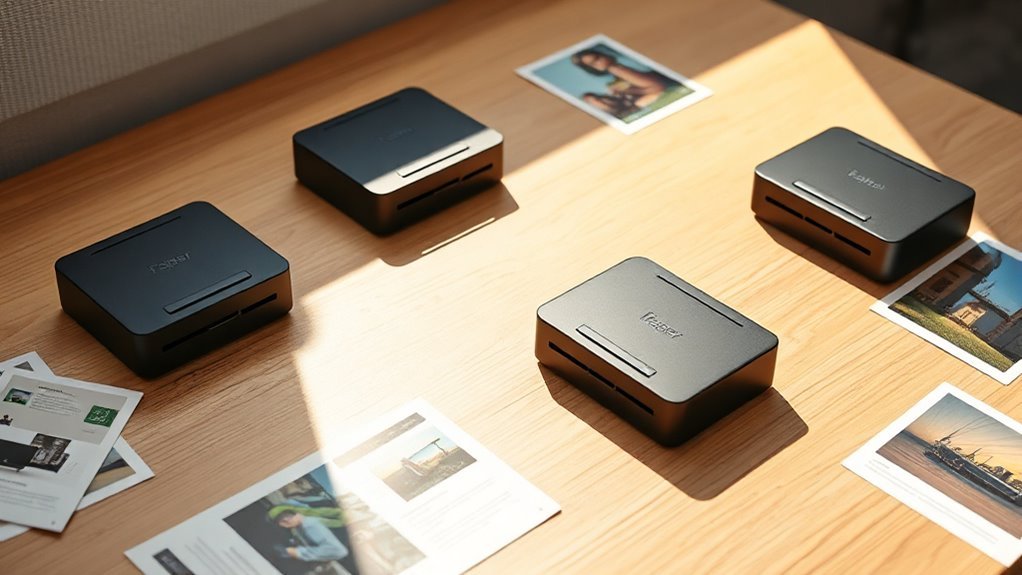
4 Best Budget Portable Printers for 2027
You’ll want a compact, lightweight thermal printer like the Rongta Wireless Printer or NDYIN N80 for sharp, inkless monochrome prints on the go. These budget portable printers are perfect for quick, hassle-free printing without the need for ink cartridges.
The PeriPage stands out by offering wireless PDF and label printing with a strong battery life, making it ideal for extended use away from power sources.
Meanwhile, the versatile Phomemo M832 supports various paper sizes and easy app pairing, giving you more flexibility for different printing needs.
All of these models connect via Bluetooth, require no ink, and are travel-friendly. Keep exploring to uncover the best fit for your mobile printing needs and device compatibility. Whether you need receipts, labels, or quick documents, these portable printers have got you covered.
| Image | Name | Editor's Rating | Price |
|---|---|---|---|

|
|
||

|
|
||

|
|
Rongta Wireless Thermal Portable Printer for Mobile Devices
- Easy to Set Up: RONGTA F11A portable thermal printer for travel go by bluetooth.Download "RONGTA" APP from Google Play or APP store for iOS and Android Phone or...
- RONGTA portable printer, 203DPI resolution, large to 8.5" design, easy to use and maintain. Print forms, letters, assignments, study materials, and travel documents...
- Stylish Thermal Printer:Rongta bluetooth wireless printer, It is compatible with your go-to paper sizes—including US Letter, Legal, A4 thermal papers. What’s more, it...
- Portable and Compact: When traveling you can take Rongta portable printer wireless in your backpack or tote bag wherever you need. It is compact and portable whether in...
- Warm Tips: Do Not Support Chrome. Rongta portable printers wireless for travel can't support pair bluetooth via Phone or tablet directly, must be pair on the"RONGTA" APP...

The Rongta Wireless Thermal Portable Printer offers a hassle-free way to print while you’re on the move. Its inkless thermal printing technology means no cartridges or ribbons to replace, making maintenance simple and mess-free. This helps you stay productive without worrying about running out of supplies.
Designed for portability, this compact printer easily fits in your bag. It connects smoothly with Android, iOS, Windows, and macOS devices via Bluetooth or USB. This versatility ensures you can print crisp, clear monochrome documents at 203 dpi from various mobile devices or laptops.
Setup is straightforward, but note it requires the RONGTA app for Bluetooth connection, which can’t be replaced by standard Bluetooth settings. While it only supports single-sided printing on thermal paper, this keeps the device lightweight and perfect for quick, on-the-go use.
The printer excels in delivering fast, reliable printing without bulk or complicated upkeep. It’s ideal for those who need quick, portable printing without the hassle of traditional ink-based printers.
Best for: Professionals and travelers needing a compact, ink-free thermal printer for quick black-and-white prints across multiple platforms.
What We Like:
- Compact and lightweight for easy portability
- Inkless printing eliminates cartridge and ribbon replacements
- Connects seamlessly with Android, iOS, Windows, and macOS
- Produces sharp monochrome prints at 203 dpi
- Simple setup through the RONGTA app ensures reliable Bluetooth pairing
Specification:
| Feature | Details |
|---|---|
| Manufacturer | Rongta |
| Dimensions | Compact and lightweight |
| Weight | Lightweight (exact weight not specified) |
| Connectivity | Bluetooth, USB |
| Print Resolution | 203 dpi |
| Printing Type | Thermal (inkless) |
| Supported Devices | Android, iOS, Windows, macOS |
Portable Printers Wireless for Travel, N80 Bluetooth Thermal Printer
No products found.
The NDYIN N80 Bluetooth Thermal Printer is designed to make printing on the go effortless and efficient. Its compact size and lightweight build mean you can carry it anywhere without hassle. Connecting wirelessly via Bluetooth, it pairs seamlessly with iPhones, iPads, and Android devices through the Nada Print app.
This printer solves the need for quick, inkless document printing. It uses thermal paper, eliminating the mess and cost of ink cartridges. With a sharp 203 DPI resolution, your contracts, invoices, and boarding passes come out clear and professional every time.
Maintenance is simple since it only requires thermal paper rolls. The rechargeable battery supports printing up to 160 US Letter sheets on a single charge, keeping you productive during long travel days. However, charging requires a USB-C adapter, which is not included.
While it excels in portability and wireless functionality, the N80 does not support Bluetooth printing from computers. For laptop or PC use, a USB-C connection and driver installation are necessary. It also prints exclusively on thermal paper sized US Letter or A4.
Best for: travelers and mobile professionals needing a lightweight, wireless thermal printer for quick, inkless document printing anywhere.
What We Like:
- Lightweight, compact design ideal for travel
- Wireless Bluetooth connection via the Nada Print app
- Inkless thermal printing ensures clean, clear documents
- Long battery life supports extended use
- Includes starter thermal paper roll and USB-C cable
Specification:
| Feature | Details |
|---|---|
| Manufacturer | NDYIN |
| Dimensions | 11 x 3.3 x 2 inches |
| Weight | 1.7 pounds |
| Connectivity | Bluetooth, USB-C |
| Print Resolution | 203 DPI |
| Paper Type | Thermal Paper (US Letter, A4) |
PeriPage Portable Thermal Printer, Wireless Inkless Printer for Travel
- Lightweight & Portable: This portable printer weighs just 1.3 lbs and is 2.6" thin, easily fitting in any bag. Print contracts, notes, or documents on business trips, in...
- Wireless & Multi-Device: Connect via Bluetooth 5.0 to iOS/Android devices or use USB-C for laptops. Compatible with Windows, Mac, and more—this portable thermal printer...
- Inkless & 203DPI HD: As an inkless portable printer, it eliminates messy ink, toner, and cartridges. Delivers crisp, smudge-free 203DPI prints for text, charts, and QR...
- Multi-Size Paper: This portable thermal printer supports US Letter, A4, A5, B5, and 4-inch thermal paper. Print full-size documents, labels, receipts, or study notes...
- Easy Setup & App: The free PeriPage app turns your phone into a print studio. This inkless portable thermal printer prints PDFs, Word, Excel, images, and web pages with a...
The PeriPage Portable Thermal Printer offers a simple solution to on-the-go printing challenges. Its inkless technology removes the hassle of cartridges, letting you print labels, receipts, notes, and documents without worrying about ink refills. This makes maintenance easy and cost-effective.
Designed with portability in mind, it weighs just 1.3 lbs and fits comfortably in your bag. Its compact size allows you to carry it effortlessly during travel or daily work. The printer connects wirelessly via Bluetooth 5.0, making it compatible with both iOS and Android devices for seamless printing.
The built-in 2000mAh battery supports up to 200 pages per charge, ensuring reliable printing throughout your day. The free PeriPage app enhances functionality by allowing you to print PDFs, images, and more, with options to edit and batch print. However, it only prints in monochrome and requires a PC driver for wired use.
Best for: Travelers and mobile professionals who need a lightweight, wireless, inkless printer for quick printing of documents and labels on the move.
What We Like:
- Compact, lightweight design perfect for travel
- Inkless thermal printing reduces maintenance and cost
- Bluetooth 5.0 wireless connectivity with versatile app support
- Long-lasting rechargeable battery for extended use
Specification:
| Feature | Details |
|---|---|
| Manufacturer | PeriPage |
| Dimensions | 6.2 x 3.8 x 1.92 inches |
| Weight | 1.3 lbs (0.59 kg) |
| Connectivity | Bluetooth 5.0, USB (wired) |
| Battery | 2000mAh rechargeable |
| Printing | Monochrome thermal printing |
Phomemo M832 Portbale Bluetooth Thermal Printers Wireless for Travel
- Multi Purpose - Prints 8.5'' x 11'', A4, 4.33'', 3.14 and 2.08'' wide thermal paper, ideal for business professionals, traveling entrepreneurs, offices, schools, and...
- Wireless & Portable - The portable Bluetooth wireless Phomemo thermal printer offers convenient and fast printing from your Phone or tablet. It built-in 2600 mAh...
- Easy to Use - The App "Phomemo"requires no registration and free template, no ink or toner needed, printing documents, reports, forms, letters, assignments, and study...
- Phone and Tablet Start Print - Step 1: Download the App 'Phomemo'. Step 2: Turn on the M832 printer and your phone's or tablet's Bluetooth. Step 3: Click the 'Printer...
- Laptop/PC Starts Printing - Step 1: Please check your laptop/PC's operating system (OS) and download and install the correct M832 driver from the Phomemo website. Step...
Experience hassle-free printing with the Phomemo M832 Portable Bluetooth Thermal Printer. Designed for those constantly on the go, this compact device offers wireless Bluetooth connectivity, allowing you to print directly from your phone or tablet without the need for ink or toner. Its thermal printing technology ensures clean, mess-free operation, making it perfect for travel or remote work.
The printer supports multiple paper sizes, including A4 and letter, so you can easily handle various documents like reports, forms, and study materials. Maintenance is simple since you only need to replace thermal paper rolls—no cartridges or ribbons required. The built-in rechargeable battery lets you print wherever you are, whether commuting or working outdoors.
For laptop or desktop use, connect via USB after installing the necessary driver. While this adds a step, it ensures compatibility with a wider range of devices. The Phomemo M832’s lightweight design and user-friendly app streamline printing tasks, enhancing productivity without the bulk of traditional printers.
Best for: Travelers, students, and professionals needing a versatile, wireless thermal printer for efficient on-the-go document printing.
What We Like:
- Wireless Bluetooth printing with easy app connection and no registration.
- Supports multiple paper sizes for diverse printing needs.
- Built-in rechargeable battery for portable use.
- Simple maintenance with no ink or toner required.
Specification:
| Feature | Details |
|---|---|
| Manufacturer | Phomemo |
| Dimensions | Compact (exact size not specified) |
| Weight | Lightweight (exact weight not specified) |
| Paper Sizes | A4, Letter, and others |
| Connectivity | Bluetooth, USB |
| Battery | Built-in rechargeable |
Factors to Consider When Choosing a Budget Portable Printer
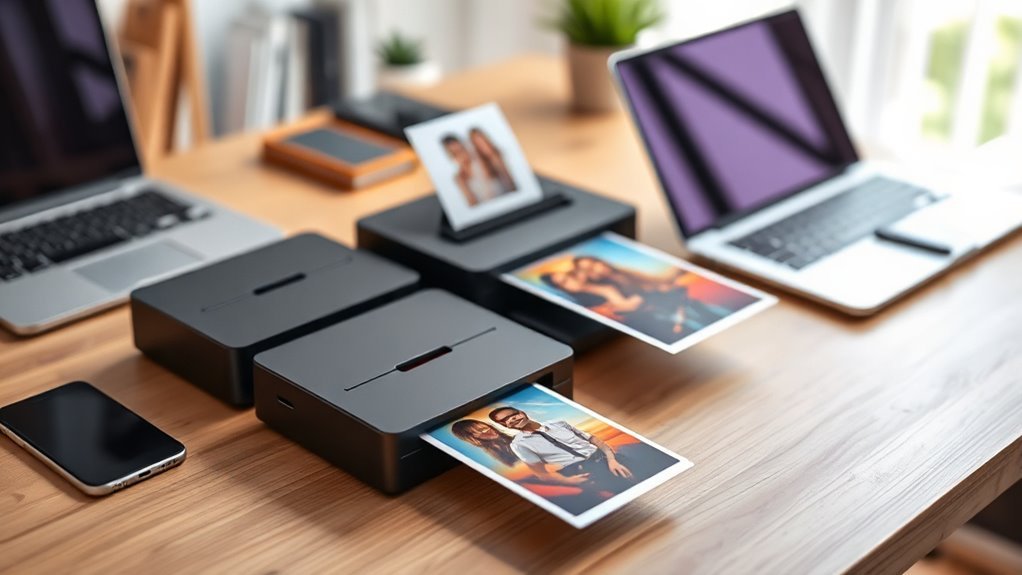
When choosing a budget portable printer, you’ll want to focus on print quality and resolution to guarantee clear results. Check the connectivity options and battery life to match your on-the-go needs.
Also, consider supported media types and device compatibility to avoid any surprises later. It’s always better to be sure your printer works smoothly with your devices right from the start.
Print Quality And Resolution
Although budget portable printers often come with limitations, print quality and resolution remain essential factors to contemplate. Resolution, measured in dots per inch (DPI), directly affects sharpness.
For thermal portable printers, aim for at least 203 x 203 dpi to guarantee legible text and simple graphics. Since thermal printers usually produce monochrome output, higher DPI helps render small fonts and fine line art clearly.
Keep in mind, direct thermal technology can cause lower contrast and softer edges on photos compared to inkjet or laser printers, so prioritize crisp fonts and high-contrast graphics. Paper quality also matters—using recommended thermal media improves print darkness and consistency.
Finally, be aware of the trade-off between print speed and resolution; faster modes might reduce sharpness. So, choose a model that balances DPI and your printing needs.
Connectivity Options Available
Since connectivity determines how easily you can print on the go, it’s essential to check which interfaces a budget portable printer offers. Look for Bluetooth if you want wireless printing from your smartphone or tablet, but verify the Bluetooth version—newer versions like 5.0 deliver better range and stability.
USB-C or USB-A ports guarantee stable connections to laptops or desktops. Some models also support Wi-Fi for networked printing.
Make sure the printer supports your device’s operating system—iOS, Android, Windows, or macOS—and whether it needs drivers or dedicated apps. Consider if it supports AirPrint, Android Print, or cloud services for easier printing from apps and websites.
Finally, check if it can print while charging via USB or needs battery power for mobile use. It’s handy to know so you don’t get stuck without power when you need to print.
Battery Life And Portability
Consider battery life and portability carefully to guarantee your budget portable printer keeps up with your mobile printing needs. Look for a battery with a capacity around 1500–2000 mAh or that supports 100–200 pages per charge, ensuring longer untethered use.
Pay attention to the device’s weight and size—ideally under 1 to 1.5 pounds and compact enough to fit in your bag or pocket. Check if it uses USB-C for charging and supports fast charging or USB power banks for on-the-go convenience.
Supported Media Types
Many budget portable printers support a variety of media types, but you’ll want to confirm compatibility with the specific formats you plan to use. Check whether the printer handles rolls, folded sheets, single sheets, or label stock, as some thermal models only accept rolls.
Verify the maximum and minimum media sizes to make sure your documents or receipts print fully without cropping. Also, confirm the paper type—thermal printers need heat-sensitive media and won’t work with regular inkjet or laser paper.
Pay attention to media thickness and weight limits to avoid jams, especially if you plan to print on adhesives or transfer papers. Finally, look for explicit support for special media like labels or sticker stock and any necessary app settings that help maintain proper print alignment and quality.
Compatibility With Devices
How well a portable printer works with your devices can make or break your printing experience. Start by checking supported operating systems to guarantee compatibility with your phones, tablets, and computers—whether iOS, Android, Windows 7–11, or macOS.
Next, look at connection options like Bluetooth, USB-C, USB-A, or Wi‑Fi. Note if Bluetooth pairing requires a vendor app or works through your device’s native settings. Also, confirm if the printer needs a specific app or driver for smooth printing.
Don’t forget to verify supported file formats such as PDFs, Word documents, images, or web pages to match your printing needs. And finally, if you want wireless printing from your desktop or laptop, make certain it’s supported and not limited to USB cables.
Frequently Asked Questions
How Long Does the Battery Typically Last on a Single Charge?
You can expect the battery to last around 2 to 4 hours on a single charge, depending on usage.
If you print frequently, it might drain faster. But with light use, it’ll hold up well throughout the day.
Are These Printers Compatible With Both iOS and Android Devices?
You’ll never find a printer that *doesn’t* work with your phone! These portable printers are fully compatible with both iOS and Android devices, so you can print effortlessly no matter what gadget you’re carrying around.
No need to worry about compatibility issues. Just connect and print—easy as that!
Can These Printers Handle Color Printing or Only Black and White?
You’ll find most of these portable printers handle color printing, not just black and white. They use compact inkjet technology, so you can print vibrant photos and documents on the go without sacrificing quality or convenience.
It’s pretty handy if you want more than just basic text. Plus, having color options makes your prints pop, whether it’s for work or fun.
What Types of Paper Sizes Do These Portable Printers Support?
Portable printers mainly print popular paper sizes like letter, legal, and photo formats. You’ll find they support standard sheets, but some also handle specialty sizes.
That means you can print photos, receipts, or labels with precision and portability. It’s pretty convenient for on-the-go printing!
Do These Printers Require Special Apps for Operation?
Yes, many portable printers require special apps to operate, making it easier for you to manage printing tasks from your phone or tablet.
These apps often include features like editing, scanning, and wireless connectivity options. It really helps to have everything in one place.
Conclusion
Choosing the right budget portable printer can totally transform your mobile printing game—you’ll wonder how you ever lived without one! Whether you’re jet-setting, hustling at a café, or just need quick prints on the go, these compact powerhouses make it insanely easy.
Don’t settle for bulky, expensive options when these wireless wonders deliver crisp prints anytime, anywhere. Grab one now, and you’ll feel like a printing superhero, ready to tackle any task with style and speed!
If you’re looking for convenience and quality without breaking the bank, a budget portable printer is exactly what you need. These printers are designed to be lightweight, easy to carry, and offer excellent print quality wherever you are. Perfect for students, travelers, or remote workers, they combine affordability with functionality.
So, why wait? Investing in one of the best budget portable printers for 2027 means you get reliable, wireless printing on the go, saving time and hassle. It’s the smart choice for anyone who wants to stay productive without the bulk and high cost of traditional printers.