5 Best Budget Portable Photo Printers for 2027
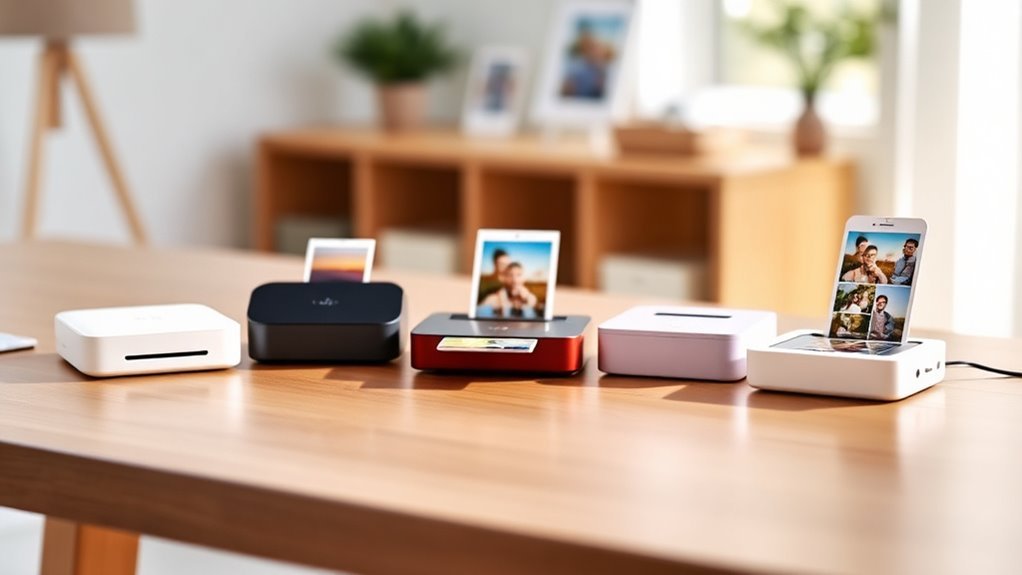
You’ll love the Liene M100 for sharp 4×6″ prints with fast Wi-Fi and multi-device support. It’s perfect for anyone who wants clear, vibrant photos on the go. Plus, connecting multiple devices makes sharing your favorite moments super easy.
For 2×3″ peel-and-stick photos, the KODAK Step offers smudge-proof ZINK prints and easy Bluetooth connectivity. These prints are great for scrapbooks or decorating your space without worrying about smudges.
The KODAK Mini 2 Retro adds durable 4PASS dye-sublimation prints with customizable options. It’s a stylish choice if you want your photos to last longer and look unique.
Meanwhile, the Liene Pearl K100 delivers inkless, dust-resistant photos and handy app maintenance to keep your printer running smoothly.
The HPRT impresses with a 60-sheet capacity and quick output, making it ideal for larger print runs. Keep exploring to find which suits your print style best!
| Image | Name | Editor's Rating | Price |
|---|---|---|---|

|
|
||

|
|
||

|
|
||

|
|
||

|
|
Liene M100 Portable 4×6” Photo Printer with Wi-Fi
- User-Friendly Portable Photo Printer for iPhone, Android & PC - Get beautiful and colourful memories with Liene 4x6 photo printer! After opening the entire package, you...
- Superior Quality 4x6 Photo Printer - Print photos like no other thanks to the thermal-dye sublimation tech adopted by the picture printer for iphone. The dyes deeply...
- Wi-Fi Photo Printer for Smartphone - The built-in hotspot of the photo printer makes it easy to print pictures from your phone, avoiding outside interference with a fast...
- Multiple Device Compatibility - Liene phone printer provides instant photo printing for up to 5 simultaneous connections. Share with family and friends or print from your...
- Customize your Printing with the Liene App - Customize your photos with our specialized App! You can add a Square border, insert filters, enhance the contrast and...
The Liene M100 Portable 4×6” Photo Printer with Wi-Fi is designed for those who want quality prints without the bulk. Its lightweight design makes it easy to carry, fitting perfectly in your bag for printing on the move. You no longer need to wait for professional services to get vivid photos.
This printer uses thermal dye-sublimation technology to produce sharp, full-color 4×6 inch photos that are resistant to water, scratches, and fading. With a resolution of 300×300 dpi, it delivers reliable photo quality for everyday use. Its borderless printing ensures your images look clean and polished.
Connecting is simple with built-in Wi-Fi and USB-C, allowing up to five devices to link at once. The user-friendly app lets you personalize prints with filters and adjustments. Maintenance is straightforward, thanks to included photo paper and color cartridges designed to keep your prints vibrant and long-lasting.
However, the paper tray holds only 20 sheets, meaning you’ll need to reload frequently during heavy printing sessions. Also, it prints single-sided only, which is something to consider if you want duplex printing.
Best for: Anyone needing a compact, easy-to-use photo printer for quick 4×6 prints while traveling or on the go.
What We Like:
- Ultra-lightweight and portable (200 g), ideal for travel
- Supports multiple device connections via Wi-Fi hotspot and USB-C
- Produces durable, borderless photos with water and scratch resistance
- Simple app for customizing prints with filters and adjustments
Specification:
| Feature | Details |
|---|---|
| Manufacturer | Liene |
| Dimensions | Compact (not specified) |
| Weight | 200 grams |
| Print Size | 4 x 6 inches |
| Print Technology | Thermal dye-sublimation |
| Print Resolution | 300 x 300 dpi |
| Connectivity | Wi-Fi, USB-C |
| Paper Capacity | 20 sheets |
| Color Options | Glossy photo papers included |
KODAK Step Portable Wireless Smartphone Photo Printer
- STEP UP YOUR PRINTING GAME. KODAK Step Printer Connects to Any iOS or Android Device [Via Bluetooth or NFC] Turn Your Selfies, Portraits, Social Media Posts Into Physical...
- AMAZING ZERO-INK TECHNOLOGY. ZINK 2” x 3” Sticky-Back Paper with Embedded Dye Crystals Delivers High-Quality, Durable, Affordable, Beautifully Detailed Prints That...
- FULL EDITING SUITE VIA APP. Download the KODAK App to Create Collages & Customize Your Snaps with Stunning Filters, Interesting Borders, Cool Stickers, Funny Text & Other...
- TAKE YOUR PROJECTS TO GO. Our Palm-Sized Printer Weighs Less Than a Pound, Sets Up Fast & Delivers Gorgeous Prints You Can Peel & Stick Everywhere.
- CUTE, COMPACT & COLORFUL. Step Printer is Designed for Photo-Loving Influencers & Crafters of All Ages & Skill Levels! Portable, Lightweight Device Features Built-In...

Capture and print vibrant photos instantly with the KODAK Step Portable Wireless Smartphone Photo Printer. This compact printer lets you create 2×3” full-color photos that are ready to peel and stick wherever you like. Perfect for those who want quick, high-quality prints without the hassle of ink cartridges.
Designed for easy use, it connects wirelessly via Bluetooth or NFC to your iOS or Android device. The KODAK app offers simple editing tools and filters, enabling you to customize your images before printing. Its rechargeable battery supports up to 25 prints on a single charge, making it ideal for outings and creative projects.
Maintenance is straightforward thanks to the ZINK technology, which uses special paper that resists moisture and smudges. This ensures your prints stay vibrant and durable without needing frequent upkeep or ink replacements. The lightweight design enhances portability, letting you print photos anytime, anywhere.
While the printer excels at producing small photos quickly, the print size is limited to 2×3 inches, and print speed averages about one minute per photo. This makes it better suited for casual and creative use rather than bulk printing.
Best for: Travelers, crafters, and social media enthusiasts who want easy, vibrant peel-and-stick photos directly from their smartphones.
What We Like:
- Compact and lightweight for easy portability
- Ink-free ZINK technology delivers smudge- and moisture-resistant prints
- Wireless Bluetooth and NFC connectivity with a user-friendly app
- Rechargeable battery supports up to 25 prints per charge
Specification:
| Feature | Details |
|---|---|
| Manufacturer | KODAK |
| Print Size | 2 x 3 inches (5.08 x 7.62 cm) |
| Connectivity | Bluetooth, NFC |
| Battery Capacity | Up to 25 prints per charge |
| Weight | Lightweight (exact weight not specified) |
| Technology | ZINK (Zero Ink) |
KODAK Mini 2 Retro 2×3 Portable Photo Printer, 4PASS, 38 Sheets, White
- Instant Photo Printing: The KODAK Mini 2 Retro is a portable photo printer designed to turn smartphone pictures into high quality prints in seconds. Whether capturing...
- Genuine 4PASS dye sublimation printing: Each photo is produced in three color layers and finished with a clear protective lamination layer. In approximately 55 seconds...
- Easy to Use: Print photos quickly without complicated setup or technical steps. Simply power on, connect wireless bluetooth, and start printing within seconds. The Mini...
- Print Anytime, Anywhere: Small enough to fit in your hand, bag, or even a pocket, the Mini 2 Retro is built for on-the-go printing. Ideal for parties, trips, school...
- KODAK Photo Printer APP: Featuring integrated Bluetooth connectivity, this portable printer connects to compatible iOS and Android devices through the KODAK Photo Printer...
The KODAK Mini 2 Retro is a compact photo printer designed to bring your memories to life instantly. Its small size fits easily in your pocket, making it perfect for printing vibrant 2×3-inch photos wherever you go. This portable printer uses genuine 4PASS dye sublimation technology to create images that resist fingerprints, water, and fading.
Connecting to your iOS or Android device via Bluetooth is simple and seamless. You can customize your photos with the KODAK Photo Printer app before printing, giving you creative control over your memories. Each print delivers smooth, detailed results in about 55 seconds.
Maintenance is straightforward with included cartridges and 38 sheets of photo paper, but keep in mind that replacement supplies will be necessary over time. This printer is ideal for capturing moments during travel, family gatherings, or special events without the need for bulky equipment.
Its unique benefit lies in combining portability with professional-quality prints, though the small print size and moderate speed may not suit all users. The KODAK Mini 2 Retro offers a practical solution for quick, high-quality prints on the move.
Best for: Individuals seeking a portable, easy-to-use photo printer for creating durable 2×3-inch prints anytime, anywhere.
What We Like:
- Compact, pocket-sized design for effortless portability
- Uses 4PASS dye sublimation for vibrant, water- and fingerprint-resistant photos
- Simple Bluetooth connectivity with iOS and Android devices
- Customizable printing through the KODAK Photo Printer app
Specification:
| Feature | Details |
|---|---|
| Manufacturer | KODAK |
| Print Size | 2 x 3 inches |
| Printing Technology | 4PASS dye sublimation |
| Sheets Included | 38 |
| Connectivity | Bluetooth |
| Color | White |
| Cable Type | USB Type-C |
Liene Pearl K100 Mini Portable Photo Printer Bundle
- [Easy Printing via Bluetooth 5.2] The Liene photo printer does not need a Wi-Fi connection, just connect it via Bluetooth 5.2, and you can enjoy a smooth and fast...
- [Print Mono Photo Paper Function & Wireless Printing] Liene designed the portable photo printer to allow you to print color and mono photos(you could buy extra mono...
- [Zink Inkless Printing] Liene photo printer uses advanced inkless printing technology, which will significantly reduce damage to print head parts & extend the life of the...
- [2x3 Sticky-Backed Paper] The iphone picture printer comes with an extra 50 sheets of Zink photo paper 2x3. An economical 2x3 photo printer is the first choice for photo...
- [New App function - Clean print head] Don't know what to do when there are white spots, white lines or other dirt on the photo when printing? The Liene phone printer has...
Capture and print your favorite moments instantly with the Liene Pearl K100 Mini Portable Photo Printer. Designed for convenience, it lets you print vibrant 2×3” photos anytime, anywhere without needing Wi-Fi. Simply connect your iOS or Android device via Bluetooth 5.2 for quick, hassle-free setup.
This compact printer uses ZINK inkless thermal technology to produce water- and dust-resistant photos that last over 10 years. Its special paper ensures sharp, colorful prints or monochrome images when using separate sheets. With up to 30 prints per charge, it’s perfect for casual users on the move.
Maintenance is simple with the Liene app’s “clean print head” feature, which helps keep your prints clear and device functioning smoothly. The included bundle of 50 sticky-backed photo sheets adds a fun, creative touch for decorating or sharing memories.
While printing is limited to the proprietary Liene app and monochrome photos require additional paper, the printer’s ease of use and portability make it a reliable companion for photo enthusiasts.
Best for: On-the-go photo lovers seeking easy, wireless printing of durable 2×3” photos without Wi-Fi.
What We Like:
- Seamless Bluetooth 5.2 connection with iOS and Android devices
- Durable, inkless ZINK prints that resist water and dust
- Convenient “clean print head” app feature for smooth maintenance
- Includes 50 sticky-backed sheets for creative use
Specification:
| Feature | Details |
|---|---|
| Manufacturer | Liene |
| Dimensions | Mini portable size* |
| Connectivity | Bluetooth 5.2 |
| Print Size | 2 x 3 inches |
| Print Technology | ZINK inkless thermal |
| Included Paper | 50 sticky-backed sheets |
*Exact dimensions not specified in provided data.
HPRT Portable Photo Printer with 60 Sheets 2×3 Photo Paper
- Effortless Dual-Mode Printing: Simply tap your NFC-enabled smartphone on the printer to auto-open a dedicated print page—no app download for instant prints. Prefer...
- 60 Built-in Sheets Included: No extra purchases needed for your first printing spree. This portable photo printer comes pre-loaded with 60 photo paper cartridges, so...
- Dye-Sublimation Printing with Protective Lamination: Powered by advanced thermal dye-sublimation technology, each photo is sealed with an integrated protective film...
- Templates & Editing Built into the App: Unleash your style with a rich library of built-in templates: frames, filters, stickers, collages, AR effects, and date stamps...
- Compact Size Portability for On-the-Go Memories: Lightweight and compact enough to slip into a bag or backpack. Pair it with the rechargeable battery (USB-C) for wireless...
If you need quick, durable photo prints right from your smartphone, the HPRT Portable Photo Printer offers a simple solution. Its compact design fits easily in your bag, making it ideal for capturing memories on the go. This printer uses thermal dye-sublimation technology to create sharp, glossy 2×3-inch photos that resist smudges, oils, and fingerprints.
The printer connects via Bluetooth and NFC, allowing you to print photos without installing an app. For those who want more control, the Heyphoto app provides easy editing tools to enhance your images before printing. With 60 sheets included, you can start printing right away and recharge conveniently through USB-C.
Maintaining the printer is straightforward since it requires no ink cartridges or ribbons. Just keep the photo paper stocked, and you’re ready to print vibrant photos with 24-bit color at 300 dpi. Although it prints at four photos per minute, its compact size limits prints to 2×3 inches, which suits personal keepsakes rather than large formats.
Best for: Smartphone users who want fast, portable, and smudge-resistant 2×3-inch photo prints without bulky equipment.
What We Like:
- Produces smudge-proof, fade-resistant photos with vibrant colors
- Wireless printing via Bluetooth and NFC, no app required
- Compact, lightweight design with USB-C charging
- Comes with 60 sheets of photo paper included
Specification:
| Feature | Details |
|---|---|
| Manufacturer | HPRT |
| Photo Size | 2 x 3 inches |
| Print Technology | Thermal dye-sublimation |
| Resolution | 300 dpi |
| Color | 24-bit color |
| Connectivity | Bluetooth, NFC |
| Charging | USB-C |
| Included Paper | 60 sheets |
| Weight | Lightweight (approx.) |
Factors to Consider When Choosing a Budget Portable Photo Printer
When choosing a budget portable photo printer, you’ll want to focus on print quality and resolution to guarantee sharp images. It’s super important to get prints that look great every time.
Also, consider connectivity options and printing speed to match your workflow. You don’t want to be stuck waiting forever or struggling to connect your device.
Don’t forget to check media size, capacity, battery life, and overall portability for convenience on the go. After all, a portable printer should be easy to carry and use wherever you are.
Print Quality And Resolution
Choosing a budget portable photo printer means paying close attention to print quality and resolution to get the best results for your photos. Aim for printers with at least 300 x 300 dpi for sharp 4×6 prints, ensuring clear details and smooth color gradients.
You’ll find two main printing technologies: dye-sublimation, which adds a glossy protective laminate for durability, and ZINK, which creates lightweight, peel-and-stick prints by forming color within the paper. Most budget models offer 24-bit color depth, providing decent richness, though color accuracy varies by printer and paper chemistry.
Print durability depends heavily on the paper coating—if longevity matters, pick a printer that includes a protective layer. Also, check if the printer lets you adjust resolution or quality settings, as faster prints may sacrifice detail.
Connectivity Options Available
Exploring connectivity options is crucial to guarantee your budget portable photo printer fits seamlessly into your workflow. Wi-Fi, including built-in hotspot features, lets you print wirelessly from multiple devices at once, offering better range and speed than Bluetooth.
If you mainly print from your smartphone or tablet nearby, Bluetooth 5.x provides quick, low-power pairing perfect for one-to-one use. USB Type-C or micro-USB wired connections offer reliable, low-latency transfers and double as charging ports. This is super useful if you prefer printing from a PC without dealing with wireless setups.
NFC tap-to-print enables instant pairing with a simple tap, but it only works if both devices support it. Finally, check how many devices can connect simultaneously. Also, confirm the printer’s app is user-friendly and compatible with your devices.
Printing Speed And Efficiency
Beyond connectivity, printing speed and efficiency play a big role in how well a budget portable photo printer fits your needs. Check the per-photo print time—usually between 15 and 60 seconds—to estimate how many photos you can produce per hour. This helps ensure it matches your event or travel plans.
Don’t overlook warm-up and first-page times, as initial prints often take longer and can slow short runs. Also, consider how many sheets the printer holds at once. Limited onboard storage means frequent reloading, which can disrupt your workflow.
You’ll want to factor in battery capacity and prints per charge too—typically around 25 to 30—to avoid interruptions. And finally, app responsiveness and connection speed matter a lot. Slow pairing or file transfers can bottleneck even the fastest printers.
Media Size And Capacity
When picking a budget portable photo printer, you’ll want to match the media size to how you plan to use your prints. Common sizes like 2×3 inches work great for stickers or wallet photos, while 4×6 inches suit standard prints.
Keep in mind larger sizes use more paper and may cost more per print. Check the paper capacity too—most pocketable printers hold about 10–20 sheets, so you’ll know how often to reload during trips or events.
Consider if you want sticky-back, glossy, or laminated media based on durability and handling. Also, see if your printer uses sealed cartridges or loose sheets; cartridges protect against dust but usually require full replacement.
Finally, compare starter pack sizes to balance cost-per-print and convenience on the go. It’s all about finding what fits your needs without breaking the bank.
Battery Life And Portability
Consider battery life and portability as top priorities when choosing a budget portable photo printer. Look for printers that specify how many prints you get per full charge instead of just battery capacity.
Aim for models offering 20–30+ prints per charge to avoid frequent recharging. USB-C rechargeable batteries are a plus, letting you charge quickly from common power banks, which is perfect for travel.
Also, compare the weight and size—lighter printers around 200 grams or less that fit in your pocket or small bag truly enhance portability. Don’t forget to check startup times; printers that wake and print within about 60 seconds save you valuable time on the go.
Finally, choose a printer that supports offline printing and multi-device connections. That way, you can print easily without relying on constant power or cloud access.
App Features And Editing
Choosing a portable photo printer with a user-friendly app can really simplify your printing experience. Look for apps that offer basic editing like cropping, rotating, and brightness adjustments alongside creative tools such as filters, borders, and stickers.
That way, you won’t need extra photo-editing software. Make sure the app supports print-specific layouts—borderless, square, or ID sizes—and shows true-to-print previews to avoid cropping surprises.
Also, check connectivity options like Wi-Fi hotspot, Bluetooth, or USB. It’s important the app supports multiple devices for easy printing from your phone, tablet, or laptop.
Apps with maintenance tools, clear status indicators, batch printing, templates, and social media import features really boost efficiency and reduce downtime. This makes your portable printer more versatile and hassle-free.
Durability And Print Longevity
Although budget portable photo printers offer convenience, you’ll want to make sure your prints last over time without fading or damage. Opt for printers using dye-sublimation or laminated output since these add a protective overcoat that resists water, scratches, fingerprints, and fading for years.
Check the print resolution and color depth—around 300 dpi and 24-bit color—to guarantee sharp details and stable colors. It’s also a good idea to look into manufacturer claims or independent tests on light- and water-fastness to get a feel for how long your prints will really last.
Also, choose media like glossy, laminated, or film-coated papers to improve scratch resistance and reduce fingerprints. And don’t forget about maintenance—cleanable print heads and regular calibration go a long way in avoiding smudges or degradation.
Keeping up with these little steps will help your photos stay crisp and vibrant over time, so you can enjoy them for years to come.
Frequently Asked Questions
How Long Does the Battery Last on Average?
You’ll usually get about 50 to 100 prints per battery charge, depending on the model and usage.
If you print frequently, expect the battery to last a few hours before needing a recharge.
It really varies, but that’s a good general idea to keep in mind.
Are These Printers Compatible With Both Android and iOS?
Just like a classic Walkman played tapes anywhere, these printers work seamlessly with both Android and iOS devices.
You’ll connect via Bluetooth or Wi-Fi, making printing your photos on the go super easy and convenient.
It’s all about hassle-free printing, no matter what device you use.
Can These Printers Print Photos Directly From Social Media Apps?
Yes, many portable photo printers let you print directly from social media apps through their companion apps or integrated features.
You’ll just need to connect your phone and select photos within the app to start printing instantly. It’s pretty simple and convenient!
What Is the Average Print Speed per Photo?
Printing a photo feels like catching lightning in a bottle—it usually takes about 30 to 60 seconds per picture.
You’ll rarely wait more than a minute to see your memories come to life in vibrant color.
Do These Printers Support Bluetooth Printing?
Yes, most of these portable photo printers support Bluetooth printing, letting you easily connect your smartphone or tablet.
You’ll find it’s quick and convenient to print wirelessly wherever you are, without needing cables or Wi-Fi.
It’s super handy when you’re on the go and want to print photos instantly. Just pair your device, and you’re good to go!
Conclusion
Choosing the right budget portable photo printer is like finding a trusty sidekick for your creative adventures. Whether you value crisp Wi-Fi connectivity or vibrant color quality, there’s a perfect match waiting for you.
Maybe extra photo paper is what you need to keep the prints coming. Whatever your priorities, keep them in mind as you explore different features that suit your style.
With the right budget portable photo printer in hand, you’ll capture memories on the go. These handy devices let you turn moments into lasting treasures wherever you roam.
So, if you’re looking for the best budget portable photo printers for 2027, focus on what matters most to you—whether it’s connectivity, print quality, or portability. That way, you’ll find a printer that makes printing photos easy, fun, and affordable.