11 Best Boards for 3D Printers in 2027
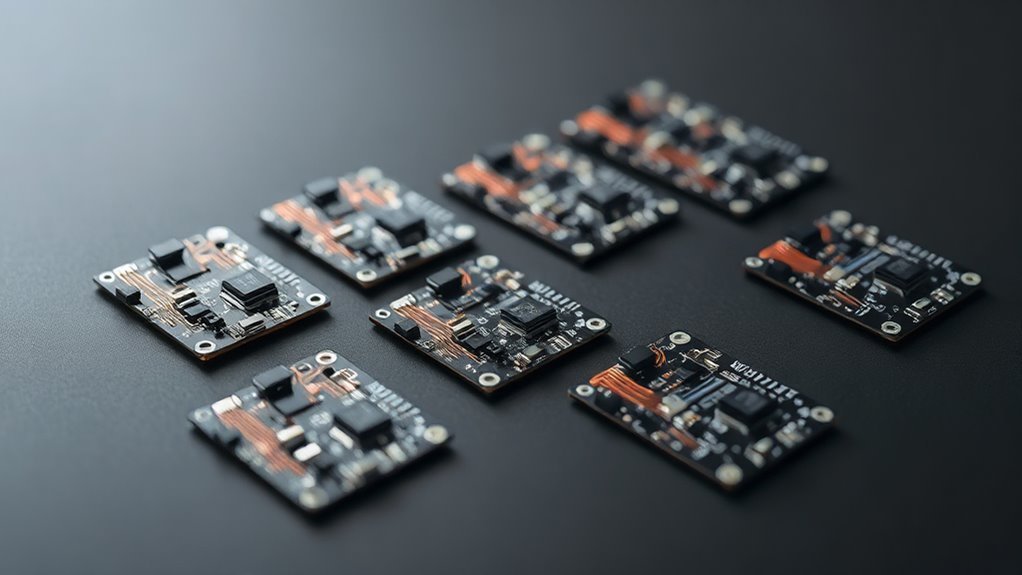
For 2027, the 11 best 3D printer boards are packed with features that make printing smoother, quieter, and more precise.
Whether you’re upgrading your setup or building a new printer from scratch, having the right board can make all the difference. These boards are designed to enhance your 3D printing experience with better customization, faster speeds, and improved compatibility.
Some top picks include the BIGTREETECH SKR Mini E3 V3.0 and SKR V1.4, which are great for smooth, customizable printing.
If noise is a concern, the Creality Ender 3 Upgraded Silent Board V4.2.7 is perfect for quieter operation.
On the more powerful side, the BIGTREETECH Manta M8P V2.0 and Kraken V1.1 offer advanced speed and precision.
Plus, Creality’s K2 Plus and Ender-3 S1 focus on efficiency and broad compatibility.
You’ll also find specialized options like LED backlight boards.
Keep exploring to find the perfect match for your printer’s needs!
| Image | Name | Editor's Rating | Price |
|---|---|---|---|

|
|
||

|
|
||
|
|
||

|
|
||

|
|
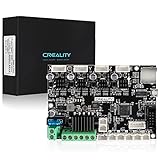
BIGTREETECH SKR Mini E3 V3.0 3D Printer Board
- Main Control Chip: Adopt STMicroelectronics' latest G0 series main control chip STM32G0B1RET6 or STM32G0B0RET6
- Three CNC Fan: Increase the heat dissipation controllable fan to reduce the printer temperature when the device is working
- Increased Heat Sink: Redesign the drive heat sink, strengthen the drive heat dissipation capacity, and greatly improve the heat dissipation performance
- USB Micro B: The PC communication USB interface is upgraded from Mini USB to Micro USB B, which is more adaptable
- Output Power Supply: Increase SPI output port +3.3V power supply, external SPI sensor power supply voltage +3.3V and +5V are optional, support the motherboard to directly...

Upgrade your Ender-3 series 3D printer with the BIGTREETECH SKR Mini E3 V3.0 board for a noticeable boost in printing quality and reliability. This compact control board is designed to deliver smooth and silent operation, reducing noise and vibration during your prints.
The board’s 32-bit STM32G0 series chip and TMC2209 UART stepper drivers work together to enhance precision and stability. You’ll experience fewer print errors and quieter stepper motor performance, making your 3D printing sessions more enjoyable.
Maintenance is simplified with improved cooling features, including a controllable CNC fan and a redesigned heat sink. These enhancements help keep the board running at optimal temperatures, extending its lifespan and reducing overheating risks.
Installation is straightforward since the board is tailored specifically for Ender-3, Ender3 Pro, and Ender-3 V2 models. However, users should be comfortable with firmware updates and may need new cables due to the upgraded Micro USB B interface.
Best for: Users seeking a reliable, quiet, and efficient control board upgrade for Ender-3 series 3D printers.
What We Like:
- Powerful 32-bit STM32G0 chip for improved print quality
- Quiet printing with TMC2209 UART stepper drivers
- Enhanced cooling system with controllable fan and heat sink
- Compact design fitting Ender-3 series printers perfectly
Specification:
| Feature | Details |
|---|---|
| Manufacturer | BIGTREETECH |
| Compatible Models | Ender-3, Ender3 Pro, Ender-3 V2 |
| Processor | 32-bit STM32G0 series |
| Stepper Drivers | TMC2209 UART |
| Interface | Micro USB B |
| Cooling | Controllable CNC fan, heat sink |
| Weight | 0.18 kg |
BIGTREETECH SKR V1.4 32bit 3D Printer Board
- Using 32-bit 100MHz ARM-class Cortex-M3 series LPC1768 main control chip, the performance is greatly improved
- Equipped with highly modular open source firmware Marlin 2.0, which is convenient for users to DIY and secondary development
- Support 2.4, 2.8, 3.5-inch color touch screen, support LCD2004 screen, LCD12864 screen; Upgrade configuration firmware through SD card, simple, convenient and efficient...
- It can supply power to TFT screen, BLtouch, Neo-pixel by plugging in an external DC5V power module; in addition, I2C, SPI, WIFI interface is reserved to facilitate...
- On-board TMC driver SPI working mode and UART working mode, and the on-board DIAG function pins are convenient for customers to use, eliminating the complicated wiring...
The BIGTREETECH SKR V1.4 is a robust 32-bit control board designed to enhance your 3D printing experience. Its powerful ARM Cortex-M3 LPC1768 chip runs at 100MHz, providing smooth and reliable operation for complex prints. This board helps solve common performance issues by offering precise control and compatibility with popular open-source Marlin 2.0 firmware.
Setting up the SKR V1.4 is straightforward for users familiar with 3D printer electronics. It supports a variety of display options like TFT35 and Mini12864, making it easy to customize your interface. The inclusion of DIAG pins and interfaces such as I2C and SPI allows for flexible wiring and the addition of sensors or modules.
Maintenance is simplified thanks to the board’s clear layout and standard connections. External power support for screens and sensors ensures stable operation, though it does require managing an additional power source. While firmware configuration demands some technical knowledge, this control board offers significant benefits for advanced users.
Its versatile design fits most FDM printers, making it a practical upgrade that improves control and expandability. The fixed operating temperature of 20 °C may limit use in extreme conditions but suits typical workshop environments well.
Best for: 3D printing enthusiasts and makers seeking a powerful, customizable 32-bit control board upgrade compatible with various displays and advanced stepper drivers.
What We Like:
- Supports open-source Marlin 2.0 firmware for extensive customization
- Compatible with multiple display types and advanced driver options like TMC2209 and TMC5160
- User-friendly wiring with DIAG pins and multiple interfaces (I2C, SPI, WIFI) for DIY expansions
Specification:
| Feature | Details |
|---|---|
| Manufacturer | BIGTREETECH |
| Processor | ARM Cortex-M3 LPC1768, 100MHz |
| Firmware Support | Marlin 2.0 (open-source) |
| Display Compatibility | TFT35, Mini12864 |
| Interfaces | DIAG pins, I2C, SPI, WIFI |
| Supported Drivers | TMC2209, TMC5160 |
| Operating Temperature | Fixed at 20 °C |
| Printer Compatibility | Most FDM printers |
Creality Ender 3 Upgraded Silent Board V4.2.7
- 【Super Quiet】The silent mainboard can reduce stepper motor noise. TMC ultra-quiet motor drive chip, ultra-quiet system design, so that the machine is always running...
- 【Widely Application】Compatible with Creality Ender 3, Ender 3 Pro, Ender 3 V2, Ender 3 MAX, Ender 3 Neo,Ender 3 V2 Neo/Ender 3 Max Neo 3D printers. PLEASE NOTICE: It...
- 【Driver】TMC2225 driver & V0.0.6 firmware from Creality ( based on Marlin 2.0.1) for V4.2.7 board. The bootloader has been preinstalled.
- 【Update Firmware Method】Please copy the correct firmware file to a formated SD card with no other files in it. Turn off the printer and unplug the power cord. Insert...
- 【After Sale Service】Any issues or questions about our product please feel free to contact us at any time. We have professional technical Team to provide technical...
Experience a quieter 3D printing environment with the Creality Ender 3 Upgraded Silent Board V4.2.7. This motherboard significantly reduces stepper motor noise by using the advanced TMC2225 driver, keeping operational sound below 50dB. It’s designed to enhance your printing experience by minimizing distractions and creating a peaceful workspace.
The board is compatible with several Ender 3 models, including Pro, V2, and Max editions. Installation on the original Ender-3 is plug-and-play, making upgrades simple and fast. Other models require a quick firmware update via SD card, ensuring broad usability without complicated setups.
Weighing just 4.2 ounces, the board maintains a lightweight profile to avoid adding stress to your printer’s mechanics. Maintenance is straightforward, with reliable support from Creality’s team ready to assist within 24 hours if any issues arise.
This upgraded silent motherboard is ideal for users looking to reduce printer noise without sacrificing performance or ease of use. Its thoughtful design balances functionality with convenience for a better printing experience.
Best for: Ender 3 users seeking a quiet, easy-to-install motherboard upgrade that improves printing calmness and reliability.
What We Like:
- Quiet operation with TMC2225 driver keeping noise under 50dB
- Plug-and-play for Ender-3; simple firmware update for other models
- Lightweight design minimizes impact on printer mechanics
- Responsive support team available within 24 hours
Specification:
| Feature | Details |
|---|---|
| Manufacturer | Creality |
| Compatible Models | Ender 3, Ender 3 Pro, Ender 3 V2, Ender 3 Max variants |
| Weight | 4.2 oz (approx. 119 g) |
| Driver | TMC2225 |
| Firmware | Marlin 2.0.1 |
BIGTREETECH Manta M8P V2.0 3D Printer Board
- BIGTREETECH Manta M8P V2.0 Control Board uses 32-bit ARM Cortex-M7 series STM32H723ZET6 main control chip with a core frequency of 550MHz. High efficiency MOSFET for less...
- The power chip of Manta M8P V2.0 integrated main control board adopts TPS5450-5A, which supports DC12/24V power input; the output current of this chip is up to 5A, and...
- The control board and the core board use BTB connection method, so that other core board solutions other than CM4 can be selected, such as BIGTREETECH CB1. The mainboard...
- The thermistor can select the pull-up resistance value through the jumper, which supports PT1000 without external modules, which is convenient for DIY use; the control...
- The MCU firmware can be upgraded through SD card, or through DFU through Klipper's make flash command; the main board reserves the proximity switch interface, supports...
The BIGTREETECH Manta M8P V2.0 redefines 3D printer control with its powerful 550MHz ARM Cortex-M7 processor. It tackles the need for faster, smoother printing by supporting advanced stepper drivers like TMC5160, TMC2209, and TMC2240. This ensures precise motor control and improved print quality.
Designed for versatility, the board runs Klipper firmware, allowing users to customize performance to match their unique projects. Its multiple expansion ports, including SPI, I2C, and servo interfaces, simplify adding new features or upgrading existing components.
Maintenance is straightforward thanks to built-in safety features like thermistor protection and a dedicated BOOT button. The board also supports output currents up to 10A for heated beds, but adequate cooling and power supply are essential for optimal operation.
With Type-C communication and support for various displays, the Manta M8P V2.0 fits both DIY enthusiasts and professional setups. Its robust design and extensive connectivity make it a reliable choice for users seeking advanced 3D printer control.
Best for: Experienced hobbyists and professionals looking for a high-performance, customizable 3D printer controller with broad driver compatibility.
What We Like:
- High-speed 550MHz ARM Cortex-M7 processor for smooth printing
- Supports multiple stepper drivers and Klipper firmware for flexibility
- Comprehensive expansion interfaces for easy customization
- Safety features like thermistor protection enhance reliability
- Type-C communication and versatile display options
Specification:
| Feature | Details |
|---|---|
| Manufacturer | BIGTREETECH |
| Processor | 550MHz ARM Cortex-M7 STM32H723ZET6 |
| Supported Drivers | TMC5160, TMC2209, TMC2240 |
| Firmware | Klipper |
| Output Current (Heated Bed) | Up to 10A |
| Communication | Type-C |
| Expansion Interfaces | SPI, I2C, Servo |
| Safety Features | Thermistor protection, BOOT button |
| Dimensions | Not specified |
| Weight | Not specified |
BIGTREETECH Kraken V1.1 Control Board with Drivers
- BIGTREETECH Kraken Control Board Utilizes 32-bit ARM Cortex-M7 series STM32H723ZGT6 MCU with a main frequency of 550MHz; High-performance MOSFETs to reduce heat...
- Onboard 8 TMC2160 drivers in SPI mode with DIAG function pins; simply plug and unplug jumpers for easy use; Onboard two MAX31865 modules, supporting dual PT thermocouples...
- BIGTREETECH Kraken V1.1's M1-M4 sockets deliver up to 4.7A, and M5-M8 sockets up to 3A, perfectly blending high-power motor compatibility with enhanced control. Achieve...
- Reserve 2 CANbus ports (JST socket, which can directly connect to BTT EBB SB2209/SB2240 CAN wiring); Reserve two four wire fan interfaces, with optional 24V/12V/5V...
- Reserve proximity switch interface, supporting NPN and PNP type selection (24V/12V/5V) voltage options; Reserve SPI extension interface for users using Klipper firmware...
Experience precise and powerful control for your CoreXY 3D printer with the BIGTREETECH Kraken V1.1 control board. Designed with advanced users in mind, this board enhances your Voron Phoenix DIY setup by delivering smooth and accurate motor management. Its high-performance 32-bit ARM Cortex-M7 microcontroller runs at 550MHz, ensuring responsive and reliable operation.
Maintenance is straightforward thanks to onboard features like dual MAX31865 modules, which support thermocouples for accurate temperature readings. The board’s versatile fan interfaces and CANbus ports simplify expansion and cooling management. You can easily integrate external sensors via the SPI extension, optimizing your machine’s performance with Klipper firmware.
This control board is built to solve common precision and customization challenges in high-end 3D printing. It supports up to eight TMC2160 drivers with high current capacity, providing steady and quiet motor control. Its OLED display and proximity switch support further improve usability and monitoring.
While it excels in CoreXY configurations like the Voron Phoenix, it may require some firmware knowledge and hands-on assembly, making it best suited for experienced users. Overall, the Kraken V1.1 offers a robust solution for those seeking detailed control and expandability.
Best for: Experienced 3D printer builders focused on CoreXY projects needing advanced motor control and customization.
What We Like:
- Powerful 550MHz 32-bit ARM Cortex-M7 processor for fast, precise control
- Supports eight high-current TMC2160 motor drivers for stable operation
- Dual thermocouple support via MAX31865 modules for accurate temperature monitoring
- Multiple fan interfaces and CANbus ports enable flexible system expansion
- SPI extension interface for adding external sensors compatible with Klipper
Specification:
| Feature | Details |
|---|---|
| Manufacturer | BIGTREETECH |
| Microcontroller | ARM Cortex-M7 STM32H723ZGT6 |
| Clock Speed | 550 MHz |
| Motor Drivers | 8 × TMC2160 |
| Max Current | Up to 4.7A |
| Operating Voltage | Up to 60V |
| Thermocouple Support | Dual MAX31865 modules |
| Expansion Interfaces | CANbus, SPI extension |
| Display | OLED |
NORTHSKY 3D Printer Stand Table with Storage

- 【2‑IN‑1 Modular Convertible 3D Printer Workstation】Keep the upper rack to act as your filament spool holder and tool storage station, or fully remove it to reveal...
- 【Convenient Front‑Mount Pegboard Panel (Hooks Not Included)】Organize all your 3D printing accessories right within sight. Mount scrapers, pliers, calipers, glue...
- 【Rock‑Solid Stationary Base with 4 Adjustable Leveling Feet】Designed specifically for 3D printing stability, this wheel‑free printer stand stays locked in...
- 【Built‑in 2AC 2USB Power Hub & 220‑LB High Load Capacity】Simplify your maker space with this all‑in‑one power‑integrated 3D printer table. Power your 3D...
- 【Interchangeable Dual‑Tier Under‑Desk Storage for Custom‑Fit Maker Space】Customize your storage layout freely — the solid wood shelf and open steel‑rail...
The NORTHSKY 3D Printer Stand Table transforms your workspace by offering a versatile solution for organizing tools and filament spools. Its modular design lets you remove the upper rack to create a clean, spacious 30×26-inch tabletop, giving you the flexibility to adapt your setup as needed. This helps keep your printing area clutter-free and efficient.
A front-mounted pegboard keeps your essential tools within easy reach, reducing time spent searching for items. The stand’s adjustable leveling feet ensure stability even on uneven floors, which is crucial for maintaining print accuracy during long sessions. The integrated power hub with 2 AC outlets and 2 USB ports simplifies cable management, minimizing cord clutter.
Built from heavy-gauge metal, this stand provides a sturdy base that supports large-format 3D printers reliably. Interchangeable shelves under the desk allow you to customize storage space to fit your specific equipment. Routine maintenance is straightforward thanks to its durable materials and simple design.
Best for: 3D printing enthusiasts and professionals needing a durable, adaptable workstation with built-in storage and power options for large-format printers.
What We Like:
- Modular design with removable upper rack and customizable shelving
- Integrated power hub reduces cord clutter and powers devices efficiently
- Heavy-duty metal frame offers excellent stability for printing
- Adjustable leveling feet adapt to uneven surfaces
Specification:
| Feature | Details |
|---|---|
| Manufacturer | NORTHSKY |
| Dimensions | 30 × 26 inches (tabletop) |
| Weight | 37.3 lbs |
| Material | Heavy-gauge metal |
| Power Ports | 2 AC outlets, 2 USB ports |
BIGTREETECH EBB36 CAN Bus Adapter Board
No products found.
The BIGTREETECH EBB36 CAN Bus Adapter Board offers a smart solution for detecting filament issues with precision. It is designed to improve your 3D printing experience by identifying filament breakage and blockages early, reducing print failures and material waste.
Compatible with Blv Ender 3 printers, this adapter supports 36-step extruder motors, ensuring smooth and accurate filament feeding. Communication is simplified through both CAN and USB interfaces, making wiring easier and allowing hassle-free firmware updates via DFU mode.
Maintenance is straightforward thanks to built-in safety features like thermistor protection, jumper cap USB power-on selection, and an ESD-protected USB port. These elements help safeguard your printer’s main control chip and extend the board’s lifespan.
The EBB36 also includes CAN, RGB, and I2C expansion interfaces for system upgrades, though some technical knowledge may be needed to utilize these fully. Its compact and lightweight design fits seamlessly into your setup without adding bulk.
Best for: Users of Blv Ender 3 3D printers who need reliable filament breakage and blockage detection with convenient communication options and enhanced safety.
What We Like:
- Flexible CAN and USB communication for easy connectivity
- Safety features including thermistor protection and ESD USB port
- Firmware updates via USB DFU mode with BOOT and RESET buttons
- Compact design that protects the main control chip
- Expansion interfaces for customization and upgrades
Specification:
| Feature | Details |
|---|---|
| Manufacturer | BIGTREETECH |
| Dimensions | Compact (exact size not specified) |
| Weight | Lightweight (exact weight not specified) |
| Supported Motors | 36-step (42-step compatible) extruder motors |
| Communication | CAN Bus, USB |
| Safety Features | Thermistor protection, ESD USB port, jumper cap USB power-on |
Creality K2 Silent Mainboard for 3D Printer
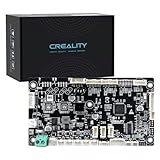
- 【Original Replacement for Creality K2】- Ensure seamless performance and precision for your Creality K2 3D printer with the Creality Lower Computer Mainboard (Model...
- 【Ultra-Quiet Printing】- This Creality K2 3D Printer motherboard features the advanced TMC2226 ultra-quiet stepper driver, significantly reducing printer noise...
- 【Premium Quality and Reliable Chipset】- Built with quality components and centered around the robust GD32F303RET6 microcontroller, this board offers stable data...
- 【Easy Installation and Compatibility】- Achieve a hassle-free replacement with our true plug-and-play design. All ports and connectors are correctly positioned, this...
- 【Restore Your Printer's Full Performance】- Replace your faulty or damaged board to bring your Creality K2 back to life. This mainboard restores stable motion control...
Experience quieter, more reliable 3D printing with the Creality K2 Silent Mainboard. This official replacement board is designed to tackle common issues like printing freezes and thermal runaway, ensuring your printer runs smoothly and safely. Its ultra-quiet stepper driver cuts down noise, making it ideal for noise-sensitive environments.
Equipped with the powerful GD32F303RET6 microcontroller, the board efficiently manages power and data processing. This results in stable motion control and precise temperature regulation, which are critical for consistent print quality. The mainboard also supports reliable sensor feedback to monitor your printer’s status accurately.
Installation is simple thanks to its true plug-and-play design and clear wiring instructions. This makes maintenance straightforward, even for users with basic technical skills. Using premium components, the board offers long-lasting durability, reducing the need for frequent replacements or repairs.
While it is specifically compatible with Creality K2 models, this mainboard is a great choice for those seeking to reduce noise and improve printer performance without complicated setup. It provides a hassle-free upgrade that enhances your 3D printing experience.
Best for: Creality K2 3D printer owners looking for a quiet, dependable, and easy-to-install mainboard replacement.
What We Like:
- Ultra-quiet TMC2226 stepper driver reduces printer noise effectively.
- True plug-and-play installation with clear wiring guidance.
- High-quality components prevent common issues like thermal runaway.
- Efficient power use and precise control with GD32F303RET6 microcontroller.
- Designed specifically for Creality K2, ensuring full compatibility.
Specification:
| Feature | Details |
|---|---|
| Manufacturer | Creality |
| Compatible Models | Creality K2 |
| Microcontroller | GD32F303RET6 |
| Stepper Driver | TMC2226 |
| Installation | Plug-and-play |
| Material | Premium electronic components |
Creality K2 Plus Silent Mainboard for 3D Printer
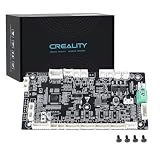
- 【Original Replacement for Creality K2 Plus】- This is a direct, one-to-one replacement lower computer mainboard (Model: CR4FN200338C15_32) for the Creality K2 Plus 3D...
- 【Restores Advanced K2 Plus Performance】- Replace your faulty board to bring your printer back to full capability. This mainboard is essential for supporting the K...
- 【Supports Multi-Color and Smart Printing】- The board is integral to the K2 Plus's ecosystem, supporting multi-color printing via the CFS system, RFID filament...
- 【Easy Installation and Compatibility】- Achieve a hassle-free replacement with our true plug-and-play design. All ports and connectors are correctly positioned, this...
- 【Reliable Solution for Critical Failure】- A failed motherboard can completely halt your production. This genuine-compatible board is the most reliable and direct...
Upgrade your Creality K2 Plus with this silent mainboard designed to enhance your 3D printing experience. It solves common issues like boot failures and heating errors, ensuring your printer runs smoothly without unexpected downtime. This direct replacement board fits perfectly, restoring full functionality with zero compatibility concerns.
Enjoy high-speed printing up to 600mm/s and precise control over your 5-axis stepper motors, enabling more accurate and efficient prints. The board supports active chamber heating at 60℃, helping maintain optimal printing conditions for improved material performance.
Designed for seamless integration, it offers dual-band Wi-Fi and Ethernet connectivity, allowing for easy AI camera setup and remote monitoring. Installation is simplified with a plug-and-play design and guided wiring transfer, though careful handling is recommended to avoid wiring errors.
While optimized exclusively for the Creality K2 Plus, this mainboard supports multi-color printing through the CFS system, adding versatility to your projects. Some advanced features may require additional accessories to unlock their full potential.
Best for: professional users, advanced makers, and repair shops seeking a reliable, high-performance replacement mainboard for the Creality K2 Plus 3D printer.
What We Like:
- Direct one-to-one replacement with full hardware compatibility
- Supports fast printing speeds and precise 5-axis motor control
- Dual-band Wi-Fi and Ethernet enable AI camera integration
- Active chamber heating maintains stable printing environment
Specification:
| Feature | Details |
|---|---|
| Manufacturer | Creality |
| Compatible Model | Creality K2 Plus |
| Max Printing Speed | 600 mm/s |
| Chamber Heating | Up to 60℃ |
| Connectivity | Dual-band Wi-Fi, Ethernet |
| Control | 5-axis stepper motors |
Creality Ender-3 S1 32-Bit Silent Motherboard

- Product Contents: This product includes one motherboard and one 8GB SD card. The Ender-3 S1 mainboard kit is specifically designed for the Ender-3 S1 3D printer and is...
- Superior Quality: The motherboard boasts excellent performance, a long lifespan, powerful computing capabilities and processing speed, and smooth, stable operation
- Excellent Replacement Solution: If your motherboard is damaged or slows down, our original motherboard is your ideal replacement solution
- Easy Installation: This product provides a complete replacement solution; users can replace the entire module. The included SD card is convenient to use, requiring no...
- Compatibility: This product is compatible with the Ender-3 S1 3D printer. Please confirm compatibility between this product and your printer model before purchasing
The Creality Ender-3 S1 32-Bit Silent Motherboard offers a quiet and reliable upgrade for your Ender-3 S1 3D printer. It tackles common issues like noise and unstable prints, improving your overall printing experience with smooth, consistent performance. The integrated TMC2208 drivers help reduce motor noise, making your workspace more comfortable.
Designed for efficient operation, this motherboard features a powerful AMD 785E chipset paired with DDR4 memory. This combination ensures fast data processing and stable control over your printer’s functions. Installation is hassle-free, with no need to prepare an SD card beforehand, as it includes an 8GB card ready to use.
Maintenance is simple thanks to its well-thought-out design. The 24-pin power connector and built-in USB support keep connections secure and straightforward. If your original motherboard is slowing down or failing, this replacement board restores smooth and silent printing without complicating your setup.
Best for: Ender-3 S1 users seeking a quiet, dependable, and easy-to-install motherboard upgrade that enhances printing stability and reduces noise.
What We Like:
- Quiet operation with TMC2208 stepper drivers
- Fast and stable processing via AMD 785E chipset and DDR4 memory
- Ready-to-use 8GB SD card eliminates installation prep
- Simple connectivity with built-in USB and 24-pin power connector
Specification:
| Feature | Details |
|---|---|
| Manufacturer | Creality |
| Compatibility | Ender-3 S1 |
| Chipset | AMD 785E |
| Memory | DDR4 |
| Drivers | TMC2208 |
| Storage Included | 8GB SD Card |
| Power Connector | 24-pin |
| USB Support | Integrated USB port |
3D Printing LED Lithophane Backlight Board

- 【Transform Photos into Glowing 3D Art】 Easily convert your favorite 2D photos into stunning 3D illuminated displays by combining 3D printing with LED backlight...
- 【Complete LED Back Light Board Kit (Excludes 3D-Printed Parts)】The package includes everything you need except the 3D-printed components: 2 high-density LED backlight...
- 【Customizable for Your 3D Printer】 Detailed setup instructions and compatible 3D models for frames and light guides are available on the official BambuLab Wiki...
- 【Perfect for Creators of All Levels】 Whether you're a hobbyist, designer, or professional, this led backlight board makes it easy to create professional-looking...
- 【Adjustable Lighting】 You can control brightness levels with the convenient touch dimmer to set the perfect ambiance. Short press to turn on off the LED Lithophane...
Transform your photos into captivating illuminated 3D art with this versatile LED lithophane backlight board. Designed specifically for Bambu Lab 3D printers, it enhances your creations by adding vibrant, customizable lighting. The kit includes two high-density LED boards and all necessary cables, allowing you to easily create a glowing display that highlights fine details.
You print the frame and light guide plate yourself, giving you full control over the design and fit. The touch dimmer lets you adjust brightness smoothly and toggle power with ease, so your artwork always shines just right. This setup integrates seamlessly with several Bambu Lab models, making it accessible for users at any skill level.
Maintaining the board is straightforward since the main components are modular. You can replace or upgrade the LED panels without hassle. The design encourages creative expression and adds a stylish accent to your home or workspace, turning simple photos into unique decorative lighting.
Best for: hobbyists, designers, and professionals seeking to create personalized illuminated 3D art using Bambu Lab 3D printers.
What We Like:
- High-density LED boards ensure bright, detailed backlighting
- Touch dimmer offers easy power control and brightness adjustment
- Compatible with multiple Bambu Lab printer models
- Modular design simplifies maintenance and upgrades
Specification:
| Feature | Details |
|---|---|
| Manufacturer | Bambu Lab |
| Dimensions | Frame size varies (user printed) |
| Weight | Lightweight (LED boards only) |
| Material | LED boards, USB cable, printed parts (user supplied) |
| Color Options | White LED illumination |
Factors to Consider When Choosing a Board for 3D Printer
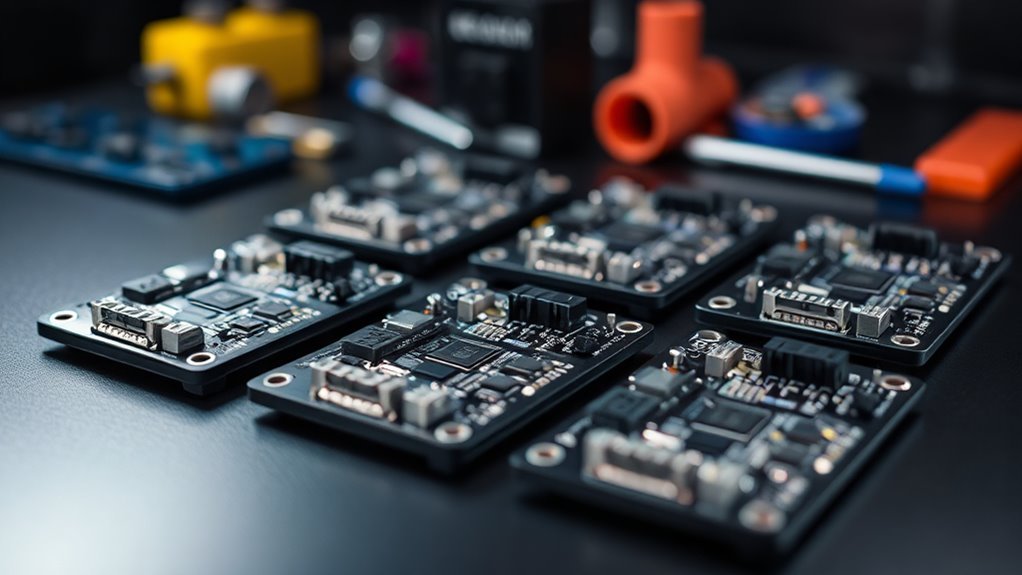
When choosing a board for your 3D printer, you’ll want to check if it’s compatible with your printer model and supports the firmware you prefer. Pay attention to processor speed, stepper driver technology, and available connectivity options to guarantee smooth performance.
These factors will help you find a board that fits your printing needs and future expansions. It’s all about making sure your printer runs efficiently now and can grow with your projects down the line.
Compatibility With Printer Models
Since control boards vary widely, confirming compatibility with your specific 3D printer model is essential for ideal performance. First, verify that the board is designed to work with your printer’s brand and model to avoid integration issues.
Check firmware compatibility, as some boards require specific firmware versions to operate smoothly. Pay attention to the type and number of stepper drivers the board supports, since this impacts performance and noise levels, especially if you want a quieter machine.
Also, make sure the board’s voltage and power needs match your printer’s power supply to guarantee safe, stable operation. Finally, consider boards that offer expansion options and communication interfaces, so you can upgrade or customize your printer’s capabilities down the line without hassle.
Processor Speed And Architecture
Although many factors influence a 3D printer’s performance, processor speed and architecture play a critical role in how efficiently your board executes commands. Choosing a board with a higher clock speed means it can handle more data per second, which is essential for high-speed printing and detailed designs.
Opting for a 32-bit architecture, like ARM Cortex processors, gives you better processing power compared to older 8-bit boards. This architecture supports advanced firmware features, enabling smoother motion control and improved thermal management.
A powerful processor also manages multiple tasks simultaneously, such as controlling motion, regulating temperature, and running the user interface without lag. By prioritizing processor speed and architecture, you guarantee your 3D printer runs reliably and handles complex printing jobs with ease.
Stepper Driver Technology
A fast processor can handle complex calculations, but stepper driver technology determines how precisely your printer moves. Choosing the right driver impacts print quality and speed by controlling movement smoothness and accuracy.
Advanced drivers like the TMC2209 use UART communication for silent operation and improved torque management. This makes your prints quieter and more efficient.
You’ll also want to take into account current ratings—some drivers handle up to 4.7A per motor, which is essential for high-performance setups. Features like stall detection help prevent missed steps and motor stalls, boosting reliability.
Plus, compatibility with various drivers such as the TMC2208 and TMC5160 gives you flexibility to tune your printer precisely for your needs. Picking the right stepper driver technology guarantees your 3D printer performs at its best.
Firmware And Software Support
When choosing a 3D printer board, you’ll want to focus on firmware and software support because these determine how easily you can customize and control your printer. Make sure the board supports popular open-source firmware like Marlin or Klipper to gain flexibility in settings and features.
Also, check compatibility with different displays—touch screens or LCDs—since they may need specific firmware tweaks for smooth operation. It’s a good idea to look for boards that let you update firmware easily via SD card or USB. That way, you can quickly add new features or fixes without much hassle.
Don’t forget to consider the range of supported stepper drivers, such as TMC2209 or TMC5160, for quieter, more precise motion. Plus, verify that the board supports communication protocols like I2C or CAN bus. These help you integrate peripherals and boost your printer’s functionality.
Connectivity And Expansion Options
Since connectivity and expansion options directly affect how you customize and upgrade your 3D printer, you should prioritize boards that support multiple communication interfaces like USB, CAN, and I2C. These interfaces give you flexibility to connect various peripherals and sensors.
Make sure the board is compatible with different display types, such as touchscreens and LCDs, to improve usability. Look for expansion ports that accommodate future upgrades like extra fan controls or temperature sensors.
It’s also important to choose boards supporting open-source firmware updates, so you can easily add new features over time. Finally, check for reserved ports designed for DIY projects, enabling integration of advanced functions like acceleration sensors or improved power management. This way, your printer stays adaptable as your needs evolve.
Cooling And Thermal Management
Beyond connectivity and expansion, managing heat effectively plays a key role in choosing the right board for your 3D printer. Efficient cooling mechanisms like integrated fans and heat sinks prevent overheating during long prints, ensuring consistent quality and reliability.
Boards designed with better thermal management dissipate heat more effectively, lowering the risk of thermal runaway. You’ll want stepper drivers, such as TMC models, that run quietly and produce less heat to maintain ideal temperatures.
Component placement also matters—strategic layouts improve airflow around heat-generating parts, boosting cooling performance. Don’t overlook thermal protection features like thermistor circuits, which guard your board and components against damage from excessive heat or thermal leakage.
Prioritizing these factors keeps your printer running smoothly and safely. It’s all about keeping things cool so your prints come out perfect every time.
Frequently Asked Questions
How Do I Update Firmware on These 3D Printer Boards?
You update firmware by connecting your board to your computer via USB, then use software like PrusaSlicer or Arduino IDE to upload the firmware file.
Make sure you select the right board and port before starting the update. It’s pretty straightforward once you get the hang of it. Just double-check those settings to avoid any hiccups.
Can These Boards Support Multi-Material Printing Setups?
Yes, most modern 3D printer boards support multi-material setups, handling up to five extruders.
You’ll find this flexibility boosts your creativity, letting you print complex designs with multiple colors or materials seamlessly and efficiently.
What Is the Typical Lifespan of a 3D Printer Control Board?
You can expect a 3D printer control board to last around 5 to 10 years, depending on usage, environment, and maintenance.
Regular firmware updates and avoiding overheating will help you extend its lifespan considerably.
Taking good care of it really makes a difference, so keep an eye on how you use and store your printer.
Are These Boards Compatible With Common Slicer Software?
Wondering if these boards work with your favorite slicer software? Yes, they do!
You’ll find compatibility with popular slicers like Cura and PrusaSlicer, letting you print smoothly without worrying about software issues or limitations.
How Do I Troubleshoot Connectivity Issues With These Boards?
You should first check your USB cables and ports for damage or loose connections. Make sure everything is plugged in securely.
Next, update your board’s firmware and drivers. This can often fix compatibility problems.
Also, take a look at your slicer settings to ensure they’re correct. Sometimes a quick restart of your computer and printer can do wonders for connectivity issues. Give that a try and see if it helps!
Conclusion
Choosing the right 3D printer board is like picking the heart that will bring your creations to life. Each board pulses with potential, promising precision, silence, and smooth performance.
As you decide, remember that your choice fuels not just the machine but your imagination. Let the perfect board be the spark that transforms your ideas into tangible wonders.
In 2027, finding the best 3D printer board means balancing features like speed, reliability, and compatibility. The right board can elevate your printing experience, making every project smoother and more enjoyable.
So, whether you’re a hobbyist or a pro, choosing the best board for your 3D printer is key to unlocking your creativity. Let innovation power your prints and turn your ideas into masterpieces crafted by your hands.