5 Best Budget Laser Printers with Scanners for 2027
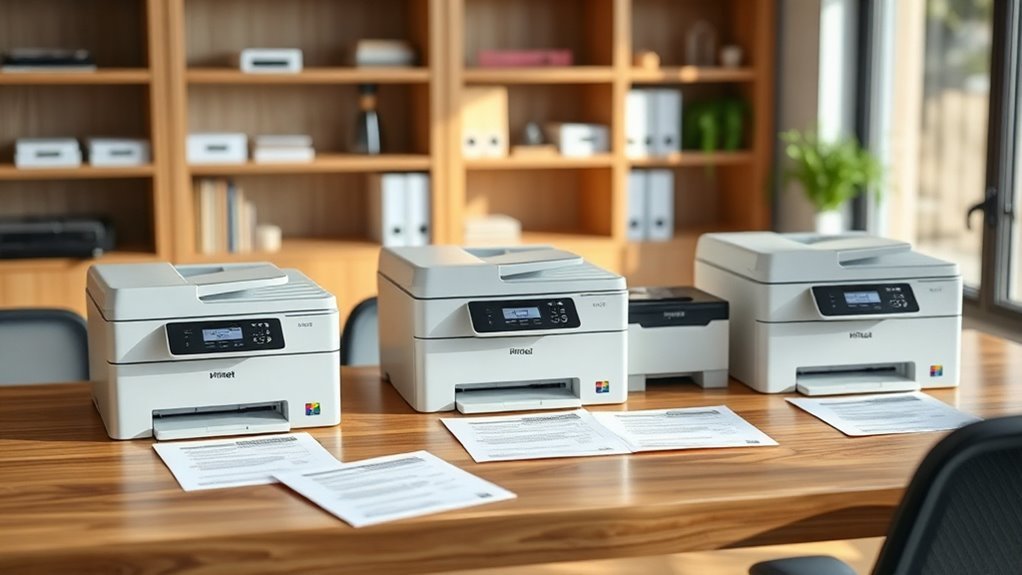
You’ll find reliable options like the HP LaserJet M234sdw and Pro 3105sdw, both fast with automatic duplex and solid mobile support. These budget laser printers with scanners are designed to fit small teams or home offices without breaking the bank.
Canon’s imageCLASS MF273dw offers wireless convenience and high-quality prints, while the MF3010 focuses on wired, consistent performance.
Brother’s DCP-L2640DW boasts the fastest print speed and eco-friendly features.
These printers balance speed, connectivity, and cost-effectiveness perfectly. Keep exploring to uncover the key factors that make each a smart choice for your printing needs.
| Image | Name | Editor's Rating | Price |
|---|---|---|---|

|
|
||

|
|
HP LaserJet M234sdw Monochrome Laser Printer | All-in-One
No products found.
The HP LaserJet M234sdw offers a streamlined solution for managing everyday printing, scanning, and copying tasks. Designed to enhance productivity, it helps small teams and solo workers handle documents efficiently without unnecessary complexity. Its fast monochrome laser printing delivers sharp text at up to 30 pages per minute, ensuring minimal wait times.
This all-in-one device simplifies multitasking with a 40-page auto document feeder and automatic duplex printing. These features reduce manual handling and help save paper, making your workflow smoother and more cost-effective. The compact design fits comfortably in small offices, while energy-efficient operation supports sustainable use.
Maintenance is straightforward, with moderate paper capacity and clear alerts to minimize downtime. Connectivity options include wireless, Ethernet, and USB, along with support for Windows, macOS, and mobile devices via the HP Smart app. This versatility ensures easy integration into various work environments and remote setups.
While it offers reliable black-and-white printing, the monochrome-only output may limit use where color is essential. The paper tray holds 150 sheets, which might require frequent refilling during heavy use. Also, its maximum copy run suits moderate workloads but may not match very high-volume demands.
Best for: Small teams or solo professionals needing a reliable, fast, and compact monochrome all-in-one printer for daily office tasks.
What We Like:
- Fast printing speed of up to 30 ppm with clear 600 x 600 dpi resolution
- 40-page auto document feeder and automatic duplex printing save time and paper
- Multiple connectivity options including dual-band Wi-Fi and Ethernet
- Compact, energy-efficient design ideal for limited office space
Specification:
| Feature | Details |
|---|---|
| Manufacturer | HP |
| Dimensions (W x D x H) | 16.5 x 14.7 x 11.3 inches |
| Weight | Approximately 16.5 lbs |
| Printing Technology | Monochrome Laser |
| Print Speed | Up to 30 pages per minute |
| Resolution | 600 x 600 dpi |
| Paper Capacity | 150 sheets |
| Connectivity | Wi-Fi (dual-band), Ethernet, USB |
| Auto Document Feeder | 40 pages |
| Duplex Printing | Automatic |
HP LaserJet Pro 3105sdw Monochrome Laser Printer | All-in-One
No products found.
The HP LaserJet Pro 3105sdw delivers fast, high-quality black-and-white printing designed to keep small teams productive. Its all-in-one functionality combines printing, copying, scanning, and faxing, streamlining multiple tasks into a single device. This printer’s sharp 1200 x 1200 dpi output enhances document clarity for professional results every time.
Maintenance is simple with automatic two-sided printing and scanning, reducing paper use and manual handling. The compact design fits easily into small office spaces without sacrificing performance. Connectivity options like Wi-Fi, Ethernet, USB, and mobile printing support flexible workflows, letting users print from anywhere.
Unique AI features improve efficiency by automatically generating email subjects and cleaning scanned content. Security is reinforced with HP Wolf Pro Security, protecting sensitive data throughout your document processes. While limited to monochrome printing, the printer ensures consistent quality with original HP toner cartridges.
Best for: Small to medium business teams or workgroups up to 7 users needing fast, reliable, and professional-quality black-and-white all-in-one printing with mobile and network connectivity.
What We Like:
- Fast printing speed up to 33 pages per minute
- Crisp 1200 x 1200 dpi resolution for clear documents
- Versatile all-in-one features controlled via an intuitive HP app
- Broad connectivity options including mobile print support
- AI-driven workflow enhancements and strong security features
Specification:
| Feature | Details |
|---|---|
| Manufacturer | HP |
| Dimensions | Compact design (exact size not provided) |
| Weight | Not specified |
| Print Speed | Up to 33 pages per minute |
| Print Resolution | 1200 x 1200 dpi |
| Connectivity | Wi-Fi, Ethernet, USB, AirPrint, Mopria |
| Functions | Print, Copy, Scan, Fax |
| Paper Capacity | Single tray, 250 sheets |
| Color | Monochrome (black-and-white) |
Canon imageCLASS MF273dw Wireless Monochrome Laser Printer
- Wireless 3-in-1: Print | Copy | Scan
- Print up to 30 Pages Per Minute (BW, Letter)
- First Print Out in Approximately 5.3 Seconds (Letter)
- Auto 2-sided Printing
- Uses Toner 071 / 071 High-Capacity Toner
Experience seamless printing with the Canon imageCLASS MF273dw, designed to meet the demands of home offices and small workgroups. This monochrome laser printer tackles everyday printing tasks quickly and efficiently, helping you maintain productivity without delays.
It delivers sharp, clear prints at speeds up to 30 pages per minute, so your documents are ready almost immediately. The multifunction design combines printing, copying, and scanning with an automatic document feeder, saving time and simplifying workflows.
With built-in wireless connectivity, including Wi-Fi and Wi-Fi Direct, you can print from multiple devices without hassle. The compact design fits easily into limited spaces, while energy-saving features reduce power consumption during idle times.
Maintenance is straightforward with easy cartridge replacement and support for duplex printing, which cuts paper use in half. Though it prints only in black and white and holds a modest 150-sheet capacity, it offers reliable performance tailored for busy, small-scale environments.
Best for: Small offices or home users needing a fast, dependable wireless monochrome multifunction printer with duplex capabilities.
What We Like:
- Fast printing and copying up to 30 ppm with clear 2400 x 600 dpi resolution
- Wireless options including Wi-Fi and Wi-Fi Direct for flexible connectivity
- Automatic duplex printing and convenient auto document feeder
- Compact, energy-efficient design ideal for tight spaces
Specification:
| Feature | Details |
|---|---|
| Manufacturer | Canon |
| Dimensions (W x D x H) | 16.5 x 15.9 x 12.5 inches |
| Weight | Approximately 33 lbs (15 kg) |
| Print Technology | Monochrome Laser |
| Print Speed | Up to 30 ppm |
| Print Resolution | 2400 x 600 dpi |
| Paper Capacity | 150 sheets |
| Connectivity | USB, Wi-Fi, Wi-Fi Direct |
Canon imageCLASS MF3010 Wired Monochrome Laser Printer
No products found.
Experience efficient monochrome printing designed to meet the needs of small offices and home workspaces. The Canon imageCLASS MF3010 delivers crisp prints at a steady pace of 19 pages per minute, helping you complete tasks without delay. Its sharp 600 x 600 dpi resolution ensures clear text and detailed documents every time.
This wired multifunction printer combines printing, copying, and scanning into one compact device. The flatbed scanner supports color scanning up to 600 dpi, adding versatility to your workflow. A 150-sheet paper tray reduces frequent refills, while automatic duplexing saves paper and enhances productivity.
Maintenance is straightforward with an included toner cartridge that yields up to 2,300 pages, minimizing interruptions. The USB connection offers stable performance and broad compatibility with Windows, Mac, and Linux systems, making it easy to integrate into your existing setup.
Though limited to monochrome printing and lacking wireless features, the MF3010’s reliable wired design suits environments where consistent performance is key. Its compact footprint fits well in tight spaces, balancing functionality with convenience.
Best for: Small offices and home users needing a dependable wired monochrome multifunction printer with fast output and space-saving design.
What We Like:
- Consistent 19 ppm print and copy speed with clear 600 x 600 dpi quality
- Automatic duplex printing reduces paper usage and boosts efficiency
- Broad OS compatibility with stable USB wired connection
- Compact design ideal for limited workspace
- Long-lasting toner cartridge minimizes maintenance interruptions
Specification:
| Feature | Details |
|---|---|
| Manufacturer | Canon |
| Dimensions (W x D x H) | 15.7 x 14.7 x 10.2 inches |
| Weight | 13.9 lb (6.3 kg) |
| Color | White |
| Connectivity | USB Wired |
| Print Speed | 19 pages per minute |
| Print Resolution | 600 x 600 dpi |
| Scan Resolution | Up to 600 dpi (color) |
| Paper Tray Capacity | 150 sheets |
| Duplex Printing | Automatic |
Brother DCP-L2640DW Wireless Monochrome Printer
- BEST FOR SMALL BUSINESSES – Engineered for extraordinary productivity, the Brother DCP-L2640DW Monochrome (Black & White) 3-in-1 combines laser printer, scanner, copier...
- FAST PRINTER WITH EFFICIENT SCANNING – Produces documents quickly with print speeds up to 36 ppm(2) and scan speeds up to 23.6/7.9 ipm(3) (black/color). A 50-page auto...
- FLEXIBLE CONNECTION OPTIONS – Easily navigate the changing demands of your business with secure multi-device connectivity via built-in dual-band wireless (2.4GHz...
- BROTHER MOBILE CONNECT APP – Print, scan, and manage your wireless printer anytime, from almost anywhere from your mobile device. Order Brother Genuine Supplies, track...
- CHOOSE BROTHER GENUINE TONER – When it’s time to replace your toner, be sure to choose Brother Genuine TN830 or TN830XL replacement toner. And with Refresh EZ Print...

Experience efficient and dependable printing with the Brother DCP-L2640DW, designed to meet the demands of small businesses and home offices. This wireless monochrome laser printer simplifies daily tasks by combining printing, copying, and scanning in one compact machine. Its fast output of up to 36 pages per minute helps reduce wait times and keeps your workflow steady.
The device’s compact design fits neatly into tight workspaces, saving valuable desk area. A 50-page automatic document feeder and 250-sheet paper tray minimize interruptions, allowing you to focus on your work without frequent paper refills. Connectivity is flexible, with dual-band Wi-Fi, Ethernet, and USB options, enabling smooth integration into various setups.
Maintenance is straightforward with eco-friendly features like automatic duplex printing and toner save mode, which help reduce paper and toner waste. These sustainability efforts are supported by ENERGY STAR and EPEAT Silver certifications, ensuring the printer operates efficiently without compromising performance.
While it offers high-speed monochrome printing, this model does not support color output and is limited to legal-size media. Its single processor and basic display resolution may restrict some advanced functions but remain suitable for everyday office needs.
Best for: Small businesses and home offices requiring fast, reliable monochrome printing, copying, and scanning with wireless connectivity and eco-conscious operation.
What We Like:
- Fast print and copy speeds up to 36 ppm with quick first-page output
- Multiple connectivity options including dual-band Wi-Fi, Ethernet, and USB
- Eco-friendly features reduce waste through automatic duplex and toner save mode
- Compact design fits well in limited office spaces
- ENERGY STAR and EPEAT Silver certified for energy efficiency
Specification:
| Feature | Details |
|---|---|
| Manufacturer | Brother |
| Dimensions (W x D x H) | 16.1 x 15.7 x 12.0 inches (41 x 40 x 30.5 cm) |
| Weight | 15.6 lbs (7.1 kg) |
| Technology | Wireless Monochrome Laser |
| Paper Capacity | 250-sheet tray |
| Document Feeder | 50-page automatic |
| Connectivity | Dual-band Wi-Fi, Ethernet, USB |
Factors to Consider When Choosing a Budget Laser Printer With Scanner
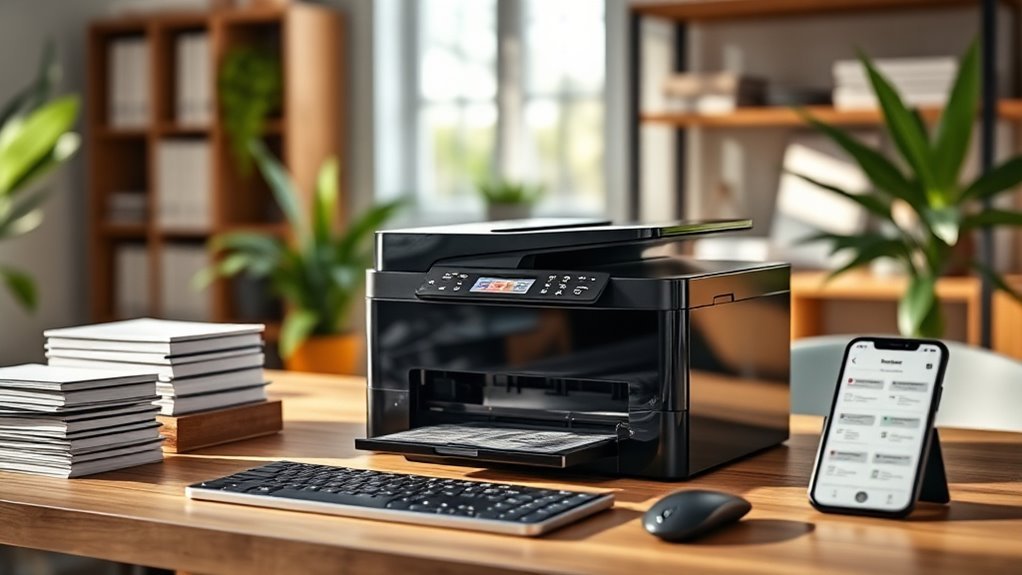
When choosing a budget laser printer with a scanner, you’ll want to focus on print speed and quality to keep your work efficient and sharp. Check the connectivity options and scanner resolution to make certain they fit your needs.
Also, consider paper handling, energy efficiency, and overall cost to get the best value. These factors can really make a difference in how satisfied you are with your printer in the long run.
Print Speed and Quality
Although budget laser printers with scanners might not match high-end models, you’ll want to prioritize print speed and quality to get the best value. Look for higher pages-per-minute (ppm) ratings—typically 25 to 36 ppm for budget monochrome lasers—to speed up single-sided jobs.
Check the first-page-out time (FPOT); a lower FPOT around 4 to 9 seconds reduces wait time for occasional prints. For sharp text and fine graphics, aim for at least 600 x 600 dpi resolution, with some models offering up to 1200 x 1200 dpi.
Don’t forget duplex printing capability and speed, which can save paper but often run slower than single-sided printing. Remember, real-world speed also depends on processor power, memory, and network conditions, especially for multi-page or complex documents.
Connectivity Options Available
How do you make certain your budget laser printer with scanner fits seamlessly into your workflow? Prioritize models that support both wired (USB, Ethernet) and wireless (dual-band Wi-Fi 2.4/5 GHz) connections. This way, you get the choice between reliable LAN printing and flexible remote access.
Also, make sure it’s compatible with mobile printing standards like AirPrint and Mopria. That lets you print and scan directly from your smartphone or tablet without any hassle.
Look for an automatic document feeder (ADF) with network or app-accessible scanning. It’s a real time-saver for handling multi-page jobs hands-free.
Don’t forget to check for USB host or thumb-drive support, plus an easy-to-use front panel. This makes walk-up scanning or printing without a PC super convenient.
Finally, consider cloud scanning/printing and voice assistant integration. These features help streamline remote workflows and make document management a breeze.
Scanner Features and Resolution
Choosing the right scanner features and resolution can make a big difference in how efficiently you handle your documents. Focus on optical scan resolution—300 to 600 dpi works well for text and basic graphics, while photos need 1200 dpi or more.
Decide between a flatbed scanner for books and delicate items or an automatic document feeder (ADF) for hands-free multi-page scanning. Check for color depth (24-bit or 48-bit) and file format support like searchable PDFs with OCR, which boost image quality and usability.
Don’t overlook duplex scanning if you scan double-sided pages regularly, and review scanning speed to match your workload. Software features like automatic skew correction and blank-page removal also enhance scan quality and save time.
Paper Handling Capacity
Many budget laser printers with scanners offer input tray capacities ranging from 150 to 250 sheets. This helps you manage your typical print volume without constant refills.
You’ll also want to check the automatic document feeder (ADF) capacity, usually 40–50 sheets. It speeds up scanning and copying multi-page documents, which is super convenient.
Don’t forget to verify the output tray capacity and the printer’s maximum duty cycle. These help handle bursts without frequent clearing or overheating.
Make sure the printer supports all the paper sizes and types you use, like letter, legal, envelopes, and card stock. Also, check its maximum media size to avoid surprises.
Finally, choosing a model with automatic duplex printing and scanning will save paper. Plus, it effectively doubles your tray capacity for two-sided jobs.
Energy Efficiency and Cost
Although budget laser printers with scanners often focus on core features, energy efficiency and ongoing costs play a crucial role in your overall satisfaction and savings. Look for Energy Star or EPEAT certifications, which show the printer uses less power in idle and sleep modes.
Compare typical and peak wattage—lower values reduce electricity expenses, especially if your printer runs all day. Features like automatic duplexing and an ADF that handles two-sided scanning cut paper use, lowering operating costs.
Calculate total ownership cost by combining energy consumption with toner and drum expenses. Finally, use toner-save or draft modes for everyday prints to extend cartridge life and reduce both consumable and energy costs, since high-quality modes often draw more power.
This approach keeps your printer budget-friendly long-term.
Frequently Asked Questions
How Do Laser Printers Compare to Inkjet Printers in Print Speed?
You’ll find laser printers usually print much faster than inkjet ones, especially for large volumes. They use toner instead of ink, so you won’t have to wait as long between pages or deal with drying time.
Plus, if you’re printing a lot, that speed difference really adds up. It’s pretty handy when you need your documents quickly!
What Maintenance Is Required for Laser Printers With Scanners?
You’ll need to replace toner cartridges, clean the scanner glass regularly, and occasionally clean internal components to prevent dust buildup.
Also, keep the firmware updated to guarantee smooth performance and fix potential bugs or glitches. It’s a simple way to keep everything running smoothly!
Can These Printers Handle Photo Printing Effectively?
Don’t expect a laser printer to paint a masterpiece; they handle photos with basic clarity but lack vibrant colors.
You’ll get decent prints for casual use, but photo enthusiasts should look elsewhere for brilliance.
Are Replacement Toner Cartridges Expensive for Budget Laser Printers?
Replacement toner cartridges for budget laser printers aren’t usually expensive, but costs can add up if you print a lot.
You’ll want to check cartridge yield and price to make sure it fits your budget long-term. It’s all about finding the right balance for what you need.
Do Budget Laser Printers Support Duplex Scanning?
Only about 30% of budget laser printers support duplex scanning, so you might not find it standard.
However, some models include it, letting you scan double-sided documents efficiently without flipping pages manually.
Conclusion
Choosing the right budget laser printer with a scanner is like finding the perfect pair of shoes—they need to fit your needs just right. Whether you prioritize wireless convenience, speed, or sharp print quality, one of these five options will match your style and budget.
Don’t settle for less when you can get reliable performance without breaking the bank. With the right choice, printing and scanning will feel effortless every time.
A good budget laser printer with a scanner offers convenience and efficiency without the high cost. So, whether you’re working from home or running a small office, these printers deliver quality prints and clear scans. Finding the perfect budget laser printer with a scanner means you get dependable performance that suits your workflow and saves money.