5 Best Budget 4K Resin Printers for 2027
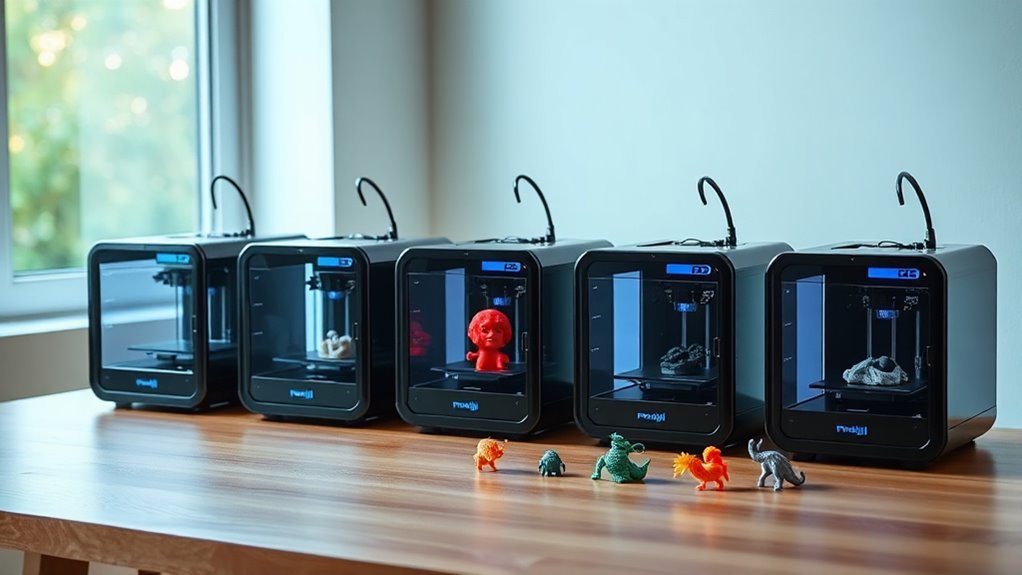
If you’re looking for sharp, reliable 4K resin printing in 2027 without breaking the bank, you’re in the right place. Budget 4K resin printers have come a long way, offering impressive detail, consistency, and features that used to be reserved for high-end models. Whether you’re a hobbyist or a professional, finding the perfect printer that balances quality and cost is key.
Consider the ANYCUBIC Photon Mono 4 for excellent detail and uniform light, making it a solid choice for precise prints. The ELEGOO Mars 5 offers compact ease-of-use, perfect if you want something straightforward and reliable. Then there’s the Photon P1 14K, which steps up with advanced auto-leveling and smart resin management for hassle-free printing.
The Reflex RS Turbo is great if speed and precision matter to you. It even includes smart failure prevention to keep your prints on track. Finally, the UniFormation GK3 Ultra is ideal for large, professional projects with its massive build volume. Keep exploring these options to find the best balance of features and budget for your 4K resin printing needs in 2027.
| Image | Name | Editor's Rating | Price |
|---|---|---|---|

|
|
||
|
|
||

|
|
||

|
|
||

|
|
ANYCUBIC Photon Mono 4, Resin 3D Printer with 7” 10K Mono LCD Screen
- 【7'' 10K High Resolution】Photon Mono 4 boasts an impressive 105% increase in print precision compared to Mono 2. With a resolution of 9024x5120, each pixel measures a...
- 【Powerful Light Source】The time-tested Anycubic LighTurbo matrix light source technology delivers stable, balanced, and uniform lighting to reduce layer lines and...
- 【Sufficient Print Size】With a generous maximum build volume of 6.04'' x 3.42'' x 6.49''/153.4mm x 87mm x 165mm, you have ample print space to easily tackle your daily...
- 【Laser-engraved Print Platform 2.0】With a new design, the laser engraving platform of the photon mono 4 improves adhesion to mitigate lifting and warping of the model...
- 【User-friendly Function】The 4-point leveling method is ideal for beginners, after the first leveling and tightening the 4 screws, no need to repeat leveling. Photon...
The ANYCUBIC Photon Mono 4 offers a precise solution for those seeking high-detail resin 3D printing without breaking the bank. Its 7″ 10K mono LCD screen delivers exceptional resolution, enhancing print accuracy and detail. This ensures your models come out with smooth surfaces and sharp features every time.
Maintenance is simplified with the laser-engraved platform that improves adhesion and reduces warping during prints. The four-point leveling system means you only need to calibrate once, saving time and effort. Additionally, the printer features a power recovery function that resumes printing after outages, protecting your work from disruption.
Designed for hobbyists and small businesses, this resin 3D printer balances quality and usability. It is ideal for creating intricate prototypes, miniatures, or functional parts. While it doesn’t support remote control through the Anycubic APP, its robust mechanical design ensures reliable performance.
The build volume is moderate, fitting most detailed projects but not suited for large-scale printing. Its uniform illumination technology guarantees consistent print quality, reducing visible layer lines and enhancing the final product’s appearance.
Best for: hobbyists and small businesses seeking a high-resolution resin 3D printer with reliable performance and easy maintenance.
What We Like:
- 7″ 10K mono LCD screen for superior print precision
- LighTurbo matrix technology ensures even light distribution
- Four-point leveling system for simple, one-time calibration
- Power recovery feature protects prints from power interruptions
Specification:
| Feature | Details |
|---|---|
| Manufacturer | ANYCUBIC |
| Screen Size | 7 inches |
| Screen Resolution | 9024 x 5120 pixels (10K) |
| Technology | Mono LCD with LighTurbo |
| Leveling System | Four-point leveling |
| Build Volume | Moderate |
| Power Recovery | Yes |
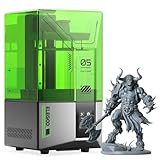
ELEGOO Mars 5 Resin 3D Printer
- 【Effortless Magic with One-Click Automatic Leveling】Effortless precision is just a click away. ELEGOO Mars 5 resin 3D printer offers advanced automatic leveling...
- 【Print Smarter, Print Worry-Free】With a smart mechanical sensor, ELEGOO Mars 5 resin printer supports residue detection to prevent damage to the LCD screen. Plus...
- 【One-Click Self-Check, Ensuring Reliable Prints】Tired of setup hassles and unexpected errors ruining your printing projects? With just a simple click, ELEGOO Mars...
- 【4K Mono LCD for Stunning Details】Featuring a 4K mono LCD with advanced COB light source, ELEGOO Mars 5 impresora 3D de resina faithfully reproduces intricate details...
- 【Advanced Overheat Protection, Cool and Safe】No more overheating worries. The advanced overheat protection automatically halts printing and triggers an alarm if the...

The ELEGOO Mars 5 Resin 3D Printer offers precision and clarity for users who demand detailed prints. Its 4K mono LCD combined with a COB light source creates sharp models with fine features. This helps hobbyists produce professional-quality results without complex setups.
Setting up the printer is straightforward with one-click automatic leveling and built-in self-checks. These features minimize failed prints and reduce frustration. Maintenance is simplified, promoting consistent performance and less downtime.
Designed for desktop use, the Mars 5 is compact and lightweight, making it ideal for small workspaces. Safety is prioritized with resin detection sensors, resin shortage alarms, and overheat protection. These systems help prevent printing errors and protect the machine.
While the print volume suits detailed projects, it may limit larger creations. Handling resin requires care and additional equipment for post-processing. Despite this, the Mars 5 balances ease of use with reliable safety features for quality results.
Best for: hobbyists and creators seeking precise, high-resolution resin 3D prints with easy setup and dependable safety.
What We Like:
- 4K mono LCD with COB light source delivers exceptional detail
- One-click automatic leveling reduces setup time and failed prints
- Resin detection and overheat protection enhance safety and reliability
Specification:
| Feature | Details |
|---|---|
| Manufacturer | ELEGOO |
| Dimensions | 8.1 × 7.3 × 14.6 inches |
| Weight | 14.52 pounds |
| Print Volume | 5.65 × 3.53 × 5.91 inches |
| Display Type | 4K Mono LCD with COB light source |
ANYCUBIC Photon P1 14K Resin 3D Printer with Auto-Leveling
- 【Sturdy Structure, No Wobble】 Anycubic Photon P1 employs stable ball screws and precision guide rails, combined with a precision-engineered print platform, to create...
- 【Easy Release, Higher Success Rate】The Wave Release Technology generates micro-airflow during plate lifting, reducing release force by 60%. 3D Models detach more...
- 【Ready to Print, Auto-Leveled】Smart Leveling 3.0 of Photon P1comes factory-calibrated, performs automatic self-check before each print, and provides real-time...
- 【AI Monitoring for Worry-Free Printing】The AI-powered inspection system performs dual verification of build plate installation and bottom layer separation. Integrated...
- 【Print Industrial Resins Instantly】Anycubic Photon P1 can handle ultra-high viscosity resins with a viscosity up to 8,000 cps, which is 40 times that of standard...
Experience precision like never before with the ANYCUBIC Photon P1 14K Resin 3D Printer. Designed for creators who demand exceptional detail, it delivers consistent, ultra-fine prints with minimal effort. The robust construction, featuring stable ball screws and precision guide rails, reduces vibration to ensure sharp, accurate results every time.
Maintenance is simplified with Wave Release Technology, which lowers the force needed to remove models by 60%. This makes detaching prints smoother and less prone to damage. The Smart Leveling 3.0 system automatically calibrates the build platform before each print, eliminating the hassle of manual leveling and providing real-time pressure feedback to maintain print quality.
This resin printer supports high-viscosity materials up to 8,000 cps, enabling versatile applications across different resin types. AI-powered inspection and resin level monitoring help detect issues early, reducing failed prints and material waste. The large 10.1-inch 14K monochrome LCD screen enhances detail clarity while accommodating a wider range of resin viscosities.
While its advanced features and high-resolution screen offer superior output, the printer’s size requires a dedicated workspace. It may also come at a higher price point compared to entry-level models, and resin compatibility is limited to certain viscosities.
Best for: Detail-oriented professionals and hobbyists seeking reliable, ultra-precise resin 3D printing with automated leveling and advanced resin management.
What We Like:
- Stable mechanical design minimizes vibration for enhanced accuracy
- Wave Release Technology eases model removal
- Smart Leveling 3.0 automates bed calibration with AI monitoring
- Supports high-viscosity resins up to 8,000 cps
- Large 10.1-inch 14K monochrome LCD offers ultra-fine resolution
Specification:
| Feature | Details |
|---|---|
| Manufacturer | ANYCUBIC |
| Model | Photon P1 14K |
| Screen Size | 10.1 inches |
| Screen Resolution | 14K monochrome LCD |
| Resin Viscosity Support | Up to 8,000 cps |
| Leveling System | Smart Leveling 3.0 (auto) |
| Special Technology | Wave Release Technology |
| Dimensions (approx.) | [Not provided] |
| Weight | [Not provided] |
Reflex RS Turbo Resin 3D Printer with High Contrast Amber Screen
- 𝐇𝐢𝐠𝐡-𝐬𝐩𝐞𝐞𝐝 𝐩𝐫𝐢𝐧𝐭𝐢𝐧𝐠 𝐚𝐧𝐝 𝐞𝐱𝐜𝐞𝐩𝐭𝐢𝐨𝐧𝐚𝐥 𝐃𝐞𝐭𝐚𝐢𝐥: Specifically...
- 𝐀𝐮𝐭𝐨𝐦𝐚𝐭𝐞𝐝 𝐏𝐫𝐞‑𝐏𝐫𝐨𝐜𝐞𝐬𝐬𝐢𝐧𝐠 & 𝐒𝐞𝐭𝐮𝐩 Get printing in one minute with true one‑click...
- 𝐈𝐧𝐭𝐞𝐥𝐥𝐢𝐠𝐞𝐧𝐭 𝐅𝐨𝐫𝐜𝐞‑𝐌𝐨𝐧𝐢𝐭𝐨𝐫𝐢𝐧𝐠 𝐒𝐲𝐬𝐭𝐞𝐦 Our proprietary system provides...
- 𝐏𝐫𝐞𝐜𝐢𝐬𝐢𝐨𝐧 𝐙‑𝐀𝐱𝐢𝐬 & 𝐂𝐎𝐁 𝐋𝐢𝐠𝐡𝐭𝐢𝐧𝐠 Industrial‑grade C5 ball‑screw Z‑axis ensures ≤2 μm...
- 𝐀𝐝𝐚𝐩𝐭𝐢𝐯𝐞 𝐏𝐫𝐨𝐜𝐞𝐬𝐬 & 𝐃𝐲𝐧𝐚𝐦𝐢𝐜 𝐌𝐨𝐭𝐢𝐨𝐧 𝐂𝐨𝐧𝐭𝐫𝐨𝐥 Unlock any resin’s...
The Reflex RS Turbo Resin 3D Printer transforms your printing experience with its high contrast amber screen, delivering sharper images and faster curing times. This advanced optical system boosts contrast significantly, allowing for finer details and quicker print cycles. Setup is simple and efficient with one-click slicing, automatic defect repair, and smart support generation, saving you valuable time.
Maintenance is straightforward thanks to the floating screen auto-leveling, which ensures your build plate stays perfectly aligned without manual adjustments. The force-monitoring system detects even tiny resin residue, pausing prints to avoid failures and reduce material waste. This thoughtful design keeps your prints consistent and reliable.
Designed for precision, the Reflex RS Turbo offers mechanical accuracy within 2 microns and uniform lighting for consistent exposure. Adaptive process control and motion optimization speed up printing by 33%, enhancing productivity without sacrificing quality. Its durable components require minimal upkeep, making it ideal for demanding projects.
Best for: professionals and advanced hobbyists needing fast, precise, and dependable resin 3D printing with automated controls and robust technical support.
What We Like:
- High contrast amber screen for detailed, faster curing prints
- Automated slicing, defect repair, and support generation simplify workflow
- Force-monitoring system prevents print failures by detecting resin residue
- Mechanical precision ensures repeatability within 2 microns
- Adaptive controls boost print speed by 33% without quality loss
Specification:
| Feature | Details |
|---|---|
| Manufacturer | Reflex |
| Dimensions | [Not specified] |
| Weight | [Not specified] |
| Material | Resin 3D printer components |
| Color Options | Amber screen |
UniFormation GK3 Ultra 13.5-Inch Large Build Volume 16K Resin 3D Printer
- 【Large Build Volume for High Productivity】With a build volume of up to 300 × 160 × 300mm (13.5inch, GK3 Ultra Resin 3D Printer offers significantly more printing...
- 【Ultra-Precise & Stable Z-Axis Architecture】The integrated KK60 module delivers enhanced mechanical rigidity and smooth motion performance for stable Z-axis movement...
- 【Built-in Heating System for Printing in Cold Weather】The GK3 Ultra 3d resin printer has a smart heating system, which allows users to print even in cold climates...
- 【Automatic Resin Feeder】Having the function to auto-refill the resin vat can be a great convenience for large prints, especially on a large format printer. It can...
- 【User-Friendly Design for a Cleaner Workflow】 Building on the quick-release design of the GKtwo, the GK3 Ultra features a quick-release resin vat for easier handling...
UniFormation GK3 Ultra transforms large-scale resin printing with its expansive 13.5-inch build volume, making it ideal for detailed models and multiple-part projects. Its 16K LCD screen offers ultra-fine pixel resolution, capturing every intricate detail for professional-quality results. This printer addresses common challenges in resin printing by ensuring precision and consistency across large builds.
The advanced KK60 module delivers smooth, reliable Z-axis motion and exceptional ±0.003 mm repeat accuracy. This minimizes layer lines and enhances overall print quality. Continuous printing is simplified with an automatic resin feeder and a built-in heating system, allowing you to work uninterrupted—even in cooler environments.
Maintenance is hassle-free thanks to quick-release vats, resin drip hangers, and an integrated carbon filter. These features keep your workspace clean and reduce downtime, supporting efficient workflows. Although it has a significant footprint and weight, the GK3 Ultra’s design focuses on robustness and durability for demanding professional use.
Best for: professionals, small to medium businesses, and creative enthusiasts who require large-format, high-detail resin 3D printing with reliable continuous operation and straightforward maintenance.
What We Like:
- Large 13.5-inch build volume combined with ultra-fine 16K resolution
- Smooth Z-axis movement with ±0.003 mm repeat accuracy
- Automatic resin feeder and heating system for uninterrupted printing
- Quick-release vats and resin drip hangers for easy cleaning
- Integrated carbon filter to maintain a clean workspace
Specification:
| Feature | Details |
|---|---|
| Manufacturer | UniFormation |
| Build Volume | 13.5 inches |
| LCD Resolution | 16K (20 × 26 μm pixels) |
| Z-axis Accuracy | ±0.003 mm |
| Weight | 85.8 lb (38.9 kg) |
| Dimensions | 19 × 21 × 26 inches |
Factors to Consider When Choosing a Budget 4k Resin Printer
When choosing a budget 4K resin printer, you’ll want to focus on key factors like print resolution and build volume to match your projects. These two really set the foundation for what you can create.
Also, consider how easy the printer is to use and whether it supports a wide range of resins for flexibility. It’s nice to have options when it comes to materials.
Don’t forget to check its speed and reliability to guarantee consistent, quality prints. After all, no one likes waiting forever or dealing with failed prints.
Print Resolution Importance
Choosing the right print resolution is essential if you want sharp, detailed results from your budget 4K resin printer. A 4K monochrome LCD typically offers around 3840 × 2160 pixels, producing finer XY detail by reducing each pixel’s exposed area.
Smaller pixel sizes—under 30 µm—deliver crisper features and smoother curves. However, vertical resolution (layer height) also plays a role: thinner layers like 20–50 µm improve surface smoothness but increase print time.
Keep in mind that effective resolution depends on consistent light uniformity and quality optics; uneven illumination can undermine higher pixel counts. Also, consider your resin’s curing spread and the printer’s mechanical precision, as these limit the minimum reliable feature size regardless of XY resolution.
Choosing wisely guarantees your prints meet your detail expectations.
Build Volume Needs
Print resolution sets the stage for detail, but build volume determines what you can create in one go. Start by measuring the maximum size of your typical models and choose a printer with a build volume that matches or exceeds those dimensions, leaving room for supports.
Larger volumes let you batch print minis or big assemblies, but they consume more resin and extend layer curing times. Keep your workspace in mind—check the printer’s footprint and weight to make certain it fits comfortably with the vat and platform installed.
Also, remember that a bigger build area with the same 4K resolution spreads pixels thinner, potentially lowering detail on large prints. Finally, verify your post-processing setup can handle bigger vats and more resin to keep your workflow smooth.
Ease Of Use
Getting started with a budget 4K resin printer should feel straightforward, not frustrating. Look for models with automatic or one-click bed leveling to save setup time and avoid manual errors.
A clear, high-resolution touch interface with preconfigured resin profiles and one-touch self-checks makes steering settings simple, especially if you’re new. Built-in safety features like resin-level sensors and overheat protection keep your prints safe and reduce failures without needing constant monitoring.
Easy platform adhesion systems paired with quick-release mechanisms speed up post-processing and help prevent damage when removing prints. Finally, consider printers that offer resume-on-power-loss and automated pre-print checks. These features safeguard your progress and minimize manual troubleshooting, making your printing experience smoother and more efficient.
Resin Compatibility Range
Once you’ve settled on a user-friendly 4K resin printer, it’s important to weigh the range of resins it can handle. Check the maximum resin viscosity it supports—this guarantees you can print high-viscosity engineering or specialty resins without issues.
Make sure the printer accepts a broad resin profile, including standard, flexible, tough, castable, and high-temperature types. This way, you can tackle various projects without any hassle.
Also, verify if its UV wavelength and light intensity align with common resin photoinitiators, typically around 405 nm, for reliable curing. This little detail makes a big difference in print quality.
Look for resin management features like level monitoring or automatic refill to maintain consistent print quality. These can save you time and headaches.
Finally, consider environmental controls such as built-in heating or recommended ambient temperatures. Some resins need specific conditions to flow and cure properly, so it’s good to keep that in mind.
Speed And Reliability
Although speed can save you hours on large jobs, a budget 4K resin printer must maintain consistent light uniformity and precise Z-axis control to guarantee smooth layer changes without artifacts. You want stiff Z-axis components and accurate lead screws to minimize wobble and layer shifting at higher speeds.
Reliable power-recovery and resume features save you from wasted resin and time during outages, boosting uptime for long prints. Look for printers with sensors that monitor resin levels, screen residue, and lift force. These can auto-pause or adjust jobs to prevent failures.
Thermal management assures consistent light intensity, avoiding over or under-curing that leads to delamination. Prioritizing these factors will keep your prints fast and dependable without sacrificing quality.
Frequently Asked Questions
How Long Does Resin Typically Take to Cure in 4K Printers?
Resin typically takes around 2 to 6 seconds per layer to cure in 4K printers, but this can vary based on resin type and layer thickness.
You’ll want to adjust settings for peak curing speed and quality. It’s all about finding that sweet spot for your specific project.
What Safety Precautions Should I Take When Using Resin Printers?
You should always wear gloves and a mask to avoid skin contact and fumes. Work in a well-ventilated area to keep fresh air flowing.
Also, try to avoid direct UV exposure—it’s better to be safe than sorry. If you spill any resin, clean it up immediately to prevent any accidents.
Following these simple steps will help keep you safe while using resin printers. It’s pretty easy once you get the hang of it!
Can I Use Third-Party Resins With These Budget 4K Printers?
Imagine trying Elegoo Mars with Anycubic’s resin—you can! You can use third-party resins, but they might affect print quality or curing times.
Always test small batches first to avoid wasting material or damaging your printer. It’s a good idea to experiment a bit before committing to larger prints. That way, you get the best results without any surprises.
How Do I Maintain and Clean a 4K Resin Printer?
You should clean the resin vat and build plate after each print. Use isopropyl alcohol to remove any resin residue.
Also, regularly check and replace the FEP film to keep things running smoothly. It’s a good idea to keep the printer covered to prevent dust and UV exposure. This helps protect your prints and extend the life of your printer.
Are 4K Resin Prints Compatible With Common Post-Processing Tools?
Yes, you can use common post-processing tools with 4K resin prints. Just be gentle during sanding, washing, and curing to avoid damaging fine details.
Always wear gloves and work in a well-ventilated area for safety. It’s important to take these precautions to keep both your prints and yourself safe.
Conclusion
Choosing a budget 4K resin printer doesn’t mean you have to sacrifice quality or features. These models prove you can get crisp, detailed prints without breaking the bank. If you worry about complexity, don’t—many come with user-friendly interfaces and auto-leveling to simplify setup.
Whether you want precision, speed, or a large build volume, one of these printers will fit your needs and elevate your 3D printing game in 2027. Budget 4K resin printers have come a long way, offering great value without skimping on performance. So, if you’re after a reliable, cost-effective 3D printer that delivers stunning results, these options are definitely worth considering.