3 Best Budget DTG Printers for 2027
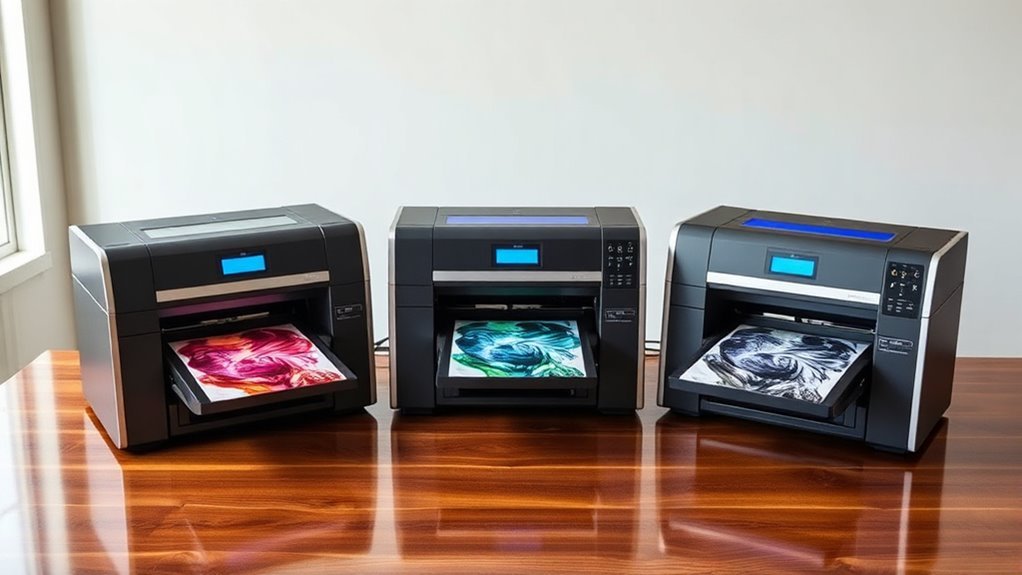
You’ll find three top budget DTG printers for 2027 that combine sharp 1440 dpi quality with reliable white ink systems and versatile fabric support. These printers are perfect if you’re looking to get vibrant, detailed prints without breaking the bank.
Whether you’re printing on cotton, polyester, or blends, these models have you covered.
The A3 Multifunction offers multifunctional printing for apparel and accessories with bronzing and vacuum alignment. It’s great for those who want extra features beyond just t-shirts.
The Automatic A3 DTG Printer excels on cotton with precise white ink circulation. This means your designs will pop with bright, consistent colors every time.
The MZK A4 is compact with eco-friendly inks and white ink mixing for brighter prints. Its small size makes it ideal if you’re tight on space but still want professional-quality results.
Keep exploring to discover what makes each model ideal for your printing needs. You might just find the perfect fit to boost your printing business or hobby.
| Image | Name | Editor's Rating | Price |
|---|---|---|---|

|
|
||

|
|
||

|
|
A3 Multifunction DTF & DTG Flatbed Printer
- 1. Can almost completely restore the need to print the picture effect, printing effect is excellent, bright color. You can DIY your own printing style, regardless of the...
- 2. Both the motherboard and the printhead are easier to buy, easier to replace, and cheaper; Multi-purpose machine, small size, Standard white ink stirring system...
- 3. There will be no clearing and chip reset of L1800 90; There will be no double flashes of various sensors of L1800 and other models, reducing the failure rate
- 4. Standard A3 format suction platform, which can absorb film (DTF printing film, bronzing paper, etc.), and realize DTF heat transfer and clothing bronzing by powder...
- 5. Standard A3 size clothes hanger, which can directly print white T-shirts and sweaters with DTF ink
The A3 Multifunction DTF & DTG Flatbed Printer offers a practical solution for those needing versatile printing on various garments. It allows direct printing on T-shirts, hoodies, hats, and shoes, simplifying production by accommodating different apparel types with ease.
This printer enhances workflow by eliminating the need for pretreatment on colored fabrics. Its automatic white ink stirring system minimizes clogging, reducing downtime and ensuring consistent print quality. Maintenance is straightforward thanks to easily replaceable parts, keeping repairs affordable and hassle-free.
Designed for small-scale production, the compact size and 143-pound weight make it suitable for home-based businesses or hobbyists. The A3 suction platform and clothes hanger provide flexible options for different printing projects without requiring large spaces.
While the A3 size limits larger-format printing, the multifunction capabilities—including bronzing and powder shaking—offer creative possibilities, though users may need some time to master these features.
Best for: Small-scale garment producers and hobbyists seeking an affordable, multifunctional printer for diverse apparel printing needs.
What We Like:
- Versatile printing on T-shirts, hoodies, hats, and shoes
- Automatic white ink stirring reduces maintenance and clogging
- Easy-to-replace parts lower repair costs and downtime
Specification:
| Manufacturer | Dimensions (inches) | Weight (lb) | Material | Color Options |
|---|---|---|---|---|
| Not specified | Not specified | 143 | Not specified | Not specified |
Automatic A3 DTG Printer for T-Shirts & Apparel
- 【DTF printing】It is to print the pattern on the film - shake the powder - the pattern is transferred and pressed onto the surface of the clothes through film transfer...
- 【DTG printing】Print the pattern directly on the clothes - press and fix the color. Currently, only DuPont DTG ink can achieve this. Suitable for printing on cotton...
- 【High Precision L1805 Printhead】 This DTG/DTF printer comes with ESPON L1805 6-color printhead (CMYK LC LM or CMYK+2W), which boasts a high resolution of...
- 【White Ink Circulation System】Features a white ink mixing system, effectively preventing sediment causing the nozzle to be blocked. With an infrared automatic height...
- 【Vacuum Platform】Our DTG machine is equipped with a built-in vacuum suction platform, keeping printing material in place throughout the printing process, preventing...
The Automatic A3 L1805 DTG Printer transforms how small businesses approach apparel printing. It offers direct-to-garment printing on cotton and the flexibility of film-transfer (DTF) for various fabric types. This versatility helps users expand their product range without needing multiple machines.
Its Epson L1805 printhead delivers high-resolution prints at 1440 dpi with six colors, including white ink. A circulation system prevents clogging, reducing downtime and keeping prints sharp. The built-in vacuum platform ensures garments stay perfectly aligned for consistent results.
Maintenance is straightforward thanks to the semi-automatic cleaning system. This feature minimizes manual upkeep, allowing users to focus on production instead of troubleshooting. The printer handles A3-sized items like t-shirts, hoodies, and hats efficiently, fitting the needs of small-scale operations.
Connectivity via USB supports Windows 7–11 systems, making setup simple for most users. While it’s limited to single-sheet printing and A3 media size, it balances affordability with quality, ideal for startups looking to grow.
Best for: Small businesses and startups needing versatile, affordable direct-to-garment and film-transfer printing solutions for apparel.
What We Like:
- Supports both DTG and DTF printing on diverse fabrics
- High-resolution Epson L1805 printhead with white ink circulation
- Built-in vacuum platform for precise garment alignment
- Semi-automatic cleaning simplifies maintenance
Specification:
| Feature | Details |
|---|---|
| Manufacturer | Epson |
| Printhead | L1805 Epson |
| Maximum Print Size | A3 (11.7 x 16.5 in) |
| Resolution | 1440 dpi |
| Colors | 6 (including white) |
| Connectivity | USB |
| Compatible OS | Windows 7–11 |
| Cleaning | Semi-automatic |
MZK A4 DTG Printer with White Ink Mixing
- The MZK DTG printer delivers high-definition prints at an impressive resolution of 2800*2800 DPI, providing stunning color accuracy.
- This A4 DTG printer features a straightforward setup process, intuitive controls, and easy-to-load garment platens. Perfect for both beginners and experienced users...
- Eco-Friendly Water-Based Inks: Enjoy peace of mind with our environmentally conscious water-based ink system. Not only does it produce stunning prints, but it's also...
- Versatile Printing for Custom Apparel: From t-shirts and hoodies to tote bags and other textile items, this DTG printer is highly versatile. It’s perfect for on-demand...
- Durable Prints with a Soft Touch: The advanced direct-to-garment technology ensures that the ink penetrates deep into the fabric, resulting in long-lasting prints that...
The MZK A4 DTG Printer offers a practical solution for small businesses seeking high-quality direct-to-garment printing. It supports print sizes up to 16.5 × 11.7 inches, ideal for cotton fabrics and designs transferred via DTF. This printer ensures vibrant, durable images using eco-friendly, non-toxic inks that are safe for sensitive skin and children’s garments.
Its standout feature is the white ink mixing system, which enhances print clarity and brightness on dark-colored apparel. This capability solves the common issue of dull whites in direct printing, improving the overall print quality. Refillable ink tanks and included accessories help reduce ongoing costs and simplify maintenance.
Setup is straightforward with USB 2.0 connectivity and compatibility with AcroRIP software on Windows. The printer weighs 151 pounds and includes semi-automatic cleaning functions, making routine upkeep manageable despite its size. These features combine to offer reliable performance for small-scale production.
Best for: Small businesses and entrepreneurs needing a versatile DTG printer that delivers vibrant prints on cotton fabrics and transfers with eco-conscious inks.
What We Like:
- Produces vivid, long-lasting prints with skin-safe, eco-friendly inks.
- White ink mixing ensures bright, clear prints on dark garments.
- Refillable tanks and included accessories lower operational costs.
- Semi-automatic cleaning simplifies maintenance.
- Compatible with Windows software for easy setup.
Specification:
| Feature | Details |
|---|---|
| Manufacturer | MZK |
| Maximum Print Size | 16.5 × 11.7 inches |
| Weight | 151 lb (68.5 kg) |
| Ink Type | Eco-friendly, non-toxic |
| Connectivity | USB 2.0 |
Factors to Consider When Choosing a Budget Dtg Printer
When choosing a budget DTG printer, you’ll want to focus on print quality and how efficiently the ink system works. Consider the range of fabrics it can handle and how much maintenance it requires.
Don’t forget to factor in print speed to match your production needs. It’s all about finding the right balance that fits your workflow and budget.
Print Quality Importance
Because you want your prints to stand out, focusing on print quality is essential when choosing a budget DTG printer. Resolution plays a key role—look for printers offering at least 1440 dpi to get sharp, detailed images and crisp text.
Accurate color reproduction matters too. Printers with a wide color gamut and additional inks like light colors or white ink deliver better gradients and true-to-life skin tones.
Managing white ink well is vital for dark garments, preventing banding and uneven opacity. Also, consider ink penetration and droplet size, as smaller droplets produce smoother prints that feel softer and last longer through washes.
Finally, check the printhead technology and maintenance features like automatic cleaning. They help maintain consistent quality by reducing clogs and color shifts over time.
Ink System Efficiency
Maximizing ink system efficiency is essential for keeping your operating costs low and your prints consistent with a budget DTG printer. Prioritize models featuring white-ink circulation or stirring systems to prevent sedimentation and nozzle clogs. These issues reduce downtime and maintenance.
Also, check if the printer uses refillable tanks or disposable cartridges. Refillable tanks usually cut per-print costs but demand more monitoring.
Evaluate ink consumption rates like ml/m² to estimate ongoing expenses based on your expected volume. It’s a good way to get a handle on what you’ll spend over time.
Make sure the ink chemistry matches the printhead type. If not, you could face clogging, color shifts, or even void warranties.
Finally, look for built-in automated or semi-automatic cleaning cycles. They save manual labor, but keep in mind they might increase ink usage during purge cycles.
Balancing these factors will help you choose an efficient, cost-effective printer.
Fabric Compatibility Range
Although DTG printing excels on high-cotton textiles, you’ll want to verify your printer’s fabric compatibility to avoid costly mistakes. Check if your printer supports cotton, polyester, blends, or synthetics, as true DTG works best on high-cotton fabrics, while other methods handle polyester better.
Confirm whether it prints white ink effectively—this is crucial for vibrant designs on dark or colored garments. See if pretreatment is required for colored or blended fabrics since some printers need it for proper ink adhesion.
If you plan to print sensitive items like baby clothes, look for machines that use water-based, non-toxic inks for safety and softness. Finally, make sure the platen and vacuum systems fit your garment types, whether tees, hoodies, or hats, to maintain print accuracy and quality.
Maintenance Requirements Overview
Knowing your printer’s fabric compatibility sets a solid foundation, but maintaining your DTG printer keeps it running smoothly and guarantees consistent print quality. You’ll need to circulate or stir white ink daily—or more often during long print sessions—to prevent pigment settling and clogged nozzles.
Regular printhead maintenance, including nozzle checks and cleaning cycles, is vital after extended idle times or every few hundred prints to avoid costly replacements. Before each run, clean vacuum platforms, platen surfaces, and film holders to prevent misfeeds and blemishes.
Keep ink systems topped off, replace filters, and flush lines when switching ink types to avoid contamination. Finally, log consumable replacements like pumps, dampers, and cleaning cartridges, and follow manufacturer schedules to minimize downtime and confirm reliable operation.
Print Speed Considerations
When choosing a budget DTG printer, you should weigh print speed carefully because it directly impacts your production efficiency and labor costs. Print speed is typically measured in seconds per A3 photo mode; faster printers—around 178 seconds per A3—boost throughput and cut per-garment labor.
However, high-resolution modes (1440 dpi+) run slower than draft modes, so you’ll want to balance quality with your production goals. Also, keep in mind total cycle time, including substrate loading, white-ink circulation, and pre/post-treatment steps, since these add up and affect your effective prints per hour.
Don’t just rely on advertised speeds. Maintenance interruptions like cleaning cycles can reduce continuous printing time. And if you’re handling small batches or on-demand jobs, it’s better to prioritize steady, moderate speeds and reliable white-ink systems over chasing peak speed numbers.
Frequent stoppages can totally negate the benefits of raw speed, so think about what fits your workflow best.
Software Compatibility Needs
Since software drives your printer’s performance, you need to make sure its drivers and RIP software fully support your operating system and ink setup. Check compatibility with Windows 7 through 11 to avoid installation headaches and limited features.
Also, confirm the RIP software handles your ink configuration, whether that’s CMYK plus white or light cyan/magenta. This way, color separation and white underprint function correctly.
Make certain it supports your file types like TIFF, PSD, or PDF with ICC profiles for accurate color management. Plus, it should let you print at your printer’s max resolution.
Look for white ink features like underbase generation and circulation commands to prevent clogging. This helps guarantee crisp prints on dark garments.
Bonus points if there are built-in print previews, nesting tools, and spot color controls to optimize media use and keep color consistency tight.
Size And Portability
Although performance and software compatibility play essential roles, you should also consider size and portability when choosing a budget DTG printer. First, look at the maximum printable area to verify it fits your typical garment sizes and artwork dimensions, whether A4 or A3.
Check the footprint and weight to make sure your workspace can accommodate the printer and that you can move or store it easily. If you plan to relocate the printer often, prioritize compact, lightweight models with carrying handles or casters.
For small studios or home setups, a low-profile machine with a built-in vacuum platen helps save space. Just remember to balance portability with stability—very lightweight printers might vibrate during printing, which can reduce accuracy on fine details.
Warranty And Support
Size and portability matter, but you’ll also want to take into account warranty and support when picking a budget DTG printer. First, confirm the warranty length and coverage—know which parts are protected, like a full year on electronics versus six months on printheads.
Check if consumables and wear items are excluded or have shorter coverage. You should also verify technical support details, including response times and whether remote diagnostics or onsite service are available.
Make sure spare parts are easy to find and replace, ideally with modular components and common connectors to reduce downtime. Finally, review return and repair policies carefully—know who covers shipping costs, if refurbished or new parts are used, and any fees for restocking or diagnostics.
This way, you avoid surprises and keep your printer running smoothly.
Frequently Asked Questions
How Long Does a DTG Printer Typically Last?
A DTG printer typically lasts around 3 to 5 years with regular maintenance. You’ll want to clean it often and replace parts as needed to keep it running smoothly.
Doing this will help extend its lifespan effectively. It’s all about staying on top of the upkeep so you don’t run into bigger issues down the road.
Can I Print on Dark Fabrics Without Pre-Treatment?
Can you really skip pre-treatment on dark fabrics? No, you can’t. Pre-treatment helps white ink adhere properly, ensuring vibrant colors and durability.
Without it, your prints will fade quickly and look dull. So, always pre-treat dark garments.
What Types of Ink Are Best for DTG Printing?
You’ll want to use water-based pigment inks for DTG printing since they bond well with fabric fibers, especially cotton. These inks offer vibrant colors, durability, and are eco-friendly.
They give your prints a soft feel without cracking or fading. Plus, using water-based inks is better for the environment, which is always a win.
Is Training Required to Operate a DTG Printer?
Yes, you’ll need some training to operate a DTG printer effectively. It helps you understand maintenance, ink handling, and software settings. This ensures quality prints and prolongs your machine’s lifespan.
Don’t worry—it’s manageable! With a bit of practice, you’ll get the hang of it in no time.
How Do DTG Printers Compare to Screen Printing Costs?
You’ll see DTG printing’s upfront cost is like buying a sleek sports car—higher initially but cheaper per shirt.
While screen printing feels like a reliable old truck—low startup, but costs pile with each colorful design.
Conclusion
When choosing a budget DTG printer, you want reliability without breaking the bank. Did you know that the DTG market is expected to grow over 9% annually through 2027? That means investing in a quality printer now can set you up for success.
Whether you pick the A3 multifunction flatbed, the automatic A3 DTG, or the MZK A4 model, you’ll get great value and strong performance for your apparel printing needs. These budget DTG printers offer a perfect blend of affordability and efficiency, making them ideal for startups or expanding businesses.
In the growing world of direct-to-garment printing, choosing the right budget DTG printer is key. With reliable options like the A3 multifunction flatbed, the automatic A3, and the MZK A4, you can confidently enter the apparel printing market. Investing in one of these budget-friendly DTG printers means you’ll enjoy quality prints without overspending, setting your business up for long-term success in a booming industry.