5 Best Auto Duplex Ink Tank Printers for 2027
If you want reliable auto duplex printing with low ink costs, check out the Epson EcoTank ET-2988, Canon MAXIFY GX2020, Epson ET-2900, Epson ET-4950, and Brother INKvestment Tank 780. These printers offer refillable tanks for long-lasting ink, wireless connectivity, and efficient paper handling.
Your choice will depend on features like speed, tank size, and paper capacity. Think about what matters most to you—whether it’s printing fast, having a larger ink tank, or handling more paper at once.
Keep exploring to find the perfect fit for your productivity and printing needs. With these options, you’re sure to get great auto duplex printing without breaking the bank on ink.
| Image | Name | Editor's Rating | Price |
|---|---|---|---|
|
|
||

|
|
||

|
|
||

|
|
||
|
|
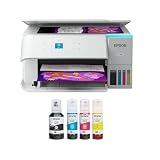
Epson EcoTank ET-2988 Wireless All-in-One Printer
- STRESS-FREE PRINTING — Epson EcoTank comes with enough ink to print up to 6,600 pages black/5,500 color¹⁰ for fewer out-of-ink frustrations. Each replacement ink...
- SIMPLE INK REFILLING — Supersized ink tanks and uniquely keyed EcoFit bottles make refilling ink simple—no mess, no stress and no ink bottle mix-ups
- THE WORLD’S #1 SELLING SUPERTANK PRINTER² — Epson invented EcoTank to revolutionize the way people print; we’ve sold 100 million EcoTanks worldwide⁷ and this is...
- ADVANCED PRODUCTIVITY FEATURES — Fast 15 black/8 color ISO ppm print speeds with zero warmup time, built-in scanner, 100-sheet paper tray, auto duplex printing and a...
- STUNNING PRINT QUALITY — High 4800 x 1200 dpi print resolution for exceptional photos and text; enjoy amazing image quality on a wide range of media

The Epson EcoTank ET-2988 is a smart solution for those who need efficient, high-volume printing without the hassle of frequent ink replacements. Its refillable ink tanks come with bottles that can last up to three years, cutting down interruptions and reducing plastic waste. This makes it ideal for both home and office environments where sustainability matters.
This wireless all-in-one printer delivers sharp color and black-and-white prints at a high resolution of 4800 x 1200 dpi. Automatic duplex printing and fast speeds help you handle busy workloads with ease. You’ll appreciate easy mobile printing options and simple navigation through the intuitive color display.
Maintenance is straightforward thanks to the cartridge-free design, which lowers costs over time and minimizes environmental impact. The compact build fits well in tight spaces, making it a practical choice for users who value both performance and convenience. However, the 100-sheet paper tray may need frequent refills in very heavy use scenarios, and it supports only plain paper media.
Best for: users seeking a reliable, eco-friendly wireless all-in-one printer for high-volume color and black-and-white printing at home or office.
What We Like:
- Refillable ink tanks provide up to three years of printing with included bottles.
- Fast print speeds and automatic duplexing improve productivity.
- Wireless and mobile printing support with an easy-to-use color display.
- Cartridge-free design reduces plastic waste and lowers running costs.
Specification:
| Feature | Details |
|---|---|
| Manufacturer | Epson |
| Dimensions (W×D×H) | 14.9 × 13.7 × 5.8 in (37.8 × 34.8 × 14.7 cm) |
| Weight | 11.5 lb (5.22 kg) |
| Color Options | White |
| Print Resolution | Up to 4800 x 1200 dpi |
| Paper Tray Capacity | 100 sheets |
Canon MAXIFY GX2020 Wireless All-in-One Printer
- Wireless Print/Copy/Scan/Fax (2)
- Print up to 3,000 black & white / 3,000 color pages using a single set of inks! (1)
- 2.7” LCD Color Touchscreen
- Auto 2-sided printing
- ADF – 35 sheet Auto Document Feeder
The Canon MAXIFY GX2020 is designed to meet the demands of users who need fast, high-volume printing with wireless convenience. It simplifies multitasking by supporting print, copy, scan, and fax functions in one compact device. This all-in-one printer reduces downtime with its refillable pigment-based ink tanks, delivering sharp, durable prints while cutting maintenance costs.
Its automatic two-sided printing and 35-sheet Auto Document Feeder help you handle large jobs efficiently. The 2.7″ adjustable touchscreen makes navigation straightforward, while dual-band Wi-Fi, wired LAN, and USB connections provide flexible network options. These features ensure smooth workflow whether at home or in the office.
Maintenance is hassle-free, thanks to the high-yield ink tanks, which can print up to 3,000 pages before needing a refill. The printer’s compact size and Energy Star certification make it a practical choice for tight spaces without sacrificing performance. However, the limited maximum media size of 8 x 10 inches and a single USB port may restrict some larger or multi-connection needs.
Best for: users who require fast, high-volume duplex printing with versatile connectivity options for home or office use.
What We Like:
- High-yield refillable pigment ink tanks for cost-effective printing
- Automatic two-sided printing and 35-sheet Auto Document Feeder boost productivity
- Compact design with dual-band Wi-Fi, wired LAN, and USB for flexible connectivity
Specification:
| Feature | Details |
|---|---|
| Manufacturer | Canon |
| Dimensions (W×D×H) | Approx. 18.7 x 14.9 x 7.6 in |
| Weight | Approx. 12.9 lb |
| Ink Type | Refillable pigment-based ink |
| Connectivity | Dual-band Wi-Fi, Wired LAN, USB |
| Touchscreen | 2.7-inch adjustable |
| Max Media Size | 8 x 10 inches |
Epson EcoTank ET-2900 Wireless Color All-in-One Supertank Printer – Black
- Epson EcoTank includes enough ink to last up to 3 years⁴
- WORRY-FREE PRINTING — Epson EcoTank comes with enough ink to print up to 3,600 pages black/6,500 color⁹ for fewer out-of-ink frustrations. Each replacement ink bottle...
- SIMPLE INK REFILLING — Supersized ink tanks and uniquely keyed EcoFit bottles make refilling ink simple—no mess, no stress and no ink bottle mix-ups; fits in...
- THE WORLD’S #1 SELLING SUPERTANK PRINTER² — Epson invented EcoTank to revolutionize the way people print; we’ve sold 100 million EcoTanks worldwide⁷ and this is...
- KEY PRODUCTIVITY FEATURES — 11 black/6 color ISO ppm print speeds with zero warmup time, 100-sheet paper tray, high-resolution flatbed scanner and a 1.44" color display...
Experience efficient, high-volume printing without the hassle of cartridges with the Epson EcoTank ET-2900. Its cartridge-free design and supersized refillable ink tanks mean you can print thousands of pages before needing a refill. This saves both time and money, making it ideal for busy home offices or small businesses.
The ET-2900 supports wireless and USB connectivity, allowing you to print, scan, and copy with ease from your computer or mobile device. Its compact design fits comfortably in any workspace, while the 100-sheet tray reduces frequent paper refills.
Maintenance is simple thanks to Epson’s Heat-Free technology and a permanent printhead, which extend the printer’s durability. You’ll enjoy consistent quality with borderless printing and fast output speeds, though it may be slower than some laser printers on large jobs.
While it handles standard paper sizes up to 8.5 x 14 inches, it lacks fax functionality, which may limit its use in more communication-intensive offices.
Best for: users seeking a cost-effective, high-volume all-in-one printer with wireless convenience for home or small office use.
What We Like:
- Cartridge-free design with large refillable ink tanks reduces running costs
- Wireless and USB connectivity for versatile device support
- Heat-Free technology and permanent printhead ensure long-lasting use
- Borderless printing delivers vibrant photos and sharp documents
Specification:
| Feature | Details |
|---|---|
| Manufacturer | Epson |
| Dimensions (W×D×H) | 14.8 × 12.0 × 5.7 inches |
| Weight | Approximately 9.8 lb (4.4 kg) |
| Color Options | Black |
| Connectivity | Wireless, USB |
| Max Paper Size | 8.5 × 14 inches |
Epson EcoTank ET-4950 Wireless Color All-in-One Supertank Printer – Black
- Epson EcoTank Wireless All-in-One Ink Tank Printer – Cartridge-Free System, High-Capacity Ink Bottles, Mobile Printing, Auto Duplex
- WORRY-FREE PRINTING — Epson EcoTank comes with enough ink to print up to 6,600 pages black/5,500 color⁹ for fewer out-of-ink frustrations. Each replacement ink bottle...
- SIMPLE INK REFILLING — Supersized ink tanks and uniquely keyed EcoFit bottles make refilling ink simple—no mess, no stress and no ink bottle mix-ups
- THE WORLD’S #1 SELLING SUPERTANK PRINTER² — Epson invented EcoTank to revolutionize the way people print; we’ve sold 100 million EcoTanks worldwide⁷ and this is...
- ADVANCED PRODUCTIVITY FEATURES — Fast 18 black/9 color ISO ppm print speeds with zero warmup time, an Auto Document Feeder, fax, a high-capacity 250-sheet paper tray...
Experience hassle-free, high-volume printing with the Epson EcoTank ET-4950, designed to keep your workflow smooth and efficient. This wireless all-in-one printer tackles printing, scanning, copying, and faxing with ease, making it ideal for busy home offices or small businesses.
Its cartridge-free ink system solves the frequent replacement problem, featuring supersized refillable tanks that print thousands of pages. This reduces interruptions and lowers running costs compared to traditional printers.
The ET-4950 offers fast duplex printing, with speeds up to 18 ppm in black and 9 ppm in color, and no warm-up time. Managing tasks is simple thanks to a 250-sheet tray, automatic two-sided printing, and a clear 2.4″ color LCD screen.
While its larger size may require dedicated space, the printer’s maintenance is straightforward once set up. It supports standard paper sizes but may not accommodate specialized printing needs.
Best for: users needing a fast, versatile all-in-one printer with wireless connectivity and high-volume, cartridge-free ink for home or small office use.
What We Like:
- High page yield with supersized refillable ink tanks lowers ink costs
- Fast print speeds and automatic duplex printing boost productivity
- Large 250-sheet capacity and intuitive 2.4″ color LCD enhance ease of use
Specification:
| Feature | Details |
|---|---|
| Manufacturer | Epson |
| Dimensions | Not specified |
| Weight | 16.1 lb (7.3 kg) |
| Color | Black |
| Connectivity | Wireless |
| Ink System | Refillable EcoTank tanks |
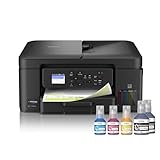
Brother INKvestment Tank 780 Wireless Color Printer
- INNOVATIVE REFILLABLE INK TANK TECHNOLOGY: Brother Genuine no-spill bottles quickly refill the tank in 30 seconds for color, 65 seconds for black. The design prevents...
- BEST FOR HOME OFFICE AND SMALL OFFICE: This does-it-all multifunction printer enables you to print, copy, and scan on one convenient, compact printer. Brother inkjet...
- WIRELESS AND USB CONNECTIONS: Connect your way. Interface with your printer on your wireless network or via USB.
- CLOUD APP CONNECTIONS: Print from and scan to popular Cloud apps(3), including Google Drive, Dropbox, Box, OneDrive, and more from the convenient 1.8” color display on...
- THE BROTHER MOBILE CONNECT APP: Put the power of printing at your fingertips. Go mobile with the Brother Mobile Connect app(4) that delivers easy onscreen menu navigation...
The Brother INKvestment Tank 780 Wireless Color Printer simplifies printing by offering up to three years of ink supply with its refillable no-spill ink tanks. This design reduces the hassle of frequent ink replacements and minimizes waste. Its compact build fits easily in home offices or small workspaces without sacrificing performance.
This all-in-one device handles printing, scanning, and copying with ease. Automatic duplex printing and a 150-sheet tray streamline daily tasks, saving time and paper. Wireless connectivity and cloud integration allow you to print from your mobile device or access documents remotely, enhancing flexibility.
Maintenance is straightforward thanks to the refillable ink system, but it requires using Brother Genuine BTD180 ink bottles to ensure optimal performance. While print speeds reach up to 16 ppm for black and 15.5 ppm for color, they may be slower than some laser printers, which is worth considering for high-volume needs.
Overall, this printer balances convenience and efficiency for everyday use without overwhelming features. Its compact size and user-friendly interface are ideal for users who want reliable color printing with minimal upkeep.
Best for: Home and small office users who need a dependable all-in-one printer with long-lasting ink and versatile connectivity options.
What We Like:
- Up to 3 years of ink with refillable no-spill tanks, reducing refills and waste
- Automatic duplex printing and 150-sheet tray for improved productivity
- Wireless and cloud connectivity with mobile app support for easy access
- Compact design fits well in limited spaces
Specification:
| Feature | Details |
|---|---|
| Manufacturer | Brother |
| Dimensions | Compact (exact size not specified) |
| Weight | Not specified |
| Color Options | Black |
| Ink System | Refillable no-spill tanks |
Factors to Consider When Choosing an Auto Duplex Ink Tank Printer
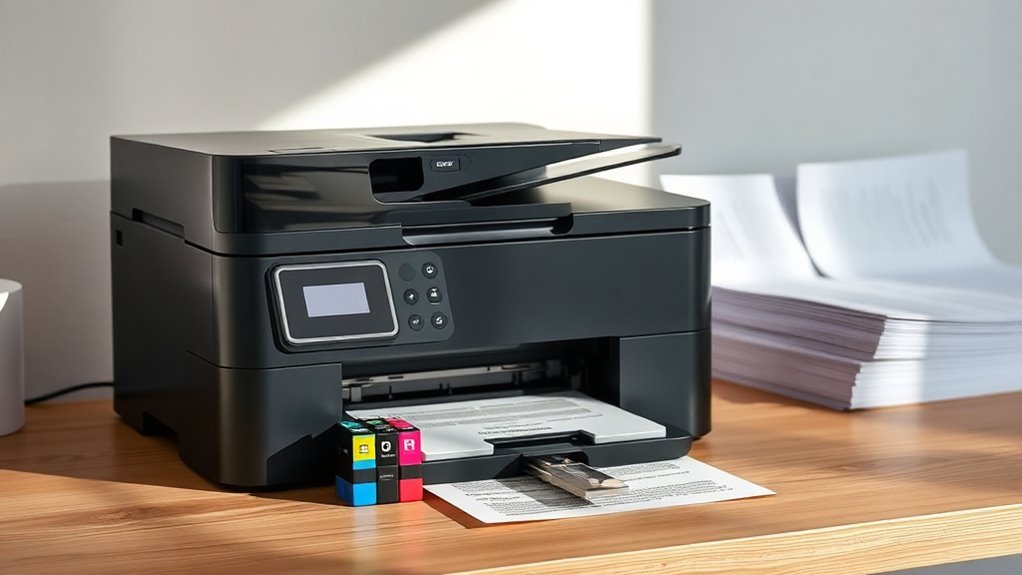
When choosing an auto duplex ink tank printer, you’ll want to focus on print speed efficiency and ink tank capacity to keep your workflow smooth. Make sure the duplex printing quality meets your standards.
Also, check the connectivity options to fit your setup. Don’t forget to take into account paper handling features that match your typical printing needs.
Print Speed Efficiency
How quickly your printer handles two-sided jobs can make a big difference in overall productivity. You should check both black and color ISO or ppm print speeds since duplex printing often reduces throughput compared to simplex runs.
Opt for models with higher ISO duplex-rated ppm for sustained two-sided work. Warm-up and first-page-out times matter too—printers with near-zero warm-up cut delays on frequent short duplex prints.
Don’t overlook the duplex duty cycle and monthly page volume; these guarantee your printer won’t throttle or wear out prematurely under heavy duplex loads. Also, consider the paper path design and ADF duplex capabilities to minimize jams and user intervention during large jobs.
Finally, a fast processor, ample memory, and strong network interfaces like gigabit Ethernet keep complex duplex printing smooth and efficient.
Ink Tank Capacity
Many factors influence ink tank capacity, but understanding the total reservoir volume and its relation to your expected page yield is essential for efficient duplex printing. Check the ink volume in milliliters and compare it to the estimated pages per fill to know how often you’ll need to refill.
Pay attention to individual tank sizes for each CMYK color, since uneven usage can cause one color to run out first and halt your two-sided jobs. Look for printers with refill bottle compatibility and no-spill systems to reduce waste and speed refills, minimizing downtime.
Evaluate the in-box ink yield against your actual monthly duplex volume to estimate real-world refill frequency and cost. Also, make certain single-color replacement is supported to avoid wasting unused ink when only one color runs dry.
Duplex Printing Quality
Understanding ink tank capacity sets the stage for ensuring your prints look sharp and professional on both sides of the page.
When evaluating duplex printing quality, check if the printer’s duplex mechanism maintains consistent registration. A misalignment over 0.5 mm becomes obvious in booklets or precise layouts.
Make sure the printer uses the same dpi and color profiles on both sides to avoid visible quality discrepancies.
Also, consider paper choice—thin stock below 80 gsm increases bleed-through, so opt for heavier or specially designed two-sided paper.
Look for automatic color and density calibration to keep both sides evenly toned.
Finally, assess drying time and ink absorption, as fast duplex printing on uncoated pages can cause smudging if ink formulation or drying isn’t optimized.
Connectivity Options Available
When choosing an auto duplex ink tank printer, you’ll want to zero in on connectivity options that keep your workflow smooth and flexible. Look for dual-band Wi-Fi (2.4 GHz and 5 GHz) to boost wireless speed and reliability, especially in busy networks or high-volume duplex jobs.
Make sure it supports mobile printing standards like Apple AirPrint and Mopria, so you can print directly from your smartphone or tablet without extra drivers.
If multiple users share the printer or you handle large duplex volumes, wired Gigabit Ethernet guarantees consistent, low-latency connections. Also, check for USB host or USB 2.0 ports to print directly from PCs or USB drives when network access isn’t available.
Finally, evaluate cloud and app-based features for remote printing, scanning, and fleet management that fit your duplex workflow. It’s all about making your printing experience as easy and efficient as possible.
Paper Handling Features
Because efficient paper handling directly impacts your productivity, you should prioritize printers with automatic duplex printing to save paper and handle double-sided documents effortlessly.
Check the input tray capacity—ideally between 100 and 250 sheets—and look for secondary trays to manage specialty media without frequent reloads. An automatic document feeder (ADF) with duplex scanning and a capacity of 20–35 sheets or more will speed up copying and scanning tasks.
Make sure the printer supports the media sizes and weights you use, including legal-size paper and heavier stock like labels or envelopes. Don’t overlook output tray capacity and finishing options; features like stacking capacity, face-up or face-down output, and duplex margin adjustments help prevent jams and keep your pages in order.
These factors guarantee smooth, efficient paper handling for all your print jobs. It’s all about making the process easier and more reliable for you.
Frequently Asked Questions
How Do Ink Tank Printers Compare to Laser Printers in Print Quality?
You’ll find ink tank printers excel in vibrant color and photo quality, while laser printers deliver sharper text and faster black-and-white prints.
Depending on your needs, you’ll choose vivid images or crisp documents.
It really comes down to what matters most to you—whether it’s bright, colorful photos or clean, quick text.
What Is the Typical Lifespan of an Auto Duplex Ink Tank Printer?
You might be surprised, but your auto duplex ink tank printer typically lasts around 3 to 5 years with regular use. Proper maintenance can extend its life, keeping your printing smooth and hassle-free much longer than you expect.
It’s all about how well you take care of it. Simple things like cleaning and using the right ink can make a big difference. So, don’t underestimate the power of good upkeep!
Are Auto Duplex Ink Tank Printers Compatible With Mobile Printing Apps?
Yes, you’ll find most auto duplex ink tank printers compatible with mobile printing apps. You can easily print documents or photos directly from your smartphone or tablet.
This makes your printing tasks more convenient and flexible on the go. It’s super handy when you need to get things done quickly without using a computer.
How Energy Efficient Are Auto Duplex Ink Tank Printers?
You won’t need a solar farm—auto duplex ink tank printers are pretty energy efficient, using minimal power during printing and standby.
They cleverly save energy by printing double-sided, so you’ll keep both bills and carbon footprints low.
Can Ink Tank Printers Handle Photo Paper and Specialty Media?
Yes, you can use ink tank printers with photo paper and specialty media. Just make sure your printer supports those types.
Also, adjust the settings for peak quality. Handle the paper carefully to avoid jams or smudges.
Conclusion
Choosing the right auto duplex ink tank printer isn’t just a smart move—it’s like giving your productivity a jetpack! With options like the Epson EcoTank and Canon MAXIFY, you’ll never worry about messy prints or wasted ink again.
Imagine printing double-sided pages effortlessly, saving time and the environment with every sheet. It’s a game changer for anyone who prints regularly.
So, don’t settle for less—grab one of these powerhouses and watch your printing game soar beyond anything you thought possible! Investing in the best auto duplex ink tank printers means you get efficiency, cost savings, and eco-friendly printing all in one. These printers are designed to keep your workflow smooth and your budget happy. Ready to upgrade? Your perfect auto duplex ink tank printer is waiting to transform your printing experience!