14 Best All-In-One Printers for Mobile Devices in 2027
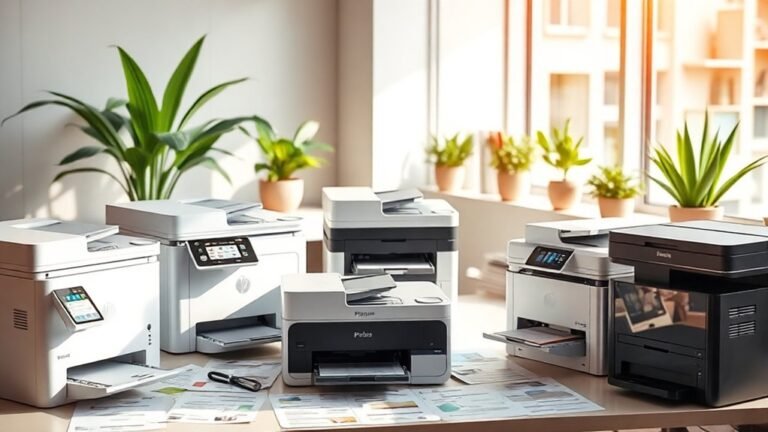
If you’re on the hunt for the best all-in-one printers for mobile devices in 2027, you’ve got plenty of great options to choose from. These printers are designed to be versatile and user-friendly, making printing from your smartphone or tablet a breeze. Whether you need something truly portable or a compact model with high-quality output, there’s a printer that fits your lifestyle.
Take the HP OfficeJet 250, for example—it’s perfect if you want a printer you can take anywhere. Or, if you prefer something compact but still powerful, the Canon PIXMA TS6520 is a fantastic choice.
Looking for affordability and wireless convenience? The HP DeskJet 2923 might be just the thing. And if eco-friendly features matter to you, the HP Envy 6155 combines sustainability with easy-to-use functions. All these models support mobile apps, wireless connectivity, and fast printing, making them ideal for home or small office use. Explore these options to find your perfect fit!
| Image | Name | Editor's Rating | Price |
|---|---|---|---|

|
|
||

|
|
||

|
|
||

|
|
||

|
|
HP OfficeJet 250 Wireless Mobile Inkjet Printer
- BUSINESS PRINTING—VIRTUALLY ANYWHERE - Use your laptop, tablet, or smartphone to print, scan, and copy on the go, without having to connect to a network
- EASY PORTABLE PRINTING, SCANNING, AND COPYING WHEREVER YOU NEED IT - Print business documents anytime, anywhere, with a compact, portable all-in-one printer that fits...
- HP APP - Print and scan right from your smartphone with the easiest-to-use print app
- EASY SETUP AND PRINTING FROM MOBILE DEVICES - HP Auto Wireless Connect allows for easy setup right out of the box so you can print from your laptop or mobile devices...
- POWER UP, FAST - Charge within 90 minutes while the printer is turned off, with HP Fast Charge; plug in your AC power source at home, in the car, or the office

The HP OfficeJet 250 Wireless Mobile Inkjet Printer is designed for professionals who need reliable printing on the go. Its compact and lightweight design fits easily into a backpack or briefcase, making it ideal for travel and remote work. This printer offers fast, wireless printing powered by a rechargeable battery that charges quickly, ensuring you stay productive wherever you are.
Beyond printing, it also functions as a scanner and copier, streamlining your workflow. The 10-page automatic document feeder saves time when handling multiple pages. The 2.65-inch color touchscreen and voice control via Alexa simplify operation, so you can manage tasks effortlessly without complicated setups.
Maintenance is straightforward with this all-in-one device. It supports various media sizes and prints vibrant color documents at resolutions up to 4800 x 1200 dpi. However, duplex printing requires manual intervention, and the 50-sheet output tray may limit high-volume jobs.
Best for: Mobile professionals and remote workers needing a compact, versatile all-in-one printer that works wirelessly and fits busy lifestyles.
What We Like:
- Portable design with fast-charging battery for true mobility
- Wireless connectivity, smartphone/cloud printing, and Alexa voice control
- 10-page automatic document feeder and easy-to-use color touchscreen
Specification:
| Feature | Details |
|---|---|
| Manufacturer | HP |
| Dimensions (W×D×H) | Approx. 10.3 × 6.3 × 2.5 inches |
| Weight | Around 5.4 lbs (2.45 kg) |
| Material | Durable plastic |
| Color Options | Black |
HP DeskJet 2923 Color Inkjet Printer | Wireless | All-in-One
- Perfect for basic printing needs – Print everyday color documents like to-do lists, letters, financial documents and recipes
- KEY FEATURES – Color print, copy, scan, and a 60-sheet input tray, plus mobile and wireless printing
- OPTIMIZE PRINT FORMATTING WITH HP AI – Print web pages and emails with precision—no wasted pages or awkward layouts; HP AI easily removes unwanted content, so your...
- ICON LCD – Print your basic documents with ease from the intuitive control panel
- PRINT SPEED – Up to 7.5 ppm black, 5.5 ppm color
The HP DeskJet 2923 All-in-One Printer is designed for those who need a reliable and compact device to handle everyday home printing tasks. Whether you’re printing recipes, to-do lists, or school projects, this printer simplifies the process with its easy print, scan, and copy functions. Its compact size fits neatly into small spaces, making it ideal for any home office or kitchen counter.
Connectivity is straightforward with dual-band Wi-Fi and compatibility with Apple AirPrint and the HP mobile app. This allows you to print directly from your smartphone or tablet without hassle. Its manual duplexing feature helps you save paper, though it requires a bit of user involvement.
Maintenance is user-friendly with a manageable 60-sheet input tray and a 6-month Instant Ink trial, which streamlines ink replacement and lowers costs. The printer also supports moderate print speeds of up to 7.5 ppm in black and 5.5 ppm in color, suitable for typical household use.
Eco-conscious users will appreciate the printer’s construction from 70% recycled plastics and its ENERGY STAR certification, reflecting a commitment to sustainability. While it may not suit high-volume printing needs, it delivers solid performance for basic tasks.
Best for: Individuals or families needing an affordable, eco-friendly all-in-one printer for everyday home printing, scanning, and copying.
What We Like:
- Wireless printing with dual-band Wi-Fi, Apple AirPrint, and mobile app control
- Eco-friendly design using 70% recycled plastics and ENERGY STAR certified
- Includes a 6-month Instant Ink trial for convenient, cost-effective ink management
- Compact size fits well in limited spaces
- Easy-to-use all-in-one functionality for print, scan, and copy
Specification:
| Feature | Details |
|---|---|
| Manufacturer | HP |
| Dimensions | Compact (exact size not specified) |
| Weight | Not specified |
| Color Options | Not specified |
| Input Tray Capacity | 60 sheets |
| Print Speed | Up to 7.5 ppm black, 5.5 ppm color |
| Connectivity | Dual-band Wi-Fi, Apple AirPrint, HP app |
Canon PIXMA TS6520 Wireless Color Inkjet Printer, 1.42″ OLED Display, White
- Affordable Versatility - A budget-friendly all-in-one printer perfect for both home users and hybrid workers, offering exceptional value
- Crisp, Vibrant Prints - Experience impressive print quality for both documents and photos, thanks to its 2-cartridge hybrid ink system that delivers sharp text and vivid...
- Effortless Setup & Use - Get started quickly with easy setup for your smartphone or computer, so you can print, scan, and copy without delay
- Reliable Wireless Connectivity - Enjoy stable and consistent connections with dual-band Wi-Fi (2.4GHz or 5GHz), ensuring smooth printing from anywhere in your home or...
- Scan & Copy Handling - Utilize the device’s integrated scanner for efficient scanning and copying operations
Discover the perfect balance of compact design and versatile functionality with the Canon PIXMA TS6520 Wireless Color Inkjet Printer. This all-in-one device simplifies your daily printing, scanning, and copying tasks without occupying much space. Its sharp 1200 x 1200 dpi resolution ensures crisp documents and vibrant photos, while fast print speeds help you stay productive.
Maintenance is straightforward thanks to its 2-cartridge hybrid ink system, though color printing may require more frequent cartridge changes. The 1.42″ OLED display keeps you informed about ink levels and settings, helping avoid unexpected interruptions.
Designed for home or small office use, it integrates smoothly with your digital lifestyle via dual-band Wi-Fi, mobile printing, and Alexa compatibility. Auto duplex printing and borderless options reduce manual effort and enhance output quality.
While the single paper tray limits media capacity, the printer’s compact size makes it ideal for those needing reliable performance without bulk or complexity.
Best for: Families, students, and hybrid workers who want a space-saving all-in-one printer for everyday home or small office tasks.
What We Like:
- Sharp 1200 x 1200 dpi print quality with fast output speeds
- Convenient dual-band Wi-Fi and Alexa voice control
- Auto duplex and borderless printing for enhanced usability
- Clear OLED display for easy maintenance monitoring
Specification:
| Feature | Details |
|---|---|
| Manufacturer | Canon |
| Dimensions | Compact size (exact not specified) |
| Weight | Not specified |
| Color Options | White |
| Display | 1.42″ OLED |
| Print Resolution | Up to 1200 x 1200 dpi |
| Connectivity | Dual-band Wi-Fi, Mobile, Alexa |
| Ink System | 2-cartridge hybrid ink |
HP Envy 6155 Wireless All-in-One Printer (C2WR7A)
- FROM AMERICA'S MOST TRUSTED PRINTER BRAND – The Envy 6155 is perfect for homes printing everyday high-quality color documents like homework and borderless photos. Print...
- 3 MONTH TRIAL OF INSTANT INK – Subscribe to the Instant Ink delivery service to get ink delivered directly to your door before you run out, and you save up to 50% on...
- KEY FEATURES – Color print, copy and scan, plus auto 2-sided printing and a 100-sheet input tray
- HP'S MOST INTUITIVE COLOR TOUCHSCREEN – Smoothly navigate your printer with the easy-to-use 2.4" touchscreen
- WIRELESS PRINTING – Stay connected with our most reliable dual-band Wi-Fi, which automatically detects and resolves connection issues
Experience hassle-free printing with the HP Envy 6155 Wireless All-in-One Printer (C2WR7A), designed to simplify your home office tasks. This printer handles printing, scanning, and copying with ease, helping you complete projects without fuss. Its auto duplex feature cuts paper use by printing on both sides automatically, saving you time and resources.
Stay connected effortlessly through dual-band Wi-Fi and the intuitive HP App. Print and scan directly from your smartphone or tablet, making it simple to manage documents on the go. The 2.4-inch color touchscreen offers straightforward controls, so you can operate the printer without confusion.
Maintenance is streamlined thanks to the use of original HP cartridges, which ensure reliable print quality. However, these cartridges must have chips, which might increase ink costs. The printer supports borderless photo printing, delivering vibrant images that brighten your home projects.
Eco-conscious users will appreciate that this model is made with recycled plastics. It balances durable design with environmental responsibility, making it ideal for everyday home use where quality and sustainability matter.
Best for: Home users who want an easy-to-use, eco-friendly all-in-one printer with strong mobile connectivity and vibrant color printing.
What We Like:
- Auto duplex printing reduces paper waste.
- Dual-band Wi-Fi and HP App enable convenient mobile printing.
- AI optimizes print layouts, saving ink and paper.
- Borderless photo printing enhances project quality.
Specification:
| Feature | Details |
|---|---|
| Manufacturer | HP |
| Model | Envy 6155 Wireless All-in-One |
| Dimensions | Not specified |
| Weight | Not specified |
| Connectivity | Dual-band Wi-Fi |
| Display | 2.4-inch color touchscreen |
| Paper Tray Capacity | 100 sheets |
| Printing Speed | Up to 10 ppm (black), 7 ppm (color) |
| Material | Includes recycled plastics |
Canon PIXMA TS4320 – Wireless Color Inkjet Printer with Print, Copy, Scan
- Affordable Versatility - A budget-friendly all-in-one printer perfect for both home users and hybrid workers, offering exceptional value
- Crisp, Vibrant Prints - Experience impressive print quality for both documents and photos, thanks to its 2-cartridge hybrid ink system that delivers sharp text and vivid...
- Effortless Setup & Use - Get started quickly with easy setup for your smartphone or computer, so you can print, scan, and copy without delay
- Reliable Wireless Connectivity - Enjoy stable and consistent connections with dual-band Wi-Fi (2.4GHz or 5GHz), ensuring smooth printing from anywhere in your home or...
- Scan & Copy Handling - Utilize the device’s integrated scanner for efficient scanning and copying operations
The Canon PIXMA TS4320 brings a practical solution to everyday printing challenges at home. Its compact and elegant design fits seamlessly into small spaces, making it ideal for kitchens, dorm rooms, or home offices. This all-in-one printer handles printing, copying, and scanning with ease, simplifying routine tasks like school projects or recipe sharing.
Equipped with wireless dual-band Wi-Fi, the PIXMA TS4320 allows hassle-free connection to multiple devices. Mobile printing is straightforward through the Canon PRINT app, Apple AirPrint, or Mopria, so you can print directly from your smartphone or tablet. The printer delivers sharp color prints at 1200 dpi, ensuring your documents and photos look vibrant.
Maintenance is straightforward with a hybrid two-cartridge ink system, although frequent cartridge changes may be needed for colorful prints. The automatic duplex printing saves paper by printing on both sides without manual effort. However, it does not include an automatic document feeder, which may slow down multi-page tasks.
Best for: Budget-conscious home users who need a reliable all-in-one printer for everyday printing, copying, and scanning needs.
What We Like:
- Compact, stylish design ideal for limited space
- Wireless dual-band Wi-Fi and multiple mobile printing options
- Crisp 1200 dpi color printing with automatic duplexing
- Easy maintenance with a simple two-cartridge ink system
Specification:
| Feature | Details |
|---|---|
| Manufacturer | Canon |
| Dimensions | Approx. 12.0 x 14.6 x 5.7 in (W x D x H) |
| Weight | Approx. 8.8 lbs (4.0 kg) |
| Printer Type | Wireless Color Inkjet |
| Ink System | 2-cartridge hybrid ink |
| Connectivity | Wireless dual-band Wi-Fi, Canon PRINT app, Apple AirPrint, Mopria |
| Functions | Print, Copy, Scan |
| Duplex Printing | Automatic |
| Automatic Document Feeder | No |
Brother INKvestment 1365 Wireless Color Inkjet Printer

- BEST FOR HOME AND HOME OFFICE: This multifunction printer makes it easy to print, copy, and scan—all in one compact printer. Includes one 1,200-page yield black...
- WIRELESS, MOBILE, AND USB CONNECTIVITY: Connect your way. Interface with your printer on your wireless network or via USB. Enhance your workflow with Wi-Fi Direct, which...
- CLOUD APP CONNECTIONS: Print from and scan to popular Cloud apps(3), including Google Drive, Dropbox, Box, OneDrive, and more, from an impressive 1.8” color display...
- PRODUCTIVITY-FOCUSED FEATURES: A 150-sheet paper tray(4), 20-page single-sided automatic document feeder (ADF)(4), and automatic duplex (2-sided) printing. Prints at fast...
- THE BROTHER MOBILE CONNECT APP: Put the power of printing at your fingertips. Go mobile with the Brother Mobile Connect app(6) that delivers easy onscreen menu navigation...
Experience hassle-free printing with the Brother INKvestment 1365 Wireless Color Inkjet Printer. Designed to streamline your workflow, it offers wireless connectivity and seamless mobile app integration, letting you print, scan, and copy directly from smartphones or tablets. This makes it ideal for users who need flexible and on-the-go document handling.
The printer’s automatic duplex printing and 20-page automatic document feeder help you multitask efficiently, saving time and effort. Its 150-sheet paper tray supports various media types, including envelopes and glossy photo paper, adding versatility to your projects.
Maintenance is simplified through the Brother Mobile Connect app, which helps manage print jobs and monitor ink levels. The Refresh ink subscription reduces running costs by delivering ink automatically, although it requires enrollment and is limited to the contiguous U.S.
With print speeds up to 16 ppm in black and 9 ppm in color, plus sharp, high-resolution output, this printer balances quality and performance. It’s a dependable, energy-efficient choice for home or small office environments where convenience and cost control matter.
Best for: Users seeking a versatile wireless all-in-one printer with mobile connectivity and cost-effective ink management for home or small office use.
What We Like:
- Automatic duplex printing and 20-page ADF improve productivity.
- High-resolution printing up to 1,200 x 6,000 dpi for crisp, vibrant images.
- Brother Mobile Connect app simplifies device management and mobile printing.
- Ink subscription service helps reduce ink replacement hassle.
Specification:
| Feature | Details |
|---|---|
| Manufacturer | Brother |
| Model | INKvestment 1365 |
| Dimensions (inches) | Approximately 16.7 x 14 x 7.2 |
| Weight (lbs) | About 15 |
| Printing Technology | Wireless Color Inkjet |
| Paper Capacity | 150 sheets |
| Automatic Document Feeder | 20 pages |
| Print Resolution | Up to 1,200 x 6,000 dpi |
| Print Speed | Up to 16 ppm (black), 9 ppm (color) |
HP DeskJet 2955 Color Inkjet Printer | Wireless | All-in-One

- PERFECT FOR BASIC PRINTING NEEDS – Print everyday color documents like to-do lists, letters, financial documents and recipes
- KEY FEATURES – Color print, copy, scan, and a 60-sheet input tray, plus mobile and wireless printing
- OPTIMIZE PRINT FORMATTING WITH HP AI – Print web pages and emails with precision—no wasted pages or awkward layouts; HP AI easily removes unwanted content, so your...
- ICON LCD – Print your basic documents with ease from the intuitive control panel
- PRINT SPEED – Up to 7.5 ppm black, 5.5 ppm color
Experience hassle-free printing with the HP DeskJet 2955 Color Inkjet Printer, designed to fit perfectly in small home spaces. This all-in-one device handles printing, scanning, and copying, making daily tasks straightforward and efficient. Its compact build means it won’t clutter your workspace while delivering quality output.
With wireless connectivity, including dual-band Wi-Fi and support for AirPrint and Mopria, you can print directly from your smartphone or tablet. This feature removes the need for cables, streamlining your workflow. The printer supports manual duplex printing, allowing you to save paper with double-sided documents, though it requires user intervention.
Maintenance is simple thanks to the 60-sheet input tray and easy access to ink cartridges. While print speeds are modest, the sharp resolution of up to 4800 x 1200 dpi ensures clear, vibrant prints. Made with 70% recycled plastics and ENERGY STAR certified, it combines eco-conscious design with everyday convenience.
Best for: Home users needing a compact, affordable all-in-one printer with wireless functionality for basic printing, scanning, and copying tasks.
What We Like:
- Compact, lightweight design ideal for limited spaces
- Wireless printing with dual-band Wi-Fi and mobile app support
- Eco-friendly build using recycled plastics and ENERGY STAR certification
- Easy maintenance with accessible tray and cartridges
- Sharp print resolution for clear, colorful documents
Specification:
| Feature | Details |
|---|---|
| Manufacturer | HP |
| Dimensions (WxDxH) | Compact size (specifics not provided) |
| Weight | 7.6 lbs (3.45 kg) |
| Printing Technology | Color Inkjet |
| Connectivity | Dual-band Wi-Fi, AirPrint, Mopria |
| Paper Tray Capacity | 60 sheets |
Brother MFC-J805DW All-in-One Color Inkjet Printer

- UP TO 1-YEAR OF INK IN-BOX: Experience truly uninterrupted printing, exceptional savings and super convenience with up to 1 year of ink, based on printing approximately...
- REVOLUTIONARY INKVESTMENT TANK SYSTEM: Brother Investment Tank inkjet all-in-1 printers feature reengineered ink cartridges that hold more ink and work with an internal...
- ELIMINATE INK REPLACEMENT GUESSWORK: You can print with confidence using the Brother Page Gauge to help take the guesswork out of when to replace ink. The Brother Page...
- ENJOY MOBILE DEVICE PRINTING: Print and scan wirelessly from your desktop, laptop, smartphone and tablet. Desktop and mobile device wireless printing using Air Print...
- USE WITH BROTHER GENUINE INKS: Intelligently engineered to work with your Brother Investment Tank inkjet printer for reliable results. Super-high Yield - LC3033BK...
The Brother MFC-J805DW All-in-One Color Inkjet Printer is designed to meet the needs of home users and small offices seeking dependable and affordable printing solutions. Its innovative INKvestmentTank system significantly reduces the hassle of frequent cartridge changes by providing ink that can last up to a year with the included cartridges. This feature helps lower your printing costs to less than a cent per black-and-white page.
This printer delivers sharp, high-quality prints with a resolution of up to 6000 x 2400 dpi. It supports duplex printing, which saves paper, and includes an automatic document feeder to streamline multi-page tasks. Wireless and mobile printing are made easy through compatibility with AirPrint, Google Cloud Print, and NFC, allowing you to print directly from your smartphone or tablet.
Maintenance is simplified thanks to the long-lasting ink system, which means less downtime and fewer interruptions. However, it does not support duplex copying or scanning, and its moderate print speeds may not suit high-volume environments. The 150-sheet paper capacity is adequate for light to moderate printing needs but might require frequent refilling for busier users.
Overall, the Brother MFC-J805DW enhances productivity with its cost-effective ink system and versatile wireless printing options, making it a practical all-in-one solution for everyday printing tasks.
Best for: Home users and small offices needing a reliable, cost-efficient all-in-one printer with wireless connectivity.
What We Like:
- Long-lasting INKvestmentTank system reduces cartridge replacements.
- High-resolution prints ensure sharp, vibrant output.
- Supports wireless and mobile printing via AirPrint, Google Cloud Print, and NFC.
- Automatic document feeder simplifies multi-page scanning and copying.
Specification:
| Feature | Details |
|---|---|
| Manufacturer | Brother |
| Dimensions (W x D x H) | Approx. 16.1 x 14.7 x 7.2 in (41 x 37.3 x 18.3 cm) |
| Weight | Approx. 12.7 lbs (5.76 kg) |
| Printing Technology | Inkjet |
| Max Print Resolution | 6000 x 2400 dpi |
| Paper Capacity | 150 sheets |
| Connectivity | Wireless, AirPrint, Google Cloud Print, NFC |
HP OfficeJet Pro 8125 Wireless All-in-One Printer

- FROM AMERICA'S MOST TRUSTED PRINTER BRAND – The OfficeJet Pro 8125 is perfect for home offices printing professional-quality color documents like business documents...
- 3 MONTH TRIAL OF INSTANT INK INCLUDED – Subscribe to the Instant Ink delivery service to get ink delivered directly to your door before you run out, and you save up to...
- KEY FEATURES – Fast color printing, scan, copy, auto 2-sided printing, auto document feeder, and a 225-sheet input tray
- 2.7-INCH TOUCHSCREEN – Quickly navigate your printer with a large color touchscreen and a phone-like user interface
- WIRELESS PRINTING – Stay connected with our most reliable dual-band Wi-Fi, which automatically detects and resolves connection issues
Experience seamless printing, scanning, copying, and faxing with the HP OfficeJet Pro 8125 Wireless All-in-One Printer. Designed to simplify your workflow, this printer connects effortlessly to your mobile devices, enabling you to manage tasks from anywhere. Its wireless dual-band Wi-Fi and Apple AirPrint support ensure reliable and flexible printing options.
The intuitive 2.7-inch color touchscreen makes navigation straightforward, letting you control print jobs with ease. Fast print speeds up to 20 ppm for black and 10 ppm for color help you finish tasks quickly. Duplex printing reduces paper usage, while a 225-sheet tray minimizes interruptions for reloading.
Maintenance is hassle-free with the HP app, which streamlines remote management and alerts you to ink levels. The printer supports HP Instant Ink for convenient, automatic refills. Plus, its use of recycled plastics reflects a commitment to eco-friendly operation.
Faxing is accessible through the mobile app, which may require adapting your workflow. The automatic document feeder scans single-sided only, so duplex scanning is limited. Also, you must use original HP cartridges, which can impact ink costs.
Best for: Individuals or small home office users needing an all-in-one wireless printer offering mobile convenience, efficient printing, and eco-conscious features.
What We Like:
- Wireless dual-band Wi-Fi and Apple AirPrint for versatile connectivity
- User-friendly 2.7-inch color touchscreen simplifies operation
- Fast print speeds with duplex automatic two-sided printing
- Supports HP Instant Ink and uses recycled plastics for sustainability
Specification:
| Feature | Details |
|---|---|
| Manufacturer | HP |
| Model | OfficeJet Pro 8125 |
| Dimensions (W×D×H) | Approx. 17.2 × 14.7 × 9.8 in |
| Weight | Approx. 16.6 lb (7.5 kg) |
| Connectivity | Wireless dual-band Wi-Fi, Apple AirPrint |
| Display | 2.7-inch color touchscreen |
| Paper Capacity | 225-sheet input tray |
Canon PIXMA TS7720 Wireless All-in-One Printer

- ALL-IN-ONE: Print, Copy, Scan features for full control at your fingertips.
- FAST PRINT SPEEDS: Print approximately 15 (black) / 10 (color) images per minute.
- EASY SETUP: Get running in just a few minutes thanks to a streamlined and easy setup process out of the box.
- EASY TO INSTALL INK: Print full color with only 2 (no mess) easy-to-replace ink cartridges.
- 2.7” LCD SCREEN: Get the job done with an intuitive and easy to use 2.7” LCD touchscreen.
Experience hassle-free printing with the Canon PIXMA TS7720 Wireless All-in-One Printer, designed to simplify your home office tasks. It delivers sharp, high-quality prints at 1200 x 1200 dpi, ensuring your documents and photos look professional every time. The compact design fits neatly on your desk without sacrificing performance.
Setup and operation are straightforward with the 2.7-inch touchscreen and built-in Wi-Fi, allowing you to print directly from smartphones and tablets. This printer handles various media types with two trays and supports automatic duplex printing, saving you time and paper. Borderless photo printing adds versatility for creative projects.
Maintenance is easy with hybrid ink cartridges that combine convenience and cost-efficiency, reducing ink waste and simplifying replacements. While print speeds are moderate at up to 15 ppm for black, this printer is ideal for everyday home use rather than heavy office workloads. The maximum media size is 8.5″ x 11″, suitable for standard documents and photos.
Best for: Compact home users and mobile device owners needing a versatile and user-friendly all-in-one printer for photos, documents, and everyday printing.
What We Like:
- Sharp 1200 x 1200 dpi resolution for crisp prints
- Easy-to-use 2.7″ touchscreen with wireless connectivity
- Automatic duplex printing and two media trays for versatility
- Compact and lightweight design fits small spaces
- Hybrid ink system simplifies maintenance and reduces costs
Specification:
| Feature | Details |
|---|---|
| Manufacturer | Canon |
| Dimensions | Compact (exact size not provided) |
| Weight | 13.8 lb (6.26 kg) |
| Ink System | Hybrid ink cartridges |
| Connectivity | Wi-Fi |
| Touchscreen Size | 2.7 inches |
| Maximum Media Size | 8.5″ x 11″ (Letter) |
HP OfficeJet Pro 9125 Wireless All-in-One Printer
No products found.
Experience fast, professional-quality printing with the HP OfficeJet Pro 9125 Wireless All-in-One Printer. Designed to handle busy office tasks, it delivers crisp text and vibrant color at speeds up to 22 pages per minute. This printer helps streamline your workflow by combining printing, scanning, copying, and faxing in one compact device.
Its dual-pass 2-sided automatic document feeder and duplex printing reduce manual handling and save time on double-sided documents. The intuitive 2.7-inch touchscreen and the HP Smart app give you easy control from your desk or mobile device. Connectivity options like dual-band Wi-Fi, wireless direct, and Ethernet ensure stable and secure network access.
Maintenance is straightforward, but be aware that it uses HP 936 family cartridges with original HP chips, which may affect supply costs. The paper tray holds up to 250 sheets, suitable for moderate workloads but might require refilling in larger offices.
This all-in-one printer is ideal for professionals and small businesses needing reliable, versatile printing with smooth mobile integration.
Best for: Professionals and small office users requiring fast, high-quality color printing and convenient all-in-one functionality.
What We Like:
- Sharp 1200 x 1200 dpi print quality with fast black and color speeds
- Efficient dual-sided ADF and duplex for handling multi-page documents
- Multiple connectivity options including dual-band Wi-Fi and Ethernet
- User-friendly touchscreen and mobile app control
Specification:
| Feature | Details |
|---|---|
| Manufacturer | HP |
| Model | OfficeJet Pro 9125 |
| Print Speed | Up to 22 ppm black, 18 ppm color |
| Print Resolution | 1200 x 1200 dpi |
| Paper Capacity | 250 sheets |
| Connectivity | Dual-band Wi-Fi, Wireless Direct, Ethernet |
| Display | 2.7-inch color touchscreen |
| Functions | Print, Scan, Copy, Fax |
Canon PIXMA TS3720 Wireless All-in-One Printer White
No products found.
Experience hassle-free printing with the Canon PIXMA TS3720 Wireless All-in-One Printer White. Designed to fit comfortably in tight spaces, this compact printer delivers sharp, vibrant prints with a resolution up to 4800 x 1200 dpi. Its lightweight design ensures easy setup and placement in any home environment.
Connectivity is simple and efficient thanks to dual-band Wi-Fi. You can print directly from your smartphone or tablet using the Canon PRINT app, Apple AirPrint, or Mopria Print Service. This wireless functionality eliminates cable clutter and streamlines your printing tasks.
The TS3720 accommodates various paper sizes, including borderless photos up to 5″x7″, making it versatile for everyday documents and memorable photo prints. The integrated flatbed scanner enhances its all-in-one capabilities, supporting your scanning and copying needs with ease.
Maintenance is straightforward with an efficient ink system designed to balance quality and cost. Although it prints only single-sided and has a modest 60-sheet paper capacity, it suits light to moderate home use without frequent interruptions.
Best for: individuals and families seeking an affordable, compact, and easy-to-use wireless all-in-one printer for basic home document and photo printing needs.
What We Like:
- Compact, lightweight design ideal for small spaces
- Dual-band Wi-Fi for seamless mobile printing
- High-resolution prints with crisp text and vibrant colors
- Supports multiple paper sizes including borderless photos
- Simple maintenance with an efficient ink system
Specification:
| Feature | Details |
|---|---|
| Manufacturer | Canon |
| Dimensions | Compact (specific size not provided) |
| Weight | 8.7 lb (3.95 kg) |
| Color | White |
| Connectivity | Dual-band Wi-Fi |
| Maximum Print Resolution | 4800 x 1200 dpi |
| Paper Capacity | 60 sheets |
| Printing | Single-sided only |
| Scan Type | Flatbed scanner |
HP DeskJet 4327 Color Inkjet Printer | Wireless | All-in-One
No products found.
The HP DeskJet 4327 is a compact all-in-one printer designed to simplify your home printing needs. It combines printing, scanning, copying, and faxing into one sleek device. This versatility helps you manage everyday documents without clutter or hassle.
With wireless dual-band Wi-Fi, AirPrint, and Mopria support, mobile printing becomes effortless. You can quickly print from your smartphone or tablet, making it ideal for busy households. The 35-sheet automatic document feeder and 60-sheet input tray handle multi-page jobs smoothly, saving you time.
Maintenance is straightforward thanks to the eco-friendly design, which uses at least 70% recycled plastics. Plus, the included 6-month HP Instant Ink trial helps reduce ink costs. While print speeds are modest at up to 8.5 pages per minute for black and 5.5 ppm for color, it meets the needs of light to moderate home users.
Manual duplex printing requires user effort, so it’s best suited for users who don’t print double-sided frequently. The HP DeskJet 4327 offers solid functionality in a compact size, making it a practical choice for everyday home use.
Best for: Families and individuals needing a compact, affordable all-in-one printer that supports mobile printing and basic document tasks.
What We Like:
- Wireless dual-band Wi-Fi with AirPrint and Mopria for easy mobile connectivity
- 35-sheet automatic document feeder and 60-sheet input tray for efficient document handling
- Eco-friendly design with recycled plastics and a 6-month HP Instant Ink trial
Specification:
| Feature | Details |
|---|---|
| Manufacturer | HP |
| Dimensions (W×D×H) | 16.5 × 12.4 × 7.9 inches |
| Weight | 8.5 lbs (3.86 kg) |
| Material | Plastic (≥70% recycled) |
| Color Options | White with gray accents |
HP Envy 6555e Color Inkjet Printer | Wireless | All-in-One

- The Envy 6555e is perfect for homes printing everyday quality color documents like homework and borderless photos. Print speeds up to 7 ppm color, 10 ppm black.
- PERFECTLY FORMATTED PRINTS WITH HP AI – Print web pages and emails with precision—no wasted pages or awkward layouts; HP AI easily removes unwanted content, so your...
- KEY FEATURES – Color print, copy and scan, plus auto 2-sided printing, a 35-sheet auto document feeder and a 100-sheet input tray
- HP'S MOST INTUITIVE COLOR TOUCHSCREEN – Smoothly navigate your printer with the easy-to-use 2.4" touchscreen
- 3 MONTHS OF INSTANT INK WITH HP+ ACTIVATION – Subscribe to Instant Ink delivery service to get ink delivered directly to your door before you run out. After 3 months...
Experience effortless productivity with the HP Envy 6555e Color Inkjet Printer, designed to simplify your busy home or home office tasks. This all-in-one printer handles printing, scanning, and copying with ease, helping you stay organized and efficient. Its intuitive 2.4″ color touchscreen and AI-powered HP Smart app make printing or scanning from your smartphone or laptop straightforward and convenient.
Enjoy high-quality, borderless photos and double-sided cards without hassle. The automatic duplex printing and 35-sheet automatic document feeder (ADF) streamline your workflow, reducing manual effort. Thanks to HP P3 technology, your photos come out vibrant and sharp every time.
Maintenance is simple with eco-conscious features, including recycled plastic construction. The printer supports HP Instant Ink, keeping you supplied without frequent trips to the store. While print speeds are moderate and cartridge use is limited to HP chip-enabled options, this printer balances functionality and ease of use.
Best for: Home users and home office workers needing a versatile wireless all-in-one printer for everyday color documents, photos, scanning, and copying.
What We Like:
- User-friendly 2.4″ touchscreen and AI-enabled mobile app for seamless printing and scanning
- Automatic duplex printing and 35-sheet ADF boost efficiency
- Eco-friendly design with recycled materials and HP Instant Ink support
Specification:
| Feature | Details |
|---|---|
| Manufacturer | HP |
| Dimensions | Approx. 17.3 x 14.5 x 5.3 in |
| Weight | Approx. 14.4 lb (6.53 kg) |
| Technology | Color Inkjet |
| Connectivity | Wireless |
| Touchscreen Display | 2.4-inch color touchscreen |
| Automatic Document Feeder | 35 sheets |
| Duplex Printing | Automatic |
Factors to Consider When Choosing an All in One Printer for Mobile Devices

When choosing an all-in-one printer for your mobile devices, you’ll want to focus on wireless connectivity options and mobile app compatibility to keep things seamless.
Don’t forget to check battery life and portability if you’re often on the move.
Also, consider print quality, speed, and multi-function features to get the best value for your needs.
Wireless Connectivity Options
Because mobile printing relies heavily on seamless wireless connections, you’ll want to make sure your all-in-one printer supports dual-band Wi-Fi (2.4 GHz and 5 GHz) for stable, high-speed data transfer. This reduces interference and speeds up large file transfers.
Also, check for compatibility with mobile printing protocols like Apple AirPrint, Mopria, and Wi-Fi Direct. These let you print easily without installing drivers or joining a network.
For quick, on-the-spot printing, Bluetooth or NFC pairing can be lifesavers. Don’t forget security—look for WPA3 or WPA2 encryption, device authentication, and app-level permissions to keep your documents safe.
Finally, verify the printer supports cloud-enabled printing for remote job submission and scan-to-phone features. This really enhances your mobile workflow without hassle.
Mobile App Compatibility
Choosing an all-in-one printer that syncs smoothly with your mobile device can make a huge difference in your productivity. First, confirm the printer’s app supports your device’s OS—iOS, Android, or ChromeOS—and the features you need like printing, scanning, copying, cloud access, and firmware updates.
Look for apps that integrate directly with cloud storage and email, so you can manage documents without a PC. It’s super handy to have tools like automatic page formatting, photo editing, duplex printing, and push notifications for ink levels or job status.
Security matters too—make sure the app offers password-protected jobs, secure Wi-Fi or direct printing, and encrypted connections. Finally, choose an app that simplifies setup, troubleshooting, and device management to keep your mobile-first workflow seamless and efficient.
Battery Life and Portability
To get the most out of your all-in-one printer on the go, you’ll want to size up its battery life and portability carefully. Start by checking the battery capacity and run-time, whether in hours or pages per charge, so you know how much printing or scanning you can do between charges.
Opt for models with fast-charge features to reduce downtime, especially if you travel frequently. Don’t overlook the device’s weight and size—make sure it fits comfortably in your backpack or briefcase.
Energy-efficient designs that minimize standby power can extend battery life during breaks. And if you plan long mobile use, look for printers with replaceable or swappable batteries.
Also, consider versatile charging options like AC, USB-C, or car adapters for hassle-free recharging wherever you are. That way, you’ll stay powered up no matter where your travels take you.
Print Quality and Speed
After ensuring your all-in-one printer meets your battery and portability needs, it’s important to assess how well it handles print quality and speed. Check the print resolution, measured in dpi; aim for 1200 x 1200 dpi or higher for sharp text and detailed images.
Look at both color and black print speeds, typically ranging from 5 to 20 ppm, to estimate how quickly your documents will come out. Don’t forget the first-page-out time—ideally under 10 to 20 seconds—to avoid delays during mobile printing.
Keep in mind photo and graphics printing is slower and depends on paper and quality settings. You’ll want to balance your desire for high resolution with speed and consumable use because higher-quality modes and photo prints consume more ink and take longer to print.
Multi-Function Features
While print quality and speed are essential, you’ll also want to focus on multi-function features that enhance your mobile printing experience. Make sure your all-in-one supports printing, scanning, and copying directly via mobile apps or protocols like AirPrint and Mopria. This way, you can work without needing a PC.
Look for mobile-friendly scanning options, including flatbed and automatic document feeders (ADF). Be sure to check the ADF’s capacity if you have multi-page jobs to handle.
Automatic duplex printing and copying are must-haves to save paper and reduce manual steps. Confirm cloud integration for easy file sharing and direct printing from popular services.
Finally, choose a printer with advanced mobile app features like OCR for searchable PDFs. Customizable scan destinations can streamline your workflow and boost productivity on the go.
Ink Efficiency and Cost
Since ink costs can quickly add up, you should prioritize printers that offer high-yield cartridges to lower your cost per page and reduce how often you need replacements. Look for models using XL cartridges, which often deliver 2–4 times the page yield of standard ones.
Compare published page yields based on ISO/IEC standards and divide the cartridge price by its yield to estimate ongoing expenses realistically. Consider printers with automatic ink-delivery or subscription plans only if their combined monthly cost is cheaper than buying cartridges separately.
Check if the printer uses separate color tanks so you can replace just the depleted color, saving money. Also, choose printers with duplex printing and driver options that minimize wasted pages to stretch your ink further over time.
Frequently Asked Questions
How Do All-In-One Printers Connect to Mobile Devices?
All-in-one printers connect to your mobile devices via Wi-Fi, Bluetooth, or NFC. You just need to enable the connection and pair your device.
Then, you can use the printer’s app or AirPrint feature to start printing or scanning instantly. It’s pretty straightforward and convenient!
What Types of Mobile Devices Are Compatible With These Printers?
Imagine you’re printing directly from your smartphone—these printers work with iPhones, Android phones, tablets, and even laptops.
You’ll find compatibility with popular apps and operating systems, making mobile printing simple and seamless wherever you are.
Can These Printers Print Directly From Cloud Storage Services?
Yes, you can print directly from cloud storage services with these printers. They support popular platforms like Google Drive, Dropbox, and OneDrive.
This means you can easily access and print your documents without needing a computer. Pretty convenient, right?
Are There Any Security Concerns When Printing From Mobile Devices?
You might think mobile printing is risky, but if you use secure Wi-Fi, enable encryption, and keep your printer’s firmware updated, you’ll minimize security concerns.
Always avoid public networks to protect your sensitive documents effectively. It’s all about taking simple steps to keep things safe.
What Mobile Apps Are Recommended for Managing These Printers?
You should try apps like HP Smart, Epson iPrint, and Canon PRINT Inkjet. They let you manage printing, scanning, and settings right from your phone, making mobile printing simple and efficient.
These apps are super handy when you’re on the go. Plus, they usually support a wide range of printer models, so you’re likely covered no matter what brand you have. Give them a shot and see which one fits your needs best!
Conclusion
Imagine having a sleek all-in-one printer right at your fingertips, effortlessly turning your mobile ideas into crisp prints, scans, and copies. Choosing the perfect printer means embracing convenience without sacrificing quality, letting your creativity flow wherever you go.
Whether it’s vibrant photos or important documents, the right device keeps you connected and productive. So, pick a model that fits your lifestyle, and watch your mobile printing experience come alive with ease and color.
With so many options available, finding the best all-in-one printer for mobile devices in 2027 is easier than ever. Look for features like wireless connectivity, quick setup, and compatibility with your smartphone or tablet. This way, you’ll enjoy seamless printing, scanning, and copying anytime, anywhere. Embrace the freedom and flexibility that a top-notch mobile printer offers, and make your printing tasks simple, efficient, and vibrant.