7 Best AirPrint Laser Printers for Mac in 2027
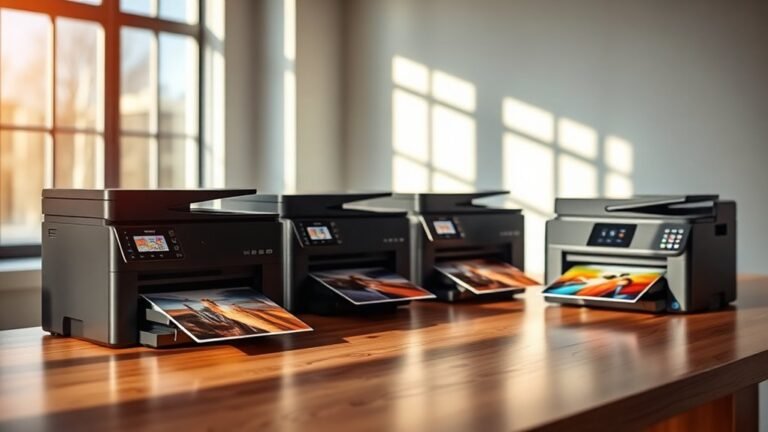
You want a reliable AirPrint laser printer that works seamlessly with your Mac, perfect for home offices or small teams. Finding the right AirPrint laser printer can make a huge difference when you need fast, quality prints without hassle. Whether you’re printing documents, reports, or colorful presentations, these printers fit a range of needs.
The Brother DCP-L2640DW offers fast, high-capacity monochrome printing with duplex and wireless options. It’s a solid choice if you want something dependable and efficient.
HP models like the M140w and M110w provide compact designs and easy wireless setup. They’re great if space is tight and you want to get started quickly.
For color needs, Canon’s MF662Cdw covers wireless duplex printing with vibrant output. It’s ideal when you want crisp color prints without compromising speed.
These picks balance speed, connectivity, and features—explore their strengths and limits to find your perfect match.
| Image | Name | Editor's Rating | Price |
|---|---|---|---|

|
|
||

|
|
||

|
|
||

|
|
||

|
|
Brother DCP-L2640DW Wireless Monochrome Printer Copier Scanner
- BEST FOR SMALL BUSINESSES – Engineered for extraordinary productivity, the Brother DCP-L2640DW Monochrome (Black & White) 3-in-1 combines laser printer, scanner, copier...
- FAST PRINTER WITH EFFICIENT SCANNING – Produces documents quickly with print speeds up to 36 ppm(2) and scan speeds up to 23.6/7.9 ipm(3) (black/color). A 50-page auto...
- FLEXIBLE CONNECTION OPTIONS – Easily navigate the changing demands of your business with secure multi-device connectivity via built-in dual-band wireless (2.4GHz...
- BROTHER MOBILE CONNECT APP – Print, scan, and manage your wireless printer anytime, from almost anywhere from your mobile device. Order Brother Genuine Supplies, track...
- CHOOSE BROTHER GENUINE TONER – When it’s time to replace your toner, be sure to choose Brother Genuine TN830 or TN830XL replacement toner. And with Refresh EZ Print...

Experience efficient document management with the Brother DCP-L2640DW, designed to streamline your small office tasks. This wireless monochrome printer excels in delivering fast, high-quality prints, scans, and copies, helping reduce wait times and boost productivity.
Its compact design fits neatly into limited spaces while offering a 250-sheet paper tray and a 50-page automatic document feeder. These features minimize interruptions and keep your workflow steady, even during busy periods. Automatic duplex printing saves paper by printing on both sides without manual effort.
Maintenance is straightforward, though frequent toner replacements may be necessary in high-volume settings due to the initial cartridge’s yield. The device supports dual-band Wi-Fi and Ethernet, enabling flexible wireless and wired connectivity options, including mobile printing through Brother’s app. This versatility simplifies integration into various office environments.
Energy-efficient and eco-friendly, the DCP-L2640DW holds ENERGY STAR certification and an EPEAT Silver rating. It balances performance with sustainability, making it a practical choice for businesses aiming to reduce their environmental impact.
Best for: Small businesses and home offices needing a reliable and fast monochrome laser printer with multifunction capabilities and wireless connectivity.
What We Like:
- Fast print and copy speed up to 36 pages per minute.
- Automatic duplex printing reduces paper use and saves time.
- Dual-band wireless and Ethernet connectivity offer flexible networking options.
- Compact footprint ideal for limited office spaces.
- 50-page automatic document feeder enhances multitasking efficiency.
Specification:
| Feature | Details |
|---|---|
| Manufacturer | Brother |
| Dimensions (W x D x H) | Approx. 16.1 x 15.7 x 12.7 in (41 x 40 x 32.3 cm) |
| Weight | Approx. 16.5 lb (7.5 kg) |
| Color | White with black accents |
| Connectivity | Dual-band Wi-Fi, Ethernet, USB |
| Paper Capacity | 250-sheet tray, 50-sheet ADF |
HP Laserjet MFP M140w Wireless Printer
- FROM AMERICA'S MOST TRUSTED PRINTER BRAND – Perfect for small teams printing, scanning and copying professional-quality black & white documents and reports. Perfect for...
- WORLD'S SMALLEST LASER IN ITS CLASS – Precision laser printing, scanning, and copying that fits anywhere
- FAST PRINT SPEEDS – Up to 21 black-and-white pages per minute single-sided
- WIRELESS WITH SELF-RESET – Helps you stay connected
- EASILY COPY ID CARDS AND MORE – Copy both sides of ID cards or other small-size documents onto the same side of one sheet of paper
Experience efficient, reliable printing with the HP LaserJet MFP M140w, designed to meet the needs of small teams and personal users. This wireless monochrome laser printer produces crisp black-and-white documents quickly, helping you stay productive without delays.
Its compact size fits easily into limited spaces, making it ideal for home offices or small work areas. The printer scans and copies with ease, supporting various media types such as cardstock and labels, so you can handle diverse tasks without hassle.
Setup is straightforward with options like AirPrint, the HP Smart app, or USB connection, ensuring compatibility with macOS and other platforms. This flexibility reduces technical frustrations and allows you to focus on your work.
Maintenance is simple, but keep in mind that the printer uses original HP toner cartridges exclusively, which may affect running costs. Also, it does not support automatic double-sided printing, requiring manual duplexing.
Best for: Small teams or individuals needing a compact, dependable wireless monochrome laser printer for office documents and basic scanning or copying.
What We Like:
- Fast printing speed with quick first page output
- Easy wireless setup via AirPrint and HP Smart app
- Compact design suited for tight spaces
- Supports a variety of media types for versatile use
Specification:
| Feature | Details |
|---|---|
| Manufacturer | HP |
| Dimensions (W×D×H) | Approx. 14.1 × 14.6 × 9.6 in (35.8 × 37.1 × 24.4 cm) |
| Weight | Around 15.5 lbs (7.0 kg) |
| Print Speed | Up to 21 pages per minute |
| Connectivity | Wireless (Wi-Fi), USB |
| Color | Monochrome (Black & White) |
HP LaserJet M110w | Monochrome | Laser Printer
- FROM AMERICA'S MOST TRUSTED PRINTER BRAND – Perfect for small teams printing professional-quality black & white documents and reports. Perfect for 1-3 people
- WORLD'S SMALLEST LASER IN ITS CLASS – Precision laser printing that fits anywhere
- FAST PRINT SPEEDS – Up to 21 black-and-white pages per minute single-sided
- WIRELESS WITH SELF-RESET – Helps you stay connected
- PRINT FROM ANY DEVICE – Wireless printing from any mobile device, PC or tablet. Works with Microsoft, Mac, AirPrint, Android, Chromebook and more
Experience hassle-free printing with the HP LaserJet M110w, designed to boost productivity in small teams and home offices. This compact monochrome laser printer delivers sharp prints at a speed of up to 21 pages per minute, helping you complete tasks efficiently. Its wireless connectivity supports AirPrint, allowing seamless printing from Mac devices without the need for cables.
Maintenance is straightforward with the HP Smart app, which simplifies wireless setup and lets you manage printing from laptops, smartphones, and tablets. The printer’s energy-efficient design reduces power consumption, making it an eco-friendly choice without compromising performance.
With a 150-sheet capacity and 600 dpi resolution, the M110w handles various media types smoothly, including envelopes and cardstock. Its automatic duplex printing feature saves both time and paper by printing on both sides of the page. However, it only prints in black and white and has limitations on paper capacity.
Best for: Small teams and home offices needing a compact, reliable monochrome laser printer with wireless functionality and basic scanning and copying features.
What We Like:
- Fast printing at 21 pages per minute with automatic duplex capability
- Easy wireless setup via HP Smart app and AirPrint support
- Compact, energy-efficient design ideal for limited workspace
- Supports multiple media types including card stock and envelopes
Specification:
| Feature | Details |
|---|---|
| Manufacturer | HP |
| Dimensions (W×D×H) | 14.6 × 14.2 × 7.7 inches |
| Weight | 12.5 lbs (5.67 kg) |
| Printing Technology | Monochrome Laser |
| Print Speed | Up to 21 pages per minute |
| Resolution | 600 dpi |
| Paper Capacity | 150 sheets |
| Connectivity | Wireless (Wi-Fi), AirPrint |
HP LaserJet M234sdw Monochrome Laser Printer | All-in-One
No products found.
Experience efficient black-and-white printing designed for small teams with the HP LaserJet M234sdw. This all-in-one printer streamlines your daily tasks by combining printing, copying, and scanning into one compact device. Its 40-page automatic document feeder takes the hassle out of handling multiple pages, saving you time and effort.
The printer delivers sharp, professional-quality documents at speeds up to 30 pages per minute. Automatic duplex printing reduces paper usage and helps minimize waste. Connectivity options like dual-band Wi-Fi, Ethernet, USB, and AirPrint ensure you can print seamlessly from various devices, including Macs.
Maintenance is straightforward with a simple touchscreen interface and the HP Smart app, which makes managing print jobs and monitoring supplies easy. Its compact design fits neatly into small office spaces without sacrificing performance. However, keep in mind it prints only in monochrome and has a modest 150-sheet paper capacity, which may require frequent refills during heavy use.
Best for: Small teams of 1–5 people needing reliable, fast monochrome printing with versatile connectivity and basic all-in-one functionality.
What We Like:
- Fast print speeds up to 30 ppm with automatic duplexing
- 40-page auto document feeder for unattended multitasking
- Multiple connectivity options including dual-band Wi-Fi and AirPrint
- Compact design suitable for limited office space
Specification:
| Feature | Details |
|---|---|
| Manufacturer | HP |
| Dimensions (W×D×H) | Approx. 16.5 × 15.7 × 11.7 inches (41.9 × 39.9 × 29.7 cm) |
| Weight | Approx. 16.3 lb (7.4 kg) |
| Color Options | White with black accents |
| Printing Technology | Monochrome Laser |
HP LaserJet M207dw | Monochrome | Laser Printer | Duplex
- FROM AMERICA'S MOST TRUSTED PRINTER BRAND – Perfect for offices printing black & white brochures, business documents and presentations. Perfect for 1-5 people
- FASTEST TWO-SIDED PRINTING IN ITS CLASS – Up to 28 black-and-white pages per minute single-sided. Quickly finish multipage print projects with the fastest in-class...
- DUAL-BAND WI-FI WITH SELF-RESET – Automatically detects and resolves connectivity issues
- STRONG SECURITY – Built-in security features help protect your printer from potential attacks
- PRINT FROM ANY DEVICE – Wireless printing from any mobile device, PC or tablet. Ethernet included. Works with Microsoft, Mac, AirPrint, Android, Chromebook and more.
The HP LaserJet M207dw is designed to meet the needs of busy small offices and home workspaces. It tackles the challenge of slow printing with speeds up to 28 pages per minute, helping you keep up with tight deadlines. The quick first page output in about 7 seconds means less waiting and more productivity.
This printer supports automatic duplex printing, saving both time and paper by printing on both sides without manual intervention. Its compact design fits neatly into limited spaces, while a 150-sheet tray reduces the frequency of paper refills, easing maintenance for light to moderate workloads.
Connectivity is straightforward and flexible. With dual-band Wi-Fi, Ethernet, USB, and AirPrint support, it integrates smoothly into most work environments. The crisp 600 x 600 dpi resolution ensures clear black-and-white documents, perfect for reports, contracts, and everyday printing tasks.
While it delivers excellent monochrome printing, the M207dw does not support color or multifunction features like scanning or copying. This makes it a dedicated print device, ideal for users focused strictly on efficient black-and-white output.
Best for: Small teams or home offices of 1 to 5 people needing fast, reliable black-and-white duplex printing with versatile connectivity options.
What We Like:
- Fast print speed with quick first-page output.
- Efficient automatic two-sided printing.
- Multiple connectivity options including dual-band Wi-Fi and AirPrint.
- Compact design fits small spaces.
- Easy maintenance with a 150-sheet paper tray.
Specification:
| Feature | Detail |
|---|---|
| Manufacturer | HP |
| Technology | Monochrome Laser |
| Print Speed | Up to 28 ppm |
| Resolution | 600 x 600 dpi |
| Paper Capacity | 150 sheets |
| Connectivity | Dual-band Wi-Fi, Ethernet, USB, AirPrint |
| Dimensions (W×D×H) | Compact (exact size not specified) |
| Duplex Printing | Automatic two-sided |
Canon imageCLASS LBP122dw – Wireless Monochrome Duplex Laser Printer
- Wireless, duplex printer (print-only)
- Fast print speeds up to 30 pages per minute (black and white)
- Print on-the-go with Canon PRINT app and more.
- Uses Canon GENUINE Toner 071 / 071 high-capacity
- Compact design fits almost anywhere in your home, great for home use and personal printing
Experience efficient black-and-white printing with the Canon imageCLASS LBP122dw, designed to meet the needs of busy home offices and small businesses. This monochrome laser printer delivers sharp text and graphics at a speedy 30 pages per minute, helping you complete tasks faster without sacrificing quality.
The printer’s automatic duplexing feature saves time and reduces paper waste by printing on both sides of each sheet. Connectivity options including Wi-Fi, Ethernet, and USB make it simple to print from multiple devices. You can even print directly from your smartphone or tablet using the Canon PRINT app or voice commands via Amazon Alexa.
Maintenance is straightforward with a 150-sheet paper tray that supports legal-size documents, minimizing frequent reloads. While it only prints in black and white and has a starter toner that yields around 700 pages, its energy-efficient design helps reduce electricity use over time.
Overall, the imageCLASS LBP122dw is practical for everyday document printing where speed, ease of use, and duplex capability matter most.
Best for: small business owners or home office users needing a fast, reliable monochrome laser printer with wireless duplex printing.
What We Like:
- Fast printing speed of up to 30 pages per minute
- Convenient wireless and wired connectivity options
- Automatic duplexing reduces paper use and manual effort
- Supports legal-size paper for versatile document handling
- Energy-efficient with EPEAT Silver and ENERGY STAR certifications
Specification:
| Feature | Details |
|---|---|
| Manufacturer | Canon |
| Dimensions (W×D×H) | Approx. 15 × 14 × 10 inches |
| Weight | Approx. 18.3 lbs (8.3 kg) |
| Printing Technology | Monochrome Laser |
| Print Resolution | Up to 2400 x 600 dpi |
| Connectivity | Wi-Fi, Ethernet, USB |
| Duplex Printing | Automatic |
| Paper Capacity | 150 sheets |
| Supported Paper Size | Up to Legal (8.5 x 14 in) |
Canon imageCLASS MF662Cdw Wireless Duplex Laser Printer

- Color, Wireless, Duplex 3-in-1: Print, scan, copy.
- Fast Print Speeds: Print up to 26 ppm in both color and monochrome and spend less time waiting with a quick first print time of approximately 10.3 seconds.
- Easy Wireless Setup: Setup your wireless connection and get up and running in just a few steps.
- 5-inch Color Touchscreen: Get the job done quickly with Application Library - an intuitive and easy to use customizable access to the features you use most.
- Mobile Device Printing: Print from your compatible mobile devices using the free Canon PRINT app, Apple AirPrint and Mopria Print Service.
The Canon imageCLASS MF662Cdw brings powerful color laser printing to your home or hybrid office with seamless wireless duplex functionality. It helps you save time and paper by printing on both sides automatically. This printer supports AirPrint, enabling easy printing from Mac devices without complicated setup.
With sharp 600 x 600 dpi resolution and speeds up to 26 pages per minute, your documents will look professional and print quickly. The 5-inch color touchscreen puts control at your fingertips, allowing you to print, scan, and copy with ease. Handling legal-sized paper and a 250-sheet capacity means fewer interruptions during busy workdays.
Maintenance is straightforward but be mindful that starter toner cartridges yield about 500 pages for color and 700 for black, which might require replacements sooner in high-volume use. The single USB port limits wired connection options but keeps setup simple and streamlined.
Its compact design and ENERGY STAR certification make it an eco-friendly choice that fits well in small spaces. This printer is crafted to improve workflow efficiency and reduce hassle in everyday tasks.
Best for: Small office and home users who need reliable wireless color laser printing with duplex and Apple device compatibility.
What We Like:
- Fast, sharp printing at 26 ppm with crisp 600 x 600 dpi quality
- Easy 3-in-1 use via intuitive 5-inch touchscreen
- Automatic two-sided printing saves paper and time
- ENERGY STAR certified for energy-efficient operation
- Simple wireless setup supports seamless Mac integration
Specification:
| Feature | Details |
|---|---|
| Manufacturer | Canon |
| Dimensions (W×D×H) | 17.3 × 18.5 × 15.4 in |
| Weight | 48.5 lb |
| Color Options | White |
| Print Resolution | 600 x 600 dpi |
| Print Speed | Up to 26 ppm |
| Paper Capacity | 250 sheets |
| Connectivity | Wireless, USB 2.0 |
| Display | 5-inch color touchscreen |
Factors to Consider When Choosing an Airprint Laser Printer for Mac
When choosing an AirPrint laser printer for your Mac, you’ll want to make sure it’s fully compatible with macOS and offers reliable wireless connectivity.
Also, think about print speed and quality. It’s handy if the printer supports duplex printing to save paper.
And don’t forget to check for mobile printing features. These make printing from your devices even easier.
Compatibility With Macos
Although many printers claim AirPrint support, you should confirm that the model you choose fully integrates with your macOS version and offers the features you need. Make sure the printer natively supports AirPrint so you can print, scan, and access advanced functions without extra drivers.
Check compatibility with your macOS version—whether it’s Big Sur, Monterey, Ventura, or Sonoma—as older firmware may lack support for newer features or security updates. Verify the printer lets you use essential AirPrint functions like duplex printing, selectable paper sizes, and scan-to-email.
Also, confirm both your Mac and printer can connect via the same network type, since AirPrint depends on local network discovery. Finally, review the printer’s firmware update policy to guarantee ongoing macOS compatibility and security.
Wireless Connectivity Options
Confirming your AirPrint laser printer’s compatibility with macOS is just the first step; you’ll also want to contemplate how it connects to your network. Look for printers that support AirPrint over both 2.4 GHz and 5 GHz Wi‑Fi bands to guarantee reliable discovery and printing, even on busy networks.
Prioritize Wi‑Fi standards like 802.11ac or ax for faster page spooling and lower latency when sending high-resolution documents from your Mac. It’s smart to choose a printer offering both wireless and Ethernet interfaces, so you can enjoy stable wired connections while still printing wirelessly from your Apple devices.
Finally, verify the printer implements mDNS/Bonjour properly, supports automatic wireless reconnection, and allows firmware updates to keep your AirPrint experience seamless over time. These features ensure you won’t be stuck troubleshooting every time you want to print.
Print Speed and Quality
Focus on print speed and quality to guarantee your AirPrint laser printer keeps up with your workflow and produces professional results. Aim for a printer with a high pages-per-minute (ppm) rating—20 to 30+ ppm guarantees quick output for time-sensitive tasks.
Also, consider the first-page-out time; a range of 5 to 9 seconds means your printer starts promptly after sending a job from your Mac. For sharp text and detailed graphics, prioritize print resolution—600 x 600 dpi is standard, but 1200 x 1200 dpi or higher delivers finer detail for professional PDFs.
If scanning is part of your routine, check scanner optical resolution and scan speeds to maintain quality across your AirPrint workflow. These factors combine to keep your printing efficient and crisp.
Duplex Printing Capability
Duplex printing often proves essential for Mac users looking to save paper and streamline their workflow by printing on both sides automatically. When choosing an AirPrint laser printer, make sure it explicitly supports automatic duplexing; otherwise, you won’t see two-sided options on your Mac.
Keep in mind that duplex printing usually runs slower than single-sided jobs, so check the rated duplex pages per minute if speed matters. Also, note that duplexing may limit the types of media you can use—thicker papers, envelopes, or labels might not work well on both sides.
Finally, look for settings in the macOS Print dialog or AirPrint apps to select long-edge or short-edge binding. This helps guarantee your documents print in the correct orientation for booklets or flip-style layouts.
Mobile Printing Support
While duplex printing enhances your document handling, mobile printing support plays a big role in how seamlessly you can print from your Mac and iOS devices on the go. Make sure your AirPrint laser printer natively supports the AirPrint protocol, so you won’t need extra drivers or apps.
Look for dual-band Wi-Fi (2.4 GHz and 5 GHz) or strong wireless connectivity to avoid dropped connections during mobile printing. It’s a real pain when your print job gets interrupted because of a flaky connection.
Check if it supports print-from-cloud services, scan-to-mobile, and direct mobile-to-printer workflows for streamlined use. Also, verify that the printer’s firmware updates regularly with security patches to keep your printing secure.
Finally, confirm it handles various paper sizes and duplex jobs via AirPrint, so you don’t face limitations when printing complex documents from your mobile devices. That way, you’ll have a hassle-free printing experience wherever you are.
Energy Efficiency Ratings
When choosing an AirPrint laser printer for your Mac, energy efficiency should play a key role in your decision. Look for ENERGY STAR certification to make certain the printer meets strict government energy standards, cutting power use in active, idle, and sleep modes.
Check EPEAT registration—Bronze, Silver, or Gold—to gauge overall environmental impact, including energy consumption and materials. Compare power consumption across modes; printers with lower sleep or standby wattage save energy long-term, especially if you print infrequently.
Choose models with automatic duplex printing and toner-save modes to reduce paper and consumable use, lowering your printer’s total footprint. Finally, verify manufacturer features like scheduled power on/off and configurable low-power sleep timers to maximize energy savings, keeping both your costs and environmental impact down.
Warranty and Support
Beyond energy efficiency, you’ll want to take into account the warranty and support that come with your AirPrint laser printer. Check the manufacturer’s warranty length and coverage—does it include parts, labor, or on-site service for defects?
Make sure support channels like phone, live chat, or email are available during hours that fit your schedule. Confirm that macOS firmware updates and driver support come for the device’s expected life, including essential security patches impacting AirPrint.
Look into extended warranty options for extra protection, such as multi-year plans or accidental damage coverage, and weigh their costs and limitations. Finally, review the vendor’s return policy, online resources, and availability of remote diagnostics or guided troubleshooting to quickly resolve any AirPrint connectivity issues and keep you printing smoothly.
Frequently Asked Questions
Can Airprint Laser Printers Print on Specialty Paper Types?
Yes, you can print on specialty paper with AirPrint laser printers, but you’ll want to check your printer’s specifications first.
Some types, like glossy or textured paper, may require specific settings or compatible materials to avoid jams.
It’s always a good idea to do a quick test print to make sure everything runs smoothly before printing a large batch.
How Secure Is Airprint Printing on Public Wi-Fi Networks?
AirPrint printing on public Wi-Fi isn’t very secure since data can be intercepted.
You should use a VPN or connect to a trusted network to protect your documents. This helps prevent unauthorized access during printing.
Do Airprint Laser Printers Support Automatic Firmware Updates?
Yes, many AirPrint laser printers support automatic firmware updates. You’ll want to check your specific model’s settings to enable this feature.
This way, your printer stays secure and up-to-date without manual intervention. It’s a handy feature that keeps things running smoothly.
Can I Print Directly From Ios Apps Without a Mac?
You know what they say, “Don’t put all your eggs in one basket.”
Yes, you can print directly from iOS apps without a Mac using AirPrint-compatible printers. This makes wireless printing quick and easy right from your device.
What Is the Average Lifespan of an Airprint Laser Printer?
You can expect an AirPrint laser printer to last around 5 to 7 years with regular use. Proper maintenance and quality toner cartridges can extend its lifespan.
Keeping up with routine care helps make sure your printer stays reliable and efficient over time. So, a little attention goes a long way!
Conclusion
Choosing the perfect AirPrint laser printer for your Mac doesn’t have to feel like steering through a foggy morning. With options like Brother, HP, and Canon, you’re stepping into a bright room filled with reliable, crisp printing solutions.
Whether you need speed, clarity, or wireless freedom, these models gently clear the haze. They make your printing experience as smooth and effortless as a calm breeze on a spring day.
Your ideal AirPrint laser printer for Mac awaits—just reach out and grab it. With these top picks, printing from your Mac will be easier, faster, and more convenient than ever.