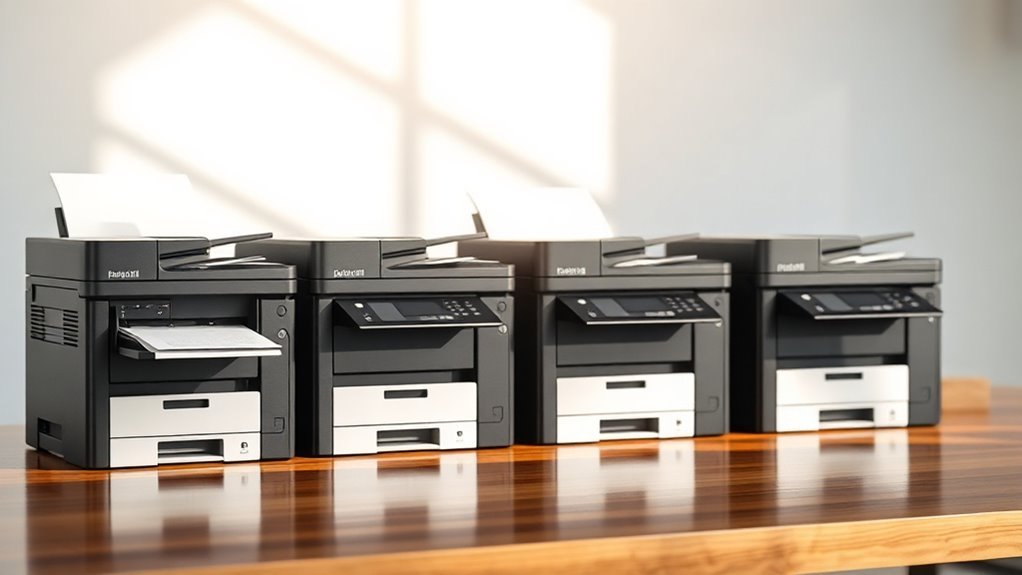
4 Best Budget Laser Printer Copiers for 2027
If you need a budget-friendly laser printer copier in 2027, you’re in luck. Finding the right printer that balances cost, speed, and features can be tricky, but we’ve got you covered with some of the best budget laser printer copiers available this year. Whether you’re working from home, running a small office, or need a reliable device for your team, these options offer great value without breaking the bank.
The HP LaserJet M234sdw offers fast printing and scanning for small teams. Brother’s DCP-L2640DW delivers speedy print/copy with mobile app control and a large paper tray.
Canon’s imageCLASS MF273dw fits home offices with solid print quality and duplex features. The HP LaserJet Pro 3105sdw adds fax and strong security for workgroups. Keep going to uncover which best suits your workflow needs.
| Image | Name | Editor's Rating | Price |
|---|---|---|---|

|
|
||

|
|
HP LaserJet M234sdw Monochrome Laser Printer | All-in-One
No products found.
The HP LaserJet M234sdw is designed to meet the needs of small teams looking for a reliable and efficient all-in-one monochrome laser printer. It handles printing, copying, and scanning with ease, helping you save time on everyday office tasks. The fast print speed of up to 30 pages per minute ensures productivity without delays.
Its compact design fits comfortably in limited office spaces, making it ideal for small workgroups. The 40-page auto document feeder lets you scan or copy multiple pages hands-free, reducing manual effort. Wireless dual-band Wi-Fi, Ethernet, and USB options provide flexible connectivity to suit various work environments.
Maintenance is straightforward with a 150-sheet paper capacity, though it may require frequent refills in busier settings. The printer supports automatic duplex printing, helping reduce paper waste. Built-in security features protect your documents and data, giving peace of mind in shared office spaces.
While it only prints in black and white, it offers consistent, professional-quality output suited to general office needs. Its streamlined functionality and reliable performance make it a practical choice for small teams.
Best for: Small teams of up to five users needing a compact, efficient all-in-one monochrome laser printer for daily office tasks.
What We Like:
- Fast print speed up to 30 ppm with automatic duplex printing
- 40-page auto document feeder for hands-free multi-page scanning and copying
- Multiple connectivity options including dual-band Wi-Fi, Ethernet, and USB
- Compact design fits well in small offices
- Built-in security features protect sensitive data
Specification:
| Feature | Details |
|---|---|
| Manufacturer | HP |
| Dimensions | Compact size (exact not provided) |
| Weight | Not specified |
| Color | Gray |
| Print Speed | Up to 30 ppm |
| Paper Capacity | 150 sheets |
| Connectivity | Dual-band Wi-Fi, Ethernet, USB |
| Functions | Print, Copy, Scan |
Brother DCP-L2640DW Wireless Monochrome Printer
- BEST FOR SMALL BUSINESSES – Engineered for extraordinary productivity, the Brother DCP-L2640DW Monochrome (Black & White) 3-in-1 combines laser printer, scanner, copier...
- FAST PRINTER WITH EFFICIENT SCANNING – Produces documents quickly with print speeds up to 36 ppm(2) and scan speeds up to 23.6/7.9 ipm(3) (black/color). A 50-page auto...
- FLEXIBLE CONNECTION OPTIONS – Easily navigate the changing demands of your business with secure multi-device connectivity via built-in dual-band wireless (2.4GHz...
- BROTHER MOBILE CONNECT APP – Print, scan, and manage your wireless printer anytime, from almost anywhere from your mobile device. Order Brother Genuine Supplies, track...
- CHOOSE BROTHER GENUINE TONER – When it’s time to replace your toner, be sure to choose Brother Genuine TN830 or TN830XL replacement toner. And with Refresh EZ Print...

Discover the Brother DCP-L2640DW, a compact and efficient solution for monochrome printing needs. This 3-in-1 laser printer is designed to streamline your workflow by combining printing, copying, and scanning in one device. It delivers sharp text documents quickly, helping you meet tight deadlines without hassle.
With print speeds up to 36 pages per minute and a fast first-page output of just 8.5 seconds, this printer enhances productivity in busy home offices or small businesses. The built-in 50-sheet automatic document feeder and 250-sheet paper tray reduce the need for frequent paper refills, making high-volume tasks more manageable.
Wireless connectivity is seamless, thanks to dual-band Wi-Fi, Ethernet, and USB options. You can also control and monitor the printer remotely via the Brother Mobile Connect app. This flexibility supports a modern, connected work environment and simplifies device management.
Maintenance is straightforward with features like toner save mode and automatic duplex printing, which help lower operating costs and minimize waste. Though it only supports monochrome output, it offers reliable performance for essential document tasks.
Best for: small businesses and home offices needing fast, reliable wireless monochrome printing with copying and scanning capabilities.
What We Like:
- Fast print and copy speeds up to 36 ppm
- Multiple connectivity options including dual-band Wi-Fi
- Efficient paper handling with 50-sheet ADF and 250-sheet tray
- Toner save mode and automatic duplex printing reduce waste
- Remote management via Brother Mobile Connect app
Specification:
| Feature | Details |
|---|---|
| Manufacturer | Brother |
| Dimensions (W×D×H) | 16.1 × 15.7 × 11.7 in |
| Weight | 15.4 lb (7 kg) |
| Printing Technology | Monochrome Laser |
| Connectivity | Dual-band Wi-Fi, Ethernet, USB |
| Paper Capacity | 250-sheet tray, 50-sheet ADF |
| Functions | Print, Copy, Scan |
Canon imageCLASS MF273dw Wireless Monochrome Laser Printer
- Wireless 3-in-1: Print | Copy | Scan
- Print up to 30 Pages Per Minute (BW, Letter)
- First Print Out in Approximately 5.3 Seconds (Letter)
- Auto 2-sided Printing
- Uses Toner 071 / 071 High-Capacity Toner
The Canon imageCLASS MF273dw is designed to streamline your printing tasks with fast monochrome output that fits perfectly in home offices or small workgroups. Its speed of up to 30 ppm helps you avoid long waits, letting you focus on what matters most.
This multifunction device combines printing, scanning, and copying in one compact unit. The automatic duplex feature saves time and paper by enabling two-sided printing without extra effort. Handling up to 150 sheets at once, it reduces the need for frequent refills.
Connectivity is simple and flexible with Wi-Fi, Wi-Fi Direct, and USB options, allowing you to print remotely from multiple devices. Maintaining the printer is straightforward, though note the starter cartridge yields about 700 pages, so plan for timely replacements.
With efficient design and reliable performance, this monochrome laser printer enhances productivity while minimizing hassle. Its clear print quality and wireless convenience make it a practical choice for daily tasks.
Best for: small offices or home users needing reliable, fast monochrome printing with wireless convenience.
What We Like:
- Fast print and copy speeds up to 30 ppm with crisp 2400 x 600 dpi output
- Automatic two-sided printing reduces paper use and saves time
- Multiple connectivity options including Wi-Fi and USB for versatile access
- Compact design fits easily in limited spaces
- Simple maintenance with easy cartridge replacement
Specification:
| Feature | Details |
|---|---|
| Manufacturer | Canon |
| Dimensions (W×D×H) | 16.1 × 15.7 × 12.8 in |
| Weight | 25.1 lb |
| Color Options | Black |
| Print Speed | Up to 30 ppm |
| Print Resolution | 2400 x 600 dpi |
| Input Tray Capacity | 150 sheets |
| Connectivity | Wi-Fi, Wi-Fi Direct, USB |
HP LaserJet Pro 3105sdw Monochrome Laser Printer | All-in-One
No products found.
The HP LaserJet Pro 3105sdw is designed to streamline your office tasks with reliable monochrome printing. It delivers sharp, professional-quality prints at speeds up to 33 pages per minute, helping teams stay productive without delays. Its compact design fits easily into small workspaces.
This all-in-one device handles printing, copying, scanning, and faxing, reducing the need for multiple machines. Duplex printing and scanning save paper and time by automatically processing double-sided documents. The 250-sheet capacity minimizes frequent paper refills.
Maintenance is straightforward, but keep in mind it requires original HP cartridges due to firmware restrictions, which ensures print quality but limits third-party options. Connectivity is flexible, supporting Wi-Fi, Ethernet, USB, and mobile printing through AirPrint and an easy-to-use app.
Security features like Wolf Pro Security protect sensitive data, making it suitable for small teams needing a balance of speed, quality, and data safety. Its functionality and design suit offices with up to seven users who require efficient black-and-white document handling.
Best for: Small to medium-sized businesses and teams needing fast, reliable monochrome printing with versatile all-in-one features.
What We Like:
- Fast print speeds with sharp 1200 x 1200 dpi resolution
- Automatic duplex printing and scanning for greater efficiency
- Multiple connectivity options including Wi-Fi, Ethernet, and mobile printing
- Compact design ideal for small office spaces
- Enhanced security with Wolf Pro Security
Specification:
| Feature | Details |
|---|---|
| Manufacturer | HP |
| Dimensions | 15.2 x 14.3 x 11.3 inches |
| Weight | 21.5 lbs |
| Printing Technology | Monochrome Laser |
| Print Speed | Up to 33 ppm |
| Resolution | 1200 x 1200 dpi |
| Paper Capacity | 250 sheets |
| Connectivity | Wi-Fi, Ethernet, USB, AirPrint |
Factors to Consider When Choosing a Budget Laser Printer Copier
When choosing a budget laser printer copier, you’ll want to deliberate how fast it prints and the types of connectivity it offers.
Think about the paper handling capacity and whether the print quality meets your needs. Also, decide if multifunction features like scanning and copying are necessary for your tasks.
Print Speed Importance
Since print speed directly affects your productivity, you’ll want to take into account pages per minute (ppm) carefully when choosing a budget laser printer copier. Higher ppm means less wait time, especially if you frequently print large jobs or work in a team setting.
Keep in mind that duplex printing speeds are typically slower—if a printer rates 30 ppm for single-sided, it might deliver around 19 ipm when printing double-sided. First-page-out time also matters; printers that start printing within 4–8 seconds feel much faster for smaller, intermittent tasks.
Match the rated speed to your typical monthly volume to avoid bottlenecks and component wear. And finally, make certain your printer’s speed pairs well with paper capacity and ADF speed to keep your workflow smooth.
Connectivity Options Variety
To get the most out of your budget laser printer copier, you’ll want to look into its connectivity options carefully. Make sure it supports both wired (Ethernet/USB) and wireless (dual-band 2.4/5 GHz Wi‑Fi) connections so you can pick the most reliable setup for your space.
Also, check for mobile printing compatibility like AirPrint, Mopria, or cloud printing. This makes it easy to print or scan from smartphones, tablets, and Chromebooks without any hassle.
If you plan to share it in an office, having an automatic document feeder plus network connectivity is a real time-saver. It allows for unattended multi-page scanning and copying, which is super convenient.
Don’t forget to verify secure network protocols — Wi-Fi encryption, WPA3, and user authentication help protect your documents. Plus, consider USB ports and print-server features for straightforward local setups or when wireless is unreliable or restricted.
Paper Handling Capacity
Many budget laser printer copiers offer input trays that hold between 150 and 250 sheets. This helps you match the device to your typical print volume and cut down on frequent reloads.
When choosing, check if the paper cassette supports legal-sized paper or specialty media like envelopes and card stock. You want to make sure it fits your needs.
An automatic document feeder (ADF) with a 40–50 page capacity lets you scan or copy multi-page documents hands-free. That way, you save time and effort.
Also, verify the output tray size and duplexing feature. Printing double-sided without manually flipping pages helps reduce paper use.
Finally, consider the printer’s monthly duty cycle and maximum run capacity. This makes certain it handles your heaviest workloads without premature wear or breakdowns.
Print Quality Standards
Paper capacity and handling features set the foundation, but print quality ultimately shapes how your documents look and feel. Aim for a minimum optical resolution of 600 x 600 dpi to guarantee crisp black-and-white text, with 1200 x 1200 dpi preferred for finer detail.
Check first-page-out times (~5–10 seconds) and sustained speeds (25–35 ppm) to maintain sharpness in multi-page jobs and avoid motion blur. It’s important to keep things smooth when printing lots of pages.
Consider toner yield and page density—high-yield cartridges and toner-save modes keep print darkness consistent over long runs. Also, look for printers that reproduce thin lines (under 0.25 mm) and smooth grayscale without banding for professional results.
Finally, verify duplex accuracy and paper handling to avoid misfeeds or misalignment, which can ruin your document’s final appearance despite high resolution. Paying attention to these details makes all the difference.
Multifunction Features Needed
Although print, copy, and scan functions are standard on most budget laser printer copiers, you should carefully consider which additional features truly fit your workflow.
Decide if you really need fax since it adds cost but is rarely used today. An automatic document feeder (ADF) can save you time when copying or scanning multi-page documents, so check its capacity—typically 20 to 50 pages.
Duplex printing and two-sided scanning are essential if you handle lots of double-sided documents. They help you save paper and time.
Evaluate the scan options you need: flatbed for books or photos, sheet-fed for stacks, plus resolution and color depth for OCR or archival quality.
Finally, touchscreen or app-based controls with cloud and mobile support can simplify remote setup and on-the-go scanning or printing. It really makes things easier when you’re busy or working remotely.
Energy Efficiency Ratings
When choosing a budget laser printer copier, you should prioritize energy efficiency to lower both environmental impact and operating costs. Look for models with Energy Star certification and EPEAT registration, which meet strict federal energy standards.
Compare Typical Electricity Use (TEC) ratings and power consumption in idle, printing, and sleep modes—lower values mean you’ll save more on electricity bills. Check if the printer supports automatic duplex printing and has sleep or auto-off timers to reduce paper waste and standby power.
Also, consider warm-up and first-page-out times; faster startup and efficient fusing minimize energy use per page. Finally, evaluate toner yield and print efficiency, since higher pages per kWh and cartridges reduce energy and material consumption over the printer’s lifetime.
That way, your choice will be truly cost-effective and eco-friendly.
Security Features Included
Energy efficiency helps reduce costs and environmental impact, but your budget laser printer copier also needs solid security to protect sensitive information. Make sure it includes built-in firmware protections like intrusion detection or self-healing to block unauthorized access.
Look for network security features such as secure boot, encrypted protocols (TLS/SSL), and WPA3 support to safeguard data in transit. These features really help keep your information safe when it’s moving around.
User authentication and access controls—like PINs, LDAP/Active Directory, or card login—are essential to restrict usage. You want to make sure only authorized people can use the device.
Also, verify it supports secure printing and encrypts stored data. Automatic secure erase of job and scan files is a great bonus to prevent leaks.
Finally, check for logging and audit capabilities. Remote or automatic firmware updates are super helpful to monitor activity and quickly fix vulnerabilities, keeping your documents safe and sound.
Warranty And Support
Since a budget laser printer copier is a critical tool for your business, understanding its warranty and support options can save you time and money in the long run. Check the warranty length and type—like a one-year limited warranty covering parts and labor—to know what’s protected.
Also, confirm available support channels such as phone, live chat, or email, and their hours so you can get help when needed. It’s good to know if on-site service is included, as it can reduce downtime compared to mail-in repairs.
Make sure to ask if consumables like drum units or maintenance kits are covered or excluded. Finally, review the warranty claim process, average turnaround times, and any expedited service options to keep your operations running smoothly.
Frequently Asked Questions
How Long Do Toner Cartridges Typically Last in Budget Laser Printers?
Toner cartridges in budget laser printers typically last around 1,500 to 3,000 pages. Your usage and print settings affect this, so you’ll want to monitor toner levels regularly.
That way, you can avoid running out unexpectedly. It’s always better to be prepared!
Are Budget Laser Printers Compatible With Mobile Printing Apps?
Just like your phone and laptop connect seamlessly, budget laser printers often sync with mobile printing apps. You’ll find many models support Wi-Fi or Bluetooth, making printing from your device quick and hassle-free wherever you are.
It’s pretty convenient, right? You don’t have to be tied down to a desk to get your documents printed. Just a few taps on your phone, and you’re good to go!
What Is the Average Energy Consumption of Budget Laser Printers?
You’ll find budget laser printers typically consume around 300 to 500 watts while printing and about 5 to 10 watts in standby mode. Energy use varies, so look for ENERGY STAR models to save on power bills.
It’s a good idea to check the specs before you buy. That way, you can pick a printer that won’t hike up your electricity costs.
Can Budget Laser Printers Handle Heavy-Duty Printing Tasks?
Budget laser printers usually can’t handle heavy-duty printing without slowing down or overheating. If you print a lot, you’ll want a higher-end model designed for volume.
This helps you avoid frequent maintenance and poor performance. So, it’s definitely worth investing in a more robust printer if heavy use is your thing.
Do Budget Laser Printers Come With Duplex Scanning Features?
Budget laser printers rarely include duplex scanning features since they’re designed to keep costs low.
If you need automatic double-sided scanning, you’ll usually have to invest in a higher-end model or a dedicated scanner with that capability.
Conclusion
So, you’re hunting for a budget laser printer copier in 2027, and ironically, the best deals won’t bankrupt you or jam at the worst moments. These models prove you don’t need to spend a fortune to get reliable, wireless, all-in-one functionality.
Who knew budget-friendly could mean stress-free printing? Just remember, the real challenge isn’t finding a good printer—it’s resisting the urge to print everything you see.
When it comes to choosing a budget laser printer copier, focus on features like wireless connectivity, print speed, and multifunction capabilities. These affordable options deliver quality without breaking the bank, making them perfect for home offices or small businesses.
So go ahead, pick one of the best budget laser printer copiers for 2027 and enjoy hassle-free printing that fits your wallet and your workflow. Happy printing!