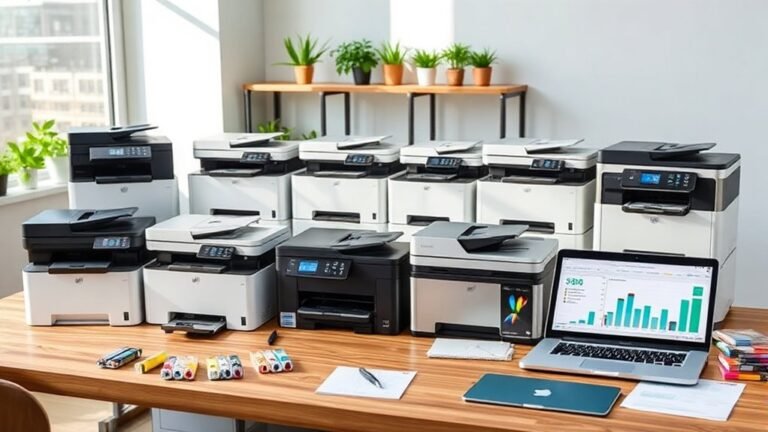
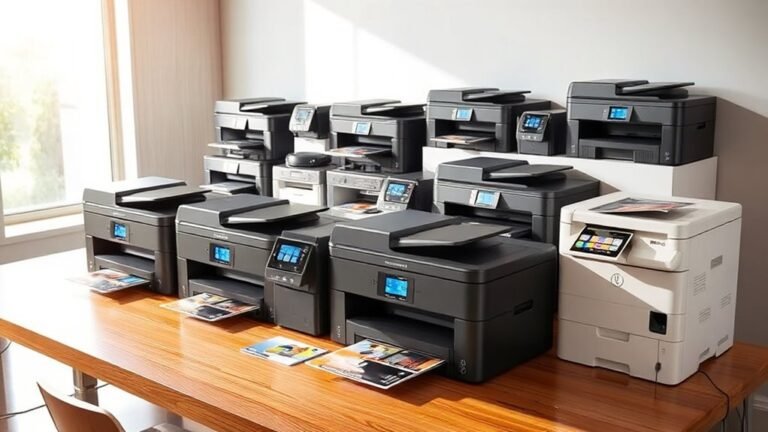
4 Best Black and White Printer Copiers for 2027
You’ll find the Brother DCP-L2640DW offers fast 36 ppm printing and a 50-sheet ADF for busy workflows. The compact HP LaserJet MFP M140w suits small spaces with reliable wireless printing up to 21 ppm.
Canon’s imageCLASS MF3010 is great for wired setups with automatic duplex and solid 19 ppm speed. For versatility, the HP LaserJet Pro 3105sdw delivers up to 33 ppm plus fax and duplex scan features.
Keep key performance and connectivity factors in mind as you explore your options. These black and white printer copiers are designed to meet different needs, whether you want speed, space-saving, or advanced features. So, take your pick and find the best fit for your workspace!
| Image | Name | Editor's Rating | Price |
|---|---|---|---|

|
|
||

|
|
Brother DCP-L2640DW Wireless Monochrome Printer
- BEST FOR SMALL BUSINESSES – Engineered for extraordinary productivity, the Brother DCP-L2640DW Monochrome (Black & White) 3-in-1 combines laser printer, scanner, copier...
- FAST PRINTER WITH EFFICIENT SCANNING – Produces documents quickly with print speeds up to 36 ppm(2) and scan speeds up to 23.6/7.9 ipm(3) (black/color). A 50-page auto...
- FLEXIBLE CONNECTION OPTIONS – Easily navigate the changing demands of your business with secure multi-device connectivity via built-in dual-band wireless (2.4GHz...
- BROTHER MOBILE CONNECT APP – Print, scan, and manage your wireless printer anytime, from almost anywhere from your mobile device. Order Brother Genuine Supplies, track...
- CHOOSE BROTHER GENUINE TONER – When it’s time to replace your toner, be sure to choose Brother Genuine TN830 or TN830XL replacement toner. And with Refresh EZ Print...

The Brother DCP-L2640DW Wireless Monochrome Printer is designed to streamline your office tasks with simplicity and speed. It handles printing, copying, and scanning efficiently, helping you complete jobs faster without cluttering your workspace.
This compact device prints up to 36 pages per minute, so you won’t waste time waiting. Its 50-sheet automatic document feeder and 250-sheet paper tray reduce interruptions during high-volume work. Wireless and Ethernet connectivity make it easy to connect multiple devices.
Maintenance is straightforward with reliable performance and energy-saving duplex printing that cuts paper use. The Brother Mobile Connect app adds convenience by allowing remote print management from your smartphone or tablet.
Ideal for small businesses or home offices, this monochrome printer focuses on essential functions with no color printing. While it lacks an advanced touchscreen, the basic controls and app keep operation simple and effective.
Best for: small businesses and home offices needing a compact, fast, and reliable monochrome printer with multifunction and wireless features.
What We Like:
- Fast printing speed of up to 36 ppm with quick first-page output
- 3-in-1 functionality with a 50-sheet ADF and large 250-sheet paper capacity
- Efficient duplex printing and strong wireless/Ethernet connectivity
- Easy maintenance and remote management via Brother Mobile Connect app
Specification:
| Feature | Details |
|---|---|
| Manufacturer | Brother |
| Dimensions | 16.1 x 15.7 x 12.3 inches |
| Weight | 15.9 lbs (7.2 kg) |
| Color Options | White |
| Connectivity | Wireless, Ethernet |
HP LaserJet MFP M140w Wireless Printer
- FROM AMERICA'S MOST TRUSTED PRINTER BRAND – Perfect for small teams printing, scanning and copying professional-quality black & white documents and reports. Perfect for...
- WORLD'S SMALLEST LASER IN ITS CLASS – Precision laser printing, scanning, and copying that fits anywhere
- FAST PRINT SPEEDS – Up to 21 black-and-white pages per minute single-sided
- WIRELESS WITH SELF-RESET – Helps you stay connected
- EASILY COPY ID CARDS AND MORE – Copy both sides of ID cards or other small-size documents onto the same side of one sheet of paper
The HP LaserJet MFP M140w Wireless Printer is designed to streamline everyday office tasks with efficiency and ease. Its compact design, the smallest laser printer in its class, saves valuable desk space without compromising performance. This makes it ideal for small workspaces where functionality and footprint matter.
With printing, scanning, and copying speeds up to 21 pages per minute, it handles routine documents quickly, reducing wait times. The ability to copy both sides of ID cards onto a single sheet simplifies administrative tasks, improving productivity for small teams.
Wireless connectivity supports printing from mobiles, PCs, and tablets across multiple platforms including Microsoft, Mac, AirPrint, Android, and Chromebook. The HP Smart app further enhances convenience by simplifying scanning and printing workflows, helping users stay productive from anywhere.
Maintenance is straightforward with original HP cartridges ensuring reliable print quality and security. However, users should note that only genuine HP cartridges are compatible, and firmware updates may restrict non-HP consumables, which could affect ongoing costs and convenience.
Best for: Small teams of 1–3 people needing a compact, reliable wireless printer for fast black-and-white printing, scanning, and copying.
What We Like:
- Compact size fits tight office spaces.
- Fast multifunction performance at up to 21 ppm.
- Broad wireless compatibility and easy mobile printing.
- Simplified scanning and printing with HP Smart app.
- Secure, reliable printing with original HP cartridges.
Specification:
| Specification | Details |
|---|---|
| Manufacturer | HP |
| Dimensions (W×D×H) | 14.3 × 12.3 × 8.6 inches |
| Weight | 12.3 lb (5.58 kg) |
| Color Options | White |
| Printing Speed | Up to 21 pages per minute |
| Connectivity | Wireless (Wi-Fi) |
Canon imageCLASS MF3010 Wired Monochrome Laser Printer
No products found.
The Canon imageCLASS MF3010 makes monochrome printing and copying simple and efficient. It tackles everyday office tasks with a steady speed of 19 pages per minute, helping you keep up with busy workdays. This printer’s sharp 600 x 600 dpi output ensures clear, professional documents without unnecessary complexity.
Designed for small offices and home setups, it handles various media sizes up to legal (8.5 x 14 inches), making it versatile for different printing needs. The flatbed scanner and ID card copy function add convenience, allowing you to complete multiple tasks without extra equipment. Its compact, sturdy design fits easily into tight spaces.
Maintenance is straightforward with a 150-sheet paper tray that balances capacity and size. While it offers automatic duplex printing to save paper and time, connectivity is limited to USB, which suits users who prioritize a stable, wired connection. The monochrome-only output limits color printing but focuses on reliable black-and-white performance.
Best for: small offices and home users who need a dependable, fast monochrome multifunction printer with efficient scanning and copying.
What We Like:
- Quick 19 ppm print and copy speeds for smooth workflow
- Automatic duplex printing reduces paper use
- Supports multiple media sizes including legal and ID cards
- Compact design fits small spaces
- Simple USB connection for easy setup
Specification:
| Feature | Details |
|---|---|
| Manufacturer | Canon |
| Dimensions (W×D×H) | 15.4 × 12.0 × 9.3 in |
| Weight | 13.7 lb (6.2 kg) |
| Print Speed | 19 pages per minute |
| Print Resolution | 600 × 600 dpi |
| Paper Capacity | 150 sheets |
| Connectivity | USB Wired |
| Supported Media | Up to legal size |
HP LaserJet Pro 3105sdw Monochrome Laser Printer | All-in-One
No products found.
The HP LaserJet Pro 3105sdw is designed to streamline your office tasks with fast, high-quality black-and-white printing. It helps small businesses and teams produce crisp documents quickly, saving valuable time during busy workdays. Its all-in-one capabilities let you print, copy, scan, and fax from a single device, simplifying your workflow.
This printer supports duplex printing and scanning, reducing paper use and boosting efficiency. Its 250-sheet capacity handles moderate workloads but requires regular refills in high-demand settings. Connectivity is versatile, with Wi-Fi, Ethernet, USB, and mobile printing options to fit diverse office setups.
Maintenance is straightforward, but note the machine uses original HP toner cartridges exclusively, which helps maintain print quality but may increase operating costs. The compact design fits well in tight spaces, making it a reliable companion for daily office needs.
With integrated HP AI features for enhanced scanning and advanced security through HP Wolf Pro, your documents remain precise and protected.
Best for: small to medium businesses and teams needing efficient, secure monochrome printing with versatile all-in-one functions.
What We Like:
- Fast monochrome printing at up to 33 pages per minute
- Duplex print and scan to save time and resources
- Multiple connectivity options including mobile and Ethernet
- AI-enhanced scanning for better document quality
- Robust security with HP Wolf Pro protection
Specification:
| Feature | Description |
|---|---|
| Manufacturer | HP |
| Dimensions | Compact design (exact size not provided) |
| Weight | Not specified |
| Color | Monochrome (black and white) |
| Paper Capacity | 250 sheets |
| Print Speed | Up to 33 pages per minute |
| Resolution | 1200 x 1200 dpi |
Factors to Consider When Choosing a Black and White Printer Copier

When choosing a black and white printer copier, you need to contemplate how fast it prints and the types of connections it offers. Think about whether you need extra functions like scanning or faxing, along with how much paper it can handle.
Don’t forget to check the print quality to make certain it meets your standards. It’s important to make sure the printer fits your specific needs and workspace. Taking these factors into account will help you pick the right machine.
Print Speed Importance
Consider how print speed directly impacts your workflow when choosing a black and white printer copier. Measured in pages per minute (ppm), higher print speeds reduce wait times for large print or copy jobs, keeping your tasks moving efficiently.
Don’t overlook first-page-out time—it determines responsiveness for single or intermittent prints. So, a lower time means quicker starts.
If you handle multifunction tasks, make certain the print ppm aligns with copy speed and automatic document feeder (ADF) capacity. This helps prevent bottlenecks with multi-page documents.
For frequent duplex printing, compare single-sided ppm to duplex throughput since two-sided jobs often slow effective speed.
Finally, balance speed with print quality and confirm the monthly duty cycle matches your volume. This way, you’ll maintain reliable, sustained output without overworking the machine.
Connectivity Options Available
How will your black and white printer copier connect to your devices and network? Make sure it supports both Ethernet and dual-band Wi-Fi (2.4 GHz and 5 GHz) for reliable, fast network access. This is especially important if multiple users share it.
Mobile printing compatibility is essential—look for AirPrint, Mopria, or other vendor-neutral protocols. These let you print or scan directly from smartphones and tablets without installing drivers.
Check for USB 2.0/3.0 or USB Host ports for local connections. Also, consider a front-panel USB port for quick thumb-drive printing.
If you scan or copy multi-page documents regularly, an automatic document feeder accessible via network is a huge time-saver. Finally, confirm the printer supports remote management and cloud services. This will keep firmware updated and handle cloud-based document workflows smoothly.
Multi-Function Capabilities
Picking the right black and white printer copier means lining up its multi-function capabilities with your daily tasks. First, confirm which functions you need—print, copy, scan, and optionally fax—to make certain the device handles all workflows in one unit.
Check if the scanner has both a flatbed and an automatic document feeder (ADF). Note the ADF capacity since a higher capacity (like 50 pages) speeds up multi-page jobs.
Verify duplex printing and scanning support to save paper and streamline double-sided tasks. Look for copy speed that matches print speed and maximum copy limits to fit high-volume needs.
Finally, make sure the device supports your preferred scan destinations and formats, such as scan to email or OCR PDFs. Also, see if it offers intuitive controls via app, touchscreen, or PC software for smooth document management.
Paper Handling Capacity
Evaluate the paper handling capacity to keep your printing and copying workflow efficient and uninterrupted. Start by checking the input tray capacity—typically 150 to 250 sheets—to match your usual print volume and minimize frequent reloads.
Also, consider the output tray capacity, often 100 to 150 sheets, so large jobs don’t overflow or demand constant attention. An automatic document feeder (ADF) with a 25 to 50-page capacity helps speed up multi-page scanning and copying.
Make sure the device supports automatic duplex printing to save paper and boost handling efficiency. Finally, verify the maximum supported media sizes and types, including legal-sized paper, envelopes, labels, and cardstock.
You want to ensure the trays and paper path accommodate your diverse printing needs without jams or manual adjustments. That way, everything runs smoothly without any hiccups.
Print Quality Standards
Print quality standards play a pivotal role when choosing a black and white printer copier because they directly affect the sharpness and clarity of your documents. You should look for a minimum print resolution of 600 x 600 dpi to make certain crisp text and line art. Though, 1200 x 1200 dpi is better for detailed halftones and professional output.
Check copy resolution and halftone rendering to guarantee accurate grayscale reproduction. Fast first-page-out times, ideally under nine seconds, indicate a well-tuned print engine with consistent toner transfer.
For scanning, focus on true optical resolution (300–600 dpi) rather than interpolated dpi to get reliable black-and-white scans. Finally, verify uniform toner density and effective grayscale rendering to avoid banding, shadow loss, and uneven blacks during large print runs.
Consumables And Cost
Understanding the true cost of running a black and white printer copier goes beyond just the purchase price. You should calculate the cost per page by dividing the toner cartridge price by its stated yield.
Don’t forget to compare standard versus high-yield cartridges, as high-yield options often lower your per-page cost. Also, factor in the drum or imaging unit’s lifespan and replacement cost, since these can add significant expenses.
Consumables like transfer belts, fusers, and maintenance kits have fixed replacement intervals that raise operating costs, too. Using toner save modes and automatic duplexing can extend toner life and cut paper use, reducing costs.
Finally, consider regional pricing, subscription programs, and estimate annual consumable expenses based on your monthly printing volume for a complete picture.
Device Footprint Size
Start by measuring the space where you plan to place your black and white printer copier, and compare it with the device’s dimensions. Compact models can be under 16 inches wide and 13 inches tall, while full-featured units often exceed 20 inches in at least one dimension.
Don’t forget to account for the extra depth needed when paper trays, output bins, or automatic document feeders (ADFs) are open. You’ll want 6 to 10 inches of clearance in front and behind for loading and airflow.
Consider whether you’ll place the printer on a desk or floor, as larger floor-standing models require more room. Also, factor in weight if you need to move the device—desktop units often weigh under 20 pounds, while multifunction machines can surpass 25 pounds and may need two people to relocate.
Security Features Included
When selecting a black and white printer copier, you’ll want to prioritize security features that protect your data and network. Look for built-in firmware protections like secure boot, signed updates, and integrity checks to block unauthorized code.
Make sure the device supports network security protocols such as WPA3/WPA2 for Wi-Fi and TLS/SSL for communications, plus 802.1X for access control. These are key to keeping your connections safe.
Choose models offering user authentication—PINs, cards, or mobile credentials—and role-based access to limit who can print, scan, or access settings. This way, you control who does what.
Verify data-at-rest safeguards, including encrypted storage and automatic secure overwrites, to protect sensitive info. You don’t want your data falling into the wrong hands.
Finally, consider audit and logging capabilities with secure print release and SIEM integration to monitor activity, support incident response, and maintain compliance. These features keep your printer copier safe and reliable.
Frequently Asked Questions
How Do Black and White Printers Compare in Energy Consumption?
You’ll find black and white printers usually consume less energy than color ones since they don’t process multiple inks. They’re more efficient, especially during standby and printing, helping you save on electricity in the long run.
It’s pretty straightforward—fewer inks mean less work for the printer. So, if you’re looking to cut down on energy use, black and white printers are a smart choice.
Can These Printers Handle Printing on Different Paper Sizes?
Like a skilled artist switching canvases, you’ll find these printers adapt easily to various paper sizes. They handle everything from postcards to legal sheets, letting you print confidently without worrying about fit or quality.
Pretty handy, right? It means you can switch up your projects without a hitch. No more stressing over whether the paper will work or not!
What Is the Average Cost of Replacement Toner Cartridges?
You’ll typically pay between $40 and $100 for replacement toner cartridges, depending on your printer model. Buying high-yield cartridges can save you money over time.
Plus, some brands offer subscription plans to keep costs down. That way, you don’t have to worry about running out or overpaying.
Are There Eco-Friendly Black and White Printer Options Available?
If printers could whisper, they’d tell you yes—eco-friendly black and white options exist. You’ll find energy-efficient models with recycled toner cartridges, reduced waste, and low power consumption.
How Secure Are Wireless Connections on These Printer Copiers?
Wireless connections on these printer copiers are generally secure, but you should enable encryption like WPA3. Also, use strong passwords, and keep the firmware updated.
Taking these steps helps protect your data from unauthorized access and cyber threats. It’s really worth the effort to stay safe!
Conclusion
When choosing a black and white printer copier, remember that 60% of small businesses prioritize speed and reliability. You want a machine that keeps up with your workflow without hiccups.
Whether you pick the Brother DCP-L2640DW for wireless convenience or the Canon imageCLASS MF3010 for wired dependability, you’ll get crisp prints every time.
Investing wisely means fewer interruptions and more productivity—exactly what you need to keep your workday running smoothly. A reliable black and white printer copier not only enhances efficiency but also ensures consistent, high-quality output. So, focus on speed, dependability, and ease of use to find the perfect fit for your business needs. With the right choice, your workflow stays seamless, making your office tasks faster and hassle-free.